Gltf-blender-io: Problem exporting skinned mesh with bones that have no skins
After I export a gltf, my skinned mesh appears to be very odd.
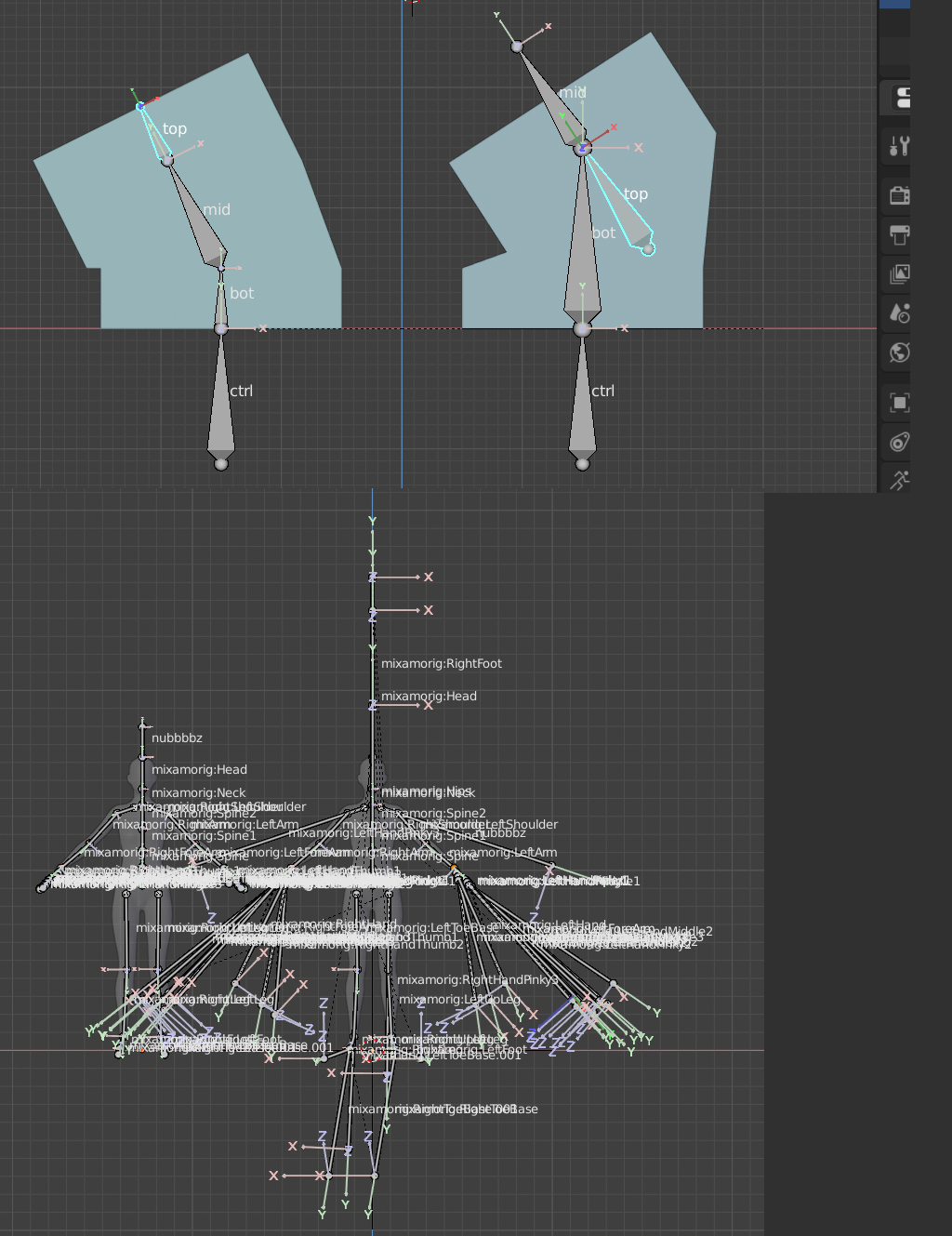
In Blender:

In gltf viewer:

While very visually interesting, this isn't the desired result 😄
I am manually adding leaf bones to my armature so I can see the lone child bones in my engine.
I can manually "fix" this by reordering the skins, joints list.
"skins" : [
        {
            "inverseBindMatrices" : 14,
            "joints" : [
                54,
                43,
                42,
                41,
                2,
                1,
                0,
                21,
                20, ...
If I take the indexes of my new leaf joints and move them to the bottom, it will render properly.
I wonder if the joints are not ordered properly on export?
I'm also curious if this is related to #184
SOURCE BLENDER:
female-adult.blend.zip
 setpixel
All 8 comments
Hi @julienduroure !
I know the answer is, when it's ready. However, I was wondering about timing on the skinning issues for the exporter. I really want to ship with GLTF rather than FBX files.
I was looking at where to fix this, but I don't know if I understand the root of the problem. Is there a way I could help?
Sorry, I know these type of comments are annoying.
setpixel
on 28 Jan 2019
In the neck and the hips, the bones are not connected in your model. That can definitely cause problems.
 ghost
on 28 Jan 2019
ghost
on 28 Jan 2019
@UX3D-schmithuesen are offset bones not supported? I thought offset/connected shouldn't matter, since in the end only the (end) joints are exported.
I just tested exporting a simple mesh and indeed adding a single offset bone messes up the resulting transforms completely, which worked for me in the old -Exporter version.
 fkaa
on 28 Jan 2019
fkaa
on 28 Jan 2019
 capnm
on 29 Jan 2019
capnm
on 29 Jan 2019
@setpixel could you elaborate on your fix? Maybe even supply both, the broken and fixed .gltf?
 UX3D-becher
on 21 Mar 2019
UX3D-becher
on 21 Mar 2019
@UX3D-becher it was a false claim unfortunately. i thought i fixed it by reordering the skins. the fix i ended up using was exporting the fbx and using a fbx to gltf command line converter - which isnt really a fix. :(
setpixel
on 22 Mar 2019
@setpixel with the most recent commit, the model should export correctly
UX3D-becher
on 1 Apr 2019
WAT WAT WAT? This is great news. I will give it a test!
setpixel
on 1 Apr 2019
Related issues
 Quinten123
·
5Comments
Quinten123
·
5Comments
 Nehon
·
5Comments
Nehon
·
5Comments
 UX3D-nopper
·
4Comments
UX3D-nopper
·
4Comments
 donmccurdy
·
5Comments
donmccurdy
·
5Comments
 julienduroure
·
5Comments
julienduroure
·
5Comments
Most helpful comment
@setpixel with the most recent commit, the model should export correctly