Glpi: [9.2.1] [BUG] Unauthorized access to this file
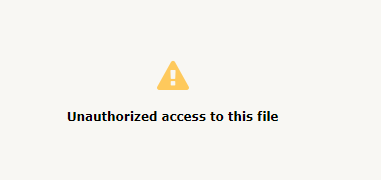
When inserting an image (print screen) in the follow up by the technician, the user when trying to open the image receives the following error (Unauthorized access to this file).

After clicking on the image, you receive the following error
Another question that causes me doubts.
An image inserted (print screen) by the User is located in /files/ ...
An image inserted (print screen) by the technician is located at: Management> Documents
Why they are in different places
Information about system installation and configuration
[code]
GLPI 9.2.1 (/glpi => /var/www/html/glpi)
Installation mode: TARBALL
Server
Operating system: Linux glpi 4.9.0-4-amd64 #1 SMP Debian 4.9.65-3 (2017-12-03) x86_64
PHP 7.0.19-1 apache2handler (Core, PDO, Phar, Reflection, SPL, SimpleXML, Zend OPcache, apache2handler, apc, apcu, bcmath, bz2,
calendar, ctype, curl, date, dom, exif, fileinfo, filter, ftp, gd, gettext, hash, iconv, imap, json, ldap, libxml, mbstring,
mysqli, mysqlnd, openssl, pcre, pdo_mysql, posix, readline, session, shmop, snmp, soap, sockets, standard, sysvmsg, sysvsem,
sysvshm, tokenizer, wddx, xml, xmlreader, xmlrpc, xmlwriter, xsl, zip, zlib)
Setup: max_execution_time="600" memory_limit="128M" post_max_size="8M" safe_mode="" session.save_handler="files"
upload_max_filesize="2M"
Software: Apache/2.4.25 (Debian) (Apache/2.4.25 (Debian) Server at www.mysite.com.br Port 80)
Mozilla/5.0 (Windows NT 10.0; Win64; x64) AppleWebKit/537.36 (KHTML, like Gecko) Chrome/63.0.3239.84 Safari/537.36
Server Software: Debian 9.1
Server Version: 10.1.26-MariaDB-0+deb9u1
Server SQL Mode:
Parameters: glpi@localhost/glpi
Host info: Localhost via UNIX socket
mysqli extension is installed
ctype extension is installed
fileinfo extension is installed
json extension is installed
mbstring extension is installed
zlib extension is installed
curl extension is installed
gd extension is installed
simplexml extension is installed
xml extension is installed
ldap extension is installed
imap extension is installed
Zend OPcache extension is installed
APCu extension is installed
xmlrpc extension is installed
OK/var/www/html/glpi/config : OK
OK/var/www/html/glpi/files : OK
OK/var/www/html/glpi/files/_dumps : OK
OK/var/www/html/glpi/files/_sessions : OK
OK/var/www/html/glpi/files/_cron : OK
OK/var/www/html/glpi/files/_graphs : OK
OK/var/www/html/glpi/files/_lock : OK
OK/var/www/html/glpi/files/_plugins : OK
OK/var/www/html/glpi/files/_tmp : OK
OK/var/www/html/glpi/files/_cache : OK
OK/var/www/html/glpi/files/_rss : OK
OK/var/www/html/glpi/files/_uploads : OK
OK/var/www/html/glpi/files/_pictures : OK
OK/var/www/html/glpi/files/_log : OK
Web access to files directory is protectedWeb access to files directory is protected : OK
Libraries
htmLawed version 1.2.4 in (/var/www/html/glpi/lib/htmlawed)
phpCas version 1.3.5 in (/var/www/html/glpi/vendor/jasig/phpcas/source)
PHPMailer version 5.2.26 in (/var/www/html/glpi/vendor/phpmailer/phpmailer)
SimplePie version 1.5.1 in (/var/www/html/glpi/vendor/simplepie/simplepie/library)
TCPDF version 6.2.13 in (/var/www/html/glpi/vendor/tecnickcom/tcpdf)
michelf/php-markdown in (/var/www/html/glpi/vendor/michelf/php-markdown/Michelf)
true/punycode in (/var/www/html/glpi/vendor/true/punycode/src)
iacaml/autolink in (/var/www/html/glpi/vendor/iamcal/lib_autolink)
sabre/vobject in (/var/www/html/glpi/vendor/sabre/vobject/lib)
LDAP directories
Server: 'xxx.xxx.xxx.xxx', Port: 'xxx', BaseDN: 'OU=demo,OU=demo,DC=demo,DC=demo', Connection filter:
'(&(objectClass=user)(objectCategory=person)(!(userAccountControl:1.2.840.113556.1.4.803:=2)))', RootDN: 'demo\demo',
Use TLS: none
Server: 'xxx.xxx.xxx.xxx', Port: 'xxx', BaseDN: 'OU=demo1,OU=demo1,DC=demo1,DC=demo1', Connection filter:
'(&(objectClass=user)(objectCategory=person)(!(userAccountControl:1.2.840.113556.1.4.803:=2)))', RootDN:
'demo1\demo1', Use TLS: none
SQL replicas
Not active
Notifications
Way of sending emails: SMTP ([email protected])
Mails receivers
Plugins list
fusioninventory      Name: FusionInventory                Version: 9.2+1.0    State: Enabled
pdf                  Name: Imprimir em PDF                Version: 1.3.0      State: Enabled
dashboard            Name: Painel                         Version: 0.8.9      State: Enabled
[/code]
To copy/paste in your support request
 allanlopesprado
All 13 comments
I just hit what could be the same problem. For me, it was in a ticket description.
The full URL to the GLPI document is stored in the _content_ field in the database.
My colleague who updated the ticket was using the IP address of the GLPI server instead of the server name (which I am using).
My browser does not have a session cookie for the IP address of the server, so I do not have the right to view http://192.168.2.35/glpi/front/document.send.php?docid=3888.
I think GLPI should use a token in the database field for documents embedded in rich text and expand it to the correct URL when rendering the field.
 grahamj42
on 16 Jan 2018
grahamj42
on 16 Jan 2018
3343
allanlopesprado
on 16 Jan 2018
@allanlopesprado
3343 is not ok for No Picture in FAQ with this patch https://github.com/glpi-project/glpi/pull/3141/files
I have the same problem with image in follow and task
If user is with profil Simplified Profil it 's not ok , for user with Standard profil is ok
 CDA39
on 23 Jan 2018
CDA39
on 23 Jan 2018
It will be fixed in 9.2.2
See above pull request and diff (https://github.com/glpi-project/glpi/pull/3517/files) if you want to apply before official release.
The issue is a bad entity for pasted images.
The fix will prevent this behavior for future pastes.
For previous tickets, you may change entities or set child entities = yes to pasted images (you'll find them in Management > Documents)
 orthagh
on 7 Feb 2018
orthagh
on 7 Feb 2018
@orthagh Hello, I applied the fix and also checked, Management> Documents, but I still have the same error, is there anything else I can do to verify?
allanlopesprado
on 7 Feb 2018
do you have the same error on new paste ?
if it's on existing pastes, see my answer above.
orthagh
on 7 Feb 2018
Yes I have the same error, even in a new paste !
allanlopesprado
on 7 Feb 2018
@orthagh, note the comment of the friend @arthurrschaefer
allanlopesprado
on 7 Feb 2018
Ok saw it, and i replicate on self service also
i prepare a fix.
orthagh
on 9 Feb 2018
Here we go, see above #3529.
It must fix link for new paste done.
No solution for previous pasted by the way
orthagh
on 9 Feb 2018
Didn't work.
The GLPI goes blank every time I apply the fix.
I think I'm gonna wait for the GLPI update.
 arthurrschaefer
on 16 Feb 2018
arthurrschaefer
on 16 Feb 2018
"goes blank"?
Anyways, check your log (system & glpi); or use the nigthly build
 trasher
on 16 Feb 2018
trasher
on 16 Feb 2018
@trasher, I tried the nightly build. It works fine!
Sorry for the inconvenience.
But the pics pasted in FAQ are still not working for simplified interface users. #3343
arthurrschaefer
on 22 Feb 2018
Related issues
 hypemonkey
·
5Comments
trasher
·
6Comments
hypemonkey
·
5Comments
trasher
·
6Comments
 Aijt
·
6Comments
Aijt
·
6Comments
 gfernandez-me
·
5Comments
gfernandez-me
·
5Comments
 Megachip
·
6Comments
Megachip
·
6Comments
Most helpful comment
Ok saw it, and i replicate on self service also
i prepare a fix.