Gliden64: Feature request: interger or nearest neighbor scaling for non output resolutions
Any resolution selected that isn't the windows resolution gets blury at least on my system and the only plugin that does this is angrylion/plus. it would be nice to have a hardware accelerated solution to this
GlideN64

AngryLionPlus

 AriaHiro64
All 13 comments
Maybe as an addendum to ticket #2082 but yeah it would be cool to draw the output surface with nearest neighbor and rounded to the nearest integer so all pixels are proportional (esp. for pixel art games). Gonetz is overworked with other stuff atm so it might not be in soon
 oddMLan
on 19 Sep 2019
oddMLan
on 19 Sep 2019
According to this thread, setting was accessible through .ini at one point.
https://github.com/gonetz/GLideN64/issues/2082
EDIT: lol i'm an idiot it's referenced in the issue
 DeathWrench
on 19 Sep 2019
DeathWrench
on 19 Sep 2019
Angrylion looks like native resolution upscaled to windows resolution with nearest neighbor. Maybe it should be possible to select bilinear or nearest neighbor upscaling if nativresfactor != 0.
 gizmo98
on 20 Sep 2019
gizmo98
on 20 Sep 2019
https://github.com/gonetz/GLideN64/issues/1981#issuecomment-455050395
https://github.com/gonetz/GLideN64/issues/1574#issuecomment-453771887
 Jj0YzL5nvJ
on 20 Sep 2019
Jj0YzL5nvJ
on 20 Sep 2019
a work around ive found is reshade with this shader https://www.dropbox.com/s/jo9nsw5wb19nghy/VirtualResolution.fx?dl=0
AriaHiro64
on 21 Sep 2019
agree with this one. the current upscaling from low (eg 1x native resolution) to fullscreen (eg, 1080p), is quite ugly and usually not what you'd want. nearest neighbour would be a great option!
 dankcushions
on 29 Oct 2019
dankcushions
on 29 Oct 2019
I made an experimental branch for this task.
Here I use hybrid texture filter implemented for task #2116 in Video Interface to draw frame buffer image to screen. Branch name 2088_hybrid_filter. I need your feedback. Where to look? I made comparison screen shots for Paper Mario subscreen. The game runs in native resolution, screen resolution is 1080p.
- Current master, bilinear
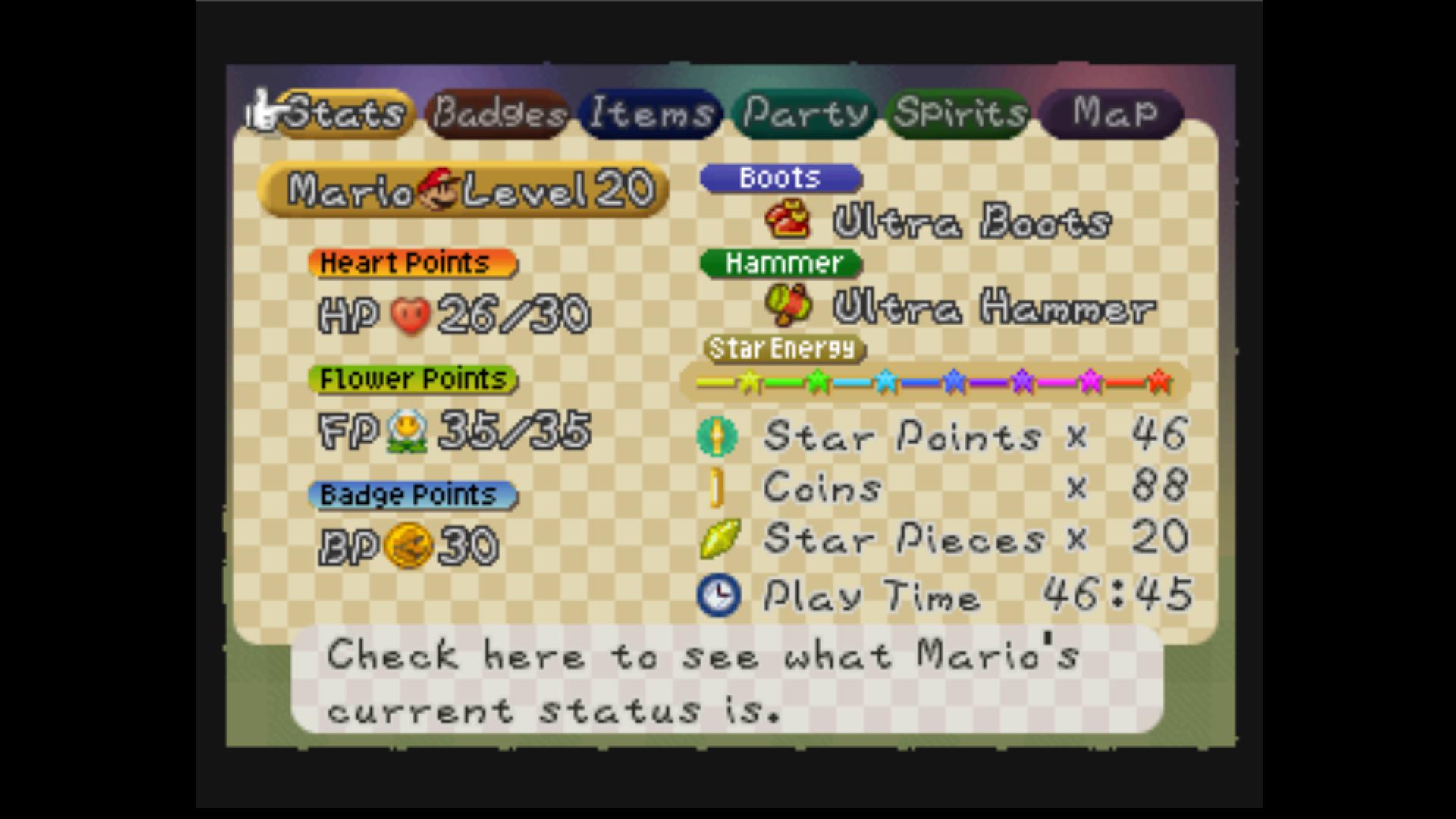
- Hacked to force nearest-neighbor

- Branch, hybrid filter
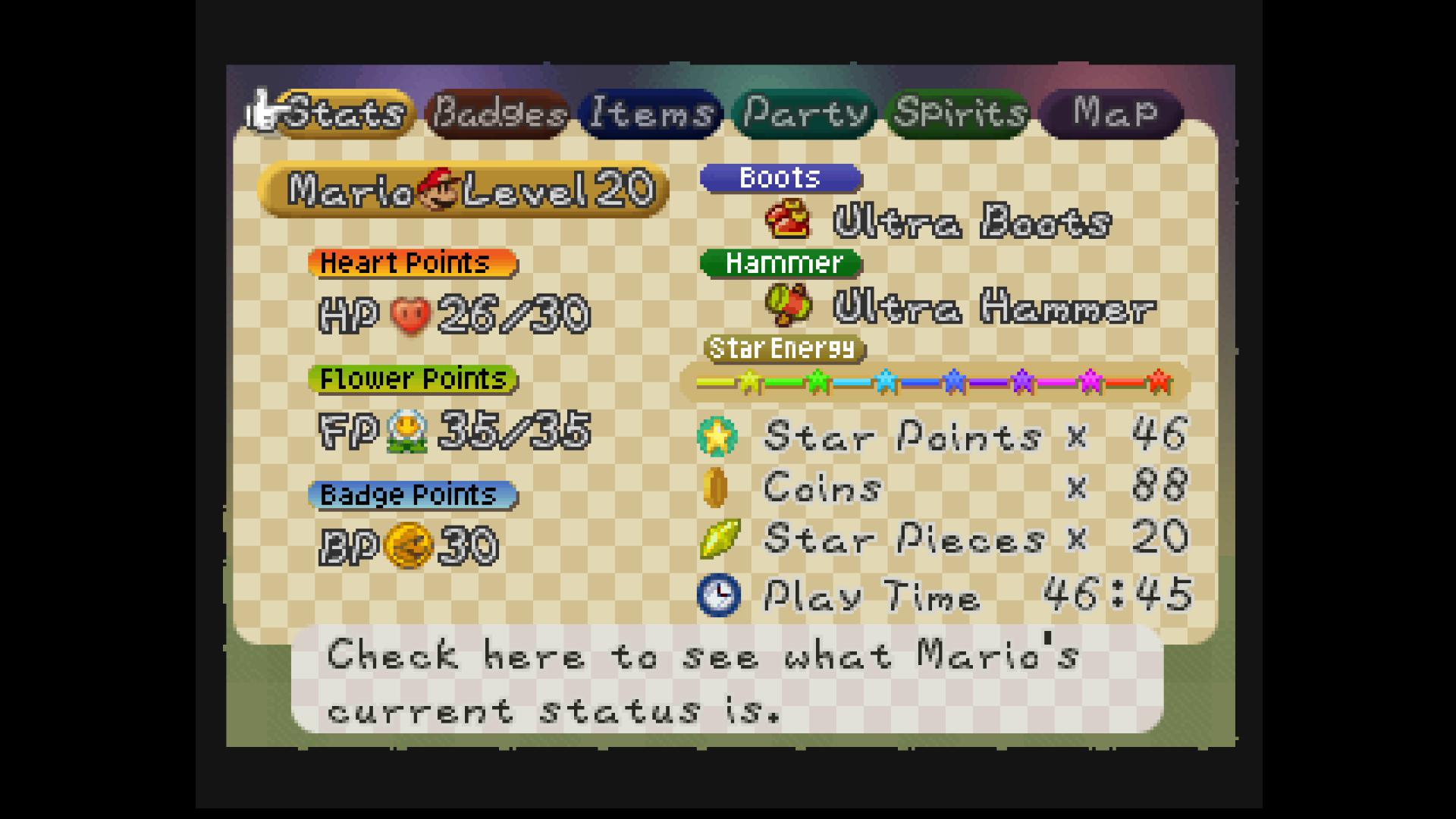
Lets look closely to "Boots":
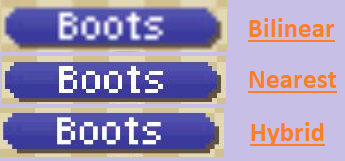
It illustrates all the problems with image scaling described in the article
https://colececil.io/blog/2017/scaling-pixel-art-without-destroying-it/
Bilinear is blurry, but no image distortion. Nearest-neighbor is distorted (look at o in Boots). Hybrid is not that sharp as Nearest-neighbor but not that distorted as well.
 gonetz
on 23 Nov 2019
gonetz
on 23 Nov 2019
Test build:
https://drive.google.com/file/d/1m4Wx6mpXdtT4Z83jxzMDqX5rWYDbt8mO/view?usp=sharing
https://drive.google.com/file/d/1xY_abrW5sZ-of2EEOqbE9_7JpfC_WKiZ/view?usp=sharing
gonetz
on 23 Nov 2019
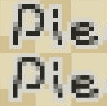
Just from your example I noticed
Nearest vs Hybrid. Hybrid fixes the uneven pixels in letter P from "Pieces"
oddMLan
on 23 Nov 2019
Maybe neareast option should be kept for low end devices (read: gles2), although I doubt this filter would be much of a slowdown? As it currently stands, the codepath for gles2 doesn't even use this filter. The reference implementation of the hybrid filter says
#if __VERSION__ < 130
/* For this verison to work, you need to extract the texture dimensions:
 *
 *     GLint width, height;
 *     glGetTexLevelParameteriv(0, 0, GL_TEXTURE_WIDTH, &width);
 *     glGetTexLevelParameteriv(0, 0, GL_TEXTURE_HEIGHT, &height);
 *
 * then  tell the shader:
 *
 *     glUniform2iv(glGetUniformLocation(shader_program, "texture_size"),
 *                  width, height);
 */
uniform ivec2 texture_size;

ivec2 get_texture_size(sampler2D tex)
{
#if __VERSION__ < 130
    return texture_size;
#else
    return textureSize(tex, 0);
#endif
}
so making it work for gles2 is just a matter of making this change. no?
Btw, it looks amazing with every game I've tried! Angrylion level quality (with VI filters disabled). Awesome!
oddMLan
on 23 Nov 2019
Maybe neareast option should be kept for low end devices (read: gles2)
I set nearest filter instead of linear for frame buffer textures. Since hybrid is disabled for GLES2, it will use plain nearest atm.
so making it work for gles2 is just a matter of making this change. no?
Yes.
gonetz
on 23 Nov 2019
Done in 488d52d
@AriaHiro64 please test the latest WIP build from AppVeyor. If it is what you need, please close this issue.
gonetz
on 28 Nov 2019
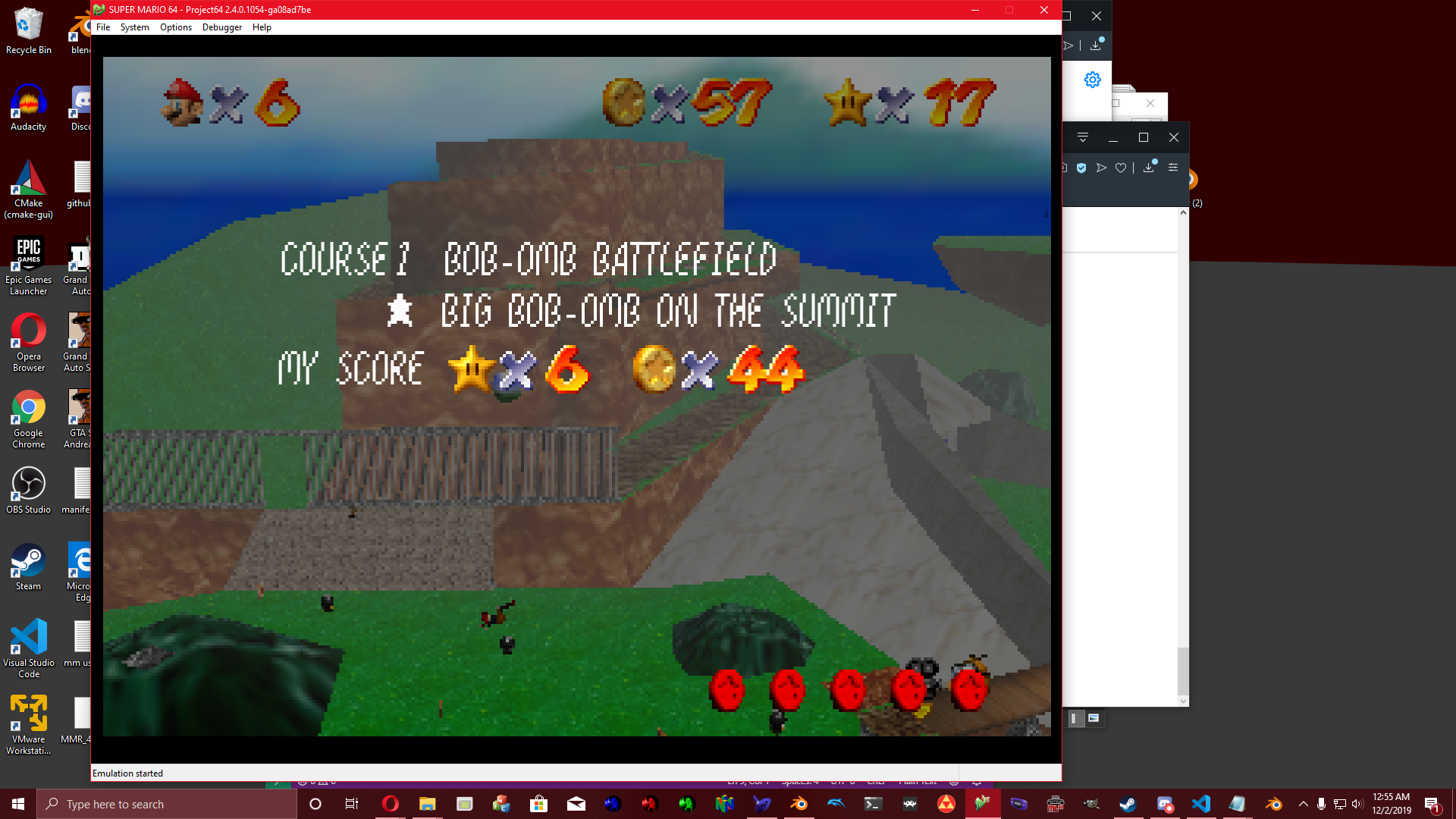
yep this issue can be closed
AriaHiro64
on 2 Dec 2019
Related issues
gonetz
·
10Comments
 ImSpecial
·
10Comments
gonetz
·
14Comments
ImSpecial
·
10Comments
gonetz
·
14Comments
 kcghost
·
10Comments
kcghost
·
10Comments
 NurioHin
·
10Comments
NurioHin
·
10Comments
Most helpful comment
I made an experimental branch for this task.
Here I use hybrid texture filter implemented for task #2116 in Video Interface to draw frame buffer image to screen. Branch name 2088_hybrid_filter. I need your feedback. Where to look? I made comparison screen shots for Paper Mario subscreen. The game runs in native resolution, screen resolution is 1080p.
Lets look closely to "Boots":

It illustrates all the problems with image scaling described in the article
https://colececil.io/blog/2017/scaling-pixel-art-without-destroying-it/
Bilinear is blurry, but no image distortion. Nearest-neighbor is distorted (look at o in Boots). Hybrid is not that sharp as Nearest-neighbor but not that distorted as well.