Gliden64: Incorrect texture dumps, custom textures broken in Majora's Mask
This is a recurrence of issue #1662, but I'm starting a new issue since this involves a new texture dumping problem and I don't think I can reopen the old one.
The deku shrine area in Majora's Mask gives inconsistent texture dumps that are obviously incorrect. The textures are dumped with excessive tiling, making them far larger than they should be. GlideN64 2.0 seems to be more accurate than the naboo alpha builds, but still often incorrectly doubles the texture patterns:
https://c2.staticflickr.com/2/1779/42023134020_f4b2d9be5b_h.jpg
Rice video 0.4.4 seems to dump everything correctly with no tiling whatsoever. Many textures for this area are re-used from earlier areas, and the proportions of Rice's dumps match these commonly re-used textures exactly.
The newest versions of GlideN64 also seem to render custom textures impossible for this area. Even placing the dumps directly into the custom textures folder results in textures broken in-game:
https://c1.staticflickr.com/1/856/43831389501_2c18924a71_c.jpg
GlideN64 2.0 doesn't have this problem, as it seems to stretch textures to work even if they don't have the right width to height ratio. The tree in this image shows a working custom texture in 2.0:
https://c1.staticflickr.com/1/856/43831389821_5e955cc8ff_c.jpg
Here is a savestate for this area. I've tested most of the game at this point and haven't seen this issue anywhere else using the Naboo alpha builds, so the problem is likely limited to just this cave.
https://mega.nz/#!jBtD1T6a!gI9kZyvqncBRLnWQDTdWUwK-cEfDl_iCF_5vx_IaF28
I have N64 mip-mapping disabled, "try to adjust game to fit" on, and the resolution is set to a multiple of 7x. Otherwise, the emulation settings are at default and I'm on Windows 10x64 using Nvidia. Let me know if you need any other information.
 Nerrel
All 102 comments
I can't guarantee that texture dumping issues will be fixed soon.
If Rice video 0.4.4 dumps everything correctly, please use it for texture dumping.
GLideNHQ must load any texture if its CRC dumped properly.
I'll try to fix texture mapping issues ASAP. I need the following to do that:
- HD textures, which are not mapped properly.
- Save state(s) from the place, where the problem is visible. That is I load the game, load the save and see the problem, without need to move somewhere.
Could you provide me with this stuff?
 gonetz
on 29 Oct 2018
gonetz
on 29 Oct 2018
I've attached a zip with three savestates- one is at the very start of the shrine area, where this screenshot is from. I don't have HD textures for this area yet, instead I've included some dumps that show the problem when used as custom textures-

I'm sure that the Rice video dumps are correct, but even those dumps are distorted when loaded into the game. The excessively tiled dumps that GlideN64 generates have the same glitched result when loaded. No custom textures can work in this situation.
The second savestate is from this tree stump area, which does have HD textures for the tree bark and the log that Link is standing on. This savestate is in the middle of the race, so you'll only have a few moments after loading it before Link loses and gets sent back to the entrance.

The third savestate shows the HD staircase texture being distorted:

I'll be happy to provide anything else if you need more, thanks!
Nerrel
on 2 Nov 2018
This is enough for now, thanks!
I see one issue. HD texture dimensions must be power-of-two of original texture dimensions. Otherwise correct work is not guaranteed. For example, original size of staircase texture is 64x16. Thus HD texture must be 128x32 or 256x64 or 512x128 or 1024x256, while your texture has size 960x240.
I fixed size of this texture, but it still mapped incorrectly. Texture mirroring not applied. I'll look what can be done.
gonetz
on 3 Nov 2018
I found another example of this in the second temple. The texture should be 1/4 of a pattern with horizontal and vertical mirroring used to complete the pattern. This works on the top of this platform, but on the sides where two complete repetitions should be the texture ends up being stretched horizontally instead:


Here's a savestate of that spot with the texture:
https://drive.google.com/open?id=117ZUSO93fMoWI7uO9Yoc1sGiCn8vKYZV
Nerrel
on 2 Dec 2018
I checked one previous issue, with staircase.
Fix for such issues will require serious modifications of plugin's texturing subsystem.
It will be done, and it is in the top half of my todo list.
I have to complete current tasks with remaining regressions, 2D fixes and HLE problems first.
Then I'm planning to switch to HD textures support.
gonetz
on 3 Dec 2018
@Nerrel
I made experimental modifications in texture loading code.
Quick test shows that it fixes all the issues with HD textures which you reported in that thread.
Also I don't see new issues. Most likely I just did not test enough and there are regressions somewhere.
That's why I need to get feedback from you and from other users, where HD textures still mapped wrong and where new code causes regressions. Please use this test build:
https://drive.google.com/file/d/1l81TtAh8wWD8-aW6UYGHSSD5jxsUy9aR/view?usp=sharing
gonetz
on 13 Apr 2019
I just tested your build and it is miles better than master. It still has minor issues in some games, like pikachu's cheeks in Smash Bros. and the fonts and sprites in Paper Mario, but it is much better overall.
EDIT: Actually, I noticed some regressions on the new build (no texture pack or texture scaling used):
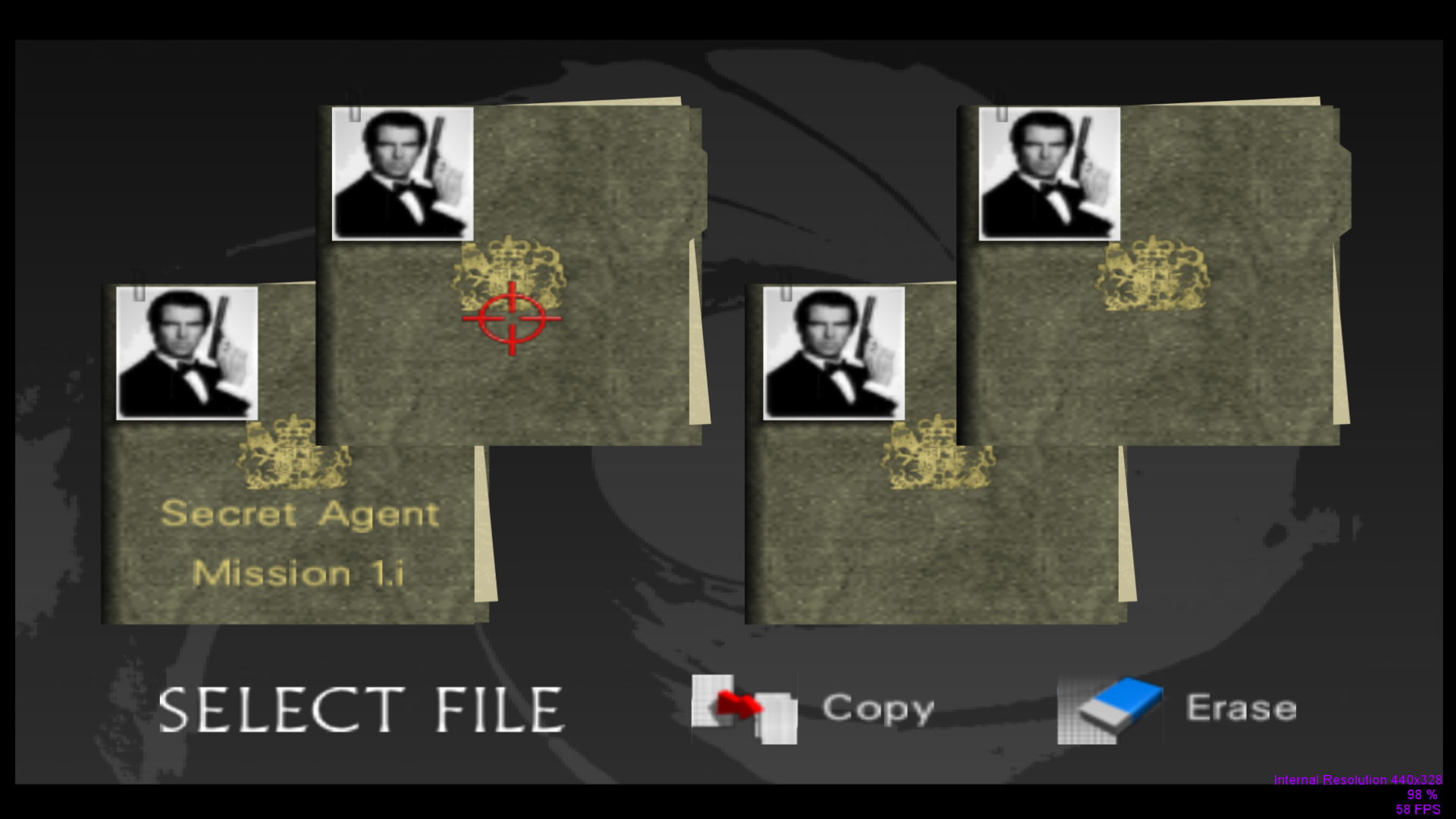
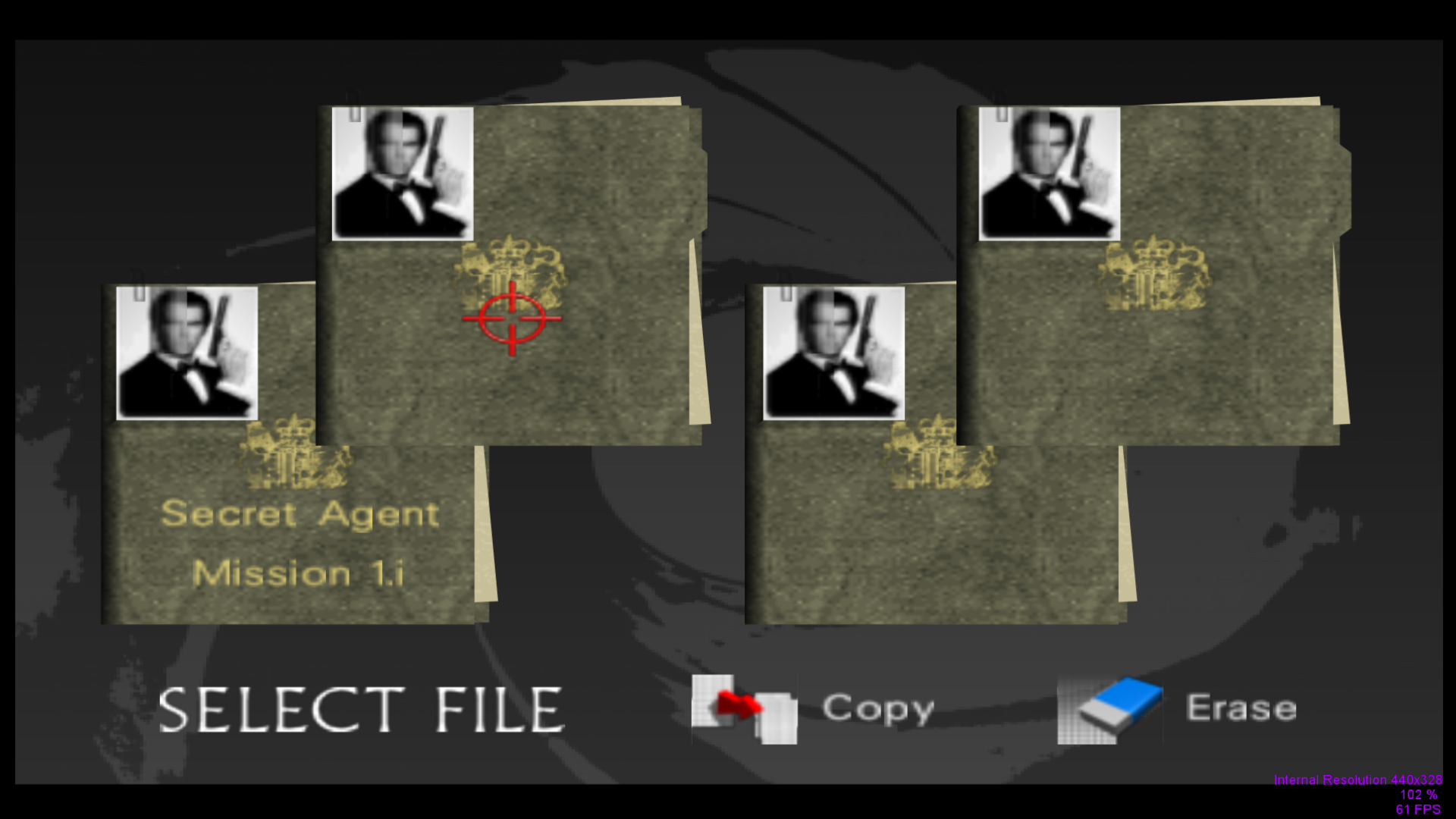
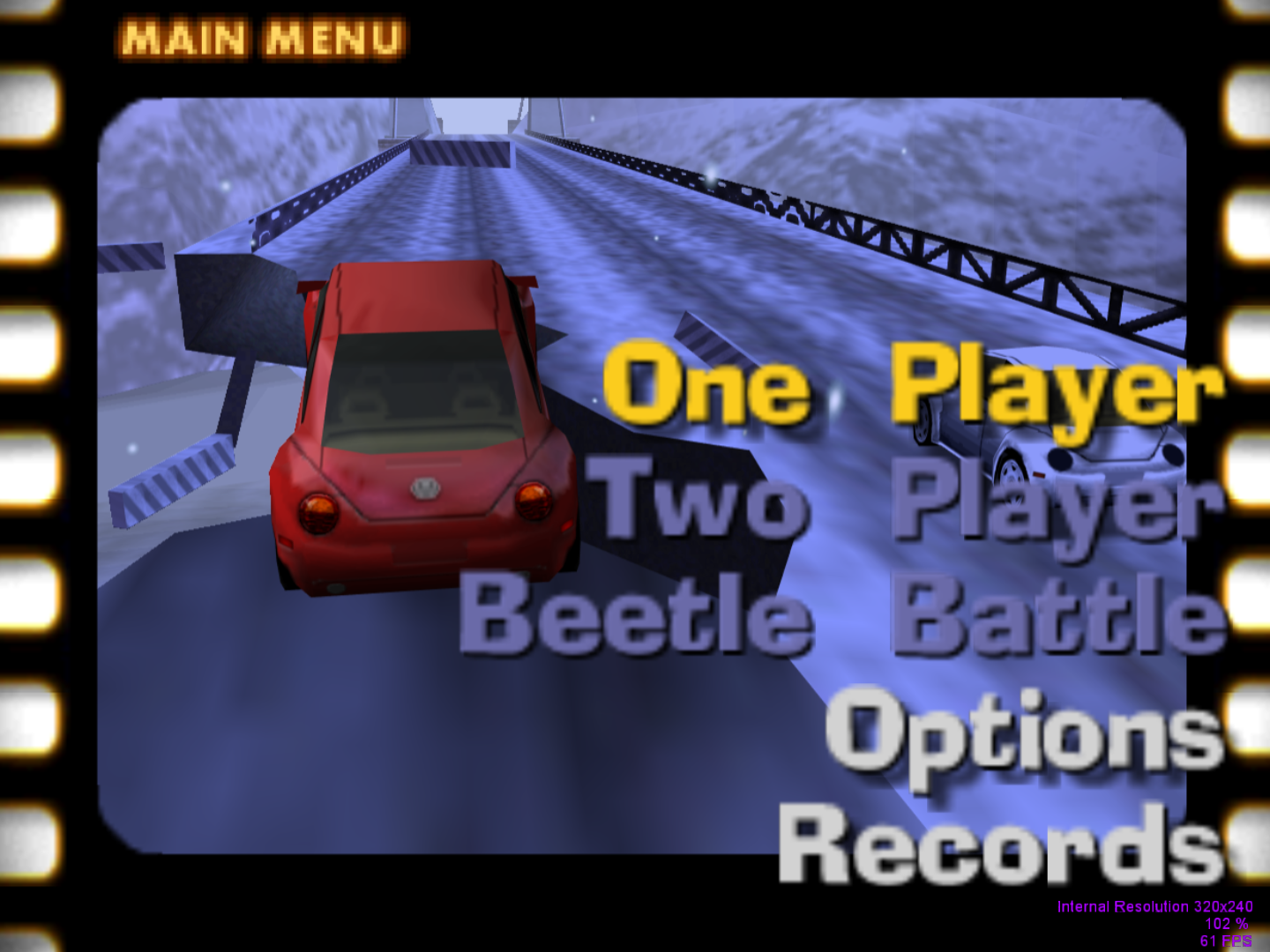
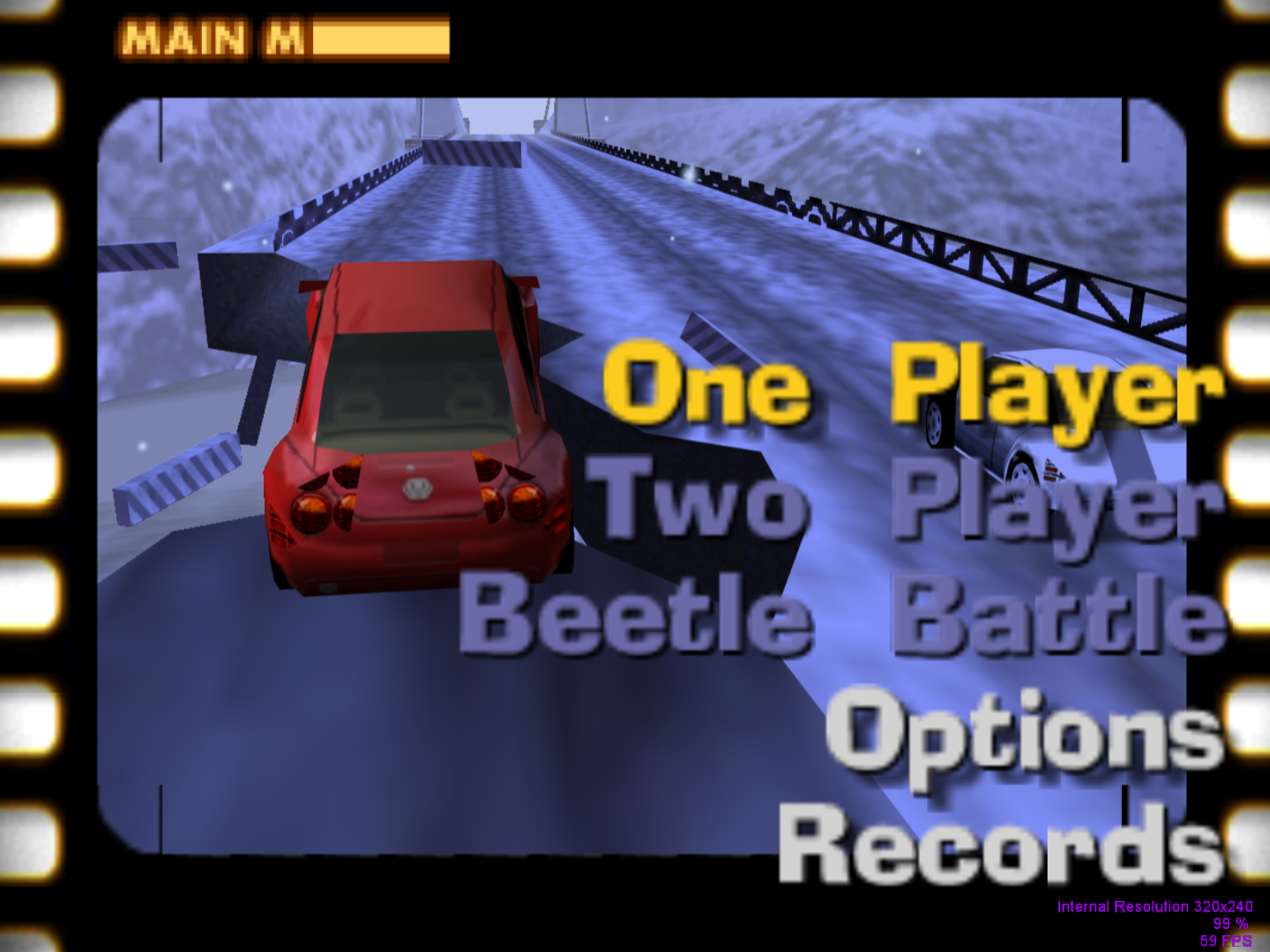
 DonelBueno
on 13 Apr 2019
DonelBueno
on 13 Apr 2019
Tested the build with Ocarina of Time for a bit. Did not see any new texture loading issues so far, but the sky textures after dumping look wrong.

 GhostlyDark
on 13 Apr 2019
GhostlyDark
on 13 Apr 2019
@DonelBueno thanks! It will help me to investigate remaining issues.
@GhostlyDark I did not fix texture dumping yet.
gonetz
on 14 Apr 2019
I fixed issues in BAR.
The problem with GE is more nasty.
It appears only in Release build, debug is ok.
Such debug-release divergence is hard to track and fix.
So, I put both debug and release builds to test:
https://drive.google.com/file/d/1YKc1_nT1SsJ_Rg3W1IT2d3xfgYNfgB7v/view?usp=sharing
gonetz
on 14 Apr 2019
BAR issues confirmed fixed.
GE confirmed fixed on debug build.
I've found another regression that happens on the previous build and on the new one, but not on the debug build:
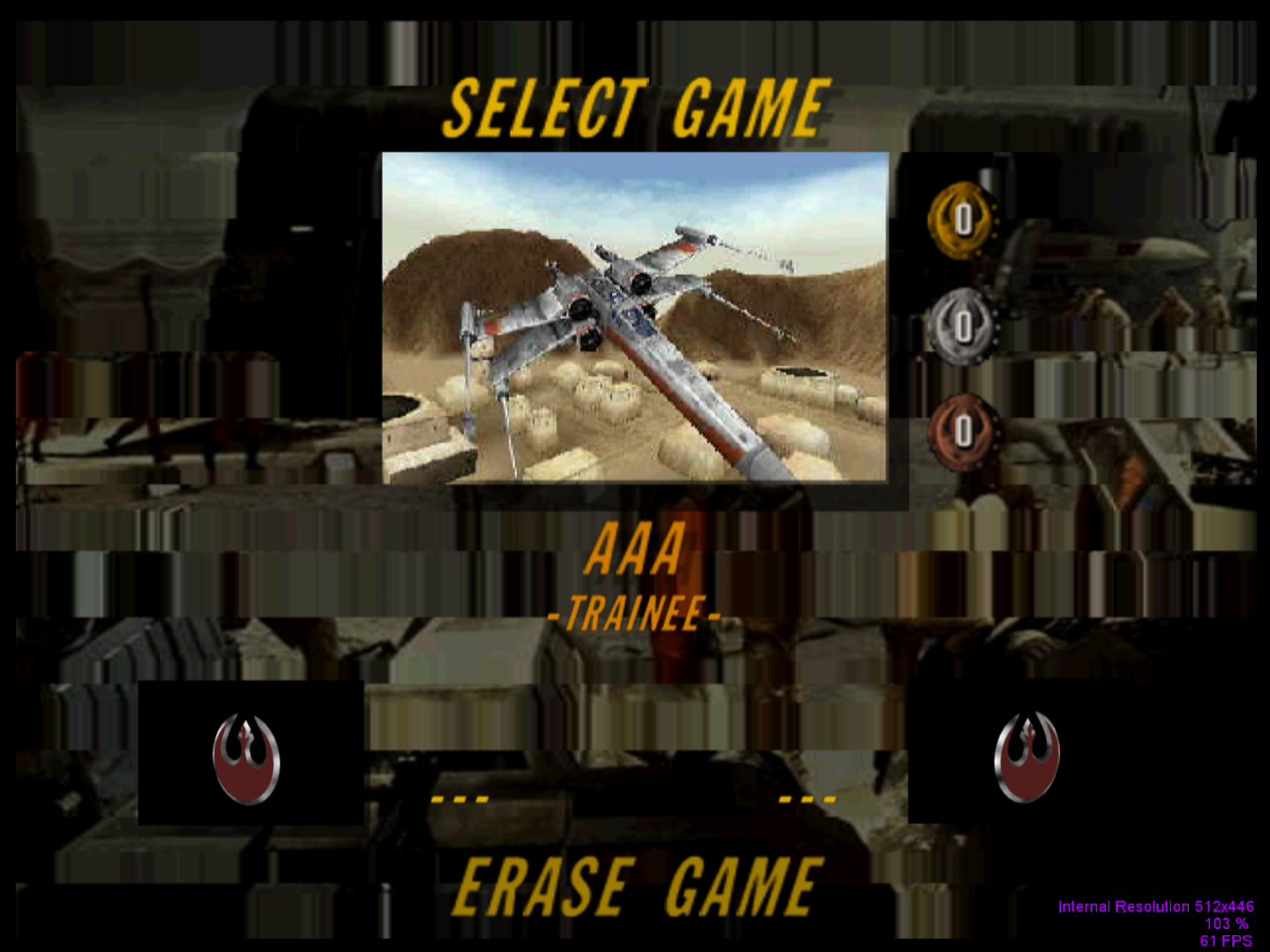
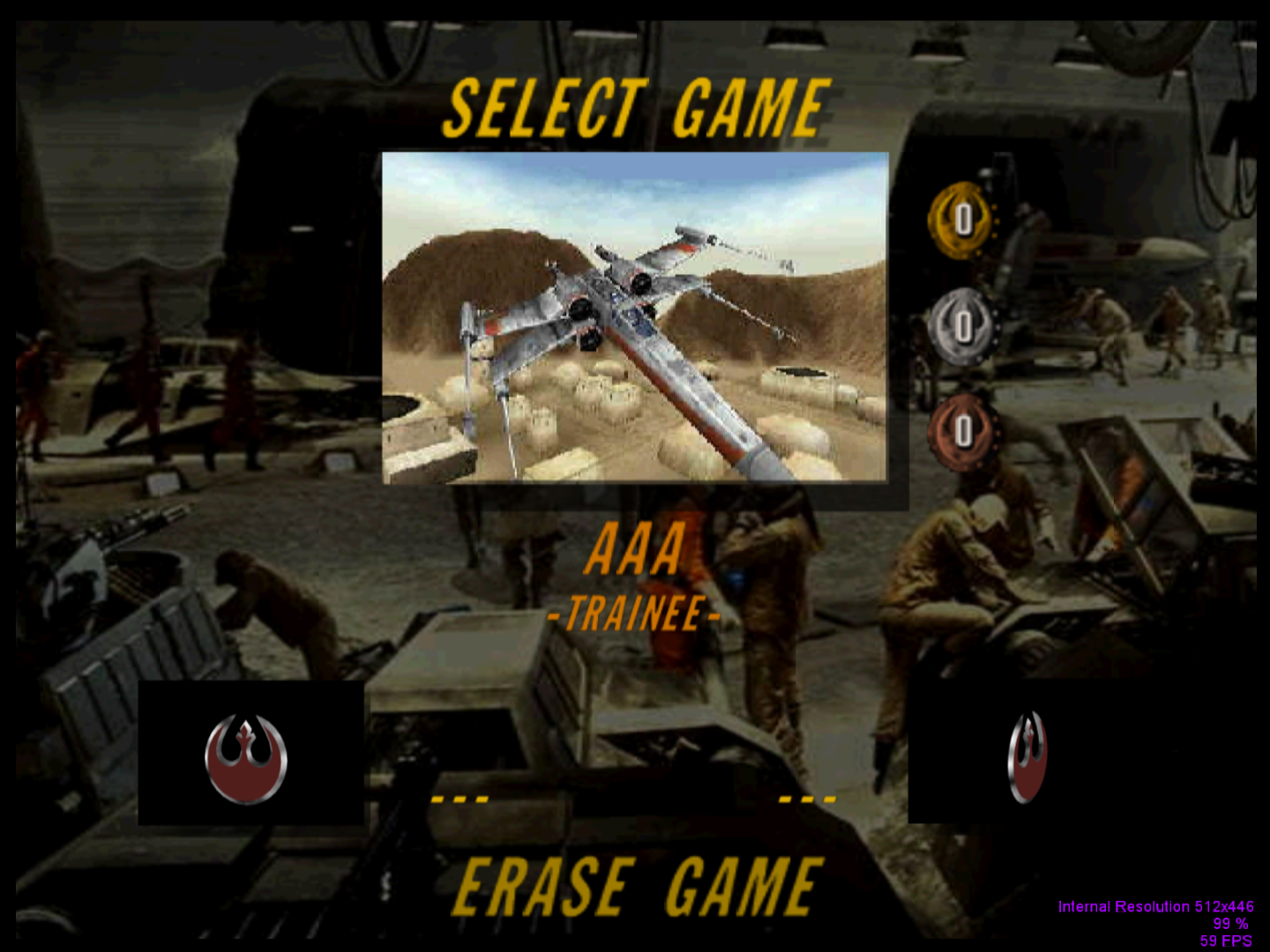
DonelBueno
on 14 Apr 2019
@DonelBueno The situation with release builds is quite weird. Release build made by Visual Studio 2013 works without glitches with GE. Release builds from VS 2015 and VS 2017 have glitches, different for each build. So, I uploaded Release build made by Visual Studio 2013:
https://drive.google.com/file/d/1S3C7nisSV5F4jFKPHPAeeSG-wSkt7ZaL/view?usp=sharing
@Nerrel please test it.
@DonelBueno if you will find more glitches with that build, please check them with debug build and report me. Your bug reports greatly help me to polish that important functionality.
I'll try to localize the problem with other Release builds.
gonetz
on 15 Apr 2019
@gonetz All the issues described above are fixed in this VS2013 build.
However, I've found an issue that doesn't occur on the build in WIP 4 topic, but occurs on all the builds in this topic (debug, VS2013):

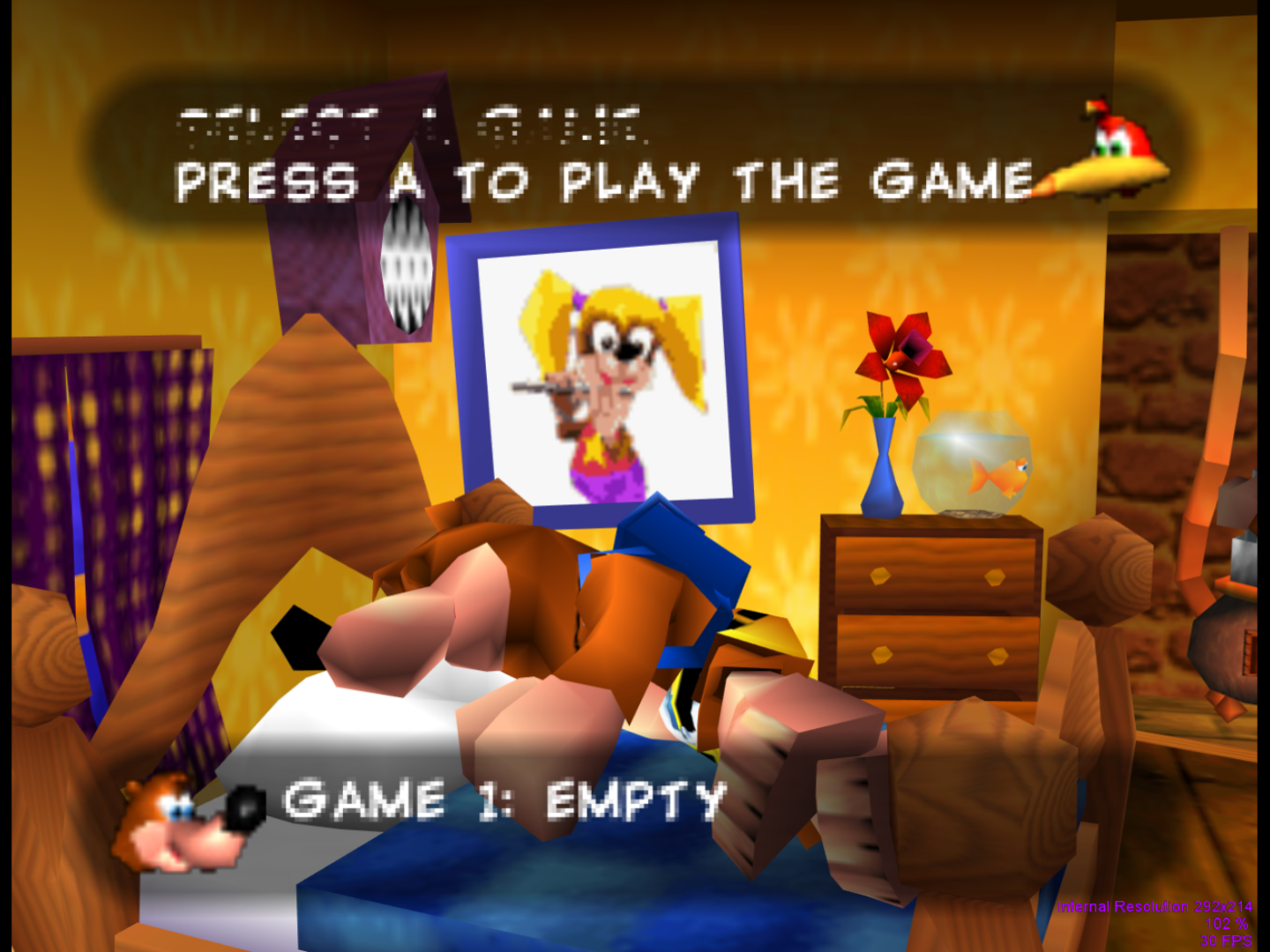
That's Banjo-Kazooie. The text is corrupt during the line transition, but gets corrected once the line bellow it is complete. The clock's texture is also wrong.
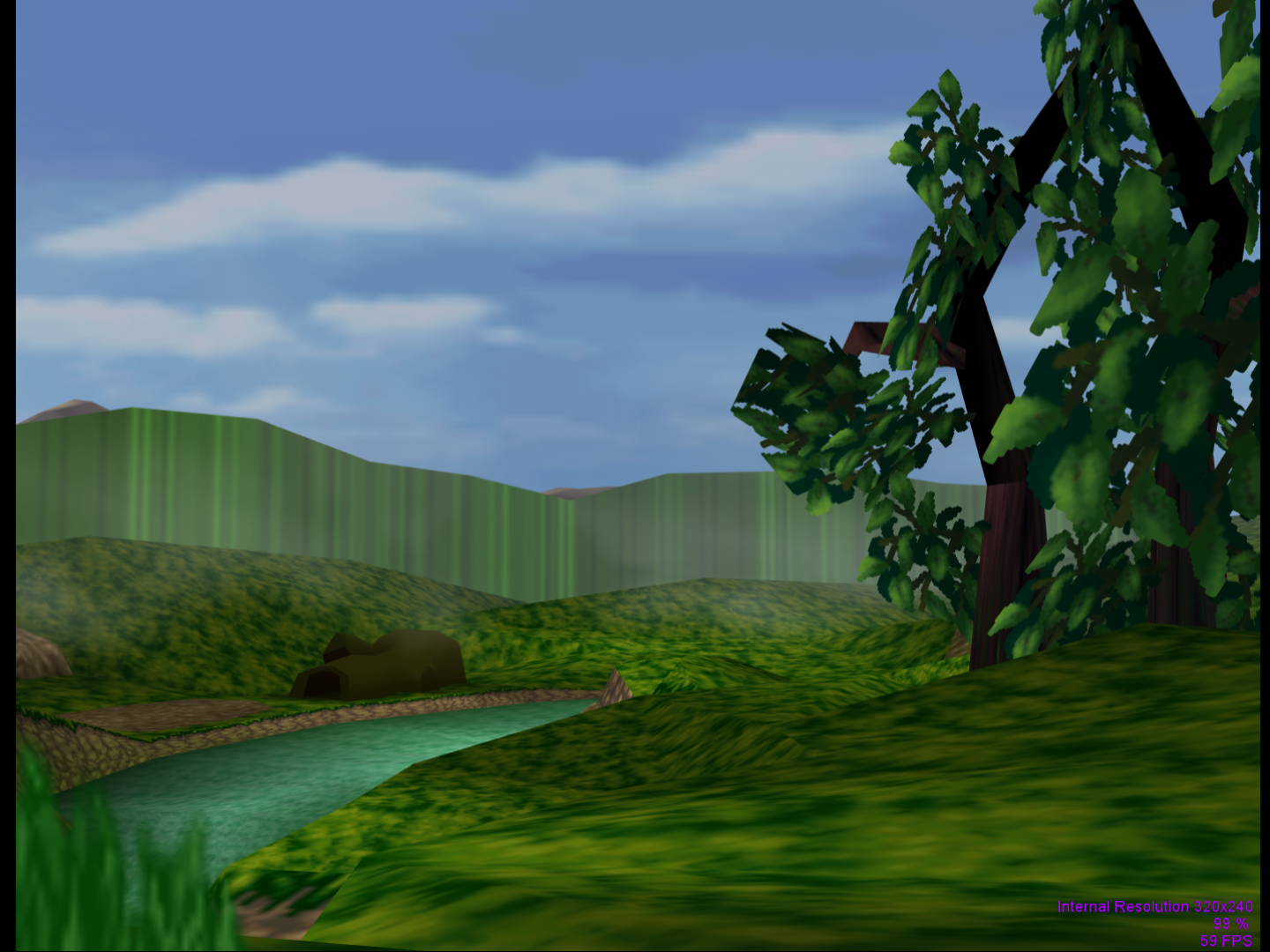
EDIT: The lastest build (VS2013) causes issues in Pokémon Snap that are not present in any other build:
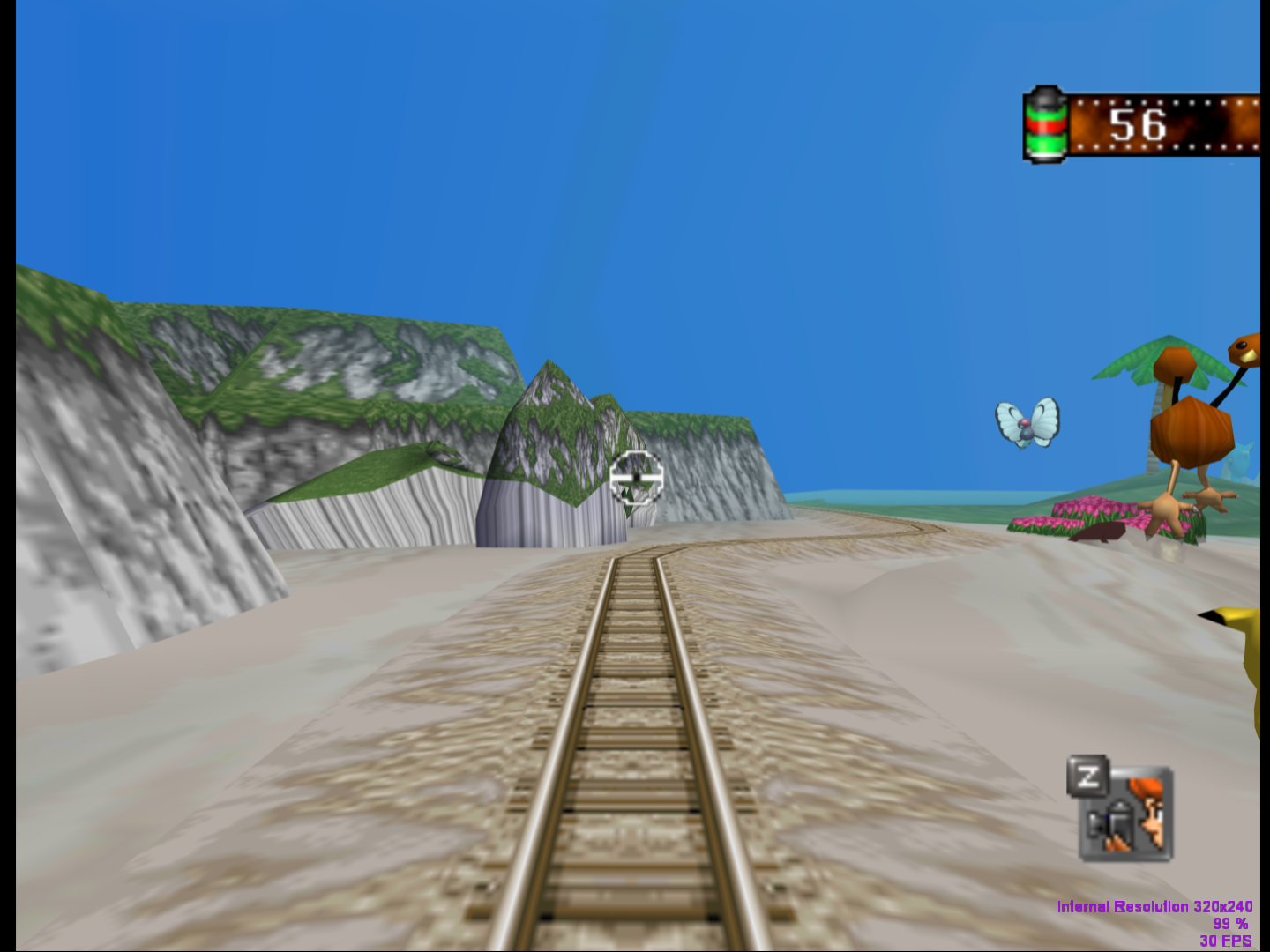
DonelBueno
on 15 Apr 2019
Thanks!
gonetz
on 16 Apr 2019
Sorry I didn't respond sooner, I didn't see the notification. All the instances of this issue I'm aware of in Majora's Mask appear to be fixed. I did see one bad mapping on the milk bottles, but it's there with the original textures as well:
Custom texture:

Default texture:

Savestate for that room: https://drive.google.com/open?id=1y01WcF_8sOSKxUsKFn_NmFzMuCvnWedj
Thanks for looking into this!
Nerrel
on 19 Apr 2019
@Nerrel Thanks! I'll check it.
gonetz
on 19 Apr 2019
The wagon also has the same issue with the text wrapping around (same texture but with a different filename):

State for that part: https://drive.google.com/open?id=1A5rpP5NfNm184oDeZVM-i31uU4HS5h20
I checked with angrylion's plugin and the textures definitely shouldn't be doing this:

I still haven't come across any other problems yet.
Nerrel
on 20 Apr 2019
I found what is wrong with milk bottles texture.
N64 hardware has specific feature, for which I don't know adequate OpenGL analogue. It is clamped texture mirroring, described in 13.4.11 of the Programming manual.
Original milk bottle texture has size 32x64 and looks like this:

The game set tile size as 64x64 and set clampS and mirrorS flags for it.
Texture mirrored once horizontally:
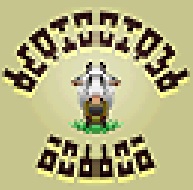
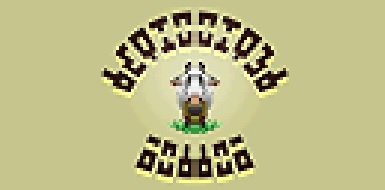
We have that image in front of the bottles. Sides of the bottles use the same texture, but since texture coordinates here exceeds texture size, texture coordinate clamp starts to work and texels fetched from texture borders. It looks like this:
OpenGL has WRAP_MIRRORED_REPEAT mode for texture mirroring. It does not support texture clamping. When texture coordinate exceeds texture size, OpenGL wraps it, so it looks like this:
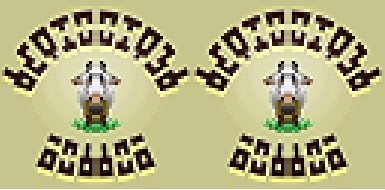
and we have the bug with texture mapping, as on Nerrel's screen shots .
I found that OpenGL supports MIRROR_CLAMP_TO_EDGE mode, which first was an extension, but became core since OpenGL 4.4
From the first look it works as we need: it does mirroring once and then applies clamping to texture coordinate. However, it works quite strange, at least on my Radeon card. I have to flip texture data before load and add -1.0 to texture coordinate to get it work right. I made it and solved the problem with bottle texture. However, it does not fix the problem in general, because N64 may use texture mirroring with clamping when texture is mirrored more than once.
Suppose, we have texture 32x32, which is mirrored and clamped by S and T:
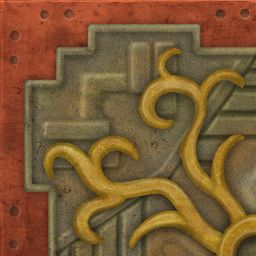
If tile size is 64x64, it will result in the following pattern:
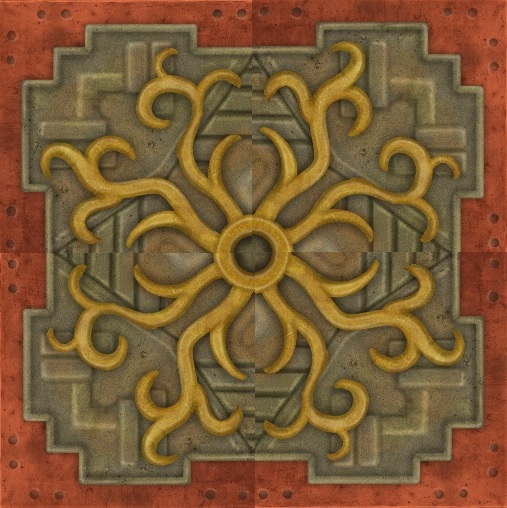
Mirror once for S and T direction, can be perfectly reproduced with MIRROR_CLAMP_TO_EDGE.
The same texture can be used for tile of size 128x64, the result is:
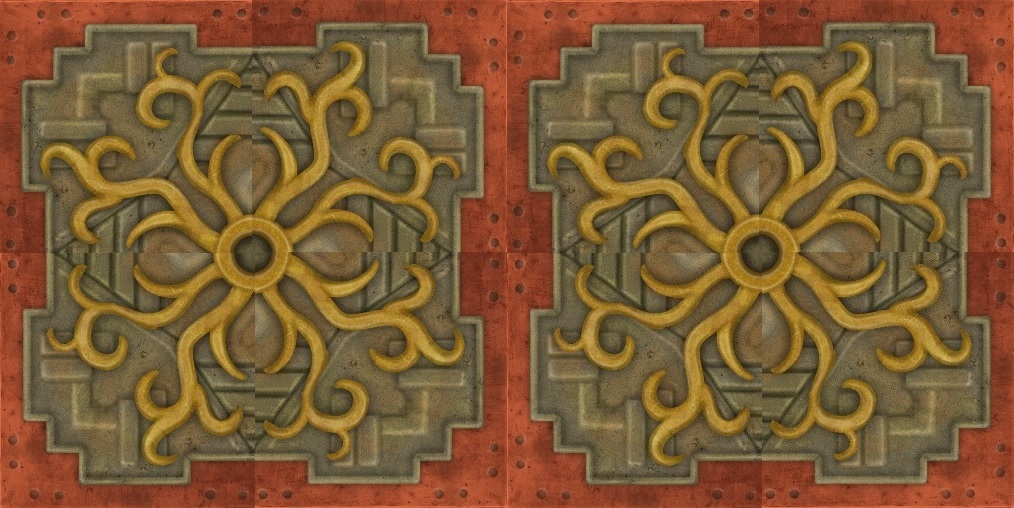
Screen shot from the game:
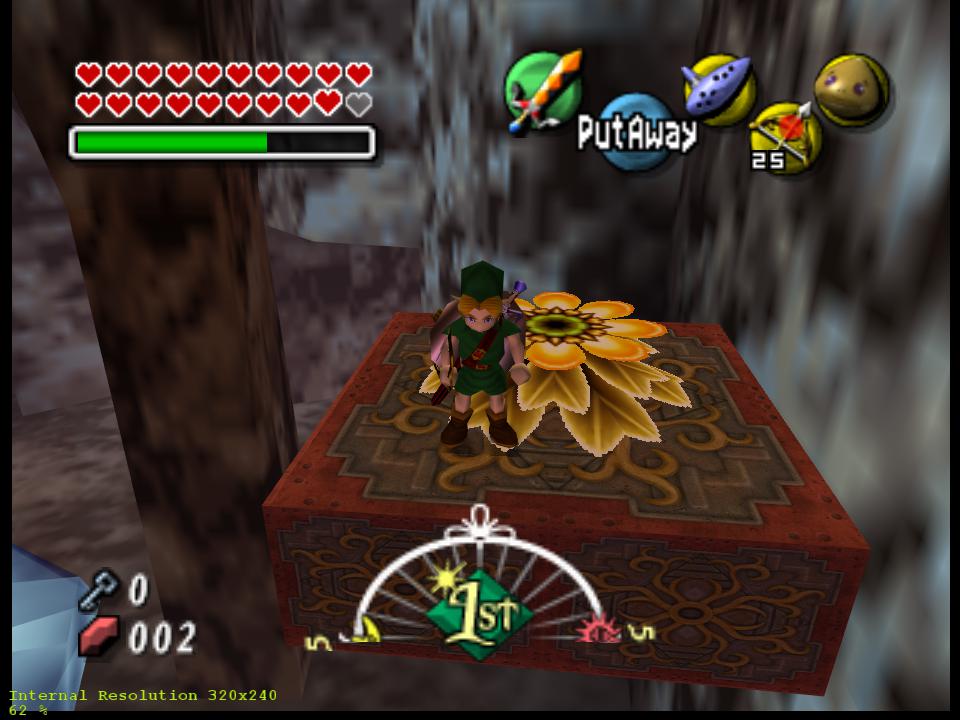
With use of MIRROR_CLAMP_TO_EDGE it will look like this:
because it mirrors texture once and then applies texture coordinate clamp.
@loganmc10, @fzurita Do you have ideas how it can be fully resolved?
Current code does not use MIRROR_CLAMP_TO_EDGE. To solve the problem with mirroring and clamping, plugin loads texture of tile size. In the example above it will load two textures: 64x64 and 128x64 instead of one texture of size 32x32. I don't want to use that approach for HD textures. First, it is waste of video memory. Second: texture can be mirrored more than once or twice. I saw cases where total tile size is 12x of original texture. Nerrel already creates HD textures with sizes 512 and 1024. We may just reach hardware limitation on texture size with that approach.
gonetz
on 20 Apr 2019
Could you do MIRROR_CLAMP_TO_EDGE with a shader instead? You could treat it like a regular texture up to the point where the shader draws it on screen, at which point the shader would take care of the mirror and clamping.
 fzurita
on 20 Apr 2019
fzurita
on 20 Apr 2019
@Nerrel Please test the following build:
https://drive.google.com/file/d/17Cb4J6y1quSKQ4pLCQ3baeuanI1IxtGV/view?usp=sharing
I added partial solution for mirror-clamp issue, so milk bottle issue is fixed.
I need further feedback, what is still working wrong.
Note: I tested it only on my Radeon yet. I don't know how it will work on GeForces.
Note 2: Your card must support at least OpenGL 4.4. I don't know how it will work on older cards.
gonetz
on 20 Apr 2019
Could you do MIRROR_CLAMP_TO_EDGE with a shader instead?
Hmm, may be I can. I guess it is possible to clamp texture coordinate in shader, with proper clamping value provided. Thanks for the idea!
gonetz
on 20 Apr 2019
That build didn't work for me (I'm using an AMD Vega 56). This is with custom textures on, but it was the same with the default textures:
https://live.staticflickr.com/65535/33776552588_5925ea7b55_z.jpg
https://live.staticflickr.com/65535/33776552658_29e06048d7_z.jpg
I also noticed that it broke some textures in the pirate fortress that the last build had fixed:
https://live.staticflickr.com/65535/33776552538_3ac54d11e6_z.jpg
Last build:
https://live.staticflickr.com/65535/47653992211_c5fcac6e7c_z.jpg
Fortress ladder: https://drive.google.com/open?id=1kuJNBgNNI9s-OeFYEYJU3Mmd7YH-V3UQ
Nerrel
on 21 Apr 2019
I forgot to mention that I changed shaders code, so shaders storage option must be set off or previous shader file should be deleted. Please do it and test again.
gonetz
on 21 Apr 2019
Yeah, disabling the shader cache fixed it and those textures look fine now. I also tested the Ikana graves, which are also supposed to have the same mapping issues, by loading Rice dumps as custom textures and they seemed to map fine.
The only problem I found is that the lens of truth is now broken and only shows the top left corner. It's a pretty big problem since the player won't be able to see what's in front of them:

I made sure to also check it with custom textures off just in case a dump of the lens texture was in the Rice dump folder, it was no different.
Nerrel
on 21 Apr 2019
Thanks! I fixed LoT too. Test build:
https://drive.google.com/file/d/1WOkxxCFZ7srPrFTjvjiEktsxz06NIWJz/view?usp=sharing
I tested it with GeForce, it works.
Now I'll try to support mirror-clamp on shaders level, as fzurita suggested.
gonetz
on 22 Apr 2019
@Nerrel, here the shader-based mirror-clamp:
https://drive.google.com/file/d/14nKkiwZUXN4VthneEmksTjUgR5QfWU8l/view?usp=sharing
It should be more efficient since it does not require HD texture reload. It should be carefully tested, since I'm not sure that it will work correct for all cases. I tested it with the saves you posted here, seems to work. Please check it on your side.
gonetz
on 22 Apr 2019
@fzurita I pushed my work to tex_load_fixes branch.
Please test that it works on Android, especially on GLES 2.0 devices.
gonetz
on 22 Apr 2019
Ok, will do.
fzurita
on 22 Apr 2019
I haven't run into any issues yet, but I haven't done an exhaustive check or anything. I'll look at some more areas later but for now it seems to be working fine. I wasn't expecting it to be done this fast!
The only remaining problem I can think of is the one I brought up in the S2DEX fixes issue, where textures are misaligned by a few pixels with the tile seams not falling where they should. It's not nearly as major a problem as this issue was, though.
Nerrel
on 23 Apr 2019
I wasn't expecting it to be done this fast!
I wasn't expected it either :) The task is quite complex, and I thought that it will take few months.
Also, the problems found by DonelBueno were caused by several serious and hard to find issues in texturing code. These issues were revealed only after modifications of texturing code, which I made for this task.
S2DEX background textures misalignment can be fixed with "Render 2D elements in N64 resolution" option. If you mean some other issues, please provide a screen shot.
Next goal is "option to load HD textures as the game needs them", #1906.
BTW, @Nerrel , do you have WIP version of your texture pack for Zelda MM? If you have completed some level, I'd like to see how it looks.
gonetz
on 23 Apr 2019
Using "Render 2D elements in N64 resolution" doesn't have any impact on the issue, the textures are still incorrectly offset by a few pixels. It only seems to impact custom textures from what I can see. Here are a few examples comparing HD fix 5.7 and one of the S2DEX builds (listed as f0b9f02e in my settings)...
The HD metal grate texture starts to tile again near the edge of the walkway, leaving a seam a few pixels inward from where the edge. With the default textures, the edge of the texture is aligned with the edge of the walkway with no seam:

With the S2DEX build the custom texture maps as the original texture does, with the edge of the texture right at the edge of the walkway: 
Here the HD fix build on the left has the grass from the top of the wall showing up at the bottom and leaving a pretty obvious seam while the S2DEX build on the right maps it with the top of the texture at the top of the wall, as it should be:

This happens all over the game, pretty much every area has a few examples of this. It's a bigger problem when the game combines a color texture and a larger grayscale intensity texture together, since they end up being misaligned and creating a blur effect:

I've been getting around these problems by offsetting the layers by a certain number of pixels to shift the seam to the correct place or to get the color and intensity textures to align, for example here I've shifted a few pixels of the bottom of the texture to the top so that the seam will align with the top and bottom of the wall correctly:

With that S2DEX build none of this is necessary, all of the textures seem to align correctly on their own.
I do have a WIP version of the pack here if you want to test anything or try it out. I've been correcting the texture sizes over the past few weeks but there are still some that aren't a power of two: http://www.emutalk.net/threads/56677-Majora-s-Mask-N64HD-Project
Thanks again for looking into these things
Nerrel
on 23 Apr 2019
I'm starting to recall that I made some correction during my works on S2DEX ucode, which improved situation with HD textures but broke some original ones. So, I reverted those changes.
These corrections do not directly related to S2DEX.
I may check it again. Please give me save and HD textures for grass case - original (without shift) and fixed.
gonetz
on 23 Apr 2019
https://drive.google.com/open?id=1VvuKZ3r0MK44amgZKxvY9eb52jyuEPSr
I put a few examples in with the current offset textures I'm using now and "unfixed" versions with no offset. I think the idea of these texture pairs was that splitting an image up into a grayscale texture and a 1/2 size color texture would take up less memory than one full sized color texture. If I finish a color version of the texture and then just export a grayscale version with no other changes, the textures won't match up correctly unless I'm using that S2DEX build. So in the examples included I offset the color texture until the alignment was fixed, the version marked "no offset" is positioned exactly the same as the grayscale texture.
I included a set of textures for a door without a save since it's right at the starting area in clock town when Link exits the tower. You just have to turn around to look at the door behind you right after loading the game.
Nerrel
on 23 Apr 2019
@Nerrel, here the shader-based mirror-clamp:
https://drive.google.com/file/d/14nKkiwZUXN4VthneEmksTjUgR5QfWU8l/view?usp=sharingIt should be more efficient since it does not require HD texture reload. It should be carefully tested, since I'm not sure that it will work correct for all cases. I tested it with the saves you posted here, seems to work. Please check it on your side.
This build fixes almost all the issues the previous HDfix builds had. The only issue left on my end is in World Driver Championship and Stunt Racer. A lot of textures are corrupted, it happens on all of the HDfix builds. They're running in LLE mode (PJ64, it still can't run them in HLE mode).
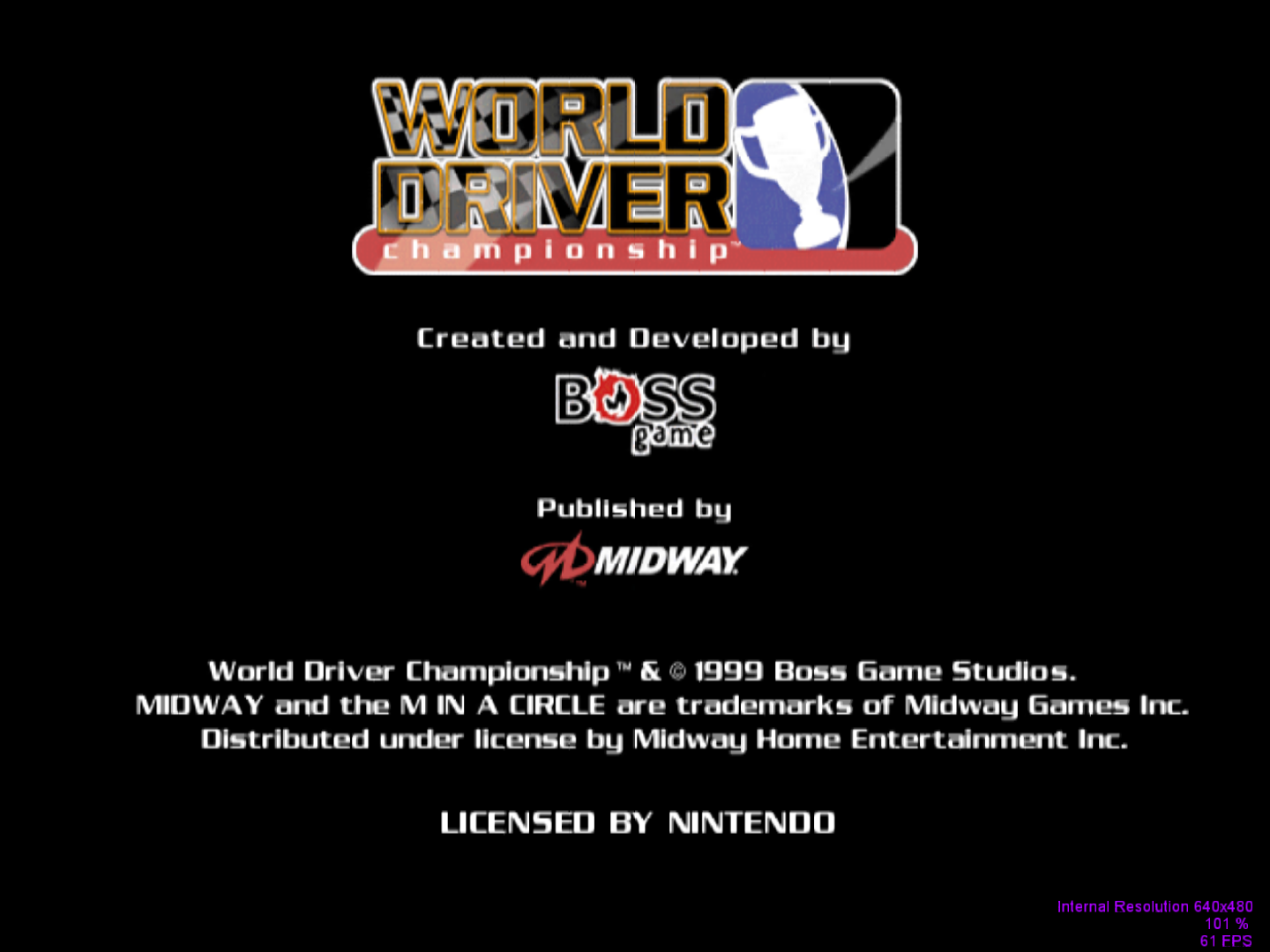
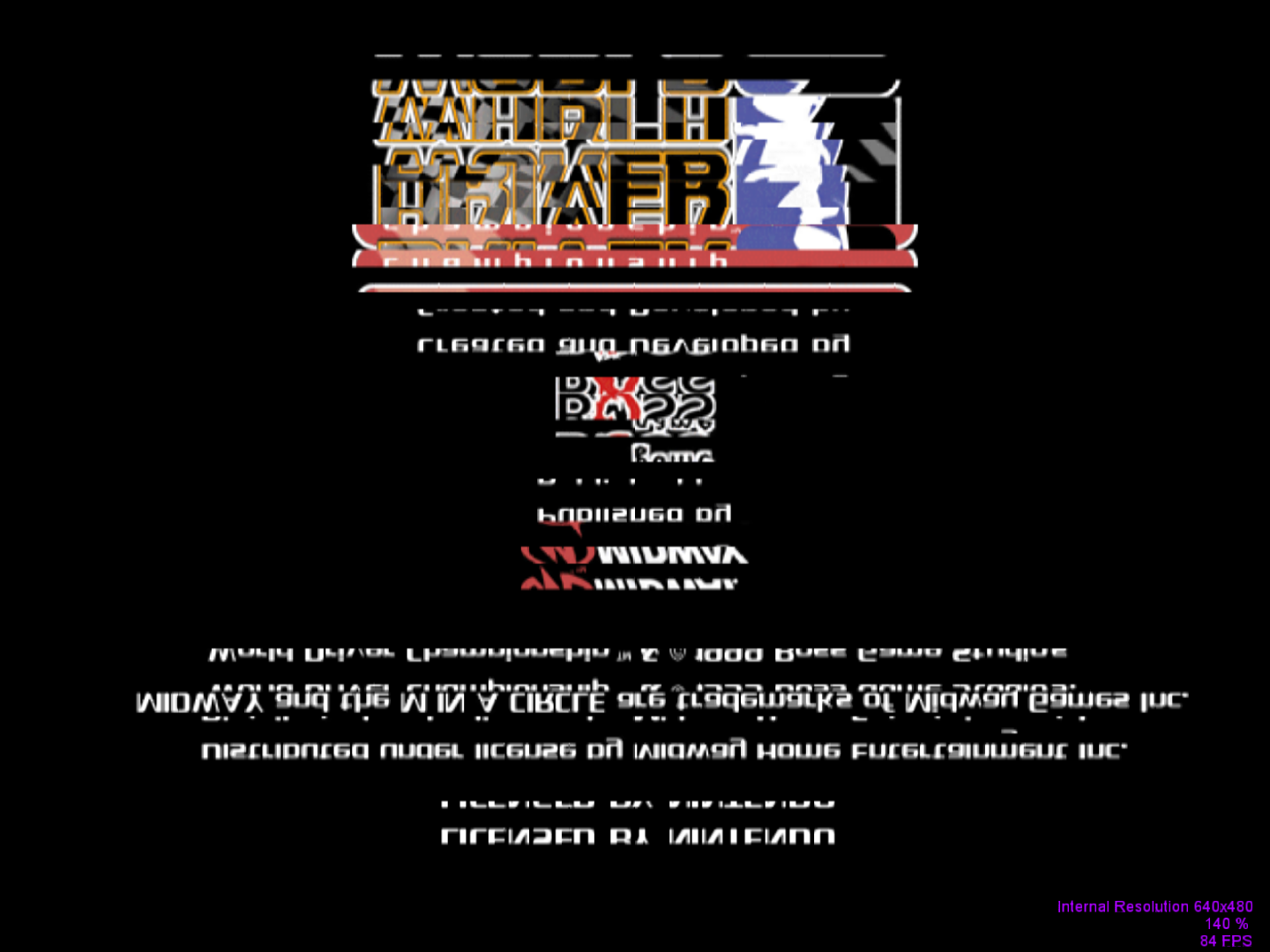
Out of curiosity, what features of GLideN64 aren't available on LLE mode?
DonelBueno
on 24 Apr 2019
Out of curiosity, what features of GLideN64 aren't available on LLE mode?
Mostly frame buffer related features: backgrounds load for OB64, some fb effects for Zelda MM.
Lines rendered incorrectly. Of course, per-pixel lighting and widescreen hack are HLE only.
gonetz
on 24 Apr 2019
@DonelBueno I just tested WDC with Project64 with texture enhancement enabled and got no texture corruption. I can't reproduce that bug. Did you clear the shader cache before run?
Please give me your GLideN64.ini file, I'll check with it.
gonetz
on 24 Apr 2019
Yes, I cleared the shader cache before running it.
It happens without tetxture enhancement too. I've also included my custom.ini.
DonelBueno
on 24 Apr 2019
@DonelBueno I see it now. It is not LLE related. HLE looks the same with mupen64plus, even without texture enhancement. It is regression caused by this fix. I'll check it, thanks!
gonetz
on 24 Apr 2019
As another issue with dumping textures:
In Banjo-Kazooie (U1.0 if that matters) dumping the inactive jinjos on the pause screen generates a single yellow jinjo texture as
Banjo-Kazooie#2002F1E0#0#0_all.png
whereas Rice 0.4.4 dumps them correctly as
Banjo-Kazooie#2002F1E0#0#0#4AB2AF7E_ciByRGBA.png
Banjo-Kazooie#2002F1E0#0#0#9E89C4B2_ciByRGBA.png
Banjo-Kazooie#2002F1E0#0#0#36C339AA_ciByRGBA.png
Banjo-Kazooie#2002F1E0#0#0#488F816F_ciByRGBA.png
Banjo-Kazooie#2002F1E0#0#0#EFD590DB_ciByRGBA.png
Happens in Glide64 Final as well as all versions of GLideN64 including the one above.
The _all texture will load over all 5 versions if put in as a hires_texture since the second CRC isn't specified.
 JustNoon
on 3 May 2019
JustNoon
on 3 May 2019
@JustNoon I did not work on texture dumping yet. I'll check the issue you reported, but later.
gonetz
on 8 May 2019
The issue with WDC textures reported by DonelBueno revealed very serious issue with hardware texture mapping. When OpenGL clamps/wraps/mirrors textures, it uses actual texture size. N64 always wraps texture coordinates using power-of-two values. For example, 40x20 texture. OpenGL will wrap S coordinate when S > 39 and T coordinate for T > 19. N64 may set arbitrary mask for wrapping. It may use mask 31 for S. Then S will be wrapped when S > 31. It also may use mask 63, 127 and so on.
GLideN64 handles that by using power-of-two texture sizes instead of original ones, manually wrapping data inside the texture. It does not work for HD textures, whose size is always multiple of original texture size.
I decided to implement texture clamping/wrapping/mirroring in shaders, transforming texture coordinates as necessary. It turned out to be very difficult task for me. There were tons of nuances to take into account. I spend a week of my valuable vacation on development, testing and debugging. I'm still not sure that I made everything right. So, please test it and tell me what still works wrong.
Test build:
https://drive.google.com/file/d/1o6Akn4tomp_VU3ZEYOS1DQnQyzdsDUv0/view?usp=sharing
It is WIP. Most likely it will not work with GLES 2.0. Sources are in tex_load_fixes_2
branch.
PS: I downloaded @Nerrel's HD pack for Zelda MM. The work of exceptional quality, very impressive.
However, this unfinished pack is already very huge. I was able to load it only with 64bit mupen64plus.
So, load-on-demand task is already actual with this pack.
gonetz
on 8 May 2019
@gonetz I'm thinking about dropping support for GLES 2.0 devices in the Android app. Many devices that only support GLES 2.0 are either too slow to be playable or have mayor bugs with very basic shaders. There is also the maintenance aspect as well with keeping GLES 2.0 support.
There only real outliers with GLES 2.0 support are Tegra 4 devices, which have a strong GPU, good drivers, but stuck with GLES 2.0.
fzurita
on 8 May 2019
There are also Raspberry Pi kind of devices, which also use GLES 2.0
My current changes use modf function, which is not supported by GLES 2.0
However, it can be easily rewritten with fract and floor.
gonetz
on 8 May 2019
Just tried that test build. Doesn't seem to work with the texture here on the floor outside Mumbo's Mountain. (This isn't a regression. It doesn't work on 4.0 either)
Here's that build
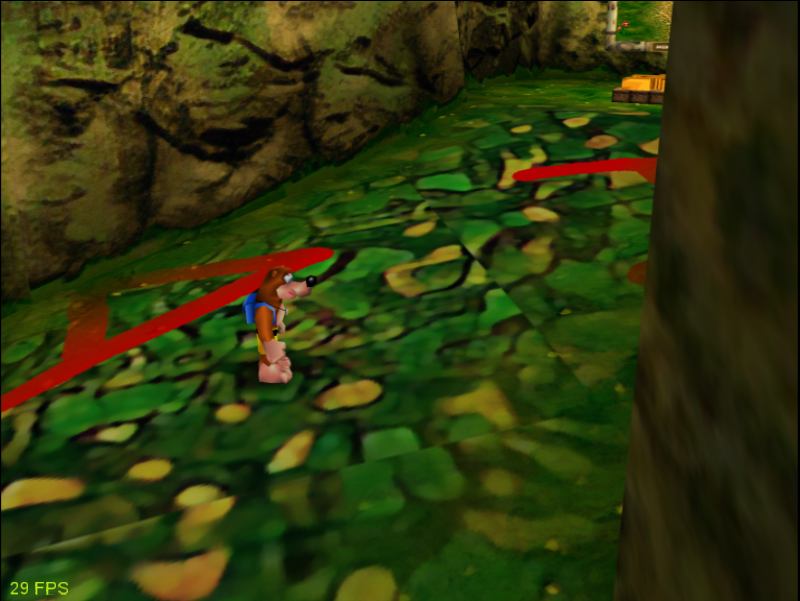
and here's Glide64 Final
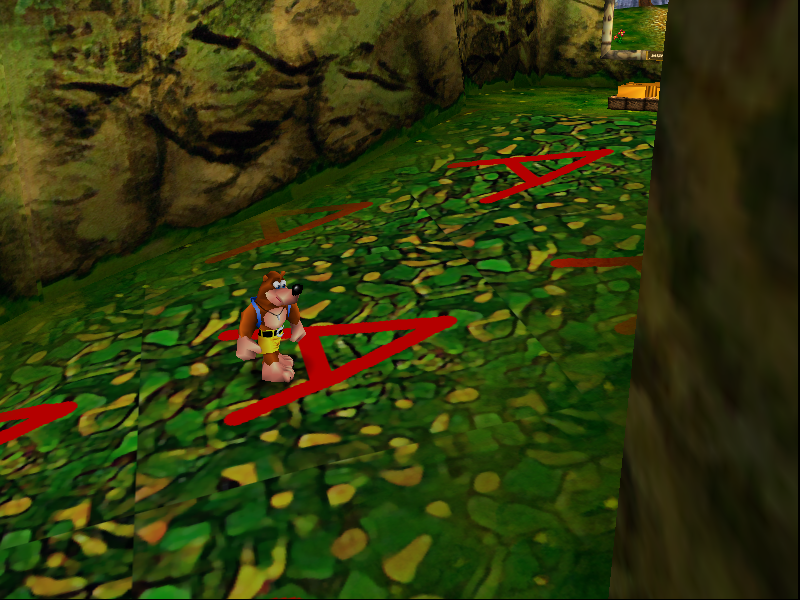
Interestingly the two plugins dump different CRCs for that specific texture and only load their own.
Rice and GlideHQ dump it as Banjo-Kazooie#7539F29C#0#2_all
and GLideN64 dumps it as Banjo-Kazooie#2FDFE2CD#0#2_all.
JustNoon
on 8 May 2019
@JustNoon please give me a savestate from that place.
gonetz
on 8 May 2019
My apologies. I forgot. Here you go.
BK-FloorClamping.pj.zip
JustNoon
on 8 May 2019
Hmm, I tried to use various texture enhancement modes and I see no issues.
Texture dumping may work wrong, I did not fix it yet.
If you have issues with HD textures in that place, please give them to me, I'll check them.
gonetz
on 8 May 2019
The enhancement modes work fine for the floor and fence.
Any texture will work. I included the two textures dumped directly with no editing.
Fence&Floor.zip
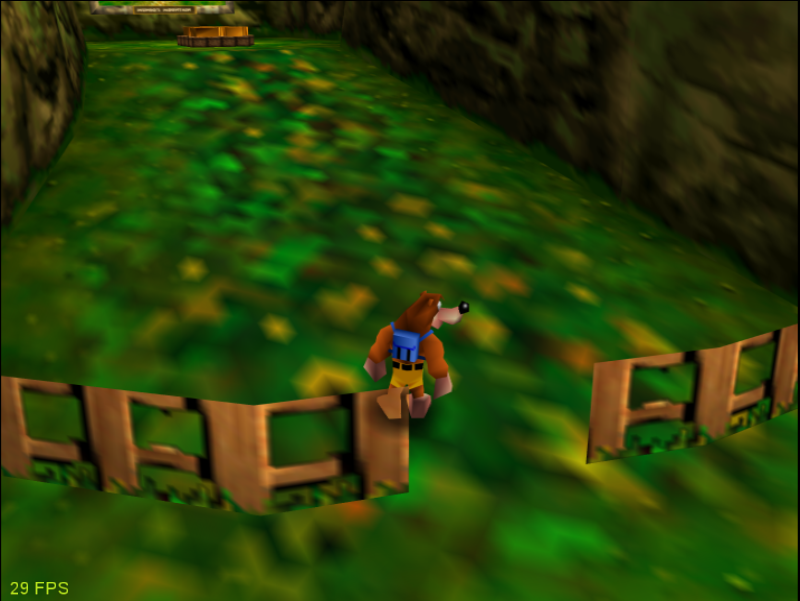
For comparison
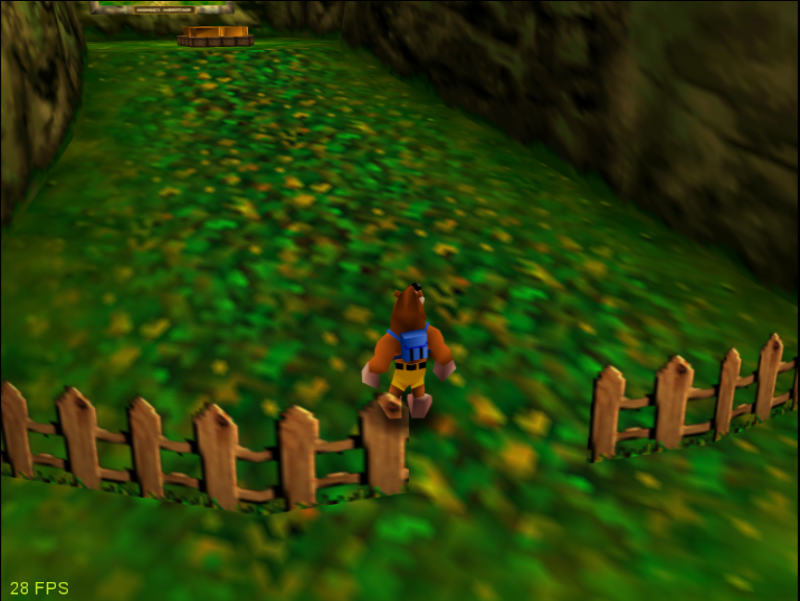
JustNoon
on 8 May 2019
@JustNoon Thanks! I found the issue.
New build:
https://drive.google.com/file/d/14fgffHHxnnNULRwf4c-4pY1scV6SOITc/view?usp=sharing
gonetz
on 9 May 2019
Amazingly quick work! That fixes it sure enough.
From that same area there is odd behavior with the nameplate under the picture. It is mipmapped as a separate texture but the texture will neither dump nor load (if I dump it from Rice). In Glide64 Final the texture only shows the hires version at all distances (probably intended?). Here's the texture as 4 red squares so you can see the effect.
Under some circumstances, the 4 smaller versions of the texture are dumped but as a single texture. If this is loaded, it overwrites all 4 mipmapped versions and overlays the podium in front of it. I've included this texture as a cyan square.
PlaqueHiMipped.zip
Here's the behavior in action:
https://gfycat.com/BeautifulSmoggyLice
BK-SignMipping.pj.zip
Edit: This issue isn't captured in the savestate and the blue texture shows up randomly in other places. I don't know. It's probably just a semi-transparent buffer object. I'm dumb.
Hopefully this is the right place for this. I'd be happy to create a separate bug report if it is not.
JustNoon
on 9 May 2019
All the issues/regressions I reported in this topic are fixed on the latest build, great work.
I have some issues related to HD texture packs that have always happened (some HD textures not loading and Goldeneye 007 crashing with HD Textures), do you want me to report them?
DonelBueno
on 10 May 2019
@JustNoon HD mip-mapping textures can be tricky in case of N64, because even regular mip-mapping is very tricky. PC hardware has strict rule for size of texture mip-map levels. Size of each next level must be half of size of previous level. For example, mip-mapped texture of 64x32 size will have tiles 64x32, 32x16, 16x8, 8x4, 4x2, 2x1. N64 textures not always follow that rule. GLideN64 corrects size of texture tiles to make them follow the rule. Texture with wrong tile sizes just will not load by PC hardware. Size of HD texture is always multiple of size of original one. So, even if all tiles of mip-mapped texture will be dumped correctly and texture artist will create good HD textures for them, there is no guarantee that GLideN64 will be able to load them. I think, that my mip-mapping emulation method can be rewritten to use array of textures instead of PC mip-mapping textures, but it is serious rework and it will take time.
gonetz
on 10 May 2019
@DonelBueno yes, please report. Since Goldeneye 007 uses mip-mapping a lot, there is a good chance that crashing with HD Textures happens for mip-mapping textures.
gonetz
on 10 May 2019
It seems to happen with any texture pack used in Goldeneye. The same issue used to happen in Banjo Tooie, but it is fixed on the latest build you posted here (HD Fix 7).
It crashes as soon as I hit a soldier with a firegun. If he hits me or I just walk around, it doesn't crash.
This issue is reported here: https://github.com/gonetz/GLideN64/issues/1711
DonelBueno
on 10 May 2019
@DonelBueno please give me a link to GE texture pack.
gonetz
on 10 May 2019
DonelBueno
on 10 May 2019
@gonetz as mentioned on #1711, you don`t need a texture pack to trigger the crash, you just need to have "Texture dumping/editing mode" enabled.
DonelBueno
on 11 May 2019
@gonetz I get a
2019/05/18 08:01:46.066 12472,Error,User Interface,WinMain,Exception caught (File: "main.cpp" Line: 86)
error and crash to desktop whenever I open the graphics settings window with that build.
Project64 4.0-Build 966
Crash with HD_fix_6 & HD_fix_7.
HD_fix_5 works.
JustNoon
on 18 May 2019
@JustNoon The only change in GUI code is this commit: cd76b93000
I reverted it. Please try that build:
https://drive.google.com/file/d/1ZpBArZoI1q1-KGuZaFR-n7__xOWGJVOM/view?usp=sharing
gonetz
on 19 May 2019
Lol that fixes it. Cool. Makes it much easier to test now.
JustNoon
on 19 May 2019
Commit cd76b93 is :
"Fixes crashing in project 64 graphics plugin dialog with release build"
So, if GUI crashes for you with it, it does not cool at all. That means that either way the plugin will crash on some systems.
gonetz
on 19 May 2019
Huh, that's a strange problem. How can enabling an optimization fix crashing. It sounds like we are doing something badly with memory and we are just getting lucky.
fzurita
on 19 May 2019
Unfortunately, I can't find what is it, because GUI works for me regardless of enabled optimization.
gonetz
on 19 May 2019
Is there some sort of crash log I can dump? I can guinea pig for you.
JustNoon
on 19 May 2019
@JustNoon thanks, but I have no idea what is going on and what to log. I would took the sources, commented most of them until GUI stopped to crash and then un-comment the code chunk by chunk. It is tedious process with many rebuilds. If you can give me remote desktop access to your PC, it may help.
gonetz
on 20 May 2019
Probably not going to be possible. When I have time I'll build it and see where the issue lies.
JustNoon
on 20 May 2019
Ok
gonetz
on 21 May 2019
I tried the new file-based storage build out and the graphics settings menu fails to open and crashes Project64. I removed all old GlideN64 files from the plugin folder before copying the new ones over. I managed to finally get into the graphics menu by switching to Project64 video, then switching back to GlideN64. For some reason, it works immediately after swapping the video plugin. It goes back to crashing the next time I open it, though.
The RAM use is dramatically lower with the new option. It seems to use at least 200mb at minimum, after visiting all four areas of the game I got it to approach 400mb. I think it would be very hard to get up to or over 1GB in a single play session. It should definitely make it easier for people to get texture packs working on low end hardware.
The stuttering is pretty noticeable though, even on an SSD... The textures are probably too big to avoid that. Because of the stuttering the old cache loading method is still best performing option; you either have to patch the public release of Project64 to use 4GB or use the new nightly builds, which are large address aware, to load the whole 2.5GB, though.
Can the stuttering be reduced further? Someone on my Discord suggested loading an entire zone at once, which I don't think the current method does.
Nerrel
on 10 Jun 2019
@Nerrel thanks for the feedback!
GUI crashing problem disturbs me. I never met it myself, so I don't know how to debug it :(
Regarding memory usage: file storage uses fixed amount of RAM. If plugin's memory usage increased from 200MB to 400MB, it is for other purposes: internal texture cache, frame buffer validity check data and so on. Btw, memory storage also uses fixed amount of RAM, but that amount is much larger than for the file storage case.
Regarding stuttering: the only way I see is to improve performance there is to pre-load textures to Video RAM before game start. The plugin may store a list of recently used textures (say last 1000) when game closing. Then on the next run of that game the plugin may load all these textures to video memory before starting the game. If you will continue from the same place, you will get no stuttering, but only until you enter a new area. The plugin can't guess which textures will be needed in that area and prefetch them, so I have no idea how to "load an entire zone at once".
gonetz
on 10 Jun 2019
I said this somewhere else but dds supports baked in mipmaps. You could use that to load a lower resolution version into memory synchronously and then asynchronously switch it with a higher resolution version when the full texture is converted to opengl's internal format. Hopefully minimize hitching at the cost of texture pop. But since most textures are probably loading slightly off screen or transparently, it should be pretty good.
Of course this seems ideal to me but it would require a lot of work so I'll just leave as a suggestion to come back to if BC7 ever becomes a thing.
JustNoon
on 10 Jun 2019
I also second the suggestion of adding DDS compressed texture support, to get around the limited memory space of 32-bit apps.
One could also use pngquant, to compress PNG textures to 8-bit, without losing any alpha. With it I compressed the Paper Mario TTYD community texture pack for Dolphin. It was around 1/3rd of the original size, with a much lower RAM usage, and it works and looks perfectly. Without compressing it, Dolphin would revert back to the original textures when running out of RAM.
 oddMLan
on 18 Jun 2019
oddMLan
on 18 Jun 2019
GLideNHQ converts all textures from textures pack into OpenGL formats before use. Cache file contains zipped OpenGL textures, mostly in GL_RGBA8 format. Thus, it does not matter which format a texture pack uses. You may use even bmp - size of texture cache file will be the same.
Using compressed texture formats is another story. It indeed would reduce size of texture cache and amount of VRAM usage. GlideHQ has support for DXTn format (S3 Texture Compression). I removed it from GLideNHQ because image quality degrades very noticeable with it and VRAM usage is not a problem for modern cards. May be DDS works better, but I currently have no time for that task. Of course, I don't mind if somebody else will do it.
gonetz
on 19 Jun 2019
Second to last commit breaks pintf texrecs in at least the zelda debug roms
 AriaHiro64
on 23 Jun 2019
AriaHiro64
on 23 Jun 2019
Second to last commit breaks pintf texrecs in at least the zelda debug roms
This one 83dde99f6b ?
gonetz
on 29 Jun 2019
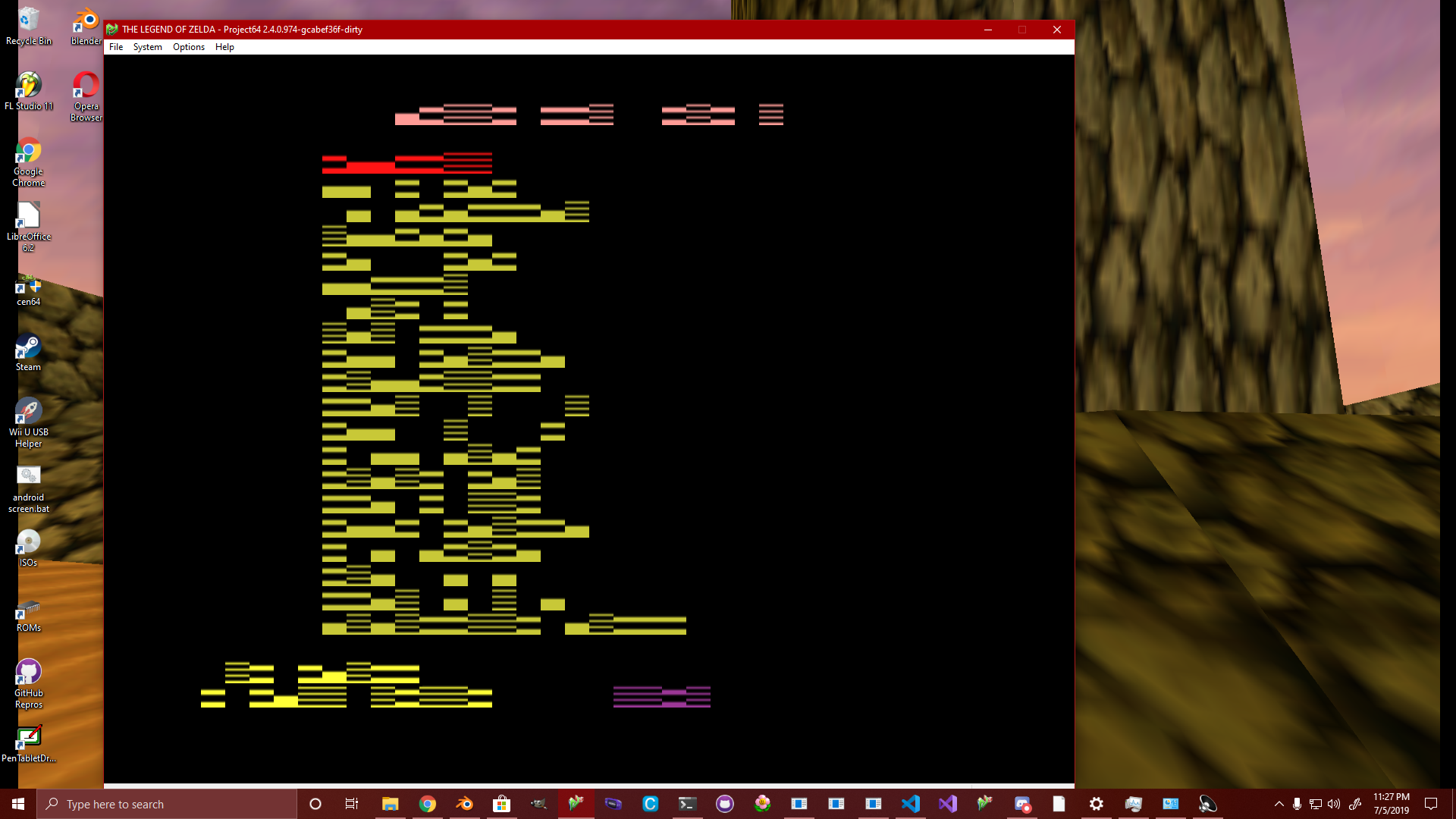
yep pretty much this makes debug menus unusable
AriaHiro64
on 6 Jul 2019
@gonetz I forgot to report an issue with your HD Fix Build 7.
There are some currupted textures in Stunt Racer:
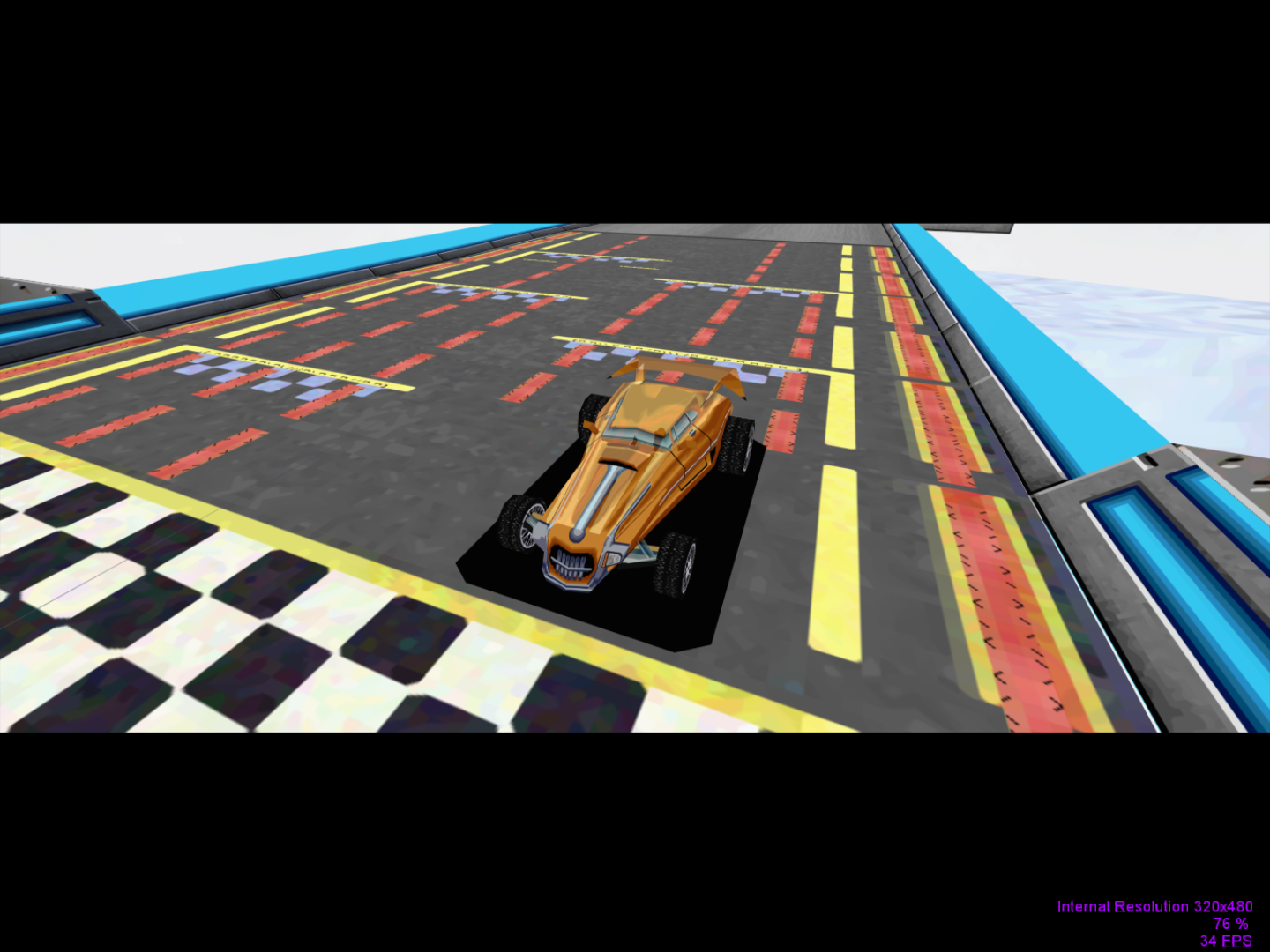
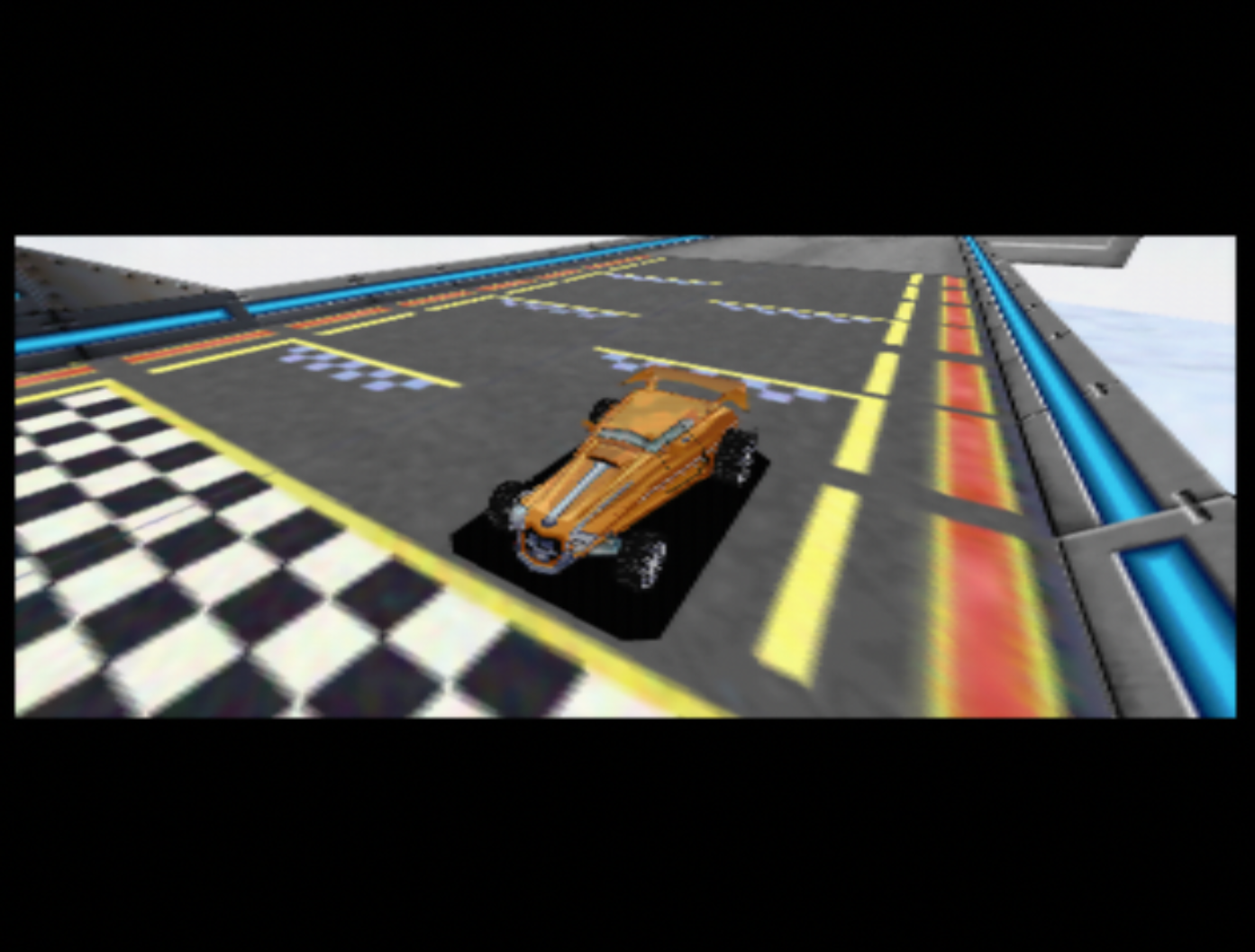
The second image is from angrylion's plugin.
Disabling Texture Enhancements doesn't make any difference.
None of the other games are affected by this issue, not even World Driver Championship.
DonelBueno
on 7 Jul 2019
it actually may be related to my issue as the font is stored as a texture
AriaHiro64
on 7 Jul 2019
Yes, I agree.
DonelBueno
on 7 Jul 2019
I'll check it, thanks!
gonetz
on 15 Jul 2019
@gonetz
I was able to reproduce the GUI crash when trying to open the settings with pj64 (on fix 7)
I've opened it in windbg and got some more information
ModLoad: 00000000`6f8e0000 00000000`6fb60000   C:\WINDOWS\SysWOW64\dwrite.dll
(17cc.294c): Access violation - code c0000005 (first chance)
First chance exceptions are reported before any exception handling.
This exception may be expected and handled.
*** WARNING: Unable to verify checksum for GLideN64.dll
GLideN64!osal_search_dir_read_next+0x364bb:
670d3edb 803900          cmp     byte ptr [ecx],0           ds:002b:00000312=??
that trace led me to
https://github.com/gonetz/GLideN64/blob/master/src/osal/osal_files_win32.c#L135
which is called from here(presumably?)
https://github.com/gonetz/GLideN64/blob/master/src/GLideNHQ/TxHiResCache.cpp#L204
however, I cannot reproduce the issue with fix 7-2 (yet), while none of that code changes.
maybe it was incorrect code generation? I'm not sure, I just wanted to provide more information to the (possible already solved) issue.
attached is the windbg analyze(which provides more information).
 Rosalie241
on 26 Jul 2019
Rosalie241
on 26 Jul 2019
Hi Tim,
Yes, the only difference between fix 7 and fix 7-2 is that cd76b93 is reverted for 7-2.
The situation with commit cd76b93 is weird: GLideN64 crashes on some PC without it, but crashes on other PC with it. I have no issues with or without that commit, so it is hard for me to fix it.
gonetz
on 11 Aug 2019
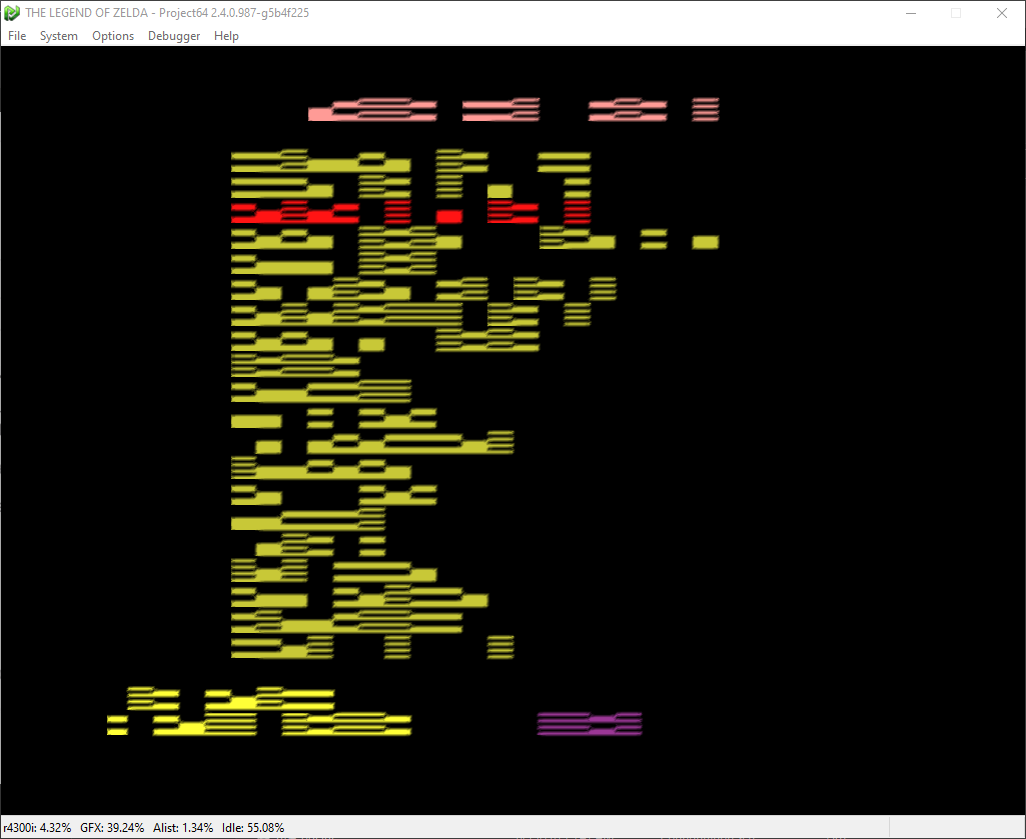
apparently its not the same issue, this reminds me of rice.
would a gt 740 be incompatible?
AriaHiro64
on 16 Aug 2019
I've fixed the issues reported by @DonelBueno and @AriaHiro64.
Please use latest WIP build from #2037 to test it.
gonetz
on 28 Aug 2019
@gonetz Indeed all the issues with texture corruption I reported are fixed. I could also test reshade and loved the results, thank you so much for the implementation.
BTW, the texture pack crashes in Goldeneye 007 and Perfect Dark are still there.
DonelBueno
on 29 Aug 2019
The new file storage option seems to be working really well for everyone so far, but the PNG and HTC options are having a lot of issues with textures failing to load:

I often see that or a pop-up saying "failed to allocate memory" or an error in GlideN64 itself saying that the texture load failed. I suspect that maybe the pack is already too big for a 32-bit program like Project64 to load; the new Pj64 versions are large address aware and should be able to handle 4GB, but maybe the 3GB of the pack is already enough to cause problems.
EDIT: I hadn't been paying attention to the loading screen and apparently the pack is actually using over 5GB now (it's only 3GB on disk and in Pj64's RAM use according to task manager): 
But it doesn't seem like that's a reliable number since sometimes it also reads 10GB:

The HTS file storage option works perfectly fine and everything loads correctly. I assume that if the pack is indeed going over 4GB there's nothing that can be done about this until Project64 is 64-bit but I wanted to ask about it just to be sure that something can't be done within GlideN64 itself. I'm not sure what's actually going on with the RAM use...
Nerrel
on 14 Sep 2019
PNG HTC and HTS options fail to load sky textures correctly. this also happens in OOT as well
 ProtomanX
on 18 Sep 2019
ProtomanX
on 18 Sep 2019
That sky loading issue ProtomanX mentioned exists since the first 2019 build of GLideN64 (2018-12-18 does not have the issue).
GhostlyDark
on 18 Sep 2019
PNG is packed format. GLideN64 converts png textures into unpacked OpenGL formats. The resulted texture is zipped too, but with minimal compression level. So, HTC file usually larger than original png pack. If the HTC file size exceeds 4GB, there are only two options for now: use file storage (HTS) or use 64bit build of GLideN64 with mupen64plus. May be in future I'll add support for compressed texture formats.
gonetz
on 27 Sep 2019
@ProtomanX What is the sky loading issue?
gonetz
on 27 Sep 2019
Gonetz, you don't have to do anything about the 4GB issue, that's Project64's problem. HTS works fine, I was mainly just asking why the memory use listed by GlideN64 seems so inconsistent (I was using the HTS pack when taking those screenshots, I think each time you reload the pack it doubles the listed memory use).
The skybox problem in Majora's Mask is that the custom sky textures only load on certain hours of the day. At 6AM they don't load and if I turn on texture dumping I get an identical set of sky textures with different filenames:

Then at 7AM the custom textures do load, and at 8AM they fail again. The custom textures don't seem to load again after that until 12PM. Basically, the plugin keeps switching between two skyboxes throughout the day when the game should only be using one.
(custom textures loaded at 7) 
(back to default textures again at 8) 
It's obviously not the correct behavior since as far as I know the game only has two skybox textures, one for day and one for night. I think the sky textures look like this on the actual ROM, and GlideN64 dumps them in 48 pieces:

For some reason GlideN64 is creating a new set of skybox textures for both day and night that shouldn't exist. I could solve this on my end by duplicating the entire skybox and renaming the textures to match the new dumps, but that would require piecing together all 90+ textures to figure out which is which and it would add some size to the pack.
As Ghostlydark said, the problem didn't exist in builds from last year or earlier. I'm not sure what the problems are in Ocarina of Time, I've only tested MM.
Nerrel
on 27 Sep 2019
i tested to see if OOT was going the same thing, both games have the same issue both on project 64 and mupen plus with the current wip 4 build. heres video proof of skybox texture issues in OOT just from the intro alone. https://mega.nz/#!cksFiALK!tUcYsIBnqoF_B6PSCDKJHfZXXia0s13pP1O5sL4uXek
ProtomanX
on 28 Sep 2019
Sky textures have CI format, that is Color Indexed. Texture texel is an index in color palette. As soon as palette changes, you get another texture. Smooth transition in colors of the sky from early morning till down obtained via changes of texture palette.
There are two ways to create HD texture for CI texture:
- Create new png texture for each combination CI texture + palette.
- Use BMP format. There is a way to use BMP as CI texture and use original N64 palette. That way you need to create only one HD texture.
All known texture pack use the first method. I don't know why. May be because N64 palette has only 256 16bit colors for 8bit textures and just 16 colors for 4bit ones. So, as I remember BMP textures are not even supported by current GLideNHQ code.
So, if your pack uses png for CI textures and it does not have HD texture for some palette then original N64 texture will be used instead.
Now we need to find where is the problem. There are two possibilities:
- GlideN64 calculates palette CRC incorrectly and then can't find HD texture
- HD texture does not exists for some palette.
gonetz
on 28 Sep 2019
I think the sky combinations are covered by existing texture packs. It seems both Zelda games switch to a duplicate of each of the combinations, which can be dumped and retextured. So for every skybox combination there is for GLideN64 (2018-12-18) there are two identical skyboxes for GLideN64 (2019-XX-YY).
Assuming the duplicate skyboxes share the exact same textures aside from having different hashes, it should be possible to rename existing HD assets in order to retexture the second skybox. I tried exactly that and ran into the issue that the second skybox is aligned wrong after retexturing.
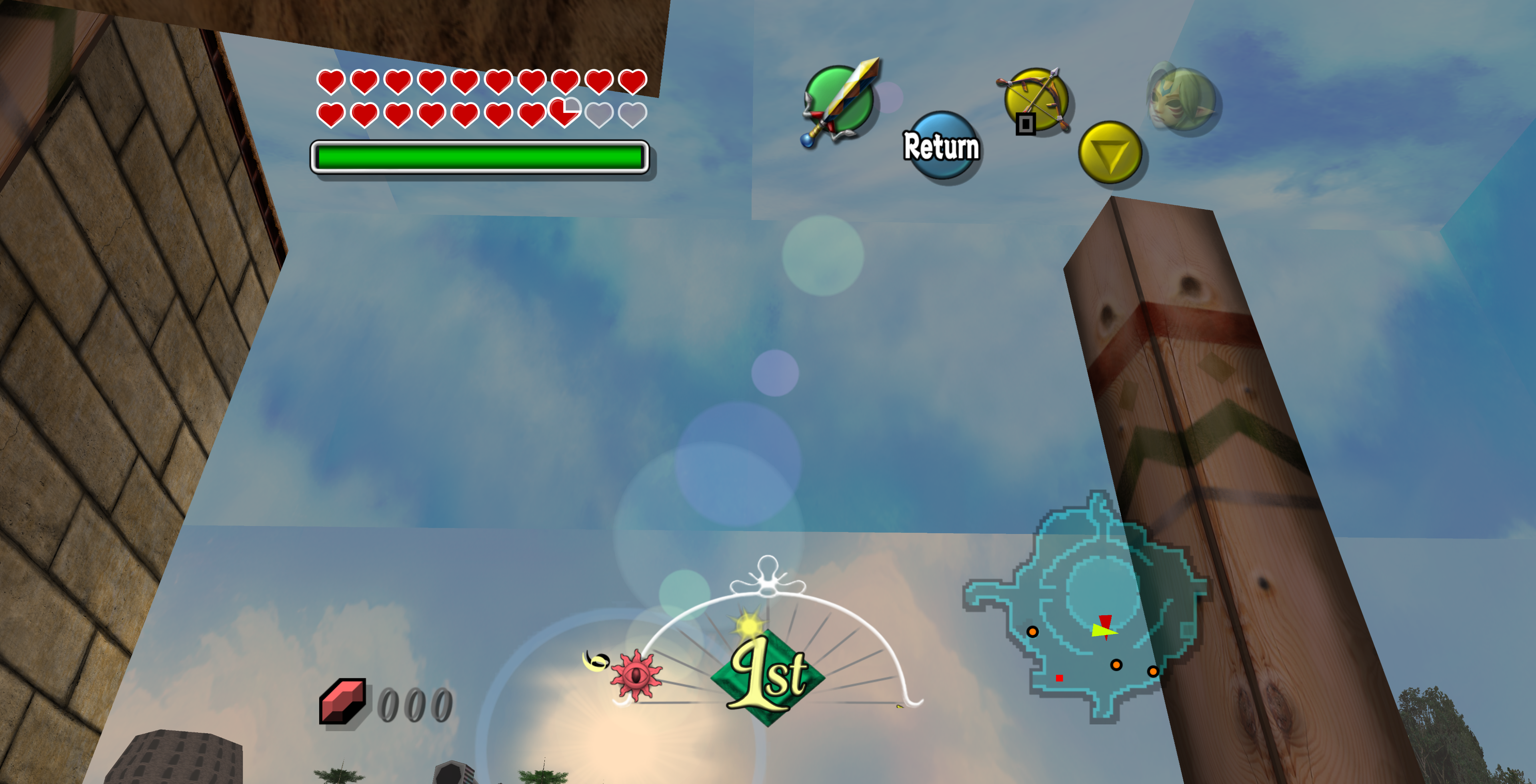
Skybox assets:
https://mega.nz/#!VrRW3YqJ!ii5QA3k7K5Ekz3GBNPVVlZWzMNfPX5cgMws-eH03Atk
MM Skybox 1: Dumped with GLideN64 (2018-12-18)
MM Skybox 2: Duplicate skybox of GLideN64 (2019-08)
MM Skybox HD 1: Nerrel's retextured skybox
MM Skybox HD 2: Nerrel's skybox renamed to match the duplicate skybox using the batch file
I used Luni's Toolbox to compare both vanilla skyboxes to create the batch file.
GhostlyDark
on 28 Sep 2019
There are two ways to create HD texture for CI texture:
- Create new png texture for each combination CI texture + palette.
- Use BMP format. There is a way to use BMP as CI texture and use original N64 palette. That way you need to create only one HD texture.
What about PNG-8 (indexed palette)?
oddMLan
on 28 Sep 2019
@GhostlyDark Thanks for the files! I'll check that issue.
@oddMLan PNG-8 is not currently supported either. I may add support for indexed texture formats if it will be requested by texture artists.
gonetz
on 29 Sep 2019
@gonetz is it possible to support PNG-8 so that memory usage is lower?
It works in Dolphin. I compressed a texture pack to use PNG-8, memory usage and loading time decreased dramatically.
oddMLan
on 29 Sep 2019
GLideN64 works only with OpenGL formats. Every texture in texture pack converted into proper OpenGL format when the pack loaded for the first time. Texture cache files (HTC and HTS) contain textures in OpenGL format. Thus, using PNG-8 you will reduce only size of original texture pack. Use of memory and video memory will not decreased.
gonetz
on 30 Sep 2019
Support for compressed texture formats that OpenGL can work with directly should be the next logical step, then.
Which compressed formats does OGL support?
Edit: Looks like only OpenGL ES can work with palleted textures directly. Desktop only supports lossy formats such as ST3C, DXT1/3/5. DXT5 is the least bad of them, from what I've heard.
oddMLan
on 30 Sep 2019
https://www.khronos.org/opengl/wiki/Image_Format
This one looks promising:
https://www.khronos.org/opengl/wiki/ASTC_Texture_Compression
gonetz
on 1 Oct 2019
This thread is huge and hard to read.
The main task is completed.
I suggest to open new task for Zelda skybox issue and close this one.
Regarding compressed textures: there is already open task for it - #1517
You may update it with new info if necessary.
gonetz
on 1 Oct 2019
what is the latest GlideN64 WIP like
 swaroop272
on 1 Oct 2019
swaroop272
on 1 Oct 2019
@GhostlyDark thanks for creating task #2094
This one can be closed.
gonetz
on 8 Oct 2019
Related issues
gonetz
·
14Comments
 ImSpecial
·
10Comments
ImSpecial
·
10Comments
 olivieryuyu
·
20Comments
olivieryuyu
·
20Comments
 kcghost
·
10Comments
kcghost
·
10Comments
 IceLancerSR
·
15Comments
IceLancerSR
·
15Comments
Most helpful comment
I said this somewhere else but dds supports baked in mipmaps. You could use that to load a lower resolution version into memory synchronously and then asynchronously switch it with a higher resolution version when the full texture is converted to opengl's internal format. Hopefully minimize hitching at the cost of texture pop. But since most textures are probably loading slightly off screen or transparently, it should be pretty good.
Of course this seems ideal to me but it would require a lot of work so I'll just leave as a suggestion to come back to if BC7 ever becomes a thing.