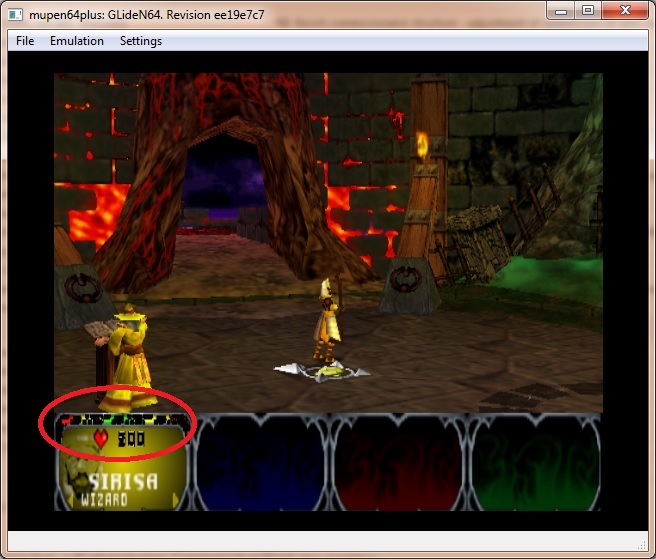
The power bars are wrong
 olivieryuyu
All 49 comments
FYI. This is the commit that fixed the bars in this game in angrylion according to LegendOfDragoon:
 fzurita
on 5 Nov 2017
fzurita
on 5 Nov 2017
It was actually r96 that fixed it.
I wrote a bit about the issue here https://github.com/purplemarshmallow/z64/issues/62
 LegendOfDragoon
on 5 Nov 2017
LegendOfDragoon
on 5 Nov 2017
As I understand, r96 does not fix the bars, it makes HUD to display.
 gonetz
on 5 Nov 2017
gonetz
on 5 Nov 2017
r96 actually did fix the bars in Angrylion. Not sure why it isn't working in GLideN64. One thing I noticed is that GLideN64 doesn't write the HUD to RDRAM, which means that save states generated by GLideN64 won't have the HUD displaying at all. Unless maybe there was some option I was supposed to toggle.
LegendOfDragoon
on 5 Nov 2017
Then it would be useful to find, which lines in r96 fix the bars. It would help me to find, how to fix them in GLideN64
gonetz
on 6 Nov 2017
It's the alpha compare code that fixed the HUD in Gauntlet (basically the same code that fixed rocks in Mischief Makers).
LegendOfDragoon
on 6 Nov 2017
The HUD and the bars are two different problems. GLideN64 has the HUD, but bars are broken. I don't know yet how to debug them.
gonetz
on 6 Nov 2017
Sorry I meant the bars. I have a bad habit of mixing up words sometimes. Angrylion's used to have the bar issue, until that same commit that fixed the rocks was implemented.
Does GLideN64 have a debugger?
LegendOfDragoon
on 6 Nov 2017
Yes, but it is buggy. It crashes with gauntlet.
gonetz
on 6 Nov 2017
I took a quick glance to r96 commit in Angrylions. At first glance, it looks like two things are done:
Reimplement YUV textures
Change condition for dithering based on the flag in other_modes.
(other_modes.f.getditherlevel )in his code.
In the photo above though, it doesn't look like the alpha is dithered. Does the game always show the bars the same way or does it change from frame to frame?
There's also a reference to Chroma keying in the diff, but ot seemed to me that ot was just a cose refactor.
Maybe you wanna try disabling noise or chroma keying.
 standard-two-simplex
on 6 Nov 2017
standard-two-simplex
on 6 Nov 2017
Quick glance will not help. Somebody should take r96, and revert step by step the changes made in it until he will get the same problem with bars.
gonetz
on 7 Nov 2017
Can confirm this bug is still present on Android & Switch version. On PC it not longer happens.
 HappehLemons
on 2 Jul 2020
HappehLemons
on 2 Jul 2020
On PC it not longer happens.
Interesting, how it was fixed? Probably it is a result of recent blending fixes, which are not supported by GLES versions.
gonetz
on 2 Jul 2020
I've tried adjusting just about every setting to get this to work, but no success. One odd thing I noticed is that if you load a save-state, the entire lower portion of the screen is black, versus just the power meter. You can get some of it to reappear by loading a new level or pressing the c-buttons because it forces some areas of it to change while viewing items or other information.
HappehLemons
on 3 Jul 2020
I've tried adjusting just about every setting to get this to work, but no success.
I just started a new game with mupen64plus and got the power bars working.
As for save states - there are few games, which can't completely restore the state with savestate load, because states of RSP/RDP registers are not saved in savestate. May be Gauntlets Legends is one of them.
gonetz
on 3 Jul 2020
I just started a new game with mupen64plus and got the power bars working.
On Android / Switch, or on PC? Could you give a little bit more information if it's the former. I have tried it on many devices at this point with no success.
HappehLemons
on 3 Jul 2020
May be Gauntlets Legends is one of them.
The HUD data is supposed to be written to RDRAM by the graphics plugin and GLideN64 never writes this data to the RDRAM, unlike Angrylion.
LegendOfDragoon
on 3 Jul 2020
@LegendOfDragoon is it written to RDRAM now? Possibly this is written to RDRAM now if it is rendering properly on PC.
 weinerschnitzel
on 3 Jul 2020
weinerschnitzel
on 3 Jul 2020
It is a coverage zap issue. The hud is rendered into an auxiliary buffer and it is used as texture to be rendered over the main buffer. The game expects full alpha from the auxiliary buffer texture (haven't checked why, only that it fails with lower alpha's even 0.9). Currently, coverage zap is emulated only with dual source blending, so GLES2 devices won't show the effect correctly.
I think it should be possible to at least emulate this in GLES2 devices by changing ShaderBlenderAlpha(),
if (_glinfo.dual_source_blending) {
// No changes here
} else {
m_part +=
"fragColor.a = (uCvgDest == 2) ? 1.0 : clampedColor.a;"
}
One odd thing I noticed is that if you load a save-state, the entire lower portion of the screen is black, versus just the power meter.
Auxiliary buffers can have different sizes depending on user config (2x, 3x ... native for example). Therefore, they are cleared on save state load, as the savestate might have been done with a different config. Therefore, the texture from the auxiliary buffer becomes black until it is loaded again. If you want to test this, go into options make a savestate there and then press B to come back.
standard-two-simplex
on 3 Jul 2020
I think it should be possible to at least emulate this in GLES2 devices by changing ShaderBlenderAlpha()
Actually, it is much more complicated than this. Ordinary blending uses output alpha in OpenGL's blend equation, so it is not possible to change it to one without screwing the color blend equation.
I wonder if the issue is possible to solve without resorting to dual source blending.
standard-two-simplex
on 7 Jul 2020
Possibly this is written to RDRAM now if it is rendering properly on PC.
I haven't checked recent builds, but i doubt it if the power bar doesn't work when loading savestates.
LegendOfDragoon
on 7 Jul 2020
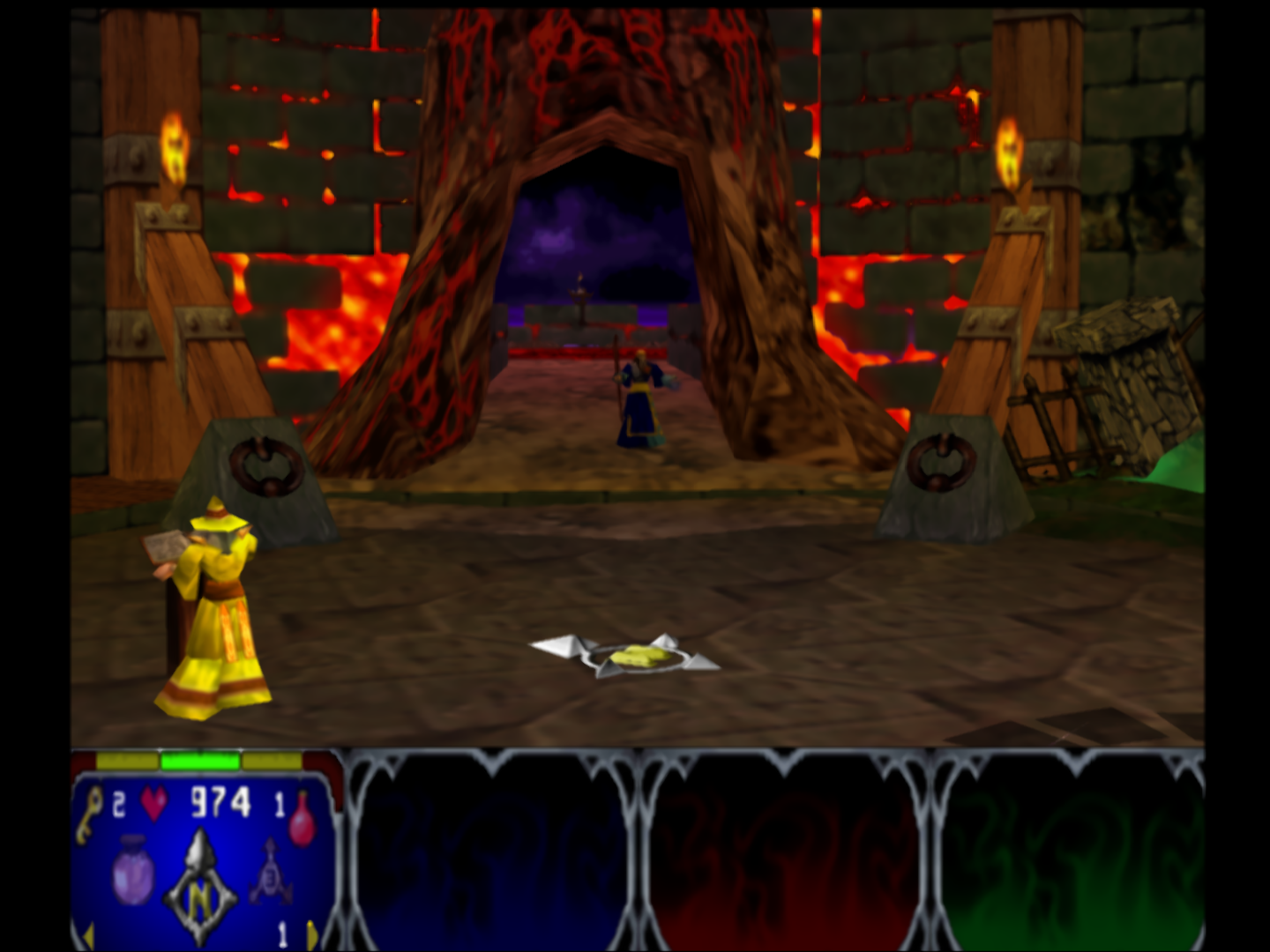
This issue is meanwhile fixed.
Works perfectly with mupen64plus next.
Great work.
 Papermanzero
on 25 Sep 2020
Papermanzero
on 25 Sep 2020
That's great news, I'll have to test it tonight! What device were you using it on?
HappehLemons
on 25 Sep 2020
Awesome!!!! I just tested it on switch and it's no longer has the visual glitches. Thanks for pushing the fix.
HappehLemons
on 26 Sep 2020
Recent fix for gDPTextureRectangle fixed this? Don't see other obvious commits after July 7th that might address this.
weinerschnitzel
on 26 Sep 2020
Fixed by commit c48841cfebf " Implement dual source blending."
gonetz
on 30 Sep 2020
Note: it is fixed only for full GL. GLES does not support dual source blending.
gonetz
on 30 Sep 2020
It looks like dolphin was able to implement the equivalent of dual source blending in GLES by using GL_EXT_shader_framebuffer_fetch.
fzurita
on 30 Sep 2020
Interesting. Thanks for the info!
gonetz
on 1 Oct 2020
I think we overlooked the fact that OpenGL ES2 does support dual source blending if EXT_blend_func_extended is supported. We discarded due to layout declarations not being supported, but it is supported via the variable gl_SecondaryFragColorEXT.
Quote form khronos under the section Additions to the OpenGL ES Shading Language 1.00 Specification.
"Fragment shaders output values to the OpenGL ES pipeline using the built-in variables gl_FragColor, gl_SecondaryFragColorEXT, gl_FragData, and gl_SecondaryFragDataEXT, unless the discard keyword is executed."
"Writing to gl_SecondaryFragColorEXT specifies a second fragment color that will be used by the subsequent fixed functionality pipeline for dual source blending. If subsequent fixed functionality consumes the second fragment color and an execution of a fragment shader does not write a value to gl_SecondaryFragColorEXT then the secondary fragment color consumed is undefined."
standard-two-simplex
on 3 Oct 2020
Ok, so we can support dual source blending at least for some GLES devices.
gonetz
on 4 Oct 2020
That seems to be supported in Adreno devices but not Mali which is the next most popular mobile GPU:
https://opengles.gpuinfo.org/listreports.php?extension=GL_EXT_blend_func_extended
fzurita
on 4 Oct 2020
That seems to be supported in Adreno devices but not Mali which is the next most popular mobile GPU
So the problem lies in the support of the extension, not GLES version.
If you want to try implementing the use of EXT_shader_framebuffer_fetch, it should be straightforward.
- Enable the extension.
- Initialize
muxPM = mat4(lowp mat4 muxPM = mat4(vec4(0.0), gl_LastFragData, uBlendColor, uFogColor);andlowp vec4 muxB = vec4(0.0, gl_LastFragData.a, 1.0, 0.0)inShaderFragmentBlendMux(). - Disable blending in
setBlendMode()inGraphicsDrawer.cpp. The output of the fragment shader will already be blended with framebuffer data inside of the fragment shader.
standard-two-simplex
on 5 Oct 2020
@standard-two-simplex I'm trying to do as you described with the frame buffer fetch extensions, but it doesn't seem to be working as expected. Can you check my branch real quick to make sure I'm doing everything you expected?
https://github.com/fzurita/GLideN64/tree/framebuffer_fetch
I did have to modify what you gave above since the above would only work with GLES 2.0 with the extension.
fzurita
on 8 Nov 2020
@fzurita I left two comments in your branch.
standard-two-simplex
on 8 Nov 2020
Ok, thanks. I'll take a look.
fzurita
on 8 Nov 2020
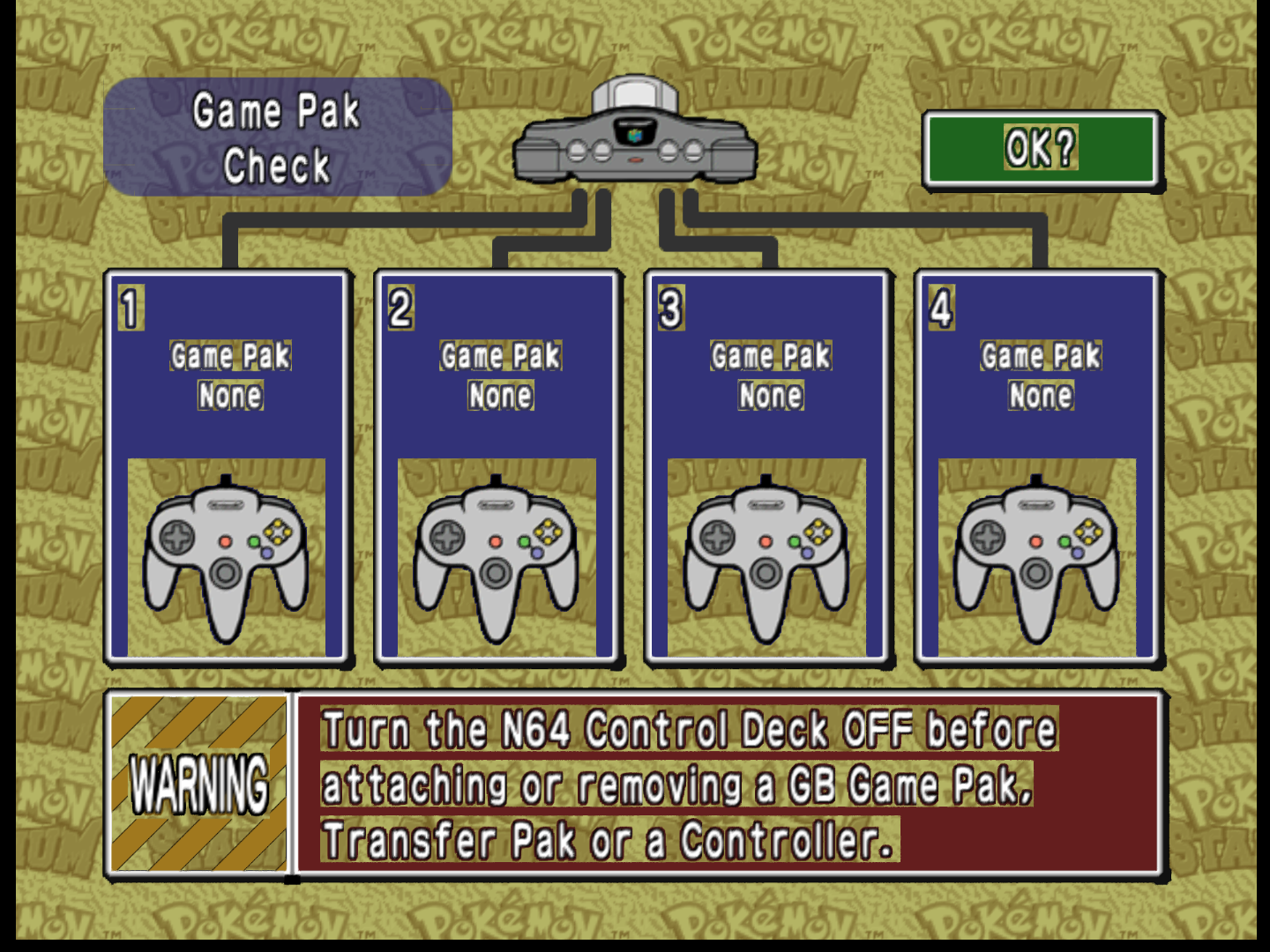
Still no luck unfortunately, this is what it is doing:
#
fzurita
on 8 Nov 2020
I updated the branch
fzurita
on 8 Nov 2020
Both Adreno and Mali produce the same as the picture above with their corresponding extensions. All I can think of is that gl_LastFragColorARM doesn't contain what we think it contains.
fzurita
on 8 Nov 2020
@loganmc10 You seem to be more familiar with these framebuffer fetch extensions since you did n64 depth compare using them. Do you have any clues?
fzurita
on 8 Nov 2020
I think I forgot the alpha blending part. I will take a closer look later.
Can you check if Donkey Kong works? (The gate's texture)
standard-two-simplex
on 9 Nov 2020
Do you have a save state for dk64?
fzurita
on 9 Nov 2020
Never mind. I progressed in game to that point. Yes, gate texture is fixed in dk64.
fzurita
on 9 Nov 2020
I think I forgot the alpha blending part.
First save last fragment data into some variable in the fragment shader header, just after inout fragColor declaration. lowp vec4 lastFragColor = fragColor.
Then you need to enable code for alpha blending in ShaderBlenderAlpha().
Add something like,
if (_glinfo.ext_fetch) {
    m_part +=
        "if (uBlendAlphaMode != 2) {                            \n"
    "  lowp float cvg = clampedColor.a;                     \n"
    "  lowp vec4 srcAlpha = vec4(cvg, cvg, 1.0, 0.0);       \n"
    "  lowp vec4 dstFactorAlpha = vec4(1.0, 1.0, 0.0, 1.0); \n"
    "  if (uBlendAlphaMode == 0)                            \n"
    "    dstFactorAlpha[0] = 0.0;                           \n"
    "  fragColor.a = srcAlpha[uCvgDest]  + lastFragColor.a * dstFactorAlpha[uCvgDest];  \n"
    "} else fragColor.a = clampedColor.a;                   \n"
    ;
}
For cleanness reasons, you may want to declare lastFragColor also for ordinary and dual source blending, and initialize to dummy highp vec4 lastFragColor = vec4(0.0); in the fragment shader header. Then you can use lastFragColor in the declaration of muxPM and muxB without the need for branching.
In my suggestion above I don't use realFragColor and use fragColor, fragColor1 and lastFragColor as,
fragColor: Main color/alpha output for all implementations. Pre-blended color for ordinary and dual source blending passed to the OpenGL blender. Already blent color/alpha outpur for framebuffer fetch based implementations.fragColor1: Secondary color/alpha output for dual source blending. Inexistent or dummy for other implementations.lastFragColor: Last fragment color for framebuffer fetch based implementation, where the input color is copied at the beggining of the fragment shader. Dummyvec4(0.0)otherwise.
standard-two-simplex
on 9 Nov 2020
Ok, thanks for the information. I'll try to get this done tonight, what you suggest doesn't sound difficult, hopefully it works.
fzurita
on 9 Nov 2020
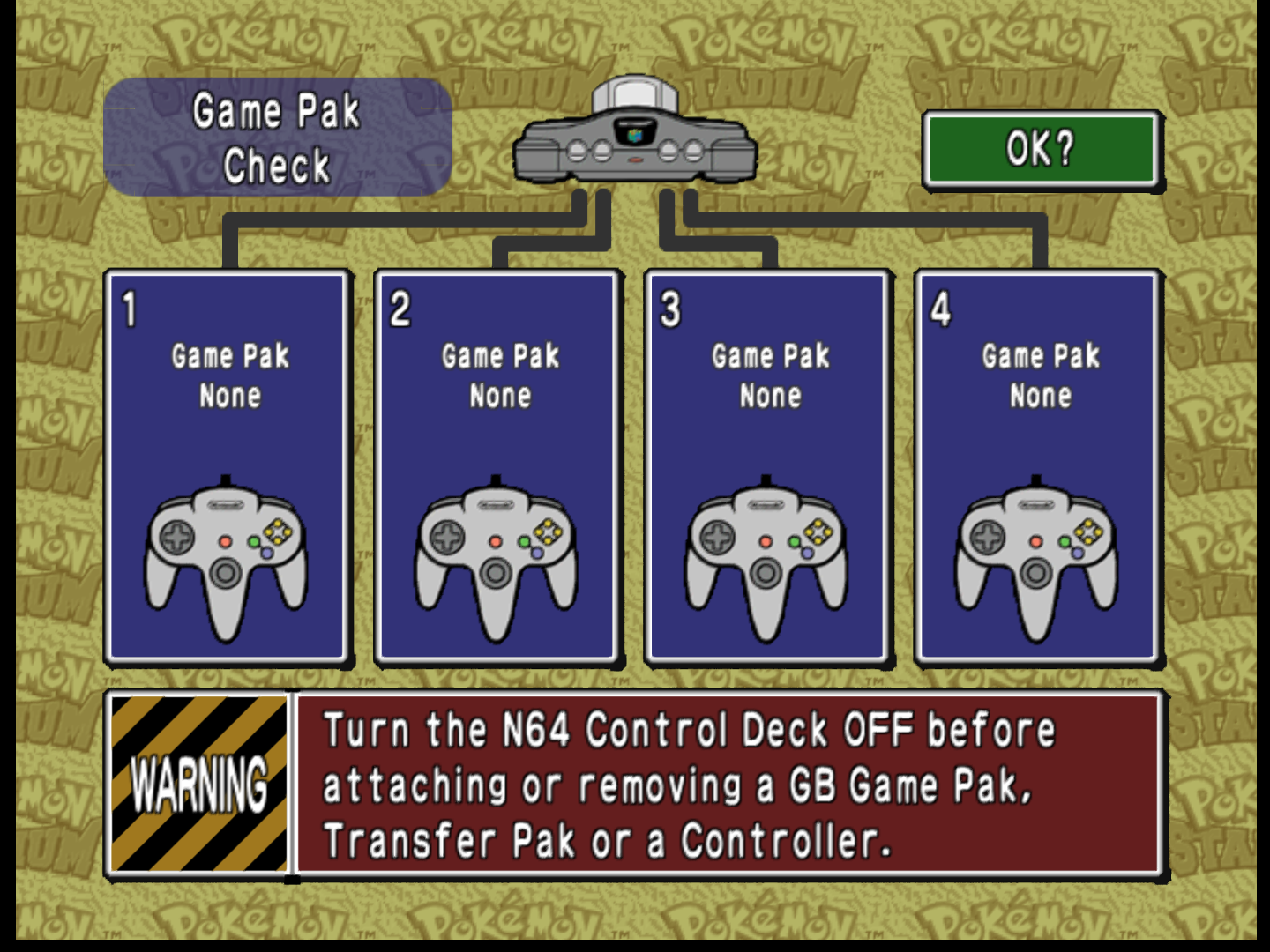
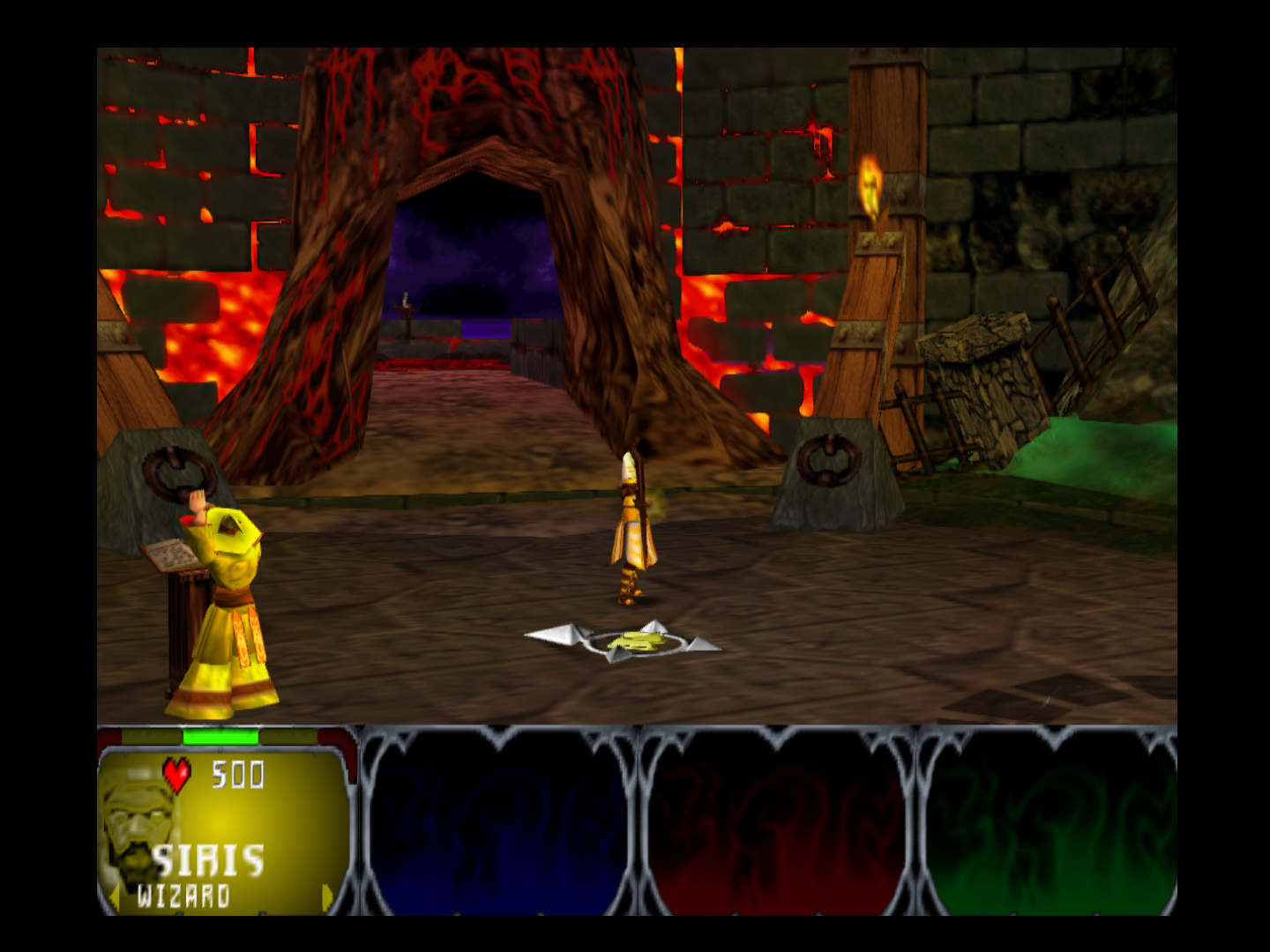
It works! Thanks.
With ARM framebuffer fetch:
I updated then branch, can you take a look?
fzurita
on 9 Nov 2020
Gauntlet legends:
fzurita
on 9 Nov 2020
It also works with Adreno, with the other extension. Thanks for all the tips and information.
fzurita
on 9 Nov 2020
Cool!
gonetz
on 10 Nov 2020
Related issues
 Dorzalty
·
20Comments
Dorzalty
·
20Comments
 schubertguilherme
·
19Comments
schubertguilherme
·
19Comments
 Nerrel
·
8Comments
Nerrel
·
8Comments
 ImSpecial
·
10Comments
ImSpecial
·
10Comments
 IceLancerSR
·
15Comments
IceLancerSR
·
15Comments
Most helpful comment
Cool!