Git-credential-manager-for-windows: "Fatal: AggregateException encountered" when prompting for username
I have been using git commandline with their token as a password. We are using 2fa. I installed this tool, and the first time I use a git command, I see the following.

Even though I am prompted again for my username & password, I type it in (not the token) and it does not work.
You can see my .gitconfig has credential.helper=manager. I tried both the installer and the manual install. uninstalled/re-installed many times.
My windows credential manager has no entry, because I have yet to enter my user/password/authcode.
What should I do? Thanks.
 Sean18
All 93 comments
Interesting. Can you enable git config credential.writelog true and then run the tool. There should be a log written to .git\credential.log at the root of your repo. Pasting the contents back to this thread will help immensely with my helping your resolve your issue.
 whoisj
on 20 Nov 2015
whoisj
on 20 Nov 2015
I reinstalled the credential manager to try this, but now its not prompting me for anything. I have since installed SourceTree, in which I used my token password. I suspect it has saved the password somehow - though I am not sure of the mechanism.
I enabled the log, but nothing is written there. git pull is working for me now, just not with credential manager. I'll need to figure out how SourceTree is saving the password.
Thanks.
Sean18
on 23 Nov 2015
Thanks for the update.
I'll keep trying to figure out what could be happening. We have an update to the CGM coming out asap, with luck that'll fix the issue, or at least fix the issue of the empty log file.
whoisj
on 23 Nov 2015
This code was refactored. It should be more stable now.
I'm going to close this issue under the assumption that the issue is resolved.
Thanks, again, for reporting it.
whoisj
on 25 Nov 2015
I am detailing my experience here in order to help others.
I use git command line with github token as password. Git Credential Manager for Windows worked perfectly. But then I started to get Fatal: AggregateException encountered error every time I accessed github repository from command line.
I enabled logs using git config credential.writelog true. Ran a git pull, then checked logs at .git\credential.log.
Log Start (2016-01-23 06:39:02Z)
Microsoft Git Credential Manager for Windows version Git Credential Manager for Windows
Program::Get
   targetUri = https://github.com/
Program::CreateAuthentication
   detecting authority type
   authority it GitHub
Fatal: System.AggregateException: One or more errors occurred. ---> System.Net.Http.HttpRequestException: An error occurred while sending the request. ---> System.Net.WebException: The remote name could not be resolved: 'api.github.com'
   at System.Net.HttpWebRequest.EndGetResponse(IAsyncResult asyncResult)
   at System.Net.Http.HttpClientHandler.GetResponseCallback(IAsyncResult ar)
   --- End of inner exception stack trace ---
   at System.Runtime.CompilerServices.TaskAwaiter.ThrowForNonSuccess(Task task)
   at System.Runtime.CompilerServices.TaskAwaiter.HandleNonSuccessAndDebuggerNotification(Task task)
   at Microsoft.Alm.Authentication.GithubAuthority.<ValidateCredentials>d__6.MoveNext()
--- End of stack trace from previous location where exception was thrown ---
   at System.Runtime.CompilerServices.TaskAwaiter.ThrowForNonSuccess(Task task)
   at System.Runtime.CompilerServices.TaskAwaiter.HandleNonSuccessAndDebuggerNotification(Task task)
   at Microsoft.Alm.Authentication.GithubAuthentication.<ValidateCredentials>d__28.MoveNext()
--- End of stack trace from previous location where exception was thrown ---
   at System.Runtime.CompilerServices.TaskAwaiter.ThrowForNonSuccess(Task task)
   at System.Runtime.CompilerServices.TaskAwaiter.HandleNonSuccessAndDebuggerNotification(Task task)
   at Microsoft.Alm.CredentialHelper.Program.<>c__DisplayClass38_1.<<Get>b__2>d.MoveNext()
   --- End of inner exception stack trace ---
   at System.Threading.Tasks.Task.ThrowIfExceptional(Boolean includeTaskCanceledExceptions)
   at System.Threading.Tasks.Task.Wait(Int32 millisecondsTimeout, CancellationToken cancellationToken)
   at Microsoft.Alm.CredentialHelper.Program.Get()
   at Microsoft.Alm.CredentialHelper.Program.Main(String[] args)
---> (Inner Exception #0) System.Net.Http.HttpRequestException: An error occurred while sending the request. ---> System.Net.WebException: The remote name could not be resolved: 'api.github.com'
   at System.Net.HttpWebRequest.EndGetResponse(IAsyncResult asyncResult)
   at System.Net.Http.HttpClientHandler.GetResponseCallback(IAsyncResult ar)
   --- End of inner exception stack trace ---
   at System.Runtime.CompilerServices.TaskAwaiter.ThrowForNonSuccess(Task task)
   at System.Runtime.CompilerServices.TaskAwaiter.HandleNonSuccessAndDebuggerNotification(Task task)
   at Microsoft.Alm.Authentication.GithubAuthority.<ValidateCredentials>d__6.MoveNext()
--- End of stack trace from previous location where exception was thrown ---
   at System.Runtime.CompilerServices.TaskAwaiter.ThrowForNonSuccess(Task task)
   at System.Runtime.CompilerServices.TaskAwaiter.HandleNonSuccessAndDebuggerNotification(Task task)
   at Microsoft.Alm.Authentication.GithubAuthentication.<ValidateCredentials>d__28.MoveNext()
--- End of stack trace from previous location where exception was thrown ---
   at System.Runtime.CompilerServices.TaskAwaiter.ThrowForNonSuccess(Task task)
   at System.Runtime.CompilerServices.TaskAwaiter.HandleNonSuccessAndDebuggerNotification(Task task)
   at Microsoft.Alm.CredentialHelper.Program.<>c__DisplayClass38_1.<<Get>b__2>d.MoveNext()<---
I noticed
The remote name could not be resolved: 'api.github.com'
Tried to ping the address and got couldn't resolve host error. I added 8.8.8.8 and 8.8.4.4 to my DNS list, and this solved the issue.
 talha131
on 23 Jan 2016
talha131
on 23 Jan 2016
I have same error. Here is my credential.log:
Log Start (2016-07-29 06:47:19Z)
Microsoft Git Credential Manager for Windows version 1.5.0
Program::Get
   targetUri = https://github.com/
Program::CreateAuthentication
   detecting authority type
   authority it GitHub
Program::GitHubCredentialModalPrompt
   prompting user for credentials.
Fatal: System.AggregateException: Произошла одна или несколько ошибок. ---> System.AggregateException: Произошла одна или несколько ошибок. ---> System.Net.Http.HttpRequestException: An error occurred while sending the request. ---> System.Net.WebException: Базовое соединение закрыто: Непредвиденная ошибка при передаче. ---> System.IO.IOException: Сбой установки соединения из-за неожиданного формата пакета.
   в System.Net.TlsStream.EndWrite(IAsyncResult asyncResult)
   в System.Net.PooledStream.EndWrite(IAsyncResult asyncResult)
   в System.Net.ConnectStream.WriteHeadersCallback(IAsyncResult ar)
   --- Конец трассировки внутреннего стека исключений ---
   в System.Net.HttpWebRequest.EndGetRequestStream(IAsyncResult asyncResult, TransportContext& context)
   в System.Net.Http.HttpClientHandler.GetRequestStreamCallback(IAsyncResult ar)
   --- Конец трассировки внутреннего стека исключений ---
   в System.Runtime.CompilerServices.TaskAwaiter.ThrowForNonSuccess(Task task)
   в System.Runtime.CompilerServices.TaskAwaiter.HandleNonSuccessAndDebuggerNotification(Task task)
   в Microsoft.Alm.Authentication.GitHubAuthority.<AcquireToken>d__5.MoveNext()
   --- Конец трассировки внутреннего стека исключений ---
   в System.Threading.Tasks.Task.ThrowIfExceptional(Boolean includeTaskCanceledExceptions)
   в System.Threading.Tasks.Task`1.GetResultCore(Boolean waitCompletionNotification)
   в System.Threading.Tasks.Task`1.get_Result()
   в Microsoft.Alm.Authentication.GitHubAuthentication.InteractiveLogon(TargetUri targetUri, Credential& credentials)
   в Microsoft.Alm.CredentialHelper.Program.<>c__DisplayClass45_1.<<Get>b__2>d.MoveNext()
   --- Конец трассировки внутреннего стека исключений ---
   в System.Threading.Tasks.Task.ThrowIfExceptional(Boolean includeTaskCanceledExceptions)
   в System.Threading.Tasks.Task.Wait(Int32 millisecondsTimeout, CancellationToken cancellationToken)
   в Microsoft.Alm.CredentialHelper.Program.Get()
   в Microsoft.Alm.CredentialHelper.Program.Main(String[] args)
---> (Внутреннее исключение #0) System.AggregateException: Произошла одна или несколько ошибок. ---> System.Net.Http.HttpRequestException: An error occurred while sending the request. ---> System.Net.WebException: Базовое соединение закрыто: Непредвиденная ошибка при передаче. ---> System.IO.IOException: Сбой установки соединения из-за неожиданного формата пакета.
   в System.Net.TlsStream.EndWrite(IAsyncResult asyncResult)
   в System.Net.PooledStream.EndWrite(IAsyncResult asyncResult)
   в System.Net.ConnectStream.WriteHeadersCallback(IAsyncResult ar)
   --- Конец трассировки внутреннего стека исключений ---
   в System.Net.HttpWebRequest.EndGetRequestStream(IAsyncResult asyncResult, TransportContext& context)
   в System.Net.Http.HttpClientHandler.GetRequestStreamCallback(IAsyncResult ar)
   --- Конец трассировки внутреннего стека исключений ---
   в System.Runtime.CompilerServices.TaskAwaiter.ThrowForNonSuccess(Task task)
   в System.Runtime.CompilerServices.TaskAwaiter.HandleNonSuccessAndDebuggerNotification(Task task)
   в Microsoft.Alm.Authentication.GitHubAuthority.<AcquireToken>d__5.MoveNext()
   --- Конец трассировки внутреннего стека исключений ---
   в System.Threading.Tasks.Task.ThrowIfExceptional(Boolean includeTaskCanceledExceptions)
   в System.Threading.Tasks.Task`1.GetResultCore(Boolean waitCompletionNotification)
   в System.Threading.Tasks.Task`1.get_Result()
   в Microsoft.Alm.Authentication.GitHubAuthentication.InteractiveLogon(TargetUri targetUri, Credential& credentials)
   в Microsoft.Alm.CredentialHelper.Program.<>c__DisplayClass45_1.<<Get>b__2>d.MoveNext()
---> (Внутреннее исключение #0) System.Net.Http.HttpRequestException: An error occurred while sending the request. ---> System.Net.WebException: Базовое соединение закрыто: Непредвиденная ошибка при передаче. ---> System.IO.IOException: Сбой установки соединения из-за неожиданного формата пакета.
   в System.Net.TlsStream.EndWrite(IAsyncResult asyncResult)
   в System.Net.PooledStream.EndWrite(IAsyncResult asyncResult)
   в System.Net.ConnectStream.WriteHeadersCallback(IAsyncResult ar)
   --- Конец трассировки внутреннего стека исключений ---
   в System.Net.HttpWebRequest.EndGetRequestStream(IAsyncResult asyncResult, TransportContext& context)
   в System.Net.Http.HttpClientHandler.GetRequestStreamCallback(IAsyncResult ar)
   --- Конец трассировки внутреннего стека исключений ---
   в System.Runtime.CompilerServices.TaskAwaiter.ThrowForNonSuccess(Task task)
   в System.Runtime.CompilerServices.TaskAwaiter.HandleNonSuccessAndDebuggerNotification(Task task)
   в Microsoft.Alm.Authentication.GitHubAuthority.<AcquireToken>d__5.MoveNext()<---
<---


Log Start (2016-07-29 06:47:43Z)
Microsoft Git Credential Manager for Windows version 1.5.0
Program::Erase
   targetUri = https://github.com/
Program::CreateAuthentication
   detecting authority type
   authority it GitHub
   deleting GitHub credentials
I guess it is because of this:
System.IO.IOException: Сбой установки соединения из-за неожиданного формата пакета.
Translation (I have a russian Windows with errors in russian):
System.IO.IOException: Connection failure due to unexpected packet format.
 halt-avmc
on 29 Jul 2016
halt-avmc
on 29 Jul 2016
Oh dear! @Haacked any chance you, or another Githubber, can assist with this issue.
I am not a "packet format" specialist and this issue is reported directly against github.com.
whoisj
on 29 Jul 2016
Does this problem happen all the time or is it intermittent? Are you behind a proxy? This seems to be related to SSL, but I'm not aware of any problems on GitHub.com's side.
 haacked
on 29 Jul 2016
haacked
on 29 Jul 2016
For now problem happen all the time.
Well, may be I am behind a proxy. I explain why "may be".
I am a corporate Windows 7 user with enabled "auto proxy configuration" via AD Group Policies ("Automatically detect settings" check box under system's Internet Properties is set). And we have McAffe proxy, which is in fact selected by Internet Explorer by default. But I have a direct Internet connection also.
So I'll check out with that checkbox switched off if the problem will dissapear.
halt-avmc
on 31 Jul 2016
I recently checked 'git push' with "Automatic proxy discovery" checkbox disabled and it worked flawlessly.
halt-avmc
on 1 Aug 2016
I have the same problem behind the proxy, it started to happen during last week. Nothing changed in my configuration and it worked before with the same setup for months.
It happesn in GUI and console and is related to proxy. Relevant line from the log:
10:16:44.406141 ...\Program.cs:186      trace: [LogEvent] System.AggregateException: One or more errors occurred. ---> System.Net.Http.HttpRequestException: An error occurred while sending the request. ---> System.Net.WebException: The remote name could not be resolved: 'api.github.com'
````

Thsi si my proxy setup (using proxy functions from [this](https://github.com/majkinetor/posh/tree/master/MM_Network) PowerShell module)
PS> proxyc
$Env:ftp_proxy = 'http://10.35.9.55:8080'
$Env:http_proxy = 'http://10.35.9.55:8080'
$Env:https_proxy = 'http://10.35.9.55:8080'
$Env:no_proxy = '10.'
PS > proxy
Override Server Enable
-------- ------ ------
10.* 10.35.9.55:8080 1
Problem happens all the time with tortoisegit and git.exe with the difference that sometimes prompt returns ASAP and sometimes I wait 10 or so seconds x 2 (two aggregation messages appear).

Here is the console output
13 [ M:0 D:0 A:0 ?:1 ] 16-11-30 10.23.12 C:\work_chocolatey\chocolatey-coreteampackages\automatic
virtualbox~> git push origin virtualbox
fatal: AggregateException encountered.
One or more errors occurred.
fatal: AggregateException encountered.
One or more errors occurred.
Username for 'https://github.com': majkinetor
Password for 'https://[email protected]':
Counting objects: 7, done.
Delta compression using up to 8 threads.
Compressing objects: 100% (7/7), done.
Writing objects: 100% (7/7), 2.61 KiB | 0 bytes/s, done.
Total 7 (delta 2), reused 0 (delta 0)
remote: Resolving deltas: 100% (2/2), completed with 2 local objects.
To https://github.com/chocolatey/chocolatey-coreteampackages.git
409982f..8d3e8e0 virtualbox -> virtualbox
14 [ M:0 D:0 A:0 ?:1 ] 16-11-30 10.30.45 C:\work_chocolatey\chocolatey-coreteampackages\automatic
```
Notice the time - command started at 10:23, finished at 10:45, almost all of it was waiting.
 majkinetor
on 30 Nov 2016
majkinetor
on 30 Nov 2016
@majkinetor it sounds like your proxy setup is something that the NetFx system doesn't expect, and since the GCM relies on the NetFx WebProxy class to "do the right thing(tm)", the GCM is not expecting your setup either.
Which proxy are you using, how is it configured, and is there a knob we could add to the GCM to help you align its expectations with your setup?
whoisj
on 30 Nov 2016
There is nothing special about my setup. We use squid/3.1.10 and other tools work correctly (chocolatey, normal net clients etc.) For linux tools I have to use env vars as shown (git, gem, pip etc.) and there is nothing speecial about that either - if I remove them nothing changes.
I do not have git proxy set, however, I rely on http_proxy linux vars for that. Maybe that is the root of the problem (although it worked before).
majkinetor
on 30 Nov 2016
IMO, the tool should do the following to set correct proxy:
- Try git proxy settings first
- Try IE proxy settings next
- Try linux env vars finally
majkinetor
on 30 Nov 2016
@majkinetor sounds great, any chance you've got bandwidth to cook up a contribution? 😃
whoisj
on 30 Nov 2016
Not at this moment, sorry, I am here only to report the bug. I have too many other FOS projects I am working on ATM. I am not telling you what to do, just telling you what I think should be done based on my experience with this.
majkinetor
on 30 Nov 2016
I can confirm that this bug happens when I am behind a HTTP proxy and attempt to push to Github. Credentials user interface fails with Fatal: AggregateException encountered.
 grigory-rechistov
on 21 Dec 2016
grigory-rechistov
on 21 Dec 2016
On my sistem I have to also wait for minutes to pass and then regular git usr/password prompts appear.
This makes me frequently forget about them in the background.
I use this in my Powershell profile:
# Ask for password in GUI (easier to see and automate)
#https://marcus.handte.org/2011/09/07/enabling-interactive-prompts-in-cygwins-git-port/
$sshaskpass_path = 'C:\Program Files\TortoiseGit\bin\sshaskpass.exe'
if (Test-Path $sshaskpass_path) { $ENV:GIT_ASKPASS  = $sshaskpass_path } else { Write-Warning 'Git profile: sshaskpass not found' }
rm Variable:/sshaskpass_path
Unfortunatelly, AutoHotkey doesn't want to send keys to sshaskpass for some reason but its still valueable as it will prompt in the GUI. HTH somebody until this is fixed.
majkinetor
on 21 Dec 2016
It actually works, here is the working AHK code that people can use instead of Git-Credential-Manager until this is fixed.
You need to set your git username and pass in the script now. Its easy to modify it to use CredentialManger tho and ask for pass/username first time.
majkinetor
on 21 Dec 2016
I am getting the same issue. The only thing I can come up with is that it is trying to open a socket connection over 443 instead of an https connection over 443 and our proxy denies it. If I open a web browser and go to http://192.30.253.116:443 I get gateway time out. If I go to https://192.30.253.116 chrome complains about the cert name mismatch but the connection makes it. I believe there is still an issue and this should probably be reopened or pushed into another ticket.
YYYY.01.27 11:11:49 Microsoft Git Credential Manager for Windows version 1.8.1
11:11:49.316970 ...\Program.cs:367      trace: [CreateAuthentication] detecting authority type for 'https://github.com/'.
11:11:49.319452 ...uthentication.cs:126 trace: [GetAuthentication] created GitHub authentication for 'https://github.com/'.
11:11:49.319452 ...\Program.cs:426      trace: [CreateAuthentication] authority for 'https://github.com/' is GitHub.
11:11:49.386534 ...icationPrompts.cs:20 trace: [CredentialModalPrompt] prompting user for credentials for 'https://github.com/'.
11:11:58.485262 ...\Program.cs:145      trace: [Die] System.AggregateException: One or more errors occurred. ---> System.Net.Http.HttpRequestException: An error occurred while sending the request. ---> System.Net.WebException: Unable to connect to the remote server ---> System.Net.Sockets.SocketException: No connection could be made because the target machine actively refused it 192.30.253.116:443
   at System.Net.Sockets.Socket.EndConnect(IAsyncResult asyncResult)
   at System.Net.ServicePoint.ConnectSocketInternal(Boolean connectFailure, Socket s4, Socket s6, Socket& socket, IPAddress& address, ConnectSocketState state, IAsyncResult asyncResult, Exception& exception)
   --- End of inner exception stack trace ---
   at System.Net.HttpWebRequest.EndGetRequestStream(IAsyncResult asyncResult, TransportContext& context)
   at System.Net.Http.HttpClientHandler.GetRequestStreamCallback(IAsyncResult ar)
   --- End of inner exception stack trace ---
   at System.Runtime.CompilerServices.TaskAwaiter.ThrowForNonSuccess(Task task)
   at System.Runtime.CompilerServices.TaskAwaiter.HandleNonSuccessAndDebuggerNotification(Task task)
   at Microsoft.Alm.Authentication.GitHubAuthority.<AcquireToken>d__5.MoveNext()
--- End of stack trace from previous location where exception was thrown ---
   at System.Runtime.CompilerServices.TaskAwaiter.ThrowForNonSuccess(Task task)
   at System.Runtime.CompilerServices.TaskAwaiter.HandleNonSuccessAndDebuggerNotification(Task task)
   at Microsoft.Alm.Authentication.GitHubAuthentication.<InteractiveLogon>d__25.MoveNext()
--- End of stack trace from previous location where exception was thrown ---
   at System.Runtime.CompilerServices.TaskAwaiter.ThrowForNonSuccess(Task task)
   at System.Runtime.CompilerServices.TaskAwaiter.HandleNonSuccessAndDebuggerNotification(Task task)
   at Microsoft.Alm.Cli.Program.<>c__DisplayClass95_4.<<QueryCredentials>b__3>d.MoveNext()
   --- End of inner exception stack trace ---
---> (Inner Exception #0) System.Net.Http.HttpRequestException: An error occurred while sending the request. ---> System.Net.WebException: Unable to connect to the remote server ---> System.Net.Sockets.SocketException: No connection could be made because the target machine actively refused it 192.30.253.116:443
   at System.Net.Sockets.Socket.EndConnect(IAsyncResult asyncResult)
   at System.Net.ServicePoint.ConnectSocketInternal(Boolean connectFailure, Socket s4, Socket s6, Socket& socket, IPAddress& address, ConnectSocketState state, IAsyncResult asyncResult, Exception& exception)
   --- End of inner exception stack trace ---
   at System.Net.HttpWebRequest.EndGetRequestStream(IAsyncResult asyncResult, TransportContext& context)
   at System.Net.Http.HttpClientHandler.GetRequestStreamCallback(IAsyncResult ar)
   --- End of inner exception stack trace ---
   at System.Runtime.CompilerServices.TaskAwaiter.ThrowForNonSuccess(Task task)
   at System.Runtime.CompilerServices.TaskAwaiter.HandleNonSuccessAndDebuggerNotification(Task task)
   at Microsoft.Alm.Authentication.GitHubAuthority.<AcquireToken>d__5.MoveNext()
--- End of stack trace from previous location where exception was thrown ---
   at System.Runtime.CompilerServices.TaskAwaiter.ThrowForNonSuccess(Task task)
   at System.Runtime.CompilerServices.TaskAwaiter.HandleNonSuccessAndDebuggerNotification(Task task)
   at Microsoft.Alm.Authentication.GitHubAuthentication.<InteractiveLogon>d__25.MoveNext()
--- End of stack trace from previous location where exception was thrown ---
   at System.Runtime.CompilerServices.TaskAwaiter.ThrowForNonSuccess(Task task)
   at System.Runtime.CompilerServices.TaskAwaiter.HandleNonSuccessAndDebuggerNotification(Task task)
   at Microsoft.Alm.Cli.Program.<>c__DisplayClass95_4.<<QueryCredentials>b__3>d.MoveNext()<---
 jrob
on 27 Jan 2017
jrob
on 27 Jan 2017
@jrob can you disable credential validation?
Easiest method would be SET GCM_VALIDATE=false then try Git again in the same console.
whoisj
on 27 Jan 2017
I got this problem when my machine.config was corrupt on a windows env. Fixing the config fixed the issue.
 maets
on 4 Apr 2017
maets
on 4 Apr 2017
Easiest method would be SET GCM_VALIDATE=false then try Git again in the same console.
Works for my case. Thx.
majkinetor
on 4 Apr 2017
Where should i execute this ,.. please help me. I am getting same error
 mrvijaycode
on 17 Oct 2017
mrvijaycode
on 17 Oct 2017
@vijaymca open a Command Prompt
- Run
SET GCM_VALIDATE=false - Run
git ...command
whoisj
on 20 Oct 2017
@whoisj I get "SET command not found"
 KerryJones
on 8 Feb 2018
KerryJones
on 8 Feb 2018
@KerryJones same issue. @whoisj - any insight?
 paulj3
on 8 Feb 2018
paulj3
on 8 Feb 2018
@whoisj I get "SET command not found"
Using __Command Prompt__? I find that difficult to believe. The SET command is a CMD built-in. If what you say is true, then you may have larger issues involved.
If SET GCM_VALIDATE=false works for you, you can make the change persist the changes use setx GCM_VALIDATE false.
whoisj
on 9 Feb 2018
Believe it -- it's true, but I also don't use CMD built in. I use Cmder.
KerryJones
on 9 Feb 2018
I use Cmder.
There's your problem. The instructions were to use Command Prompt (for a good reason :wink:).
whoisj
on 9 Feb 2018
For me, my problem that I would:
- try to run a git command
- a github login prompt would show up
- i would enter my credentials
- then I would see the error at the top this thread.
I power-cycled my machine, and when I tried to log in again, github prompted me for my 2FA, and I logged in successfully.
the old 'Have you tried turning it off and on again'
paulj3
on 9 Feb 2018
@paulj3 that is very bizarre. I wonder if it has anything to due with certificate/cookie/token caching in the underlying networking libraries. Thanks for the info.
whoisj
on 9 Feb 2018
Same issue here. This seems to be the error (from my credential.log file):
---> (Inner Exception #0) System.Net.Http.HttpRequestException: An error occurred while sending the request. ---> System.Net.WebException: The request was aborted: Could not create SSL/TLS secure channel.
But what I don't understand is that I have been using Git Bash for Windows for weeks without any issues. Haven't made any changes or updates to my system. All of a sudden, today it gives me a fatal aggregateexception error? Does it possibly have something to do with a certificate expiring unbeknownst to me?
 stephensmith9
on 22 Feb 2018
stephensmith9
on 22 Feb 2018
Woah just happened to me today too.
 btn0s
on 22 Feb 2018
btn0s
on 22 Feb 2018
@whoisj - i'm having this problem again, but this time power cycling isn't fixing anything. How do I reset the token and force windows git 2fa to reauthenticate?
paulj3
on 22 Feb 2018
@btn0s @stephensmith9 i re-installed git for windows, which prompted the 2fa again, allowing me to log in: https://git-scm.com/download/win
paulj3
on 22 Feb 2018
@paulj3 @btn0s I will try a re-install and update back here. Thx.
stephensmith9
on 22 Feb 2018
Seeing this now too and a colleague on Mac is getting prompted for credentials every time. Did something go sidewise on Github's side?
 sfitts
on 22 Feb 2018
sfitts
on 22 Feb 2018
@paulj3 @btn0s UPDATE: thanks paulj3 - after reinstalling git for windows I was prompted for the 2fa again, allowing me to log in. I was several minor versions behind anyway.
@sfitts I was wondering the same thing - I suspect something did happen on GitHub.
stephensmith9
on 22 Feb 2018
Same for me since around 60 minutes. But I'm not using any manager.
 sirsnyder
on 22 Feb 2018
sirsnyder
on 22 Feb 2018
@stephensmith9 good to know the re-install worked. And I was wrong, my co-worker is also on windows, but not using the credential manager. He gets prompted every time (I get the error).
sfitts
on 22 Feb 2018
@SirSnyder sounds like it's not related to any credential manager then but the authenticator on GitHub's side? Did you try a re-install of git?
stephensmith9
on 22 Feb 2018
updated to the current release 2.16.2 and all is well.
sfitts
on 22 Feb 2018
FWIW, I too ran into this today, but an update to the Git client fixed it. I was on Git 2.9.0 before, if that's of any use.
 XaserAcheron
on 22 Feb 2018
XaserAcheron
on 22 Feb 2018
@stephensmith9 yes, looks like they did something on the ssl/tls handshake. An update to the latest git did it for me.
sirsnyder
on 22 Feb 2018
Also hitting this here.
 ctolkien
on 22 Feb 2018
ctolkien
on 22 Feb 2018
Me too. <|:(
 jetstreamin
on 22 Feb 2018
jetstreamin
on 22 Feb 2018
Same problem happened here, on Windows 10, using the credential manager. Updating to 2.16.2 (latest release as of 2 days ago) fixed it.
 sebastienvercammen
on 22 Feb 2018
sebastienvercammen
on 22 Feb 2018
For those who are curious, today GitHub finally turned off support for some weak crypto standards and TLS 1.0 was one of them. GCM released an update to this a couple of months ago, or updating Git for Windows (which ships GCM) will ensure you're now using TLS 1.2.
 shiftkey
on 22 Feb 2018
shiftkey
on 22 Feb 2018
Of course TODAY when I am working for about more than 15 hours when I going to commit,
WOW, I got this issue... serious guys ppl needs to stop breaking things like this, damn.
 wggley
on 23 Feb 2018
wggley
on 23 Feb 2018
any solution yet?
 kidzen
on 23 Feb 2018
kidzen
on 23 Feb 2018
Solution: Update git to v2.16.2.
 ghost
on 23 Feb 2018
ghost
on 23 Feb 2018
thanks @mark-richardson-finsuite ...it work
kidzen
on 23 Feb 2018
@wggley, @kidzen, @mark-richardson-finsuite the issue is that GitHub rolled out TLS 1.2 as a requirement today. The GCM was updated to meet the requirement as of v1.14.0 (Git for Windows v2.16.2 or better). Updating either ought to resolve the issue.
whoisj
on 23 Feb 2018
Awesome guys! I tried to fix it all day this issue. I contacted GitHub support and they answered I should deleted the password register on my computer what I had already done. I was getting mad!!
I just Updated git from version 2.10 to 2.16 and It worked!!
Thanks @mark-richardson-finsuite and @whoisj !!!
 NoemiLindqvist
on 23 Feb 2018
NoemiLindqvist
on 23 Feb 2018
Also updated, and this worked.
 dkwamboka
on 23 Feb 2018
dkwamboka
on 23 Feb 2018
In order to update on windows, just download the latest version from https://git-scm.com/download/win and install again the git and this message should disappear
 samhk222
on 23 Feb 2018
samhk222
on 23 Feb 2018
same issue here today and reinstall with latest version fixed it
 rsunmoto
on 23 Feb 2018
rsunmoto
on 23 Feb 2018
I confirm that I had this same error today, and reinstalling with the latest version fixed it.
 thewebmastercom
on 23 Feb 2018
thewebmastercom
on 23 Feb 2018
I had this same problem while pulling code from github on my Visual studio code terminal. I found the advice above useful and hacked a solution together following the steps below:
- I updated Git.
- I updated Git Credential Manager for Windows
- Made some changes to the registry
- Updated my Visual studio code to the latest version
- Changed my Windows Path for Git from
C:\Program Files (x86)\Git\bin.toC:\Program Files\Git\bin
This repo was quite useful.
I hope this helps someone.
 ajibs
on 24 Feb 2018
ajibs
on 24 Feb 2018
Though I updated to the latest version (2.16.2) and it works now, I am still curious as to why this problem was occurring. Because it suddenly decided to appear on my console whenever I'd push to the remote (since about 2 days ago, I believe).
 jdriviere
on 25 Feb 2018
jdriviere
on 25 Feb 2018
With git push, I had the same issue today. Upgrade from 2.14.1 to 2.16.2 solved this for me as well.
 christiannagel
on 25 Feb 2018
christiannagel
on 25 Feb 2018
Though I updated to the latest version (2.16.2) and it works now, I am still curious as to why this problem was occurring. Because it suddenly decided to appear on my console whenever I'd push to the remote (since about 2 days ago, I believe).
With git push, I had the same issue today. Upgrade from 2.14.1 to 2.16.2 solved this for me as well.
This is because the vast majority of GitHub hosted repositories only require authentication on push. Then open-source nature of the content of these repositories means that any person with a Git client can read from them.
whoisj
on 25 Feb 2018
@whoisj Not too sure what you mean by "... any person with a Git client can read from them." Are you referring to possible unauthorized users being able to read/edit files of the original author without permission? (Sorry for asking: I am no professional in that domain).
jdriviere
on 25 Feb 2018
The solution works!!!!!!!!
 sashberd
on 25 Feb 2018
sashberd
on 25 Feb 2018
@whoisj, I disagree. I could not fetch or push without reentering my credentials.
ghost
on 25 Feb 2018
Only updating git bash it goes!! Thanks!!
 vsaldanya
on 26 Feb 2018
vsaldanya
on 26 Feb 2018
I disagree. I could not fetch or push without reentering my credentials.
Public or private repository? I'm see the initial request go through when fetching from the GCM repository. There's never a 401 challenge, and therefore git-credential is never engaged. I'd be curious if you were seeing something different.
whoisj
on 26 Feb 2018
I disagree. I could not fetch or push without reentering my credentials.
Public or private repository? I'm see the initial request go through when fetching from the GCM repository. There's never a 401 challenge, and therefore git-credential is never engaged. I'd be curious if you were seeing something different.
Private repo.
ghost
on 26 Feb 2018
I was also facing same problem, after re-installing git with latest version 2.16.2 it asked for 2FA and now the error is gone.
 AnupamChowdhury
on 27 Feb 2018
AnupamChowdhury
on 27 Feb 2018
Same problem here, reinstalled git 2.16.2 solved it.
So...
breaking something intentionally so people have to get the latest upgrades? nice move.
 tcgriffith
on 27 Feb 2018
tcgriffith
on 27 Feb 2018
Private repo.
Well yea, there you go.
vast majority of GitHub hosted repositories
That "vast majority" are public. 😏 Regardless, glad to hear that you're unblocked.
whoisj
on 27 Feb 2018
breaking something intentionally so people have to get the latest upgrades?
That is not what happened. Please do not misrepresent it. We are all hard at work here to make Git, GitHub and Git Credential Manager work as well as we can.
What happened is that some of the older cryptographic algorithms are no longer safe. Some of them have been "broken" in the cryptographic sense (attacks have been demonstrated that are more feasible than they should be, and it is to be expected that these attacks soon become practical). GitHub announced already last year (although I have to admit that I, like you, had missed this back then) that support for these weak algorithms would be switched off, to protect users. Git for Windows/Git Credential Manager was prepared to accommodate that change, unfortunately only relatively late. And yes, you only get those fixes if you update.
So the assumption that we broke anything to force you to update is incorrect. Instead, we worked hard to make this as painless as we could (although admittedly, I had hoped for a smoother ride).
 dscho
on 27 Feb 2018
dscho
on 27 Feb 2018
@dscho
Thanks for the explanation! Sorry for being salty in the last comment, have a nice day!
tcgriffith
on 28 Feb 2018
Initially, I was thinking something has gone wrong as I was making a github commit after a gap of a few days but when I faced the same issue on both my home and office PC then I realized that something is indeed wrong. Thank you everyone for helping.
 rasik210
on 28 Feb 2018
rasik210
on 28 Feb 2018
@dscho Thank you for explaining what happened. :)
jdriviere
on 28 Feb 2018
Installed the latest git v2.16.2 and now it is fine haha
 LouisWayne
on 25 Mar 2018
LouisWayne
on 25 Mar 2018
I use the git push with RStudio. It worked nicely before this March. Now I've run into this issue, my first time. I don't use command line and am on Windows 10. So this has been a headache for me. Every time I push things, it will show this error, the will ask me for Username and password. Then says "username or password" incorrect, even though I'm sure I use the right user name and correct password. I don't know how to solve it. It seems that has something to do with GitHub Windows desktop?
 lizzyhuang
on 16 May 2018
lizzyhuang
on 16 May 2018
I don't know how to solve it.
The information is in this thread. You need to upgrade your version of Git.
ctolkien
on 16 May 2018
Hi, I have the same problem, when start in my window bash (windows 7) I get the same error:
$ git pull
fatal: TaskCanceledException encountered.
Se cancel▒ una tarea.
Already up to date.
But, when i try in the same window for second time it work
$ git pull
Already up to date.
$ git credential-manager version
Git Credential Manager for Windows version 1.16.1
$ git --version
git version 2.17.1.windows.2
 amalatesta
on 20 Jun 2018
amalatesta
on 20 Jun 2018
@amalatesta that sounds like a transient network problem, could it be?
whoisj
on 20 Jun 2018
I had same issue and updated git as @ctolkien said. It's okay now.
Thanks
 ahmetertem
on 29 Jun 2018
ahmetertem
on 29 Jun 2018
I had same issue when I would push to GITHUB the windows credential center would open and ask for Git Login. All Login attempts failed. The problem was solved after updating Git for windows. Then after pushing to GitHub the GitHub login
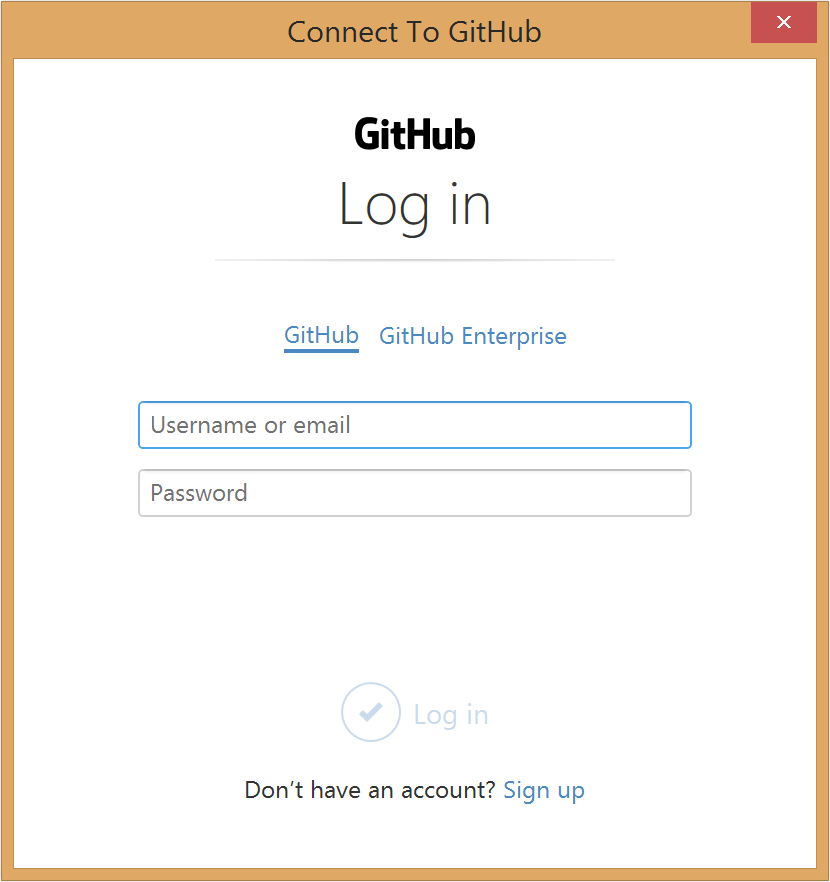 opened, and I was able to login to Github, and push changes.
 psw58
on 19 Jul 2018
psw58
on 19 Jul 2018
opened git login instead of windows credential manager.
What does this even mean? I'm sorry, I'm not grokking your statement.
whoisj
on 19 Jul 2018
I found that updating my git on the local machine fixed the issue
 HEHenson
on 3 Aug 2018
HEHenson
on 3 Aug 2018
i was getting this issue when doing anything, even cloning.
using windows i was on git version git v2.17.1.2. after i updated to version v2.19.1 the problem went away.
 petethacker
on 25 Oct 2018
petethacker
on 25 Oct 2018
Having the same error fatal: AggregateException encountered. when connecting VS Code to Git it was resolved by updating Git Credential Manager for Windows to the latest v1.18.3. Hope it helps.
 biserd
on 7 Jan 2019
biserd
on 7 Jan 2019
i updated git version, but still doesn't working, could anybody help?
 ManuchekhrT
on 15 Feb 2019
ManuchekhrT
on 15 Feb 2019
update from 2.12 to 2.20 fixed it for me (wasn't behind a proxy)
 br4nnigan
on 19 Feb 2019
br4nnigan
on 19 Feb 2019
I have been getting "Fatal: AggregateException encountered." when I try to push.
Then I did below but same issue again.
git status still says my local is 4 commits ahead.
SET GCM_VALIDATE=false
credential.log
Log Start (2019-03-18 11:27:20Z)
Microsoft Git Credential Manager for Windows version 1.3.0
Program::Get
targetUri = https://github.com/
Program::CreateAuthentication
detecting authority type
authority it GitHub
Program::GithubCredentialModalPrompt
Program::ModalPromptForCredemtials
Program::ModalPromptForCredemtials
Program::ModalPromptDisplayDialog
successfully acquired credentials from user.
Fatal: System.AggregateException: One or more errors occurred. ---> System.AggregateException: One or more errors occurred. ---> System.Net.Http.HttpRequestException: An error occurred while sending the request. ---> System.Net.WebException: The request was aborted: Could not create SSL/TLS secure channel.
at System.Net.HttpWebRequest.EndGetRequestStream(IAsyncResult asyncResult, TransportContext& context)
at System.Net.Http.HttpClientHandler.GetRequestStreamCallback(IAsyncResult ar)
--- End of inner exception stack trace ---
at System.Runtime.CompilerServices.TaskAwaiter.ThrowForNonSuccess(Task task)
at System.Runtime.CompilerServices.TaskAwaiter.HandleNonSuccessAndDebuggerNotification(Task task)
at System.Runtime.CompilerServices.TaskAwaiter.ValidateEnd(Task task)
at Microsoft.Alm.Authentication.GithubAuthority.
--- End of inner exception stack trace ---
at System.Threading.Tasks.Task.ThrowIfExceptional(Boolean includeTaskCanceledExceptions)
at System.Threading.Tasks.Task1.GetResultCore(Boolean waitCompletionNotification)
at System.Threading.Tasks.Task1.get_Result()
at Microsoft.Alm.Authentication.GithubAuthentication.InteractiveLogon(TargetUri targetUri, Credential& credentials)
at Microsoft.Alm.CredentialHelper.Program.<>c__DisplayClass45_1.<
--- End of inner exception stack trace ---
at System.Threading.Tasks.Task.ThrowIfExceptional(Boolean includeTaskCanceledExceptions)
at System.Threading.Tasks.Task.Wait(Int32 millisecondsTimeout, CancellationToken cancellationToken)
at Microsoft.Alm.CredentialHelper.Program.Get()
at Microsoft.Alm.CredentialHelper.Program.Main(String[] args)
---> (Inner Exception #0) System.AggregateException: One or more errors occurred. ---> System.Net.Http.HttpRequestException: An error occurred while sending the request. ---> System.Net.WebException: The request was aborted: Could not create SSL/TLS secure channel.
at System.Net.HttpWebRequest.EndGetRequestStream(IAsyncResult asyncResult, TransportContext& context)
at System.Net.Http.HttpClientHandler.GetRequestStreamCallback(IAsyncResult ar)
--- End of inner exception stack trace ---
at System.Runtime.CompilerServices.TaskAwaiter.ThrowForNonSuccess(Task task)
at System.Runtime.CompilerServices.TaskAwaiter.HandleNonSuccessAndDebuggerNotification(Task task)
at System.Runtime.CompilerServices.TaskAwaiter.ValidateEnd(Task task)
at Microsoft.Alm.Authentication.GithubAuthority.
--- End of inner exception stack trace ---
at System.Threading.Tasks.Task.ThrowIfExceptional(Boolean includeTaskCanceledExceptions)
at System.Threading.Tasks.Task1.GetResultCore(Boolean waitCompletionNotification)
at System.Threading.Tasks.Task1.get_Result()
at Microsoft.Alm.Authentication.GithubAuthentication.InteractiveLogon(TargetUri targetUri, Credential& credentials)
at Microsoft.Alm.CredentialHelper.Program.<>c__DisplayClass45_1.<
---> (Inner Exception #0) System.Net.Http.HttpRequestException: An error occurred while sending the request. ---> System.Net.WebException: The request was aborted: Could not create SSL/TLS secure channel.
at System.Net.HttpWebRequest.EndGetRequestStream(IAsyncResult asyncResult, TransportContext& context)
at System.Net.Http.HttpClientHandler.GetRequestStreamCallback(IAsyncResult ar)
--- End of inner exception stack trace ---
at System.Runtime.CompilerServices.TaskAwaiter.ThrowForNonSuccess(Task task)
at System.Runtime.CompilerServices.TaskAwaiter.HandleNonSuccessAndDebuggerNotification(Task task)
at System.Runtime.CompilerServices.TaskAwaiter.ValidateEnd(Task task)
at Microsoft.Alm.Authentication.GithubAuthority.
<---
ghost
on 18 Mar 2019
Downloading and installing 2.21 version now.
ghost
on 18 Mar 2019
Updating to 2.21 fixed it here too.
 arbingordon
on 24 Mar 2019
arbingordon
on 24 Mar 2019
Upgrading to 2.23 fixed the issue (finally).
 pe-pan
on 16 Sep 2019
pe-pan
on 16 Sep 2019
Related issues
 garretwilson
·
5Comments
garretwilson
·
5Comments
 petergerritsen
·
3Comments
petergerritsen
·
3Comments
 ClaraJaquet
·
7Comments
ClaraJaquet
·
7Comments
 rkralston
·
7Comments
rkralston
·
7Comments
 clairernovotny
·
7Comments
clairernovotny
·
7Comments
Most helpful comment
Solution: Update git to v2.16.2.