Ghost: How to remove the trailing slash on the canonical meta tag on the home page?
The meta tag rel="canonical" on the home page has a trailing slash, though the blog_url is without trailing slash? How can this be removed?
The canonical url should be http://example.com instead http://example.com/ for SEO purposes.
I use the latest Ghost version.
 michlschmitt
All 7 comments
@michlschmitt hey :) Ghost has built-in middleware that automatically redirects all requests without a trailing slash to their corresponding urls that _do_ have a trailing slash. For example, if you go to http://example.com (without a trailing slash), you will see that the request is redirected to http://example.com/ (with a trailing slash). Therefore, the canonical URL is correct based on the intended behavior of Ghost.
Closing this as it is intended behavior and not a bug.
 acburdine
on 29 Oct 2017
acburdine
on 29 Oct 2017
Hi, @acburdine Is there a way to remove this trailing slash from the URIs? I don't see any benefit of having the trailing as the default because most people don't write a slash at the end of the URI neither popular websites have this structure
 miguelcrespo
on 11 May 2018
miguelcrespo
on 11 May 2018
@MiguelCrespo
This is currently not configureable. Ghost uses for any url a trailing slash and will redirect none trailing slashes - originally decided here. At the end, with or without trailing slash, SEO treats both as unique urls with unique content, see. That means, you as a product need to decide for a format.
Furthermore, Ghost doesn't use any extensions for e.g. pages or collections, which is a good argument for the decision being made in 2013. Also personally speaking, i really like the look of trailing slashes 😜
Feel free to create a new idea/topic in our forum - then people can up vote for making this configureable.
 kirrg001
on 28 May 2018
kirrg001
on 28 May 2018
I need the NO TRAILING SLASH style.
 codinggirl
on 15 Nov 2019
codinggirl
on 15 Nov 2019
i'd like this to be configurable as i prefer the 'no trailing slash' variation
 danielpacuraru
on 26 Mar 2020
danielpacuraru
on 26 Mar 2020
As much as I respect your decision for your software, I absolutely hate trailing slashes in any website's URL, let alone my own. I feel this decision was based on preference and should be left to the preference of the user. This isn't something that will force me to use a difference CMS, I love Ghost, but it certainly left me blindsided not knowing this before I installed.
 Sudospective
on 19 Jun 2020
Sudospective
on 19 Jun 2020
UPDATE ON THE BELOW: I opened a separate issue https://github.com/TryGhost/Ghost/issues/12007
Therefore, the canonical URL is correct based on the intended behavior of Ghost.
@acburdine canonicals should not be set for pages that don't have alternate content. Is that a known issue? My URLs are actually being excluded for this reason (including my home page). Search Console screenshot below.
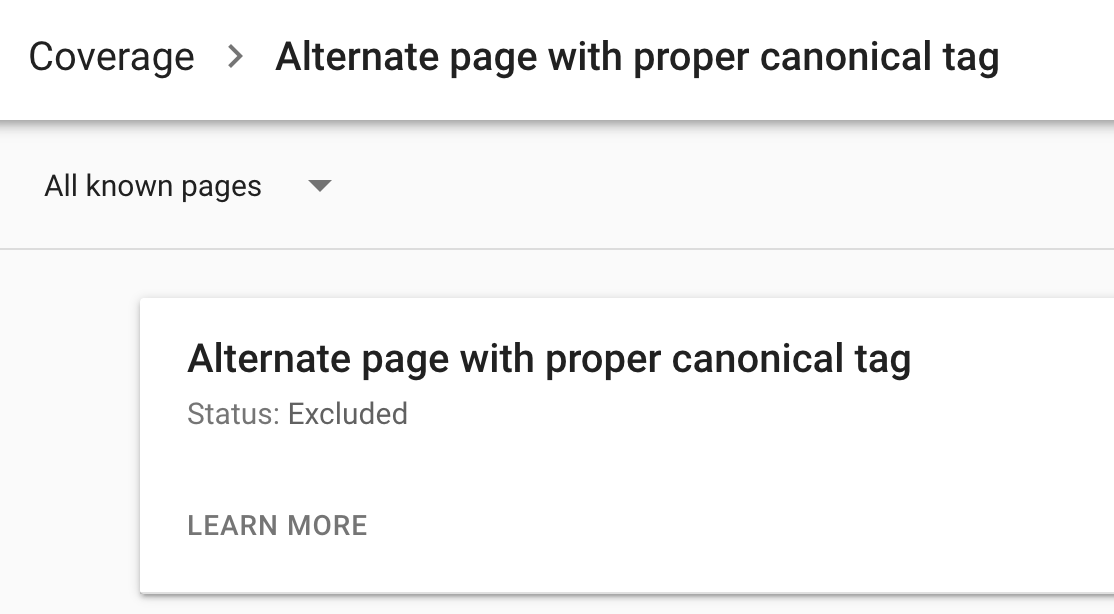
Why are canonicals set on every page? Is there a way to disable that?
Perhaps this deserves its own issue (I could open).
 adamhenson
on 6 Jul 2020
adamhenson
on 6 Jul 2020
Related issues
 vikaspotluri123
·
57Comments
vikaspotluri123
·
57Comments
 gergelyke
·
28Comments
gergelyke
·
28Comments
 ErisDS
·
21Comments
ErisDS
·
21Comments
 ekerstein
·
116Comments
ekerstein
·
116Comments
 novaugust
·
26Comments
novaugust
·
26Comments