Ghidra: Font size is unchangeable?
Is your feature request related to a problem? Please describe.
The font is rather small in CodeBrowser and there is no obvious means to make the font larger. I like to use size 16 font (for Liberation Mono).
Describe the solution you'd like
An obvious place to make the editor's font larger. Possibly a File > Preferences window that lets you customize the UI?
Describe alternatives you've considered
Searched the help file, tried to locate the settings.
 soatok
All 6 comments
It's located in Edit > Tools Options > Listing Display
 nithax
on 7 Mar 2019
nithax
on 7 Mar 2019
Thanks! My other recommendation would be to make this easily found by searching for "font" or "font size" in the help document.
soatok
on 7 Mar 2019
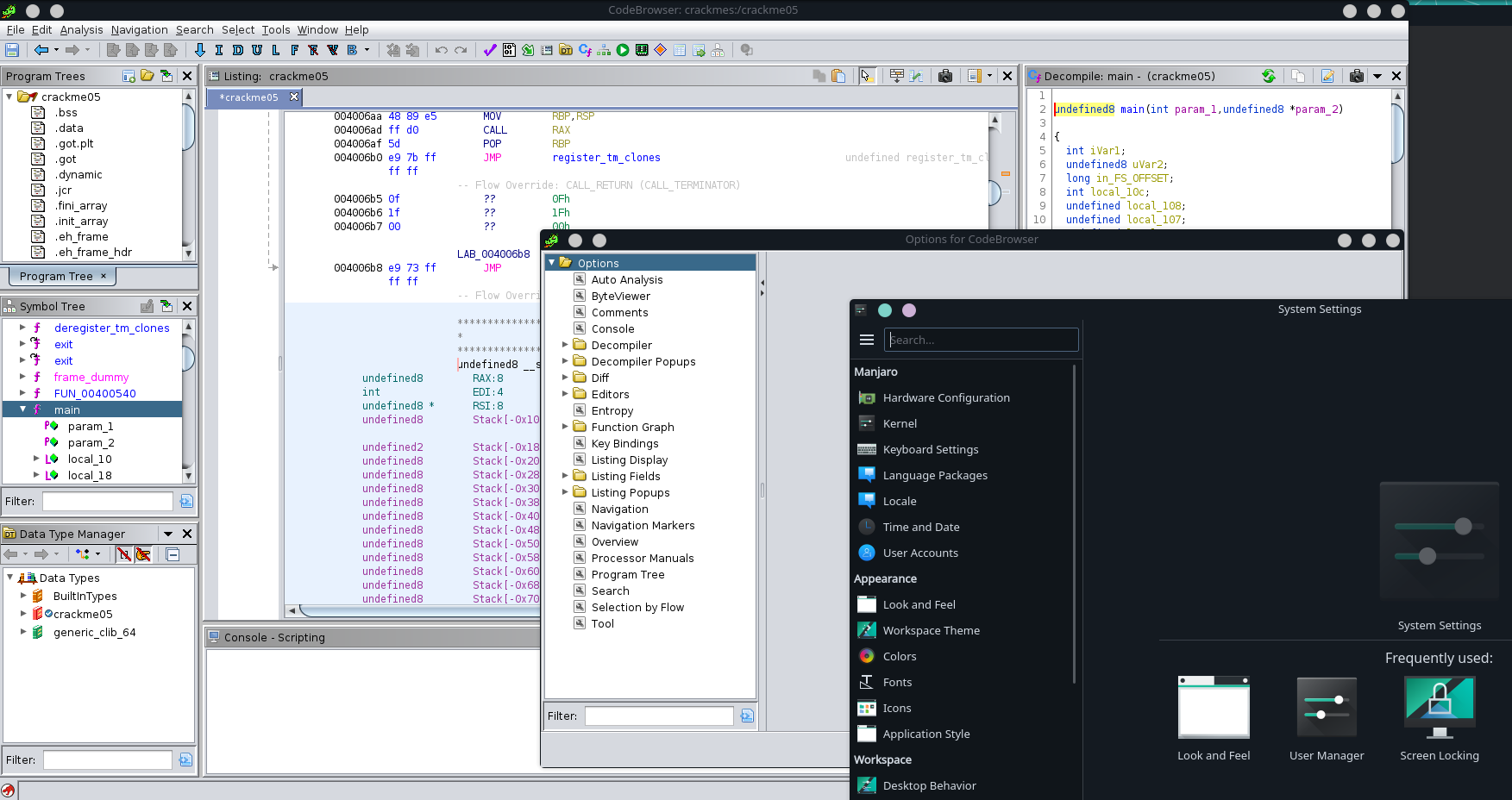
It seems this only affects font in Listing window, is it able to change all the font in the whole Ghidra program, including all the windows, settings, menu bar?
The default font in Ghidra is so weird, seems aged, totally different from the font in my system.
Platform: Manjaro+KDE
 c02y
on 18 Oct 2019
c02y
on 18 Oct 2019
This worked for me on Manjaro + KDE:
Edit /opt/ghidra/support/launch.properties and change the line:
VMARGS_LINUX=-Dsun.java2d.uiScale=1
to
VMARGS_LINUX=-Dsun.java2d.uiScale=2
 endeavour
on 20 Jul 2020
endeavour
on 20 Jul 2020
This worked for me on Manjaro + KDE:
Edit
/opt/ghidra/support/launch.propertiesand change the line:
VMARGS_LINUX=-Dsun.java2d.uiScale=1
to
VMARGS_LINUX=-Dsun.java2d.uiScale=2
That works, but you can't set it to eg 1.5, so for me the choices are too small or too big.
 RenaKunisaki
on 4 Nov 2020
RenaKunisaki
on 4 Nov 2020
That works, but you can't set it to eg 1.5, so for me the choices are too small or too big.
Another option, albeit crude, is to use the global font override in the properties file:
VMARGS=-Dfont.size.override=
You can make this whatever you wish, but it affects all widgets and often does not look attractive.
 dragonmacher
on 20 Nov 2020
dragonmacher
on 20 Nov 2020
Related issues
 rrivera1849
·
3Comments
rrivera1849
·
3Comments
 pd0wm
·
3Comments
pd0wm
·
3Comments
 forkoz
·
3Comments
forkoz
·
3Comments
 huettenhain
·
3Comments
huettenhain
·
3Comments
 tambry
·
3Comments
tambry
·
3Comments
Most helpful comment
It seems this only affects font in
Listingwindow, is it able to change all the font in the whole Ghidra program, including all the windows, settings, menu bar?The default font in Ghidra is so weird, seems aged, totally different from the font in my system.
Platform: Manjaro+KDE