Ghidra: Hide opcode bytes in listing?
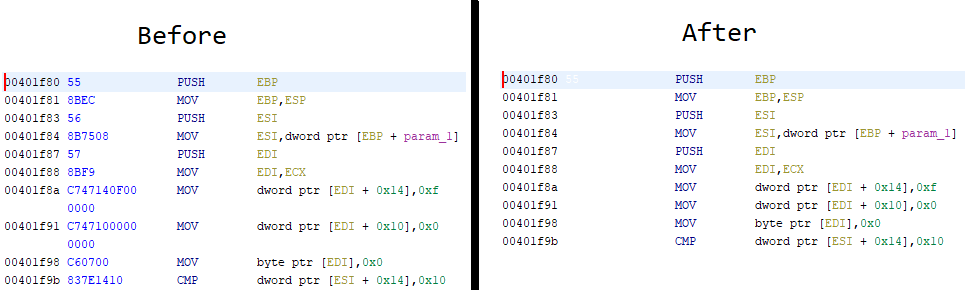
Is there an option/way to disable showing the opcode bytes in the listing view?
I've been able to use a temporary workaround/solution to visually hide them, but it's not great:
- Set the
Listing Fields -> Bytes Field -> Maximum Lines To Displayoption to1to get rid of the extra newlines in the listing view. - Set the
Listing Display -> Bytescolor to the same as the background to visually hide the bytes.
Question
 Andoryuuta
👍1
All 2 comments
Check out this button on the top right of the listing window. You can do all of that over there...

 theguy147
on 6 Mar 2019
theguy147
on 6 Mar 2019
👍4
@yakamoz147 Ah, perfect. Thank you!
Andoryuuta
on 6 Mar 2019
Was this page helpful?
0 / 5 - 0 ratings
Related issues
 CalcProgrammer1
·
3Comments
CalcProgrammer1
·
3Comments
 chibicitiberiu
·
3Comments
chibicitiberiu
·
3Comments
 0x6d696368
·
3Comments
0x6d696368
·
3Comments
 astrelsky
·
3Comments
astrelsky
·
3Comments
 pd0wm
·
3Comments
pd0wm
·
3Comments
Most helpful comment
Check out this button on the top right of the listing window. You can do all of that over there...