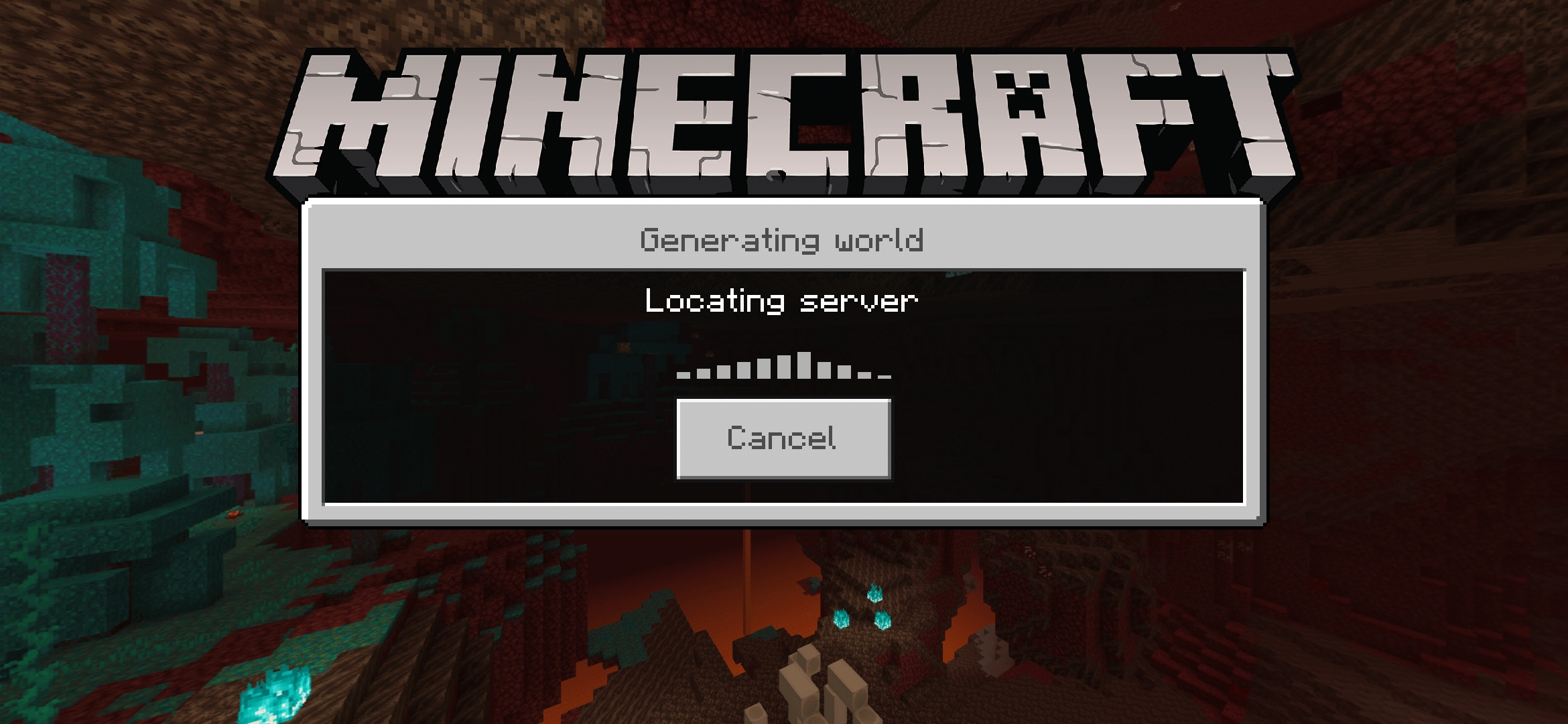
Geyser: Stucked client at "Locating Server" in iOS and Android
Describe the bug
The client of Minecraft in iOS and Android gets stuck when Geyser is hosted in a external MC Host without the port 19132.
To Reproduce
- Get a Minecraft Host online (Issue tried in theminecrafthosting, server.pro and PebbleHost)
- Start Geyser Server at a port different of 19132
- Configure configs.yml with the java server
- Reload geyser and connect a mobile client of Minecraft Bedrock
- Get stucked at Locating Server (generating world)
Expected behavior
The client connects without issues.
Screenshots / Videos

Server Version
git-Spigot-0287a20-7560f5f (MC: 1.16.1)
Geyser Version
1.0.0 (git-master-c4db0e2)
Minecraft: Bedrock Edition Version
Tested with 1.16.0 and 1.16.1
Additional Context
The problem doesnt happen in Windows 10 edition of bedrock. This issue happens always in any java server. Using LAN in a local computer fix the issue.
 hlarrainq
All 53 comments
Have you tried looking at the common issues page?
 Tim203
on 15 Jul 2020
Tim203
on 15 Jul 2020
Yes. This problem is not listed, and it seems like a bug because W10 works pretty good in the same Geyser server.
hlarrainq
on 15 Jul 2020
Is it a local hosted server?
Tim203
on 15 Jul 2020
No. Sorry if there is a confusion. This happens only when Geyser is hosted in a MC Online Host. When i tried Geyser in my local network, it works fine in iOS and Android.
hlarrainq
on 15 Jul 2020
The same issue occurs on Xbox, and the current way to fix it, is to just cancel the connection and try again
I don't know if this is a bug that can be fixed or not
 D3ATHBRINGER13
on 15 Jul 2020
D3ATHBRINGER13
on 15 Jul 2020
Have the same issue, but only in my local network. Except Windows 10, no other version will connect no matter how often I retry.
On mobile, playing over data or a different network works, just not my home WiFi.
Seems like there is a specific network condition that hinders the connection to complete on non-win10 clients.
Since the server receives the connection and gets a username, something seems to lack in the reply delivery.
The "Recommended" Servers in the versions in question work just fine.
 JustBuddy
on 15 Jul 2020
JustBuddy
on 15 Jul 2020
Yeah, I get the problem on my locally hosted server as well, though whenever I retry on any device it starts working
D3ATHBRINGER13
on 15 Jul 2020
The problem Deathbringer is describing we should have fixed.
 DoctorMacc
on 15 Jul 2020
DoctorMacc
on 15 Jul 2020
Am I describing a different issue then
Sorry for the confusion
D3ATHBRINGER13
on 15 Jul 2020
For those of you having this issue: are you able to try a native Bedrock server in its place? What happens then?
DoctorMacc
on 15 Jul 2020
@DoctorMacc I do not own a custom Bedrock server, but as I wrote the ones Recommended work just fine. (With recommended I mean the Advertised ones.)
JustBuddy
on 15 Jul 2020
Can you try a Nukkit server?
DoctorMacc
on 15 Jul 2020
I used to use a BDS and it this problem did not occur
D3ATHBRINGER13
on 15 Jul 2020
Can you try a Nukkit server?
I joined a random server from a mpe serverlist and it just works fine. I don't have a nukkit server outside my lan to test.
Joining that random server worked just fine.
JustBuddy
on 15 Jul 2020
I recommend checking out the common issues page again as it likely has a fix that works for you. For future reference, issues like this should be discussed on Discord, not the issue tracker, as mentioned within the issue template. Please join us there if you haven't already 🙂. Closing.
 RednedEpic
on 16 Jul 2020
RednedEpic
on 16 Jul 2020
As stated before, common issues do NOT apply to this topic.
Discussion in discord are not viable for this issue, they get swept away by other inquiries easily, and if the issue is something in the way the replies are sent back to the client in certain circumstances, this should be an issue worthy of investigating here.
Please reopen this issue case.
As stated before closure, connecting to 3rd party servers works just fine.
JustBuddy
on 16 Jul 2020
This does seem like a Geyser issue
 Heath123
on 16 Jul 2020
Heath123
on 16 Jul 2020
Yes, this does not seem like a Geyser issue. The clients are connecting (so it's not a port forwarding issue), but not getting any farther in the world. And I believe the IPs in the config are set correctly. Some clients can connect if Windows 10 can. I'm reopening this - but I need more information. If you have this problem, do not hesitate to contact me (Camotoy) in the Development channel on Discord. this is an older error so please do not contact me about this specific error.
DoctorMacc
on 16 Jul 2020
Hello!
We have the same bug.
If i connect with the SAME Client-IP on mobile and computer to beta.neruxvace.net, the mobile cannot access the geyser proxy anymore.
If this happens i get the following output in the terminal:
[20:59:48 INFO] /95.223.***.***:22647 versuchte zu verbinden!
[20:59:49 INFO] Spieler ChickenPat4713 verbunden
[20:59:56 INFO] Bedrock Benutzter mit der IP /95.223.***.*** wurde getrennt wegen CLOSED_BY_REMOTE_PEER
With mobile network i can connect fine:
[20:59:58 INFO] /185.93.***.***:51260 versuchte zu verbinden!
[20:59:59 INFO] Spieler NeruxVace verbunden
[21:00:56 INFO] NeruxVace (eingeloggt als: Noaaah) ist jetzt mit dem Java Server unter der Adresse server.nerux.net verbunden
[21:01:01 INFO] Spieler bei 331,3 133 -397,3 erzeugt
Here you can see the dump of current Geyser-Proxy:
https://dump.geysermc.org/8ZHdAgw8nwcBd0Wcqp5uVaDkSqPzVCQ5
I hope you can help us out!
Thanks a lot for your great software.
 Noahkemm
on 16 Jul 2020
Noahkemm
on 16 Jul 2020
Me and my friend are unable to connect to our server (Default port of 19132) with Geyser installed, on T-Mobile, Google Fi (T-Mobile only), or AT&T (using mobile hotspot on a Samsung phone), on our normal Android phones. Using a VPN does not fix this. We can connect fine over other networks, just not VPNs or cellular. When I tried connecting to the server using an iPhone 5 (iOS 10) with a Google Fi data SIM (also T-Mobile only), it surprisingly worked.
 jackson-57
on 17 Jul 2020
jackson-57
on 17 Jul 2020
I just tested running a mobile hotspot on the iPhone 5 and connecting from my Android phone, I was able to connect to the server.
jackson-57
on 17 Jul 2020
Sorry for letting this issue for two days without more information. Today i was able to testing more about this problem.
First, i opened the server (in a MC host, not locally) and gave the ip of Geyser to some friends, they connected without any problems from iOS and Android.
So, i changed my router IP and tried to connect again from mobile but it didnt work, W10 still worked fine.
Then i used my 4G in mobile hotspot and i was able to connect from my iPad. Then i used my WiFi + VPN in US and i was able to connect in Android and iOS.
So, it seems like a problem from the client internet, not the server.
This never happened to me in another server from bedrock or java, so i still dont understand what is happening.
Also thanks for all the people who are trying to figure it out the issue.
hlarrainq
on 17 Jul 2020
Seems like this is a really weird network specific issue.
From my network, only Windows 10 can connect to Geyser, Mobile and Consoles (over Phantom) are unable to connect. (Locating World, endless loop). It looks like Mobile/Console do not communicate like the Win10 version, and some condition of that network make the clients miss something from Geyser.
My best bet is that it could be something in the redirection department. In my case, I run my Java Server at PebbleHost, where I have to use the same port for Java and Geyser. The messages you see in OP's Error log in Post 1 might indicate that the Geyser "Proxy" receives the request as expected, but is not forwarding it for some reason. Or it is forwarding it, but the Java Server itself is unable to communicate with the client.
As stated, this issue only happens on certain network conditions, not sure how we would be able to pinpoint that issue.
JustBuddy
on 17 Jul 2020
If i connect with the SAME Client-IP on mobile and computer to beta.neruxvace.net, the mobile cannot access the geyser proxy anymore.
According to another user this is a limitation of the server that is being connected to.
DoctorMacc
on 17 Jul 2020
With the help of RTM we were able to confirm the bug - however, the bug also happens with the new Nukkit rewrite/Cloudburst Server.
DoctorMacc
on 18 Jul 2020
What does work:
- RTM connecting to a server (Cloudburst/Geyser) without a VPN on cellular Android
What doesn't work
- RTM connecting to a server (Cloudburst/Geyser) with a VPN on cellular Android
DoctorMacc
on 18 Jul 2020
Can this be solved using something like nginx? I will try because it looks interesting and the problem happens to me too but with the port 19132.
It might be and ISP issue that blocks udp traffic or works in a weird way but i hope to fix this.
.
 MastoryMd5
on 18 Jul 2020
MastoryMd5
on 18 Jul 2020
I was able to connect directly from my Android phone on cellular to a test server running on Windows, hosted on a different network, but on the same ISP. Maybe this has to do with the operating system being run on the host, or different networking equipment.
jackson-57
on 19 Jul 2020
@jackson-57 thank you for the suggestion! RTM and I tried again tonight and Windows connected successfully in all instances.
DoctorMacc
on 19 Jul 2020
Is this still an issue? RTM just tried today and all problems were magically fixed.
DoctorMacc
on 20 Jul 2020
Issue still persists on latest 20.07.2020 build of geyser.
JustBuddy
on 20 Jul 2020
Does the issue still persist with the latest build? Geyser hasn't done anything specifically to fix it.
DoctorMacc
on 26 Jul 2020
Just updated Geyser and tested, the issue still persists.
jackson-57
on 26 Jul 2020
Just to add slightly, using my bleeding build and an IOS tablet over wifi hotspot on my phone I can connect without issue to a non standard port on my hosted instance. Perhaps the "smoothness" pr helps at all?
 bundabrg
on 30 Jul 2020
bundabrg
on 30 Jul 2020
Running BDS on same IP and port above works.
bundabrg
on 30 Jul 2020
Could anyone with thus bug please try #656?
DoctorMacc
on 30 Jul 2020
Could we please get a test server started up for #656, so others can quickly test this? I tried to connect to another PR's test server and it didn't work, so it wouldn't be a false positive.
jackson-57
on 31 Jul 2020
On it.
DoctorMacc
on 31 Jul 2020
Thanks!
jackson-57
on 31 Jul 2020
My client was stuck at 'locating server' when trying to connect to the test server over cellular, but as this issue is so varied in results, others should give it a try as well
jackson-57
on 31 Jul 2020
In #656 Jackson did successfully join the Java server.
DoctorMacc
on 31 Jul 2020
Tried to connect to the test server, still stuck at "Looking for Server".
JustBuddy
on 31 Jul 2020
@JustBuddy Did you tried with your mobile connection or your wifi ?
 toinouH
on 31 Jul 2020
toinouH
on 31 Jul 2020
Home Wifi, the connection which I have this issue.
Mobile Data works fine on any server for me.
JustBuddy
on 31 Jul 2020
@JustBuddy Do you used the max render distance value ?
toinouH
on 31 Jul 2020
No, using the lowest actually.
JustBuddy
on 31 Jul 2020
@JustBuddy were you using a vpn on your home network?
jackson-57
on 31 Jul 2020
Just my regular home network, nothing fancy in between.
JustBuddy
on 31 Jul 2020
I had the same issue on my mobile connection and on my wifi with the windows 10 edition (I guess it's because my connexion is really bad)
toinouH
on 31 Jul 2020
The connection issues described are likely the result of CloudburstMC/Network#8
 SupremeMortal
on 31 Jul 2020
SupremeMortal
on 31 Jul 2020
@JustBuddy are you on our Discord server?
DoctorMacc
on 31 Jul 2020
@DoctorMacc Yes, Buddy#0001
JustBuddy
on 31 Jul 2020
I've tested servers and clients both with a variety of MTU. I can also confirm that java forces the DontFragment bit on so I don't think its necessarily related here (DF needs to be on for path discovery). Every test seems fine. The connection handshake basically sends a padded request from the largest size, reducing it until the client responds (thus the packet gets through, since with DF set the packet is dropped if its too big anywhere on the path).
What I need is someone who can replicate the issue doing either a wireshark or tcpdump of the connection ideally from both sides and saving them to a pcap file (this is readable again later by either program). If you're worried about IP's leaking in the file then encrypt and DM me a password.
bundabrg
on 1 Aug 2020
Related issues
 andrew121410
·
3Comments
DoctorMacc
·
10Comments
andrew121410
·
3Comments
DoctorMacc
·
10Comments
 TOWUK
·
3Comments
DoctorMacc
·
5Comments
TOWUK
·
3Comments
DoctorMacc
·
5Comments
 endevrr
·
6Comments
endevrr
·
6Comments