Gesturefy: mistaking two strokes for one
Describe your matter in detail
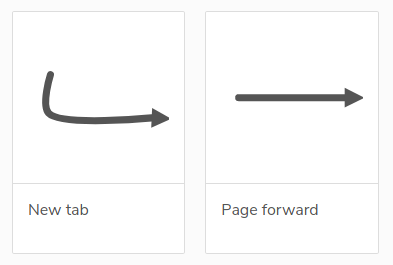
My "page forward" gesture is a single stroke to the right.
My "close tab" gesture is D+R.
After the update, Gesturefy is confusing the latter with the former.
I think this is probably a bug: it should at a minimum be able to count D+R as two strokes.
Screenshots or further assistance
Your System
- Operating system:
Ubuntu 20.4 - Firefox version:
77.0.1 (64-bit) - Gesturefy version:
3.0.0
 unhandyandy
All 18 comments
This is because there are no directions in version 3. Instead, it looks at similarity. At first this might take some getting used to. It helps to create more precise gestures that are drawn in the same way as the ones you use to perform. You can also drag the mouse outside the area. But then the message will quickly appear that gestures are similar.
With this configuration, I can draw two thirds of my monitor to the right without the "page forward" being recognized.
 Itchiii
on 8 Jun 2020
Itchiii
on 8 Jun 2020
My issues (comments in the feedback thread):
- https://github.com/Robbendebiene/Gesturefy/issues/464#issuecomment-639827909
- https://github.com/Robbendebiene/Gesturefy/issues/464#issuecomment-639858571
Another one:
- Have a gesture U+R+D (Decrease URL number)
- Use/draw U+D gesture on a page (that has no match)
- Video: https://recordit.co/977I3iznVO
I agree: no exact match and that one is somehow similar, but it's unexpected for me (I think it needs to be a bit more precise / a bit more "calibrated").
I eventually will get used to the new behaviour... but right now it feels quite annoying that it performs an unexpected action.
 bazzik
on 8 Jun 2020
bazzik
on 8 Jun 2020
If you want to reduce the allowed deviation you can decrease the value in the Gesturefy settings >
Advanced settings > Deviation tolerance > from 0.2 to 0.15 or something like that. But if you do that you have to draw your gestures more precisely which you aren't doing most of the time if I understood you correctly.
 Robbendebiene
on 8 Jun 2020
Robbendebiene
on 8 Jun 2020
@Robbendebiene
Thanks for the tip. Just tried and the aforementioned U+D is no longer recognized as U+R+D.
Will see how it goes with the rest of my frequently used gestures (close tab, pin/unpin, restore tab, open image in new tab, copy tab URL, open URL from clipboard); the rest are used much less often.
bazzik
on 8 Jun 2020
This is because there are no directions in version 3. Instead, it looks at similarity.
I don't understand the distinction. In geometry "similarity" means shape, which entails relative direction.
unhandyandy
on 8 Jun 2020
I have a similar issue... I have "scroll to bottom" as just down, and "close tab" as down and right. If I don't draw the right "leg" of the "L" gesture far enough, it just scrolls me to the bottom of the page.
@Robbendebiene @Itchiii what does "look at similarity" mean? Does that mean that the gestures aren't set in terms of up/down/left/right any more, but just as a similarity to the gesture as drawn and assigned to an action? Please clarify this, thanks!
Edit: just read https://github.com/Robbendebiene/Gesturefy/issues/477 ... this seems to be the case. I would also ask for a stupid "direction" mode as well as I have few gestures, and simple u/d/l/r combinations are plenty good enough for me.
Edit2: redrawing the Down/Right close-tab gesture with a shorter right "L-leg" works, but I still think that a "stupid u/d/l/r mode" would be helpful to a lot of people.
 internationils
on 9 Jun 2020
internationils
on 9 Jun 2020
@Robbendebiene
I had to rollback "Deviation tolerance" from 0.15 back to the initial 0.2. It worked better for unrelated gestures (like the one I mentioned in my comment) but other ones become more difficult to recognize (I had to draw much more precise lines, e.g. for D+R, the corner had to be drawn in quite straight angle).
I will stick with 0.2 and will adjust gestures as needed (leave only those that I use the most and delete default/rarely used ones), may also create extra "partial matches" (e.g. D+R and then D+DR) to cover more patterns that I may draw.
I will adopt with time.
bazzik
on 9 Jun 2020
Interestingly, I have those problems only with Ubuntu - on my Windows 10 laptop everything is fine (Gesturefy config is the same, copied from windows to linux).
On Windows, the new Gesturefy version works very well for me, very few un/falsely recognized gestures, but on Ubuntu there are some Gestures I can hardly get right :(
Examples are the often mentioned "close tab" (down-right) and "page forward" (just right) but in general many gestures don't seem to be recognized very well.
Your System with problems
- Operating system: Ubuntu 18.04.4 LTS
- Firefox version: 77.0.1 (64-Bit)
- Gesturefy version: 3.0.0
 jdreesen
on 9 Jun 2020
jdreesen
on 9 Jun 2020
It still happens on Windows.
This is recognized as straight right line: https://i.imgur.com/Er86Hac.png
It's incredibly annoying.
Gesture: https://i.imgur.com/YRj8uCq.png
 klaritan
on 9 Jun 2020
klaritan
on 9 Jun 2020
Another problem I've encountered is that the back gesture L results in taking me back 2 pages instead of 1.
unhandyandy
on 9 Jun 2020
To clarify some things:
The gestures are no longer detected/recorded as simple directions (like U D R L) instead a gesture is a list of vectors. Before there was a clear one to one mapping, now Gesturefy compares all the vectors in a gesture with the vectors of the drawn gesture and calculates a deviation value (0 = perfect match -> 1 = maximum mismatch). This comparison is done for every gesture from the config. The gesture with the lowest deviation value will be taken (if it is below the deviation tolerance value that can be set in the advanced settings).
Therefore things like this are possible.
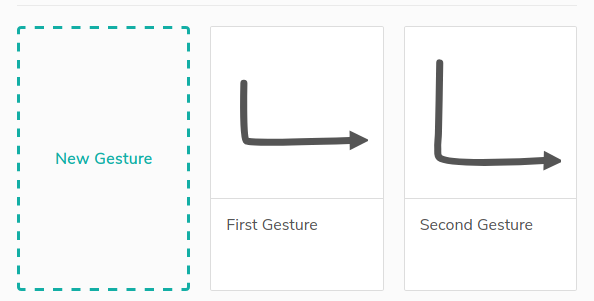
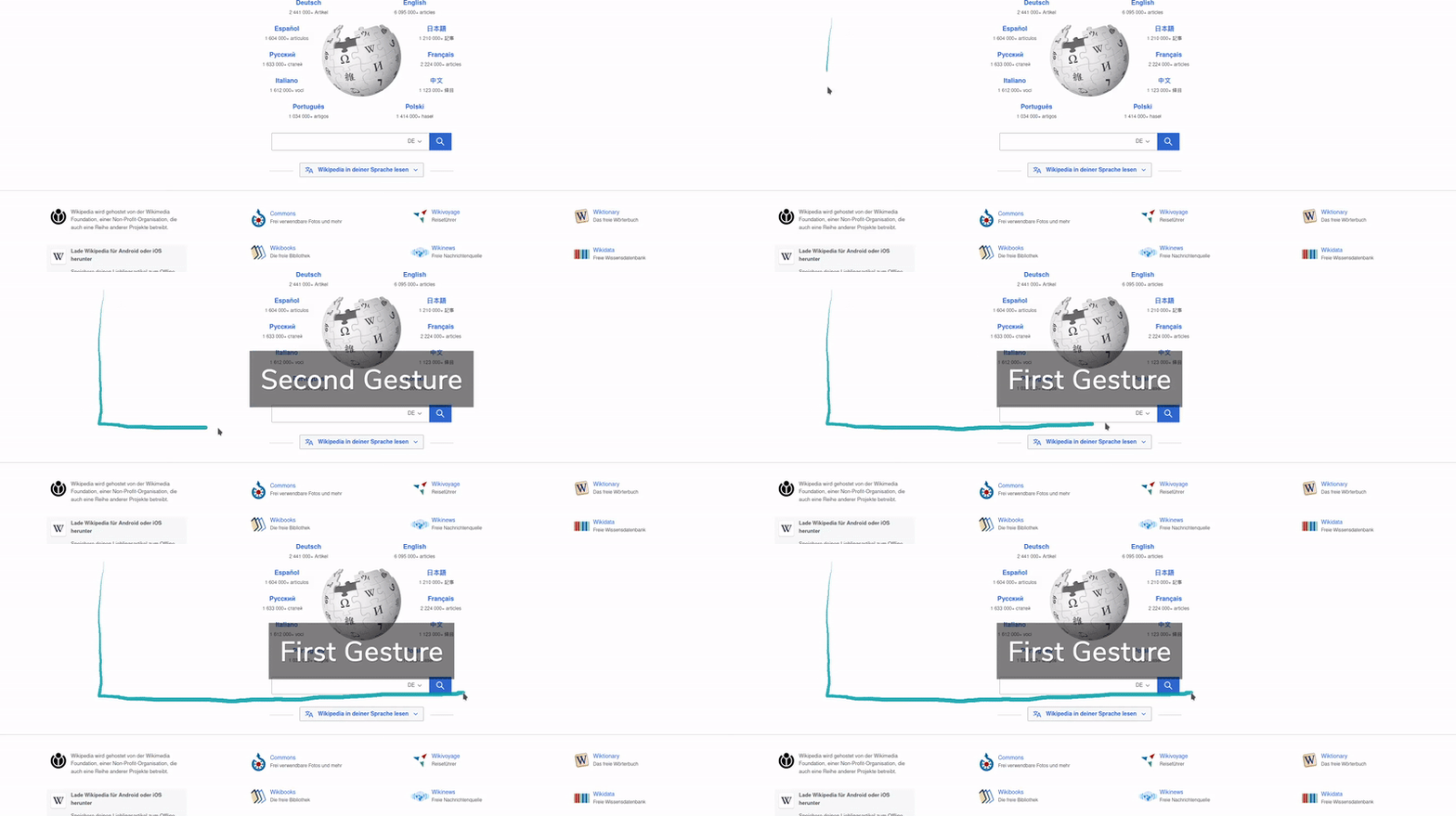
The problem most of you face is that Gesturefy is now more tolerant to imperfect drawing. Therefore the following gesture
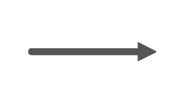
would still match if you draw it like this:
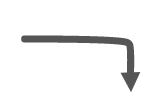 .
.
If you create the last example as a gesture then however the "line right" gesture would score a worse matching value than this gesture. So the newly created gesture would be detected as a match.
When you draw the RD gesture slowly you will notice a turning point (gesture match will change) which is not exactly at the moment when you first draw downwards, because the "line right" gesture might still score a better matching value than the "right down" gesture.
Robbendebiene
on 9 Jun 2020
I think I can adjust to what you just described. But how do you explain going back two pages instead of one?
unhandyandy
on 9 Jun 2020
think I can adjust to what you just described. But how do you explain going back two pages instead of one?
@unhandyandy Please open a new issue for that and attach a video and your config file.
Robbendebiene
on 9 Jun 2020
I just want it to be the way it was or actually have a good system without approximation when it's not needed. When I draw right and a short line that goes down 90 degrees, it should NEVER be interpreted as just "straight right". That seems like an awful error on implementation. I hate the new system so much because the direction system was better at knowing exactly what I was trying to do.
If you're still planning to fight that the new system is better, then can we just have an option to use the old system? Anyone actually asked to have this new system? All of people I recommended Gesturefy to are complaining left and right and even I am having a hard time defending it because I find it incredibly annoying as well.
klaritan
on 15 Jun 2020
I would agree. I think that the new system is more flexible and powerful, but for (guessing) 80% of the users the old system is good enough. For the power users who want more and complex gestures, they would need the new matching. Having the old way standard and the new way optional would be perfect.
internationils
on 16 Jun 2020
Yes, I think the new system is impressive but noticeably more computation heavy - I'm noticing much greater lags in response to gestures, and that may explain the phenomenon where I get taken back two pages instead of one. Maybe I need to buy a new 8 core computer, but I'm finding Foxy Gestures is a better fit for me. Offering the choice between old and new modes of Gesturefy would be good.
unhandyandy
on 16 Jun 2020
Version 3.0.4 offers another matching algorithm (shape-independent), which can be enabled in the add-on settings page. This algorithm does only look if the vector directions are similar and ignores the length of the segments. This should result in a behaviour that is more similar to version 2 (without being tied to up, down, right, left directions). Its drawback is described in the release changelog.
Robbendebiene
on 25 Jun 2020
Just tested, looks very good, thanks!!
internationils
on 25 Jun 2020
Related issues
 ghost
·
7Comments
ghost
·
7Comments
 LlamaFarmerama
·
3Comments
LlamaFarmerama
·
3Comments
 ganego
·
6Comments
ganego
·
6Comments
 calLsOLoIsNOob
·
7Comments
calLsOLoIsNOob
·
7Comments
 grzebo
·
6Comments
grzebo
·
6Comments
Most helpful comment
If you want to reduce the allowed deviation you can decrease the value in the Gesturefy settings >
Advanced settings > Deviation tolerance > from 0.2 to 0.15 or something like that. But if you do that you have to draw your gestures more precisely which you aren't doing most of the time if I understood you correctly.