Gesturefy: "Open Homepage" gesture recognised but not doing anything
Firefox updated to 61.0 just now, which is when the problem started occurring. When I have any webpage open, using my gesture for "Open Homepage" gets recognised, but no longer sends me to my home page.
It had worked without fail before today. All other gestures I tried still work perfectly.
The Homepage in Firefox is set to "Firefox Home (Default)".
Steps to reproduce:
- Open any webpage in any tab
- Do the "Open Homepage" gesture ("left" in my case)
- Observe the "Open Homepage" text appear in the middle of the screen
- Release the gesture key
- Nothing happens
My settings:
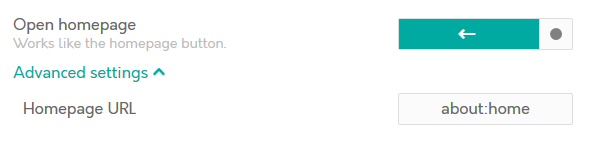
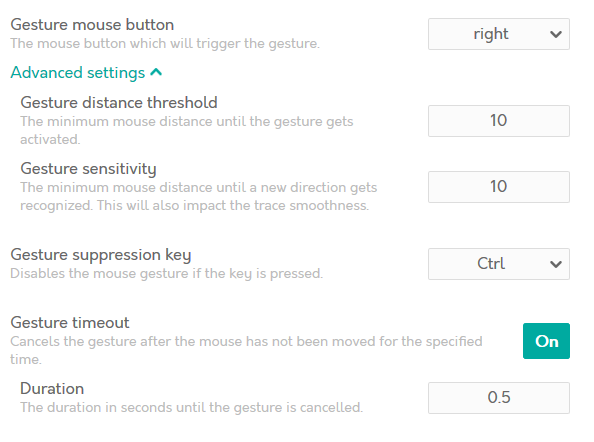
exported-settings.zip
My System:
- Operating system: Windows 10 Home, 64 Bit
- Firefox version: 61.0 (64-bit)
- Gesturefy version: 1.2.2
 LlamaFarmerama
All 3 comments
For security reasons, Mozilla has moved "about: home" to their privileged URLs.
They won't fix this "issue", because:
about:home should never have worked in the first place
For more information you can look on developer.mozilla or on bugzilla
 Itchiii
on 30 Jun 2018
Itchiii
on 30 Jun 2018
We will provide a workaround in the upcoming major version (Gesturefy 2.0).
 Robbendebiene
on 1 Jul 2018
Robbendebiene
on 1 Jul 2018
It turns out that there is no way to open the about:home tab any more :|
However for people who were using "about:home" to open their custom homepage (if it differs from about:*) the new "Open Homepage" command should work again. Other people who were using a custom URL should switch to the "Open Custom URL" command.
Robbendebiene
on 10 Aug 2018
Related issues
 happysurf
·
3Comments
happysurf
·
3Comments
 KES777
·
7Comments
KES777
·
7Comments
 ganego
·
6Comments
ganego
·
6Comments
 ghost
·
7Comments
ghost
·
7Comments
 calLsOLoIsNOob
·
7Comments
calLsOLoIsNOob
·
7Comments
Most helpful comment
We will provide a workaround in the upcoming major version (Gesturefy 2.0).