Gesturefy: Feature Request - Copy Link Text
Just like "Copy Link URL", "Copy Link Text" would be great if it's possible.
 mortyobnoxious
All 11 comments
I'm not sure if I understand you right. You want to copy a text that is marked as a link?
For Example THIS TEXT ?
 Itchiii
on 16 Mar 2019
Itchiii
on 16 Mar 2019
yes, that is correct:
<a href="https://example.com">Link Text</a>
I want to copy "Link Text". Firefox doesn't have this by default. That would be nice if it's implemented..
mortyobnoxious
on 16 Mar 2019
is this feature added? @Itchiii it will be helpful thanks
 xuecci
on 6 Dec 2019
xuecci
on 6 Dec 2019
@xuecci Hi, i added this as userscript and it's working. It copies link text on links, it copies page title if mouse is not on a link or gesture didn't start on a link.
function copyfunc(data) {
let input = document.createElement("textarea");
      document.body.append(input);
      input.value = data;
      input.select();
      document.execCommand('Copy');
      document.body.removeChild(input);
}
let node = TARGET;
    while (node !== null && !node.href) {
    node = node.parentElement;
  }
  if (node) {
  copyfunc(node.text.trim());
  } else {
  copyfunc(document.title.trim());
}
@mortyobnoxious Interesting, in theory this should not work :D
Note: Currently user scripts still suffer from an issue, where the content policy of websites like Github can block their execution. (https://bugzilla.mozilla.org/show_bug.cgi?id=1267027)
Since the clipboard API is somehow working you can also use the following approach like this.
let node = TARGET;
while (node !== null && !node.href) {
  node = node.parentElement;
}
if (node) {
navigator.clipboard.writeText(node.text.trim());
} else {
navigator.clipboard.writeText(document.title.trim());
}
 Robbendebiene
on 11 Apr 2020
Robbendebiene
on 11 Apr 2020
Thank you, this is nicer :D
Yes it doesn't work on Github and Twitter, apparently because of the CSP.
mortyobnoxious
on 12 Apr 2020
As you were! Your approach is better since mine does not work on http websites (also called insecure contexts).
Robbendebiene
on 12 Apr 2020
@Robbendebiene Hi, this is unrelated to the topic.
let node = TARGET;
while (node !== null && !node.href) {
  node = node.parentElement;
}

if (node) {
    navigator.clipboard.writeText(decodeURIComponent(node.href));
}
else if (TARGET.tagName === 'IMG') {
    navigator.clipboard.writeText(decodeURIComponent(TARGET.src));
}
else {
    navigator.clipboard.writeText(window.location);
}
I have this userscript to copy _link url_, _img src url_, _location url_.
Is there a way to show my "labels/command name" with this:
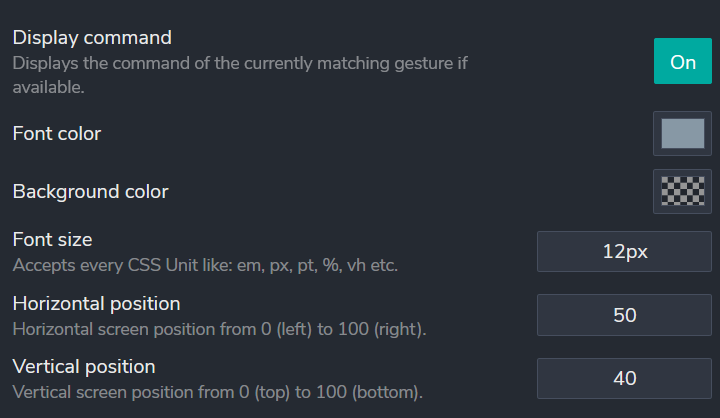
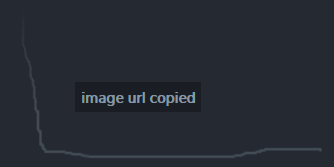
For example inside my userscript, instead of using alert('image url copied'), can i use extension's way of showing commands/labels when gesture is applied like this:
mortyobnoxious
on 9 Jun 2020
Currently not, you can only assign one label to your gesture at the moment.
You can display a message yourself (like you already did with alert, but alert is probably quite annoying). With some html and css you could create your own less annoying message.
Robbendebiene
on 9 Jun 2020
@Robbendebiene Thank you, good idea. So i made this and it works.
function alertthis (alerttext){
    let removefirst = document.getElementById("removethis");
    if (document.body.contains(removefirst)) {removefirst.remove();}
    let elem = document.createElement('div');
    elem.style.cssText = 'z-index:99999!important;position: fixed!important;top: 50%!important;left: 50%!important;transform: translate(-50%, -50%)!important;background-color: #11131a!important;color:#8798A5!important;padding: 5px 10px !important;font-family: Trebuchet MS !important;font-size: 13px !important;'
    elem.setAttribute("id", "removethis");
    elem.innerHTML = alerttext;
    document.body.appendChild(elem);
    setTimeout(function(){ elem.remove(); }, 1500);
}

let node = TARGET;
while (node !== null && !node.href) {
    node = node.parentElement;
}
if (node) {
    navigator.clipboard.writeText(decodeURIComponent(node.href));
    alertthis("URL Copied");
}  else if (TARGET.tagName === 'IMG') {
    navigator.clipboard.writeText(decodeURIComponent(TARGET.src));
    alertthis("IMG URL Copied");
} else {
    navigator.clipboard.writeText(window.location);
    alertthis("Page URL Copied");
}
I'm using this "alertthis" function with two more gestures. Instead of copying and pasting it in every userscript gesures, is there a way to use it once with all userscripts?
mortyobnoxious
on 10 Jun 2020
Nice script, but there is no way to share this function without using a user script add-on like Greasemonkey.
Robbendebiene
on 10 Jun 2020
Related issues
 thany
·
8Comments
thany
·
8Comments
 HAMiDY25
·
3Comments
HAMiDY25
·
3Comments
 grzebo
·
6Comments
grzebo
·
6Comments
 larryedwards
·
7Comments
larryedwards
·
7Comments
 LlamaFarmerama
·
3Comments
LlamaFarmerama
·
3Comments