Gdevelop: Report any typo/misspelling/inconsistent naming here (in English)
This issue is to gather any inconsistent naming/typo/mistakes in GDevelop interface.
This is only for the English language - translations are managed on Crowdin and should be fixed there ;)
So if you spot any issue, please report it here by indicating:
- where it can be found.
- what is the mistake/inconsistency/proper spelling and how to fix it.
- a screenshot if possible.
Note that GDevelop is open-source, so you can search in the source code for the text and submit a Pull Request to fix it 🎉
Thanks in advance for any report.
 4ian
4ian
All 144 comments
I made a thread about this on the Crowdin page, here:
https://crowdin.com/project/gdevelop/discussions/18
Here are some of the problems I've noticed. There are quite a lot of these, so it might be faster to do this using a tool actually meant for managing translations, such as crowdin. Github uses a type of formatting where underscores _ are transformed into _italics_, which is also quite annoying. This just isn't the right tool for this type of work.
The most important change, in my opinion, is the "Do =5 to the X of Y". It doesn't work in English. There are many better ways to translate it. There are about 120 lines of translation that would have to be changed. That is a lot of work, and it wouldn't make sense to do that manually one by one, especially on a Github thread.
Because this is a big change, all the variations should be discussed first, before one is chosen. For example, which verb to use? Change or Modify? Change is an easier word, and more common. Modify is used when programmers talk about changing values of variables. Should the focus be on making GDevelop easy to use for non-programmers and/or those who have poor English skills, or making it more comfortable for programmers and/or native English speakers to use GDevelop? I think the focus should be on those who don't know how to program, so I would choose "choose", not "modify".
Change the X position of Box: X = 3
Modify the value of Box's variable: hitpoints + 5
Change the value of a scene variable: enemies - 2
Modify the value of a scene variable: enemies + 2
Any way, here's what changing ONE of those 120+ lines would look like here in GitHub.
Common conditions for all objects - Position - X position of an object
Current description in the event sheet: Do _PARAM1__PARAM2_ to the X position of _PARAM0_
Better decription in the event sheet: Change the X position of _PARAM0_
There are many other, less important changes too. Here's an example of the first ones. I just started going down the list one by one, and basically every event could use some spell-checking and grammar fixes.
Common conditions for all objects - Objects - Pick a random object
Current description: Pick only one object with this name, among all
Better description: Pick one object from all the objects of this type. When an object is picked, the actions of this event work only on that object.
Common conditions for all objects - Objects - Pick all objects
Current description: Pick all objects with this name
Better description: Pick all objects of this type. When you pick all objects of this type, the actions of this event work on all of them.
Current description in the editor: Pick all _PARAM1_
Better description in the editor: Pick all _PARAM1_ objects
Common conditions for all objects - Obejcts - Objects count
Current name: Objects count
Better name: Count objects OR Number of objects
Current description: Compare the number of picked objects
Better description: Count how many objects of this type exist in the current scene, and compare that number to a value.
Current description in the event sheet: The number of _PARAM0_ is _PARAM1_ _PARAM2_
Better description in the event sheet: The number of _PARAM0_ objects is _PARAM1 _PARAM2_
Common conditions for all objects - Objects - Pick nearest object
Current description: Among the objects, pick the one that is nearest (or furthest if condition is inverted) from the specified position.
Better description: Pick the object of this type that is nearest to the specified position. If the condition is inverted, the object farthest from the specified position is picked instead.
Current description in the event sheet: Pick nearest _PARAM0_ to _PARAM1_;_PARAM2_
Better description in the event sheet: Pick the _PARAM_ that is nearest to _PARAM1_;_PARAM2_
 Endoperez
on 6 Feb 2019
Endoperez
on 6 Feb 2019
This is super useful :)
Alas I can't easily "just" create a new english translation because the source code of the software is actually written in English. I could create a translation, but bad translations would stay in the source code, and any change would bring back the bad translation.
Better tackle this problem at the ground. With a bit of effort, reports on user side like you did, and update on mine (or by contributors), 90% of the problem will be gone if a few weeks.
Pick a random object
Fixed the description.
Pick all objects
Fixed both descriptions.
Objects count
Fixed what you mentioned.
Pick nearest object
Fixed both descriptions.
As for the Do _PARAM1__PARAM2_ to the X position of _PARAM0_, which is the hardest part:
- It's important to keep the value and operator visible (otherwise you can't check what's being modified just by reading the events - which is a really important feature).
Change the value of a scene variable: enemies - 2is maybe a bit better, but might be read as "set the value to enemies - 2" rather than be understood as "subtract 2 to enemies".- Actually, other similar game creator have gone the way of having only a few actions : "Subtract X from Y", "Add X to Y", "Set Y to X".
What do you think of having then: "Subtract X from Y", "Add X to Y", "Multiply Y by X", "Divide Y by X" "Set Y to X" (rather than "Do [operator]X to Y").
Clicking on Subtract/Add/Multiply/Divide/Set would bring the operator parameter.
Any way, here's what changing ONE of those 120+ lines would look like here in GitHub.
I should be able to change this more or less automatically, so this might be actually a huge improvement. Not promising that I'll do the change immediately, but that's something that I can do as part of adding translations to GDevelop 5.
4ian
on 6 Feb 2019
Created a card for this specific improvement here: https://trello.com/c/0CfDCJIk/248-make-events-sheet-actions-conditions-more-english-like-set-x-to-y-add-y-to-x-y-is-equal-to-x
As for everything that is not a "Do [operator][value] to ..." sentence, please report them (at least the one that are the most terrible) and I can fix them :)
4ian
on 6 Feb 2019
I can make a list, but GitHub posts really aren't the best way of doing this. If nothing else, copying and pasting stuff requires a bit more precision than is necessary. Maybe a Google Sheet file? I could put the lines in their own cells.
How should I make it easy for you to replace the original strings? Are you going to search and replace? I can look up file and line references from Crowdin.
Also, I found out I already made a mistake on one of the descriptions.
On the Objects Count condition, I didn't understand how it worked, so the description is inaccurate. I thought I tested it, but I only tested if it worked like how I thought it worked, and not any other cases... Oops!
Original description: Compare the number of picked objects
My previous description (wrong):
Count how many objects of this type exist in the current scene, and compare that number to a value.
Fixed description:
Count how many objects of this type are currently picked, and compare that number to a value. If conditions and pick commands have not been used, this condition counts how many objects of this type exist in the current scene.
Endoperez
on 7 Feb 2019
Count how many objects of this type
Except an object type is sprite, tiled sprite, text object etc...
I think it probably should be "Count how many objects with this name", But then you also have groups.....
So we now have "Count how many objects with this name, or how many objects are in the group with this name"...
Which now gives something like:-
Count how many objects of this name, or how many objects are in the group with this name are currently picked, and compare that number to a value. If conditions and pick commands have not been used, this condition counts how many objects with this name, or how many objects in the group with this name exist in the current scene.
The question is, should the long descriptions be in the wiki using the link from the IDE, or do we put complete descriptions in the IDE, some of which might be very long!
It's not so easy to come up with good short descriptions! 🤔
 zatsme
on 7 Feb 2019
zatsme
on 7 Feb 2019
Except an object type is sprite, tiled sprite, text object etc...
I think it probably should be "Count how many objects with this name", But then you also have groups.....
Thanks for the feedback!
Finding the right words first is important, that's true! I've only used GDevelop a little, and I'm not very familiar with it, so I make lots of mistakes like these. I think it'd be better to first discuss these things, and only put them in after some consideration.
So, there's Object type - when an object is created, it can be a Sprite, a Text Object etc, and these are called Object types. I haven't seen anything in GDevelop 5 UI call these "object types", although GDevelop 4 UI does call them that.
Now that I've thought about it a bit more, I can see why the "X of Y" wording was used so much in the existing descriptions.
value of _PARAM1_, or _PARAM1_'s value?
Value of score, value of box, value of ammo, value of bullets
score's value, box's value, ammo's value, bullets's value
variable of _PARAM1_, or _PARAM1's variable?
Box's variable, sheep's variable, wolves's variable, all enemies's variable
variable of Box, variable of sheep, variable of wolves, variable of all enemies
Of course, it can be bypassed altogether:
scene variable's value: Score = 1, etc
The question is, should the long descriptions be in the wiki using the link from the IDE, or do we put complete descriptions in the IDE, some of which might be very long!
What is the purpose of the descriptions in GDevelop itself? I think they have two distinct purposes:
1) Help new users who have no idea what they're doing.
2) Refresh the memory of people who have used it before, but aren't sure how it works.
Describing everything accurately and perfectly is unnecessary. New users won't understand the accurate description any way, and if you just need something to remind you how a specific instruction works, it doesn't need to be an accurate and detailed description either.
I added some simple explanations to some of the descriptions because to a new user, it isn't clear what "Pick" does, so the command is meaningless. However, counting objects has meaning, even if they don't know that objects can be grouped together, so that information is unnecessary.
It's not so easy to come up with good short descriptions!
Yup! It can be fun too, though.
Endoperez
on 7 Feb 2019
Maybe a Google Sheet file?
That's a good idea :) People that want to help can request edition permission
How should I make it easy for you to replace the original strings? Are you going to search and replace? I can look up file and line references from Crowdin.
File and line references are fine if you can include them next to the old string/new string in the spreadsheet :)
So, there's Object type - when an object is created, it can be a Sprite, a Text Object etc, and these are called Object types
Correct - I missed this "detail" but indeed we should avoid the term "Object Type" which is referring to what is the underlying class in source code.
- An Object Type is: Sprite, Tiled Sprite, Text, Shape Painter, Particle Emitter...
- They are represented in the game engine by objects called
XXXRuntimeObject. For example,gdjs.SpriteRuntimeObject.
- They are represented in the game engine by objects called
- An Object is Player, Enemy, GrassPlatform, etc...
- Actually, the "Object" represents the full configuration: the name, the behaviors, the animations in case of a Sprite, the properties in general. That's why internally the editor is called "ObjectEditor".
- The object name is "Player", "Enemy", "GrassPlatform" and is a unique identifier (across the scene) (or across the game) for the object.
- An Instance is an object that is living on the scene.
- The editor refers to the them as instance. Internally, it's called an "InitialInstance" (because it's something that is initially on the scene, at the beginning).
- During the game, "living" instances of the objects are instances of XXXRuntimeObject. For example, if you create a Player, GDevelop will create a new instance of
gdjs.SpriteRuntimeObjectand initialize it with the properties and animations stored in the "Player" object. ("Runtime" is the term that convey the meaning that these are the "living" things being displayed on screen).
I should probably make a documentation page with this :)
So I've changed the description of "Number of objects" to:
Count how many of the specified objects are currently picked, and compare that number to a value. If previous conditions on the objects have not been used, this condition counts how many of these objects exist in the current scene.
i.e: we don't specify object name or object type, but just "object", or "specified object" - to hint that this is about the objects that will be living on the scene.
The full, right name for this should be "Count how many of the instances of the specified object are currently picked [...]". But it's super verbose and I think it's fine to just say "Count how many objects".
I've updated the other description to remove "object with this type" and just say "object" :)
value of _PARAM1_, or _PARAM1_'s value
variable of _PARAM1_, or _PARAM1's variable
It's up to you to tell me what sounds better :) The advantage of value of _PARAM1_ is that there is a better visual distinction/less risk of confusing the quote in 's with some part of a text or something like that (unlikely, but still).
4ian
on 7 Feb 2019
Tip to avoid the underscore-to-italic problem: You can use "\" to escape special characters, very much like the escape character in programming strings. So if you write "\_PARAM0\_" it's correctly displayed as _PARAM0_ :)
 Lizard-13
on 7 Feb 2019
Lizard-13
on 7 Feb 2019
Nice! I didn't know :)
@Endoperez You can still create a spreadsheet and give us the link here, if you think it's easier for you to report things. Actually could be better because it will be easy for me to mark a comment to say if it's fixed or not.
4ian
on 7 Feb 2019
It looks like I can download a specific language localization as a .po file, which I can get into a spritesheet The .po files can be opened in Poedit, which is a free translation program.
The .po file also contains the reference file, e.g. bugreport.cpp:90 , but I haven't figured out how to export that info into an spritesheet. For now, I'm doing these translations into a local .po file, and we can look into better ways to share the final translations later.
Also, downloading the .po file is a MUCH easier way to translate a bunch of lines all at ones than doing it on the Crowdin web page! This makes it much faster to translate anything that's more than a handful of lines.
Endoperez
on 10 Feb 2019
Nice :) You might want to re-download the PO as I've done a lot of clean up this afternoon. Removed all translations related to GDevelop 4 so that we can concentrate on GDevelop 5 translations (which is more recent and should have an overall higher quality interface).
The .po files can be opened in Poedit, which is a free translation program.
Yes, that what what I used to recommend to people :) Before moving to Crowdin as this allow easy collaboration (and when translating, their recommendation is really powerful, I just gave it a try and translated dozens of strings by selecting the proper recommendation and fixing a few things sometimes).
Though in your case where you're going through existing English messages, poEdit is surely better suited.
You can make a "translation" and then send it to me and I'll try to apply all messages to the source code.
A spreadsheet would still be better for collaboration and so that I can note what is fixed and what is not.
Let me know how it goes :) And thanks for the time you're investing in this! Appreciate it.
4ian
on 10 Feb 2019
Ooh, nice! I'll get to work on the Finnish translation too, then.
I just did some 180 or so lines in the old file, but it should be relatively quick to move them over to the new file. Knowing which lines I can safely ignore is going to be super useful! I was getting stuck on some of the extensions for a bit, and then realised they're probably only available in GDevelop 4.
Currently I'm working on the Finnish translations, but the slowest part in all of this is actually the part where I try to find out the context. Do = 50 to what of what now? :D Once I've worked out the context on the Finnish translation, rewording the English sentences is much faster, too.
I was part of a project where I had to recommend a free game engines for some Finnish schools, and write up some tutorials and course materials so the kids (13-16 or so) can learn some game development and stuff. GDevelop was the best free engine I found! It needs quite a bit of polish, but the base engine and its capabilities are good. I now have some free time, so I thought I'd help with polishing it.
Now that I think about it, I think I was going to send you an e-mail, but I had to put it off for some reason. I had trouble finding your e-mail address, I think? Any way, I also appreciate the time you're investing in this! It's a great tool, with lots of potential. I'm happy to support you with the stuff I can do, like some rewriting or some UI updates, but you're the one truly carrying the project forward.
Endoperez
on 10 Feb 2019
I'll get to work on the Finnish translation too, then.
Cool, thanks! Will be great to have a high quality translation to highlight :)
Knowing which lines I can safely ignore is going to be super useful! I was getting stuck on some of the extensions for a bit, and then realised they're probably only available in GDevelop 4
Yeah, after all the cleanup I've removed all strings from GD4 and extensions that are not in GD5. So apart from a few dozens strings that might be there but unused, 99% of translations should up to date for GD5 :)
Some things can still be missing context.. in which case look at the source file might help. Otherwise let me know and I'll comment on Crowdin. I think I could also potentially add some description - maybe not for everything but for some strings coming from the editor.
I had trouble finding your e-mail address, I think?
On the left on my GitHub profile ;) https://github.com/4ian
I was part of a project where I had to recommend a free game engines for some Finnish schools, and write up some tutorials and course materials so the kids (13-16 or so) can learn some game development and stuff. GDevelop was the best free engine I found!
Nice! If you have anything online let me know and I can feature it on the website in Education page too :)
4ian
on 10 Feb 2019
I think that some of the suggestions in
https://crowdin.com/project/gdevelop/discussions/18
are too long. We need to try and avoid using a lot of text
My Suggestion for
Do =5 to variable HITPOINTS of HERO
Do -1 to global variable LIVES
Do ="false" to the text of scene variable ALIVE
is
Set HERO variable HITPOINTS to =5
Set global variable LIVES to =-1
Set the text of scene variable ALIVE to ="false"
It really is all in the order of words- the main thing that makes it a bit confusing, as well as using the word 'Do'
this:
Modify the value of an object variable: HERO's HITPOINTS = 5
Modify the value of a global variable: LIVES - 1
Modify the text of a scene variable: ALIVE = "false"
Its too long. We can communicate the meaning with less words, just as clearly.
Also lets avoid using 'Change' and 'Modify', but settle on one word that is shorter and simpler- 'Set'. Using one word reduces complexity, having two suggests different meanings of the action - in both cases we are just setting it. But the word should definitely not be 'Do'
 blurymind
on 12 Feb 2019
blurymind
on 12 Feb 2019
I suggested something but did not get any feedback:
What do you think of having then: "Subtract X from Y", "Add X to Y", "Multiply Y by X", "Divide Y by X" "Set Y to X" (rather than "Do [operator]X to Y").
4ian
on 12 Feb 2019
I suggested something but did not get any feedback:
What do you think of having then: "Subtract X from Y", "Add X to Y", "Multiply Y by X", "Divide Y by X" "Set Y to X" (rather than "Do [operator]X to Y").
Yes I think that would be ideal!
blurymind
on 12 Feb 2019
Subtract, Add and so on could be more clear, but there are some problems.
Basically, localization could become more complex. Subtraction uses 'from', addition 'to', etc. Different languages would do this differently.
The best way to ensure the grammar works is to make separate sentences for addition, subtraction, multiplication and division, and replacing/setting. That would require translating 5 sentences instead of 1, for each of the 100+ lines that currently read 'Do +5 to something'.
If there is a better way to make it easy to localize these sentences, that would be fine. For example, it is possible to spell out which operation is being used (e.g. add, replace, multiply). Those sentences could be something like this:
'Make a calculation (Addition) that sets the value of variable: VAR + 5'
However, I'm not sure how that would be displayed in the text. Would _PARAMx_ be 'add' instead of '+'? Or would there be a way to add the word that describes the operation, but still keep the + symbol and position it separately?
I think = / replace operation would benefit the most from being described as a word. The = symbol in programming is a bit different from the = symbol in maths, where it is a comparison, bot a replacement operation.
This makes the sentences longer. Blurymind mentioned that some of the earlier sentences are too long, though.
Why do you think so? It is not a matter of space. There is enough space in the event editor for actions that have very long expressions! Virtual space is free.
Is it a matter of easy readability? I can make mock-up screenshots that show how these different variations would look like, and we can discuss which sentences are the most clear.
Finally: set, or change, or modify?
Set is an interesting option, but my first reaction is that it can be a bit confusing for new users. If you 'change hitpoints' by '-5', that is a subtraction. However, if you 'set hitpoints' by '-5', is the result a subtraction, or is the new value -5?
If the operator symbols + - * / are replaced by words, that is not an issue. Again, it is easy to do mockups and discuss the different possibilities once they're visible side by side. I will test 'set' too, even though I prefer 'modify'.
Endoperez
on 13 Feb 2019
What do you think of having then: "Subtract X from Y", "Add X to Y", "Multiply Y by X", "Divide Y by X" "Set Y to X" (rather than "Do [operator]X to Y").
While we are already talking about taking the "Voldemort route". Why not also adapt the use of icons for global and scene variables (and draw the var icon on top of the globe and scene icon):
Add 1 to 🎬LIVES
Set 🌍LIVES to 🌍LIVES + 1
Add 🌍HEALTHPACK_SMALL to 🎬HEALTH
This would make translations easier and shorten the sentences.
If we add the icons to the global/scene variable editor dialogs new users will remember them and know what they stand for in the events sheet.
 Wend1go
on 13 Feb 2019
Wend1go
on 13 Feb 2019
What do you think of having then: "Subtract X from Y", "Add X to Y", "Multiply Y by X", "Divide Y by X" "Set Y to X" (rather than "Do [operator]X to Y").
While we are already talking about taking the "Voldemort route". Why not also adapt the use of icons for global and scene variables (and draw the var icon on top of the globe and scene icon):
Add 1 to 🎬LIVES
Set 🌍LIVES to 🌍LIVES + 1
Add 🌍HEALTHPACK_SMALL to 🎬HEALTHThis would make translations easier and shorten the sentences.
If we add the icons to the global/scene variable editor dialogs new users will remember them and know what they stand for in the events sheet.
I think thats a fantastic idea and will make the event sheet much easier to read.
Actually that is how both clickteam fusion and construct do it to communicate on which game element the action is done. They draw a tiny icon of the object's sprite. If the object has no sprite, an icon representing its function is used. The great thing about these images is that you know what is being affected at first glance and you dont need to read any text. At a quick glance your eyes take in much more information about the code, as icons contain colors and shapes
blurymind
on 13 Feb 2019
Is it a matter of easy readability? I can make mock-up screenshots that show how these different variations would look like, and we can discuss which sentences are the most clear.
If you can do some mockups, that would certainly be useful :)
. That would require translating 5 sentences instead of 1, for each of the 100+ lines that currently read 'Do +5 to something'.
I was thinking of another approach:
- You have 4 "templates" that need to be translated:
Add {0} to {1},Subtract {0} to {1},Multiply {1} by {0},Divide {1} by {0},Set {1} to {0} - Each of the existing
Do +5 to somethingtranslation will be converted to a new translation that will just besomething. Example:Do _PARAM1__PARAM2_ to the value of scene variable _PARAM0_would becomethe value of scene variable.
This would allow to avoid having too much translations to do, while still allowing language to define proper translations for each operators.
While we are already talking about taking the "Voldemort route".
Haha what is the "Voldemort" route? :D
Why not also adapt the use of icons for global and scene variables (and draw the var icon on top of the globe and scene icon)
This is a really nice idea. Actually, since GDevelop 5, the rendering of sentences for action/conditions is very flexible (much more than in GD4. In GD5, all parameters are React components that could be customized), so we could imagine things like icons for all kind of parameters (like small thumbnails representing the objects).
4ian
on 13 Feb 2019
Do =5 to variable HITPOINTS of HERO
Do -1 to global variable LIVES
would become
Set 🚶HERO 📌HITPOINTS to =5
Set 🌍LIVES to =-1
We need an icon for local variable and one for global. Now sure if 📌is good for local. You could use emojis to draw a lot of these icons, but we also have material-ui. 🚶 could be a small image version of the actual first frame sprite (like construct and clickteam)
I think that color information is important, but we could also use material-ui icons.
Btw using more icons could potentially reduce the work required for translation
blurymind
on 13 Feb 2019
For the "set", I agree with @Endoperez that this might be confusing:
Set is an interesting option, but my first reaction is that it can be a bit confusing for new users. If you 'change hitpoints' by '-5', that is a subtraction. However, if you 'set hitpoints' by '-5', is the result a subtraction, or is the new value -5?
So ideally, we would have different sentences for these I think.
We need an icon for local variable and one for global. Now sure if 📌is good for local. You could use emojis to draw a lot of these icons, but we also have material-ui.
We can either use: emoji, material-ui icons or more generally any SVG icon. SVG sounds like a good option because emoji are I think to broad/generic.
If you have SVG in mind or can create ones, any mockup/SVG file is welcome :)
🚶 could be a small image version of the actual first frame sprite
It would be the object type icon (i.e: the thumbnail that is displayed in objects list). We have to be cautious about perfs (rendering these icons might be a bit long on lower end devices)
4ian
on 13 Feb 2019
Using icons can potentially be the single biggest improvement to the event sheet imo. If we get the code down and use placeholder icons, we can later on replace them with custom/better ones
blurymind
on 13 Feb 2019
I prefer 4ians subtract, add, multiply and divide with the addition of wend1gos icon idea 😁
zatsme
on 13 Feb 2019
+1 for custom SVG icons. (I only used the emojis for a quick sketch)
Maybe Pelitaiteilija would like to help us out here. His/Her suggestions on the forum for style, colours and icons look pretty good.
Wend1go
on 13 Feb 2019
Its worth considering that these icons need to work for both the light and dark theme
Do we have a list of what icons are required?
Would their size be 8x8 or 16x16?
If they are a font, any color could be applied to them as they would be themable?
blurymind
on 13 Feb 2019
If they are a font, any color could be applied to them as they would be themable?
Yes for SVG. For example, Icons in exporter dialog are SVG and are adapted to the theme. See for example: https://github.com/4ian/GDevelop/blob/master/newIDE/app/src/UI/CustomSvgIcons/Cordova.js
So size does not really matter, as we should aim for SVG. They will be rendered at 16x16 (but on Retina screens, this means 32x32 pixels or more).
4ian
on 13 Feb 2019
For the "set", I agree with @Endoperez that this might be confusing:
Set is an interesting option, but my first reaction is that it can be a bit confusing for new users. If you 'change hitpoints' by '-5', that is a subtraction. However, if you 'set hitpoints' by '-5', is the result a subtraction, or is the new value -5?
This problem goes away if the set is 'to' , rather than 'by' , doesn't it?
I. e.
Subtract var by 5
Set var to -5
This seems quite clear 🤔
zatsme
on 13 Feb 2019
Subtract var by 5
Set var to -5
This seems quite clear 🤔
Yes this is very clear. But this is no what @Endoperez was talking about, he was talking about the generic, one fit all solution:
Set [something] to [operator][value]
Which would be confusing because Set XXX to -5 both means "set it to the value -5" and "substract 5 from the current value".
Anyway let's forget this solution because it's not really better than Do [operator][value] to [something]
4ian
on 13 Feb 2019
er than Do [operator][value] to [something]
Do is very confusing imo. Why not do it like Construct2 instead?

Just using Set. If its adding to its Set + x
If its just setting its Set = x
It's infinitely better compared to our current approach.
We dont use words for what is already communicated via a single sign
blurymind
on 13 Feb 2019
Wow, lots of ideas!
New grammar system for operations (4ian's idea)
- Sounds promising!
- however, it needs a bit more planning, I think
- For example, what about text? Currently, text values can be multiplied and divided... They only need = and +. And while 'text' + 'text' works, 'add text to text' will not work (at least it won't in all languages).
Using icons to mark global and local variables, etc:
- Needs some testing, but it's doable
- Should icons be per object type? Per group? Per every individual object?
- Per object type is easy enough: have an icon for Sprites, text objects etc, and use that.
- Icons could also be added for either variables in general, or global/scene/object variables individually.I don't know if icons can replace 'global variable' as a text though. Knowing that a 'variable' can be 'global' teaches something about programming, but 🌍LIVES might not.
- Per group is complicated, since groups only have a name. Groups could use a group icon, though, so that it's easy to tell that the 'object' is actually a group.
-Per object is what Construct does, as someone mentioned. Object name is already its own unique identifier, but a visual icon is useful too. First sprite of first animation, or something like that. However, for some sprite objects, it will not work. The first sprite of first animation might be a few fiery sparks of a demon first appearing and not its character sprite, or multiple different enemy objects might share the same image.
That said, some sort of icons seem to be a well liked idea. Let's start with something simple & add to it bit by bit. An SVG icon for a variable, & maybe Sprite, Object Group & a few others? I can get them done by tomorrow evening.
Icon colors, dark vs light theme - I'm on it. I haven't chosen the final colors yet, but I'm testing them.
http://compilgames.net/forum/viewtopic.php?p=70513#p70513
It is also possible to make dark and light variations, or even monochromatic icons which are colored in code somehow. Thatvrequires a bit more planning and setup, but it's still doable.
A list of icons that need to be changed? I was thinking of just redoing them all. There's big ones, small ones, black ones, white ones, thin outlines or thick, flat and intricately shaded, grayscale and colorful...
Endoperez
on 13 Feb 2019
Blurymind - that is only one of the 5 required cases! That's the same as
Do = 0 to angle of OBJECT
But what about this?
Do / 3 to angle of OBJECT
That's not
Set angle to 3
Or
Set angle to / 3
But something like
Set angle of OBJECT: Angle / 3
Divide angle of OBJECT by 3
Modify angle of OBJECT: divide angle by 3
Set angle of OBJECT to angle divided by 3
It needs to be better than Do -3 to angle, but there are many possibilities!
Endoperez
on 13 Feb 2019
The problem is both in the order and in using the word Do. Its not
intuitive to communicate it in English at all. That's why the other event
sheet engines have done this better than us imo. Same functionality,
different wording. I am using them as working examples that you can check
out in your time :)
On Wed, Feb 13, 2019, 12:19 PM Pelitaiteilija <[email protected]
wrote:
Blurymind - that is only one of the 5 required cases! That's the same as
Do = 0 to angle of OBJECT
But what about this?
Do / 3 to angle of OBJECT
That's not
Set angle to 3Or
Set angle to / 3But something like
Set angle of OBJECT: Angle / 3
Divide angle of OBJECT by 3
Modify angle of OBJECT: divide angle by 3
Set angle of OBJECT to angle divided by 3It needs to be better than Do -3 to angle, but there are many
possibilities!—
You are receiving this because you commented.
Reply to this email directly, view it on GitHub
https://github.com/4ian/GDevelop/issues/927#issuecomment-463179010, or mute
the thread
https://github.com/notifications/unsubscribe-auth/AGMbVdCwJmDJSqsNMUrv5kSr8Qx4sg4Yks5vNALkgaJpZM4ajEF7
.
blurymind
on 13 Feb 2019
When you say
DO 5 + 4 TO angle of object
this is literally backwards to how you would say it in english or even with math symbols
5 + 4 = angle.object
Its confusing even to a programmer. It should be
object.angle = 5 + 4
aka
🏃 Hero: Set 📌angle to 5+4
Reversing the logical order of an expression is confusing to anyone - regardless of the language. I guess it's ok if you are chinese. Some languages are read right to left. The event sheet is a bit like this guy:
https://media1.tenor.com/images/2800f216044ca7c31975eabc417e0925/tenor.gif
blurymind
on 13 Feb 2019
I think everyone in this thread agrees the Do etc wording is bad.
For programmers, it is logical to say
object.angle = 5 + 4
Or
🏃 Hero-Set angle to 5+4
But good programmers don't need GDevelop! GDevelop should be made so that it is a great first step into programming. Using syntax similar to programming is great, because it makes it easier to move to JavaScript or whatever.
But that isn't as important as making it easy to learn and understand without knowing anything about programming.
🏃 Hero-Set angle works in Construct, because all actions in Construct are tied to an object that way. But GDevelop is different. You first choose an action, then what object it affects:
Set angle of 🏃 Hero: Angle + 5 + 4
Also, GDevelop commands aren't just
object.angle = 5 + 4
But more often
object.angle = object.angle + 5 + 4
That requires different explanation. For example:
🏃 Hero - Add to angle 5+4
Set angle of 🏃 Hero: increase angle by 5+4
Modify angle of 🏃 Hero: angle + 5+4
Modify🏃 Hero's angle: add to angle 5+4
Endoperez
on 13 Feb 2019
Regardless of the order in which things are selected, the information represented in construct2 and GD is the same. You can have a more consistent way of describing math operations without changing the words - even non programmers with basic math education will understand this:
🏃 Hero's angle = 5+4
vs
🏃 Hero's angle += 5+4
or even
🏃 Hero's angle: Set to 5+4
vs
🏃 Hero's angle: Add 5+4
Basically I see Construct2 and Fusion as great examples to copy, because they are proven to work. A lot of non programmers have gotten used to them too
blurymind
on 13 Feb 2019
I think everyone in this thread agrees the Do etc wording is bad.
Yes please everyone move the discussion to solutions, we all agree that "Do [operator][value] to [something]" it's not good.
4ian
on 13 Feb 2019
- For example, what about text? Currently, text values can be multiplied and divided... They only need = and +. And while 'text' + 'text' works, 'add text to text' will not work (at least it won't in all languages).
This works the same, but with another template:
For numbers:
- You have 4 "templates" that need to be translated:
Add [value] to [something],Subtract [value] to [something],Multiply [something] by [value],Divide [something] by [value],Set [something] to [value]
For strings:
- You have 2 "templates" that need to be translated:
Set [something] to [text],Concatenate [text] to [something]. Concatenate is the English word for the + operator on strings (unless you have better).
In all cases, in my examples, [something] is the sentence specified by every action that must be translated.
4ian
on 13 Feb 2019
To summarize Blurymind approach:
For numbers:
- You have 4 "templates" that need to be translated:
[something]: Add [value],[something]: Subtract [value],[something]: Multiply by [value],[something]: Divide by [value],[something]: Set to [value]
(and equivalent for strings)
EDIT: Actually, as these strings will be translated, the translator of the language can choose between the Add [value] to [something] approach or the more compact [something]: Add [value]. As the first one might not always work in all language.
4ian
on 13 Feb 2019
To summary Blurymind approach:
For
numbers:
- You have 4 "templates" that need to be translated:
[something]: Add [value],[something]: Subtract [value],[something]: Multiply by [value],[something]: Divide by [value],[something]: Set to [value](and equivalent for
strings)
We can even replace words such as 'Variable' or 'String' with icons that do not need to be translated. Their meaning being represented via a symbol makes the entire event sheet much quicker to read at a glance than using the word. I think thats another thing we can copy from the other two engines. Taking their best aspects and improving upon that :) But we need to compile a list of words that can be represented via a symbol. So far we have global and local variable, as well as object types
In any case its good to prioritize english, as it is by far the most used language. Most western languages use a similar syntactic structure
blurymind
on 13 Feb 2019
We can even replace words such as 'Variable' or 'String' with icons that do not need to be translated. > Their meaning being represented via a symbol makes the entire event sheet much quicker to read at a glance than using the word
That's interesting yeah. This can be done separately*:
1) Go through all sentences, and replace "[blabala] scene varable _PARAMx_ [blabla]" by "[blabala] _PARAMx_ [blabla]"
2) Update GD so that scene variables parameter and rendered with an icon next to the text.
3) Repeat for global variables, object and other parameters types.
- by separately I mean it's an improvement that can be done separately from this discussion about improving sentences of actions and conditions
4ian
on 13 Feb 2019
@4ian how are the sentences rendered? If it's an Ide thing I can help out if you want to :)
I agree it should be done separately.
blurymind
on 13 Feb 2019
@blurymind
This function is called for each parameter:
https://github.com/4ian/GDevelop/blob/8866719ef055b08b9e7a494ed04aa9bdd5bd530a/newIDE/app/src/EventsSheet/ParameterRenderingService.js#L63-L65
You can see that only one parameter has a "custom" renderer:
https://github.com/4ian/GDevelop/blob/8866719ef055b08b9e7a494ed04aa9bdd5bd530a/newIDE/app/src/EventsSheet/ParameterRenderingService.js#L51-L53
If we want to add icons for some fields, we need to add a new custom renderer:
scenevar: renderSceneVariable (with renderSceneVariable a function that returns the string or some React component like <span>, <img> or Material UI's SVG icons).
If we want to add icons of objects, we might need do pass more arguments here:
https://github.com/4ian/GDevelop/blob/b6a0cfef329fbc58d4040f7b222962609d23552d/newIDE/app/src/EventsSheet/EventsTree/Instruction.js#L135-L138
4ian
on 13 Feb 2019
The =+ part isn't taught in Finnish math classes. I only know it from programming. I wouldn't use this syntax.
🏃 Hero's angle =+ 5+4
These aren't bad. They're not how I imagined the syntax, but having the target in the beginning can work. It's down to preference.
Which do you guys prefer?
🏃 Hero's angle: Set to 5+4
vs
🏃 Hero's angle: Add to 5+4
For numbers:
Add [value] to [something]
Subtract [value] from [something]
Multiply [something] by [value]
Divide [something] by [value]
Set [something] to [value]
I'd like these better if [something] was always before [value]. Let's see...
Add [something] and [value] together
Multiply [something] by [value]
Divide [something] by [value]
Set [something] to [value]
Can't figure out a way to do that with subtract, though. It's not that important though.
For strings:
Set [something] to [text]
Concatenate [text] to [something]
For text, concatenate is... well, bad. I know it as a magic programming word that holds no other meaning. And for languages without that word, localization becomes a bit harder. Is concatenate a word you expect GDevelop's target audience to know? If not, then.maybe...
Combine [something] and [text]
Any way, there are advantages to this wording. It is more clear, I think. But losing the mathematical symbols is a shame. Seeing '* 5' might be faster to understand while editing than 'multiply [something] and value'. Especially for someone using GDevelop in English, but not.understanding English well. Some testing might be helpful! It is better not to rush this.
Edit: Oh, and in languages with conjugations, like Finnish, 10 - 5 is easier to localize than 'vähennä 10:stä 5'.
Endoperez
on 13 Feb 2019
@4ian If I am to give adding icons a try, what should I use as placeholder? Are material-ui icons ok? And I guess once we have icons we can just remove the words that the icons represent?
blurymind
on 13 Feb 2019
There's no Rush! Trying new stuff is good, but we've not even given anyone in other timezones time to read any of this stuff!
Usually I'd just be able to make an icon super fast, but I'm traveling today and tomorrow.
Also, keep in mind that words already are symbols. 'Global' and 'local' are 'symbols'! They're not that big either, and are easy to understand and localize. Making image-symbols that work better is hard. Words might be better.
Endoperez
on 13 Feb 2019
Are material-ui icons ok?
Yes it's even encouraged to use them as they'll follow the theme :)
And I guess once we have icons we can just remove the words that the icons represent?
We'll see how it goes :)
Also, keep in mind that words already are symbols. 'Global' and 'local' are 'symbols'! They're not that big either, and are easy to understand and localize. Making image-symbols that work better is hard. Words might be better.
Yeah, agree 200% with this :)
4ian
on 13 Feb 2019
I think the main goal with symbols really is to reduce the number of words displayed on the event sheet. Construct2 does that much better than us atm, resulting in their event sheet being easier to read. Whenever you are thinking of solving a logical problem, the less you have on the sheet- the less intimidating it looks. Using symbols/colors to visually communicate some of this is one of the advantages of visual programming over traditional programming (although colors is used by coding Ides). We compact the information in a way that makes it easier to understand at a glance
Using long words to describe simple things can make an event sheet more complicated than an actual scripting language. This is actually one of the things that was criticism I got when pitching the event sheet to godot guys.
Having the same long words repeated on the sheet creates visual noise that makes the more important words describing the logic less noticeable
If the concern about symbols is that they may not communicate the word- we could add tooltips to them -thats how it is solved with icon buttons. And once the user knows what a symbol means - they know what it means at a first glance without reading text
blurymind
on 13 Feb 2019
Okay, focus on code readability! I actually looked into that a while ago when trying to decide the maximum width of events in the event sheet.this is getting a hit off topic, but white space and indentations are very important for code readability. Also general colors, contrast etc, but I'm working on that.
Do you have any articles or sources, or even keywords, on this stuff? Itried various combinations of 'UX', 'code' and 'readability'.
Here's one article talking about why short and concise groups of symbols can be easier to read:
https://medium.com/@egonelbre/psychology-of-code-readability-d23b1ff1258a
Endoperez
on 13 Feb 2019
I think our best teacher is really designs in successful working products out there. Functional examples that have proven their worth based on both what was created with them and the size of their community.
In the case of indentation - that really doesnt have much to do with symbols. It's a way to communicate that an action depends on a condition. Gdevelop and Construct2 already reduce the amount of indentation by splitting conditions and actions in two columns. But both still use indentation whenever you need to further nest conditions under other conditions
Articles are theory :) I think that it is good to actively use other software and borrow ideas and things that worked for them. The reason why I mention Construct is that its devs have dealt with the exact same problems already and found solutions that are favorable to their community. I am trying to explain both the problem and their solution. If you can't come up with a better solution, use the best that is out there
We are not reinventing the wheel here, but at least we can get our wheel to be as good or better than the other ones out there
blurymind
on 13 Feb 2019
in any case most symbols can add meaning to a word, such as for example it's class origin. Core conditions/action methods in construct for example have a cog symbol in front of them.
The symbol is there to represent what the type of the word is. Actions and conditions have a symbol representing the object that they came from. If all of that was text, it would be super cluttered. Global and local variables have different symbols with the same color - green. From there on seeing a green icon in front of a word tells you that the word is a variable - you see the same symbol when you assign values to that variable - so the engine has communicated to you in advance the meaning of the icon already. It's teaching you meaning of symbols as you use it without any tutorials
blurymind
on 13 Feb 2019
I really like the construct idea of using the sprite as an icon to identify objects in the event sheet 👍
zatsme
on 13 Feb 2019
I really like the construct idea of using the sprite as an icon to identify objects in the event sheet 👍
I like it too, but I'm not sure if we can have it. As @4ian said- it will be tricky to downscale all of the sprites to icon size and then render on the event sheet. If you have many different objects with big sprites, gdevelop will constantly need to keep a downscaled version of the first frame sprite somewhere, so when the event sheet is rendered it can be used to represent the object.
One approach I can think of is creating icon size sprites for objects upon applying changes to individual objects. Keep them all in cache. Then when rendering the event sheet load the small versions from cache. If we try to resize them all at once we might crash the editor, but if we do it on a per edition case its manageable
blurymind
on 13 Feb 2019
We can assume it's doable. I'll work on some caching if needed.
4ian
on 13 Feb 2019
@4ian what if we store each object's icon as a base64 string 32x32 image in the project json file? We are already doing it for piskel files and they are still quite tiny :) Would be easier to achieve than writing tons of caching code. The other perk is that they can potentially later on be edited via piskel - similar to how you can edit object icons in clickteam fusion. Storing them as metadata when applying changes to an object would be trivial ..
I guess the hardest part would be figuring out how to generate a 32x32 image base64 string. Does pixi have a method for generating resized version of a file?
blurymind
on 13 Feb 2019
Let's keep this discussion about naming/proper spelling please :)
Generate a base64 string is not difficult but this is really a "nice-to-have", the impact is pretty small in my view - thumbnail as they are right now work ok, and there are tons of others things to improve on the event sheet. At least it's a detail, let's avoid going in every direction or we'll never agree on something to do - and doing something simple is better than not doing something.
4ian
on 13 Feb 2019
I typed up all the conditions and descriptions to create a manual for myself to learn. While doing so I found a few grammar and spelling mistakes which I kept track of and I hope this is helpful.
I'm using GDevelop 5.0.0 Beta64 on Mac
In the condition labeled: "Touch Y position"
Error: one parameter is labeled "X position"
Should be: Y position
In the condition labeled: Pitch of the sound of a channel
Error: This condition refers to speed of the music.
Should be: Speed of music is Tempo replace "Pitch" with "Tempo"
In the condition labeled: Pitch of the music on a channel
Error: This condition refers to speed of the music.
Should be: Speed of music is Tempo replace "Pitch" with "Tempo"
In the condition labeled: Acceleration (Platformer)
Error: Description "Compare the acceleration of the object (in pixels per second per second)"
Should Be: "Compare the acceleration of the object (in pixels per second)"
In the condition labeled: Acceleration& Deceleration & Gravity (Platformer)
Error: Description "Compare the acceleration of the object (in pixels per second per second)"
Should Be: "Compare the acceleration of the object (in pixels per second)" Remove the duplicate "per second"
In the condition labeled: Diagonals Moves (Top-down movement>Movement)
Error: remove plural
Should Be: Diagonal moves or Diagonal movement
In the condition labeled: Gravity angle
Error: Test the gravity angle the emitter (missing a word)
Should Be: Test the gravity angle of the emitter
In the condition labeled: Check if ads are supported (facebook instant games >Ads)
Error: Check if showind
Should Be: Check if showing
In the condition labeled: Is the rewarded video ready (facebook instant games >Ads)
Error: "rewarded" should be "reward"
Should Be: Is the reward video ready & description "Check if the reward video requested from Facebook is loaded and ready to be shown."
 Nicanor01
on 13 Feb 2019
Nicanor01
on 13 Feb 2019
Hey,
Here is my modest contribution, it's focused on the particles extension :
particles-1.pdf
I compiled at start this pdf because i wanted to list every issue/mispelling or enhancements i could imagine for the particles extension.
Let me know if i need to explain some details.
 KinkGD
on 13 Feb 2019
KinkGD
on 13 Feb 2019
Hey,
Here is my modest contribution, it's focused on the particles extension :
particles-1.pdfI compiled at start this pdf because i wanted to list every issue/mispelling or enhancements i could imagine for the particles extension.
Let me know if i need to explain some details.
In my opinion we need to overhaul the particles, just like physics2... It's very basic as it stands!
There is https://a-jie.github.io/Proton/ which has much more functionality, is javascript and also has a pixi renderer.
It's hosted on github here.. https://github.com/a-jie/Proton
I'd love to see this is GD5 😄
zatsme
on 13 Feb 2019
@Nicanor01 @kinkGD Nice! I've added on my todo list to go through your two lists and make the fixes! :)
@zatsme Please please please all let's focus on the initial discussion 😬😬😬It's important that we focus, otherwise we mix everything and end up doing nothing: anyone that would contribute to fix the grammar/spelling will have to read through dozens of unrelated messages, and if I get 5min to do some fixes, I'll lose 1 minutes finding the proper messages.
So please let's focus 😉
4ian
on 13 Feb 2019
@zatsme I have to agree with @4ian here. This is getting way off track 🤣
edit: nevermind, just realized you are talking about particles
blurymind
on 13 Feb 2019
Did some cleanup:
Advanced particles: https://github.com/4ian/GDevelop/issues/932
Thumbnails in event sheet: https://github.com/4ian/GDevelop/issues/933
Wend1go
on 14 Feb 2019
Do I have to do something specific if I want to compile the changes to localization and see them in GDevelop? I have the repo on my computer, and I can edit the CSS files and themes just fine. However, when I try to change the localizations of Sprite objects, in Core/GDCore/Extensions, it doesn't seem to work.
I'm just using 'npm start' from the command prompt in /newIDE/app. I probably have to compile the stuff in GDCore somehow. I have no idea how. Any tips?
Endoperez
on 15 Feb 2019
GDevelop is a "hybrid" C++/JavaScript app, and what you probably have changed is a string which is in a .cpp file Core/GDCore/Extensions. In this case, you need to recompile the C++ part by following the README in this repository: https://github.com/4ian/GDevelop.js
It requires more tooling and installation than just using "npm start" though - the Node.js/JS ecosystem is much more user-friendly/beginner friendly than C++.
Anyway, you can give it a try if you have some time, open an issue in GDevelop.js repo if you have issues. At some point I'll try to merge GDevelop.js inside GDevelop.
4ian
on 15 Feb 2019
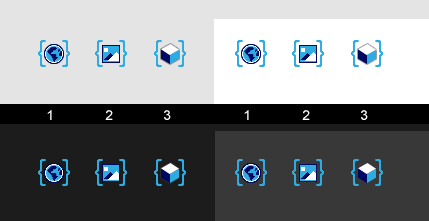
Some color stuff. Thin lines of light blue work better than thin lines of dark blue. However, delicate lines and shapes of just 1 pixel aren't very visible against light backgrounds. So light blue color probably works best. There are many different variations on the shape of curly braces, too. I think simple ones (like in options number 1) work the best, especially when the icons are scaled down.
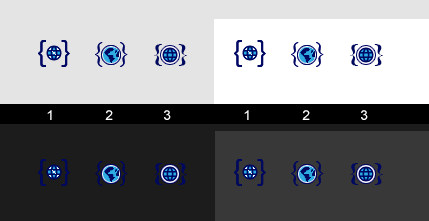
The variation number 1 in this one is my favourite idea for parentheses / brackets that mark a variable (and its scope). The globe icon could be changed, though.
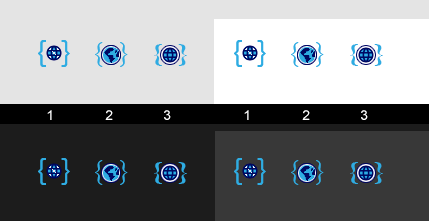
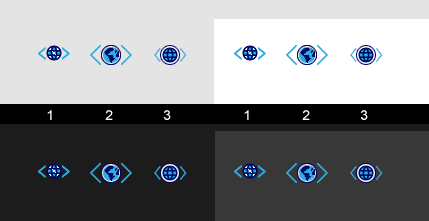
Angle brackets don't work too well for square icons. They require a rectangular, non-square icon, one that wide but not high. Maybe about 3:2 dimensions, so e.g. 22 by 16 pixels. So I'm guessing they're out.
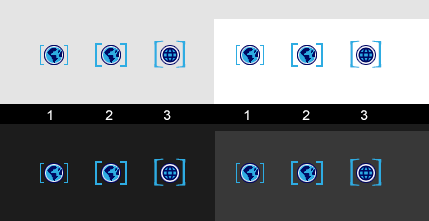
Square brackets with various sizes and shapes. These work pretty well.
Endoperez
on 15 Feb 2019
Curly braces would be ideal. I like variation 1. We should give it a go.
Square brackets works pretty well, but are often more associated to the notion of arrays or range in programming languages.
4ian
on 15 Feb 2019
Some color stuff. Thin lines of light blue work better than thin lines of dark blue. However, delicate lines and shapes of just 1 pixel aren't very visible against light backgrounds. So light blue color probably works best.
Surely these icons will be using the theme colours?
zatsme
on 15 Feb 2019
Not if they are image like this.
Note that it's possible that at some point we allow the theme to apply a hue change/saturation to the colors of icons. But for now, we have to work with a set of image that work for both.
This does not apply to "SVG icons", which are monochromatic icons, like the ones in the exporter dialog. These ones are SVG and black or white according to the theme.
4ian
on 15 Feb 2019
My favorite is variation 1 with the brackets from (1) and the globe from (2) or (3).
(The globe of (1) is a little small)
The angel brackets could also be misinterpreted as "movement on the x axis".
@4ian Do all SVG icons have to be monochromatic? I made my SVG icons for the extensions with colours.
Wend1go
on 15 Feb 2019
Here are 32 pixels versions of the icons, using curly braces, light blue color on the braces, and three colors (light blue, dark blue, white) on the icons themselves.
I also used a medium-gray outline on the cube icon / object icon. It makes the cube's colors stand out from the background, but isn't as strong as purple or white outline.
Endoperez
on 15 Feb 2019
Really nice, love them!
Would be great to try them! I think @blurymind wanted to give it a try. I'd like to finish translations because it's an important feature.
@blurymind if you want to try to add this, it should be relatively easy:
- Add images in
resfolder. - Then follow what I posted here: https://github.com/4ian/GDevelop/issues/927#issuecomment-463200912
- Basically, define something like renderForceMultiplierString for
scenevar,globalvarandobjectvar:renderForceSceneVariable,renderForceGlobalVariableandrenderForceObjectVariable. Implement them by returning probably a span containing the text and the<img />. Check margins and we should be good :)
Also, please use the 32x32 version even for a size of 16*16 (i.e: set the width/height of <img /> but keep the src to a 32x32 version of the image). Will render better on hdpi screen ("retina" screens).
4ian
on 15 Feb 2019
Oh man, I just realized I posted these on the wrong thread. This is the translation thread, not the images-for-various-things thread. Any way, thanks for the feedback.
I'll post the images in the other thread. I got distracted by all this fun stuff, but I'll get back to the English texts / translations now. If I can't compile the C++ stuff, I'll see if I can use the storybook stuff, or just directly edit the event sheet texts through some HTML or CSS shenanigans. Actually seeing the different translation options side-by-side would be quite helpful.
Endoperez
on 15 Feb 2019
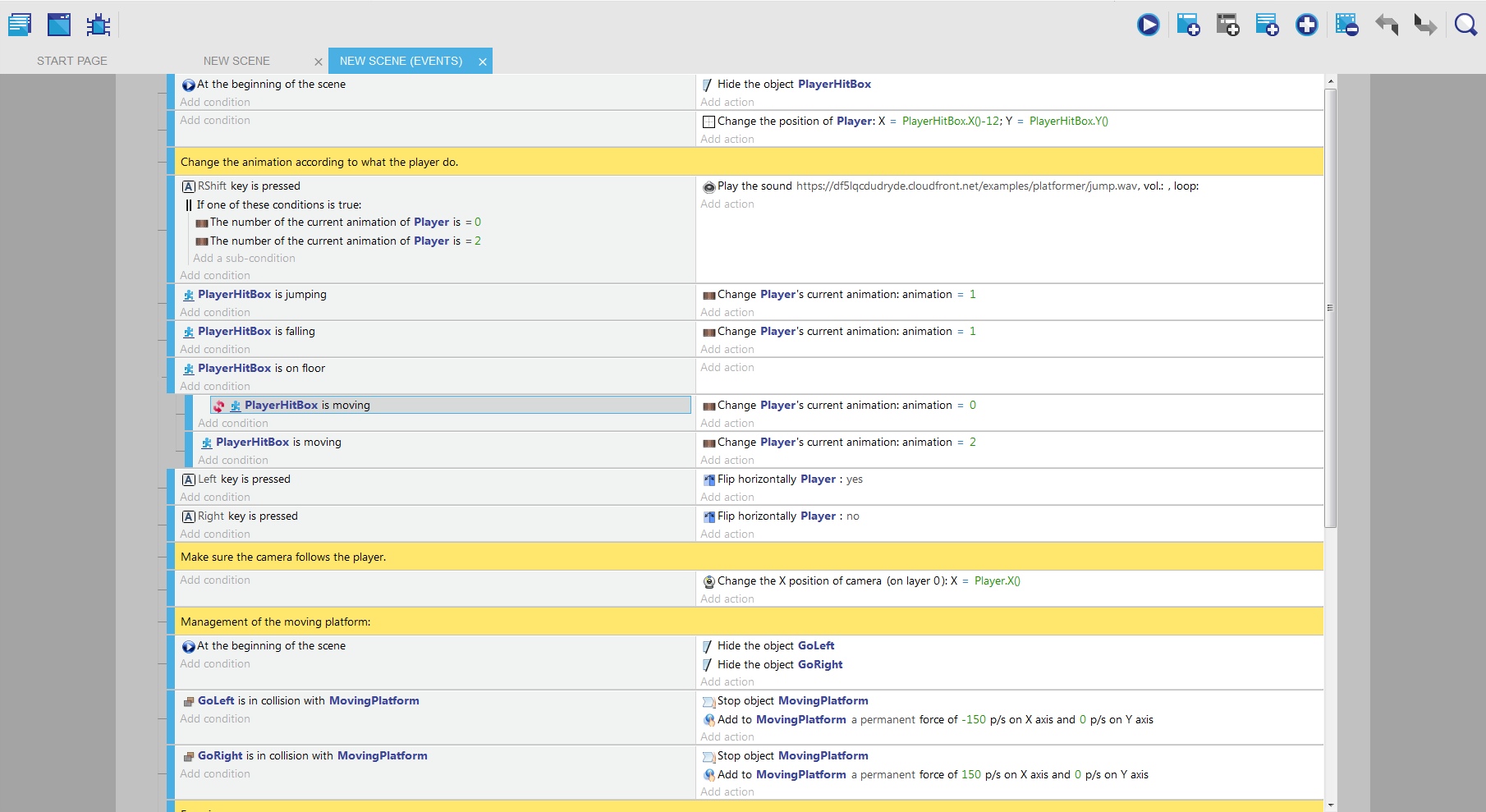
Here are two test pages with replacements for Do: +1 to X of Y.
Test 1:
Change the value of Y's X: X + 1
It is descriptive, but not as clear as I though it would be. There's also repetition at the end of the sentences, which I don't like.
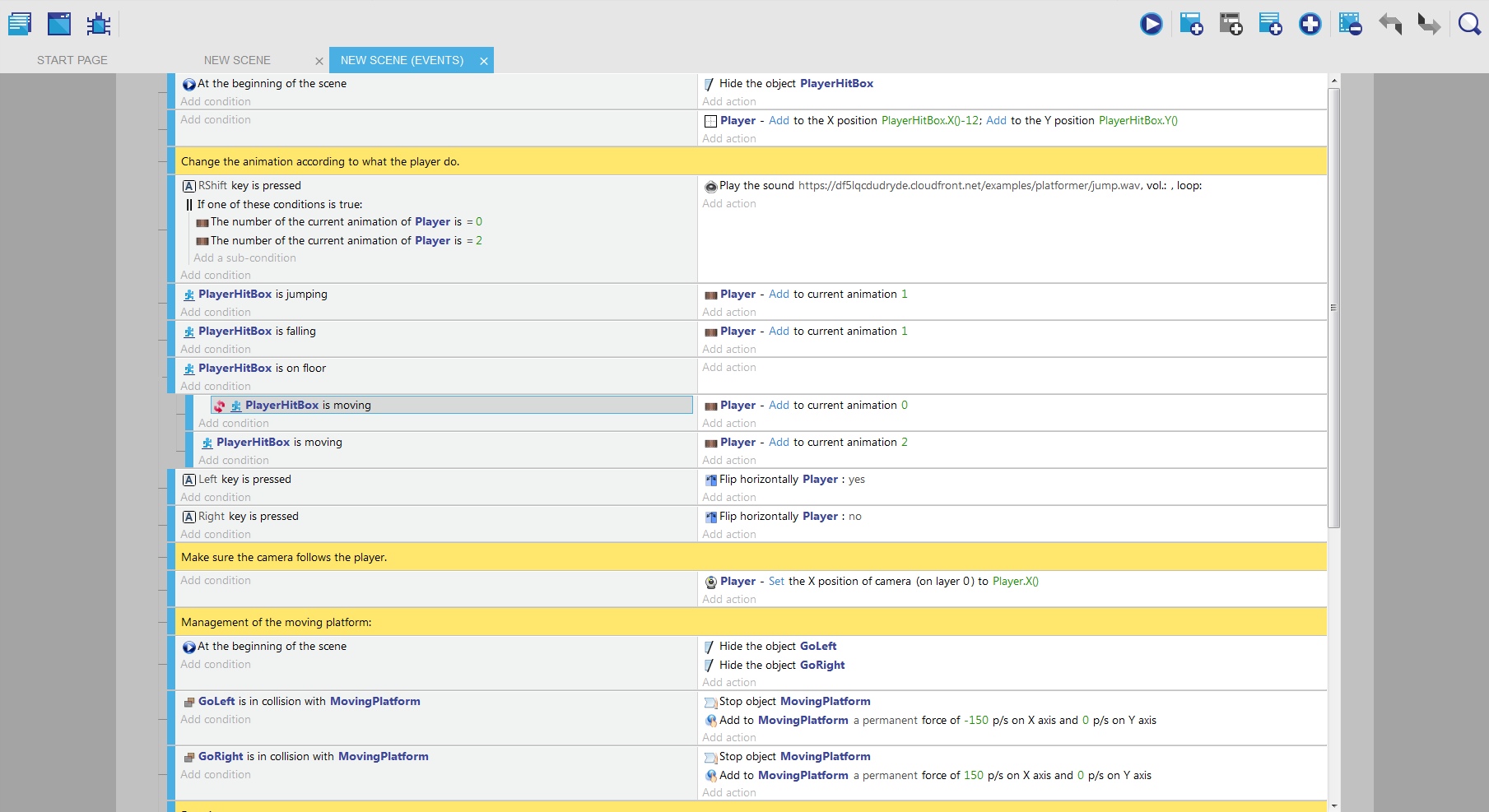
Test 2:
X - ADD to Y 1
Having the influenced object in the beginning works well, but the sentence at the end is a bit awkward. This is especially noticeable with the change in position, where both X and Y are changed in the same action.
These mock-ups are super boring to do. I saved a screenshot from GDevelop into a separate HTML file, and then I go in and replace parts of the HTML using Notepad++.
These also use the CSS / styling tests I was working on. Should I do future localization mock-ups using current GDevelop style, or continue with this one?
Any way, I think I'll try something very minimalist next. Something like
PLAYER - current animation = 1
PLAYER - change the position: X + whatever; Y + something
Endoperez
on 15 Feb 2019
The "-" looks a bit awkward. Maybe a ":" would work better.
Wend1go
on 15 Feb 2019
@4ian I'm on it 🤓 👍
@Endoperez thank you for the icons! 👨🎨
blurymind
on 15 Feb 2019
Some progress, here are variable icons with tooltips:
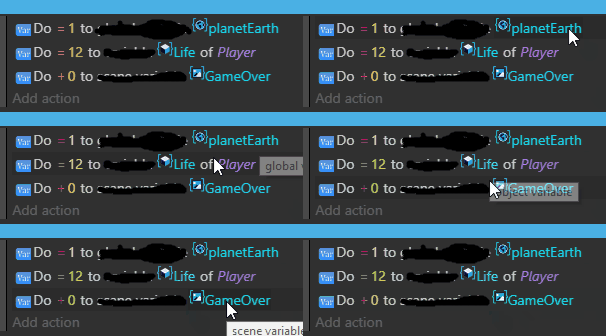
I crossed the text so you can see how it would look with it as a tooltip instead.. also because I havent found out how to remove it yet xD - anyway just a suggestion. If you want to we can keep it and not copy construct2 and clickteam on this one
I am thinking - the old "var" icon at the start will also need to be replaced by the object thumbnail/class item, so we can logically communicate on what the action is executed on instead of repeating the var icon so much. Wip pull here
https://github.com/4ian/GDevelop/pull/936
blurymind
on 15 Feb 2019
The icon rendering is pretty good :) (minus the alignment/margin to add on the right).
I think that as for now there is scene variable/global variable/variable texts everywhere, we can remove the tooltip.
Remove scene variable/global variable/etc everywhere is easy, but quite a large find/replace to do in the whole code base in all actions/conditions, so I prefer that we do this after the translation Pull Request is merged.
4ian
on 16 Feb 2019
They are now all centered in my pull :) in any case I set the size to 20x20 as that is the mid ground of what people seem to want. Another thing I did is in making the icon and thumbnail size a part of the theme- so it can be customisable by the user. Looking forward to any feedback :) \

blurymind
on 26 Feb 2019
I'm afraid you can't choose a midground with that logic.
The existing icons are 16px or 24px in size. None are 20x20 pixels. Having 20 pixel icons is a very big change. Like, um, dozens of hours, I think? Maybe a hundred hours, or more.
The dynamically created thumbnails' size can be whatever. Maybe you can even make it possible to change that on the fly. But icon sized can't be changed like that, I'm afraid. If they are changed, it needs lots more though.
Sorry if I sound like I'm nitpicking, but as I said, this'd be lots of extra work.
Endoperez
on 26 Feb 2019
Looking much better with those icons, themeable is great 👌
zatsme
on 26 Feb 2019
I am not redesigning icons here. Just setting the size :) I feel that we
are going to be bikeshedding on this one if we don't settle on a size we
can all be happy with. I am ok with 24, 16 seems to small for thumbnails.
On Tue, Feb 26, 2019, 6:56 PM Zat notifications@github.com wrote:
Looking much better with those icons, themeable is great 👌
—
You are receiving this because you were mentioned.
Reply to this email directly, view it on GitHub
https://github.com/4ian/GDevelop/issues/927#issuecomment-467566137, or mute
the thread
https://github.com/notifications/unsubscribe-auth/AGMbVaTrRkBWNxBZRbYHA-0O7z3HrO0aks5vRYNagaJpZM4ajEF7
.
blurymind
on 26 Feb 2019
If thumbnails are too small at 16 pixels, then they must be bigger. I agree that they make the code much easier to parse, and if they need more than 16 pixels in your opinion, then that's what they need.
However, resizing icons is troublesome. I think there are only two options for icons: 16 and 24. 16 most likely works better (different resolutions etc).
And if thumbnails should stay smallsmall icons should stay, it seems to me that the icons and thumbnails must have different sizes - icons at 16 px, thumbnails at 20 or 24 or whatever.
I think that'd be okay. Icons and thumbnails are different things, after all.
There are twk image manipulation techniques that might help with thumbnail readability - trimming and cropping. Trimming means ignoring outer empty pixels, empty being either background color or transparency. Cropping means ignoring some (outer) pixels and only considering some inner pixels of the image.
Trimming transparent pixels automatically before creating the thumbnail might be possible. It'd make certain animated sprites much clearer.
Cropping some of the outer pixels out of the thumbnail might also work in most cases, bit to make it work in every case, it'd need some sort of thumbnail creation tool where it can be adjusted as needed.
Both of these are probably outside this change's scope. :)
Endoperez
on 27 Feb 2019
Since SVG icons for actions/conditions are already on the Trello-Roadmap it might be reasonable to convert all the existing icons to SVG and let the browser handle the resizing. One time effort but future proof. (Although I don't know how well this works for icons of such a small size, would need to be tested)
Wend1go
on 27 Feb 2019
I've only tested it a little bit, but SVG icons don't seem to give best possible result for 16-pixel images. Or at least, SVG icons that work when displayed at 64 or 24 pixels don't work nearly as well when displayed at 16 pixels.
It's most clear when looking at tiny text. The current var-icon with blurry text is what happens when text is resized automatically - it probably looked great at bigger resolution, but makin tiny text requires some extra work.
Also, remember that remaking all the icons will take a while. It would be better to update icons a batch at a time, instead of waiting for a year, then updating all the icons at once, right? So even if SVG icons work fine also at small sizes, this thumbnail stuff is too cool to leave out until all the icons have been remade. And that means the current icons would be used, at least in some parts, for a long while.
Endoperez
on 27 Feb 2019
It's most clear when looking at tiny text.
Icons with text aren't doing their job properly, no text should be required, especially in the event sheet as we can use 'real text' 🤔
zatsme
on 27 Feb 2019
@zatsme I'm not talking about sentences. I'm talking about letters, numbers and other alphanumerical symbols. "Var" is text. "123" is text. "x" is text. Sigma symbol "Σ" is text.
These symbols work fine on this bigger scale, but rescaling these down to 16 pixel would make them less clear, perhaps even unreadable.
The same is true for any symbol that is formed of thin lines that form shapes and aren't always perfectly vertical and horizontal. A planet icon, for example. Even filled shapes, like the object icon (cube) look bad if they're resized to small pixel sizes, and this is less noticeable on big, filled shapes than on thin lines.
Edit: More on resizing stuff
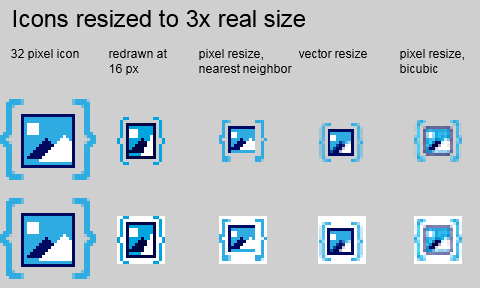
Resized vector shapes are decent, but not perfect. Even clear shapes (like the white triangle on the front) can become a blurry mess. Thin lines become worse, even as vectors. Just look at the mess those curly braces become when resized!
This is just an approximation, though, and the end result in GDevelop might be different. It's worth testing, and there probably are ways around it, but no, using SVG files does not automatically fix everything.
I'm not sure which image resizing algorithm GDevelop uses, but it most likely uses Bicubic or something similar. When images are resized, they usually look better when an algorithm like that is used, but on very small icons, the results are far from perfect.
Endoperez
on 27 Feb 2019
Did a little research, looks like the type of scaling can actually be defined via CSS:
https://developer.mozilla.org/en-US/docs/Web/CSS/image-rendering
Wend1go
on 27 Feb 2019
Cool stuff! I'm not sure if GDevelop supports all of that, but it's definitely worth testing.
Endoperez
on 27 Feb 2019
Since the Electron App is based on Chromium we should be limited to the functionality Google Chrome supports.
Wend1go
on 27 Feb 2019
@wend1go thank you for that. I will try to see if we can get a crisper rendering with the other scaling options
blurymind
on 27 Feb 2019
For your interest, fixed mistakes that were reported:
Error: one parameter is labeled "X position"
Fixed
Should be: Speed of music is Tempo replace "Pitch" with "Tempo"
I've looked and the term used in the audio library used by the game engine is "rate".
Should we use rate, tempo or speed?
Should Be: "Compare the acceleration of the object (in pixels per second)"
No, the unit of acceleration is pixels per second per second ;)
Should Be: Diagonal moves or Diagonal movement
Fixed :)
Error: Test the gravity angle the emitter (missing a word)
Fixed :)
Error: Check if showind
Fixed :)
In the condition labeled: Is the rewarded video ready (facebook instant games >Ads)
Error: "rewarded" should be "reward"
I've used the official term used on Facebook documentation: https://developers.facebook.com/docs/audience-network/android/rewarded-video/
So I think it's fair to keep Rewarded Video?
4ian
on 1 Mar 2019
I tried the image rendering modes @Wend1go mentioned and am afraid to say that there is not much of a difference. The only noticeable one was pixelated- but it made some icons look much worse
They look blurry because it is using the 16x image and up-scaling it to 20x
A suggestion is to keep icons as they are - at 16x and use 20x for thumbnails. Or use 16x to both thumbnails and icons. Otherwise I have the feeling that we will need to replace loads of these icons somewhere else.
blurymind
on 2 Mar 2019
For your interest, I'm experimenting with buttons as suggested by @Endoperez:


You'll also see quotes as a "hint" in gray, when you're focusing a parameter that is a string.
All of this should at least help people quickly see the difference between numbers and strings, so less errors and hopefully faster learning!
(don't care about the Spanish translation, just testing too ;))
4ian
on 2 Mar 2019
In the current version, the default points on an object show "Origin" and "Center". However, using Object.PointX("Center") just gives the same value as the Origin Point.
Object.PointX("Centre") gives the expected center point. Is this an error somewhere or am I missing something in the documentation?
 Silver-Streak
on 3 Mar 2019
Silver-Streak
on 3 Mar 2019
I've started looking into GDevelop translation, and also at fixing some of the English sentences. The problem is that it's going to take a long time - much longer than I expected. It seems like there won't be a quick change like I expected at first, and instead, it will be a slow grind of small improvements.
I think I'll have to do things one thing at a time. On the localization stuff, I'm planning to work on some of the English texts and typos, and on the Finnish translations, and I'm also planning to eventually finish a simple translation guide.
And all of that's going to take lots of time. There's also all the icon and UI rework I am planning to do.
Any way, I'm going to start pushing the stuff I've made into Crowdin and various documents.
Endoperez
on 4 Mar 2019
Object.PointX("Centre") gives the expected center point. Is this an error somewhere or am I missing something in the documentation?
Indeed, both should be supported. You can open an issue for this.
It seems like there won't be a quick change like I expected at first, and instead, it will be a slow grind of small improvements.
Yes. GDevelop is a huge software and most improvements must be done progressively, by small steps.
That's why it's essential that it's easy for me to see what is fixed and what is not in your doc of improvements, and to make the changes as soon as possible.
Said otherwise: a huge document with 1000 changes is useful, but this means weeks/months of work for you to do, and weeks/months for me or other to apply the changes.... and worse, things will surely have changed since you created the document! That's a recipe for burn out :)
Instead, we must have a lean approach: make lots of small but useful fixes. A way to do this is to have a "living" document. You (or anyone else!) post improved translations, then I look at the doc every few days, apply the changes, then mark the row as "fixed". And so on :)
Advantage: we see real improvements every week. Sure GDevelop won't be perfect immediately. But something done today is better than something perfect that is never released :)
In short: "commit" your sentences as soon as you can on Crowdin, and make a public version of your spreadsheet when you can too :) We can then start to fix/improve anything that you notice.
4ian
on 4 Mar 2019
I "committed" some stuff to the Finnish localization in Crowdin, under Editor messages.
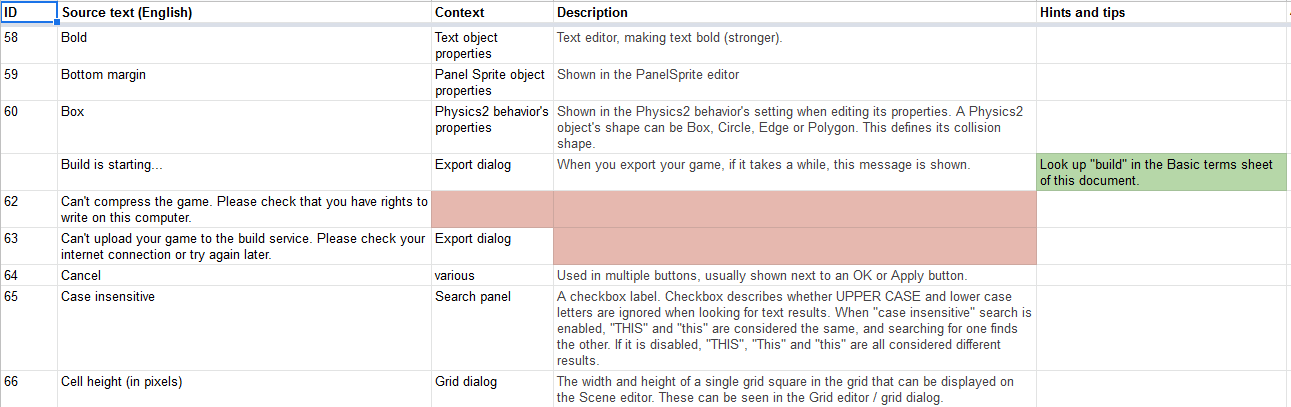
Here is the start to the GDevelop localization guide.
https://docs.google.com/spreadsheets/d/1r-A9A0cESS5zLU0tgmWrBXTYwjTnBlM08p94DA5P8CM/edit?usp=sharing
Basically, it describes what various words mean in the context of game development (the Basic terms sheet), and what the different messages actually change (the Localization messages (IDE) sheet). It looks like I can actually add both of these into Crowdin! There's a term list, where I can add the terms, and there's comments, which everyone browsing the translations can see.
Some weird stuff I found:
Add your first event using the first buttons of the toolbar.
The button is first in GD4, not in GD5. Suggested fix:
_Add new events by using the buttons in the toolbar._
Adding resources from Dropbox, Google Drive... is coming soon! Download GDevelop desktop version to use your own assets.
Is it coming soon? I couldn't figure out how to see it, either.
Algolia
This doesn't need to be translated, it's the name of some search algorithm / service / library. Again, I couldn't actually find it anywhere.
Some stuff that works, more or less, but could be replaced by a different message.
Choose an animation and frame to edit the collision masks *
Shown when the current animation doesn't have frames. Possible fix:
_Can't find an animation or a frame, can't edit collision masks.*_
Choose an animation and frame to edit the points
Shown when the current animation doesn't have frames
_Can't find an animation or a frame, can't edit points._
Endoperez
on 6 Mar 2019
Here is the start to the GDevelop localization guide.
Super nice! It's a great resource.
There's a term list, where I can add the terms, and there's comments, which everyone browsing the translations can see.
Yeah, we should find a way to make it available for everyone on Crowdin :)
If you need, I can give you more permissions on Crowdin so that you can edit this.
Also I wonder if it's possible to add your explanations as part of the "context" (which is for now the source file):
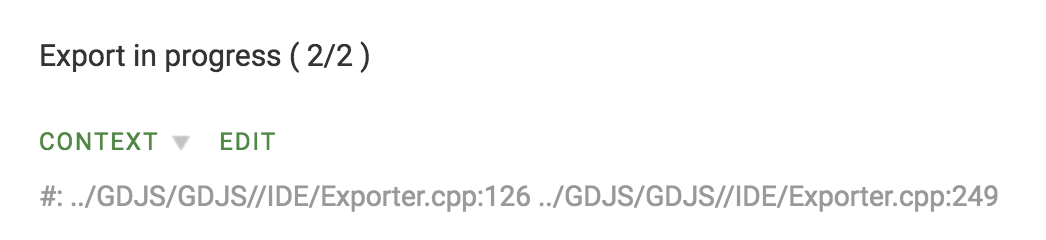
or even add this in the source code.
Algolia
Removed from strings to translate.
Is it coming soon? I couldn't figure out how to see it, either
It's not a priority anymore, but as everything, if users are asking for it I might reconsider.
*Choose an animation and frame to edit the collision masks *
Shown when the current animation doesn't have frames. Possible fix:
Can't find an animation or a frame, can't edit collision masks.
Choose an animation and frame to edit the points
Shown when the current animation doesn't have frames
Can't find an animation or a frame, can't edit points.
For these I'm not so sure. The idea is to invite the user to take an action. For example, in a mail app, if your inbox is empty, there could be something like "Click there to send an email".
At least from what I read, it's a good UX design to have subtle message telling to the user what action to do.
4ian
on 8 Mar 2019
"Start end" sounds wrong.
"End opacity", probably ?
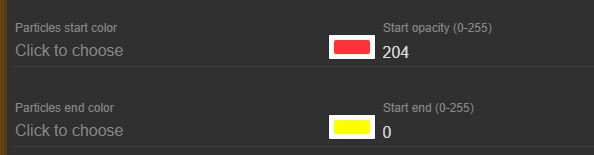
That's in the particle emitter object properties.
 PascalLadalle
on 17 Mar 2019
PascalLadalle
on 17 Mar 2019
@PascalLadalle Fixed, will update the translations later with "End opacity" :)
4ian
on 17 Mar 2019
"Resources are automatically added to your project whenever you add an image to an object. Choose a resource to display its properties."
Resources are not only images. Shouldn't this be changed?
(appears in the Resources manager)
PascalLadalle
on 18 Mar 2019
You're right I've changed this to:
Resources are automatically added to your project whenever you add an
image, a font or a video to an object or when you choose an audio file
in events. Choose a resource to display its properties.
4ian
on 18 Mar 2019
This line in unknown event need translation tag
 Bouh
on 31 Mar 2019
Bouh
on 31 Mar 2019
I found inconsistency in the debugger, i convert json file into strucutre variable and some children display undefined but when i print it in a file the variable have a correct value with these childrens.
I think we need to change undefined by [Removed from the debugger] like the _renderer in scene.
Bouh
on 2 May 2019
This come from a user on Discord, i share it because it's not the first report about this.
And this can be a reproach. i think also this can be a on of criticism from users who say that the software is not sufficiently professional.
memygdio :
hey! GD developers .. excellent thing you've got going on here... 👍
Is the Editor UI still in early under development...? Don't mean to complain but the whole UI Font use is quite inconsistent and different varieties of CASE , Size and System/Sans Serif/Arial/Helvetica all over the place... Note from @4ian: Fixed case and fonts
taken on Win10
screen 1920x1080
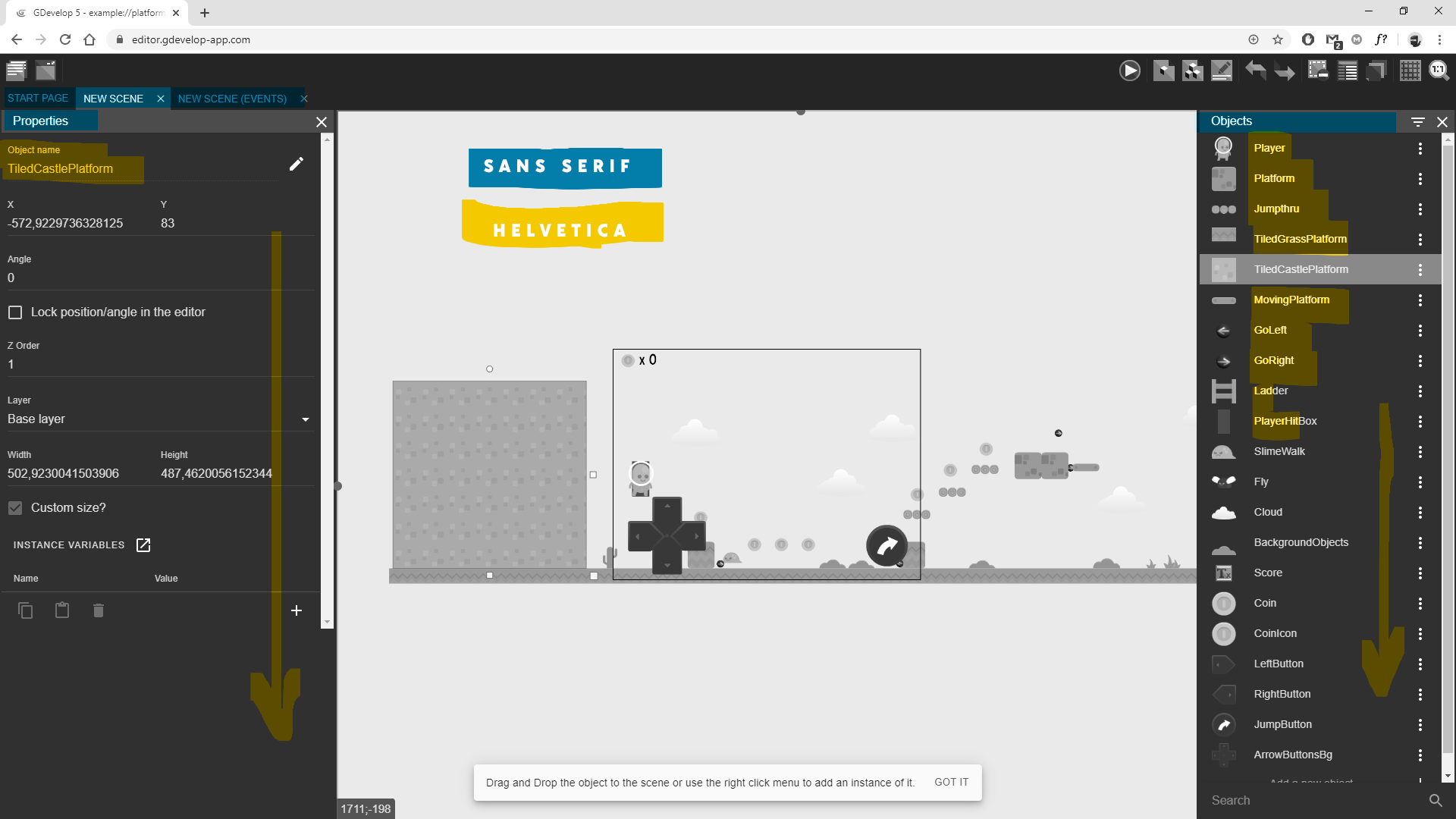
on the other hand the events page look nice it's using Segoe UI default system font on Win10 (which I'm running )
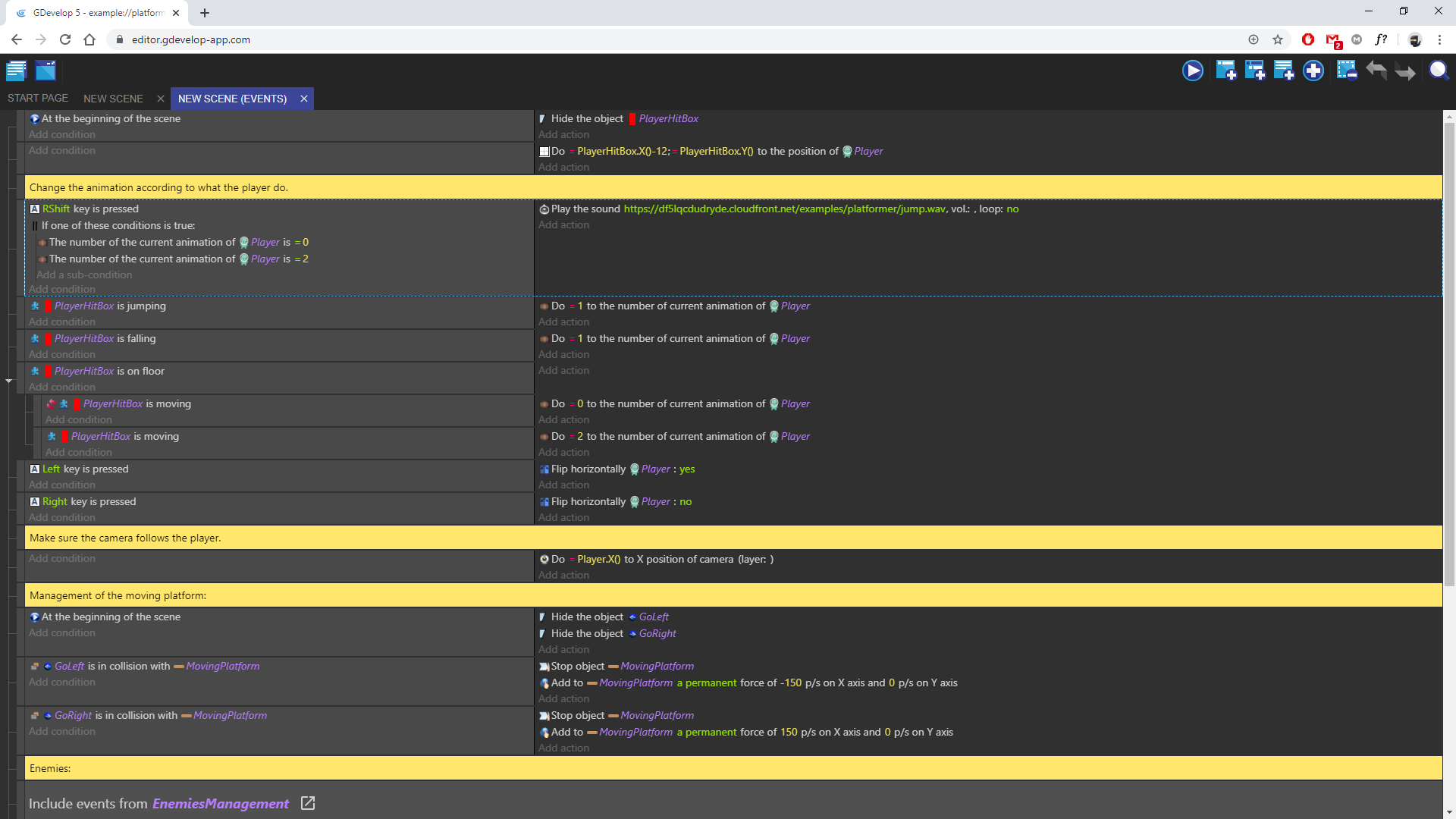
also having number values with a font that is not monospace doesn't help in a development environment ..
Here's a comparison with some tweaks i made (directly within the dev tools of chrome except for the highlight on the boxes)
i understand you're trying to go platform agnostic so system fonts may not be the best way... but fortunately there are alot of opensource available ones too :wink:
https://fonts.google.com/
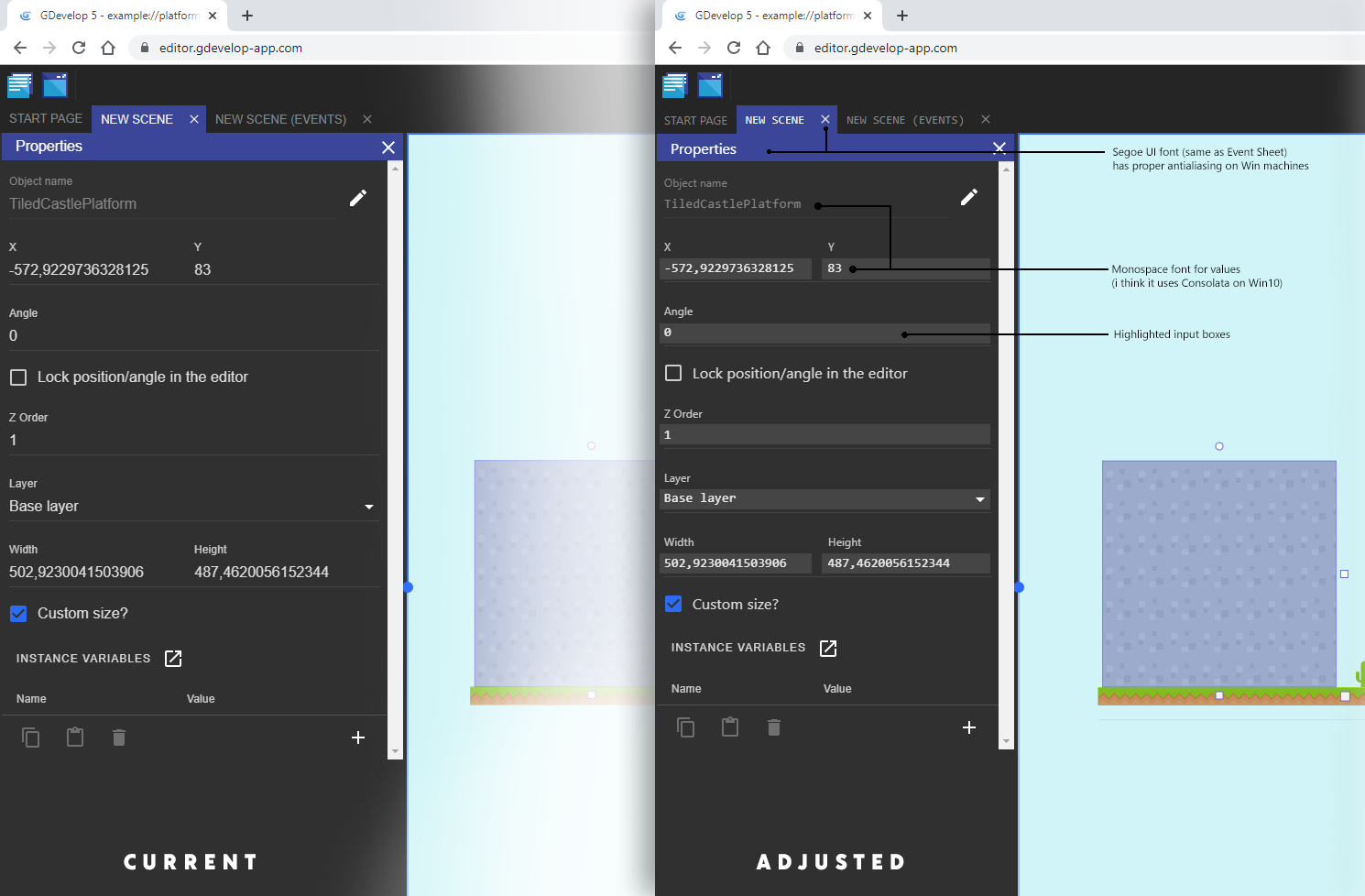
Bouh
on 15 Nov 2019
Interesting, let me take a look at these fonts mismatch!
- For the monospaced font, this can be tried. Why not for numbers, but for text not sure if a good idea?
- For the border on text fields, harder to say because it would be a larger change, though we can experiment with the "Filled" version of material ui text fields: https://material-ui.com/components/text-fields/
4ian
on 15 Nov 2019
I've fixed the fonts, turns out that the system font (Segoe UI) was not used properly everywhere, so the fonts were defaulting to Helvetica or worse sans-serif 🤦🏻♂️
I also change the tabs to remove the uppercasing. Should be more consistent with the drawers/panels. I set the size of the close button of panels to the same as the tabs too.
The screenshots were very useful, please thank the user that made them :)
For the monospace and background on text fields, this would need more in depth changes.
4ian
on 15 Nov 2019
I'm giving a try at material-ui filled text fields (and slightly denser at the same, so more are shown on screen).
4ian
on 16 Nov 2019
Nope error hightlight are bugged and background color use lot of space.
I recommend to revert change and add background color only on input, not on tag.
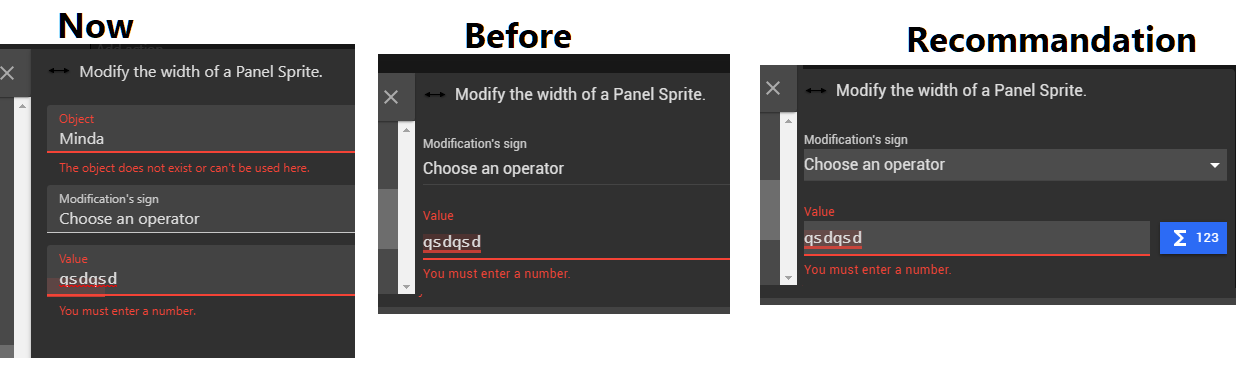
Bouh
on 17 Nov 2019
Oops I pushed this by mistake, I'll revert
4ian
on 17 Nov 2019
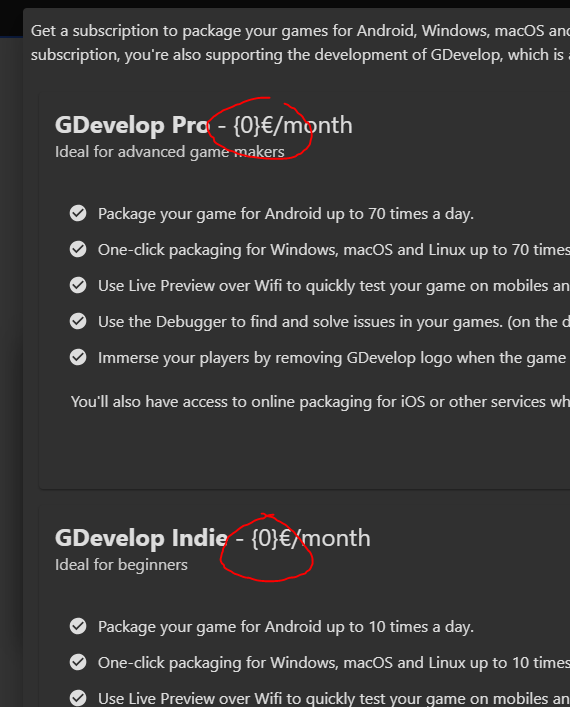
@Silver-Streak thank you for this catch!
Bouh
on 8 Dec 2019
What do you think of having then: "Subtract X from Y", "Add X to Y", "Multiply Y by X", "Divide Y by X" "Set Y to X" (rather than "Do [operator]X to Y").
Clicking on Subtract/Add/Multiply/Divide/Set would bring the operator parameter.
Every year or so I download the new GDevelop version in the hope to find the "Set Y to X" structure. Unfortunately this is a deal-breaker for me, I can't write events with comfort because those event actions are always backwards compared to my thoughts.
I've tried to get used to it and it's possible, but it's not comfortable, probably because I was a long-time Construct 2 user. But regardless of that, it's absurd to me that the condition part of the event is in one word order, and then the action part of the same event is in the opposite order. From the platformer example:
Condition ..................................... Action
The opacity of Coin is =255 ................... Do =254 to the opacity of Coin
Now imagine if the left part was written in the same way as the right part:
=255 is the opacity of Coin
It's absurd, isn't it? But even then it would be more consistent than now.
But ideally, it would be:
Condition ..................................... Action
The opacity of Coin is (equal to) 255 ......... Set the opacity of Coin to 254
I've noticed that there has been a lengthy discussion about this in February and then what happened? Is this not planned anymore?
 lunarovic
on 14 Dec 2019
lunarovic
on 14 Dec 2019
I feel sorry that this issue alone is a deal breaker for you. No major progress because I don't remember finding an ideal solution?
But ideally, it would be:
Condition ..................................... Action
The opacity of Coin is (equal to) 255 ......... Set the opacity of Coin to 254
This works for "Set to", but what about add and subtract?
What would be an ideal solution for you considering all the operators possible?
For the conditions, it's kind of easy to translate mathematical operators (=, <, >, ≥, ≤, ≠) to sentences (equal to, greater than, less than, greater or equal to, less or equal to)
Though it's not done because I think showing the mathematical sign is both more readable for the experienced user and as easy to get for the beginner?
For the actions, this won't translate into sentences that are consistent between operators (at least in the english language):
"Subtract X from Y", "Add X to Y", "Multiply Y by X", "Divide Y by X" "Set Y to X" (rather than "Do [operator]X to Y")
So while right now the "Do [operator]X to Y" has inverted order compared to actions/conditions, it's at least consistent between operators :)
What do you think?
4ian
on 18 Dec 2019
In English, "Do =254 to the opacity of Coin" is meaningless. It doesn't mean anything.
You can "do something to the property of a thing" - this is the basic sentence structure GDevelop uses at the moment. However, the something in there has to be a verb. And ?, -, = and so on are not verbs, and can't be used instead of verbs.
"Do equal one to variable var", "Do minus three to variable var", and so on... None of these have a meaning.
Do [operator] X to Y, in English, is consistently bad. Also, there are languages besides English and French, and this sentence structure might be even worse for some of them.
The easiest change would be to change the verbs of the description. Instead of do, the verb could be change. Depending on the language, something like calculate, set, adjust etc. might work as well. There should be some simple verb that is related to either mathematics or programming, and is related to values being changed.
"Change value of Y, [variable] [operator] X"
Change opacity of coin, opacity = 254
Change value of global variable, var + 1
Change current animation of Player, animation = 2
Change position of Player, X = PlayerHitBox.X()-12; Y = PlayerHitBox.Y()
Endoperez
on 18 Dec 2019
This works for "Set to", but what about add and subtract?
This is how it is presented in Construct:
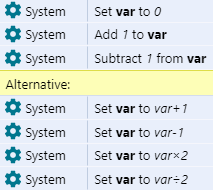
So both ways are possible (actually they don't have "multiply by" and "divide by" for some reason). But as we can see, there is no need to use the first way, the word order doesn't have to be switched for those operations, it can retain the Set X to Y structure, as proven with the bottom actions. So only Set structure can be in use, and not Add Y to X etc. That would make it consistent, as you mentioned.
The only concern is that the Set X to X+1 structure is a bit less beginner-friendly, but I don't think it's very advanced either, it's rather simple to grasp. Also it's technically more true to be displayed like that, because that is what is really happening in the background.
Maybe for beginners an "add/subtract value" action could be added, which would simply use the "set value" mechanism, but would display it in the popup interface like this:
Add
[textfield] (number)
to
[textfield] (variable)
But that just seems to complicate things instead of make them simpler. Using Set X to Y for all operations would be the simplest, most accurate and most consistent.
I think showing the mathematical sign is both more readable for the experienced user and as easy to get for the beginner?
Yes, I agree it's better to keep the mathematical signs for readability. However, I think it's not intuitive to have var is = 0, because that's doubling the operator, once linguistically and once mathematically. It's like var is is 0 or var = = 0, because humans already read x = y as x is equal to y or x equals y.
So var is = 0 is read in mind as either var is is equal to zero or var is equals zero, and then the mind has to fix that and read it correctly. In Construct it's simply var = 0, and also everywhere on the Internet for that matter. :) You will not find var is = 0 anywhere.
@Endoperez Exactly! This is another reason (I didn't mention in the previous post) which keeps me away from GDevelop - when I look at that Do structure, it simply doesn't make any sense from a linguistic and a programming perspective. I like precision when programming, so it's confusing to write anything when sentences don't have sense grammatically and when you are forced to use the incorrect sentence structure.
I think Do is actually an unsuitable word for anything in the engine. I always thought that the Do structure exists because Florian is French and that in French it makes sense to use it like so, but that it was an inaccurate translation to English.
lunarovic
on 18 Dec 2019
While talking about what sort of spelling would be better, it might also be worth talking about how to actually implement the changes.
I understand that the way translations currently work make it very time-consuming to change all the text for all the translations, and that's one reason these haven't been changed yet. All of the "Do Y to X" sentences would have to be changed in one go, in a single update, to keep things consistent, and they're all over the place in multiple different files. There are a few hundred instances of "Do Y to X", so leaving all of that to a single person would be boring and frustrating.
If you had several volunteers willing to help change things, would this change be more manageable? I was thinking of first making a list of all the current sentences using the old structure (using the translation files), and then coming up with how they'd be written in the new way, and then once all of the suggested texts have been community-approved, there'd be a community effort to add them to the relevant code files, check the changes, push them through, and then check them in the engine.
Endoperez
on 18 Dec 2019
Let's not throw rocks anymore to the Do [operator][value] to [subject]. I do (😉) know it's bad and not ideal and not proper English and that it's not a good solution.
Let's try to find a consensus where things are consistent/readable/understandable by both beginners and advanced users.
I'm going to suggest a solution in the form: template/examples/why this.
If you want to suggest a completly different alternative, please follow this 3 steps to keep things clear and catch obvious errors 🙏
1. If I take the template:
- Conditions:
[subject] [operator] [value](note the spaces) - Actions:
Change [subject]: [operator][value](note the spaces) (also note that this can be translated)
with:
- _subject_ being for example "the opacity of SomeObject" or "scene variable MyVariable" or something more complex like "the text of request (host: xxx, path: yyy)" (some actions might requires additional parameters to identify what to change or compare).
- _relation operator_ being
=, <, >, ≥, ≤, ≠ - _operator_ being
add, subtract, divide by, multiply by, set to(see why I chose text rather than mathematical operators below) - _value_ being the expression entered, for example: 200 + Variable(Score)
2. Then we're getting (examples):
- Conditions:
- the opacity of SomeObject = 200 + Variable(Score)
- the opacity of SomeObject < 200 + Variable(Score)
- ...
- scene variable MyVariable = 200 + Variable(Score)
- scene variable MyVariable < 200 + Variable(Score)
- ...
- the text of request (host: xxx, path: yyy) = 200 + Variable(Score)
- the text of request (host: xxx, path: yyy) < 200 + Variable(Score)
- ...
- Actions:
- Change the opacity of SomeObject: set to 200 + Variable(Score)
- Change the opacity of SomeObject: subtract 200 + Variable(Score)
- Change the opacity of SomeObject: divide by 200 + Variable(Score)
- ...
- Change scene variable MyVariable: set to 200 + Variable(Score)
- Change scene variable MyVariable: subtract 200 + Variable(Score)
- Change scene variable MyVariable: divide by 200 + Variable(Score)
- ...
- Change the text of request (host: xxx, path: yyy): set to 200 + Variable(Score)
- Change the text of request (host: xxx, path: yyy): subtract 200 + Variable(Score)
- Change the text of request (host: xxx, path: yyy): divide by 200 + Variable(Score)
- ...
3. Why this template?
- Subject is always on the left
- Mathematical operators are fast to read and understand (for conditions)
- We're losing mathematicals operators in the actions (they are not mathematicals, but almost all programming language use = to assign variables/objects).
- This seems to be easily translatable. You only have to translate the subject.
What do you think? In particular of operators in the action? An alternative would be:
- _operator_ being
+=, -=, /=, *=, =like in lots of programming languages... but I'm not sure it would be clearer at all.
While talking about what sort of spelling would be better, it might also be worth talking about how to actually implement the changes.
That's a good remark.
Currently all sentences are hardcoded. I'll need to do a global refactoring where for every action/condition that is acting on a number, I switch to not one sentence, but a subject. This could actually reduce the number of translations to do :) (because the subject can be shared for the action and the condition).
It's still a lot of work. I'll think about how to do it. One idea would be to do a script that detect in the source code the Do _PARAMx__PARAMy_ to [...] and replace this by a function setSubject([...]).
Surely still a lot of manual fixes.
4ian
on 18 Dec 2019
I've made the changes with a script to automatically update existing action/conditions :) Give me your thoughts: https://github.com/4ian/GDevelop/pull/1334
4ian
on 24 Dec 2019
Hi can you please switch "Don't loop" with "Loop" naming in the sprite animation panel?
I feel confused, I don't like it how it's now.
 Raduq91
on 26 Jan 2020
Raduq91
on 26 Jan 2020
Hi can you please switch "Don't loop" with "Loop" naming in the sprite animation panel?
I feel confused, I don't like it how it's now.
How it is now shows you the current state of the sprite looping, though. Swapping the words would in fact make it the opposite of how sprites work.
I would instead prefer it just be a checkbox that says "Loop" that you can uncheck to disable looping.
Silver-Streak
on 26 Jan 2020
Problem is the icon for this button. On others checkbox we haven't custom icons and for this one we have two icons for two state.
Bouh
on 26 Jan 2020
Should we just remove the custom icons and go back to a checkbox with "Loop" as label?
- [ ] Loop
4ian
on 26 Jan 2020
I'am on it
Bouh
on 26 Jan 2020
Hi can you please switch "Don't loop" with "Loop" naming in the sprite animation panel?
I feel confused, I don't like it how it's now.How it is now shows you the current state of the sprite looping, though. Swapping the words would in fact make it the opposite of how sprites work.
I would instead prefer it just be a checkbox that says "Loop" that you can uncheck to disable looping.
I don't know what you mean with "how sprites work".
When I want to enable looping I click the button that is named "Don't loop"(this is confusing for me)
with the words swapped, when I want to enable looping I click the button that is named "Loop"
I think it for the button to show the state of the loop, would be "Not looping", "Not looped" or something else similar to the two examples that I wrote.
Raduq91
on 26 Jan 2020
I think there is both the issue of "Is the label showing the current state or not?" and the issue of "Don't loop" should be better written as "Not looping", "not looped".
I think that if we just name the button Loop with a checkbox it's more intuitive.
Checked? Then the sprite is looping
Unchecked? Then it's not looping
which is the classic behavior of a checkbox, unless I'm missing something :)
4ian
on 26 Jan 2020
I think there is both the issue of "Is the label showing the current state or not?" and the issue of "Don't loop" should be better written as "Not looping", "not looped".
I think that if we just name the button Loop with a checkbox it's more intuitive.
Checked? Then the sprite is looping
Unchecked? Then it's not loopingwhich is the classic behavior of a checkbox, unless I'm missing something :)
Your description/example around the checkbox would make the most sense to me. Especially since it's more intuitive to see the state "at a glance".
Silver-Streak
on 26 Jan 2020
This solution was added 3 hours ago :) #1397
Bouh
on 26 Jan 2020
Minor grammatical error in Scene Properties window.
musics should be music. 4ian: Fixed, thanks!
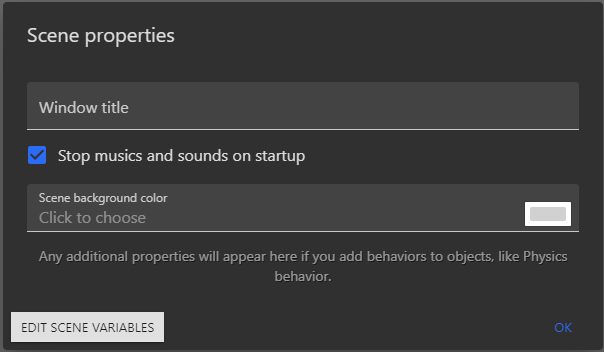
 convictedweirdo
on 30 Apr 2020
convictedweirdo
on 30 Apr 2020
Thanks! Fixed :)
4ian
on 30 Apr 2020

I think this should read "The text entry object Entry captured text" or "The text entry object Entry is activated" depending on what it actually does 😁
PascalLadalle
on 4 May 2020
Minor grammatical issue. Can be seen in the actions menu for an object with the PlatformerObject behavior.
It reads "Allow again jumping". I would recommend "Allow jumping again".

 rwhogg
on 25 May 2020
rwhogg
on 25 May 2020
Fixed thanks!
4ian
on 25 May 2020
Text from the context menu aren't translated.
Like use right click on scene and items in lists.
Fixed by me
Bouh
on 5 Jun 2020
Bouh
on 28 Sep 2020
The way for grabbing a ladder with the platformer behavior is to use the action
Simulate ladder key press
But there is no key bind for use an ladder, it's just the up key.
An better name should be found for this action.
We don't simulate an pression on a key, but we enable the player to Grab the ladder.
I recommend to add grab in the name because it's what the action does, and it's easier to find in the search bar.
I post here for asking better name and description.
Bouh
on 25 Oct 2020
There is a sort of typo that is spread a bit everywhere: authentification, while being acceptable is not the preferred form, authentication.
Source: https://english.stackexchange.com/a/7845
 arthuro555
on 9 Nov 2020
arthuro555
on 9 Nov 2020

Check the animation name played by the object.
or
Check the current animation name of the object.
Because if the animation is finished, it's not played.
PascalLadalle
on 4 Dec 2020
Event condition:

PascalLadalle
on 26 Dec 2020
Event condition:
Bouh
on 26 Dec 2020
Hi @hacknorris-notyetbanned feel free to help reporting mistakes or typos. It will be very helpful.
Avoid posting in this thread though unless you have something to report.
Thank you! :)
4ian
on 26 Dec 2020
That's a good start :) I started when I was younger too with Notepad++ and making simple html/javascript games. I even made games in Excel with formulas 😄
Anyway, let's keep this thread clean and for reporting mistakes in the app only :) You're welcome to do so if you find one, it's a good first step. Thanks!
4ian
on 26 Dec 2020
and i dont (really) know why i'm trying to make my own system (based on debian)
It's good to try, you'll learn a lot of things and it's a good way later to get an interesting job in this field if you're interested and work well :)
btw: ain't deleted here? here is also a chat, like in discord as you recently deleted account :/
You won't be banned if you don't do anything wrong/illegal/spam and don't threaten anyone. We welcome everyone to use GDevelop and to help improving it. You are also welcome to use it, and latter if you get more experience you could even work with us to improve it :)
4ian
on 26 Dec 2020
No need for a period:
PascalLadalle
on 29 Dec 2020
Fixed thx!
Bouh
on 29 Dec 2020
Related issues
blurymind
·
5Comments
 BWPanda
·
4Comments
PascalLadalle
·
3Comments
BWPanda
·
4Comments
PascalLadalle
·
3Comments
 ddabrahim
·
4Comments
KinkGD
·
5Comments
ddabrahim
·
4Comments
KinkGD
·
5Comments
Most helpful comment
Here are 32 pixels versions of the icons, using curly braces, light blue color on the braces, and three colors (light blue, dark blue, white) on the icons themselves.
I also used a medium-gray outline on the cube icon / object icon. It makes the cube's colors stand out from the background, but isn't as strong as purple or white outline.