Gdevelop: New Parser Extension #780 : PointX() & PointY() doesn't accept double quotes anymore
Describe the bug
It's a mistake i've made (first time of my life i used double quote in PointX()/PointY()!), but totally ignored/missed previously because it was working without the new parser extension :
I had an action to create an object in X;Y, and i was using :
Object.PointX("Centre");Object.PointY("Centre")
=> without the new parser extension, double quotes are tolerated, the point of the sprite is found, and the object spawn in the right place.
If i edit the expression (new parser activated) : the error is found, so i couldn't have made the error with it.
Problem can happen if like me (and because it's was working) you used double quotes in PointX() and PointY() with previous version.
Idk if it's an issue, because we weren't supposed to use double quote here... It just can be weird if users does this mistake like me in previous version.
 KinkGD
All 13 comments
That's indeed a problem, ideally what used to work should still work.
I have still a question: if you used double quotes, they should have been considered as part of the point name, and hence you should not get the center point. Can you confirm this?
 4ian
on 8 Jan 2019
4ian
on 8 Jan 2019
Related, but not directly to the Parser... The GUI shows the American spelling of Centre whereas the expression is correct as above.
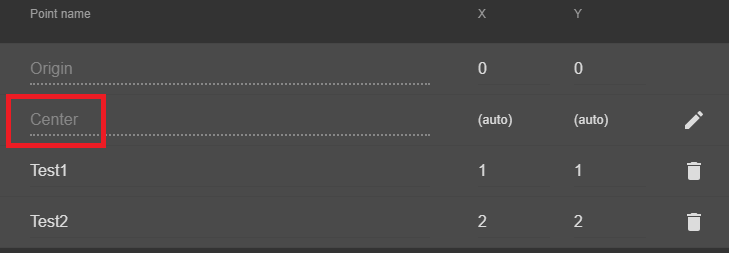
This can be confusing especially as a named point that does not exist returns the origin rather than an error!
Can we have the parser check for an non-existent point name?
 zatsme
on 8 Jan 2019
zatsme
on 8 Jan 2019
My testing shows that Although the quotes are tolerated in the old parser, you are correct 4ian that the origin is returned rather than the correct point as per my explanation above.
So the OP is not correct in this case, and I think as the quotes are showing an error, everything is running well!
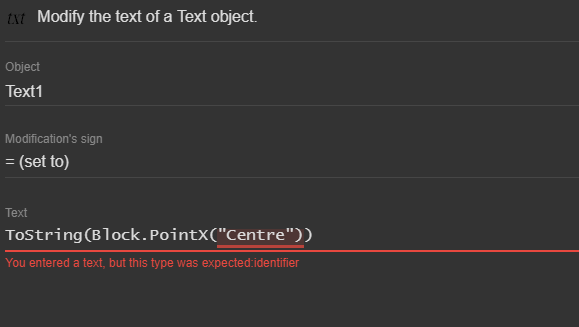
zatsme
on 8 Jan 2019
Well everything is not entirely running well, because having the quotes used to return the origin of the object, while now it's making the expression invalid, so the whole expression will be returning 0 (or an empty text).
So some games could seem to be broken because of this.
4ian
on 8 Jan 2019
I see 😨, you could remove quotes in the json loader for point names?
zatsme
on 8 Jan 2019
I think I'll indeed try to normalize things during the opening of a game.
4ian
on 8 Jan 2019
Speaking of normalizing, I think it make more sense to have the PointX and PointY expressions take the point name as a string, with quotes. They are the two only expressions to use identifier, i.e: a name without quotes. This is translated to a string in compiled events, so this won't impact performance.
I'll automatically convert the PointX/PointY to add quotes. This means that games won't be compatible with previous versions of GD, but I think it's fair knowing that most people using GD5 stay on GD5, it's a bad idea to go back anyway as new versions are coming.
4ian
on 9 Jan 2019
@KinkGD I've updated the testing version, you can download it from the same links: https://github.com/4ian/GDevelop/pull/780#issuecomment-452127321
Any game saved with this version won't be compatible with the previous one. Please make backups.
This is because all PointX/PointY expressions will be converted to take the argument as a string, so with quotes around it. If you use your game saved with this version with a previous version, you'll have to revert all the changes made to PointX/PointY so be careful ;)
Let me know if this is working properly for you.
@KinkGD in your case, this means that the expression PointX("Centre") will be CONVERTED to PointX("\"Centre\"") which is normal. This is because the conversion is done to match exactly what you had before. So your point was named "Centre", quotes included ;)
I think this change will make things more consistent with the rest of the expressions. You can also use expressions to generate the name of a point ;) (but don't over abuse it, could make things cryptic in your game).
4ian
on 9 Jan 2019
Closing as this should be fixed
4ian
on 11 Jan 2019
You just beat me to this, I've tested and all is fine except I think there needs to be some explanation or warning somewhere about Escaping quote etc characters because....
We know this is correct, and works
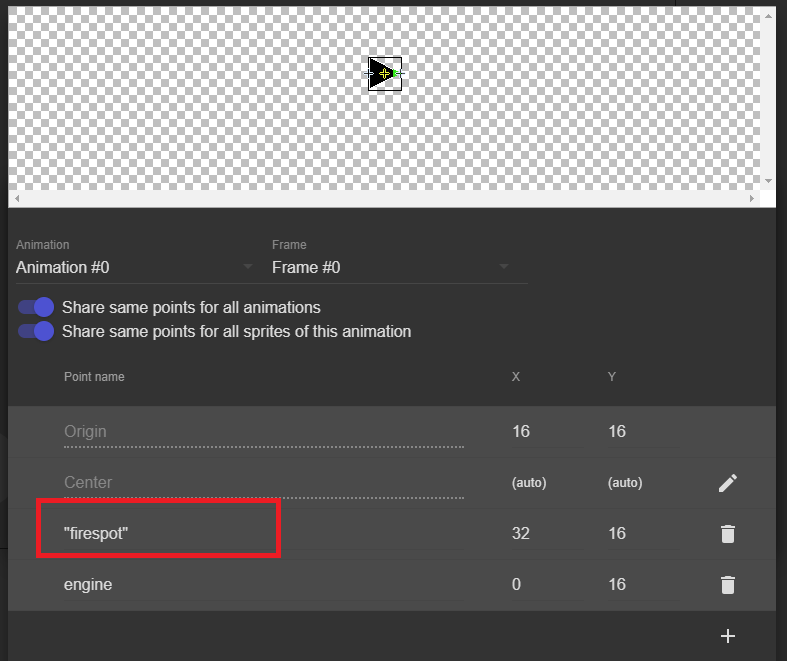
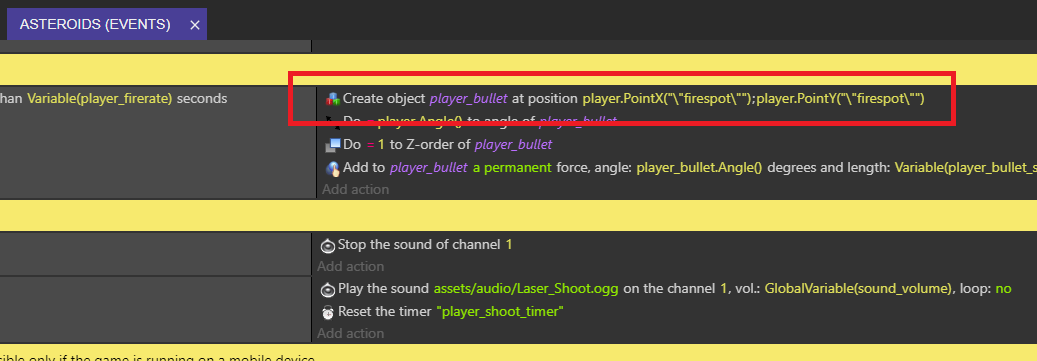
But to a new user who doesn't know, this looks even better!!
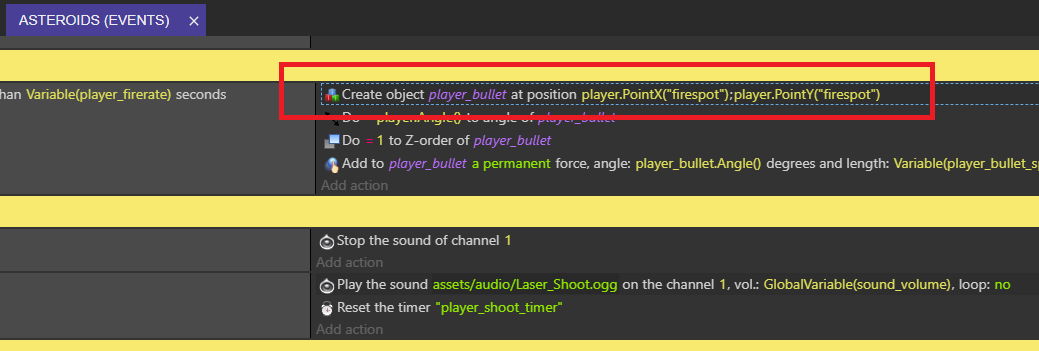
You see my point?
zatsme
on 11 Jan 2019
I see. But on the other hand as you said it's pretty uncommon to put quotes in point names right?
So I would except someone using a quote here to be aware of the formatting of a string with escaped character.
You're still right that it's not obvious the escaping thing.
Maybe the real solution would be to have a dropdown to select points. Like this, GDevelop would format it properly for you (like layers) - so people would "discover" the escaping by themselves just by "watching" GDevelop doing the right thing.
Also maybe we should make it more obvious in the documentation. Finally, the next version will have better error messages that should help people to not forget the quotes around the string :)
What do you think?
4ian
on 11 Jan 2019
Quotes or not, i was just reporting about retrocompatibility, and to be sure the new parser is OK.
Maybe the real solution would be to have a dropdown to select points. Like this, GDevelop would format it properly for you (like layers)
+1, that would be just perfect !
KinkGD
on 11 Jan 2019
Added here to track it: https://trello.com/c/VkHYfatJ/231-add-a-dropdown-selector-when-the-user-has-to-choose-a-point-of-a-sprite-object-in-expressions
4ian
on 11 Jan 2019
Related issues
 Jose-Moreno
·
5Comments
Jose-Moreno
·
5Comments
 BWPanda
·
4Comments
BWPanda
·
4Comments
 Bouh
·
3Comments
Bouh
·
3Comments
 ddabrahim
·
4Comments
ddabrahim
·
4Comments
 PascalLadalle
·
3Comments
PascalLadalle
·
3Comments