Gdevelop: GD5 : Sprite object edition enhancements
Hello,
I've made some propositons on the forum about some enhancements for sprites edition, with screenshots of how it could look like, since i use a lot of complex animation in a project i'm currently making.
http://forum.compilgames.net/viewtopic.php?f=22&t=10633
These features would be really good for productivity, GD5 is really more time consuming than gd4 for sprites edition (animation part, hitboxes part, and basically organisation of a complex animation).
 KinkGD
All 8 comments
Could you add the link to the forum post? :)
 4ian
on 4 Sep 2018
4ian
on 4 Sep 2018
Damn it, it was in ! Sorry here you go : http://forum.compilgames.net/viewtopic.php?f=22&t=10633
KinkGD
on 4 Sep 2018
I'm checking what I can do to add but what should happen in the case the name of the resource is long? I could add ellipsis ("...") but in this case I would need to use the tooltip to show the fullname.
Hitbox is indeed a huge pain point. There is a card there btw: https://trello.com/c/TUhmcpaA/73-add-ability-to-set-action-points-mask-points-by-clicking-on-the-preview-instead-of-typing-x-y which is pretty high in the list.
Zooming is something that would need an important rework to be achieved here I think.
4ian
on 5 Sep 2018
Ok, yes i can only suppose it's a lot work !
What about duplicate frame feature ? Right now it's pretty "hardcore" when i have a lap of 0.07 between each frame and one image wich have to be displayed for 2seconds in the animation.
As i explained, in GD4 , duplicating frames was easy (drag and drop from image list on the right), but the actual way of GD5.. "+" navigate to folder (because the editor don't remember the last opened folder) select image, validate.. again and again!
Another idea from frame duplication : ctrl+click and drag ? (like for event duplication) ?
KinkGD
on 5 Sep 2018
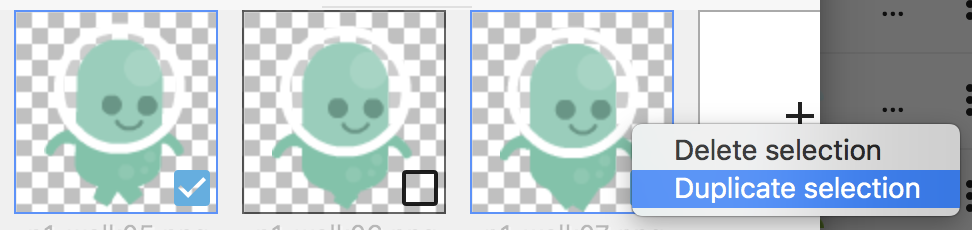
I've added a duplicate button (that will duplicate the sprites selected, i.e: the one you've right clicked but also any other that you've selected with the checkboxes).
Should be in the next version :)
4ian
on 5 Sep 2018
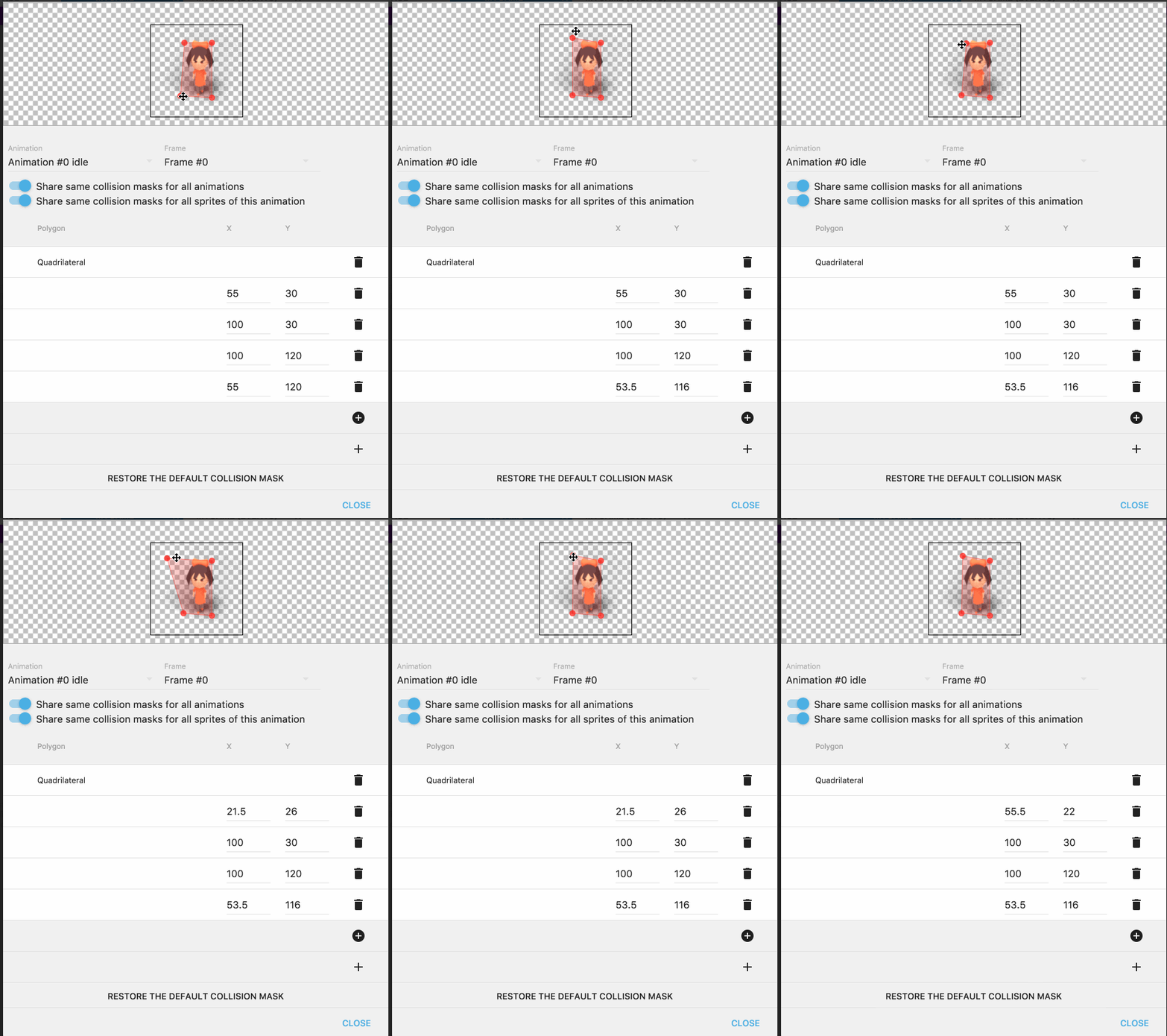
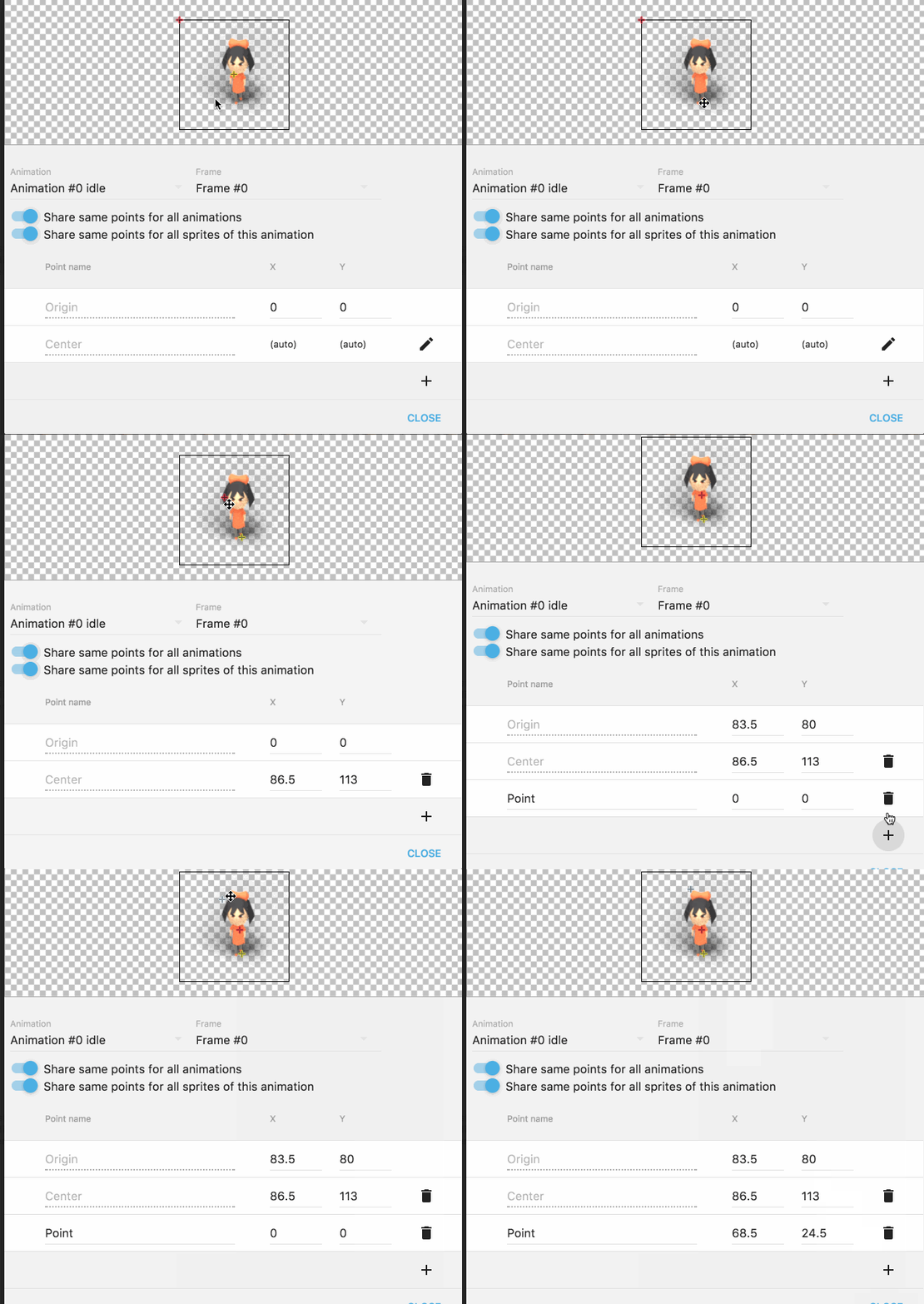
Managed to add drag'n'drop for the vertices of the collision masks and the points :)
Should be welcome as it's true that it was a big pain point.
Zoom is not added because it's more work and I prefer do it step by step. I've added a card there to follow the demand: https://trello.com/c/kPRc19zV/147-add-support-for-zooming-in-out-when-editing-points-hit-boxes-or-in-a-preview-of-a-sprite-in-the-sprite-editor
Will be in the next version!
4ian
on 6 Sep 2018
Very nice work! :D Gdevelop's newIde is becoming more and more usable every day!
 blurymind
on 10 Sep 2018
blurymind
on 10 Sep 2018
I'm closing this issue as there is no bug (and I want to keep GitHub issues for bugs) and instead have made a card on the roadmap about showing the resource name below the images (or when hovering them): https://trello.com/c/Rrltmxda/168-display-name-of-the-resource-below-images-or-when-hovering-them
Discussion can continue here though, there is a link to it in the Trello card :)
4ian
on 3 Oct 2018
Related issues
4ian
·
3Comments
 Bouh
·
4Comments
Bouh
·
4Comments
 Wend1go
·
5Comments
Wend1go
·
5Comments
 giusreds
·
4Comments
Wend1go
·
3Comments
giusreds
·
4Comments
Wend1go
·
3Comments
Most helpful comment
Managed to add drag'n'drop for the vertices of the collision masks and the points :)
Should be welcome as it's true that it was a big pain point.
Zoom is not added because it's more work and I prefer do it step by step. I've added a card there to follow the demand: https://trello.com/c/kPRc19zV/147-add-support-for-zooming-in-out-when-editing-points-hit-boxes-or-in-a-preview-of-a-sprite-in-the-sprite-editor
Will be in the next version!