Gdevelop: Scrolling does not work properly on Windows
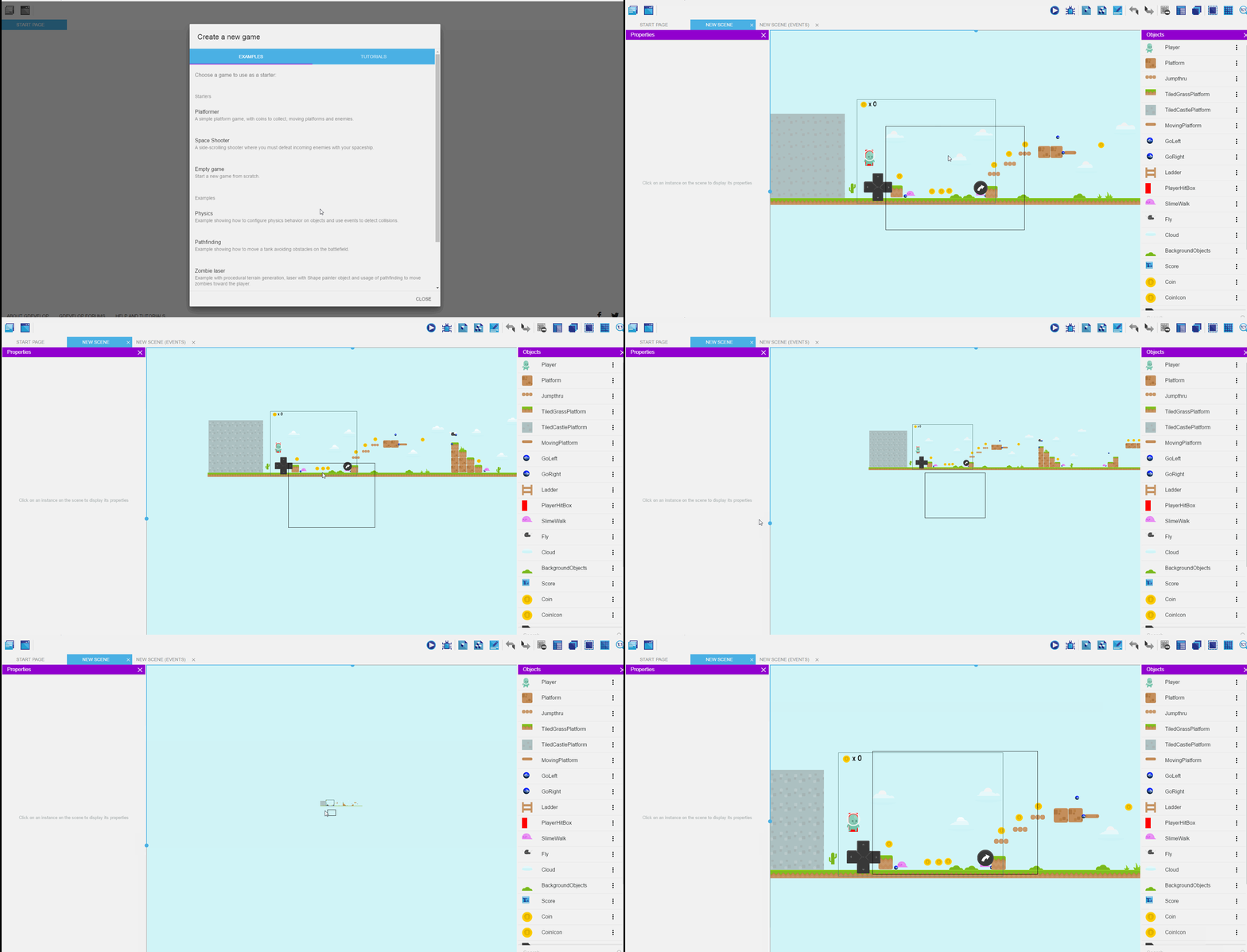
When using GDevelop 5 (Beta 29) on Windows, scrolling with the mouse wheel also activates zooming, even if Ctrl is not pressed.
The attached images show that the scrollbars are moving.
Simply using the mouse wheel, zooming activates parallelly to vertical scrolling:
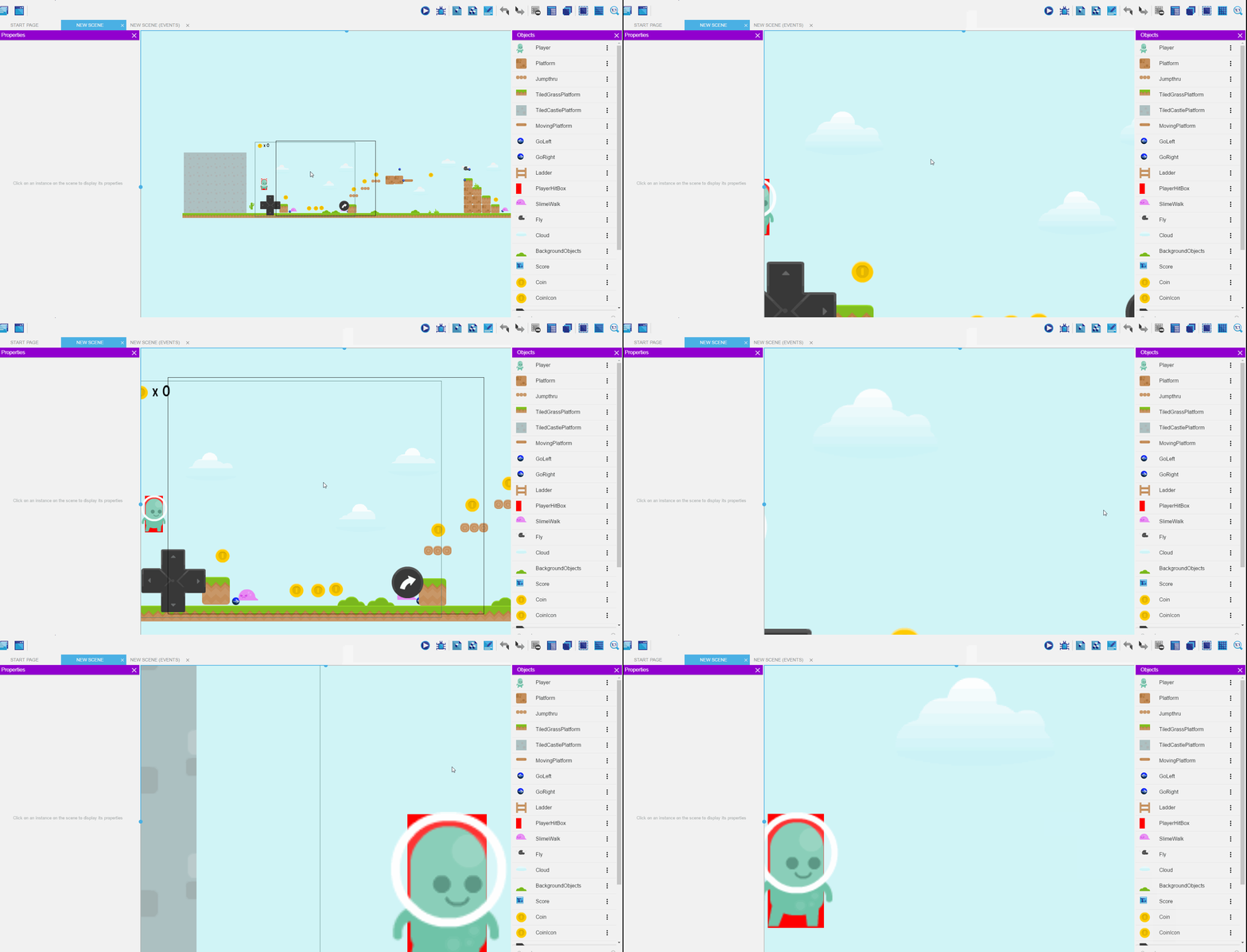
When holding the Alt key down whilst scrolling with the mouse wheel, zooming happens again, and curiously, although horizontal scrolling is active as well, it is very slow.
It looks as if actually only zooming happens, but with a constant focus point, since the direction is the same regardless of the mouse pointer position:
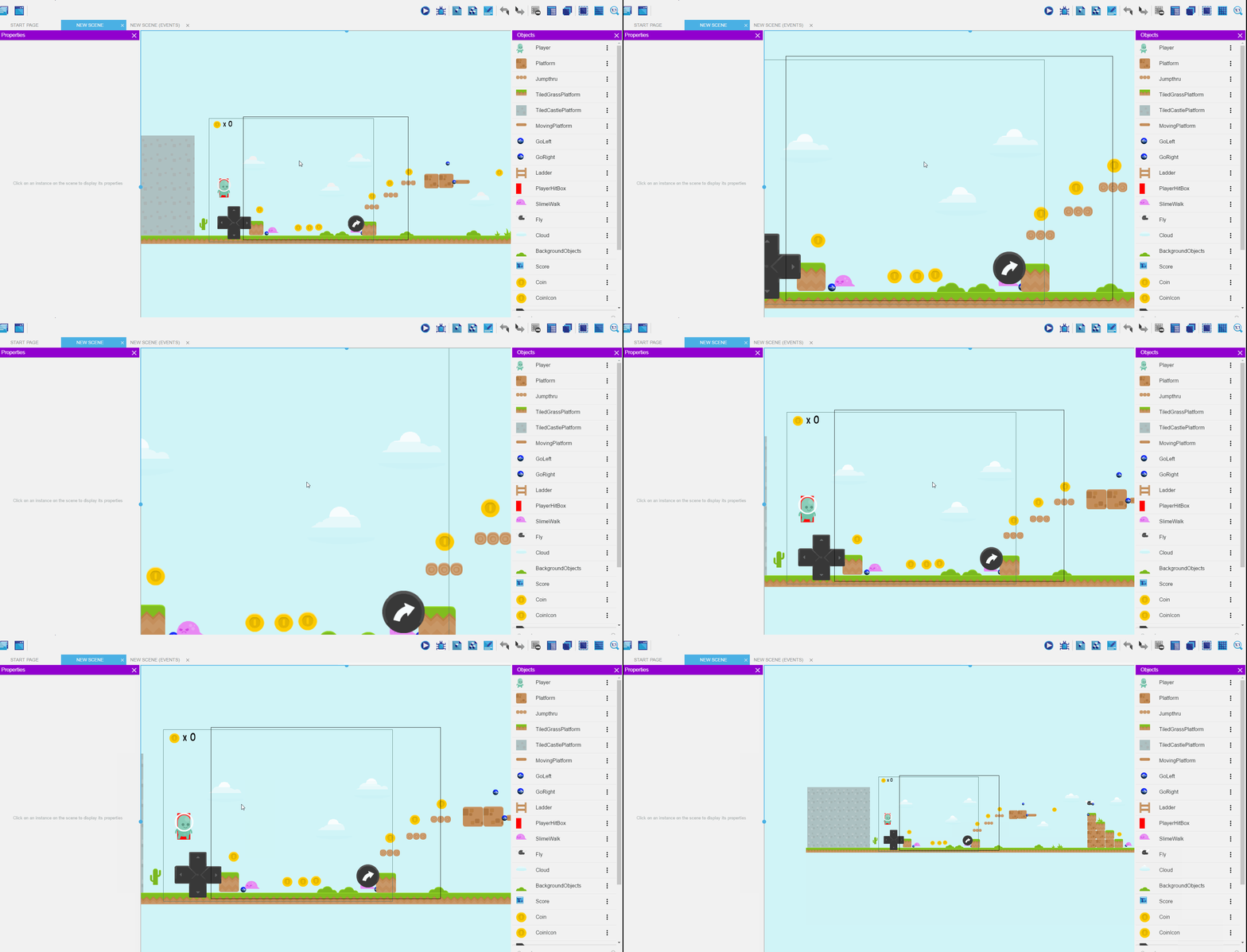
Zooming via the Ctrl key and the mouse wheel seems to work just as expected, with neither of the scroll bars moving:
This did not happen to me on Linux.
I can not try it on a Mac, since I don't have one.
 Nnarol
All 25 comments
Can you try with the latest version beta34? @blurymind have remodeled the way the scrolling work in the latest beta version so it might be better?
 4ian
on 21 May 2018
4ian
on 21 May 2018
Ah that is strange - I remember fixing this. Does it also happen on the latest beta version?
 blurymind
on 21 May 2018
blurymind
on 21 May 2018
I have to check, thanks for the tip! Actually, before filing the issue, I checked if I had the same version that the website offers for download, and it was beta 29.
Is beta 34 the latest master, but 29 the one on the website?
Nnarol
on 21 May 2018
It will take some time before I can test it, since my dev toolchain is not set up on Windows yet.
Nnarol
on 21 May 2018
Oops I forgot to update the links on the website. Should be good now :)
You can always download the latest version from GitHub in case you have a doubt from this page: https://github.com/4ian/GD/releases
4ian
on 21 May 2018
Thanks a lot! I'll try the downloaded version then!
Nnarol
on 21 May 2018
Nope, it still behaves the same, unfortunately.
I also tried it this time with the touchpad. It is buggy, but somehow differently:
When trying to scroll (up and down), it scrolls much slower than with the mosue wheel, but zooms really fast.
Wiping left and right causes smooth, but fast zooming, also sideways scrolling at a normal speed.
Scrolling with the Alt button pressed just blocks both scrolling and zooming.
Scrolling with Ctrl pressed results in a really slow, jerky zooming. I suspect that the program tries to carry out several actions simultaneously, because the driver signals a movement in more than one direction during the wipe gesture .
Touchpads are tricky sometimes, no matter what the use case. Different drivers cause them to behave vastly differently.
Nnarol
on 21 May 2018
I can look into this in the weekend. Are there any steps that could help reproduce the problem?
It doesn't behave that way on my computer with windows 10 - in terms of scrolling. I havent yet added alt modifier to pan when scrolling or properly tested with touchpad. This is something that could be improved - but I need to be able to reproduce the bad behavior in order to fix it. The scroll issue seems most important to fix.
I hope this is not a computer specific issue
blurymind
on 22 May 2018
@blurymind I tried it on Windows 8.1 . My mouse is a Bloody V4M, with no special drivers installed on the PC, although the mouse's memory does contain flashed settings from configuration software.
I think I have a really cheap mouse lying around, although if I remember correctly, its wheel is long dead, so I may or may not be able to try that one out.
Is there any log that GDevelop provides that I can include to help you?
I would also gladly try to help debugging this, but I've never programmed in JavaScript before and I just installed VS Code, it still needs more configuration until I can properly use it for debugging.
Nnarol
on 22 May 2018
Will have a crack at this in the weekend. I need you to help me with testing
If you want to try fixing it/play with the code, the newIDE is fantasically easy to get started on in terms of setup for dev work. It doesnt have dependencies, apart of nodejs. You install nodejs, then a few commands later you will have the newide running live in a web browser . @4ian has great instructions on how to get started here btw:
https://github.com/4ian/GD/blob/master/newIDE/README.md
blurymind
on 23 May 2018
I already built newIDE and tried it from the browser. Not that there were no roadblocks, but I managed to resolve most of them.
Playing with the code is one thing, but I would rather not implement fixes using a technology I am not familiar with. What I meant was discovering the error and communicating it with you or others. However, for doing that efficiently, I would need a debugger, which is what I'm working on.
Unfortunately, I have quite some work to do during the week, and on saturday, I'll be doing a workshop (using GDevelop :D), so my time will be limited.
BTW where can we communicate so that we don't pollute the Github issue with irrelevant details?
Nnarol
on 23 May 2018
@Nnarol electron has a debugger which is opened by default. Follow the instructions on running it through electron. From there on debugging can be done by logging to the console variables, but also through the many other helpful features of the debugger.
For the web version you can use your web browser's debugger - its usualy assigned to F12 (chrome) - if you are on chrome its the same as electron's :)
Debugging and playing with the code can help us find the issue.. plus it's fun
The stuff responsible for the scrolling logic is in
newIDE/app/src/InstancesEditor/index.js
and
newIDE/app/src/UI/KeyboardShortcuts/index.js
btw
I was new to javascript a few months ago and actually come from more of a python/ahk exerience. Picking up an open source project is a great way to learn it imo. Javascript is really well documented online and is actually kind of awesome in some ways :D
I will try to fix this, but just pointing this info out to see if it tickles your curiousity
Feel free to play with the code, see if you can fix or break something. If you are not confident- you dont have to do a pull request
blurymind
on 23 May 2018
@Jeje2201 do you also get this issue? Also what version of windows were you on?
blurymind
on 24 May 2018
Am I a beta tester now ? haha jk
What do you want me to try ? Zooming with the mouse weel, and same with alt press and same with ctrl press, using recent release beta 36 on my computer ?
 Jeje2201
on 24 May 2018
Jeje2201
on 24 May 2018
@Jeje2201 I included you because you reported the previous scroll issue we had :D
I actually need to do some work on scrolling while a modifier key is pressed. You can both help me when I submit the pull request - by testing if it fixes the issue.
So to recap the expected behavior is:
scroll without modifier = zoom in/out
scroll + ctrl = pan horizontaly
scroll + alt = pan vertically
blurymind
on 24 May 2018
I don't know if this is the test you asked for ._.
I tried the different zoom you recaped.
Im using Windows 10, Gd5 Beta 36, on a laptop, and I use a normal mouse, just to make sure im not an alien.
You can see what I pressed but to be sure:
- I zoomed without pressing anything, it zoomed while moving vertically
- I zoomed while pressing alt, it zoomed while moving horizontaly
- I zoomed while pressing ctrl, it zoomed as a normal zoom without moving anything
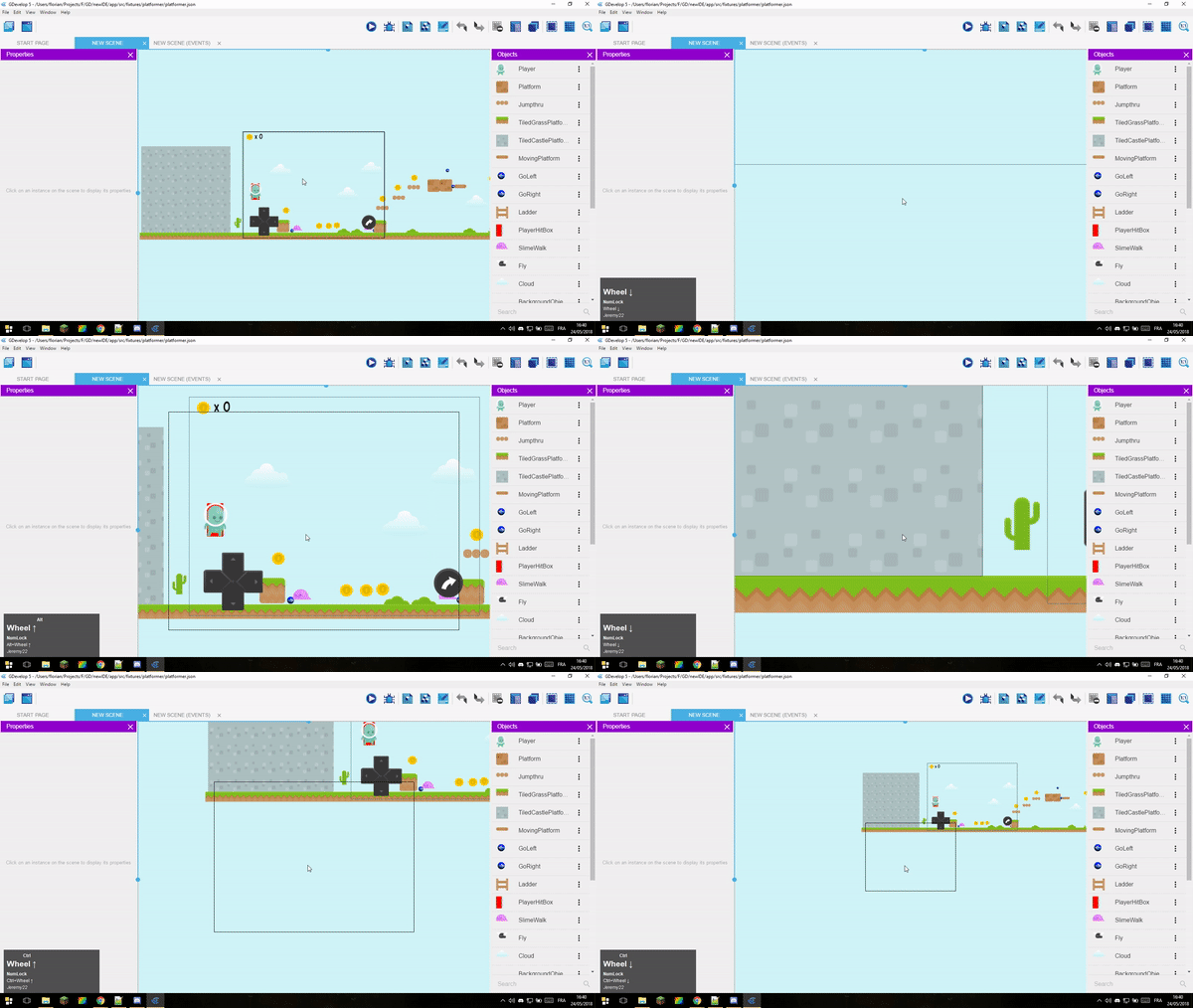
So it look like it's same as what @Nnarol showed on his first post ?
Jeje2201
on 24 May 2018
Ah I see. There must have been a regression somewhere along the way. I am now looking into this and will try to fix it
blurymind
on 24 May 2018
I made a pull request that fixes the problems.
Please let me know if it works for you:
https://github.com/4ian/GD/pull/500
:)
Should work as expected now!
Thank you for reporting this problem and testing
blurymind
on 24 May 2018
Can you check with beta 37 and let me know if it's better?
4ian
on 25 May 2018
Thanks for the work!
I checked it, and now it does behave consistently, albeit invertedly, if I'm not mistaken: now simply turning the mouse wheel zooms, and doing it while pressing Ctrl scrolls. Alt scrolling works as expected.
I think this is "inverted" based on what I got used to using other applications, for example browsers, where Ctrl + mouse wheel zooms, simply mouse wheel scrolls.
BTW, the new Piskel feature looks awesome :)
Unfortunately, I have to go to work now. Although I cannot try GDevelop out at work, I can still comment at certain intervals, as I have been indeed doing lately. :D
Nnarol
on 25 May 2018
@Nnarol Ah glad it works now 👍 and thank you! :)
When I was working on the scrolling to zoom logic for windows/linux, I was already thinking about integrating Piskel in Gdevelop.
So the reason I chose the design of scrolling to zoom without the need of modifier keys is:
- To be consistent with Piskel and all the other open source graphics software (Krita, Gimp, Blender, Godot engine, etc)
- It's a design that enables complete navigation with only one hand and button - the middle mouse button alone can both zoom and pan. In some proprietary software that is not the case of course.
In web browsers scrolling is reserved to panning vertically web pages instead of zooming - because most web pages are vertical strips you scroll down to read - its something you have to do alot. In graphics software we zoom in/out a lot more than pan vertically. When we pan- it's both vertically and horizontally - so the middle mouse button click is reserved for that. Game map layouts tend to expand both horizontally and vertically, but mostly horizontally - because in many games you walk left to right to progress. In that regard they are different from web documents. Thats where ctrl/alt+scroll can be useful too
In the future it should ideally be configurable of course - but my strong belief is that this is a very good default that is well established in other open source software and is easy to learn/get used to :)
Btw you can change it by editing
newIDE/app/src/UI/KeyboardShortcuts/index.js
With this last commit it is now more straightforward to change
Anyways we can close this issue now
blurymind
on 25 May 2018
@blurymind I can see your reasoning, and am glad that this works now. Thank you again.
Indeed, I think this issue can be closed as well.
Nnarol
on 25 May 2018
Great explanation, thanks to both of you :)
@blurymind I guess your explanation could even be part of a wiki page about "Mouse usage in scene editor" :)
4ian
on 25 May 2018
@4ian we can use it if you want to :)
blurymind
on 25 May 2018
Yes feel free to go and add it somewhere if you have time :)
4ian
on 25 May 2018
Related issues
 PascalLadalle
·
3Comments
PascalLadalle
·
3Comments
 Phenomena3
·
5Comments
4ian
·
4Comments
Phenomena3
·
5Comments
4ian
·
4Comments
 ddabrahim
·
4Comments
ddabrahim
·
4Comments
 Jose-Moreno
·
5Comments
Jose-Moreno
·
5Comments
Most helpful comment
I made a pull request that fixes the problems.
Please let me know if it works for you:
https://github.com/4ian/GD/pull/500
:)
Should work as expected now!
Thank you for reporting this problem and testing