Gb-studio: [Bug] Window frame of Display text is unexpected display.
I'm submitting a ...
- [x] bug report
- [ ] feature request
- [ ] support request => Please do not submit support request here, see note at the top of this template.
Do you want to request a feature or report a bug?
report a bug.What is the current behavior?
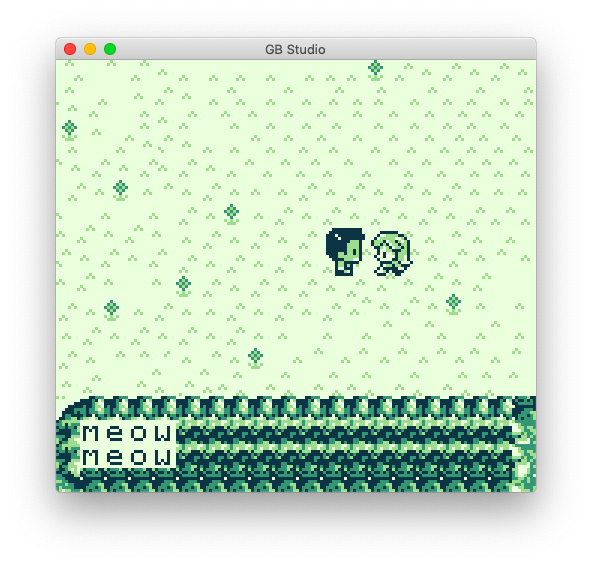
Window frame of Display text is unexpected display if add a scene by any images.If the current behavior is a bug, please provide the steps to reproduce and if possible a minimal demo of the problem
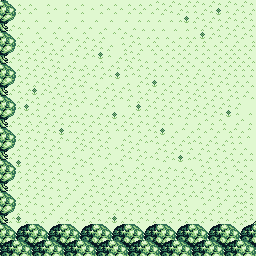
- Add backgrounds image by Explorer or Finder etc. *FYI: outside_03.png
- Add a scene that image as added by step 1.
- Add any actor and add display text of actor script.
- Game run.
- Press the actor added by step 3.
- Window frame of display text is unexpected display. (←bug) *FYI: issue_02_bug.png
- What is the expected behavior?
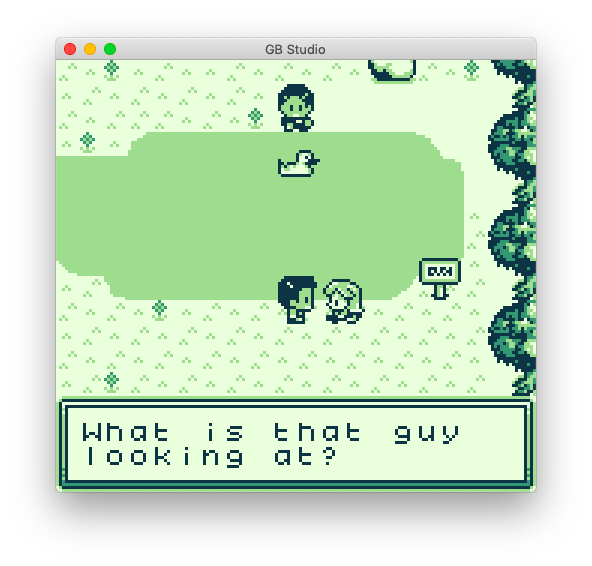
Display with correct frame window in step 6.
FYI: issue_03_expect.png
What is the motivation / use case for changing the behavior?
FYI. stepsPlease tell us about your environment:
- Version: 1.0.0
- Platform: [macOS]
Other information (e.g. detailed explanation, stacktraces, related issues, suggestions how to fix, links for us to have context, eg. stackoverflow, gitter, etc)
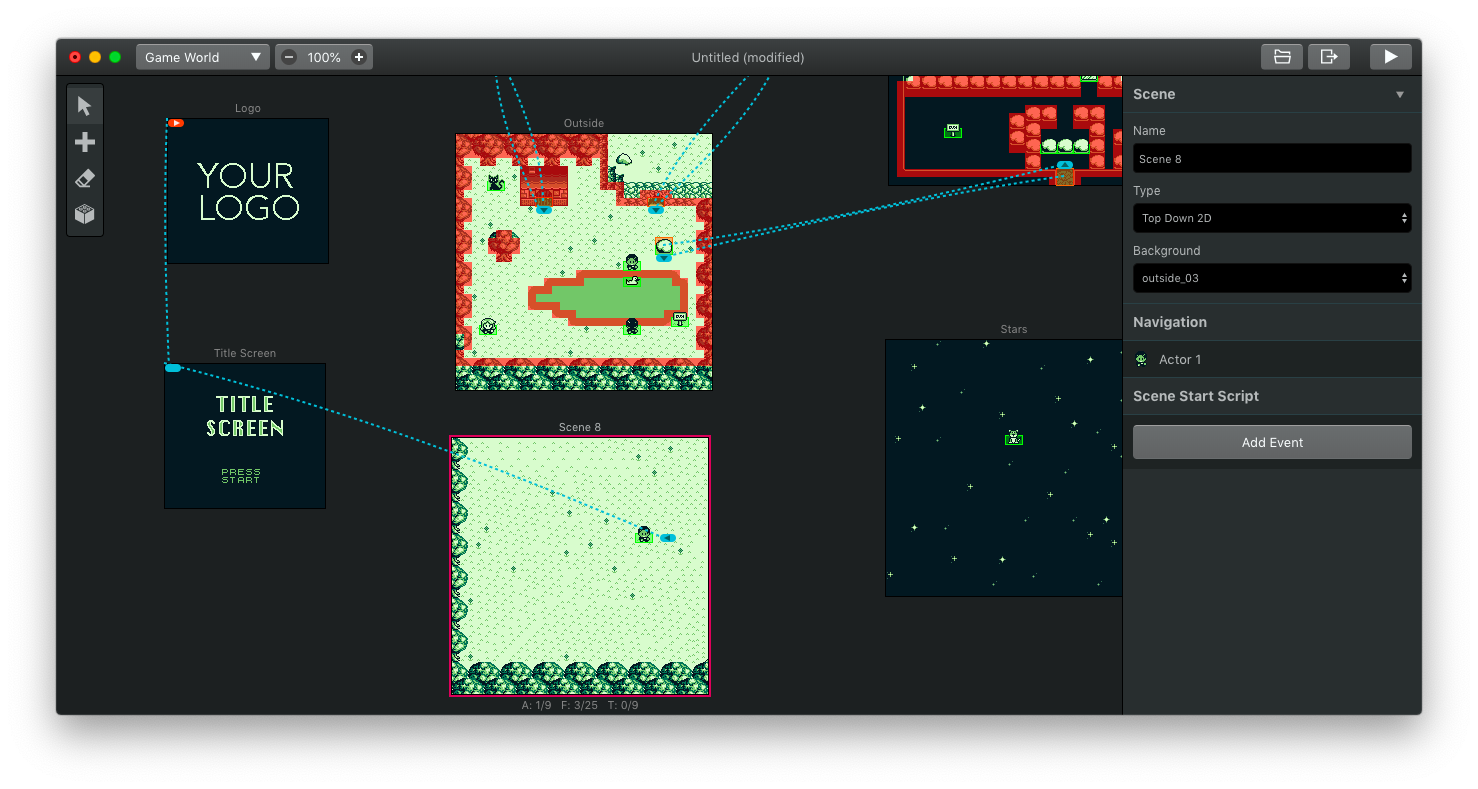
FYI images.
issue_01.png
issue_02_bug.png
issue_03_expect.png
outside_03.png
Finally, I'm sorry that my English isn't very good
 kurosukee
All 3 comments
Thank you for providing the images!
The problem is your Background image is too detailed!
The screen is made of 8x8 pixel squares, you must repeat many squares on the grid, so that the Gameboy can re-use the same 8x8 square everywhere, and have room for the text box graphics.
Double click the Run button, you will see a lot of technical words, but the orange ones are important,

- Background 'outside_03.png.png' contains too many unique 8x8px tiles (217 where limit is 192).
To fix this, I recommend the program Tiled, https://www.mapeditor.org/
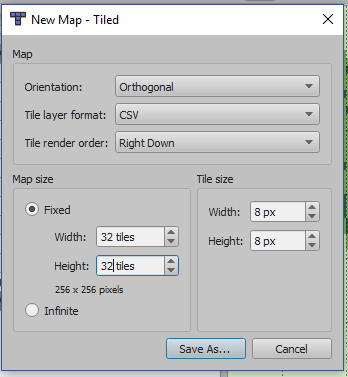
- Create a new file, 32x32 map, 8x8 tile size.
- Press, New Tileset... Find your background, make sure it is 8px by 8px

- Select everything in the tileset, then click in the map window.
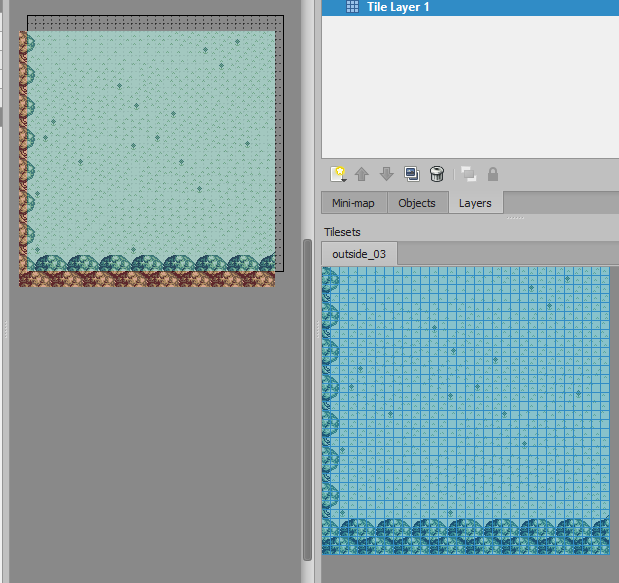
- Then pick one square on the tile set, and place it on the map in many places you can repeat.
- "Save", and "Export as Image" to make your repeated background.
Hope you can follow that tutorial, good luck!
 RichardULZ
on 6 May 2019
RichardULZ
on 6 May 2019
You can also use this tool "Gameboy Tile Data Generator" which automatically searches for the same tiles in your map and reduces the size if possible:
https://github.com/chrisantonellis/gbtdg
 Zzausch
on 6 May 2019
Zzausch
on 6 May 2019
I have solved thanks to your support.
kurosukee
on 6 May 2019
Related issues
 diguifi
·
7Comments
diguifi
·
7Comments
 josefnpat
·
4Comments
josefnpat
·
4Comments
 meaninglessname
·
5Comments
meaninglessname
·
5Comments
 Shokupanda
·
7Comments
RichardULZ
·
6Comments
Shokupanda
·
7Comments
RichardULZ
·
6Comments
Most helpful comment
I have solved thanks to your support.