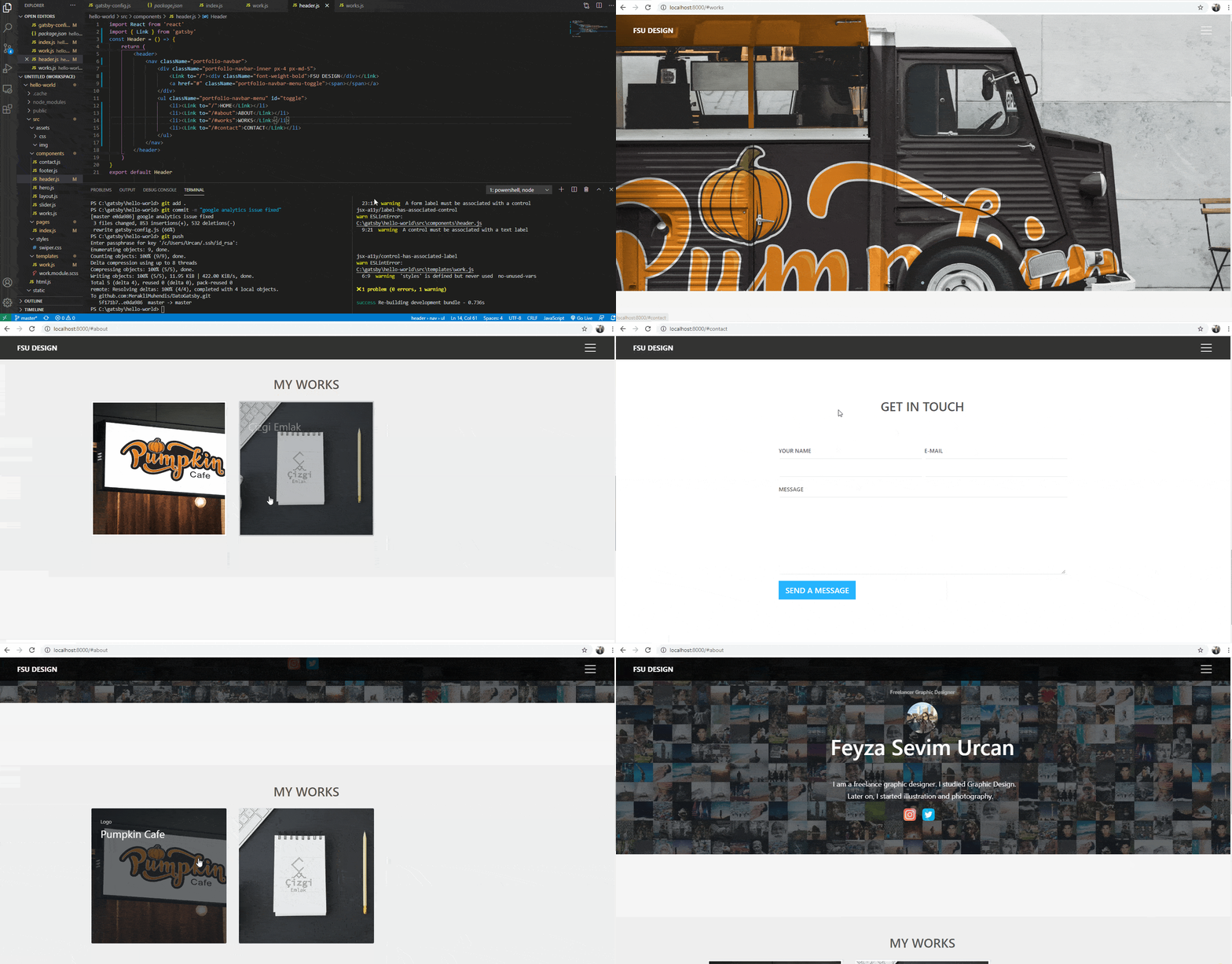
Gatsby: Gatsby Link doesn't navigate to fragment links when triggered on own page.
i tried a few things but, i couldn't handle it.
It's work when triggered on other pages but, doesn't work on own page.
navbar component

issue
System:
OS: Windows 10 10.0.19041
CPU: (8) x64 AMD FX(tm)-8300 Eight-Core Processor
Binaries:
Node: 12.18.4 - C:\Program Files\nodejs\node.EXE
Yarn: 1.22.5 - C:\Program Files (x86)\Yarn\binyarn.CMD
npm: 6.14.6 - C:\Program Files\nodejs\npm.CMD
Browsers:
Chrome: 86.0.4240.75
Edge: Spartan (44.19041.423.0)
npmPackages:
gatsby: ^2.24.76 => 2.24.76
gatsby-background-image: ^1.1.2 => 1.1.2
gatsby-image: ^2.4.21 => 2.4.21
gatsby-plugin-google-analytics: ^2.3.18 => 2.3.18
gatsby-plugin-layout: ^1.3.13 => 1.3.13
gatsby-plugin-sass: ^2.3.13 => 2.3.13
gatsby-source-datocms: ^2.5.2 => 2.5.2
npmGlobalPackages:
gatsby-cli: 2.12.100
 tolgaurcan
All 2 comments
Thank you for opening this!
Gatsby's Link component is for linking to other pages (that's why your transitions from other pages work). For in-page anchors you should use the anchor <a> tag.
We're marking this issue as answered and closing it for now but please feel free to comment here if you would like to continue this discussion. We also recommend heading over to our communities if you have questions that are not bug reports or feature requests. We hope we managed to help and thank you for using Gatsby!
 LekoArts
on 14 Oct 2020
LekoArts
on 14 Oct 2020
@LekoArts All anchor links in gatsbyjs.com from the right sidebar don't seem to be working.
 dbismut
on 18 Oct 2020
dbismut
on 18 Oct 2020
Related issues
 3CordGuy
·
3Comments
3CordGuy
·
3Comments
 andykais
·
3Comments
andykais
·
3Comments
 dustinhorton
·
3Comments
dustinhorton
·
3Comments
 hobochild
·
3Comments
hobochild
·
3Comments
 timbrandin
·
3Comments
timbrandin
·
3Comments
Most helpful comment
@LekoArts All anchor links in gatsbyjs.com from the right sidebar don't seem to be working.