Gatsby: Using a 3rd party JS that requires DOM manipulation
Summary
I have a 3rd party script from Vagaro which is a booking and salon management software. I am trying to embed their booking widget into a gatsby app and not able to figure it out.
Relevant information
Here is the provided script from vagaro:
<div id='frameTitle' class='embedded-widget-title' style='font-size: 23px; color: #333;font-family:Arial, Helvetica, sans-serif; line-height:24px; padding: 18px 10px 8px; text-align: center; -webkit-box-sizing: border-box; -moz-box-sizing: border-box; box-sizing: border-box;'>Book Now</div>
<script type="text/javascript" src="https://www.vagaro.com//resources/WidgetEmbeddedLoader/OZqpC3KmDoPqFJ5y79oz34mC2PeFJ4mC30m9cyUeJUtjP0dDxkJEvwPapWUep2sERAJDXwPW?v=ODsBaSX3fAjL7cvyixcwprnB9ZVEv464jkmDIZyhErX#"></script></div>
I have tried using Helmet, and adding the script to the html.js file directly as well, and then placing the target div with the ID on the page I want it.
All that displays is the "Book Now" text and the widget is not injected into that div.
Environment (if relevant)
System:
OS: macOS Sierra 10.12.6
CPU: (4) x64 Intel(R) Core(TM) i5-5257U CPU @ 2.70GHz
Shell: 5.2 - /bin/zsh
Binaries:
Node: 10.4.1 - /usr/local/bin/node
Yarn: 1.6.0 - /usr/local/bin/yarn
npm: 6.1.0 - /usr/local/bin/npm
Browsers:
Chrome: 71.0.3578.98
Safari: 11.1.1
npmPackages:
gatsby: ^2.0.53 => 2.0.53
gatsby-image: ^2.0.20 => 2.0.20
gatsby-plugin-manifest: ^2.0.9 => 2.0.9
gatsby-plugin-offline: ^2.0.16 => 2.0.16
gatsby-plugin-react-helmet: ^3.0.2 => 3.0.2
gatsby-plugin-sharp: ^2.0.14 => 2.0.14
gatsby-source-filesystem: ^2.0.8 => 2.0.8
gatsby-transformer-sharp: ^2.1.8 => 2.1.8
npmGlobalPackages:
gatsby-cli: 2.4.6
File contents (if changed)
gatsby-config.js: N/A
package.json: N/A
gatsby-node.js: N/A
gatsby-browser.js: N/A
gatsby-ssr.js: N/A
 krichdev
All 10 comments
Hi!
Could you share a link to your repository or create a minimal reproduction repository where you're trying to include this script?
 LekoArts
on 29 Dec 2018
LekoArts
on 29 Dec 2018
Here is a minimal repro repository, I have exposed the html.js in src/html.js and that is where I put the script tag included from the Vagaro. Then in pages/index.js I included the target div with the corresponding ID.
https://github.com/krichdev/gatsby-script-test
Here is what was provided from Vagaro:
<div id='frameTitle' class='embedded-widget-title' style='font-size: 23px; color: #333;font-family:Arial, Helvetica, sans-serif; line-height:24px; padding: 18px 10px 8px; text-align: center; -webkit-box-sizing: border-box; -moz-box-sizing: border-box; box-sizing: border-box;'>Book Now</div>
<div class="vagaro" style="width:250px; padding:0; border:0; margin:0 auto; text-align:center;"><style>.vagaro a {font-size:14px; color:#AAA; text-decoration:none;}</style><a href="https://sales.vagaro.com/">Powered by Vagaro</a> <a href="https://sales.vagaro.com/salon-software">Salon Software</a>, <a href="https://sales.vagaro.com/spa-software">Spa Software</a> & <a href="https://sales.vagaro.com/fitness-software">Fitness Software</a><script type="text/javascript" src="https://www.vagaro.com//resources/WidgetEmbeddedLoader/OZqpC3KmDoPqFJ5y79oz34mC2PeFJ4mC30m9cyUeJUtjP0dDxkJEvwPapWUep2sERAJDXwPW?v=ODsBaSX3fAjL7cvyixcwprnB9ZVEv464jkmDIZyhErX#"></script></div>
@krichdev It appears that https://www.vagaro.com//resources/WidgetEmbeddedLoader/OZqpC3KmDoPqFJ5y79oz34mC2PeFJ4mC30m9cyUeJUtjP0dDxkJEvwPapWUep2sERAJDXwPW?v=ODsBaSX3fAjL7cvyixcwprnB9ZVEv464jkmDIZyhErX#" is returning 403 Forbidden
 sidharthachatterjee
on 31 Dec 2018
sidharthachatterjee
on 31 Dec 2018
Hi @sidharthachatterjee thank you for looking at this and helping! I am not seeing the 403 error, are you seeing that in the network tab or when you visit the URL directly?
krichdev
on 31 Dec 2018
I saw this in the network tab @krichdev
It seems to work fine now though. I took a look at the script that is downloaded and couldn't find any reference to frameTitle anywhere.
I suspect the provided script or target div ID is incorrect. Could you link to their documentation?
sidharthachatterjee
on 1 Jan 2019
@sidharthachatterjee the 403 is due to the fact that the url is incorrect you have a extra / in there, like so
https://www.vagaro.com//<--here resources/.... . If you fire up chrome and to to the url manually chrome will remove the extra / and parse it correctly and you should get the js contents.
@krichdev this issue was a fun one. i've searched for vagaro api and found this url that got me started on how resolve this issue, or at least point me in the right direction.
While i was reading it i was cloning your example repo and installing the dependencies.
With that out of the way let's move onto on how i managed to load the vagaro widget into gatsby.
- I've started by issuing
gatsby developand check the output of thehtml.jsfile. And also what was happening in the network tab in the developer tools. I found out that the url vagaro provides has a extra/like i said before. - I've adjusted the url and no 403 errors since then.
- So that i know what to expect i've created a dummy project with a basic html page being served, It showed me the widget without any issues.
- With the cloned copy of your repository, i removed the
html.jsfile, - Created a full blown class component called
Bookingwith the following structure.
import React, { Component } from 'react'
class Booking extends Component {


  componentDidMount(){
    const script=document.createElement('script')
    script.src="https://www.vagaro.com/resources/WidgetEmbeddedLoader/OZqpC3KmDoPqFJ5y79oz34mC2PeFJ4mC30m9cyUeJUtjP0dDxkJEvwPapWUep2sERAJDXwPW?v=ODsBaSX3fAjL7cvyixcwprnB9ZVEv464jkmDIZyhErX#"
    script.async=true;
    this.instance.appendChild(script)

  }
  render() {
    return (
      <div>
        <div
          id="frameTitle"
          className="embedded-widget-title"
          style={{
            fontSize: '23px',
            color: '#333',
            fontFamily: 'Arial, Helvetica, sans-serif',
            lineHeight:'24px',
            padding:'18px 10px 8px',
            textAlign:'center',
            boxSizing:'border-box'
          }}
        >
          Book Now
        </div>
        <div ref={el => (this.instance = el)} className="vagaro">
        </div>
      </div>
    )
  }
}
export default Booking
As you read the code, you might see some similiarities between the code that vagaro provides. The styling was adjusted to reflect that.
What is happening here is that when the component is mounted i'm creating the script element on the fly and it's going to be injected on the node using React refs.
As the loading is asynchronous you will be presented with the following first.
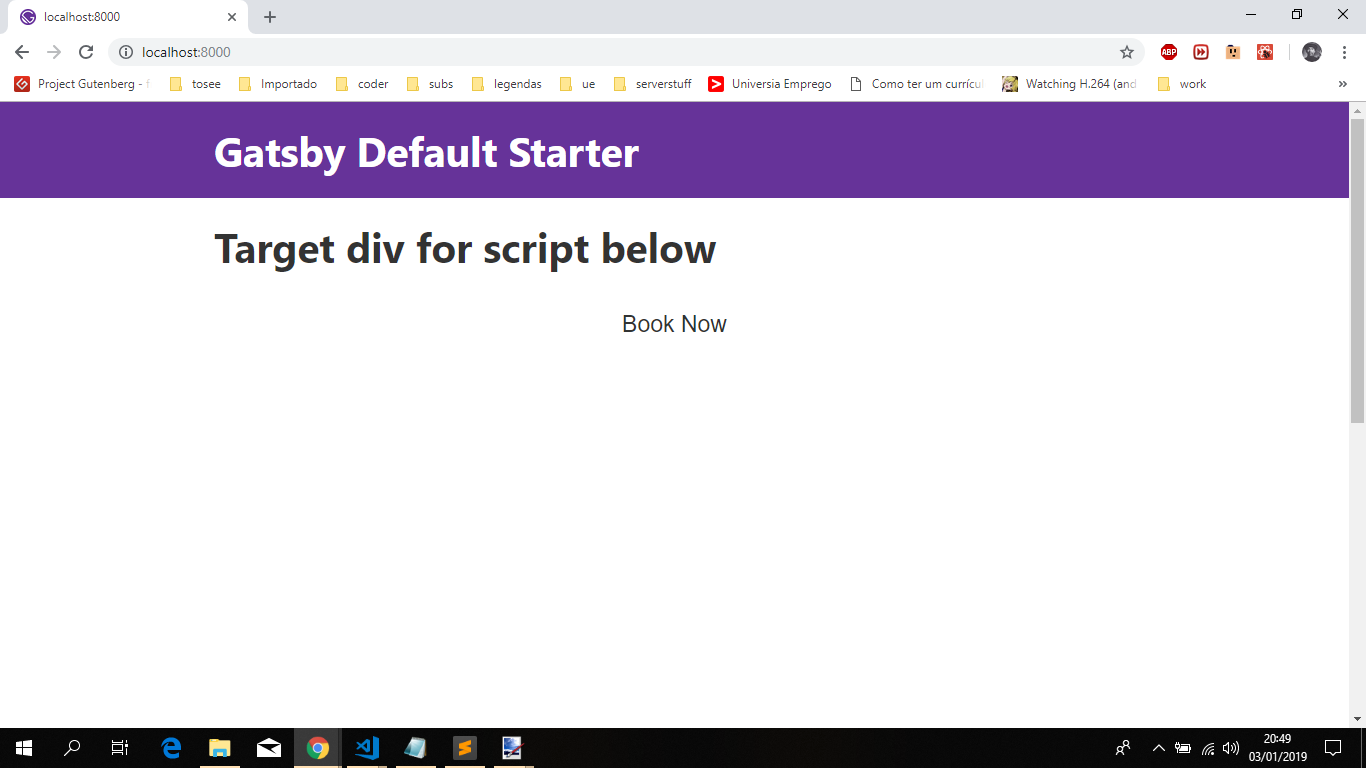
Afterwards when it's loaded you're then presented with:

I took it a step further and issued gatsby build && gatsby serve, in order to create a production build, so that i could see if any issues would arise and once again the result was the following:
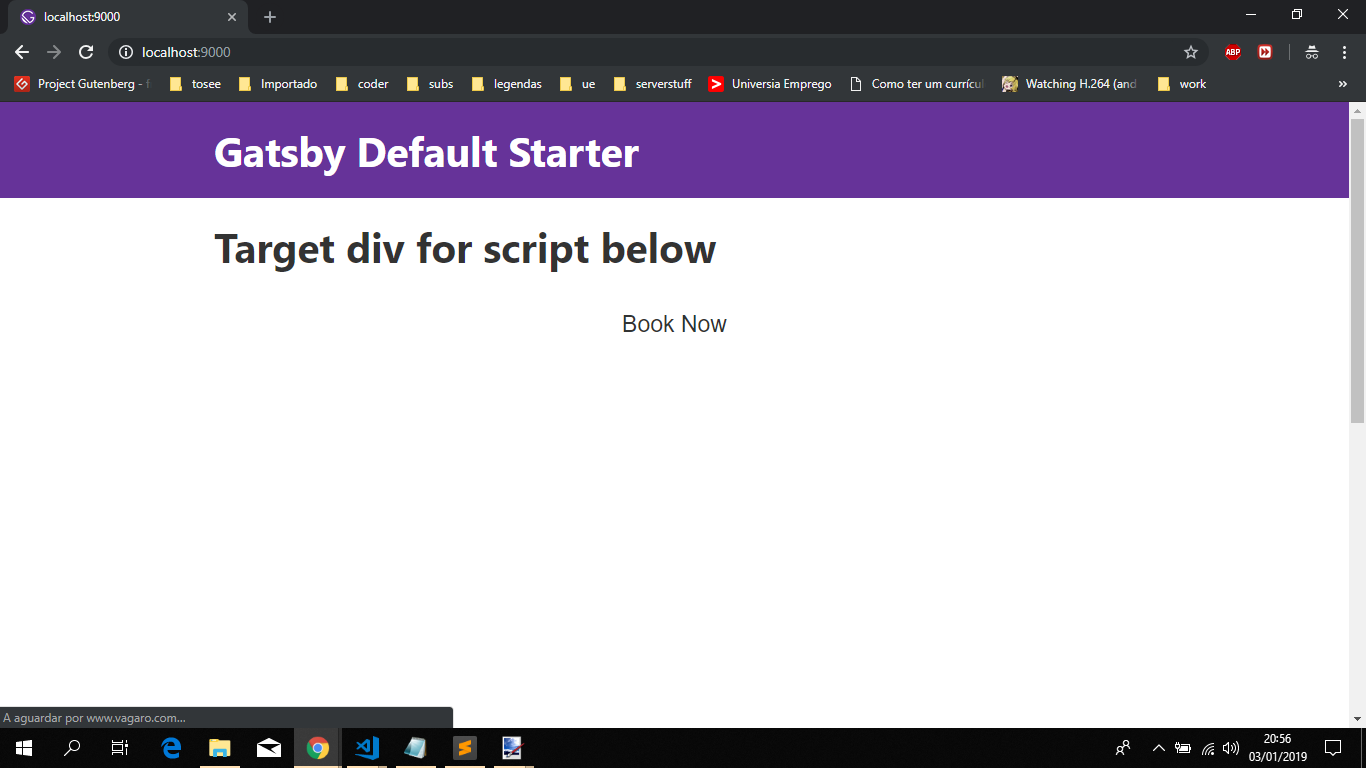
And when loaded
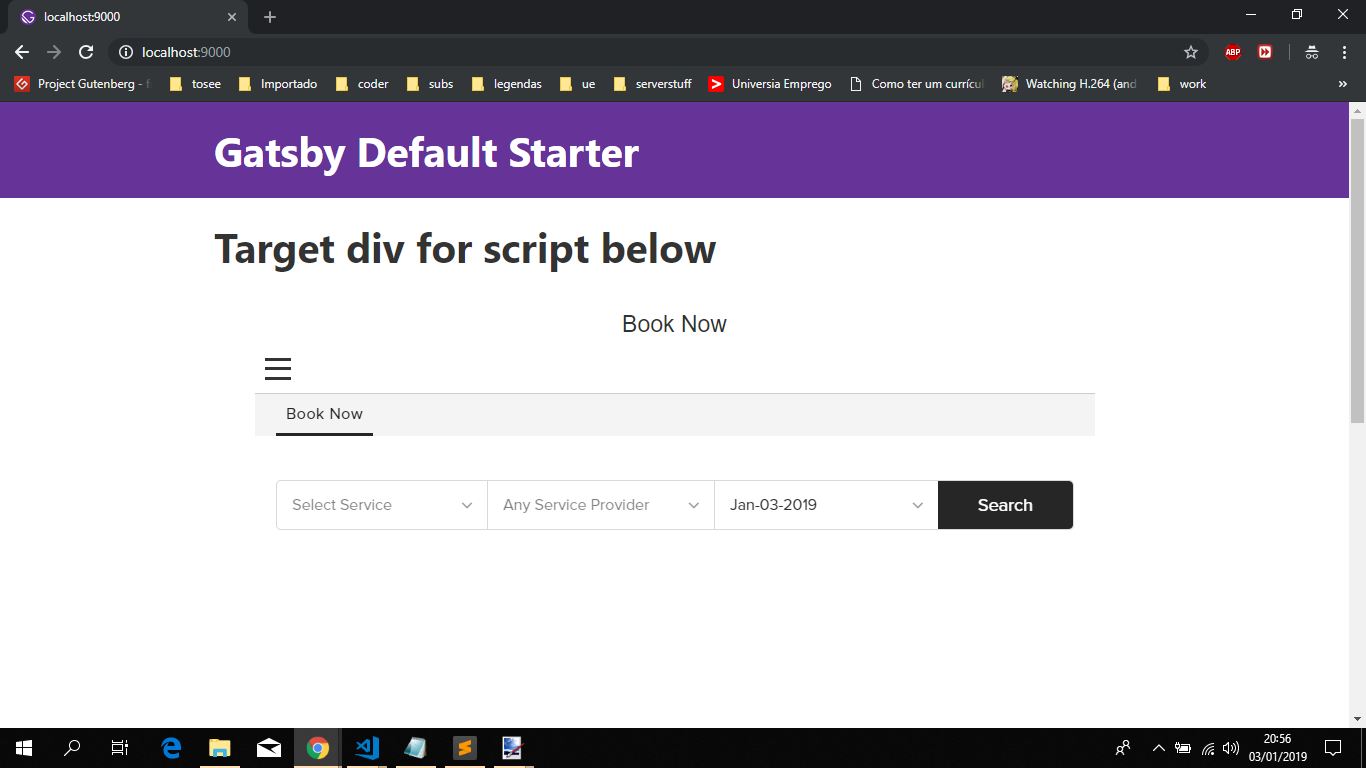
I fully aware that there could be better ways to handle this issue. But after some failed tries with Helmet and injecting the code directly using dangerouslySetInnerHTML, that resulted in nothing being shown, i came up with this option which allowed me to load the widget.
Two more things.
- The code for the index page is now the following
import React from 'react'
import Layout from '../components/layout'
import Booking from '../components/Booking';
const IndexPage = () => (
  <Layout>
    <h1>Target div for script below</h1>
    <Booking/>
  </Layout>
)

export default IndexPage
- I'll leave the rest of the styling up for you if you don't mind.
Feel free to provide some feedback.
 jonniebigodes
on 3 Jan 2019
jonniebigodes
on 3 Jan 2019
Wow thank you so much!
I was trying to head down a similar path and using CDM but wouldn't have utilized Refs like the mentioned.
krichdev
on 3 Jan 2019
@krichdev no need to thank, i was glad i could helped you in solving your issue. Feel free to open a new issue should any problems arise. Thanks for using Gatsby 👍
jonniebigodes
on 3 Jan 2019
@jonniebigodes thank you as well! Though I'm not using Gatsby (yet), I just hit the same issue with Vagaro. The only piece of the puzzle I was missing was ref={...} and this.instance.appendChild instead of document.body.appendChild.
 joshlongerbeam
on 24 Mar 2019
joshlongerbeam
on 24 Mar 2019
@joshlongerbeam no need to thank. Glad you worked it out aswell.
jonniebigodes
on 24 Mar 2019
Related issues
 dustinhorton
·
3Comments
dustinhorton
·
3Comments
 timbrandin
·
3Comments
timbrandin
·
3Comments
 totsteps
·
3Comments
totsteps
·
3Comments
 brandonmp
·
3Comments
brandonmp
·
3Comments
 magicly
·
3Comments
magicly
·
3Comments
Most helpful comment
@sidharthachatterjee the 403 is due to the fact that the url is incorrect you have a extra
/in there, like sohttps://www.vagaro.com//<--here resources/..... If you fire up chrome and to to the url manually chrome will remove the extra/and parse it correctly and you should get the js contents.@krichdev this issue was a fun one. i've searched for vagaro api and found this url that got me started on how resolve this issue, or at least point me in the right direction.
While i was reading it i was cloning your example repo and installing the dependencies.
With that out of the way let's move onto on how i managed to load the vagaro widget into gatsby.
gatsby developand check the output of thehtml.jsfile. And also what was happening in the network tab in the developer tools. I found out that the url vagaro provides has a extra/like i said before.html.jsfile,Bookingwith the following structure.As you read the code, you might see some similiarities between the code that vagaro provides. The styling was adjusted to reflect that.


What is happening here is that when the component is mounted i'm creating the script element on the fly and it's going to be injected on the node using React refs.
As the loading is asynchronous you will be presented with the following first.
Afterwards when it's loaded you're then presented with:
I took it a step further and issued

gatsby build && gatsby serve, in order to create a production build, so that i could see if any issues would arise and once again the result was the following:And when loaded

I fully aware that there could be better ways to handle this issue. But after some failed tries with Helmet and injecting the code directly using dangerouslySetInnerHTML, that resulted in nothing being shown, i came up with this option which allowed me to load the widget.
Two more things.
Feel free to provide some feedback.