Gatsby: All pages except index do not pre-render
Hey,
I might be missing something, but all my pages (generated from gatsby-node or static ones from pages/ (e.g. pages/contact.js) do not render content when I check the source. This is what I can see in view-source:
<div id="___gatsby">
    <div data-reactroot="">
      <div></div>
    </div>
  </div>
However, the pages/index.js page contains all html divs/imgs/etc in the source.
Can someone let me know if they've encountered this issue?
Thanks
 bogdancss
All 45 comments
I encounter this sometimes, and most times the problem is described in browser console.
 ryanditjia
on 5 Jun 2018
ryanditjia
on 5 Jun 2018
@ryanditjia sorry - can you elaborate on that. I am not getting any kind of notifications in the console.
bogdancss
on 5 Jun 2018
Could you tell us more about the project? Here are some fields from the bug report template:
gatsby-config.js: N/A
package.json: N/A
gatsby-node.js: N/A
gatsby-browser.js: N/A
gatsby-ssr.js: N/A
ryanditjia
on 5 Jun 2018
same issue here. We've been trying to get search engines to index our site for 3 months. We are using Gatsby-react-helmet with react-helmet and also using netlify's 'prerendering' option there are not page titles, descriptions or og tags and the content isn't being output in the index.html files.
https://www.whiterabbitexpress.com/en/buy-japan/dakimakura-pillow/
 Maxhodges
on 11 Jun 2018
Maxhodges
on 11 Jun 2018
I am still having this issue - happening all pages except the home page:
bogdancss
on 22 Jul 2018
Can you guys try gatsby build and check if the HTML files inside public folder are empty too?
ryanditjia
on 24 Jul 2018
@ryanditjia yes, just checked the public index files after running build and content is there. However, once it gets deployed on Netlify, only the homepage has static content when viewing source.
I also tried enabling/disabling the prerendering setting in Netlify - same result
bogdancss
on 24 Jul 2018
IIRC the Asset Optimization feature of Netlify doesn’t play well with Gatsby, could you check if you’ve turned on any of its options?
ryanditjia
on 24 Jul 2018
@ryanditjia they are all checked - I'll test disabling all of em and check which one's is messing with the content.
Should I disable the prerendering setting as well?
bogdancss
on 24 Jul 2018
Yup. Because Gatsby pretty much handles asset optimization and pre-rendering during its build process, making Netlify’s similar features redundant / destructive.
Cc @Maxhodges this should fix your problem too!
ryanditjia
on 24 Jul 2018
@ryanditjia OK - just disabled all prerendering and asset optimisation settings in Netlify and triggered a clear cache deployment.
The home page view-source:https://www.kaizen.co.uk/ contains all content rendered.
However, if you check view-source:https://www.kaizen.co.uk/our-services/ you can see only the header and footer are rendered.
There is a div between the header and the footer <div class="layouts__MainWrapper-d0wguo-0 igIGzS"><div></div></div>, which means that everything being passed over to the layout.js file through children is not pre-rendered. This is my layout component (we are still using Gatsby v1):
```
bogdancss
on 24 Jul 2018
There’s something strange going on with your Netlify deploy. Try duplicating a new Netlify site and see if the new site exhibits the same problem.
ryanditjia
on 24 Jul 2018
@ryanditjia I deployed the project to a new Netlify site https://quirky-mcnulty-dc1f69.netlify.com/ and it's the same. Ran gatsby build and checked the index files and the content is present, just not when deployed.
bogdancss
on 24 Jul 2018
@ryanditjia OK - just uploaded the public folder onto a test link (after building with pathprefixes) and it all looks nice:
view-source:http://dev.kaizen.co.uk/kaizen-build/our-services/
It's something with the Netlify deployment.
I tried deploying on a fresh new site, with all default settings, but same result.
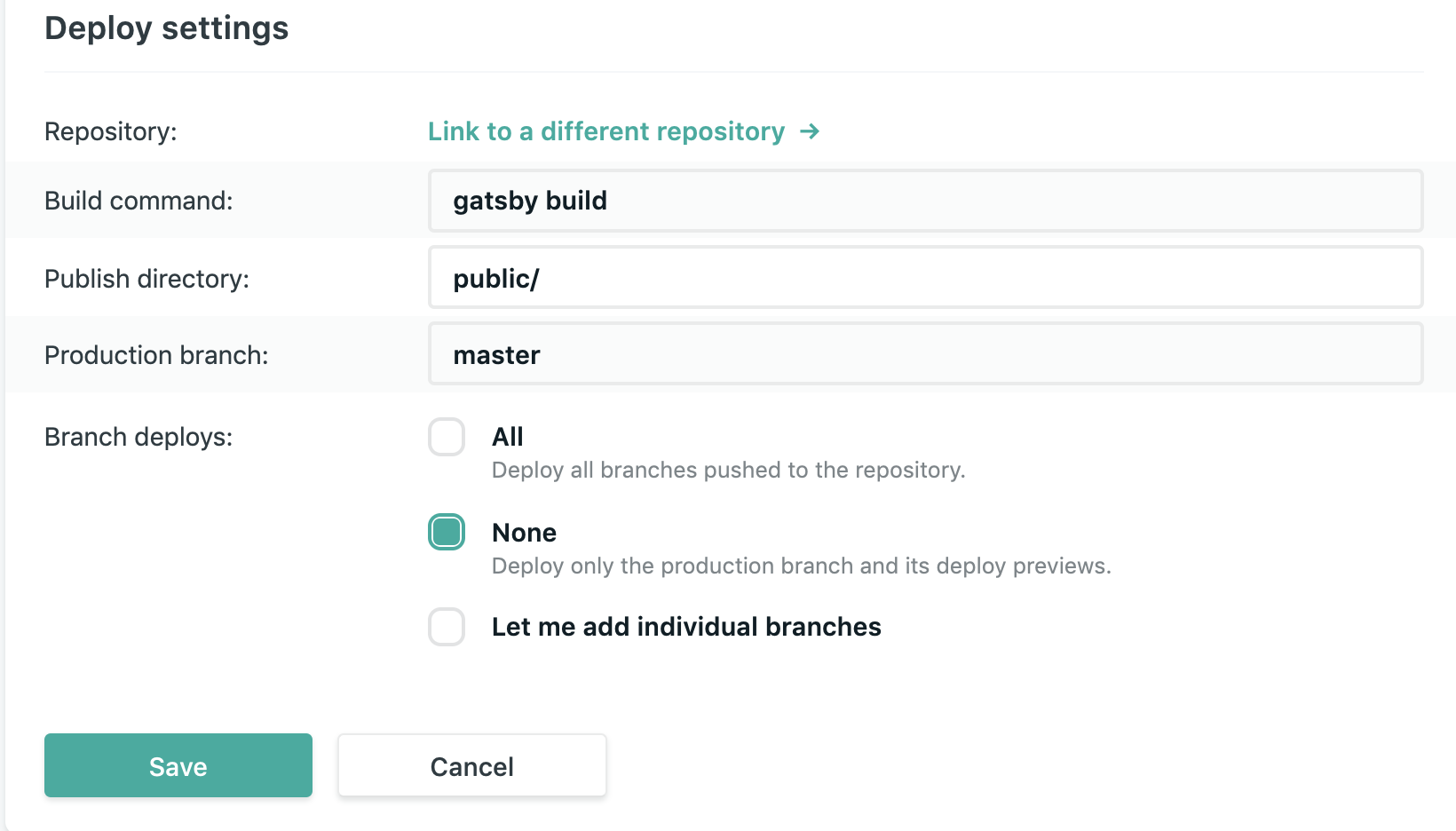
bogdancss
on 24 Jul 2018
Checked the source file in the dev tools and that seems to have all the content in there - but not present in view-source
bogdancss
on 24 Jul 2018
Can you describe a little bit about the structure of your project?
gatsby-config.js: N/A
package.json: N/A
gatsby-node.js: N/A
gatsby-browser.js: N/A
gatsby-ssr.js: N/A
And snippets of your src/pages/index.js and src/pages/our-services.js.
ryanditjia
on 25 Jul 2018
OK, this is gonna be a bit long:
gatsby-config.js:
const config = require('./config/siteConfig');

module.exports = {
  siteMetadata: {
    title: 'Kaizen',
    siteUrl: config.siteUrl,
    wpUrl: config.wpUrl,
  },
  plugins: [
    'gatsby-plugin-react-next',
    'gatsby-plugin-react-helmet',
    'gatsby-plugin-styled-components',
    'gatsby-plugin-sass',
    'gatsby-plugin-postcss-sass',
    'gatsby-plugin-catch-links',
    'gatsby-plugin-sitemap',
    'gatsby-transformer-sharp',
    'gatsby-plugin-sharp',
    {
      resolve: 'gatsby-plugin-manifest',
      options: {
        name: config.siteTitle,
        short_name: config.shortTitle,
        description: config.siteDescription,
        start_url: '/',
        background_color: config.backgroundColor,
        theme_color: config.themeColor,
        display: 'minimal-ui',
        icon: 'src/assets/favicon.png',
      },
    },
    'gatsby-plugin-offline',
    {
      resolve: 'gatsby-source-filesystem',
      options: {
        name: 'src',
        path: `${__dirname}/src/`,
      },
    },
    {
      resolve: 'gatsby-plugin-nprogress',
      options: {
        color: config.progressColor
      }
    },
    {
      resolve: 'gatsby-plugin-favicon',
      options: {
        logo: './src/assets/favicon.png',
        injectHTML: true,
        icons: {
          android: true,
          appleIcon: true,
          appleStartup: true,
          coast: false,
          favicons: true,
          firefox: true,
          twitter: true,
          yandex: false,
          windows: true
        }
      }
    },
    {
      resolve: 'gatsby-plugin-canonical-urls',
      options: {
        siteUrl: config.siteUrl,
      },
    },
    {
      resolve: 'gatsby-source-wordpress',
      options: {
        baseUrl: config.baseWPUrl,
        protocol: 'https',
        hostingWPCOM: false,
        useACF: true
      }
    },
    {
      resolve: 'gatsby-plugin-mailchimp',
      options: {
        endpoint: config.mailchimpUrl
      },
    },
    // 'gatsby-plugin-force-trailing-slashes',
  ]
};
package.json
{
  "name": "kaizen",
  "description": "Kaizen",
  "version": "1.0.0",
  "dependencies": {
    "babel-plugin-styled-components": "^1.5.1",
    "gatsby": "^1.9.274",
    "gatsby-image": "^1.0.55",
    "gatsby-link": "^1.6.46",
    "gatsby-plugin-canonical-urls": "^1.0.16",
    "gatsby-plugin-catch-links": "^1.0.24",
    "gatsby-plugin-favicon": "^2.1.1",
    "gatsby-plugin-force-trailing-slashes": "^1.0.1",
    "gatsby-plugin-mailchimp": "^2.2.3",
    "gatsby-plugin-manifest": "^1.0.27",
    "gatsby-plugin-nprogress": "^1.0.14",
    "gatsby-plugin-offline": "^1.0.15",
    "gatsby-plugin-postcss-sass": "^1.0.22",
    "gatsby-plugin-react-helmet": "^2.0.8",
    "gatsby-plugin-react-next": "^1.0.11",
    "gatsby-plugin-sass": "^1.0.25",
    "gatsby-plugin-sharp": "^1.6.48",
    "gatsby-plugin-sitemap": "^1.2.21",
    "gatsby-plugin-styled-components": "^2.0.11",
    "gatsby-plugin-webpack-bundle-analyzer": "^0.1.1",
    "gatsby-source-filesystem": "^1.5.39",
    "gatsby-source-wordpress": "^2.0.93",
    "gatsby-transformer-sharp": "^1.6.27",
    "parallax-js": "^3.1.0",
    "react-async-script-loader": "^0.3.0",
    "react-burger-menu": "^2.5.2",
    "react-disqus-comments": "^1.2.0",
    "react-helmet": "^5.2.0",
    "react-html-parser": "^2.0.2",
    "react-on-visible": "^1.5.0",
    "react-scroll": "^1.7.10",
    "react-share": "^2.2.0",
    "react-slick": "^0.23.1",
    "react-textfit": "^1.1.0",
    "react-transition-group": "^2.4.0",
    "styled-components": "^3.3.3"
  },
  "keywords": [
    "gatsby"
  ],
  "license": "MIT",
  "scripts": {
    "build": "gatsby build",
    "develop": "gatsby develop",
    "format": "prettier --write 'src/**/*.js'",
    "test": "echo \"Error: no test specified\" && exit 1"
  },
  "devDependencies": {
    "prettier": "^1.13.7"
  }
}
gatsby-node.js
const _ = require(`lodash`)
const Promise = require(`bluebird`)
const path = require(`path`)
const slash = require(`slash`)

exports.createPages = ({ graphql, boundActionCreators }) => {
  const { createPage } = boundActionCreators
  return new Promise((resolve, reject) => {
    graphql(
      `
        {
          allWordpressPost(
            filter: {status: {eq: "publish"}}
            sort: {fields: [date], order: DESC}
          ) {
            edges {
              node {
                id
                date
                slug
                link
                status
              }
            }
          }
        }
      `
    )
      .then(result => {
        if (result.errors) {
          console.log(result.errors)
          reject(result.errors)
        }
        const postTemplate = path.resolve(`./src/templates/post.js`)
        _.each(result.data.allWordpressPost.edges, post => {
          const url = post.node.link.split('/blog/')[1].split(post.node.slug)[0];
          createPage({
            path: `/blog/${url}${post.node.slug}/`.toLowerCase(),
            component: slash(postTemplate),
            context: {
              id: post.node.id,
            }
          })
        })
      })
      .then(() => {
        graphql(
          `
            {
              allWordpressWpWork(
                filter: {
                  status: {eq: "publish"},
                  acf: {
                    detailed_case_study: {eq: true}
                  }
                }
                sort: {fields: [date], order: DESC}
              ) {
                edges {
                  node {
                    id
                    slug
                    status
                    date
                    acf {
                      detailed_case_study
                    }
                  }
                }
              }
            }
          `
        ).then(result => {
          if (result.errors) {
            console.log(result.errors)
            reject(result.errors)
          }
          const workTemplate = path.resolve(`./src/templates/work.js`)
          _.each(result.data.allWordpressWpWork.edges, edge => {
            createPage({
              path: `/work/${edge.node.slug}/`.toLowerCase(),
              component: slash(workTemplate),
              context: {
                id: edge.node.id,
              }
            })
          })
        })
      })
      .then(() => {
        graphql(
          `
            {
              allWordpressWpJobListing(sort: {fields: [date], order: DESC}) {
                edges {
                  node {
                    id
                    slug
                    status
                    date
                    acf {
                      dummy
                    }
                  }
                }
              }
            }
          `
        ).then(result => {
          if (result.errors) {
            console.log(result.errors)
            reject(result.errors)
          }
          const jobTemplate = path.resolve(`./src/templates/job.js`)
          _.each(result.data.allWordpressWpJobListing.edges, edge => {
            if (!edge.node.acf.dummy) {
              createPage({
                path: `/job/${edge.node.slug}/`.toLowerCase(),
                component: slash(jobTemplate),
                context: {
                  id: edge.node.id,
                }
              })
            }
          })
        })
      })
      .then(() => {
        graphql(
          `
            {
              allWordpressWpUpcomingEvents(sort: {fields: [date], order: DESC}) {
                edges {
                  node {
                    id
                    slug
                    date
                    acf {
                      dummy
                    }
                  }
                }
              }
            }
          `
        ).then(result => {
          if (result.errors) {
            console.log(result.errors)
            reject(result.errors)
          }
          const eventTemplate = path.resolve(`./src/templates/event.js`)
          _.each(result.data.allWordpressWpUpcomingEvents.edges, edge => {
            if (!edge.node.acf.dummy) {
              createPage({
                path: `/events/${edge.node.slug}/`.toLowerCase(),
                component: slash(eventTemplate),
                context: {
                  id: edge.node.id,
                }
              })
            }
          })
        })
      })
      .then(() => {
        graphql(
          `
            {
              allWordpressWpUsers {
                edges {
                  node {
                    id
                    slug
                    authored_wordpress__POST {
                      id
                    }
                  }
                }
              }
            }
          `
        ).then(result => {
          if (result.errors) {
            console.log(result.errors)
            reject(result.errors)
          }
          const authorTemplate = path.resolve(`./src/templates/author.js`)
          _.each(result.data.allWordpressWpUsers.edges, edge => {
            if (edge.node.authored_wordpress__POST && edge.node.authored_wordpress__POST.length) {
              createPage({
                path: `/blog/author/${edge.node.slug}/`.toLowerCase(),
                component: slash(authorTemplate),
                context: {
                  id: edge.node.id,
                }
              })
            }
          })
          resolve()
        })
      })
  })
}
gatsby-browser.js (solely for page transitions)
/* eslint-disable react/prop-types */
/* globals window CustomEvent */
import React, { createElement } from "react"
import { Transition } from "react-transition-group"
import createHistory from "history/createBrowserHistory"
import getTransitionStyle from "./src/utils/getTransitionStyle"

const timeout = 100
const historyExitingEventType = `history::exiting`

const getUserConfirmation = (pathname, callback) => {
  const event = new CustomEvent(historyExitingEventType, { detail: { pathname } })
  window.dispatchEvent(event)
  setTimeout(() => {
    callback(true)
  }, timeout)
}
const history = createHistory({ getUserConfirmation })
// block must return a string to conform
history.block((location, action) => location.pathname)
exports.replaceHistory = () => history

class ReplaceComponentRenderer extends React.Component {
  constructor(props) {
    super(props)
    this.state = { exiting: false, nextPageResources: {} }
    this.listenerHandler = this.listenerHandler.bind(this)
  }

  listenerHandler(event) {
    const nextPageResources = this.props.loader.getResourcesForPathname(
      event.detail.pathname,
      nextPageResources => this.setState({ nextPageResources })
    ) || {}
    this.setState({ exiting: true, nextPageResources })
  }

  componentDidMount() {
    window.addEventListener(historyExitingEventType, this.listenerHandler)
  }

  componentWillUnmount() {
    window.removeEventListener(historyExitingEventType, this.listenerHandler)
  }

  componentWillReceiveProps(nextProps) {
    if (this.props.location.key !== nextProps.location.key) {
      this.setState({ exiting: false, nextPageResources: {} })
    }
  }

  render() {
    const transitionProps = {
      timeout: {
        enter: 0,
        exit: timeout,
      },
      appear: true,
      in: !this.state.exiting,
      key: this.props.location.key,
    }
    return (
      <Transition {...transitionProps}>
      {
        (status) => createElement(this.props.pageResources.component, {
          ...this.props,
          ...this.props.pageResources.json,
          transition: {
            status,
            timeout,
            style: getTransitionStyle({ status, timeout }),
            nextPageResources: this.state.nextPageResources,
          },
        })
      }
      </Transition>
    )
  }
}

// eslint-disable-next-line react/display-name
exports.replaceComponentRenderer = ({ props, loader }) => {
  if (props.layout) {
    return undefined
  }
  return createElement(ReplaceComponentRenderer, { ...props, loader })
}
Nothing in gatsby-ssr.js
This is the layout file:
// styled-components stuff
...

const TemplateWrapper = ({children, location, data}) => {
  return (
    <div>
      <Helmet>
        ...
      </Helmet>
      <Header location={location}/>
      <Menu data={data}/>
      <MainWrapper>
        {children()}
      </MainWrapper>
      <Footer/>
    </div>
  )
}

TemplateWrapper.propTypes = {
  children: PropTypes.func,
}

export default TemplateWrapper

export const query = graphql`
  ...
`
Here's the main index.js file:
// styled-components stuff
...

const IndexPage = ({transition, data}) => (
  <Wrapper transition={transition}>
    <MainHero data={data}/>
    <SectionWrapper>
      <h2>Our Services</h2>
      ...
    </SectionWrapper>
    <SectionWrapper className={'poly'}>
      <h2>Awards</h2>
      <...
    </SectionWrapper>
    <SectionWrapper>
      <h2>Case Studies</h2>
      ...
    </SectionWrapper>
  </Wrapper>
)
export default IndexPage

export const query = graphql`
...
`
And the our-services.js file:
// styled-components stuff
...

const Services = ({transition, data}) => (
  <Wrapper transition={transition}>
    <Helmet>
      ...
    </Helmet>
    <SectionWrapper>
      <h2>Our Services</h2>
      ...
    </SectionWrapper>
    <SectionWrapper>
      <h2>Case Studies</h2>
      ...
    </SectionWrapper>
  </Wrapper>
)

export default Services

export const query = graphql`
...
`
@b0gd4n do you still have this issue? I have it, I saw that your website is seo friendly now.
 ericraio
on 2 Sep 2018
ericraio
on 2 Sep 2018
@ericraio I've updated it to v2, but that did not fixed the issue initially. I then fumbled around with the gatsby config and package.json files and it seems to be working now. Tbh, I don't know 100% what did the trick, but will try and pin point it tomorrow.
I think it might have been the version of the gatsby offline package and maybe the canonical plugin, but again, don't know for sure.
bogdancss
on 2 Sep 2018
Hey @b0gd4n,
I am having the same issue with my website currently.
Example view-source:https://khaledgarbaya.net/articles/how-to-create-a-node-js-command-line-tool-with-yargs-middleware.
I upgraded to v2 thinking this will be solved but I still have the issue.
Please let me know if you manage to pinpoint the problem.
Best,
Khaled
 Khaledgarbaya
on 2 Sep 2018
Khaledgarbaya
on 2 Sep 2018
@b0gd4n
I came to the same conclusion, I was messing around with gatsby config and got it to work
I also thought it was gatsby offline, it seemed to be the culprit but then I added it back and it was still working
Still not sure
ericraio
on 3 Sep 2018
Can you folks share your gatsby-config
Khaledgarbaya
on 3 Sep 2018
@Khaledgarbaya here's my gatsby-config file:
const config = require('./config/siteConfig')

module.exports = {
  siteMetadata: {
    title: 'Kaizen',
    siteUrl: config.siteUrl,
    wpUrl: config.wpUrl,
  },
  plugins: [
    'gatsby-plugin-react-helmet',
    'gatsby-plugin-styled-components',
    'gatsby-plugin-catch-links',
    'gatsby-plugin-sitemap',
    'gatsby-transformer-sharp',
    'gatsby-plugin-netlify-cache',
    'gatsby-plugin-sharp',
    {
      resolve: `gatsby-plugin-offline`,
      options: {
        navigateFallback: null,
        navigateFallbackWhitelist: [],
      },
    },
    {
      resolve: 'gatsby-plugin-manifest',
      options: {
        name: config.siteTitle,
        short_name: config.shortTitle,
        description: config.siteDescription,
        start_url: '/',
        background_color: config.backgroundColor,
        theme_color: config.themeColor,
        display: 'minimal-ui',
        icon: 'src/assets/favicon.png',
      },
    },
    {
      resolve: 'gatsby-source-filesystem',
      options: {
        name: 'src',
        path: `${__dirname}/src/`,
      },
    },
    {
      resolve: 'gatsby-plugin-nprogress',
      options: {
        color: config.progressColor
      }
    },
    {
      resolve: 'gatsby-plugin-favicon',
      options: {
        logo: './src/assets/favicon.png',
        injectHTML: true,
        icons: {
          android: true,
          appleIcon: true,
          appleStartup: true,
          coast: false,
          favicons: true,
          firefox: true,
          twitter: true,
          yandex: false,
          windows: true
        }
      }
    },
    {
      resolve: 'gatsby-plugin-canonical-urls',
      options: {
        siteUrl: config.siteUrl,
      },
    },
    {
      resolve: 'gatsby-source-wordpress',
      options: {
        baseUrl: config.baseWPUrl,
        protocol: 'https',
        hostingWPCOM: false,
        useACF: true
      }
    },
    {
      resolve: 'gatsby-plugin-mailchimp',
      options: {
        endpoint: config.mailchimpUrl
      },
    },
  ],
}
and this is the package.json:
{
  "dependencies": {
    "babel-plugin-styled-components": "^1.5.1",
    "gatsby": "next",
    "gatsby-image": "next",
    "gatsby-plugin-canonical-urls": "next",
    "gatsby-plugin-catch-links": "next",
    "gatsby-plugin-favicon": "^3.1.2",
    "gatsby-plugin-mailchimp": "^2.2.3",
    "gatsby-plugin-manifest": "next",
    "gatsby-plugin-netlify-cache": "^0.1.0",
    "gatsby-plugin-nprogress": "next",
    "gatsby-plugin-offline": "^2.0.0-rc.1",
    "gatsby-plugin-react-helmet": "next",
    "gatsby-plugin-sharp": "next",
    "gatsby-plugin-sitemap": "next",
    "gatsby-plugin-styled-components": "next",
    "gatsby-source-filesystem": "^2.0.1-rc.1",
    "gatsby-source-wordpress": "next",
    "gatsby-transformer-sharp": "next",
    "lodash": "^4.17.10",
    "parallax-js": "^3.1.0",
    "react": "^16.4.2",
    "react-async-script-loader": "^0.3.0",
    "react-burger-menu": "^2.5.2",
    "react-disqus-comments": "^1.2.0",
    "react-dom": "^16.4.2",
    "react-helmet": "^5.2.0",
    "react-html-parser": "^2.0.2",
    "react-on-visible": "^1.5.0",
    "react-scroll": "^1.7.10",
    "react-share": "^2.3.1",
    "react-slick": "^0.23.1",
    "react-textfit": "^1.1.0",
    "styled-components": "^3.4.5",
    "typeface-lato": "0.0.54"
  },
  "keywords": [
    "gatsby"
  ],
  "license": "MIT",
  "scripts": {
    "build": "gatsby build",
    "develop": "gatsby develop",
    "format": "prettier --write 'src/**/*.js'",
    "test": "echo \"Error: no test specified\" && exit 1"
  },
  "devDependencies": {
    "prettier": "^1.14.2"
  }
}
I think it was a combination of the right version and config for the gatsby-plugin-offline package that did the trick
bogdancss
on 3 Sep 2018
Thanks, I changed the gatsby-plugin-offline version and I am building the website now 🤞
Khaledgarbaya
on 3 Sep 2018
🎉 Works now!!!
the only change is
{
    resolve: `gatsby-plugin-offline`,
    options: {
-        navigateFallback: null,
        navigateFallbackWhitelist: [],
    }
}
thinking we might be able to close this one
bogdancss
on 3 Sep 2018
Yep go ahead @b0gd4n
Khaledgarbaya
on 3 Sep 2018
@Khaledgarbaya how come you are passing an empty array to navigateFallbackWhitelist? i would imagine that this is the default?
initially i used the offline plugin without setting options, and also faced the issue of getting empty pages with js being turned off. then i saw your message and tried passing navigateFallbackWhitelist: []. and it started working... but i don't understand why 😅
 codejet
on 7 Oct 2018
codejet
on 7 Oct 2018
@codejet, I didn't investigate why that happened, probably Gatsby is setting something there but I need to check that up
Khaledgarbaya
on 9 Oct 2018
I keep running into this issue at random as well. It's been very random over the past year. Not sure why but it does seem to be some conflict with Netlify as my dev builds to the public directory just fine. Unfortunately the navigateFallbackWhitelist didn't change it for me.
 mattferderer
on 3 Nov 2018
mattferderer
on 3 Nov 2018
Using these settings in my gatsby-config.js worked for me
Had to add an empty array for navigateFallbackWhitelist
    {
        resolve: 'gatsby-plugin-offline',
        options: {
            navigateFallbackWhitelist: [],
        },
    },
 lablancas
on 5 Nov 2018
lablancas
on 5 Nov 2018
Yep, tried that @lablancas. Unfortunately no luck. Maybe trying that & upgrading to Gatsby 2.x would help.
mattferderer
on 5 Nov 2018
Have the same issue, but i'm not using netify (deploying to S3), i tried setting gatsby-offline-plugin as suggested above but no luck. I noticed that in source code is present only static content (hardcodeded in jsx) but no content fetched from wordpress (using gatsby-source-wordpress)
my gatsby config:
let activeEnv = process.env.ACTIVE_ENV || process.env.NODE_ENV || 'development'

console.log(`Using environment config: '${activeEnv}'`)

require('dotenv').config({
  path: `.env.${activeEnv}`,
})

module.exports = {
  plugins: [
    {
      resolve: 'gatsby-plugin-web-font-loader',
      options: {
        google: {
          families: [
            'Titillium Web:200,300,400,400i,700:latin-ext',
            'Lato:400,400i,700,900:latin-ext',
          ],
        },
      },
    },

    `gatsby-plugin-sharp`,
    `gatsby-transformer-sharp`,
    {
      resolve: `gatsby-plugin-google-analytics`,
      options: {
        //trackingId: `ADD YOUR TRACKING ID HERE`,
      },
    },
    {
      resolve: `gatsby-plugin-manifest`,
      options: {
        name: `Airly Homepage`,
        short_name: `Airly Home`,
        start_url: `/`,
        background_color: `#FFFFFF`,
        theme_color: `#2EA0DA`,
        display: `minimal-ui`,
        icon: `static/favicon-32x32.png`,
      },
    },
    {
      resolve: `gatsby-plugin-offline`,
      options: {
        navigateFallbackWhitelist: [],
      },
    },
    // `gatsby-plugin-remove-serviceworker`,
    `gatsby-plugin-react-helmet`,
    {
      resolve: 'gatsby-plugin-typography',
      options: {
        pathToConfigModule: 'src/utils/typography',
      },
    },
    `gatsby-plugin-styled-components`,
    {
      resolve: 'gatsby-plugin-react-svg',
      options: {
        rule: {
          include: /assets/,
        },
      },
    },
    {
      resolve: `gatsby-plugin-i18next`,
      options: {
        availableLngs: ['en', 'pl'],
        fallbackLng: 'en',
        debug: true,
      },
    },
    `gatsby-plugin-recaptcha`,
    {
      resolve: `gatsby-plugin-layout`,
      options: {
        component: require.resolve(`./src/components/layout.js`),
      },
    },
    {
      resolve: 'gatsby-source-wordpress',
      options: {
        baseUrl: process.env.API_URL,
        protocol: 'https',
        hostingWPCOM: false,
        useACF: true,
        verboseOutput: true,
        perPage: 100,
        concurrentRequests: 10,
      },
    },
    {
      resolve: `gatsby-source-filesystem`,
      options: {
        path: `${__dirname}/locale`,
        name: `locale`,
      },
    },
  ],
}
and package.json:
{
  "name": "gatsby-starter-blog",
  "description": "Starter Gatsby Blog",
  "version": "1.0.0",
  "author": "Kyle Mathews <[email protected]>",
  "bugs": {
    "url": "https://github.com/gatsbyjs/gatsby-starter-blog/issues"
  },
  "dependencies": {
    "babel-plugin-styled-components": "^1.6.4",
    "dotenv": "^6.1.0",
    "flubber": "^0.4.2",
    "gatsby": "^2.0.19",
    "gatsby-image": "^2.0.20",
    "gatsby-plugin-feed": "^2.0.7",
    "gatsby-plugin-google-analytics": "^2.0.6",
    "gatsby-plugin-i18next": "^1.1.0",
    "gatsby-plugin-layout": "^1.0.4",
    "gatsby-plugin-manifest": "^2.0.4",
    "gatsby-plugin-offline": "^2.0.5",
    "gatsby-plugin-react-helmet": "^3.0.0",
    "gatsby-plugin-react-svg": "^2.0.0",
    "gatsby-plugin-recaptcha": "^1.0.5",
    "gatsby-plugin-remove-serviceworker": "^1.0.0",
    "gatsby-plugin-sharp": "^2.0.6",
    "gatsby-plugin-styled-components": "^3.0.0",
    "gatsby-plugin-typography": "^2.2.0",
    "gatsby-plugin-web-font-loader": "^1.0.4",
    "gatsby-remark-copy-linked-files": "^2.0.5",
    "gatsby-remark-images": "^3.0.0",
    "gatsby-remark-prismjs": "^3.0.1",
    "gatsby-remark-responsive-iframe": "^2.0.3",
    "gatsby-remark-smartypants": "^2.0.3",
    "gatsby-source-filesystem": "^2.0.2",
    "gatsby-source-wordpress": "^3.0.13",
    "gatsby-transformer-remark": "^2.0.3",
    "gatsby-transformer-sharp": "^2.0.3",
    "gsap": "^2.0.2",
    "i18next": "12.1.0",
    "lodash.get": "^4.4.2",
    "nuka-carousel": "^4.4.3",
    "polished": "^2.1.1",
    "prismjs": "^1.15.0",
    "prop-types": "^15.6.2",
    "react": "^16.5.2",
    "react-burger-menu": "^2.5.4",
    "react-dom": "^16.4.2",
    "react-helmet": "^5.2.0",
    "react-i18next": "8.3.8",
    "react-recaptcha": "^2.3.10",
    "react-svg": "^7.1.0",
    "react-transition-group": "^2.5.0",
    "react-typography": "^0.16.13",
    "react-waypoint": "^8.0.3",
    "remark-html": "^9.0.0",
    "spring": "^0.0.0",
    "styled-components": "^4.0.3",
    "typeface-merriweather": "0.0.54",
    "typeface-montserrat": "0.0.54",
    "typography": "^0.16.17",
    "typography-theme-sutro": "^0.15.10",
    "webfontloader": "^1.6.28"
  },
  "devDependencies": {
    "eslint": "^5.6.1",
    "eslint-plugin-react": "^7.7.0",
    "gh-pages": "^2.0.0",
    "prettier": "^1.12.0"
  },
  "homepage": "https://github.com/gatsbyjs/gatsby-starter-blog#readme",
  "keywords": [
    "gatsby"
  ],
  "license": "MIT",
  "main": "n/a",
  "repository": {
    "type": "git",
    "url": "git+https://github.com/gatsbyjs/gatsby-starter-blog.git"
  },
  "scripts": {
    "dev": "gatsby develop",
    "lint": "./node_modules/.bin/eslint --ext .js,.jsx --ignore-pattern public .",
    "test": "echo \"Error: no test specified\" && exit 1",
    "format": "prettier --trailing-comma es5 --no-semi --single-quote --write 'src/**/*.js' 'src/**/*.md'",
    "develop": "gatsby develop",
    "build": "gatsby build",
    "deploy": "gatsby build --prefix-paths && gh-pages -d public",
    "fix-semi": "eslint --quiet --ignore-pattern node_modules --ignore-pattern public --parser babel-eslint --no-eslintrc --rule '{\"semi\": [2, \"never\"], \"no-extra-semi\": [2]}' --fix gatsby-node.js"
  }
}
 ikhudo
on 30 Nov 2018
ikhudo
on 30 Nov 2018
Please don’t use the solution that @Khaledgarbaya provided. That shouldn’t be necessary.
Context: https://github.com/gatsbyjs/gatsby/issues/10017#issuecomment-439946657
 LekoArts
on 1 Dec 2018
LekoArts
on 1 Dec 2018
removing gatsby-plugin-offline with gatsby-plugin-remove-serviceworker solves the issue, but it is not a solution
ikhudo
on 1 Dec 2018
I'm using AWS Amplify which does not have any prerender functionality.
I have the above issue. Can anyone make any suggestions?
 bakeruk
on 22 May 2019
bakeruk
on 22 May 2019
@bakeruk - Try opening an in private browser with JavaScript disabled to test it.
mattferderer
on 22 May 2019
@bakeruk do you have a link?
Gatsby generates (as much as possible) pre-rendered content as static HTML at build time. It's possible there's something blocking static HTML from being rendered, e.g. oftentimes we've seen animation libraries or something blocking initial render.
The best way to validate is not by using "View Source" (with gatsby-plugin-offline) at least, because Chrome has a bug with service workers + app shell pattern that prevents it from showing. If you want to validate your site is returning HTML, you can use
curl https://www.gatsbyjs.org # your URL here
 DSchau
on 22 May 2019
DSchau
on 22 May 2019
Sure, the URL is https://www.gravitywell.co.uk/.
For now, I have created a html.js file to get something generated but this is not a great solution.
html.js
return (
    <html {...props.htmlAttributes}>
      <head>
        <meta charSet="utf-8" />
        <meta httpEquiv="x-ua-compatible" content="ie=edge" />
        <meta
          name="viewport"
          content="width=device-width, initial-scale=1, shrink-to-fit=no"
        />

        <meta property="og:title" content={defaultTitle} />
        <meta property="og:description" content={defaultDescription} />
        <meta property="og:type" content="website" />
        <meta property="og:image" content={socialMediaImg} />
        <meta property="og:image:type" content="image/jpeg" />
        <meta property="og:image:width" content="1200" />
        <meta property="og:image:height" content="600" />
        <meta property="og:locale" content="en_GB" />
        <meta property="fb:app_id" content={fbAppId} />
        <meta name="twitter:card" content="summary_large_image" />
        <meta name="twitter:site" content={twitterSiteUsername} />
        <meta name="twitter:creator" content={twitterSiteUsername} />

        {props.headComponents}
      </head>
      <body {...props.bodyAttributes}>
        {props.preBodyComponents}
        <noscript key="noscript" id="gatsby-noscript">
          This app works best with JavaScript enabled.
        </noscript>
        <div
          key={`body`}
          id="___gatsby"
          dangerouslySetInnerHTML={{ __html: props.body }}
        />
        {props.postBodyComponents}
      </body>
    </html>
  );
https://www.gravitywell.co.uk/insights/ should have the og:title meta data of,
<meta property="og:title" content="Insights" data-react-helmet="true">
bakeruk
on 23 May 2019
Forgot to mention, here is my gatsby-ssr.js file,
import React from 'react';
import { ApolloProvider } from 'react-apollo';
import { client } from './src/apollo/client';

export const wrapRootElement = ({ element }) => (
  <ApolloProvider client={client}>{element}</ApolloProvider>
);
@bakeruk lovely site! So yeah, there's definitely something blocking SSR here. The index route (e.g. https://gravitywell.co.uk) is definitely serving empty content, which can be verified with curl https://www.gravitywell.co.uk | grep div
Would you be able to share (privately is OK, but ideally in this issue--dustin at gatsbyjs dot com, if not) your site?
DSchau
on 23 May 2019
@DSchau I have just emailed you a .zip link 👍🏼
bakeruk
on 5 Jun 2019
Any luck with this?
 kogal
on 1 Aug 2019
kogal
on 1 Aug 2019
I'm also running into this problem. Elements are not rendered as static HTML. Don't appear in build or curl output. Can we reopen as it seems there wasn't a clear solution provided?
 abohannon
on 30 Sep 2019
abohannon
on 30 Sep 2019
Related issues
 dustinhorton
·
3Comments
dustinhorton
·
3Comments
 timbrandin
·
3Comments
timbrandin
·
3Comments
 totsteps
·
3Comments
totsteps
·
3Comments
 brandonmp
·
3Comments
brandonmp
·
3Comments
 3CordGuy
·
3Comments
3CordGuy
·
3Comments
Most helpful comment
I'm also running into this problem. Elements are not rendered as static HTML. Don't appear in build or curl output. Can we reopen as it seems there wasn't a clear solution provided?