Game-compatibility: 584108A9 - Bean (GoldenEye 007 XBLA)
Not released on Marketplace.
Tested on https://github.com/xenia-project/xenia/commit/a6954aced397ea1846379dbb48571a76637dadce
Issues:
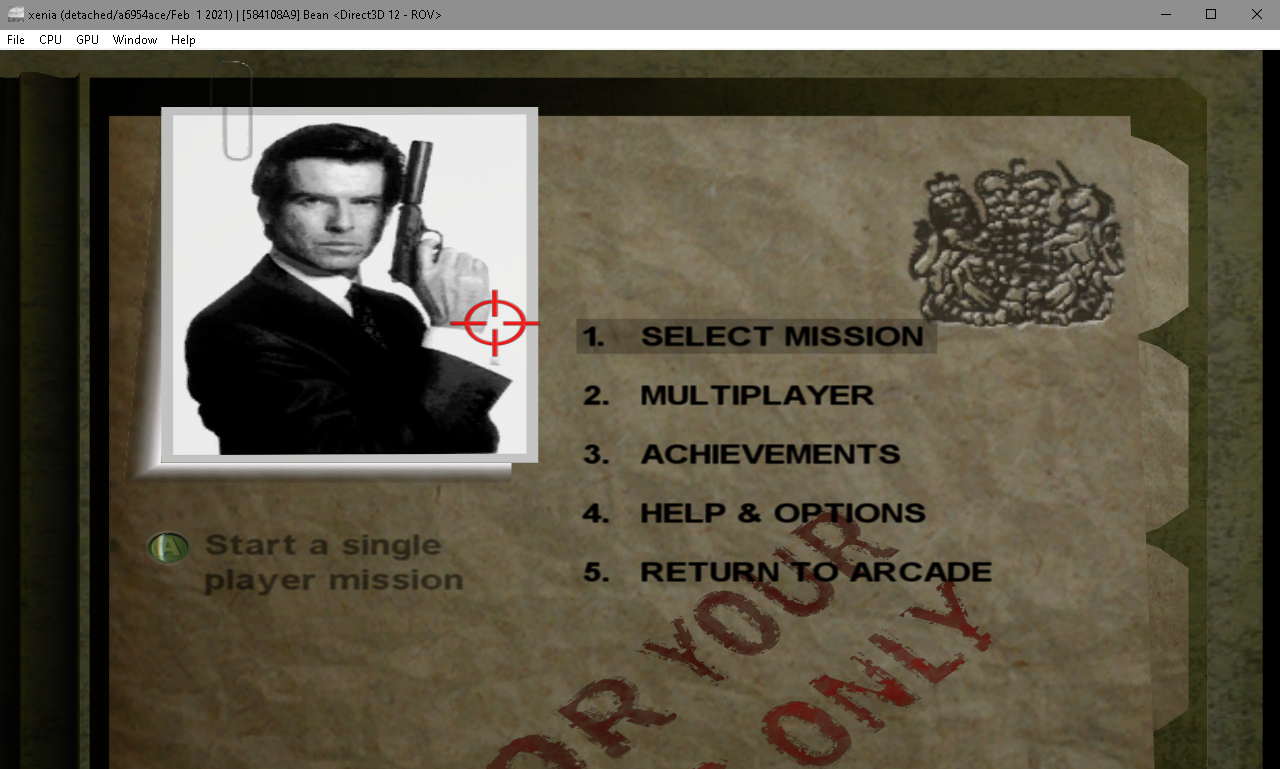
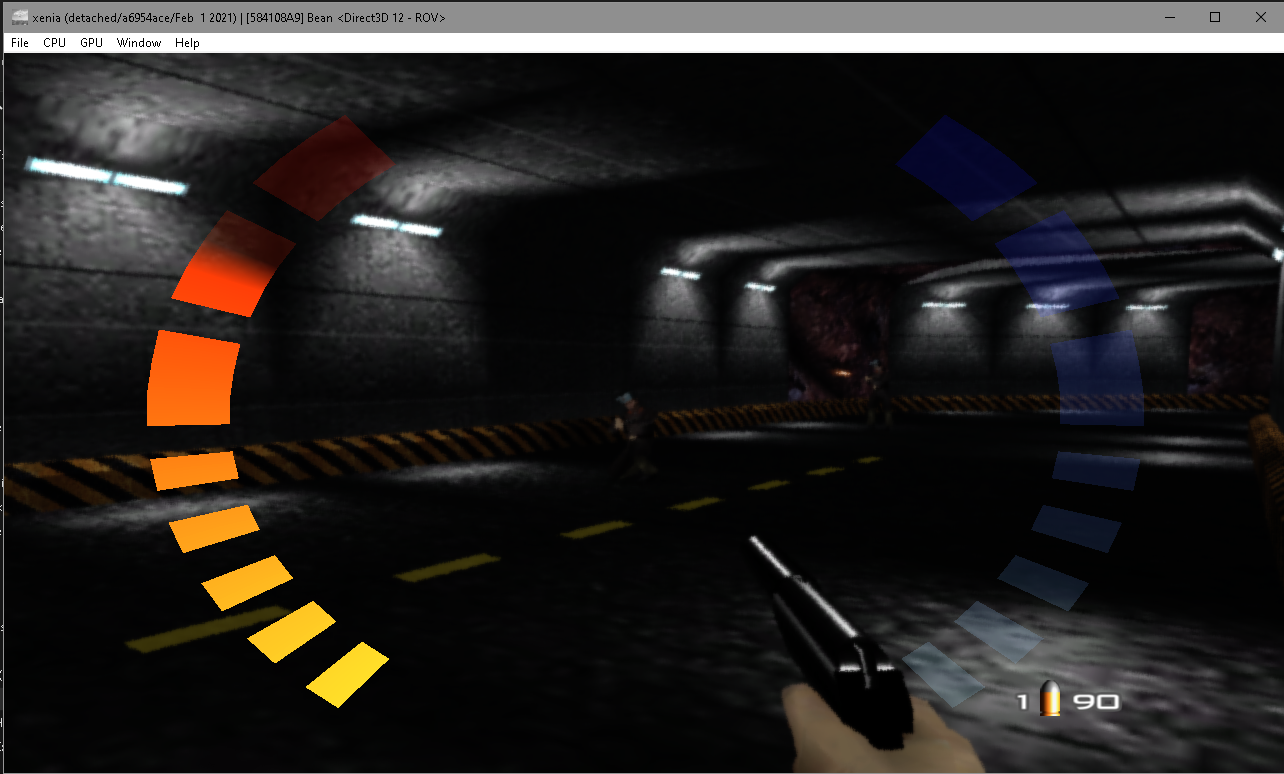
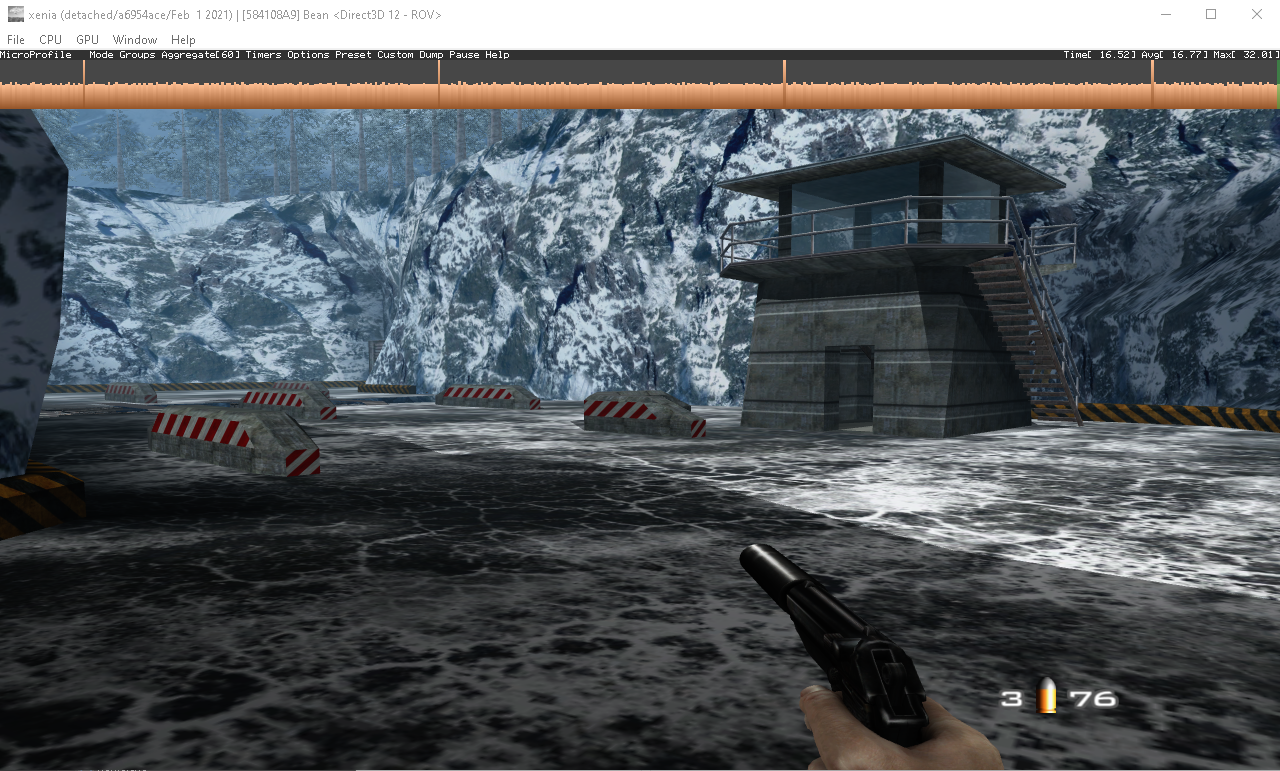
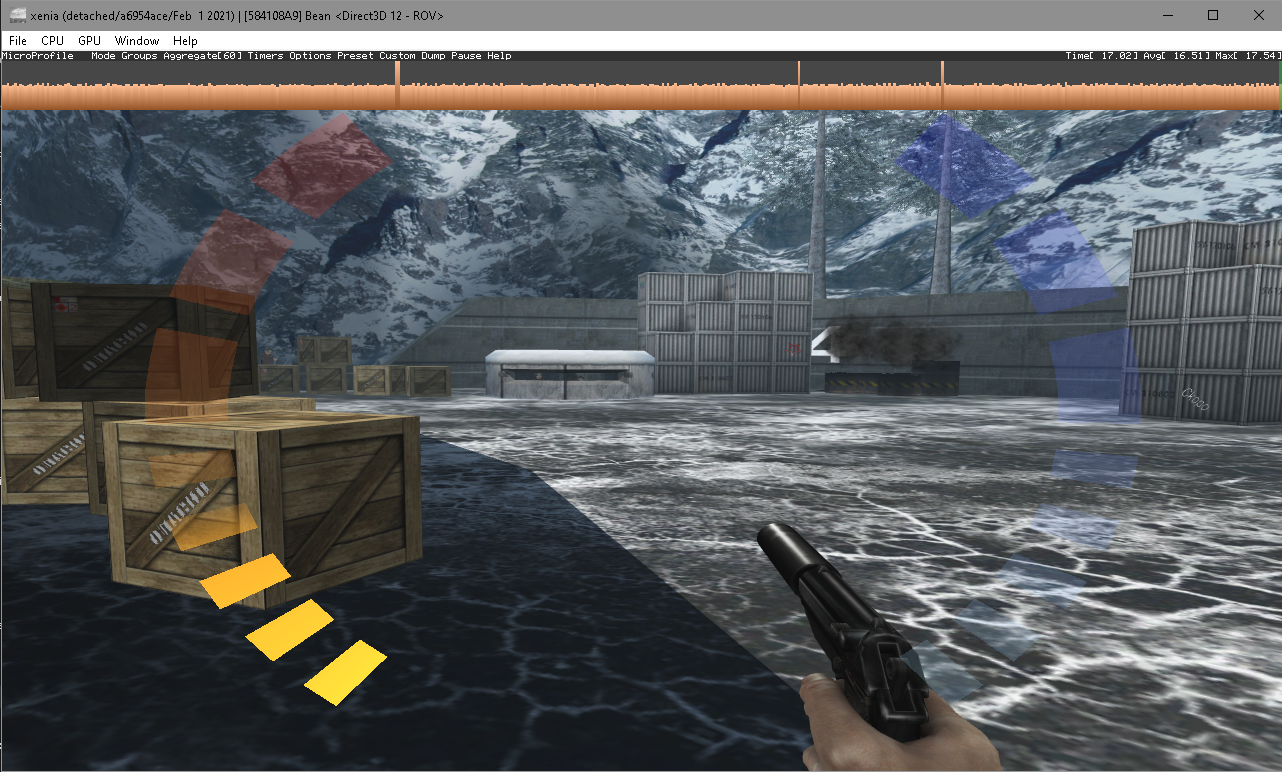
The (unreleased and leaked) game seems to be running absolutely flawelessly at mostly 60fps on DX12 ROV (GTX 1050+i7 3770k).
Unlike Perfect Dark XBLA, Goldeneye seems to have much less model flickering. In perfect dark, every mode flickers. In GE, only few slightly flicker.
Only small issue are framedrops and short stutters when loading new assets (for example when you hit someone, it takes some time for him to load the hurt animation). Also the game lags for few seconds (for first time only tho) when switching to the old-style assets with RB button.
Log:
Screenshot(s):


Labels:
label-playable
 tjd2
tjd2
All 49 comments
Minor flickering on some objects

 illusion0001
on 3 Feb 2021
illusion0001
on 3 Feb 2021
crashes on my AMD rx6900xt pc after the opening title spot lights
 kabomber
on 3 Feb 2021
kabomber
on 3 Feb 2021
@kabomber I got a little bit farther into the game when I plugged in my controller instead of using Bluetooth, but get stuck at the Dam opening music.
 mrbojangles312
on 3 Feb 2021
mrbojangles312
on 3 Feb 2021
@kabomber I got a little bit farther into the game when I plugged in my controller instead of using Bluetooth, but get stuck at the Dam opening music.
Yes i am at the same situation and i dont know what to do to get past this any ideas?
 GitHubDan01
on 4 Feb 2021
GitHubDan01
on 4 Feb 2021
Tried on two different machines, but get stuck at the same spot. Tried redownloading both the game and Xenia just in case, but same issue.
mrbojangles312
on 4 Feb 2021
Tried on two different machines, but get stuck at the same spot. Tried redownloading both the game and Xenia just in case, but same issue.
ive been looking online and someone on reddit has same issue but no word of it being fixed
https://www.reddit.com/r/Roms/comments/lbpl0y/goldeneye_007_project_bean_xb360/
GitHubDan01
on 4 Feb 2021
Tried on two different machines, but get stuck at the same spot. Tried redownloading both the game and Xenia just in case, but same issue.
ive left a comment on here about it not working so hopefully someone will have answers
GitHubDan01
on 4 Feb 2021
Same issue here, Ryzen 5 3600 and RX 5600 XT.
- Game loaded great the first try.
- Got to the Dam opening cutscene and crashed.
- Can't get it to start again, even after redownloading Xenia and ROM, restarting PC, etc.
I was so close to reliving my childhood 😭
 J-Puls
on 4 Feb 2021
J-Puls
on 4 Feb 2021
After some tinkering I tried to launch the game, but I also run into the black screen issue - I can make it through the menus but once I load the first level I get a black screen and the music.
Ryzen 7 3700X / Radeon RX 5700 / 16GB RAM
 skeeballassault
on 4 Feb 2021
skeeballassault
on 4 Feb 2021
About the same here :
_1rst launch : Xenia create the save, then crash (see log)
2nd launch : Xenia run the game, black screen but I hear the sound/music, and I can even hear that I can naviguate trough menus ! Xenia doesn't crash (I end it manually) (see log)
Other Xbox360 marketplace game = works
Tryed with gpu_allow_invalid_fetch_constants either false or true = same
AMD R9 270 on Win7
 BenoitAdam94
on 4 Feb 2021
BenoitAdam94
on 4 Feb 2021
I'm running the game on a i7 7700K with a RTX 2060 and the game crashes every single time I complete a mission.
UPDATE: Be aware of your antivirus. Put Xenia as an exception to allow the emulator to make changes or else it will crash because your antivirus (in my case AVG) will denie access to making changes.
 FalconGenesis
on 4 Feb 2021
FalconGenesis
on 4 Feb 2021
I'm running the game on a i7 7700K with a RTX 2060 and the game crashes every single time I complete a mission.
Please consider attaching your "xenia.log" files. Coders arent's magicians.
EDIT : Seems I have report of the same problem with Nvidia users aswell, so it's definitly not AMD only
BenoitAdam94
on 4 Feb 2021
Im running AMD Ryzen 5 3600 16gb ram ATI Radeon RX 5500 XT Seagate ST6000NE000-2KR101 (SATA 5TB
From: Benoit Adam notifications@github.com
Sent: 04 February 2021 02:06
To: xenia-project/game-compatibility game-compatibility@noreply.github.com
Cc: GitHubDan01 AsakuraDC@hotmail.co.uk; Comment comment@noreply.github.com
Subject: Re: [xenia-project/game-compatibility] 584108A9 - Bean (Goldeneye 007 XBLA) (#1704)
I'm running the game on a i7 7700K with a RTX 2060 and the game crashes every single time I complete a mission.
Attach your "xenia.log" files. Coders arent's magicians.
—
You are receiving this because you commented.
Reply to this email directly, view it on GitHubhttps://github.com/xenia-project/game-compatibility/issues/1704#issuecomment-772969284, or unsubscribehttps://github.com/notifications/unsubscribe-auth/AH3RZ3QOUASSFNPL5V5ZFTTS5H6LTANCNFSM4XBDPPTA.
GitHubDan01
on 4 Feb 2021
Maybe it's from that, but with latest nvidia drivers (461.40) i have too many issues on Xenia (crashs/bugs and a unwanted reboot), then rollback to 457.51.
Now all works and i don't have any strange crashs/issues.
I have a 2070 RTX card.
 backgamon
on 4 Feb 2021
backgamon
on 4 Feb 2021
where can i get the 457.51. xenia build?
From: backgamon notifications@github.com
Sent: 04 February 2021 18:18
To: xenia-project/game-compatibility game-compatibility@noreply.github.com
Cc: GitHubDan01 AsakuraDC@hotmail.co.uk; Comment comment@noreply.github.com
Subject: Re: [xenia-project/game-compatibility] 584108A9 - Bean (GoldenEye 007 XBLA) (#1704)
Maybe it's from that, but with latest nvidia drivers (461.40) i have too many issues on Xenia (crashs/bugs and a unwanted reboot), then rollback to 457.51.
Now all works and i don't have any strange crashs/issues.
I have a 2070 RTX card.
—
You are receiving this because you commented.
Reply to this email directly, view it on GitHubhttps://github.com/xenia-project/game-compatibility/issues/1704#issuecomment-773508924, or unsubscribehttps://github.com/notifications/unsubscribe-auth/AH3RZ3RGZKWEVENUXF72EJDS5LQGNANCNFSM4XBDPPTA.
GitHubDan01
on 4 Feb 2021
where can i get the 457.51. xenia build?
he talk about nvidia driver version, not xenia.
BenoitAdam94
on 4 Feb 2021
ok but nvidia drivers 2070 RTX card?
i thought rtx wasnt nvidia
From: Benoit Adam notifications@github.com
Sent: 04 February 2021 20:15
To: xenia-project/game-compatibility game-compatibility@noreply.github.com
Cc: GitHubDan01 AsakuraDC@hotmail.co.uk; Comment comment@noreply.github.com
Subject: Re: [xenia-project/game-compatibility] 584108A9 - Bean (GoldenEye 007 XBLA) (#1704)
where can i get the 457.51. xenia build?
he talk about nvidia driver version, not xenia.
—
You are receiving this because you commented.
Reply to this email directly, view it on GitHubhttps://github.com/xenia-project/game-compatibility/issues/1704#issuecomment-773576999, or unsubscribehttps://github.com/notifications/unsubscribe-auth/AH3RZ3S77QIMRUDBTQRPIWTS5L57HANCNFSM4XBDPPTA.
GitHubDan01
on 4 Feb 2021
Worked flawlessly from start to finish on my end.
R5 3600, GTX 1060 on driver version 460.79
And yes @GitHubDan01 RTX is NVidia's 2000 and 3000 series.
 raidcookie
on 4 Feb 2021
raidcookie
on 4 Feb 2021
Runs without issue, played right through to the end.
AMD Ryzen 3700X and Nvidia RTX 2070 Super on driver version 461.09.
 karehaqt
on 4 Feb 2021
karehaqt
on 4 Feb 2021
Also crashing with 6800XT as soon as the dam opening starts. Both with ROV off and on.
Once or twice it didn't crash, the screen just went black and the music played. Unable to recreate this though.
 amck1nnon
on 5 Feb 2021
amck1nnon
on 5 Feb 2021
A lot of issues seem to revolve around AMD GPUs.
karehaqt
on 5 Feb 2021
Note that the released build came pre-modified by the leaker so it's possible any issues could be down to those changes, only two are mentioned in the nfo:
Removed crashing leaderboard from menu & watch
Replaced 16:10 aspect ratio with 21:9
Other changes are also apparent though (XBL option removed from MP menu, and 9+ different nops/branches to .reloc section), who knows how many more things were patched.
Had a look at undoing some of them, managed to revert all the ones I could find by searching for nops & .reloc branches, but could always be other kind of code/data patches that I missed.
Seems like a good place to post how to revert these, hopefully the info might come in useful for someone.
Don't know the effect of all of these but I'm 100% sure the addresses here were changed, hopefully the replacements bring it closer to how it was originally.
E: we now have the original XEX for this "August 2007" (actually November 2007) release! I posted more details in a post below.
The patches here aren't really needed any more, but in case anyone was wondering my replacements were correct for 7 out of the 9 patches (with one of the incorrect ones I was already uncertain about) :)
Revert 21:9 to 16:10 (strings inside files\loc\english\optionsdefault.str were also patched)
82003D40: 40 15 55 55 -> 3F CC CC CD
Destructable-prop related?:
8209F5F0: 49 04 10 80 -> 3D 60 82 00
Something related to gun shots:
820A3E50: 49 03 C6 10 -> 48 00 00 20
Prop related? uncertain (replacement may be incorrect):
820B40E0: 3D 00 82 F2 49 02 C6 6C -> D0 2B 01 F0 4E 80 00 20
Restore leaderboards on watch/pause menu:
820C4914: 49 01 B8 EC -> 7F 8B E2 14
Allow leaderboard watch menu option to be selected:
820C742C: 49 01 91 34 -> 91 49 F9 BC
820C7450: 49 01 90 80 -> 91 49 F9 BC
Menu/signin related:
820F774C: 48 FE 8E E4 -> 3B DE 00 01
Restore leaderboards on main menu:
820F7D00: 48 FE 89 B0 -> 3B 5A 00 01
Restore XBL option inside multiplayer menu, at 0x820FFC00 change
60 00 00 00 60 00 00 00 60 00 00 00 60 00 00 00 60 00 00 00
to
48 03 6E D9 7F E4 FB 78 38 A0 00 01 38 C0 00 00 4B FF 59 49
 emoose
on 5 Feb 2021
emoose
on 5 Feb 2021
Note that the released build came pre-modified by the leaker so it's possible any issues could be down to those changes, only two are mentioned in the nfo:
Removed crashing leaderboard from menu & watch
Replaced 16:10 aspect ratio with 21:9Other changes are also apparent though (XBL option removed from MP menu, and 9+ different nops/branches to .reloc section), who knows how many more things were patched.
Had a look at undoing some of them, managed to revert all the ones I could find by searching for nops & .reloc branches, but could always be other kind of code/data patches that I missed.
Seems like a good place to post how to revert these, hopefully the info might come in useful for someone.
Don't know the effect of all of these but I'm 100% sure the offsets here were changed, hopefully the replacements bring it closer to how it was originally.Revert 21:9 to 16:10 (strings inside files\loc\english\optionsdefault.str were also patched)
82003D40: 40 15 55 55 -> 3F CC CC CDDestructable-prop related?:
8209F5F0: 49 04 10 80 -> 3D 60 82 00Something related to gun shots:
820A3E50: 49 03 C6 10 -> 48 00 00 20Prop related? uncertain (replacement may be incorrect):
820B40E0: 3D 00 82 F2 49 02 C6 6C -> D0 2B 01 F0 4E 80 00 20Restore leaderboards on watch/pause menu:
820C4914: 49 01 B8 EC -> 7F 8B E2 14Allow leaderboard watch menu option to be selected:
820C742C: 49 01 91 34 -> 91 49 F9 BC
820C7450: 49 01 90 80 -> 91 49 F9 BCMenu/signin related:
820F774C: 48 FE 8E E4 -> 3B DE 00 01Restore leaderboards on main menu:
820F7D00: 48 FE 89 B0 -> 3B 5A 00 01Restore XBL option inside multiplayer menu, at 0x820FFC00 change
60 00 00 00 60 00 00 00 60 00 00 00 60 00 00 00 60 00 00 00
to
48 03 6E D9 7F E4 FB 78 38 A0 00 01 38 C0 00 00 4B FF 59 49
What files do we need to edit, and I assume it's just a standard hex editor that's required?
 hardeejr
on 5 Feb 2021
hardeejr
on 5 Feb 2021
What files do we need to edit, and I assume it's just a standard hex editor that's required?
Just the default.xex really, decrypt/decompress it using xextool -eu -cu default.xex then with a hex editor search for eg 40 15 55 55 and replace with 3F CC CC CD, same for the other patches.
Xenia should load the modded XEX fine, but for running on an actual 360 you might need to resign it with xextool -md default.xex first.
(if you're running it via the 700MB 30BA9271... file you'll need to extract that with Velocity first)
emoose
on 5 Feb 2021
What files do we need to edit, and I assume it's just a standard hex editor that's required?
Just the default.xex really, decrypt/decompress it using
xextool -eu -cu default.xexthen with a hex editor search for eg40 15 55 55and replace with3F CC CC CD, same for the other patches.Xenia should load the modded XEX fine, but for running on an actual 360 you might need to resign it with
xextool -md default.xexfirst.(if you're running it via the 700MB
30BA9271...file you'll need to extract that with Velocity first)
Hmm... I've extracted default.xex using XEXTOOL with the syntax you provided, but when I open default.xex it in a hex editor, I don't have the offsets that you've listed. My offsets start at 00000000 and go up to 00F22FF0. Not sure what I'm missing here.
hardeejr
on 6 Feb 2021
@hardeejr: The addresses @emoose is refering to are in-memory patches. You can get the file offsets by subtracting 81FF 62C0 from those given values (for example the first offset is at 00006D40). Also FYI when replying to the comment literally before yours, the quote comment context is not needed!
 Stealthii
on 6 Feb 2021
Stealthii
on 6 Feb 2021
@hardeejr: as @Stealthii said the addresses in my post are for the in-memory XEX, for modifying the XEX itself you can just search for the bytes I'd given (should only be a single match for each one), or adjust the address as @Stealthii suggested.
E: actually it seems subtracting from the memory addr might not give the proper file offset for every address I posted, as different XEX blocks can have different amounts of 'compressed' zeroes inside (even when XEX has been set to uncompressed...)
I've added a new feature to my xex1tool app that can convert between addresses for you, it should give accurate results for uncompressed XEX2 files, haven't tried it with any others yet though: https://github.com/emoose/idaxex/releases
xex1tool is a command-line app, just run it using cmd like xex1tool.exe -a 0x82003D40 uncompressed.xex and it'll print the file offset in the command-prompt.
emoose
on 7 Feb 2021
crash on open: i5-6500 CPU with GTX 1060 6GB
logs attached.
notice a few:
w> 00002FB8 Too few processor cores - scheduling will be wonky
not sure if that is the root cause
before the CRASH DUMP notice this:
w> F8000008 Too few processor cores - scheduling will be wonky
!> F8000028 ==== CRASH DUMP ====
!> F8000028 Thread ID (Host: 0x00002D68 / Guest: 0x00000006)
!> F8000028 Thread Handle: 0xF8000028
!> F8000028 PC: 0x82370E68
!> F8000028 Registers:
my CPU has 4 and the warning comes if smaller then 6 (logical_processor_count)
https://github.com/xenia-project/xenia/blob/ff5c5f01e0e31abee675be7e48c11c20642a40fb/src/xenia/kernel/xthread.cc#L771
 TiloGit
on 7 Feb 2021
TiloGit
on 7 Feb 2021
Hi,
Getting a black screen and then the windows closes and no alert or notification.
I am running it on a PC with an AMD Ryzen 5 2600 3.4 GHz and an NVIDIA GeForce GT 610.
Attached are the logs
I dont see anything in the log that is giving me any clue as to why its not working as I was able to get it running on a PC with less processing power and no GPU
UPDATE - I tried running it with ROV off also and same result, I can attach a copy of that log if needed.
Thanks
xenia.log
 jebus2477
on 7 Feb 2021
jebus2477
on 7 Feb 2021
I tried it on two pc's. On the weaker PC (i5 4570 + Radeon RX580) the game runs fine.
On the more capable PC (Ryzen 7 3800x + RX Verga64) it only runs the intro and menu.
When starting the mission, the screen stays black, but i can hear the music of the first level.
After i close xenia, and restart the game, it doesn't run at all, just a white screen. i have to deleted shaders.
Seems like the shaders are not compiled correctly? Is it a problem of the two different GPU's or CPU's?
 jayp76
on 8 Feb 2021
jayp76
on 8 Feb 2021
I tried it on two pc's. On the weaker PC (i5 4570 + Radeon RX580) the game runs fine.
On the more capable PC (Ryzen 7 3800x + RX Verga64) it only runs the intro and menu.
When starting the mission, the screen stays black, but i can hear the music of the first level.
After i close xenia, and restart the game, it doesn't run at all, just a white screen. i have to deleted shaders.
Seems like the shaders are not compiled correctly? Is it a problem of the two different GPU's or CPU's?
did you get on your i5 also in log: w> F8000008 Too few processor cores - scheduling will be wonky ??
TiloGit
on 8 Feb 2021
AMD 5700 XT users, I've had success with rolling back to the AMD 5/26/2020 20.4.2 driver and the 5/18/2020 build of Xenia. (also delete old xenia config from your documents folder)
 Arikdefrasia
on 8 Feb 2021
Arikdefrasia
on 8 Feb 2021
Was able to get the full specs for that weaker PC that could run it.
Also have the Xenia log for that system too.
It is an Intel(R) Core(TM) i5-7260U CPU @ 2.20GHz w/ Intel(R) Iris(TM) Plus Graphics 640.
As someone else mentioned i also get the too few cores error but the game appears to be running at full speed
xenia.log
jebus2477
on 8 Feb 2021
I tried it on two pc's. On the weaker PC (i5 4570 + Radeon RX580) the game runs fine.
On the more capable PC (Ryzen 7 3800x + RX Verga64) it only runs the intro and menu.
When starting the mission, the screen stays black, but i can hear the music of the first level.
After i close xenia, and restart the game, it doesn't run at all, just a white screen. i have to deleted shaders.
Seems like the shaders are not compiled correctly? Is it a problem of the two different GPU's or CPU's?
xenia_log.zipdid you get on your i5 also in log:
w> F8000008 Too few processor cores - scheduling will be wonky??
I haven't checked. In the meantime i got it to run on the faster machine by disabling ROV. Because of this
unfortunately i cannot use 2x resultion. This i a minor gripe. But i thought that ROV was supported by RX Vega cards when i read the wiki.
The minimum requirements for ROV are:
Nvidia GeForce GTX 950 on desktops, GTX 965M on laptops (Maxwell 2nd generation — 2014)
AMD Radeon Vega (GCN 5th generation — 2017)
Intel HD Graphics 4000 (2012)
Edit: I checked and i have also the "Too few processor cores" warning with the i5.
jayp76
on 9 Feb 2021
All you need is a DX12 compatible card and Win10
Was able to finally run it.
BenoitAdam94
on 9 Feb 2021
DX12 compatible card?
Im running AMD Ryzen 5 3600 16gb ram ATI Radeon RX 5500 XT
From: Benoit Adam notifications@github.com
Sent: 09 February 2021 12:59
To: xenia-project/game-compatibility game-compatibility@noreply.github.com
Cc: GitHubDan01 AsakuraDC@hotmail.co.uk; Mention mention@noreply.github.com
Subject: Re: [xenia-project/game-compatibility] 584108A9 - Bean (GoldenEye 007 XBLA) (#1704)
All you need is a DX12 compatible card and Win10
Was able to finally run it.
—
You are receiving this because you were mentioned.
Reply to this email directly, view it on GitHubhttps://github.com/xenia-project/game-compatibility/issues/1704#issuecomment-775917955, or unsubscribehttps://github.com/notifications/unsubscribe-auth/AH3RZ3XC35QPVQPMKA4I5P3S6EWUVANCNFSM4XBDPPTA.
GitHubDan01
on 9 Feb 2021
DX12 compatible card? Im running AMD Ryzen 5 3600 16gb ram ATI Radeon RX 5500 XT
…
Have you tried rolling back your graphics driver to the 5/26/2020 20.4.2 version and using the 5/18/2020 version of xenia yet?
Arikdefrasia
on 9 Feb 2021
Id have thought using an older version of the emulator wouldn't work because aren't updates supposed to be better overall like fixes?
Also i think thats a little drastic having to roll back my entire graphics card just for 1 game to work
cant xenia just make a work around mod or something like the Cemu team do for wiiU?
From: Arikdefrasia notifications@github.com
Sent: 09 February 2021 14:40
To: xenia-project/game-compatibility game-compatibility@noreply.github.com
Cc: GitHubDan01 AsakuraDC@hotmail.co.uk; Mention mention@noreply.github.com
Subject: Re: [xenia-project/game-compatibility] 584108A9 - Bean (GoldenEye 007 XBLA) (#1704)
DX12 compatible card? Im running AMD Ryzen 5 3600 16gb ram ATI Radeon RX 5500 XT
…
Have you tried rolling back your graphics driver to the 5/26/2020 20.4.2 version and using the 5/18/2020 version of xenia yet?
—
You are receiving this because you were mentioned.
Reply to this email directly, view it on GitHubhttps://github.com/xenia-project/game-compatibility/issues/1704#issuecomment-775988591, or unsubscribehttps://github.com/notifications/unsubscribe-auth/AH3RZ3UEBVLGEMBT5Z6WBYDS6FCNHANCNFSM4XBDPPTA.
GitHubDan01
on 9 Feb 2021
All you need is a DX12 compatible card and Win10
Was able to finally run it.
Oh thanks. I thought my card was able to support 12.
Silly me. LOL
I appreciate the help.
jebus2477
on 9 Feb 2021
How do i find out if my card supports 12?
I am using windows 10
From: jebus2477 notifications@github.com
Sent: 09 February 2021 16:07
To: xenia-project/game-compatibility game-compatibility@noreply.github.com
Cc: GitHubDan01 AsakuraDC@hotmail.co.uk; Mention mention@noreply.github.com
Subject: Re: [xenia-project/game-compatibility] 584108A9 - Bean (GoldenEye 007 XBLA) (#1704)
All you need is a DX12 compatible card and Win10
Was able to finally run it.
Oh thanks. I thought my card was able to support 12.
Silly me. LOL
I appreciate the help.
—
You are receiving this because you were mentioned.
Reply to this email directly, view it on GitHubhttps://github.com/xenia-project/game-compatibility/issues/1704#issuecomment-776052556, or unsubscribehttps://github.com/notifications/unsubscribe-auth/AH3RZ3X7A4RJAUDLXVCY6JTS6FMUVANCNFSM4XBDPPTA.
GitHubDan01
on 10 Feb 2021
How do i find out if my card supports 12? I am using windows 10
…
________________________________ From: jebus2477 notifications@github.com Sent: 09 February 2021 16:07 To: xenia-project/game-compatibility game-compatibility@noreply.github.com Cc: GitHubDan01 AsakuraDC@hotmail.co.uk; Mention mention@noreply.github.com Subject: Re: [xenia-project/game-compatibility] 584108A9 - Bean (GoldenEye 007 XBLA) (#1704) All you need is a DX12 compatible card and Win10 Was able to finally run it. Oh thanks. I thought my card was able to support 12. Silly me. LOL I appreciate the help. — You are receiving this because you were mentioned. Reply to this email directly, view it on GitHub<#1704 (comment)>, or unsubscribehttps://github.com/notifications/unsubscribe-auth/AH3RZ3X7A4RJAUDLXVCY6JTS6FMUVANCNFSM4XBDPPTA.
Google if your card (insert name) can run dx12. Thats what I did
jebus2477
on 10 Feb 2021
it says on google that my Radeon RX 5500 XT is supported
so what setting do i have to adjust to make it work?
From: jebus2477 notifications@github.com
Sent: 10 February 2021 15:53
To: xenia-project/game-compatibility game-compatibility@noreply.github.com
Cc: GitHubDan01 AsakuraDC@hotmail.co.uk; Mention mention@noreply.github.com
Subject: Re: [xenia-project/game-compatibility] 584108A9 - Bean (GoldenEye 007 XBLA) (#1704)
How do i find out if my card supports 12? I am using windows 10
…
________________________________ From: jebus2477 [email protected]notifications@github.com Sent: 09 February 2021 16:07 To: xenia-project/game-compatibility [email protected]game-compatibility@noreply.github.com Cc: GitHubDan01 [email protected]AsakuraDC@hotmail.co.uk; Mention [email protected]mention@noreply.github.com Subject: Re: [xenia-project/game-compatibility] 584108A9 - Bean (GoldenEye 007 XBLA) (#1704https://github.com/xenia-project/game-compatibility/issues/1704) All you need is a DX12 compatible card and Win10 Was able to finally run it. Oh thanks. I thought my card was able to support 12. Silly me. LOL I appreciate the help. — You are receiving this because you were mentioned. Reply to this email directly, view it on GitHub<#1704 (comment)https://github.com/xenia-project/game-compatibility/issues/1704#issuecomment-776052556>, or unsubscribehttps://github.com/notifications/unsubscribe-auth/AH3RZ3X7A4RJAUDLXVCY6JTS6FMUVANCNFSM4XBDPPTA.
Google if your card (insert name) can run dx12. Thats what I did
—
You are receiving this because you were mentioned.
Reply to this email directly, view it on GitHubhttps://github.com/xenia-project/game-compatibility/issues/1704#issuecomment-776808799, or unsubscribehttps://github.com/notifications/unsubscribe-auth/AH3RZ3SZQWA3U33RF4NTNM3S6KTV7ANCNFSM4XBDPPTA.
GitHubDan01
on 10 Feb 2021
it says on google that my Radeon RX 5500 XT is supported so what setting do i have to adjust to make it work?
I did two things
1) I downloaded an old version of Xenia (18 May 2020) xenia-2020-05-18-d3d12.zip
2) Copied from reddit:
Run the Xenia emulator, Click 'File' > 'Show content directory...'
Go up one folder from the directory that opens, to the 'Xenia' folder.
Open the 'xenia.config.toml' file in Notepad.
Search for the following entry/line: d3d12_edram_rov = true
Change this from "true" to "false".
With that changes, i can play this with my Radeon RX 5700XT and AMD CPU.
 hmontes
on 11 Feb 2021
hmontes
on 11 Feb 2021
I downloaded that older version and the d3d12_edram_rov = already says false by default so i didn't change anything then i loaded the game and it now works 🙂 obviously theres something in this particular build not int he newer ones
From: Hernán Montes notifications@github.com
Sent: 11 February 2021 16:53
To: xenia-project/game-compatibility game-compatibility@noreply.github.com
Cc: GitHubDan01 AsakuraDC@hotmail.co.uk; Mention mention@noreply.github.com
Subject: Re: [xenia-project/game-compatibility] 584108A9 - Bean (GoldenEye 007 XBLA) (#1704)
it says on google that my Radeon RX 5500 XT is supported so what setting do i have to adjust to make it work?
…
________________________________ From: jebus2477 [email protected]notifications@github.com Sent: 10 February 2021 15:53 To: xenia-project/game-compatibility [email protected]game-compatibility@noreply.github.com Cc: GitHubDan01 [email protected]AsakuraDC@hotmail.co.uk; Mention [email protected]mention@noreply.github.com Subject: Re: [xenia-project/game-compatibility] 584108A9 - Bean (GoldenEye 007 XBLA) (#1704https://github.com/xenia-project/game-compatibility/issues/1704) How do i find out if my card supports 12? I am using windows 10 …
________________________________ From: jebus2477 [email protected]notifications@github.commailto:[email protected] Sent: 09 February 2021 16:07 To: xenia-project/game-compatibility [email protected]game-compatibility@noreply.github.commailto:[email protected] Cc: GitHubDan01 [email protected]AsakuraDC@hotmail.co.ukmailto:[email protected]; Mention [email protected]mention@noreply.github.commailto:[email protected] Subject: Re: [xenia-project/game-compatibility] 584108A9 - Bean (GoldenEye 007 XBLA) (#1704https://github.com/xenia-project/game-compatibility/issues/1704<#1704https://github.com/xenia-project/game-compatibility/issues/1704>) All you need is a DX12 compatible card and Win10 Was able to finally run it. Oh thanks. I thought my card was able to support 12. Silly me. LOL I appreciate the help. — You are receiving this because you were mentioned. Reply to this email directly, view it on GitHub<#1704https://github.com/xenia-project/game-compatibility/issues/1704 (comment)<#1704 (comment)https://github.com/xenia-project/game-compatibility/issues/1704#issuecomment-776052556>>, or unsubscribehttps://github.com/notifications/unsubscribe-auth/AH3RZ3X7A4RJAUDLXVCY6JTS6FMUVANCNFSM4XBDPPTA. Google if your card (insert name) can run dx12. Thats what I did — You are receiving this because you were mentioned. Reply to this email directly, view it on GitHub<#1704 (comment)https://github.com/xenia-project/game-compatibility/issues/1704#issuecomment-776808799>, or unsubscribehttps://github.com/notifications/unsubscribe-auth/AH3RZ3SZQWA3U33RF4NTNM3S6KTV7ANCNFSM4XBDPPTA.
I do two things
I downloaded an old version of Xenia (18 May 2020) xenia-2020-05-18-d3d12.zip
Copied from reddit:
Run the Xenia emulator, Click 'File' > 'Show content directory...'
Go up one folder from the directory that opens, to the 'Xenia' folder.
Open the 'xenia.config.toml' file in Notepad.
Search for the following entry/line: d3d12_edram_rov = true
Change this from "true" to "false".
With that changes, i can play this with my Radeon RX 5700XT and AMD CPU.
—
You are receiving this because you were mentioned.
Reply to this email directly, view it on GitHubhttps://github.com/xenia-project/game-compatibility/issues/1704#issuecomment-777636788, or unsubscribehttps://github.com/notifications/unsubscribe-auth/AH3RZ3WXH6IC3UTTQ6D542LS6QDPRANCNFSM4XBDPPTA.
GitHubDan01
on 11 Feb 2021
it says on google that my Radeon RX 5500 XT is supported so what setting do i have to adjust to make it work?
I did two things
- I downloaded an old version of Xenia (18 May 2020) xenia-2020-05-18-d3d12.zip
- Copied from reddit:
Run the Xenia emulator, Click 'File' > 'Show content directory...'
Go up one folder from the directory that opens, to the 'Xenia' folder.
Open the 'xenia.config.toml' file in Notepad.
Search for the following entry/line: d3d12_edram_rov = true
Change this from "true" to "false".
With that changes, i can play this with my Radeon RX 5700XT and AMD CPU.
Highly recommend anyone with an AMD setup to give this a shot, can confirm it's now running flawlessly on my 5600XT!
Download this version of Xenia and follow the above steps.
J-Puls
on 15 Feb 2021
The password for the Nov 2007 build was finally posted, contains three XEXs inside: Bean.xex, Bean_debug.xex & Bean_team.xex, sadly none of them seem to boot right now. I'll update this with logs for them in a sec.
Log from bean.xex, it seems to be hardcoded to try reading from devkit:\bean\ folder, maybe mounting that can help:
xenia.zip
E: works fine after devkit:\bean\ is mounted to the local folder.
Though I noticed mousehook was working fine without me needing to adjust any memory addresses...
Comparing earlier "Aug" leak with this Nov 2007 build, it's safe to say they're the same build :(, code is almost exactly the same besides some things patched out, and paths changed from devkit:\bean\assets\ to game:\files\.
No idea why timestamp was changed from Nov 2007 to Aug though, I guess to make it seem like it was from a different leak or something, there's also source-file paths changed from like D:\ to E:\ as well (also some funny edits like "Sorry, no string loaded" -> "WHO THE F**K BROKE BUILD?")
Menu graphics seem bugged in the original release, guess that's another thing the leaker fixed up, not too easy to track down what files were changed for that though since they decided to edit the paths inside every single data file >.<
A little sad that we don't actually have any later builds of Bean to play with though, had my hopes up since they were dated differently, ah well. At least we have the original files for that build now I suppose, the other two XEXs might be interesting too, _team seems to boot fine with devkit:\ drive mounted, but _debug causes a host crash.
E: Also we now know what the original "BRING GE BACK, MGM/EON" text said: "JAMES BOND WILL RETURN" :)
Conclusion: the passworded November build is the original, all the repacked versions (NoTimeToCry-fyodorovna.7z, 30BA9271...) etc are the modified "August" build, it's probably worth keeping hold of both though since August seems to have some fixes applied to it.
This almost certainly means the leak never came from XBL/PartnerNet too, since XBLA content packages would never try accessing files from a hardcoded devkit:\ path (and I mean _never_, since the game wouldn't function at all that way)
emoose
on 21 Feb 2021
Just a reminder, that the game uses the same archive format (CAFF) as Banjo Kazooie: Nuts and Bolts.
You can use caffextractor, but then sadly the extracted files are not reverse engineered.
Rare games are insanely weird with their file formats. I was trying to mod BKNAB for a while so i know
tjd2
on 27 Feb 2021
I've identified something that I sincerely hope is an emulator issue, but I'm honestly not sure.
Interactable walls and doors in Egyptian are completely transparent, making the level difficult to navigate. In rooms with lots of these walls and doors, you just have to know where they are all supposed to be, otherwise it is unplayable.
Edit: After finally unlocking Egyptian on the N64, I see how the walls/doors are supposed to work in the Golden Gun room. Nevertheless, it was massively confusing for someone who had never played the level before.
I've also found extra walls that are transparent on one side and only interact with bullets, but I doubt its an emulator issue. I don't know if the master branch would integrate a workaround for such things.
 Millennium-Eagle
on 3 Mar 2021
Millennium-Eagle
on 3 Mar 2021
If anyone's interested, other than the loading stutters it runs extremely well even on my (2c/4t) i3-4170, GTX 1060 6GB, 8GB RAM DDR3.
If you set present_letterbox to false in xenia.config.toml it even works perfectly in 21:9 aspect ratio.
 vittau
on 28 Mar 2021
vittau
on 28 Mar 2021
Related issues
 benvanik
·
6Comments
benvanik
·
6Comments
 theoldsport
·
8Comments
theoldsport
·
8Comments
 kattjevfel
·
5Comments
kattjevfel
·
5Comments
 nahucirujano
·
6Comments
nahucirujano
·
6Comments
 agrecalypse
·
8Comments
agrecalypse
·
8Comments
Most helpful comment
crashes on my AMD rx6900xt pc after the opening title spot lights