Game-compatibility: 545407F8 - Midnight Club: Los Angeles - Complete Edition
Tested on: benvanik/xenia@720f8b0
Issues:
Video-->https://youtu.be/qdVaElLUnF0
Graphics are corrupt, unsurprisingly. A black bar covers the bottom third of the screen. Game hangs after selecting a car (invisible). Audio sometimes skips when loading.
Intro logos, Menus, FMV cutscenes work perfectly. The game is able to create/load saves.
On a sidenote, RAGE Engine games seem to run surprisingly well in Xenia
Log:
Log file (Same test as video)
Screenshot(s):


Labels:
state-gameplay, gpu-corrupt-drawing
 theoldsport
All 50 comments
Try it again using my latest Vulkan PR - I just fixed the same issue in RDR.
 DrChat
on 6 May 2016
DrChat
on 6 May 2016
Yeah, I saw that. Will try it asap :)
theoldsport
on 6 May 2016
vulkan build shows blank screen on amd r9 280, latest drivers
 woody2014
on 8 May 2016
woody2014
on 8 May 2016
@SakataGintokiYT
Thanks, I guess the issue solved itself. I can't do any testing until later today as I've been away all weekend.
That's the correct build isn't it? Includes all of DrChat's "Vulkan Changes" PR
theoldsport
on 8 May 2016
@theoldsport
I don't know if it correct build ;/
 SakataGintokiYT
on 8 May 2016
SakataGintokiYT
on 8 May 2016

still blank for me
woody2014
on 8 May 2016
Ran vulkan demo,getting error message alphaToOne
woody2014
on 8 May 2016
Better late than never-
Everything's lookin' good DrChat, no more black bar. The game freezes on the main menu, before the scene comes clearly into view. The only other regressions on Vulkan are the corrupt textures (many games on Vulkan suffer from this atm) and darkened intro fmvs, which seem common as well.
benvanik/xenia@41a9004


Darkened FMVs, also occur in some other games
[OpenGL]

[Vulkan]

theoldsport
on 4 Jun 2016

On Vulkan-Build MC_LA load only this background and crash after pressed 'start'.
On Master-Build MC_LA load any background and going to first intro movie and after crash GPU driver (GPU going in safe mode).
p.s. On old OpenGL builds game going to ingame, you can turn the camera around, but the my car is not displayed, only the driver, and my car did not respond to the "gas". But other cars (bots) i see.
 Parovozik
on 13 Jun 2016
Parovozik
on 13 Jun 2016
Update. On Last Build (master-build-5feebbf4 from June 14, 2016) MC_LA make crash on Start Logo

Parovozik
on 14 Jun 2016
What a sight!
on commit 807c030
[OpenGL]

theoldsport
on 19 Jun 2016
Vulkan. Improve graphics quality, but still freeze after 'press start' (but music playing)
Log:
xenia_MCLA_vk.zip
OGL. Regression. Freeze on main loading screen (freeze and after crash).
Logs:
xenia_MCLA_ogl.zip
Vulkan screesnhots:


Parovozik
on 29 Sep 2016

You can select your car, get into the game but the car doesn't move, and you don't see your car either.
 Yahfz
on 22 Oct 2016
Yahfz
on 22 Oct 2016
Very accurate graphics on the latest build


 Deathlock47
on 12 Nov 2016
Deathlock47
on 12 Nov 2016
I tried it with the DR Chat build 1.0.499 master. The graphics look like @Deathlock47's screenshots but I could start a race. The cars are still invisible and it is impossible to drive them. I noticed also an issue with the video output. If I don't hold permanently F5 to clear the GPU cache the screen starts to flicker in a white-blue color. Also the game seems to be rendered at a sub HD resolution like 480p or 800x600. Could it be possible that MCLA is rendered in a low LOD (level of detail) like it is normaly done in games to render objects far away from the player?
Here is a video I made recently: https://youtu.be/P76QccvYVQE
 Grima04
on 26 Nov 2016
Grima04
on 26 Nov 2016
I did another test video. There isn't really any difference between this and my last video but I figured out how to measure the FPS with the Vulkan API. Actually it was quite simple: I added Xenia to my Steam library and used the Steam overlay to display the FPS. The framerate is low but this is mainly because I have to keep pressing constantly F5 to avoid screen flickering, this doesn't happen though on Red Dead Redemption. Without pressing F5 the framerate is somewhere between 15 to 20 FPS but has screen flickering so it is not usable at all.
Here is the video: https://youtu.be/55YJUQcKQXM
Grima04
on 31 Dec 2016
I tested the game again on Xenia. Now, shadows are rendered and it is possible to get a non blurry HD video output in MCLA on Xenia. The HD output is however only achievable when MCLA starts with a specific skyline view, all others still gave me a blurry pixelated output.
Here is a video I made, unfortunately without shadows since the sun was already below the horizon: https://youtu.be/vL5k-vhnNNU
And here a picture with the shadows, unfortunately with a blurry output:

Other than that, does anybody know why the cars in the traffic are rendered and driving while the player's car is invisible and not driveable? Can that be fixed or modded somehow to get it working?
Grima04
on 15 Feb 2017
I tested https://github.com/xenia-project/xenia/commit/8dbf3d240bda181e9db67031784911592ff762ec. The lower screen part is now rendered very sharp while the upper 2/3 of the screen are blurry. The radar is now also missing, it is only a blue circle.


Grima04
on 12 Mar 2017
https://github.com/xenia-project/xenia/commit/3cae25f36f183966a80922401181a819ad3c824f removed those strange artifacts. The strange thing is that a sharp HD output is only possible when this specific skyline view is loaded, all other ones gave me a pixelated and blurry output. Now it looks like this with the sharp rendering:


And like this with all the other skylines or perspectives on startup:


Grima04
on 13 Mar 2017
Huge regression on build 1.0.657 master. Only lightsources are rendered, the other textures are completely missing.


Not to be rude but what is happening with Xenia? There were like 3 regressions in one week including Red Dead Redemption. Don't get me wrong, but I just want to know what is going on behind the scenes.
Grima04
on 15 Mar 2017
Tested on (https://github.com/benvanik/xenia/commit/cecc66622f278ca057e19afe86768af6dfe640ba)
Issues:
Current regression. Black screen on 3D part and Memory Leak bug (VRAM)
Logs:
1.0.682_MCLA_Leak.txt
March12Build_MCLA_Leak.txt
March7Build_MCLA_OK_MEGAcloud
Screenshots:
Xenia 1.0.682 (Vulkan) April.20 - Memory Leak

Xenia (Vulkan) March.12 - Memory Leak

Xenia (Vulkan) March.7 - Memory OK

Labels:
gpu-corrupt-drawing
gpu-missing-drawing
gpu-swap-issues
regression
Parovozik
on 21 Apr 2017
I used xenia-master (https://github.com/benvanik/xenia/commit/09c29bbdc5167347268f6a78163f30a09032ef1a) and there still Black Screen Bug and Memory Leak (Vram). Then i added ML fix and BS fix by Allancat and this works much better. But still invisible player car (and drive impossible).
Screnshots:
Boot
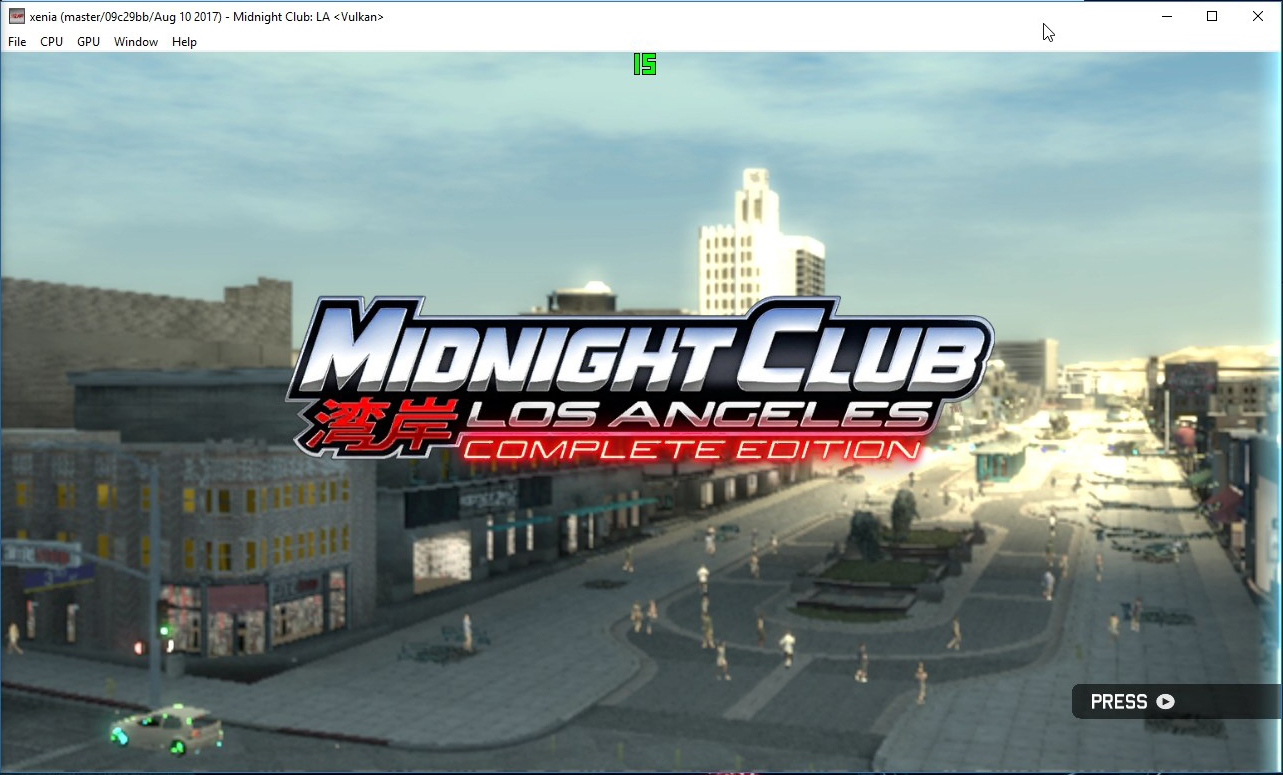
Video_Intro

Cut-scene

Ingame

Map viewer

Parovozik
on 14 Aug 2017
Trees are being rendered on the latest vk_vfetch build. Depth of field effect finally works properly now.
Memory leak bug is still present. Traffic cars and shadows are now rendered incorrectly (they used to be pretty accurate on benvanik/xenia@070e7bf3).
Performance is about 10x worse than it used to be on benvanik/xenia@070e7bf3. GPU usage is very low for some reason.


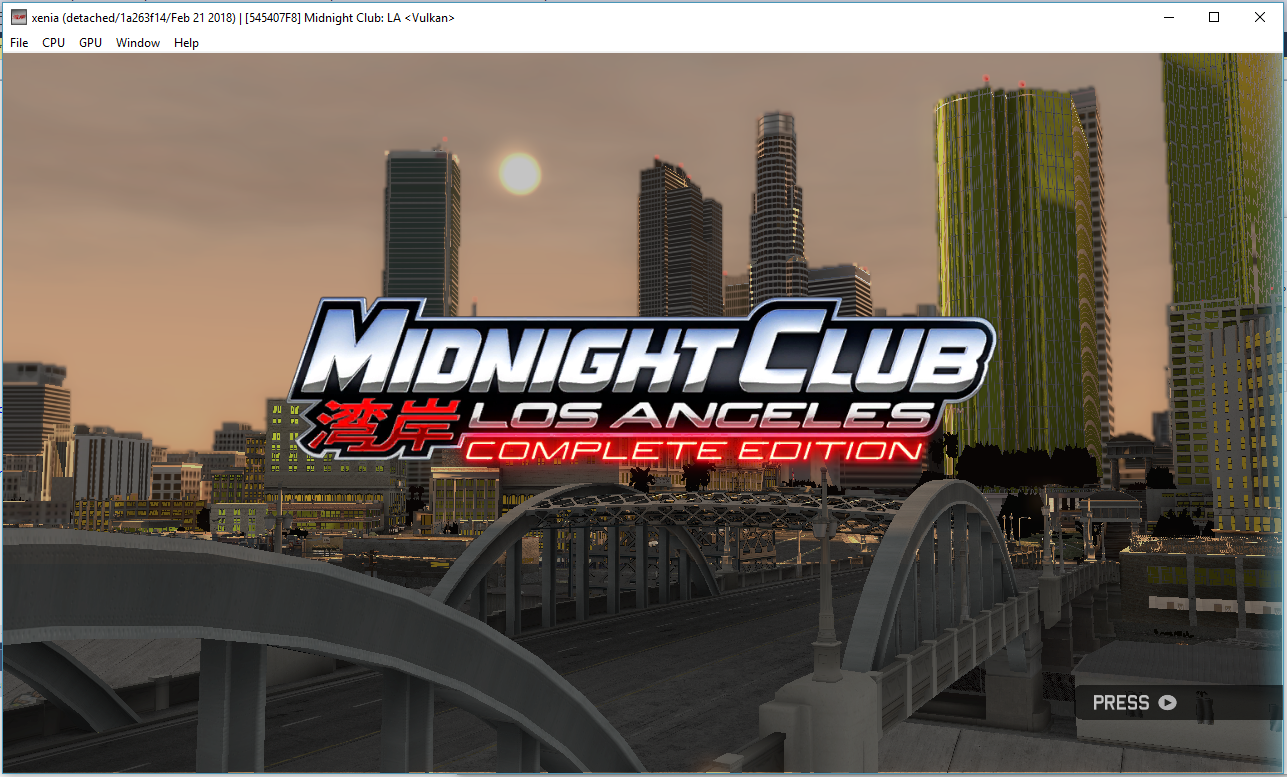
@Razzile add (gpu-indexed-vfetch), (gpu-slow) and (regression) labels
Deathlock47
on 22 Feb 2018
I think the labels should reflect the master branch only?
@DrChat what is your opinion?
 Razzile
on 22 Feb 2018
Razzile
on 22 Feb 2018
Agreed - but it doesn't matter now, the branch is merged into master. gpu-indexed-vfetch tag is useless now.
DrChat
on 22 Feb 2018
Performance is now back where it used to be and the cars also render better now. Sadly memory leak is still here, it's the only thing that prevents me from getting ingame

@Razzile remove (gpu-slow) label please
Deathlock47
on 23 Feb 2018
I managed to get ingame on the latest master build (with 4x speed) before Xenia crashed due to the VRAM leak. Shadows are rendered now, although broken but the car is still invisible and not working. I tried to accelerate but the car was still stuck like a few months ago. Nevertheless it is some progress.


Grima04
on 23 Feb 2018
Tested on (https://github.com/benvanik/xenia/commit/702a8732c8914526ebfb95c6fb645df862e3aa31)
Still memory leak (vram) for me (https://github.com/benvanik/xenia/issues/779)
Parovozik
on 2 Mar 2018
Extreme contrast ingame now. Problems with bloom/HDR similarly to NFSMW2005?


Deathlock47
on 20 May 2018
This is due to unhandled gamma.
 gibbed
on 20 May 2018
gibbed
on 20 May 2018
Entirely white screen ingame now
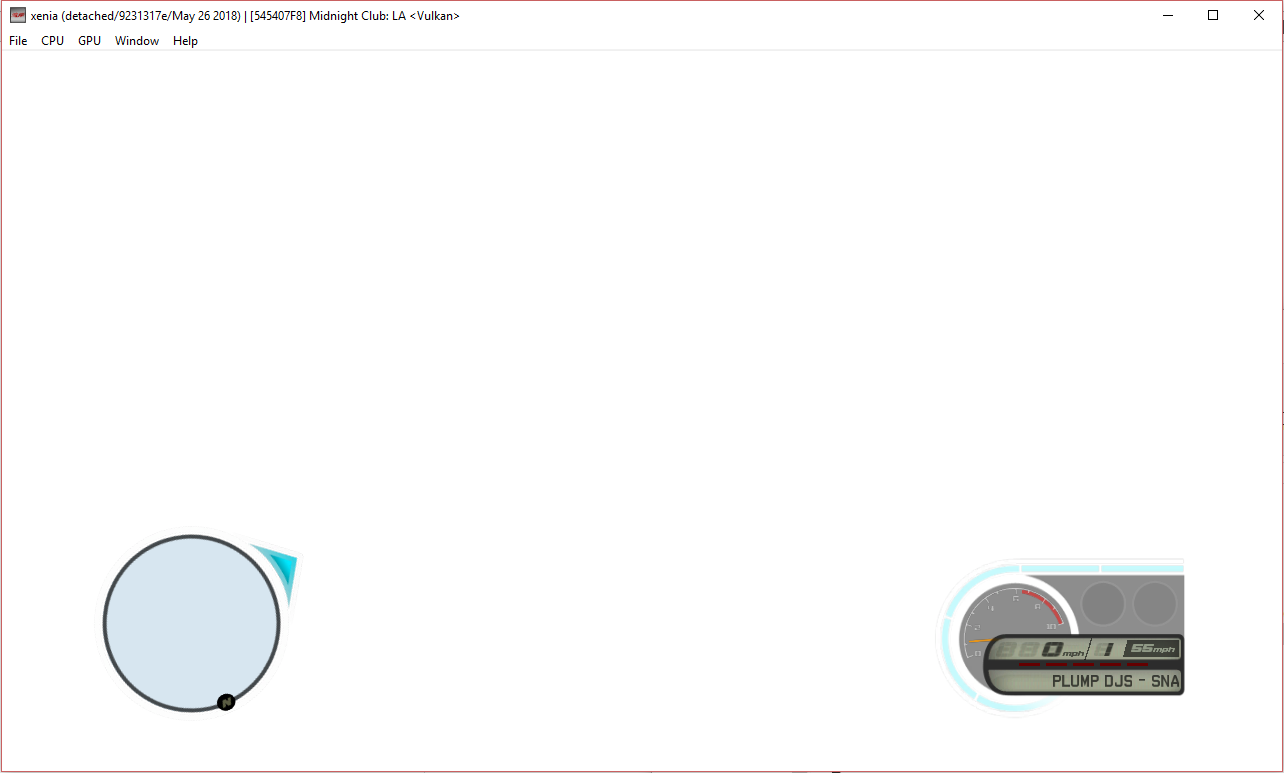
Deathlock47
on 26 May 2018
Still white screen
 DavidVioMC
on 17 Jun 2018
DavidVioMC
on 17 Jun 2018
Yep white screen aswell
 ExtremeCaliber
on 22 Jul 2018
ExtremeCaliber
on 22 Jul 2018
Graphics look very good on DX12
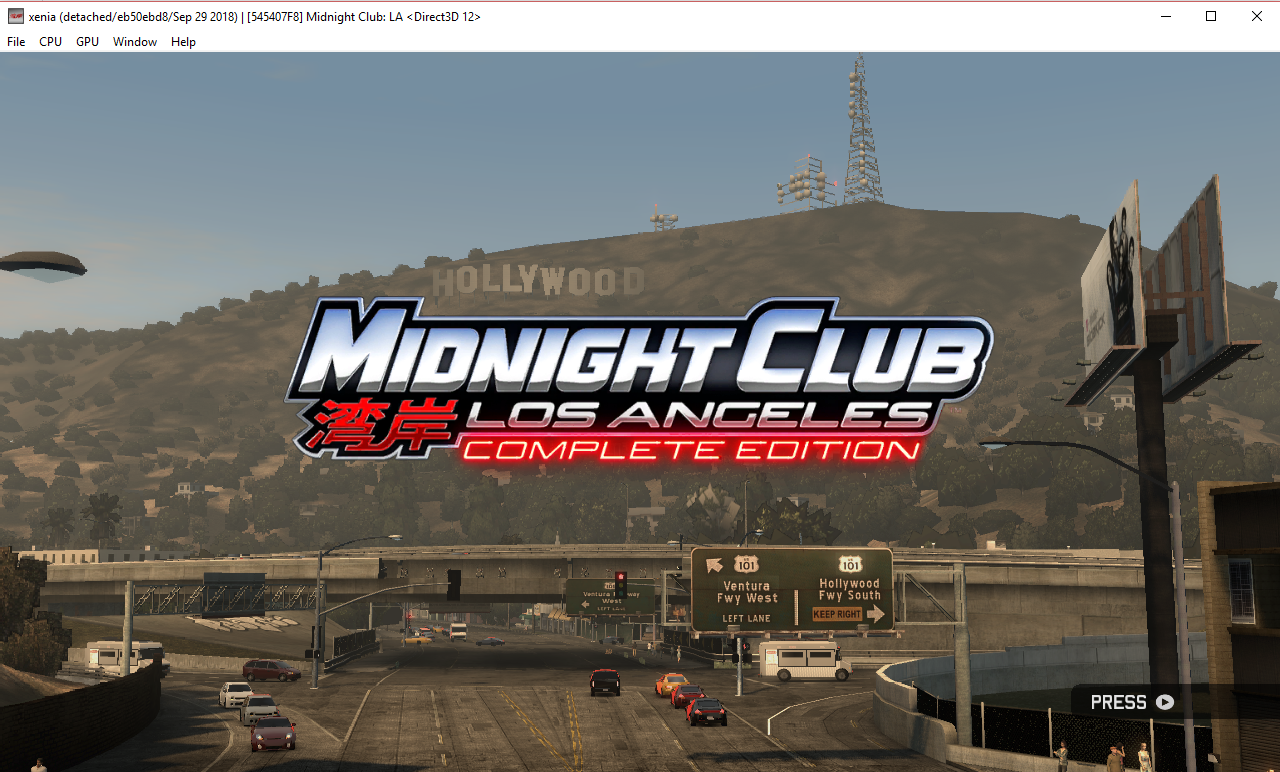
However the image flickers constantly, switching to the one below every other frame
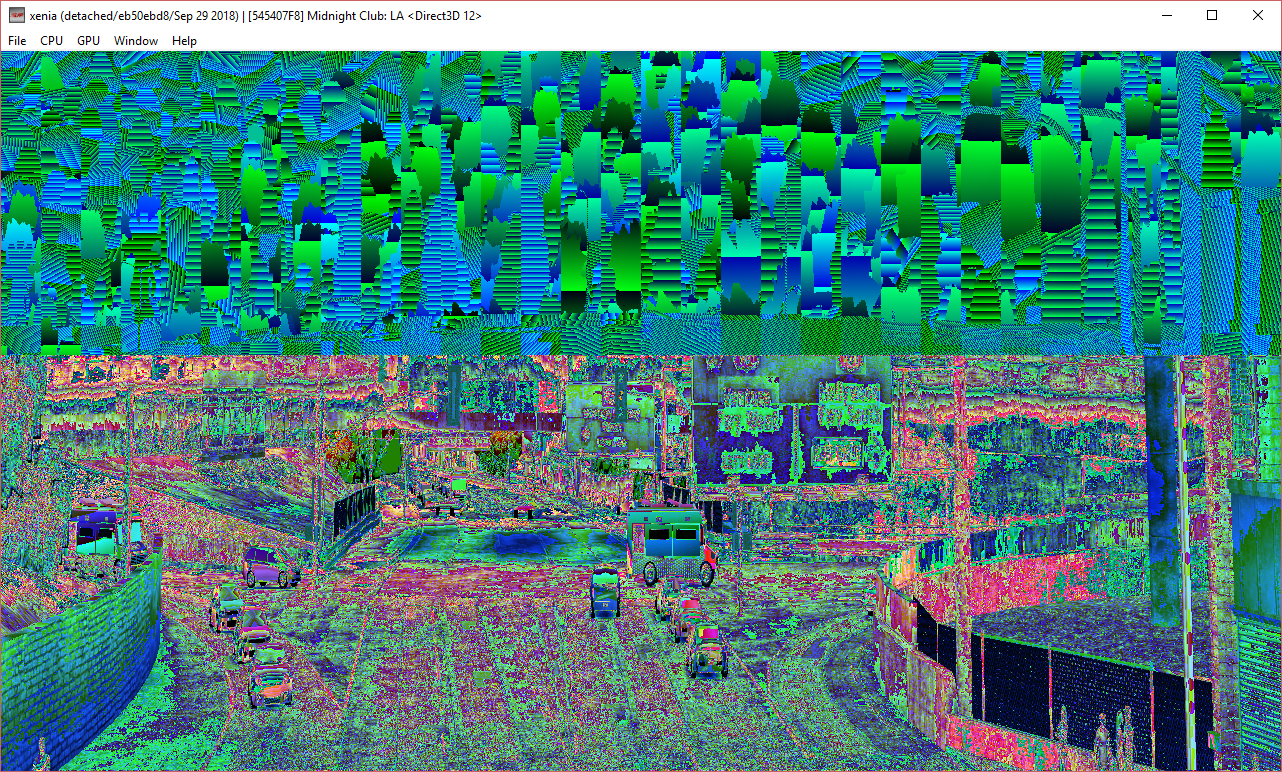
Sadly the car is still invisible and impossible to drive. CPU issue probably?
Deathlock47
on 29 Sep 2018
With https://github.com/xenia-project/xenia/commit/7d7a539aeef4d6524c1356e44b027df3cc1d5ef7, some missing models are now being rendered, like some trees in this place.
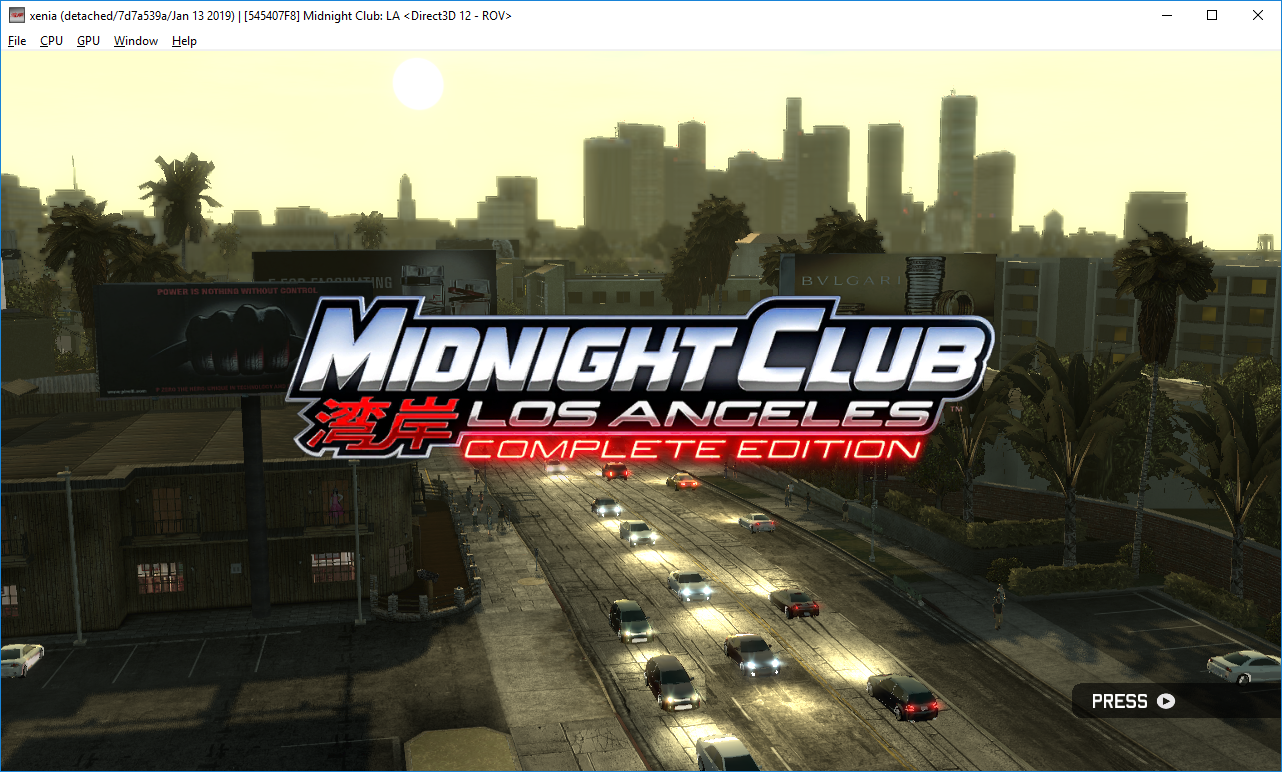
But the most important improvement is that the car is now rendered for the first time.

And I can drive without problems.

Races work as they should.
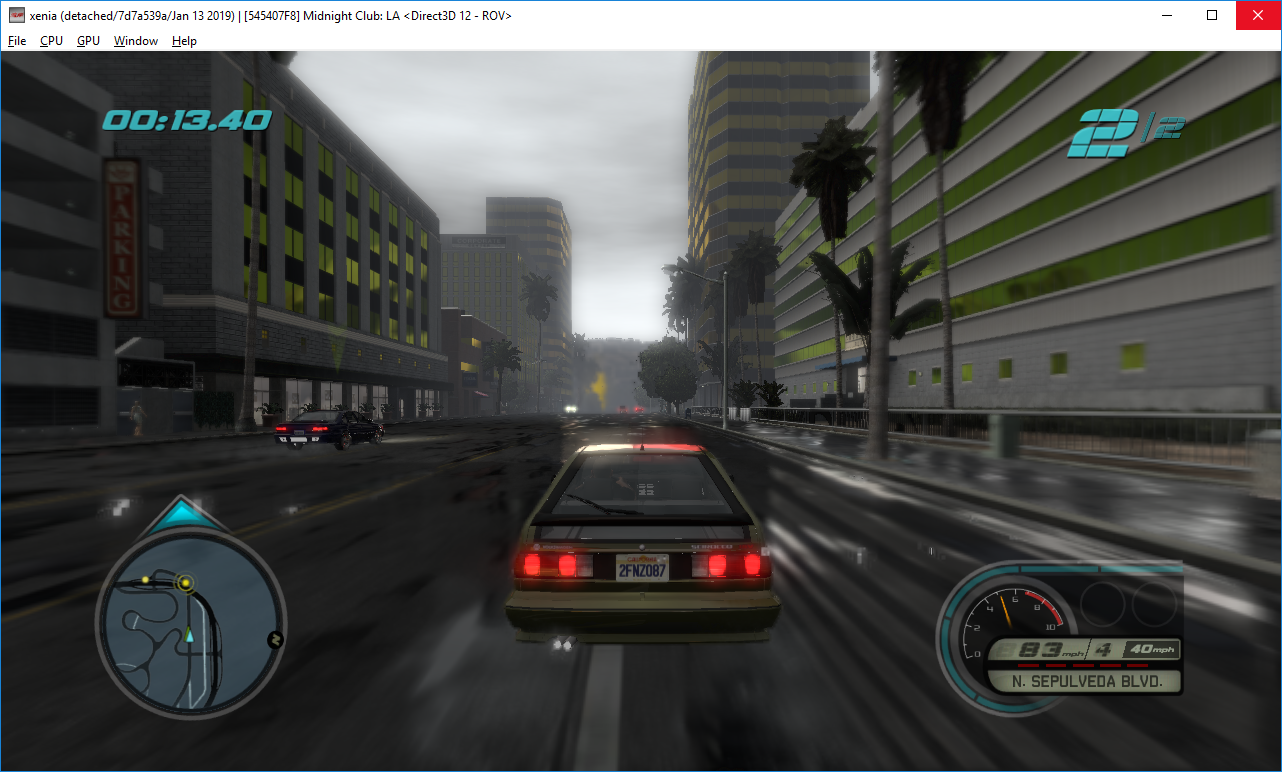
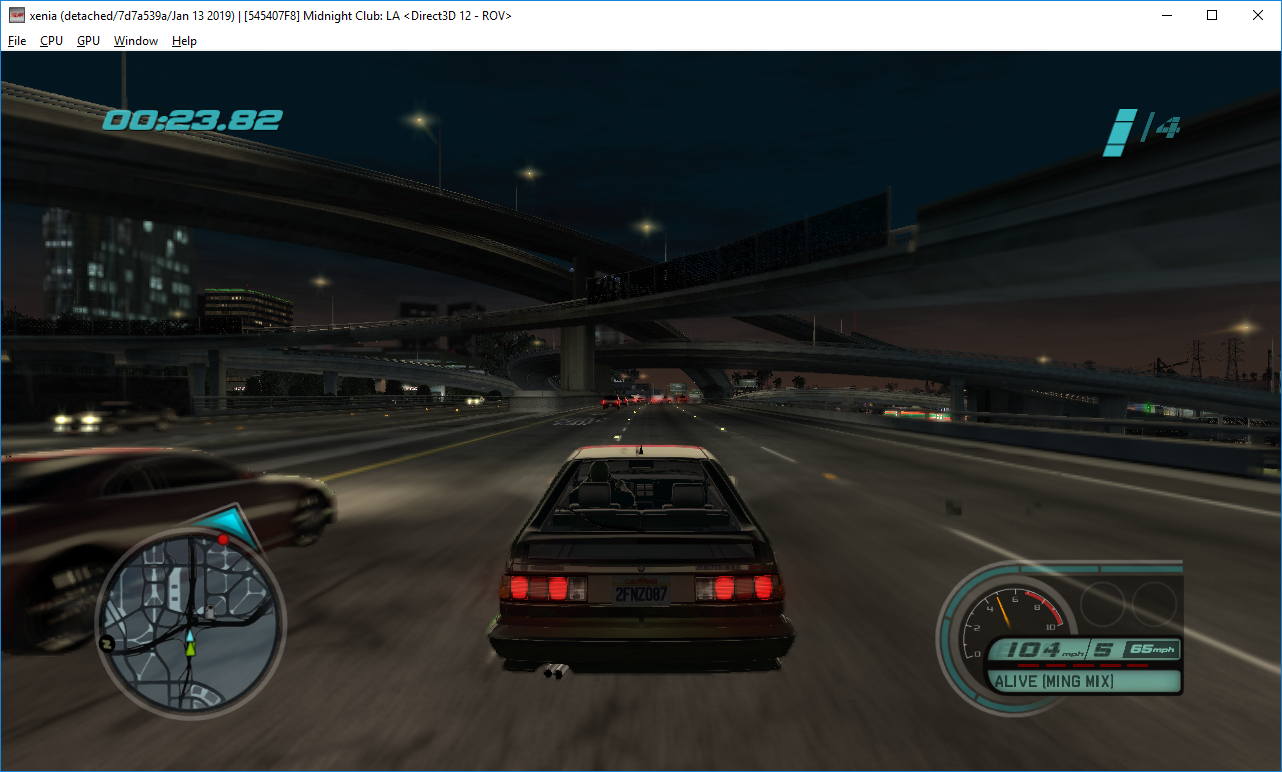
Graphical issues that remain are:
- Broken color reflections
- White parts under the cars
- Minor square flickering in some parts of the screen
 MarioSonic2987
on 14 Jan 2019
MarioSonic2987
on 14 Jan 2019
Are you using a true DX12 GPU or a DX11 native GPU with DX12 support thru Windows 10?
DavidVioMC
on 14 Jan 2019
I have a GTX 970, so it supports DX12.
MarioSonic2987
on 14 Jan 2019
Oh, same here, I'm also using GTX 970, do you also get poor fps? I get max 25, mostly 20 with drops to 15, GPU is mostly maxed out but VRAM is not, My cpu is also i5 2500k overclocked to 4.8Ghz so it shouden't have issues.
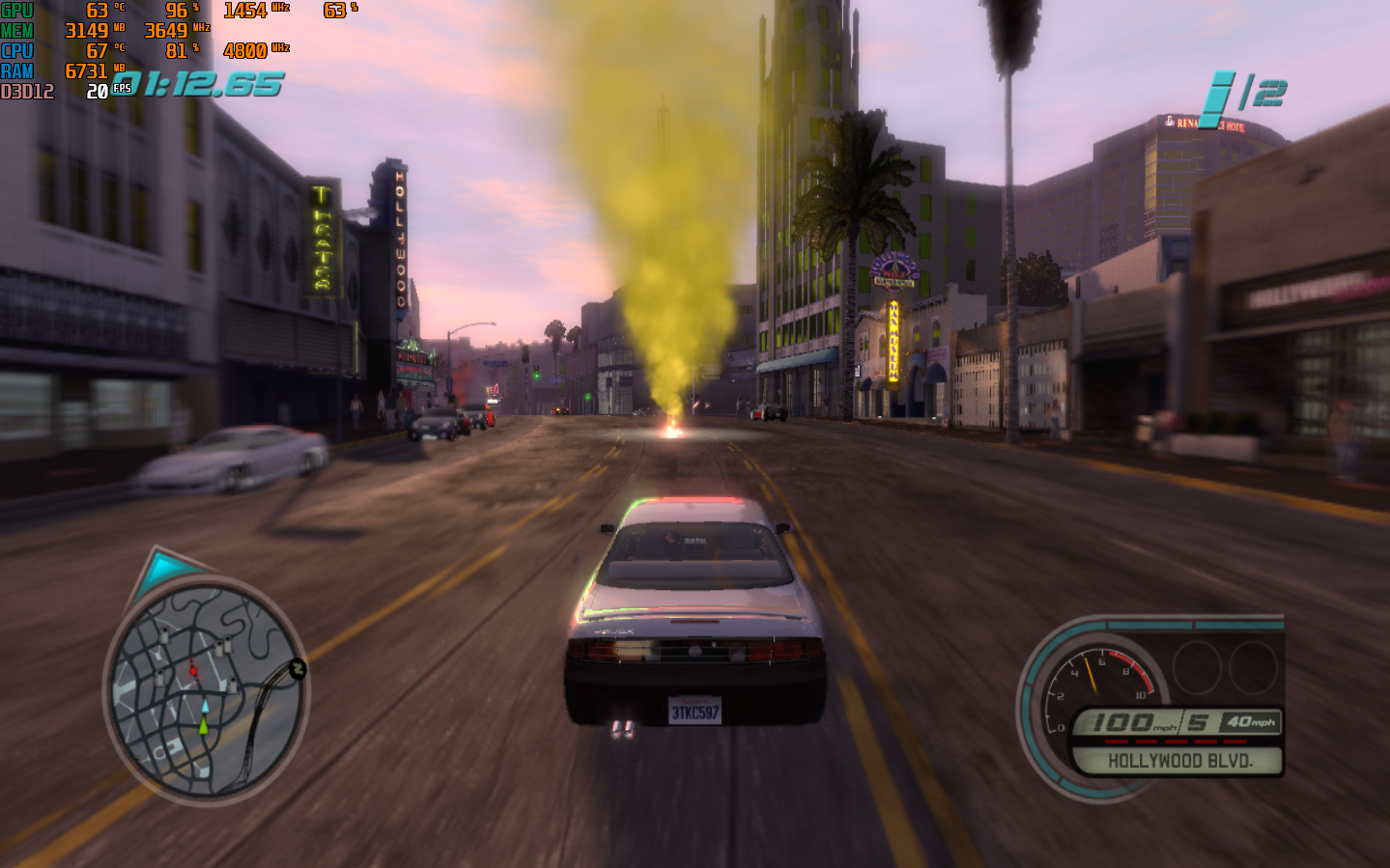
Issues that I found for me are:
- Poor FPS
- Cockpit camera is completly broken, you can only see rear view mirror, top part of winshield and player's feet at certain angles.
- No sound in cutscenes, just a random engine sound, you have to enable subtitles for cutscenes and read them.
- Random sound glitches, for example when you are driving 80+mph, the engine sound will cut in and out.
Nvidia does support Vulkan for GTX 970, I might install the Vulkan drivers and see if it also has poor FPS, the game is pretty much playable if you don't mind minor graphical defects and reading cutscens subtitles but the 20 fps still makes the game unenjoyable.
DavidVioMC
on 14 Jan 2019
@DavidVioMC Yes. I get the same performance as yours. And I also had the issues that you mentioned.
MarioSonic2987
on 14 Jan 2019
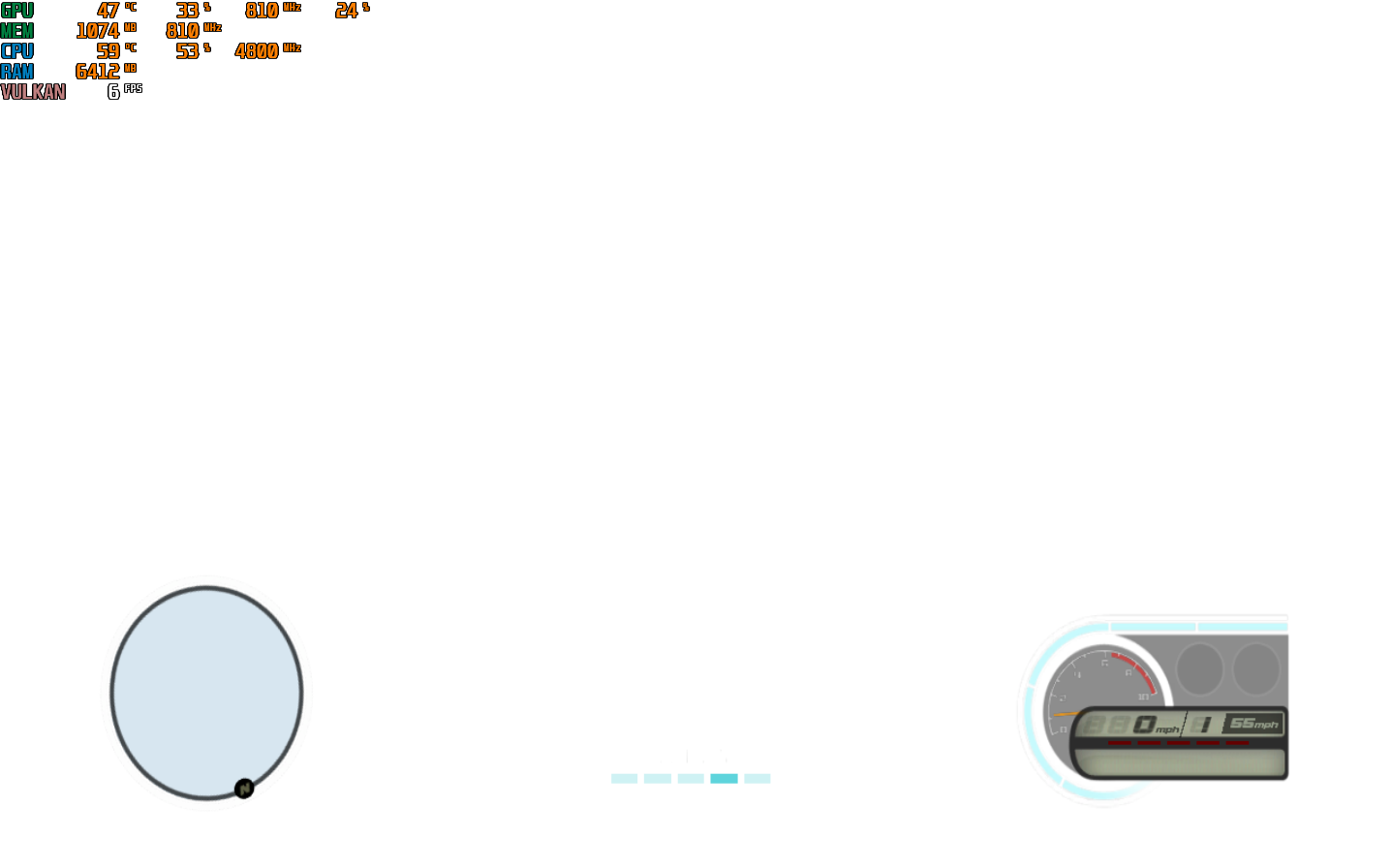
Vulkan API is a no go,
- White screen
- FPS more worse than DX12
- Even menu music is super glitchy
DavidVioMC
on 15 Jan 2019
Emulator closes when reaching the "Press Start" screen on DX12.
Emulator gives a white screen on Vulkan.
xenia(dx12).log
(Ryzen 2600x, Vega 64)
 gab1288
on 25 Feb 2019
gab1288
on 25 Feb 2019
Emulator closes when reaching the "Press Start" screen on DX12.
Emulator gives a white screen on Vulkan.
xenia(dx12).log(Ryzen 2600x, Vega 64)
No issues for me on the latest build
GTX 970 i5 2500k

DavidVioMC
on 26 Feb 2019
With https://github.com/xenia-project/xenia/commit/25cc189e99cde24f955482a8fe66a7c8849161f8, has these graphical issues:
Broken depth with cockpit camera (ROV only)


No raindrops (ROV only)


Also notice that with ROV under the car's chassis is white and there's no "shadow" under the cars.
Rainbow reflections are on both RTV/DSV and ROV.
MarioSonic2987
on 12 Apr 2019
I'd like to add to the list of issues. When using DirectX12, cutscenes had no voice, but other sounds were present. Since Vulkan was merged into DX12, I can only assume that it's the same there as well.
I played about the first 10 minutes of the game and got about 15-20 fps, sometimes down to 10.
Specs: NVidia GeForce RTX 2070, Ryzen 7 [email protected], 16 GB RAM
 KBouder
on 17 Apr 2019
KBouder
on 17 Apr 2019
Testing it on latest builds
Specs: HD 7950OC, 8gbDDR4 ram, R5 1600
Game works fine on DX12, running it at 15FPS, Vulkan shows a white screen, it is not freezing or anything, its just white.
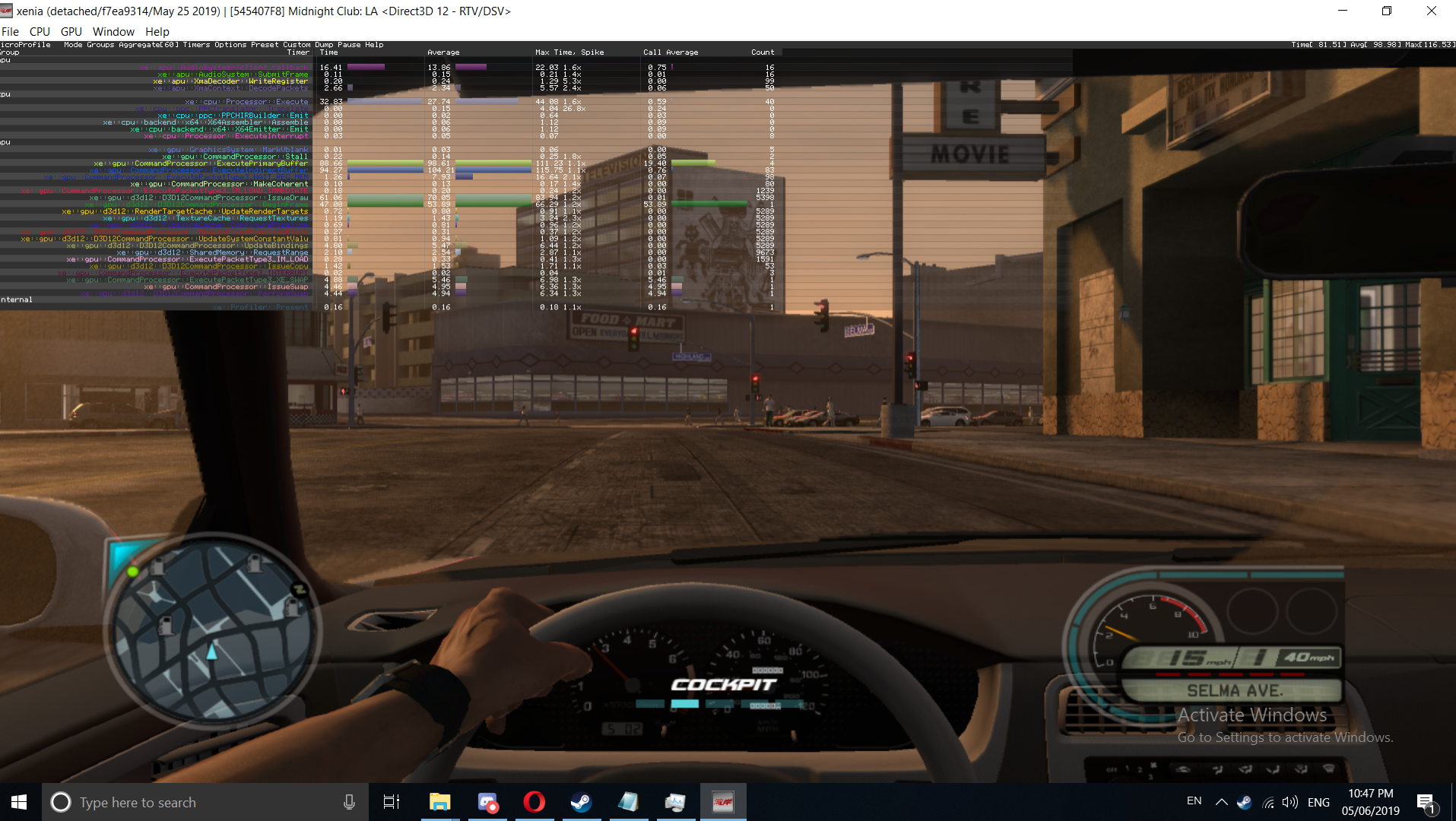
Cockpit wiev works fine, Dof is missing, not a big deal

one part of the map is having these gold/red squares, which dissapear when you get close to them, Funny thing is that they appear from north, thru east, to the south part of the whole game (looking at bird's perspective btw), west side of the game renders fine
Reflection is not good, its either red or green
GPU usage is as expected, on 100%
last time i tested, it did have lower FPS but it was in early february
 TheSOSOGE
on 5 Jun 2019
TheSOSOGE
on 5 Jun 2019
Well it might be your AMD FX processor, these are getting old and lack some of the newer features that the new Ryzen have. They don't have a great IPC either, I'm afraid that's the best it can do
Get BlueMail for Androidhttp://www.bluemail.me/r?b=15289
On Jun. 21, 2019, at 9:55 a.m., jvmazola08 <[email protected]notifications@github.com> wrote:
Can u guys help me? I'm new here, and I wanna know why my fps in xenia is so bad, at all time stay on 10-15 fps and rarely I can get 20-22 fps.
Configs:Fx 8120 @4ghz
Gtx 1060 6gb
12gb of ram
—
You are receiving this because you commented.
Reply to this email directly, view it on GitHubhttps://github.com/xenia-project/game-compatibility/issues/426?email_source=notifications&email_token=ABMOZVPTCTQSYULJRTN4CFDP3TMVLA5CNFSM4CC3K6T2YY3PNVWWK3TUL52HS4DFVREXG43VMVBW63LNMVXHJKTDN5WW2ZLOORPWSZGODYIRANY#issuecomment-504434743, or mute the threadhttps://github.com/notifications/unsubscribe-auth/ABMOZVLRNSMQPM5H3OB2M4TP3TMVLANCNFSM4CC3K6TQ.
gab1288
on 21 Jun 2019
Performance has significantly dropped between xenia build from January 29 2019 and October 28 2019, almost 60% FPS drop, I used to get about 22 FPS on Jan build, now I'm lucky to get 10, same hardware, i5-2500k and GTX 970 on DX12.
Jan build:

Oct Build:

DavidVioMC
on 28 Oct 2019
@DavidVioMC Is that with the same driver version?
 Margen67
on 28 Oct 2019
Margen67
on 28 Oct 2019
Tested on https://github.com/xenia-project/xenia/commit/630a538af3a38f0a93fc555333eb72f480b7382d
Completed first race mission. Everything looks fine visually, but performance ranges from 20-30FPS while driving.


 Etokapa
on 15 Apr 2020
Etokapa
on 15 Apr 2020
Hey y’all, I made a bunch of screenshots of the city to get a better perspective, some are mediocre and some are bourgie like shots. I have a friend in China and we play GTA V together but it just doesn’t capture the aesthetic of LA, and missed MCLA, and took these screenshots to show him what LA looks like more. I’ve been there basically once but this is more like it when going, and the references I’ve known, other than Santa Monica. If only there’s a hybrid of Los Santos LA and MCLA Los Angeles, it would be the best scaled replica of LA. Hope y’all like.
https://drive.google.com/drive/folders/1vnfiIzjoDG-x9ry84bOqwaYf8x4dFCZj
 RollerCoaster1234
on 9 Sep 2020
RollerCoaster1234
on 9 Sep 2020
Related issues
 benvanik
·
6Comments
theoldsport
·
8Comments
benvanik
·
6Comments
theoldsport
·
8Comments
 TotalCaesar659
·
3Comments
TotalCaesar659
·
3Comments
 rockleevk
·
5Comments
rockleevk
·
5Comments
 alexis23ange
·
4Comments
alexis23ange
·
4Comments