Fsnotes: Documentation: What is Container - TextBundle?
I noticed FSNotes v3 has a new preferences setting for Container: TextBundle | None. As an end user, why would I choose one format over the other?
I see selecting FSNotes Help from the Help menu just opens the github issues page. Are there plans to create a documentation page? Github wiki would be just great.
 quinncomendant
All 7 comments
This should be documented, I agree.
It's a bundle (think of it like a special folder that looks like a single file) that contains plain text and any referenced media.
Read more http://textbundle.org/
 gingerbeardman
on 2 May 2019
gingerbeardman
on 2 May 2019
Ok, I get the gist. A couple questions:
- Do TextBundle packages persist, or are they only used temporarily when sharing a document with another program?
- If they persist, where are they saved? If I use iCloud Drive for my notes, will TextBundles appear on my other devices?
- TextBundles look awesome. Why would anyone choose Container: None?
quinncomendant
on 3 May 2019
- They persist.
- Your notes folder. Yes with iCloud they'll appear on all your devices.
- If you don't use images/media there's no real need to use textbundles. If you don't have apps that can work with them easily maybe you'd my choose to use textbundles.
Does that sound right @glushchenko
gingerbeardman
on 3 May 2019
Yep, TextBundles sure do appear on all devices via iCloud. It looks like this:
The TextBundle folder:
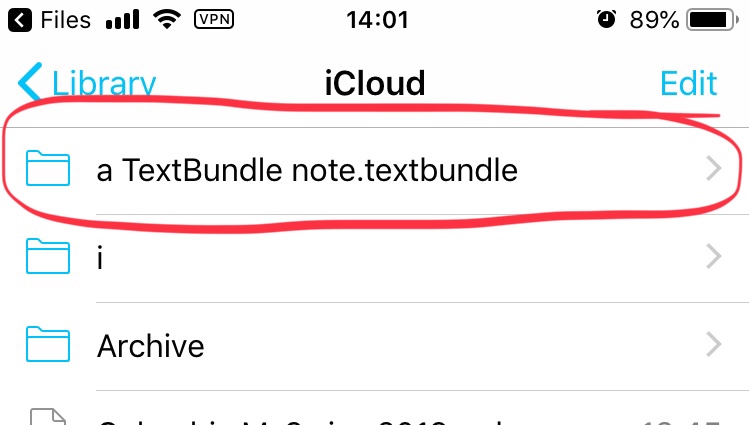
The TextBundle folder contents:

That's a view from inside iA Writer, which doesn't "support" TextBundles (although, of course it can open the *.textbundle/text.markdown file inside).
Unless a user only uses the supported apps they will want to select the Container: None option. If they don't, they'll end up with a bunch of folders instead of regular text files.
Does FSNotes default to Container: TextBundle when it is installed? Since this could violate the user's expectations of a "pure" text-file-only workflow (it will create folders instead of files), the default setting should probably be Container: None.
quinncomendant
on 3 May 2019
 glushchenko
on 5 May 2019
glushchenko
on 5 May 2019
Does FSNotes default to _Container: TextBundle_ when it is installed? Since this could violate the user's expectations of a "pure" text-file-only workflow (it will create folders instead of files), the default setting should probably be _Container: None_.
@glushchenko I see that TextBundle is now indeed default, an unannounced change. this is something I do not personally want for my notes (now I have to go back through recent notes and figure out how to convert them to plain .md files)
gingerbeardman
on 5 May 2019
It seems that v2.6.0 on iOS also defaults to using TextBundle, even though the 'default extension' setting is still 'md' in my case… that's a bug to me. And then note contents don't show on the MacOS app. (Please split into separate issue if needed.)
 sgoumaz
on 8 May 2019
sgoumaz
on 8 May 2019
Related issues
 iandol
·
4Comments
iandol
·
4Comments
 yene
·
3Comments
yene
·
3Comments
 sepich
·
3Comments
sepich
·
3Comments
 sloria
·
3Comments
sloria
·
3Comments
 erikrose
·
4Comments
erikrose
·
4Comments