Fsnotes: Improve default line spacing and UX of line spacing preferences
Describe your feature request
In priority order:
- The default line spacing (0) is too cramped to be very readable.
- A slider (screenshot below) isn't an intuitive control for line spacing. A menu with "1", "1.5", "2" etc. would be easier to use and would allow me to more easily match my configurations across machines.
- I expected to be able to configure the line spacing in the "Layout / Font" section of the Preferences. It wasn't until I found https://github.com/glushchenko/fsnotes/issues/262 that I found that the settings are in "Editor / Line Spacing".

Additional context
macOS
 sloria
All 3 comments
Re: 2, Bear also uses a slider for line spacing:
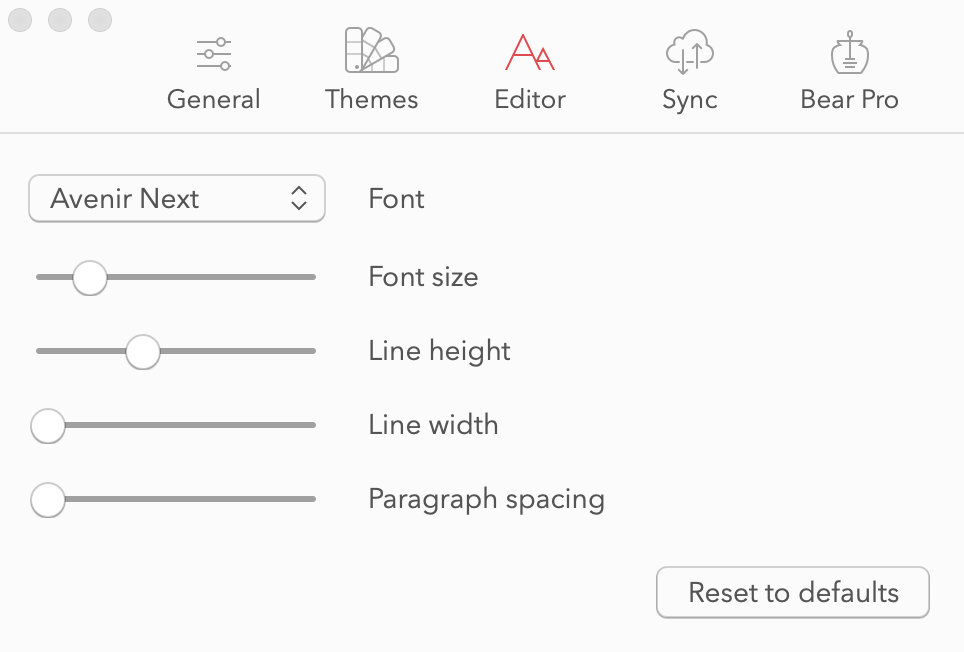
This still seems like an odd choice, but maybe it's fine to follow Bear's lead for now.
Re: 3, moving the "Note Font" (and possibly rename to just "Font") setting to the "Editor" tab would address the issue. Font, line spacing, and line width settings should be colocated.
sloria
on 12 May 2020
It would also be good to have the "Reset to defaults" button, like in the Bear screenshot above. As a user, I expect a "reset" button when the controls are sliders.
sloria
on 12 May 2020
I agree. I think the slider can be maintained, but it could have "notches" like regular menus on macOS, for example when setting the trackpad sensibility:
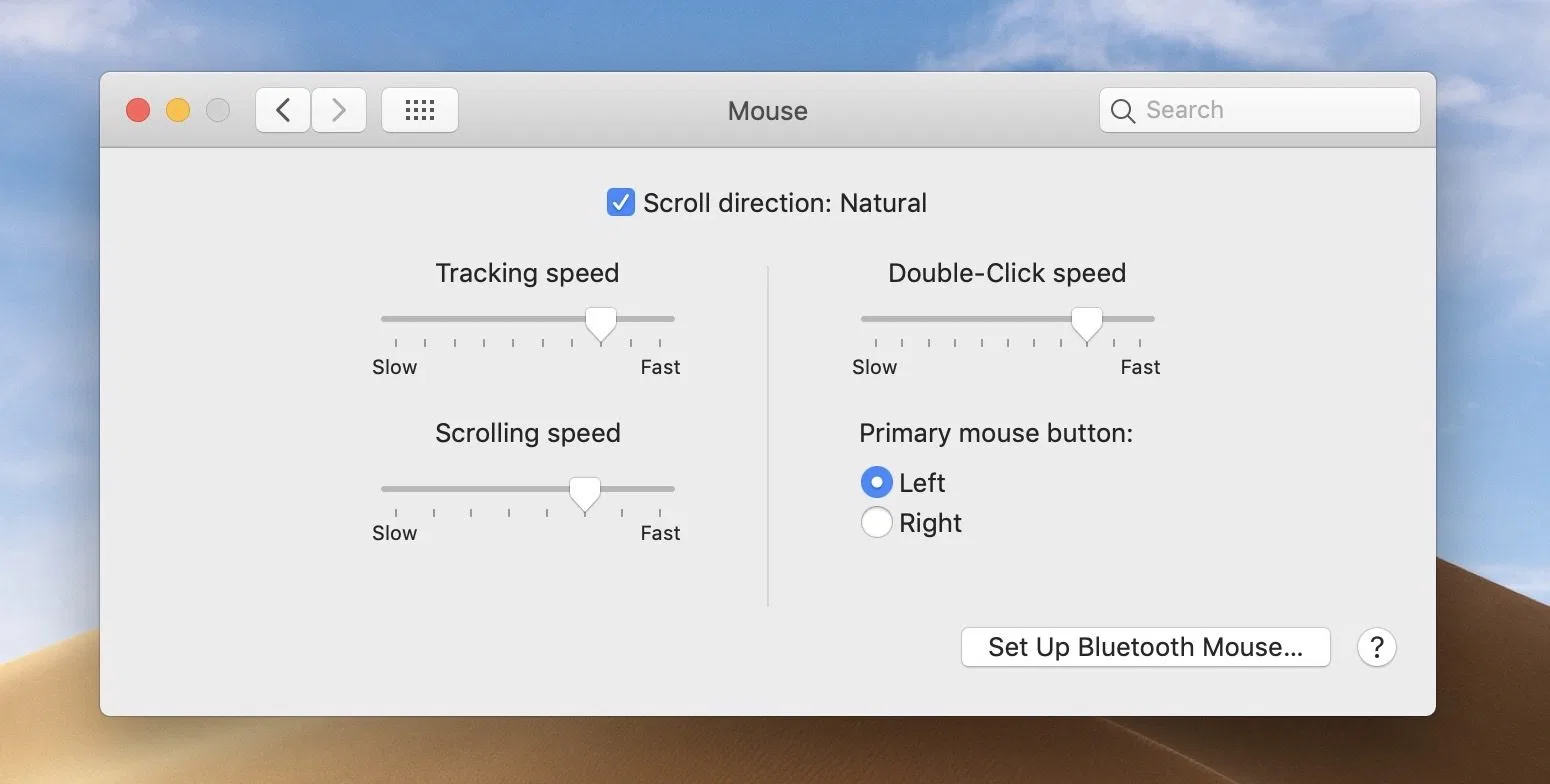
I guess 7 or 8 notches would be sufficient (as in the scrolling speed). Another related issue is that as of 4.3.3, the note titles aren't perfectly centralized height-wise... could be because of the slider.
 brianwood2783
on 17 May 2020
brianwood2783
on 17 May 2020
Related issues
 jakemkc
·
4Comments
jakemkc
·
4Comments
 lowski
·
3Comments
lowski
·
3Comments
 dmattera
·
3Comments
dmattera
·
3Comments
 shurain
·
3Comments
shurain
·
3Comments
 ebsmv
·
4Comments
ebsmv
·
4Comments
Most helpful comment
I agree. I think the slider can be maintained, but it could have "notches" like regular menus on macOS, for example when setting the trackpad sensibility:
I guess 7 or 8 notches would be sufficient (as in the scrolling speed). Another related issue is that as of 4.3.3, the note titles aren't perfectly centralized height-wise... could be because of the slider.