Fsnotes: Expand padding around text fields
For ease of readability and user comfort, suggest increasing the padding around text fields in the UI.
FSNotes vs. Apple notes for comparison:


 sweenzor
All 27 comments
I agree
 gingerbeardman
on 17 Jan 2019
gingerbeardman
on 17 Jan 2019
Just my 2 cents but I find the padding in both the notes list and editor to be just about right. I use a courier font in the editor, and I suspect that makes some difference as compared with the default font.
 peavine
on 18 Jan 2019
peavine
on 18 Jan 2019
Appreciate the perspective @peavine!
sweenzor
on 18 Jan 2019
@peavine if you find the current (lack of) margins in FSNotes.app "just about right", what is "wrong" about the Notes.app margins (@sweenzor 2nd image)? Out of interest.
Fwiw: margins are proven to improve readability, eg. https://uxmovement.com/content/how-margins-and-line-lengths-affect-readability/
gingerbeardman
on 18 Jan 2019
@gingerbeardman. I don't understand your question. For me, the margins in the notes list are fine and the margins in the editor are fine. The margins I'm referring to are the green lines in @sweenzor's post.
peavine
on 18 Jan 2019
Please try again, I have edited my post above (Notes > Notes.app, added FSNotes.app specifics)
gingerbeardman
on 18 Jan 2019
@gingerbeardman. I find nothing wrong with the margins @sweenzor has proposed. My personal preference is for smaller margins and less white space; that's all.
peavine
on 19 Jan 2019
For text editor added in 2.9.0
 glushchenko
on 10 Feb 2019
glushchenko
on 10 Feb 2019
Can the margins be dynamic, i.e., a percentage of the window width? When using very narrow windows on small screens, it's nice to maximize use of the window's limited size.
Screenshots: this one should have wide margins, but this one should not.
 quinncomendant
on 11 Feb 2019
quinncomendant
on 11 Feb 2019
What do I have to do to see this in 2.9.0?
gingerbeardman
on 11 Feb 2019
@gingerbeardman prefs > editor > line width
 jeff-h
on 11 Feb 2019
jeff-h
on 11 Feb 2019
This is not quite what I was hoping for
gingerbeardman
on 11 Feb 2019
When using very narrow windows on small screens, it's nice to maximize use of the window's limited size. ...
@quinncomendant you can.
glushchenko
on 11 Feb 2019
I leave the new line-width preference option set at its maximum, but I was curious about something. The line-width slider from its midpoint to maximum does not change the line width even a little bit. Is there a reason for this?
For the editor, I use a fixed-width courier font at a large size and I thought this might be the reason for this behavior.
BTW, I like this new feature, as it allows everyone the ability to change the margins to their own preference.
peavine
on 11 Feb 2019
I leave the new line-width preference option set at its maximum, but I was curious about something. The line-width slider from its midpoint to maximum does not change the line width even a little bit. Is there a reason for this?
Your window needs to be bigger.
gingerbeardman
on 11 Feb 2019
@Gingerbeardman. I maximized FSNotes to the entire screen and retested.
The line-width slider was set at the maximum and I moved it just a tiny bit away from maximum. The editor took on a really-large margin. I guess that's the issue being discussed above.
Thanks for the clarification.
peavine
on 11 Feb 2019
@peavine, maximum width is equal to max size.
glushchenko
on 11 Feb 2019
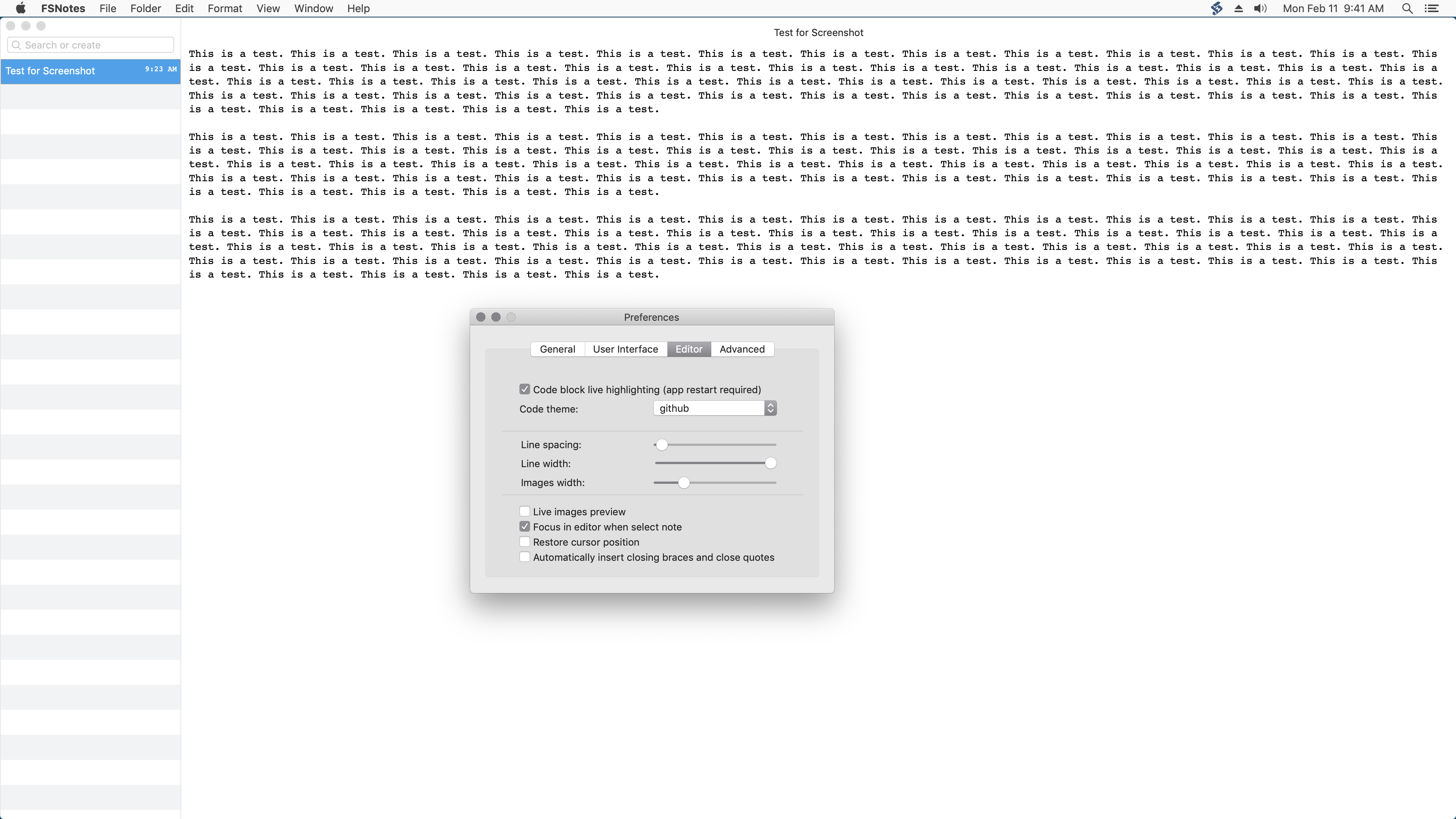
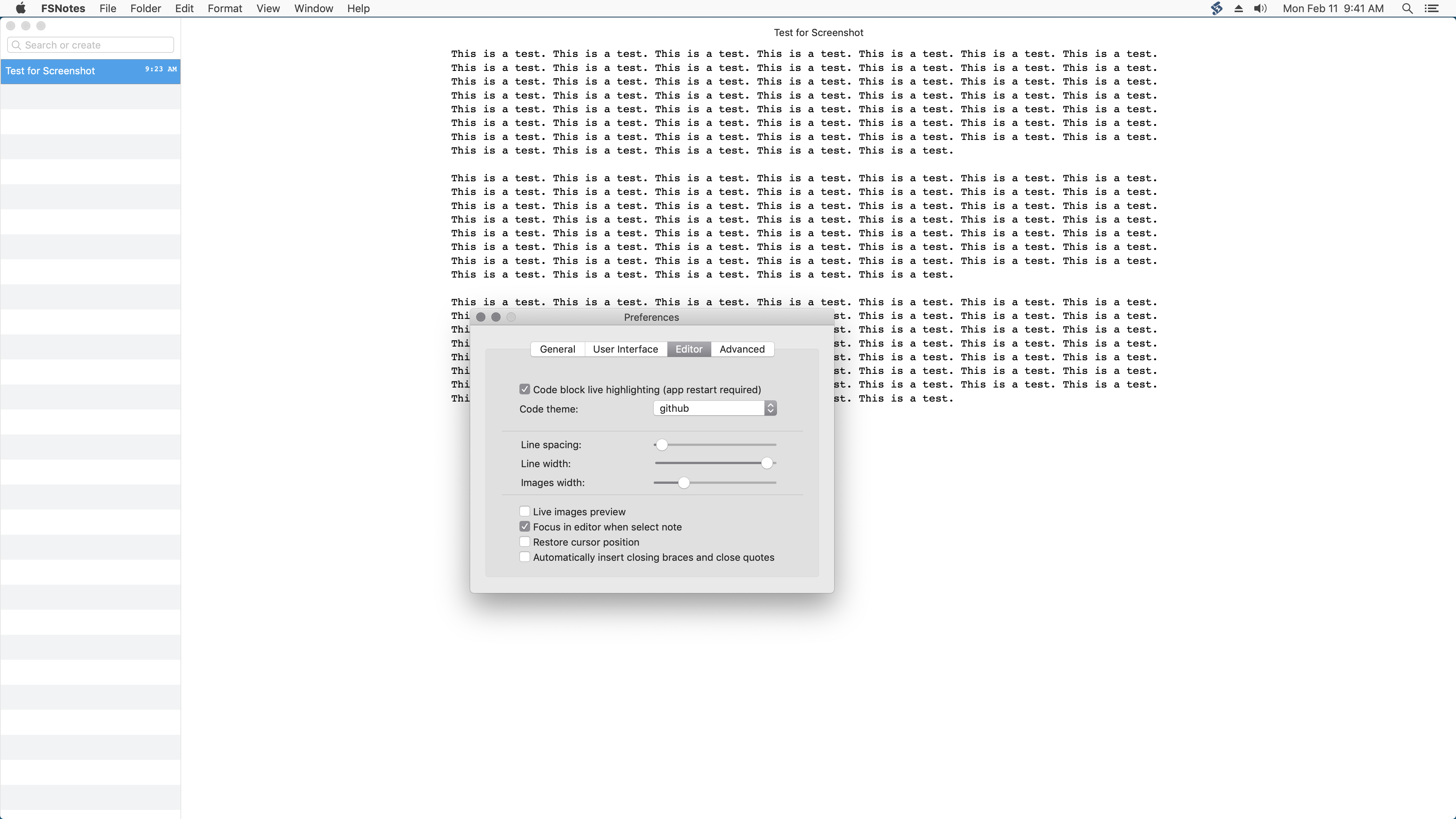
I've added two screenshots to demonstrate what I'm talking about. Both screenshots were taken with FSNotes maximized. The first screenshot is with the line-width slider at its maximum and the second screenshot is with the slider perhaps 5 percent away from maximum. It seems like the slider should be more granular.
Perhaps I don't understand the issue. I'll leave the slider at maximum size, which I prefer.
peavine
on 11 Feb 2019
This does not work well for me.
I expect the margins to remain the same when window size changes.
Current option limits length of line regardless of window size.
Also see #260
gingerbeardman
on 11 Apr 2019
I expect the margins to remain the same when window size changes.
I think this captures it perfectly. This setting should adjust the number of pixels of whitespace on the left and right side of the text. It could possibly even be renamed margin width.
jeff-h
on 11 Apr 2019
Perhaps there's a use case for both? I'm not sure...
gingerbeardman
on 12 Apr 2019
@gingerbeardman new settings was added ;)
glushchenko
on 12 Apr 2019
Please try last build.
glushchenko
on 12 Apr 2019
I installed FSNotes build 248 and the new margin-size setting works great.
peavine
on 12 Apr 2019
FSNotes build 249 has a preference for line width but it doesn't seem to do anything. I was curious as to its purpose.
BTW, the margin-size setting still works great in build 249.
peavine
on 14 Apr 2019
@peavine I also see that problem
@glushchenko seems to be an issue
gingerbeardman
on 14 Apr 2019
Added in FSNotes v3
glushchenko
on 1 May 2019
Related issues
 sepich
·
3Comments
sepich
·
3Comments
 peanutputter
·
4Comments
peanutputter
·
4Comments
 gmenzel
·
3Comments
gmenzel
·
3Comments
 jakemkc
·
4Comments
jakemkc
·
4Comments
 sloria
·
3Comments
sloria
·
3Comments
Most helpful comment
I think this captures it perfectly. This setting should adjust the number of pixels of whitespace on the left and right side of the text. It could possibly even be renamed margin width.