Frontend: supervisor dashboard not honoring theme set
Checklist
- [x ] I have updated to the latest available Home Assistant version.
- [x ] I have cleared the cache of my browser.
- [ x] I have tried a different browser to see if it is related to my browser.
The problem
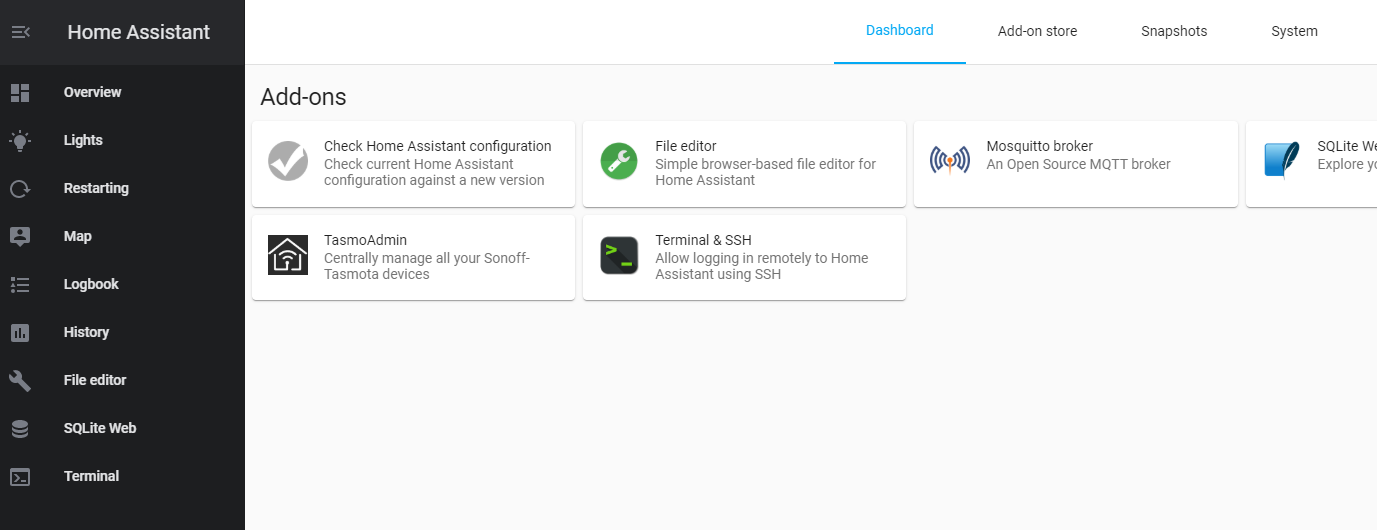
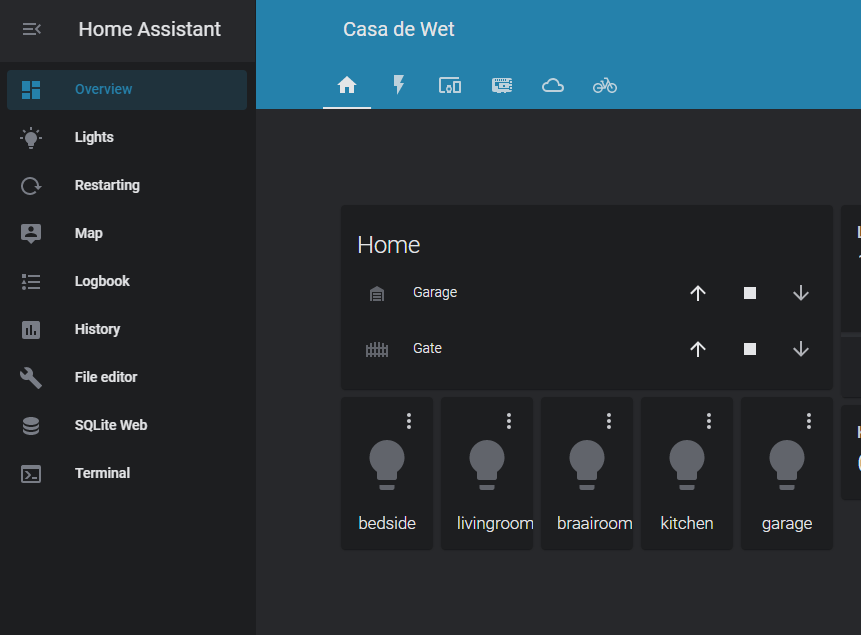
The Supervisor part of the front end does not honor the selected theme, it's using the default theme to render.
Expected behavior
Supervisor should be rendered with the same theme as the rest of the front-end
Steps to reproduce
Navigate to main dashboard - observe theme
Navigate to Supervisor section- observe selected theme is not honored
Environment
- Home Assistant release with the issue: 113.3
- Last working Home Assistant release (if known): 113.0
- Browser and browser version: Brave 1.11.104, Chrome 84.0.4147.105
- Operating system: HassOS 4.12
State of relevant entities
Problem-relevant configuration
Javascript errors shown in your browser console/inspector
Additional information
 nickidw
All 8 comments
What version of the supervisor is this?
Paste any output you see in the console of your browser.
 ludeeus
on 12 Aug 2020
ludeeus
on 12 Aug 2020
What version of the supervisor is this?
231
Paste any output you see in the console of your browser.
The console output contains nothing
nickidw
on 12 Aug 2020
There is no reason that should not work.
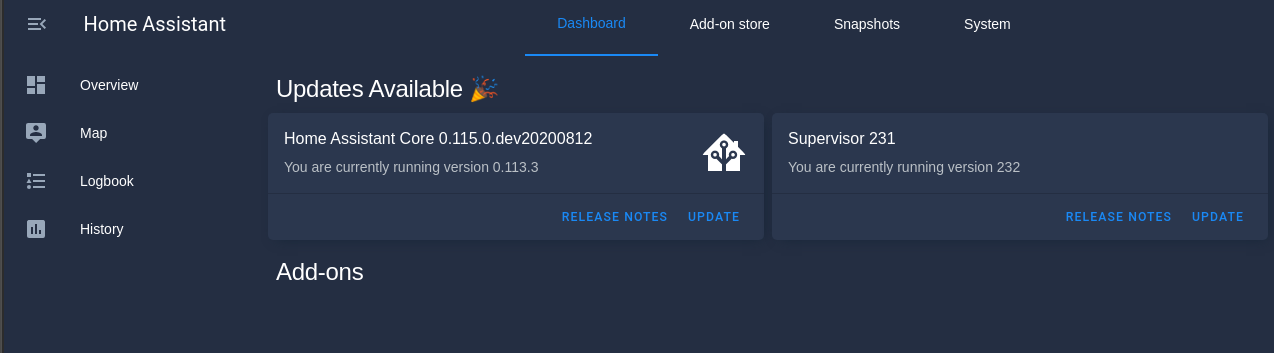
This is the same versions (mostly)
Try another theme, I used this one to test https://github.com/aFFekopp/noctis
ludeeus
on 12 Aug 2020
I have an automation on startup that sets the theme to blue-night, so my user theme is set to Backend-selected. this renders incorrectly in Supervisor. If I fire the automation again to set the theme, no change. If I change my user theme to blue-night instead of Backend-selected, it displays correctly.
nickidw
on 12 Aug 2020
I installed noctis, restarted homeassistant and it also does not render on the supervisor page unless I set my user theme to noctis from Backend-selected. Even fired the automation to set the theme, no change.
nickidw
on 12 Aug 2020
Issue resolved by upgrading to 114.0
nickidw
on 12 Aug 2020
That works too, but #6603 resolves it.
ludeeus
on 12 Aug 2020
Thank you for the quick response.
nickidw
on 12 Aug 2020
Related issues
 emlove
·
30Comments
emlove
·
30Comments
 SeLLeRoNe
·
39Comments
SeLLeRoNe
·
39Comments
 Mariusthvdb
·
27Comments
Mariusthvdb
·
27Comments
 jer78
·
29Comments
jer78
·
29Comments
 jlpouffier
·
30Comments
jlpouffier
·
30Comments