Frontend: Entity Row: Change Awning Controls to Arrows
@bdraco please revert #5309 an awning does not move horizontally
 PDekker
All 12 comments
@PDekker The retractable awnings I have fold horizontally so it makes sense to me.
Ideally we would be able to set the direction of movement as another property but that currently isn't possible.
Which integration are you using that is providing the awning entity?
 bdraco
on 9 Apr 2020
bdraco
on 9 Apr 2020
@bdrago are you sure what you have is called an awning? I don’t see any horizontally when I Google form them
This is an awning:
https://cdn.mydeal.com.au/22785/134898Black21.jpg
I use the RFlink integration
It would actually make send if you switch the icons around.
PDekker
on 9 Apr 2020
@PDekker I agree the icons aren't perfect, but it does move horizontally, and it is expanding when you click the expand icon and collapsing when you hit the collapse icon.
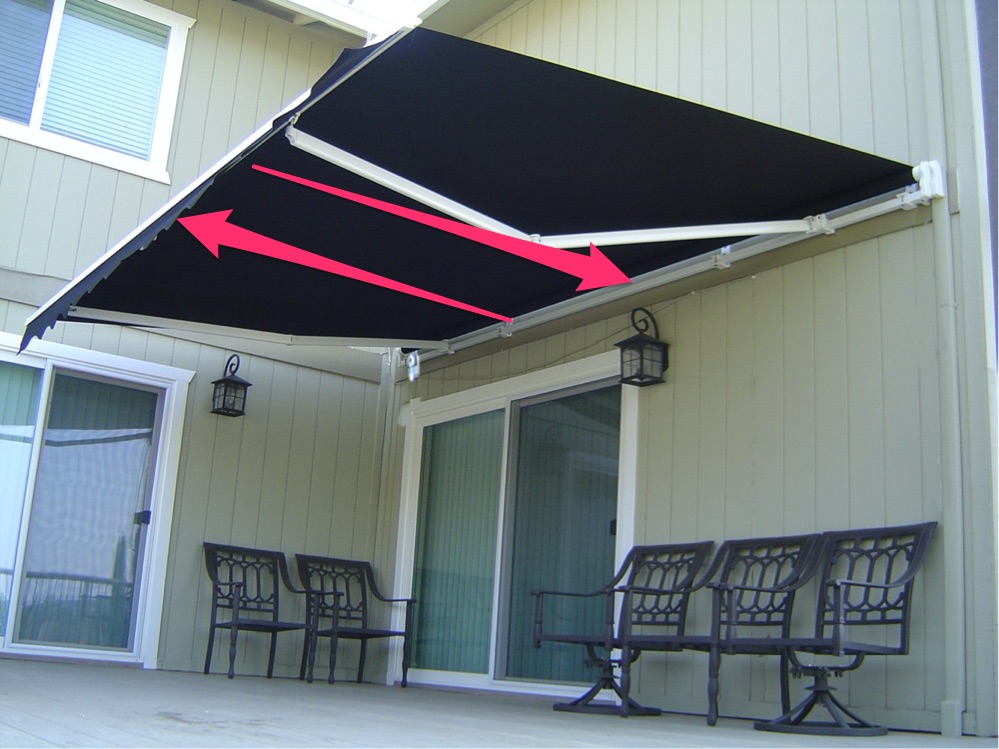
bdraco
on 9 Apr 2020
@braco except it does not. Mine is expanding when you click the collapse button and collapses when clicked the expand button.
Are you 100% sure you did not switch the icons around during implementation?
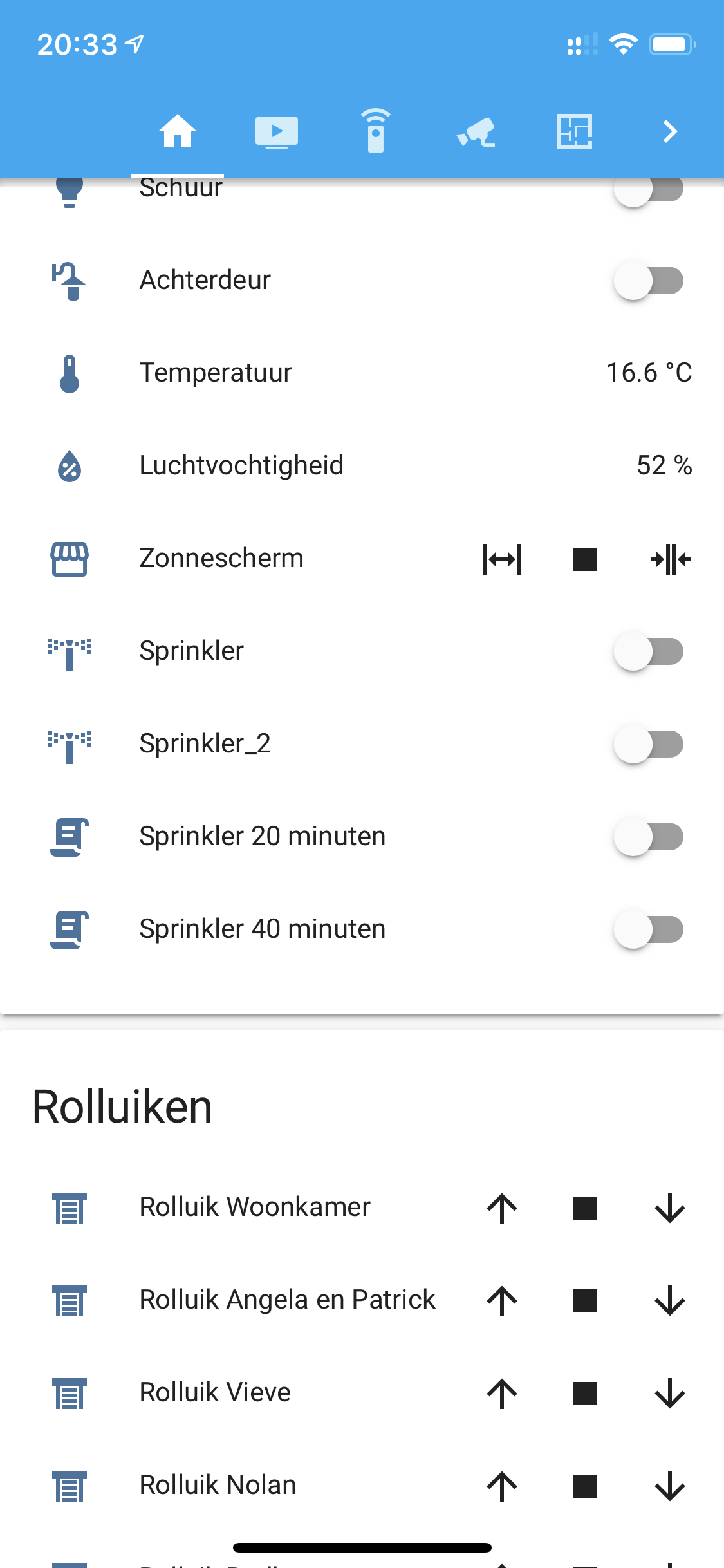
PDekker
on 9 Apr 2020
It looks right to me. rflink uses an assumed state so both open and close are always available.
Here is what a closed gate that doesn't use assumed state looks like:
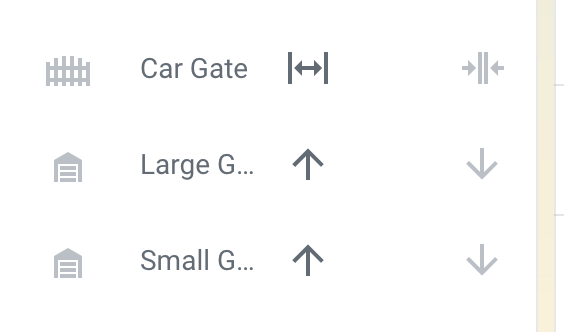
bdraco
on 9 Apr 2020
Rflink has an inverted setting (https://www.home-assistant.io/integrations/cover.rflink/#setting-up-a-kaku-asun-650-device). Is it possible that type: inverted needs to be set?
    entity_device_mapping = {
        # default cover implementation
        TYPE_STANDARD: RflinkCover,
        # cover with open/close commands inverted
        # like KAKU/COCO ASUN-650
        TYPE_INVERTED: InvertedRflinkCover,
    }
https://github.com/home-assistant/core/blob/dev/homeassistant/components/rflink/cover.py
bdraco
on 9 Apr 2020
@zsarnett An awning is controlled with the same motor as a rolling shutter. Therfore Up arrow should be the collapse icon.
@bdraco My assumption is that you used something like a shelly and switched the wires the other way around?
PDekker
on 9 Apr 2020
Awnings move horizontally. No matter the motor. I agree with @bdraco
For an awning to collapse/retract (Not out, Not shading the area underneath) the collapse icon should be used.

For an Awning to be opened (Out, Shading the area under it) the open icon should be used

These icons make much more sense to me when controlling an awning
 zsarnett
on 9 Apr 2020
zsarnett
on 9 Apr 2020
@zsarnett I disagree
The collapse icon should be used for /retract/not out/not shading/closed UP
The expand icon for /out/shading/open DOWN
The other way around just does not works in my head
The type: inverted sugestion does seem to work as a temp fix.
Please also take a look at my remote which works the same way as I describe: https://www.somfy.nl/producten/1810630/telis-1-rts-
PDekker
on 9 Apr 2020
The frontend displays the correct icon for the action.
If this is wrong in your head, you have the inverted option.
Or you can open a feature request to change it in the backend (core) on the forum.
https://community.home-assistant.io/c/feature-requests
 ludeeus
on 9 Apr 2020
ludeeus
on 9 Apr 2020
https://github.com/home-assistant/core/issues/26932
https://github.com/home-assistant/core/pull/23257
PDekker
on 9 Apr 2020
Looks like the issue is in Core already. The Icons are correct currently. They will need to be updated in the core as the issue there is discussed
zsarnett
on 9 Apr 2020
Related issues
 balloob
·
43Comments
balloob
·
43Comments
 emlove
·
30Comments
emlove
·
30Comments
 jer78
·
29Comments
jer78
·
29Comments
 jlpouffier
·
30Comments
jlpouffier
·
30Comments
 eliseomartelli
·
26Comments
eliseomartelli
·
26Comments