Frontend: Singular or plural...
Singular or plural... that is the question:

Customization vs Persons vs Automation vs Server Control?
Customizations vs Persons vs Automations vs Server Controls?
Customization vs Person vs Automation vs Server Control?
Is your feature request related to a problem? Please describe.
🤷♂
Describe the solution you'd like
Consistency 👍
Describe alternatives you've considered
Ignoring is an option 😉
 frenck
All 16 comments
Hehehe I noticed this when adding the scenes config panel, I vote for pl(e)ural.
 bramkragten
on 5 Nov 2019
bramkragten
on 5 Nov 2019
And entity registry should be Entities and area registry Areas
bramkragten
on 5 Nov 2019
I vote for the alternative
 iantrich
on 5 Nov 2019
iantrich
on 5 Nov 2019
I like plural and agree with @bramkragten on renaming the registry ones to just "Entities" and "Areas," I think that it looks cleaner and is simpler to understand:

Server Controls could possibly be shortened to just "Server" too (as all the others would be one word), though I don't really mind either way.
 SeanPM5
on 5 Nov 2019
SeanPM5
on 5 Nov 2019
Looking at the above screenshot by @SeanPM5, I can't help seeing an ordering issue. I'm maybe a bit CDO _(<- alphabetically sorted of course)_, but I feel like this needs more splitting and sorting.
E.g., "General", "Server Controls", "Customizations" control or customize things. While the others are "pieces" of the puzzle, which you use in the system.
I feel it should be 2 sections...
PS: @bramkragten Corrected the title 😉
frenck
on 6 Nov 2019
I agree that it could be organized / split up better. I proposed something similar a few weeks ago at https://github.com/home-assistant/home-assistant-polymer/issues/4040 but didn't get much response. Personally I think this grouping would make a lot of sense:
Cloud
Integrations
Devices
Automations
Scripts
Scenes
General
Server
Entities
Areas
Persons
Users
Z-Wave
Customizations
It keeps the same 3 sections there are now, but moves some things around. Automations and Scripts get moved closer to the top for example since they are most frequently used. And there's a logical sorting to that section - you need to add an Integration to see Devices, and you need to have Devices in order to begin creating Automations. So they're listed by importance..
The "bottom" section would be mostly system-related things. Stuff like Users, Persons, Areas are not really settings you'd be changing often - these are things you configure once and then rarely have to touch again. This section too would be (mostly) sorted by importance.
SeanPM5
on 7 Nov 2019
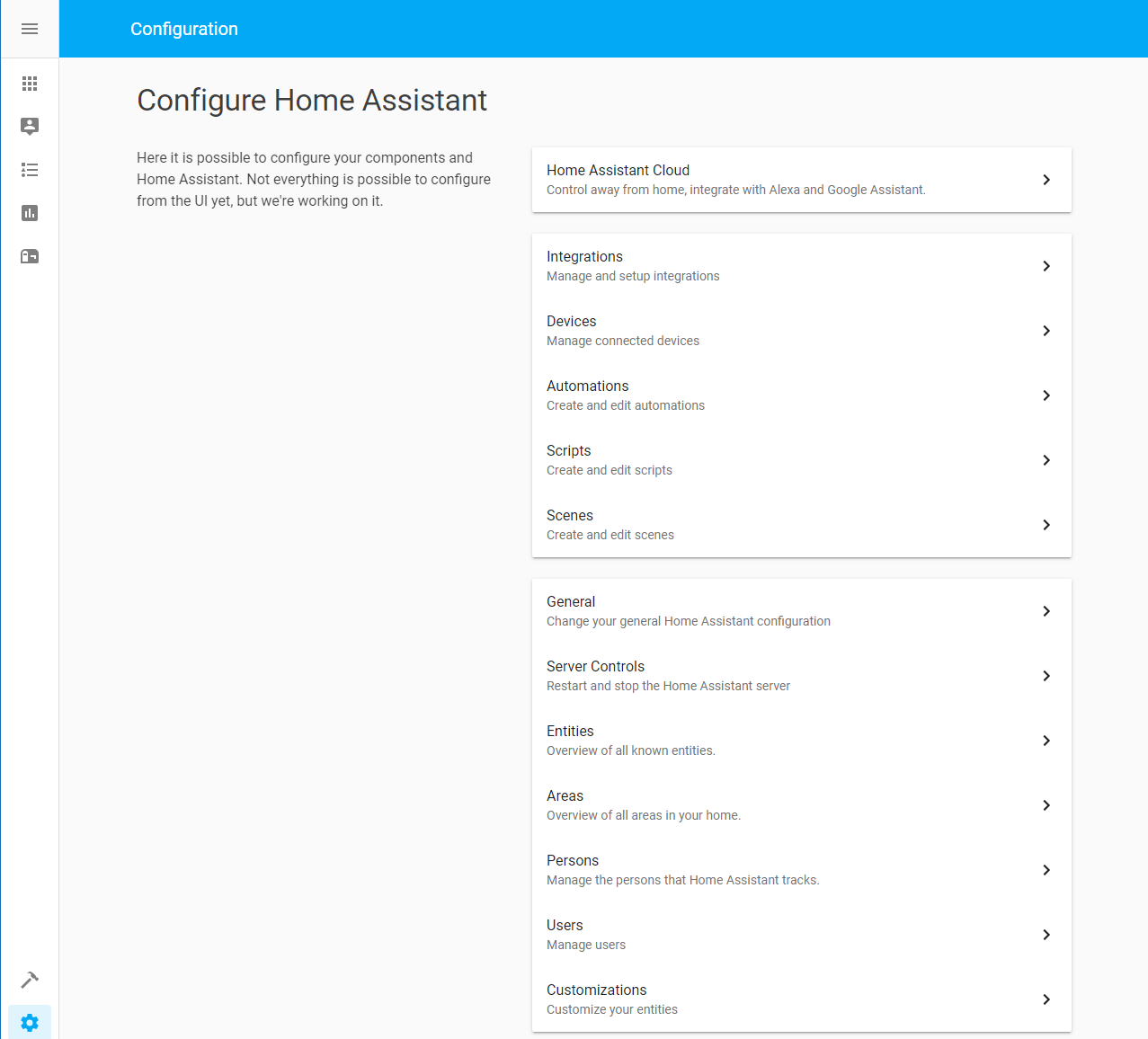
Like this then (zha and zwave is not loaded in this env)
 ludeeus
on 9 Nov 2019
ludeeus
on 9 Nov 2019
I like that look. And on mobile devices it would now be possible to access the two most used sections (Automations and Scripts) without having to scroll.
SeanPM5
on 10 Nov 2019
would it be possible to auto-hide the sections that can't be used because users use yaml-mode.
Automations and scripts and several others aren't used at all in that case, and many users use yaml-mode...
 Mariusthvdb
on 10 Nov 2019
Mariusthvdb
on 10 Nov 2019
Like Lovelace yaml mode? That has no bearing on any of this.
iantrich
on 10 Nov 2019
Sections that are not marked as "core", are hidden if that integration is not loaded. like in my env where I'm missing zha and zwave.
But that is beside the point of this issue, I have updated the image in my comment ☝️ with some changes to the base translation.
ludeeus
on 10 Nov 2019
Like Lovelace yaml mode? That has no bearing on any of this.
sorry, of course, my mistake.
I meant this: when not using the default yaml files for, automation and scripts and when general config is set manually in configuration.yaml:
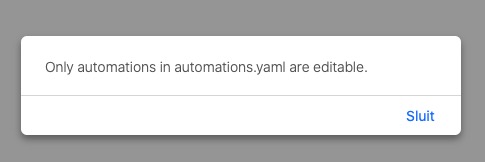
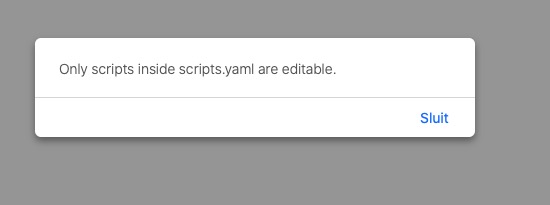
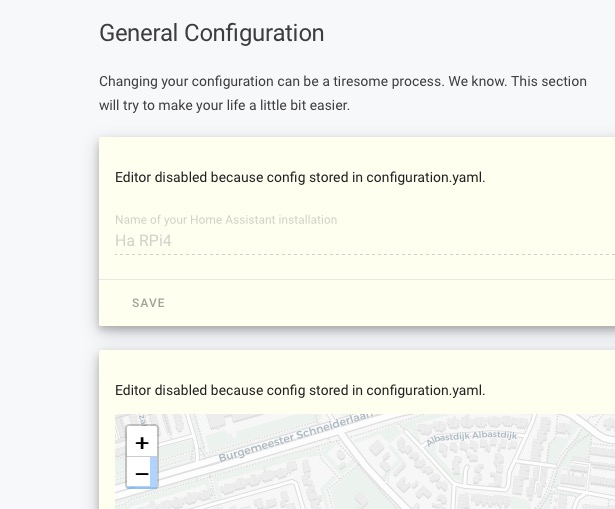
would be cool if we could arrange the blocks ourselves, and even hide them, if that couldn't be done automatically based on the settings. (though it should be possible, given the fact that we have to set the UI configuration in the top right menu. Which isnt available when in Yaml mode...
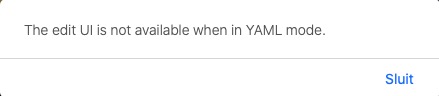
I'd vote for a separate server controls block also, since that is truly a different beast altogether.
Mariusthvdb
on 10 Nov 2019
Hiding things automatically would be a bad idea, since not everyone wants that behavior. Even if all of your stuff is in YAML, the Automation and Script panels are still useful as a read-only tool. You can see when things were last triggered, view all your stuff in one place, manually trigger them, etc.
And then you'd have cases where users hide the General config panel and some important settings get added or moved there and they'd have no idea since it's hidden. And it's possible to have mixed setups with some automations in YAML and others in the UI. So automatically hiding things would not work well imo.
I think best way to implement your idea would be similar to how you can ignore things with discovery, something like this:
config:
  hide_panels:
    - core
    - server_control
    - automation
    - script
O yes, that would be a very fine solution, thanks for suggesting that. Hope you can arrange for that.
And I understand what you're saying about the read-only tool functionality. Which is indeed a cool thing. It's just that the displayed functionality for editing things could maybe be grayed out if and when it isn't available in the first place....
Any thoughts on the dedicated panel for Server control?
And on the suggestion for arranging the blocks to the users preferred order? I ask because users that use the HA defaults are other types of users than the tinkerers amongst us. And the preferred order of these blocks will be different.
Mariusthvdb
on 10 Nov 2019
I don't think we should be customizing our setting controls. Also, it's outside the scope of this FR imo
iantrich
on 10 Nov 2019
We do grey the editing out if we know you can't edit it, but that is not bullet proof with these because both the UI and YAML saves to the same file. Where Lovelace has a separate file for the UI mode.
If you don't include an ID in your automations you won't be able to access the editor page.
bramkragten
on 10 Nov 2019
Related issues
 OnFreund
·
26Comments
OnFreund
·
26Comments
 mrsnyds
·
42Comments
mrsnyds
·
42Comments
 deluxestyle
·
25Comments
deluxestyle
·
25Comments
 emlove
·
30Comments
emlove
·
30Comments
 jlpouffier
·
30Comments
jlpouffier
·
30Comments