Frontend: Prevent click propagation on scroll
@gerardo15 commented on Jul 12, 2019, 8:38 AM UTC:
Hello,
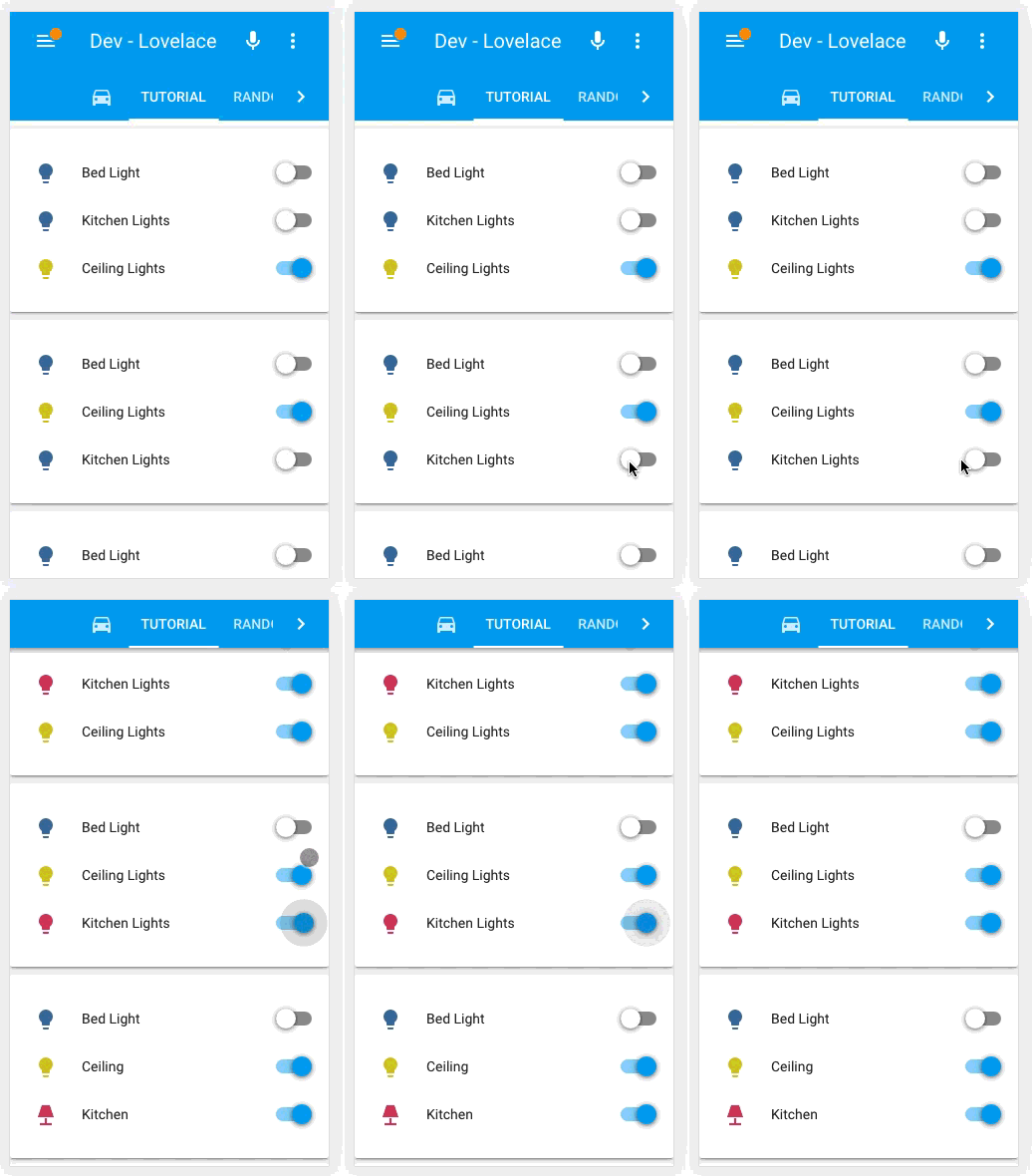
I have noticed that when using the chrome app (android) and scrolling either up or down, it fires the press down, it happens a lot when i'm on the overview and want to scroll down and i ended up turning all the lights of my house.
This shoudln't happen, in any app if you inted to drop down and put your finger but keep scrolling the action where you put your finger does not trigger, i do not know if this is a limitation because it is a web app.
Best Regards
This issue was moved by MartinHjelmare from home-assistant/home-assistant#25095.
 move[bot]
All 24 comments
@thomasloven we should be able to compensate for this in long-press, right?
 iantrich
on 31 Aug 2019
iantrich
on 31 Aug 2019
...yes... probably... I think... at least for things that use long-press. Switches and stuff in entities card won't be fixed, but I don't know if that's a problem anyway?
 thomasloven
on 9 Sep 2019
thomasloven
on 9 Sep 2019
I wouldn't think so.
@gerardo15 does this happen with particular cards?
iantrich
on 9 Sep 2019
@thomasloven @iantrich It happens on the entities cards. But i mean i seriously cannot be the only one suffering this issue. i keep turning lights on and off when i scroll. i need to be very carefull where i press to not trigger the toggle.
 gerardo15
on 9 Sep 2019
gerardo15
on 9 Sep 2019
So the scenario is that you are putting your finger on the toggle while scrolling and happen to move it to the right or left (depending on current state) which causes it to toggle?
That's probably the only one that makes sense to me as it is a slide toggle. Or are you seeing button presses on regular buttons as well?
iantrich
on 9 Sep 2019
It is actually a know problem with a badly maintained third party workaround... https://github.com/thomasloven/lovelace-toggle-lock-entity-row
Happens easily if you e.g. scroll with your right thumb in a slightly curving motion.
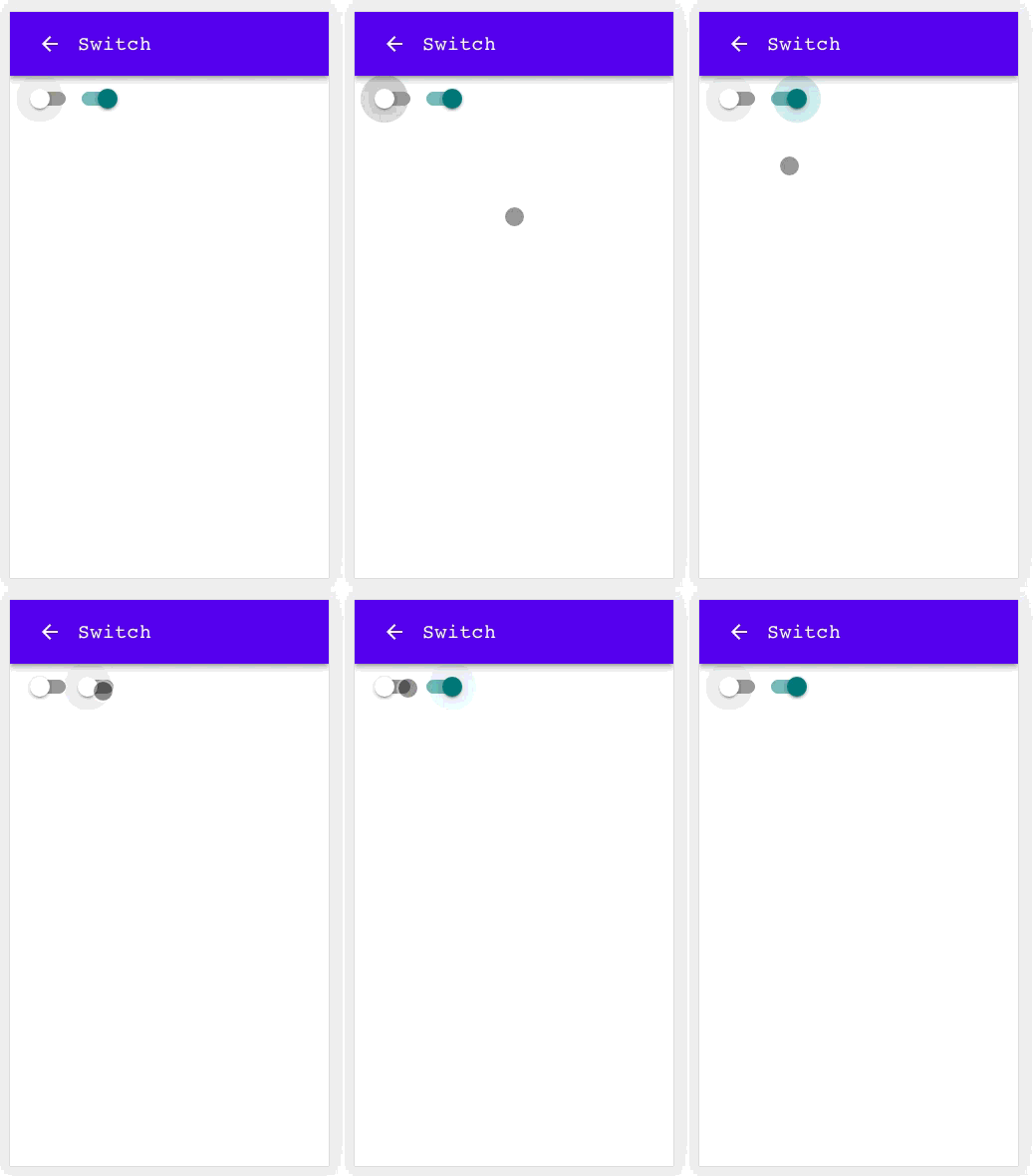
Perhaps the mwc-toggle handles it better?
Edit: From the demo it seems it does, actually.
thomasloven
on 9 Sep 2019
Yes! Great that now we are on the same page about the issue, will give it a go to that lovelace-toggle-lock-entity-row
gerardo15
on 9 Sep 2019
👌 switching to mwc-toggle sounds like the plan
iantrich
on 9 Sep 2019
mwc-switch does indeed work properly in the entities card in my quick testing, haven't quite figured out how to theme it yet though. The docs are...well...awful. https://github.com/material-components/material-components-web-components/tree/master/packages/switch
iantrich
on 10 Sep 2019
using mwc-switch breaks my theme style
paper-toggle-button-checked-button-colorthis style is being controlled by
--mdc-theme-secondary: var(--primary-color);- I tried to over-ride this using
mdc-theme-secondarybut putting this in my theme.yaml keeps getting over-written such that it has no effect - How do I get control of this style? I love my theme and want it back.
 rhoppel
on 12 Oct 2019
rhoppel
on 12 Oct 2019
paper variables are never designed to be themed, they belong to the paper elements we use and are migrating away from.
We could introduce a new variable --switch-active-color and change the style of ha-switch to: --mdc-theme-secondary: var(--switch-active-color, --primary-color);
 bramkragten
on 14 Oct 2019
bramkragten
on 14 Oct 2019
I have been using the following in my custom theme.yaml for toggle switch styling.
  paper-toggle-button-checked-ink-color: var(--make-light-blue)
  paper-toggle-button-checked-button-color: var(--make-orange)
  paper-toggle-button-checked-bar-color: var(--make-dark-monokai)
  paper-toggle-button-unchecked-ink-color: var(--make-light-blue)
  paper-toggle-button-unchecked-button-color: var(--make-light-blue)
  paper-toggle-button-unchecked-bar-color: var(--make-dark-monokai)
I created my theme based on css used in previous themes and it looks great. I was not aware why things are the way they are. "paper" variables are used all over the place in HA themes.
If what you suggest allows me to add an entry to change to color on an active toggle, I am all for it.
rhoppel
on 15 Oct 2019
BTW, what is ha-switch?
rhoppel
on 15 Oct 2019
ha-switch is the replacer of paper-toggle-button
bramkragten
on 15 Oct 2019
Could you create a feature request issue for this?
bramkragten
on 15 Oct 2019
Guys, this paper-toggle-button -> mwc-switch IS a breaking change, why wasn't it reflected in release notes?
And any hints on how to maintain an integration that uses that paper-toggle-button so it works for HA 0.99 and 0.100?
 akasma74
on 15 Oct 2019
akasma74
on 15 Oct 2019
There are many options, one of them:
if (
  !customElements.get("ha-switch") &&
  customElements.get("paper-toggle-button")
) {
  customElements.define("ha-switch", customElements.get("paper-toggle-button"));
}
Thanks for your quick reply!
I'm not a web developer and would be grateful if you cold explain where in this file (https://github.com/akasma74/Hass-Custom-Alarm/blob/master/custom_components/bwalarm/resources/panel.html) should I put your code?
akasma74
on 15 Oct 2019
in the top script block https://github.com/akasma74/Hass-Custom-Alarm/blob/master/custom_components/bwalarm/resources/panel.html#L8
and replace all paper-toggle-button with ha-switch
bramkragten
on 15 Oct 2019
Be aware that html imports are deprecated and support will be removed: https://www.chromestatus.com/feature/5144752345317376
bramkragten
on 15 Oct 2019
I added your code to the top script block at line 21:
<script>
  {
    // show the version of your custom UI in the HA dev info panel (HA 0.66.0+):
    const _NAME = 'Alarm Panel';
    const _URL = 'https://github.com/akasma74/Hass-Custom-Alarm';
    // don't forget to change HaPanelAlarm.version below!
    const _VERSION = 'v1.10.1 dev';

    if (!window.CUSTOM_UI_LIST) window.CUSTOM_UI_LIST = [];
    window.CUSTOM_UI_LIST.push({
      name: _NAME,
      url: _URL,
      version: _VERSION
    });

    if (!customElements.get("ha-switch") && customElements.get("paper-toggle-button")) {
      customElements.define("ha-switch", customElements.get("paper-toggle-button"));
    }
  }
  </script>
and replaced all paper-toggle-button with ha-switch but it doesn't work and I can see the following in Chrome JavaScript Console:
Uncaught DOMException: Failed to execute 'define' on 'CustomElementRegistry': this constructor has already been used with this registry
at http://hassio.local:8123/api/panel_custom/alarm:22:22
and then
Uncaught (in promise) TypeError: Cannot read property 'dockedSidebar' of undefined
at HTMLElement.value (ha-menu-button.ts:47)
at HTMLElement.update (lit-element.ts:212)
at HTMLElement.performUpdate (updating-element.ts:700)
at HTMLElement._enqueueUpdate (updating-element.ts:649)
I'm on HA 0.99.
p.s thanks for the html imports warning.
Ideally I'd love to convert that panel.html into a Lovelace card as it takes more and more effort to maintain old Polymer code, just don't know how to do that (but happy to learn!).
akasma74
on 15 Oct 2019
Oh, the constructor has to be unique aswel?
if (
  !customElements.get("ha-switch") &&
  customElements.get("paper-toggle-button")
) {
  customElements.define("ha-switch", class extends customElements.get("paper-toggle-button") {})
}
This time it worked!
Thanks a lot Sir!
akasma74
on 15 Oct 2019
class extends customElements.get("paper-toggle-button") {}
Damn thats ugly. I love it!
thomasloven
on 15 Oct 2019
Related issues
 OkhammahkO
·
80Comments
move[bot]
·
29Comments
OkhammahkO
·
80Comments
move[bot]
·
29Comments
 OnFreund
·
26Comments
OnFreund
·
26Comments
 andriej
·
64Comments
andriej
·
64Comments
 Mariusthvdb
·
27Comments
Mariusthvdb
·
27Comments
Most helpful comment
Damn thats ugly. I love it!