Freetube: Remove npm install lines in shell config file
I'm building FreeTube from source code, and I founded that npm install installs a few lines on (either ~/.bashrc with bash, ~/.zshrc with zsh or ~/.config/fish/config.fish with fish shell):
tabtab source for electron-forge package
uninstall by removing these lines or running
tabtab uninstall electron-forge[ -f /home/namkhai/.apps/FreeTube/node_modules/tabtab/.completions/electron-forge.fish ]; and . > /home/namkhai/.apps/FreeTube/node_modules/tabtab/.completions/electron-forge.fish
I'm trying to write a PKGBUILD to build a package for Arch Linux, and I don't know how to run tabtab uninstall electron-forge
Can anyone help me please? If there's need of more info, tell me
 forkbomb9
All 6 comments
This might be similar to #37 and #41. I'm working on getting an Arch VM setup to that I can look more into this. Thanks.
 PrestonN
on 14 Mar 2018
PrestonN
on 14 Mar 2018
You can find my pkgbuild at the link below. It required patching the package.json file and I added a .desktop shortcut and resized the icon.
 keijukainen
on 19 Mar 2018
keijukainen
on 19 Mar 2018
Hey @keijukainen, I don't mind you putting FreeTube there, but could you please add a link to this repo in the README so users know where to go for issues? It would be very appreciated and thanks in advance. :)
PrestonN
on 20 Mar 2018
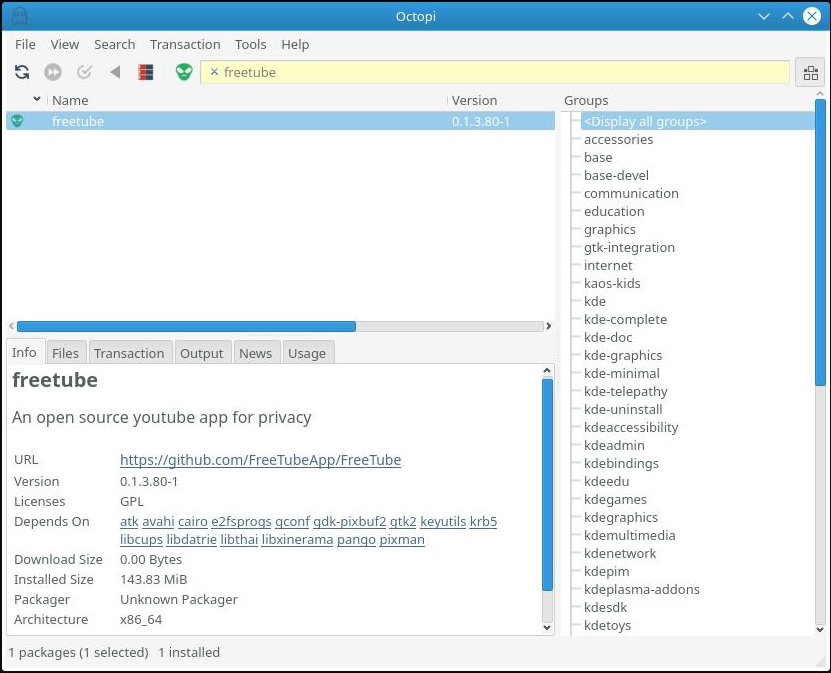
I can add a link in the readme but the pkgbuild already contains one. The KaOS distro uses the pacman package manager and the octopi front end. The vast majority of users don't even realize that for every package displayed in octopi there's a pkgbuild repo on github. Most users install software through octopi rather than downloading the pkgbuild and building it manually. The screenshot below is what they will see if searching for freetube.
keijukainen
on 20 Mar 2018
No need to call tabtab, just execute the following from the pkgbuild:
sed -i '/tabtab source for electron-forge package/d' ~/.bashrc
sed -i '/electron-forge.bash/d' ~/.bashrc
sed -i '/# uninstall by removing these lines or running/d' ~/.bashrc
 ghost
on 5 Jun 2018
ghost
on 5 Jun 2018
This might not be needed any more with the rewrite coming up. If this is still a problem then please re-open.
PrestonN
on 1 Oct 2020
Related issues
 aproposnix
·
3Comments
aproposnix
·
3Comments
 martinmurciego
·
6Comments
martinmurciego
·
6Comments
 tiotrom
·
3Comments
tiotrom
·
3Comments
 stemy2
·
5Comments
stemy2
·
5Comments
 shivasagarrao
·
4Comments
shivasagarrao
·
4Comments