Freescout: Forwarding with workflows removes mail contents
Hi,
When using a manual workflow to forward emails into our accounting software the attachment and message body is stripped. I think maybe I misunderstand how this works. 😃
The outgoing email only contains:
Workflow forwarded a conversation # 123
How can we get both attachments and message body included in the forwarded email?
Perhaps this can only be done with the new webhooks?
Cheers,
Rutger
 rutger1140
All 9 comments
Are you using the latest version of the Workflows Module?
 freescout-helpdesk
on 18 Sep 2020
freescout-helpdesk
on 18 Sep 2020
Yes, running 1.0.14 now.
Funny thing is using the regular 'Forward' option works without issues. Just forwarding with a workflow doesn't.
rutger1140
on 18 Sep 2020
Could you please attach screenshots of the Conditions and Actions tabs.
What you have in "Manage > Settings > General":
- Notification Emails to Users > Conversation History
- Emails to Customers > Conversation History
freescout-helpdesk
on 18 Sep 2020
My workflow is set to Type Manual. So I have no conditions tab.
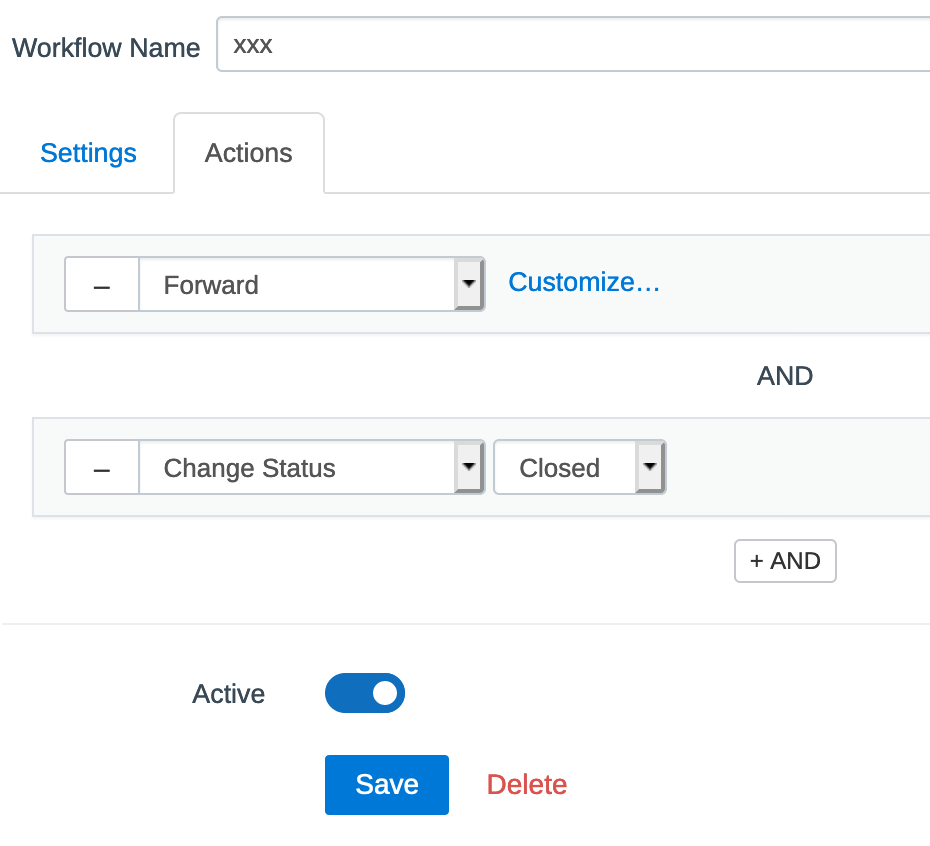
I've set the notifications to 'Not include previous messages' and 'Include the last message'.
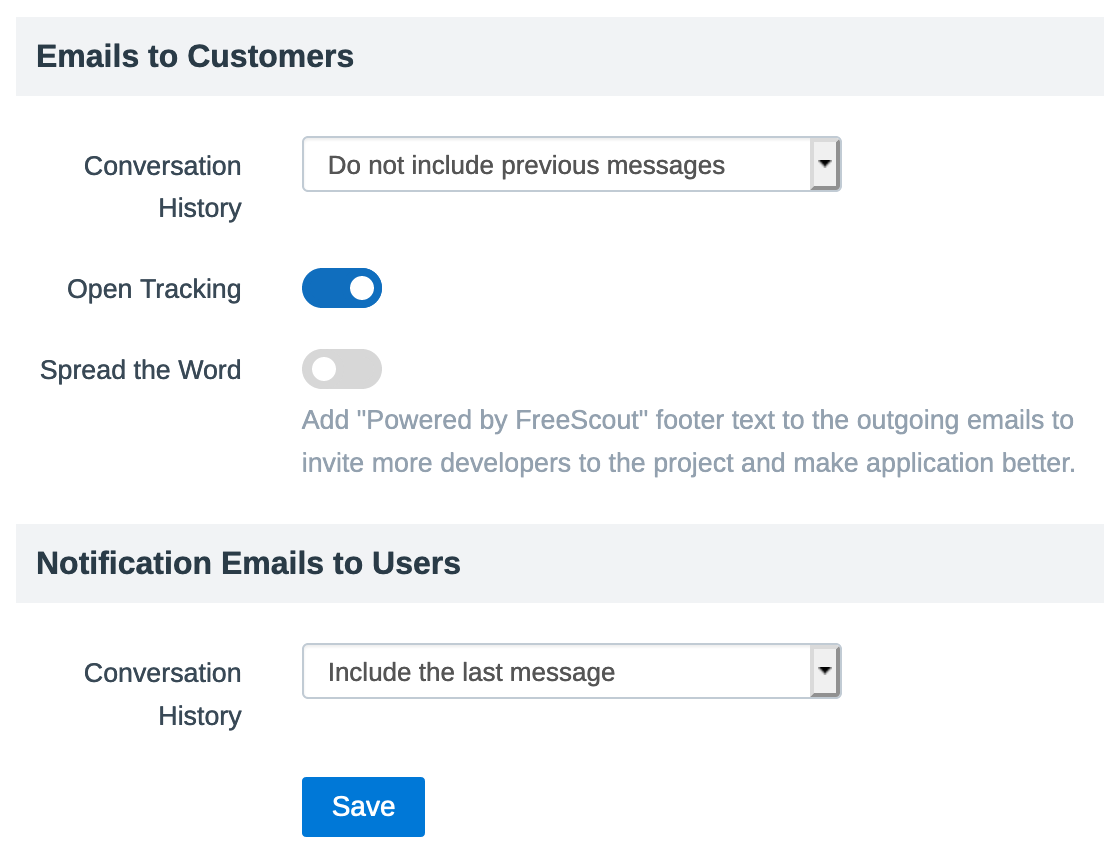
Should I include the last message on Emails to Customers?
rutger1140
on 18 Sep 2020
I am seeing a similar issue with forwarding multiple recipients, yet not related to the Workflow module, so I apologize if I'm steering this on a different path. When forwarding the message to someone, only the most recent response (either customer or user) is sent. I'm wondering if there could be an option similar to the above two history options to be added strictly for "forwarding" that allows the 3 options (full, last, do not include). This sounds very similar to what OP has posted.
 tiredofit
on 18 Sep 2020
tiredofit
on 18 Sep 2020
Setting the 'Emails to customers' option to 'Include last message' doesn't change anything for the forwarded email with a workflow.
I do see a reference text appended to the mail body where the original message should show.
For example: {#FS:bm90a....}. Maybe that's related?
Will follow progress on #744.
rutger1140
on 19 Sep 2020
Thanks for the fix in release 1.6.0. Great work. The mail body is properly forwarded now.
Unfortunately the attachments aren't. Perhaps this is yet to be added?
rutger1140
on 25 Sep 2020
Yes. Will be fixed.
freescout-helpdesk
on 25 Sep 2020
Fixed in Workflows Module 1.0.15
freescout-helpdesk
on 26 Oct 2020
Related issues
 iPublicis
·
8Comments
iPublicis
·
8Comments
 colegatron
·
3Comments
colegatron
·
3Comments
 statepm
·
4Comments
statepm
·
4Comments
 nczz
·
7Comments
nczz
·
7Comments
 diguinho2018
·
6Comments
diguinho2018
·
6Comments
Most helpful comment
Yes. Will be fixed.