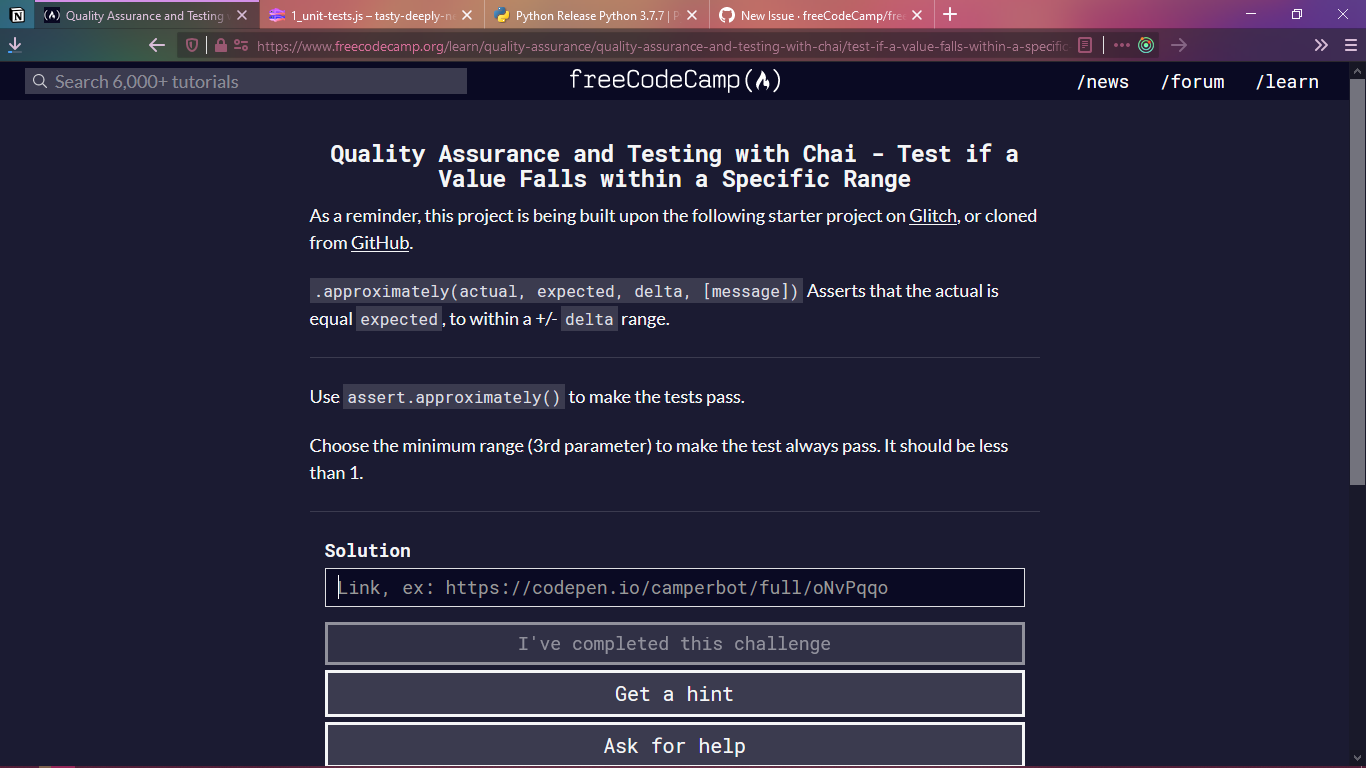
when we are doing assignments that need glitch or github assignment its tiring to paste link again and again
it woud be good it same link remains pasted after we open next challenge , user still will be able to replace it with new glitch or github link if he/she wants
 xAdvitya
All 5 comments
so you mean the link of a previous project should show up as default for the current one?
 ahmadabdolsaheb
on 27 Jul 2020
ahmadabdolsaheb
on 27 Jul 2020
so you mean the link of a previous project should show up as default for the current one?
yes of the previous challenge
xAdvitya
on 27 Jul 2020
If each section used the same boilerplate throughout, the first lesson's solution link field would be empty with only the normal placeholder test , then local storage could be used to track/populate each proceeding lesson with the url used for the previous lesson However, since some sub sections have multiple boilerplates, it might be confusing for users to auto-populate a previously used url for a lesson where they would need to enter a new url. Ideally, when a new boilerplate is used, the lesson 's solution link would be empty again with only the normal placeholder text.
 RandellDawson
on 27 Jul 2020
RandellDawson
on 27 Jul 2020
If each section used the same boilerplate throughout, the first lesson's solution link field would be empty with only the normal placeholder test , then local storage could be used to track/populate each proceeding lesson with the url used for the previous lesson However, since some sub sections have multiple boilerplates, it might be confusing for users to auto-populate a previously used url for a lesson where they would need to enter a new url. Ideally, when a new boilerplate is used, the lesson 's solution link would be empty again with only the normal placeholder text.
but it would be great where it same link can be used eg:- glitch link
xAdvitya
on 27 Jul 2020
What we might be able to do is just set a local storage that will contain something like this:
{
  "challenge-name/link": {
     "saved-link": "https://link-to-the-project.com"
  }
  "challenge-name/link": {
     "saved-link": "https://link-to-the-project.com"
  }
}
And then make the I've Completed This Challenge button trigger a function that will take the link and the challenge url name, parse it into the json, and store it into the local storage.
Then have a function check if there is an input or if there is already a way to check if the challenge requires a link, and take the url the user is currently in, and then take the JSON and search for the specific challenge-name/link and then fill in the input with the saved url.
Just a suggestion 🙂
 JoshuaPelealu
on 30 Jul 2020
JoshuaPelealu
on 30 Jul 2020
Related issues
 SaintPeter
·
3Comments
SaintPeter
·
3Comments
 ROWn1ne
·
3Comments
ROWn1ne
·
3Comments
 Tzahile
·
3Comments
Tzahile
·
3Comments
 QuincyLarson
·
3Comments
QuincyLarson
·
3Comments
 MichaelLeeHobbs
·
3Comments
MichaelLeeHobbs
·
3Comments
Most helpful comment
What we might be able to do is just set a local storage that will contain something like this:
And then make the
I've Completed This Challengebutton trigger a function that will take the link and the challenge url name, parse it into the json, and store it into the local storage.Then have a function check if there is an input or if there is already a way to check if the challenge requires a link, and take the url the user is currently in, and then take the JSON and search for the specific challenge-name/link and then fill in the input with the saved url.
Just a suggestion 🙂