Freecodecamp: Timeline does not appear for public portfolio
Describe the bug
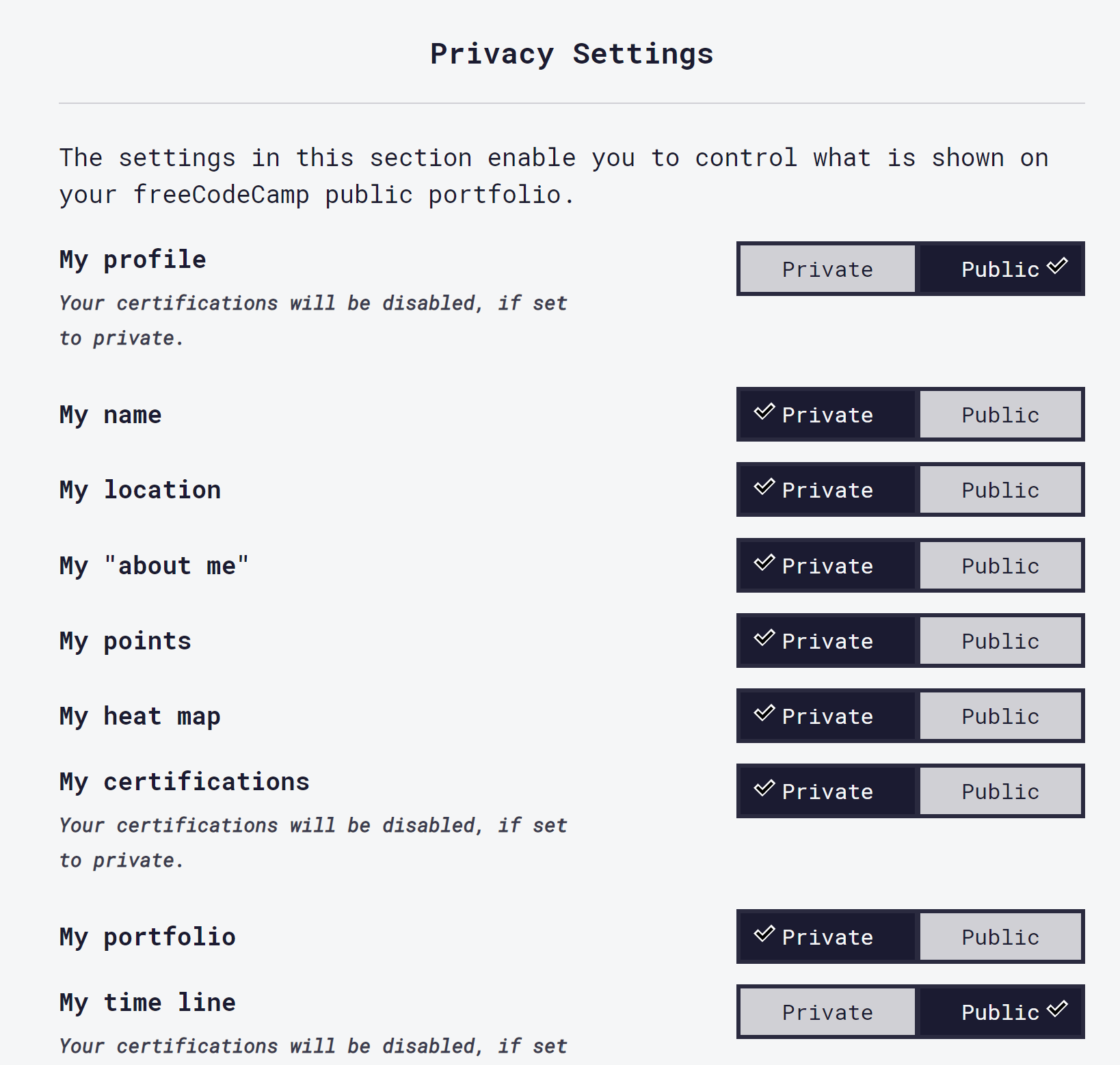
Timeline can be marked as public in the account settings, but it does not appear for public viewers.
To Reproduce
Steps to reproduce the behavior:
- Create an account
- Complete at least one challenge
- Go to settings and change the "My profile" and the "My timeline" settings to public
- Click on "Show me my public portfolio"
- Copy the URL and open in a new incognito window
Expected behavior
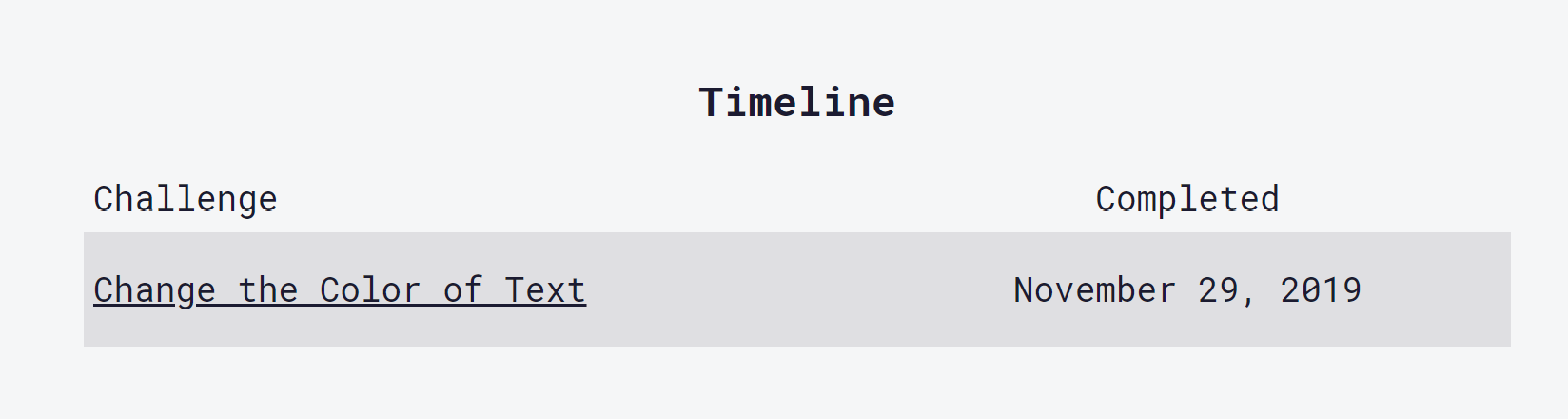
I expected to see the timeline in both the logged-in user's browser and in the public view (the incognito window)
Screenshots
logged-in user:
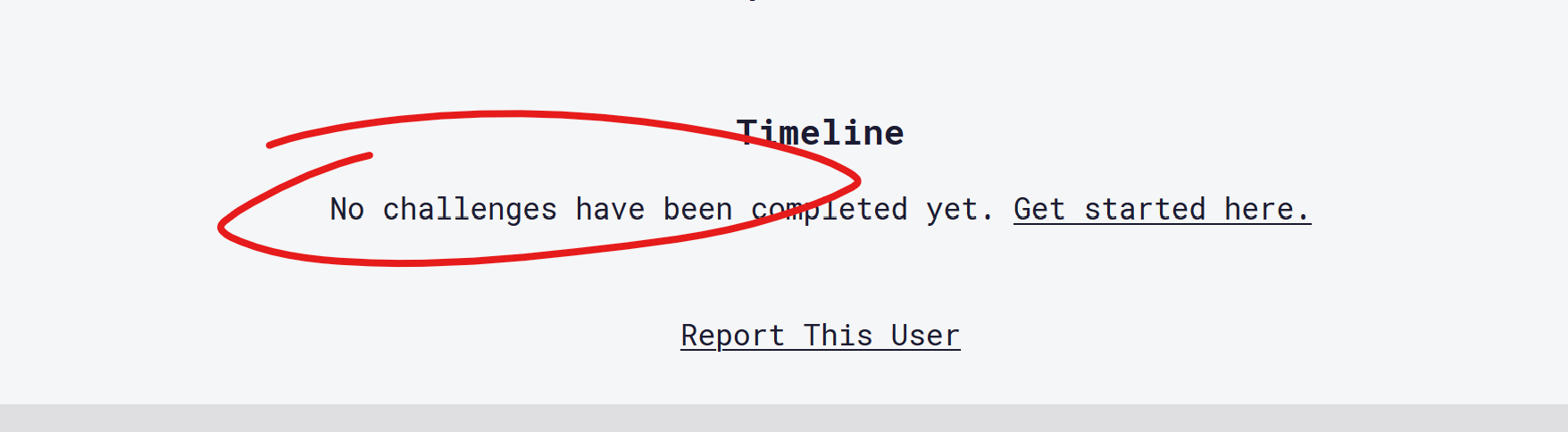
incognito window:
Desktop (please complete the following information):
- OS: Windows
- Browser: Chrome & Firefox
- Version: latest stable
 explunit
All 7 comments
@explunit please share a link to your profile
 thecodingaviator
on 30 Nov 2019
thecodingaviator
on 30 Nov 2019
@thecodingaviator here it is: https://www.freecodecamp.org/uuqwernoasdfo
explunit
on 30 Nov 2019
cc: @ahmadabdolsaheb
thecodingaviator
on 30 Nov 2019
I see the time line showing up on your portfolio @explunit, but it says "no challenges have been completed yet" - have you completed some of them?
 moT01
on 2 Dec 2019
moT01
on 2 Dec 2019
@moT01 yes, see original screenshots
explunit
on 2 Dec 2019
The bug appears to be that the Timeline is actually controlled by the setting for Certifications.
explunit
on 6 Dec 2019
We need help investigating, fixing and adding tests for this use case. Thanks for your repost @explunit
 raisedadead
on 9 Dec 2019
raisedadead
on 9 Dec 2019
Related issues
 bagrounds
·
3Comments
bagrounds
·
3Comments
 kokushozero
·
3Comments
kokushozero
·
3Comments
 danielonodje
·
3Comments
danielonodje
·
3Comments
 EthanDavis
·
3Comments
EthanDavis
·
3Comments
 QuincyLarson
·
3Comments
QuincyLarson
·
3Comments