Freecodecamp: learn doesn't retain login data from www
Describe your problem and - if possible - how to reproduce it
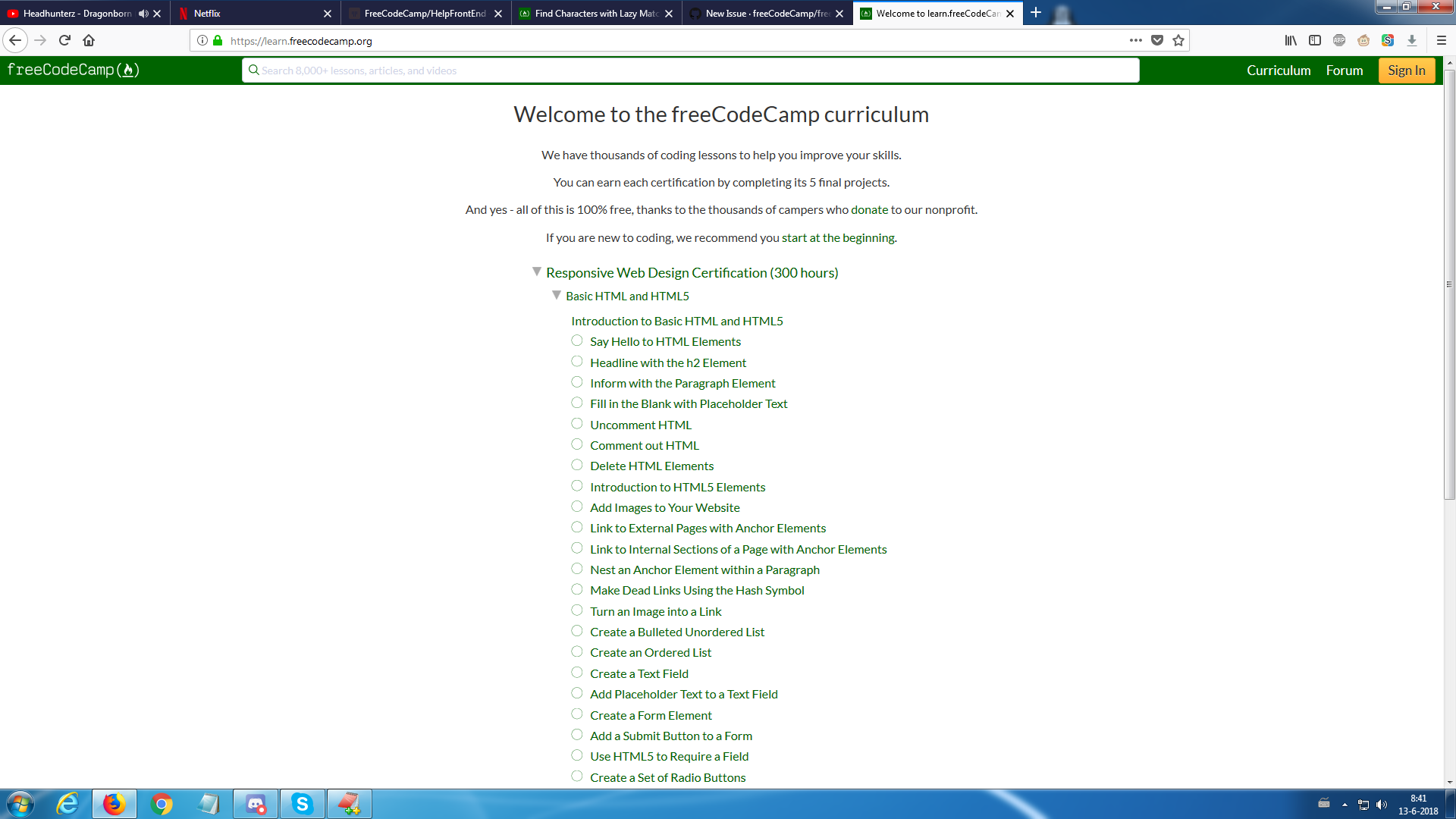
I'm logged in on https://www.freecodecamp.org, but learn.freecodecamp.org doesn't retain the login. I've tried using both Firefox and Chrome to see if the issue would be solved, but it didn't. My progress in the curriculum isn't tracked either. When clicking the Sign In button (top right), I'm taken back to https://www.freecodecamp.org where it tells me I'm logged in again.
Add a Link to the page with the problem
https://www.freecodecamp.org https://learn.freecodecamp.org
Tell us about your browser and operating system
- Browser Name: Firefox Quantum
- Browser Version: 60.0.2 (64-bits)
- Operating System: Windows 7
If possible, add a screenshot here

 bjorno43
All 6 comments
Hi @bjorno43 we use cookies for configuring the login and session persistence. Can you check your DevTools
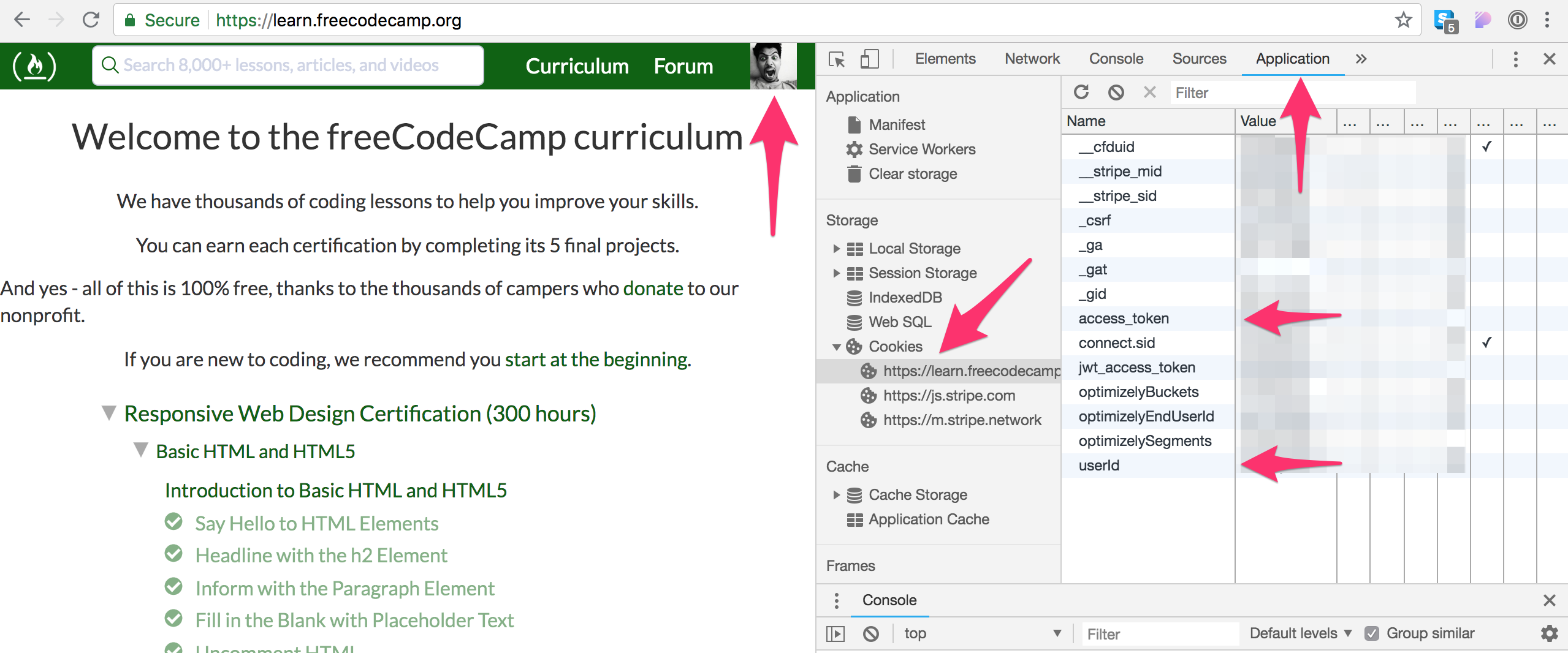
DO NOT SHARE a screenshot. Just confirm if you have those.
 raisedadead
on 13 Jun 2018
raisedadead
on 13 Jun 2018
Firefox Quantum
I am not sure, does this variant disable cookies by default?
raisedadead
on 13 Jun 2018
Hi @raisedadead I've confirmed that there were cookies present (though the default Firefox Quantum doesn't allow me to see which cookies exactly) and that they were not disabled or deleted on browser close by default. I've downloaded Firefox Quantum: Developer Edition to see if I could get more meaningfull information. However, my login details were retained perfectly fine there. So this led me to the conclusion something else must be going on.
After logging out in the default Firefox Quantum and logging back in again, the login details were retained perfectly fine as well. So I think that the cookie somehow was still valid for www, but not for learn. One noticable difference was that when the cookie was invalid voor learn, it opened up learn in a new tab every single time. When it was valid, it simply followed the url instead.
bjorno43
on 13 Jun 2018
@bjorno43 and the same results on Chrome as well?
raisedadead
on 13 Jun 2018
@raisedadead In Chrome I'm able to view the cookies more clearly. I can see cookies present for both www and learn. However, www has the _access_token_ and _userId_ present, while learn does not. I'm pretty sure the issue will solve itself there as well if I logout and back in again, but I will lose any debugging information that I still have access to right now in that browser. As I do not require a succesfull login in Chrome, I'm not sure if you want me to do that? The information present might be usefull to track the exact issue down.
bjorno43
on 13 Jun 2018
Hi @bjorno43 I think I have reproduced the problem. I am looking into it.
raisedadead
on 18 Jun 2018
Related issues
 jurijuri
·
3Comments
jurijuri
·
3Comments
 SaintPeter
·
3Comments
SaintPeter
·
3Comments
 danielonodje
·
3Comments
raisedadead
·
3Comments
danielonodje
·
3Comments
raisedadead
·
3Comments
 imhuyqn
·
3Comments
imhuyqn
·
3Comments
Most helpful comment
Hi @bjorno43 I think I have reproduced the problem. I am looking into it.