Freecodecamp: Console not displaying return values
Describe your problem and - if possible - how to reproduce it
The problem is with all algorithm problems. The test runs against all the test values but the console does not return the actual value you ask it to return. I like to test certain return values either by returning them or by console.log(); but with the recent update this doesn't seem to work at all so I have 0 idea what I might be returning. I'd rather see see what it does return, not what it should. I cannot debug. This makes bugs/errors incredibly difficult to solve.
Add a Link to the page with the problem
All Algorithm Challenges
Tell us about your browser and operating system
- Browser Name: Chrome
- Browser Version: 66
- Operating System: MacOS
If possible, add a screenshot here

 JamesStaffordCoyte
All 6 comments
Thanks for the report. As a work around while we fix this you can look at the DevTools console of your browser and still see the console.log statements?
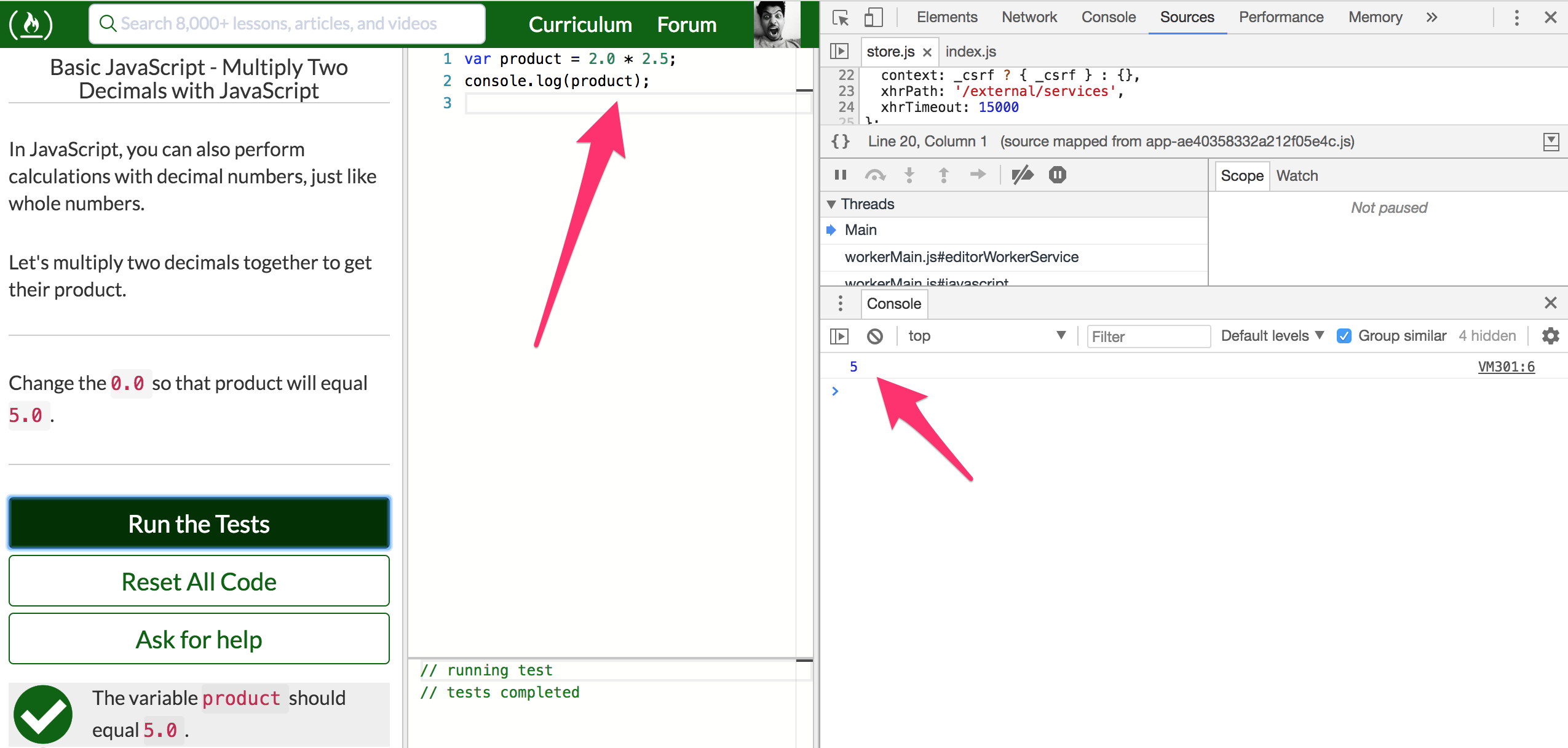
That said we definitely need to pass the log back to the in app log area.
 raisedadead
on 1 Jun 2018
raisedadead
on 1 Jun 2018
Thanks raisedadead. That's what I've been using. Just wanted to know if there were plans to fix this. Glad to here there is. Thanks again.
JamesStaffordCoyte
on 1 Jun 2018
Same problem here on latest MacOS release running Safari. Start state of console:
/**
- Your test output will go here.
*/
End state:
// running test
// tests completed
No in between messages.
If I use console.log, it would be very helpful to actually see that output so I can actually debug (like similar to running JavaScript in Chrome Developer tools).
 florisvaneck
on 16 Jun 2018
florisvaneck
on 16 Jun 2018
It is a feature that will be coming soon.
 Nirajn2311
on 16 Jun 2018
Nirajn2311
on 16 Jun 2018
Issue moved to freeCodeCamp/learn #189 via ZenHub
raisedadead
on 21 Jun 2018
Not sure if this is the right place to raise this, but it looks like this is happening again on some of the Algorithm Challenges (for example, Comparison with the Strict Equality Operator), but on others it is working as planned according to fix(console): output user logs after running tests #296.
I'm new to all this and don't really know how reporting things works, but this is making it hard to debug while I work through these exercises as written tests don't test things in a way I can see.
Oh, yeah - using Chrome.
 Sauletekis
on 26 Jan 2019
Sauletekis
on 26 Jan 2019
Related issues
 ar5had
·
3Comments
ar5had
·
3Comments
 trashtalka3000
·
3Comments
trashtalka3000
·
3Comments
 QuincyLarson
·
3Comments
QuincyLarson
·
3Comments
 cmal
·
3Comments
cmal
·
3Comments
 Tzahile
·
3Comments
Tzahile
·
3Comments
Most helpful comment
Thanks for the report. As a work around while we fix this you can look at the DevTools console of your browser and still see the console.log statements?
That said we definitely need to pass the log back to the in app log area.