Franz: Google Product Sign in does not work
Describe the bug
Google Product Sign in does not work
To Reproduce
Steps to reproduce the behavior:
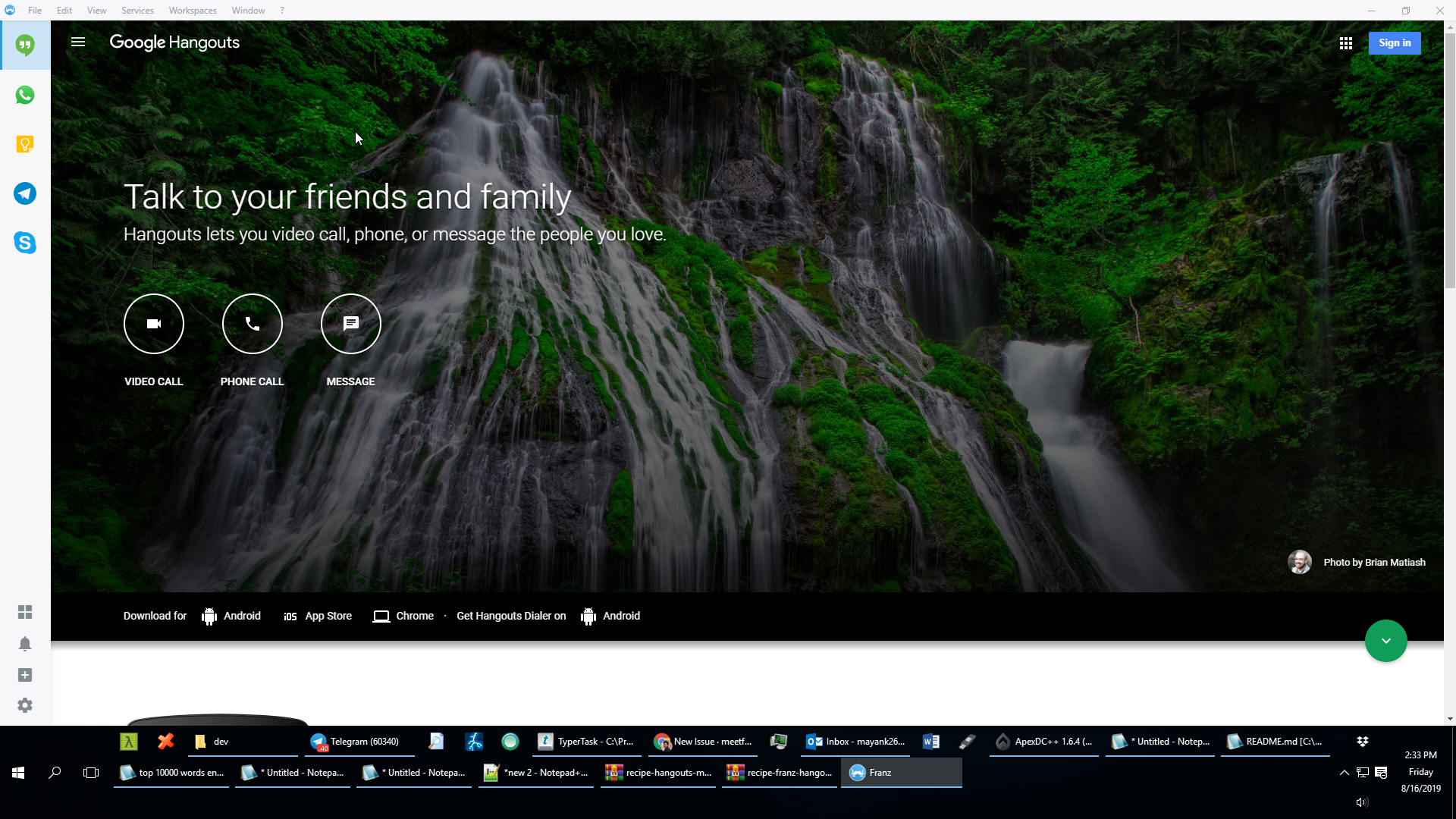
- Go to 'Google services like Hangout/Keep/Gmail' in Franz (5.2.0)
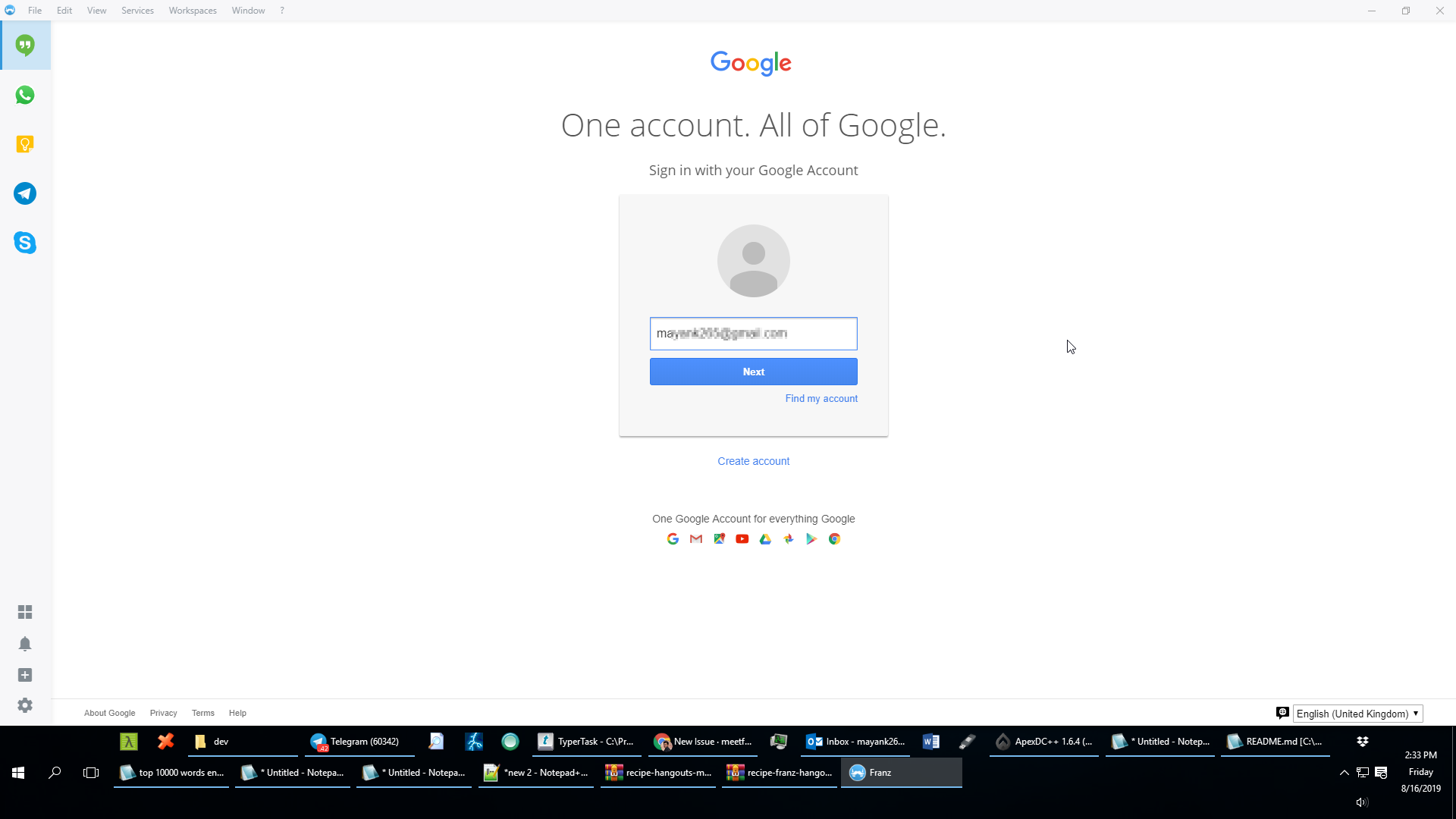
- Click on 'Sign in'
- Put your signin credentaisl
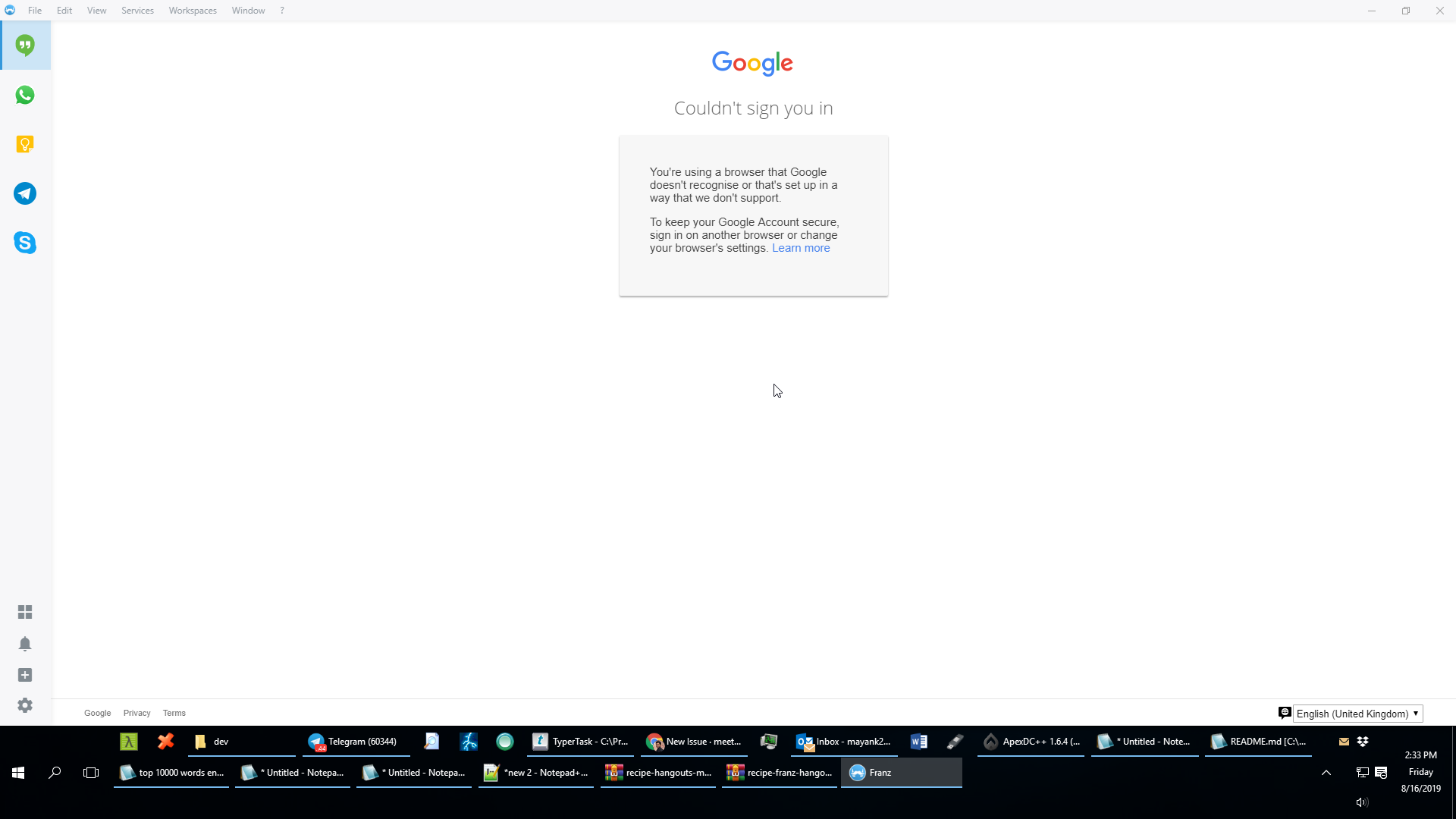
- See error --
"
You're using a browser that Google doesn't recognise or that's set up in a way that we don't support. To keep your Google Account secure, sign in on another browser or change your browser's settings. Learn more
"
Expected behavior
It should sign in and activate service
Screenshots
Hangout app
https://my.pcloud.com/publink/show?code=kZGa0c7ZxyytWdWL8vuCoWrILGmOJQdobjtX
Desktop (please complete the following information):
- OS: [Win10]
- Browser [NA]
- Version [Franz 5.2.0 x64]
Host Name: DESKTOP-SJ0JS4C
OS Name: Microsoft Windows 10 Pro
OS Version: 10.0.10586 N/A Build 10586
OS Manufacturer: Microsoft Corporation
OS Configuration: Standalone Workstation
OS Build Type: Multiprocessor Free
Registered Owner: CSE
Registered Organization:
Product ID: 00331-20140-08275-AA544
Original Install Date: 5/19/2018, 2:25:18 AM
System Boot Time: 8/8/2019, 10:48:58 AM
System Manufacturer: HP
System Model: HP EliteDesk 800 G3 SFF
System Type: x64-based PC
Processor(s): 1 Processor(s) Installed.
[01]: Intel64 Family 6 Model 158 Stepping 9 GenuineIntel ~1100 Mhz
BIOS Version: HP P01 Ver. 02.15, 1/30/2018
Windows Directory: C:\Windows
System Directory: C:\Windows\system32
Boot Device: \Device\HarddiskVolume2
System Locale: en-us;English (United States)
Input Locale: en-us;English (United States)
Time Zone: (UTC+05:30) Chennai, Kolkata, Mumbai, New Delhi
Total Physical Memory: 8,071 MB
Available Physical Memory: 1,469 MB
Virtual Memory: Max Size: 13,410 MB
Virtual Memory: Available: 5,412 MB
Virtual Memory: In Use: 7,998 MB

 mayank265
All 47 comments
Same issue, running v5.2.0 on Ubuntu 18.04, installed from the official deb.
 eugeneromero
on 16 Aug 2019
eugeneromero
on 16 Aug 2019
If you enable insecure apps in Gmail settings, then its working.
mayank265
on 17 Aug 2019
@mayank265 although that is true, this was not an issue last time I signed in to a Google product in Franz (maybe a month ago?). Something has changed in these last few weeks that causes this issue now, would like to know what it is before enabling insecure apps... hopefully the team can give us some info on this :)
eugeneromero
on 19 Aug 2019
@adlk or rest of the team, any updates on this? Could it be related to the browser version in Electron being outdated?
eugeneromero
on 26 Aug 2019
I'm seeing the same thing. Google did send out something awhile ago saying they were discontinuing access from insecure apps. I did go into my account settings and re-enable insecure apps - but that didn't seem to resolve the issue for me. I suspect the electron browser version is the issue and we'll need a new version of franz to fix this.
 bab5470
on 27 Aug 2019
bab5470
on 27 Aug 2019
I'm having the same issue since weeks. Did anyone find a fix?
 NiennaLu
on 4 Dec 2019
NiennaLu
on 4 Dec 2019
@NiennaLu it appears that the issue comes and goes. Mine stopped working for about 2 weeks, then magically started working again. Very annoying indeed. Sorry that I can't provide a more useful answer...
eugeneromero
on 4 Dec 2019
I have the same issue with Franz 5.3.3 on Mac OS X 10.15.2. None of my Google accounts is working.
 vladastefanescu
on 14 Dec 2019
vladastefanescu
on 14 Dec 2019
I've got the same issue since last week.
Franz is working fine for the gmail service with a @gmail.com account.
But... for my paid gmail.com account, with a custom domain, the gmail- and calendar-services are not working. I've enabled access for less secure apps but that didn't help.
Please advise and post an update on your website that you're at least looking into this!
macosx 10.14.6
Franz 5.3.3 (5.3.3.1582)
 Twanneman
on 16 Dec 2019
Twanneman
on 16 Dec 2019
Changing the user agent works for me (at least for Keep and Hangouts).
- Close Franz
- open ~/.config/Franz/recipes/service_name/index.js in a text editor
- as the last line add:
module.exports = Franz => class useragent extends Franz { overrideUserAgent() { return "Mozilla/5.0 (Windows NT 10.0) AppleWebKit/537.36 (KHTML, like Gecko) Chrome/42.0.2311.135 Safari/537.36 Edge/12.10136"; } };
 q-g-j
on 17 Dec 2019
q-g-j
on 17 Dec 2019
Changing the user agent works for me (at least for Keep and Hangouts).
- Close Franz
- open ~/.config/Franz/recipes/service_name/index.js in a text editor
- as the last line add:
module.exports = Franz => class <service name> extends Franz { overrideUserAgent() { return "Mozilla/5.0 (Windows NT 10.0) AppleWebKit/537.36 (KHTML, like Gecko) Chrome/42.0.2311.135 Safari/537.36 Edge/12.10136"; } };For Hangouts use "Hangouts", for Google Keep use "Googlekeep" as the
<service name>. Gmail might work too, but I did not try.
It worked for me with gmail.
 peternycander
on 18 Dec 2019
peternycander
on 18 Dec 2019
Actually the class name shouldn't matter. I think it can be chosen freely.
I updated my comment above...
q-g-j
on 18 Dec 2019
Btw. with this trick the error message in WhatsApp ("WhatsApp works with Google Chrome 36+") seems to have vanished for me. The useragent must be a different one though:
~/.config/Franz/recipes/whatsapp/index.js:
module.exports = Franz => class useragent extends Franz {
    overrideUserAgent() {
        return "Mozilla/5.0 (Windows NT 10.0; Win64; x64) AppleWebKit/537.36 (KHTML, like Gecko) Chrome/74.0.3729.169 Safari/537.36";
    }
};
q-g-j
on 18 Dec 2019
I have the same issue (for the first time now). I am on 5.4.0. Very annoying. Any idea about an ETA for a fix?
 rolandtritsch
on 28 Dec 2019
rolandtritsch
on 28 Dec 2019
I have the same issue as well. Also using version 5.4.0 on Windows 10.
Tried enabling insecure apps in Gmail settings but the problem remained.
 felipet-vsouza
on 3 Jan 2020
felipet-vsouza
on 3 Jan 2020
The useragent fix resolved the issue for me.
 greew
on 8 Jan 2020
greew
on 8 Jan 2020
Hey, first time on here and I would love some help getting that code correctly entered from Terminal... I'm using Franz version 5.4.1 on MacOS 10.15.2 (Catalina) and I don't know how to get to the point of implementing the text addition suggested by "q-g-j" above.
How do I get to the .config//Franz/recipes/service_name/index.js to open it and add:
"
module.exports = Franz => class useragent extends Franz { overrideUserAgent() { return "Mozilla/5.0 (Windows NT 10.0) AppleWebKit/537.36 (KHTML, like Gecko) Chrome/42.0.2311.135 Safari/537.36 Edge/12.10136"; } };
"
I am in Applications and can't see a .config directory... nor inside Utilities or in the Frans directory.
Also, (and thanks for your patience with my limited understanding here!) what from this added text do I need to change to apply it to my MacOS?
 phengarrett
on 13 Jan 2020
phengarrett
on 13 Jan 2020
nano ~/Library/Application\ Support/Franz/recipes/gmail/index.js
Hey, first time on here and I would love some help getting that code correctly entered from Terminal... I'm using Franz version 5.4.1 on MacOS 10.15.2 (Catalina) and I don't know how to get to the point of implementing the text addition suggested by "q-g-j" above.
How do I get to the .config//Franz/recipes/service_name/index.js to open it and add:
"
module.exports = Franz => class useragent extends Franz { overrideUserAgent() { return "Mozilla/5.0 (Windows NT 10.0) AppleWebKit/537.36 (KHTML, like Gecko) Chrome/42.0.2311.135 Safari/537.36 Edge/12.10136"; } };
"
I am in Applications and can't see a .config directory... nor inside Utilities or in the Frans directory.Also, (and thanks for your patience with my limited understanding here!) what from this added text do I need to change to apply it to my MacOS?
I believe that the ~/.config/Franz/recipes/service_name/index.js path refers to Ubuntu.
If you want to make this change with Terminal, copy and paste this in:
nano ~/Library/Application\ Support/Franz/recipes/gmail/index.js
Paste the line above and then press control + x and save the changes. That should be it.
Although, I am trying just that, and when I click log in on Gmail, that link opens the login window in the browser instead of within Franz.
 johnfewell
on 13 Jan 2020
johnfewell
on 13 Jan 2020
Hey again, thanks for the reply. Running it separately worked great for
both Gmail and Google Calendar!
Many thanks for your help and patience!
On Mon, Jan 13, 2020 at 6:42 PM John Fewell notifications@github.com
wrote:
nano ~/Library/Application\ Support/Franz/recipes/gmail/index.js
Hey, first time on here and I would love some help getting that code
correctly entered from Terminal... I'm using Franz version 5.4.1 on MacOS
10.15.2 (Catalina) and I don't know how to get to the point of implementing
the text addition suggested by "q-g-j" above.How do I get to the .config//Franz/recipes/service_name/index.js to open
it and add:"
module.exports = Franz => class useragent extends Franz {
overrideUserAgent() { return "Mozilla/5.0 (Windows NT 10.0)
AppleWebKit/537.36 (KHTML, like Gecko) Chrome/42.0.2311.135 Safari/537.36
Edge/12.10136"; } };
"
I am in Applications and can't see a .config directory... nor inside
Utilities or in the Frans directory.Also, (and thanks for your patience with my limited understanding here!)
what from this added text do I need to change to apply it to my MacOS?I believe that the ~/.config/Franz/recipes/service_name/index.js path
refers to Ubuntu.
If you want to make this change with Terminal, copy and paste this in:
nano ~/Library/Application\ Support/Franz/recipes/gmail/index.js
Paste the line above and then press control + x and save the changes.
That should be it.
Although, I am trying just that, and when I click log in on Gmail, that
link opens the login window in the browser instead of within Franz.—
You are receiving this because you commented.
Reply to this email directly, view it on GitHub
https://github.com/meetfranz/franz/issues/1573?email_source=notifications&email_token=AOIP33NZAZXEAODZSCKDHG3Q5SRYDA5CNFSM4IMFXRAKYY3PNVWWK3TUL52HS4DFVREXG43VMVBW63LNMVXHJKTDN5WW2ZLOORPWSZGOEIZT3RQ#issuecomment-573783494,
or unsubscribe
https://github.com/notifications/unsubscribe-auth/AOIP33NZI44KEQ7EGUFT66DQ5SRYDANCNFSM4IMFXRAA
.
phengarrett
on 14 Jan 2020
Changing the user agent works for me (at least for Keep and Hangouts).
- Close Franz
- open ~/.config/Franz/recipes/service_name/index.js in a text editor
- as the last line add:
module.exports = Franz => class useragent extends Franz { overrideUserAgent() { return "Mozilla/5.0 (Windows NT 10.0) AppleWebKit/537.36 (KHTML, like Gecko) Chrome/42.0.2311.135 Safari/537.36 Edge/12.10136"; } };
Works fine for me for Google Calendar and Gmail. Thanks a lot !
 tokychentchiyang
on 16 Jan 2020
tokychentchiyang
on 16 Jan 2020
Hi,
I have the same issue since i log out and clear the cache.
I change the user agent as suggested here, but now when i click a link, i have a popup windows telling me that i have a popup blocker..
My version is 5.4.0.beta3
 Dunkh4n
on 16 Jan 2020
Dunkh4n
on 16 Jan 2020
changing useragent didnt work for me with gmail
 stackpivot
on 18 Jan 2020
stackpivot
on 18 Jan 2020
Worked for me, what about custom websites? Code on index.js is pretty different.
 SergioGutierrezVillalba
on 19 Jan 2020
SergioGutierrezVillalba
on 19 Jan 2020
Worked for me, what about custom websites? Code on
index.jsis pretty different.
Should be the same concept. Just add the overrideUserAgent function to the CustomWebsite class. Here is an example of recipes/franz-custom-website/index.js:
"use strict";

module.exports = Franz => class CustomWebsite extends Franz {
  overrideUserAgent() {
    return "Mozilla/5.0 (Windows NT 10.0; Win64; x64) AppleWebKit/537.36 (KHTML, like Gecko) Chrome/74.0.3729.169 Safari/537.36";
  }

  async validateUrl(url) {
    try {
      const resp = await window.fetch(url, {
        method: 'GET',
        headers: {
          'Content-Type': 'application/json'
        }
      });
      return resp.status.toString().startsWith('2') || resp.status.toString().startsWith('3');
    } catch (err) {
      console.error(err);
    }

    return false;
  }

};
 jasonsyoung
on 19 Jan 2020
jasonsyoung
on 19 Jan 2020
Hello,
Same problem here with all my Google accounts. When adding the browser specification in index.js, Gmail displays a error message on the interface:

I de-installed/reinstalled Franz, then did it again after deleted all library files. Same result, no Google service work anymore (Gmail/calendar/drive in my situation)
VERY annoying for a paid software.
Any ETA on that from dev team please ??
 Yohan85
on 12 Feb 2020
Yohan85
on 12 Feb 2020
Hi,
I have the same issue since i log out and clear the cache.
I change the user agent as suggested here, but now when i click a link, i have a popup windows telling me that i have a popup blocker..My version is 5.4.0.beta3
Once you are logged in, just remove the line of Javascript that you added earlier, and restart Franz. The popup blocked issue will go away.
 jovanovski
on 12 Feb 2020
jovanovski
on 12 Feb 2020
Gmail
This works , on MacOS ~/Library/Application Support/Franz/recipes/gmail/index.js
"use strict";

module.exports = Franz => class Gmail extends Franz { overrideUserAgent() { return "Mozilla/5.0 (Windows NT 10.0) AppleWebKit/537.36 (KHTML, like Gecko) Chrome/42.0.2311.135 Safari/537.36 Edge/12.10136"; } };
 luukverhoeven
on 2 Mar 2020
luukverhoeven
on 2 Mar 2020
Did some further testing on this, will be working on submitting a PR to the recipe repo, once I fully test it.
The signin screen should look like:
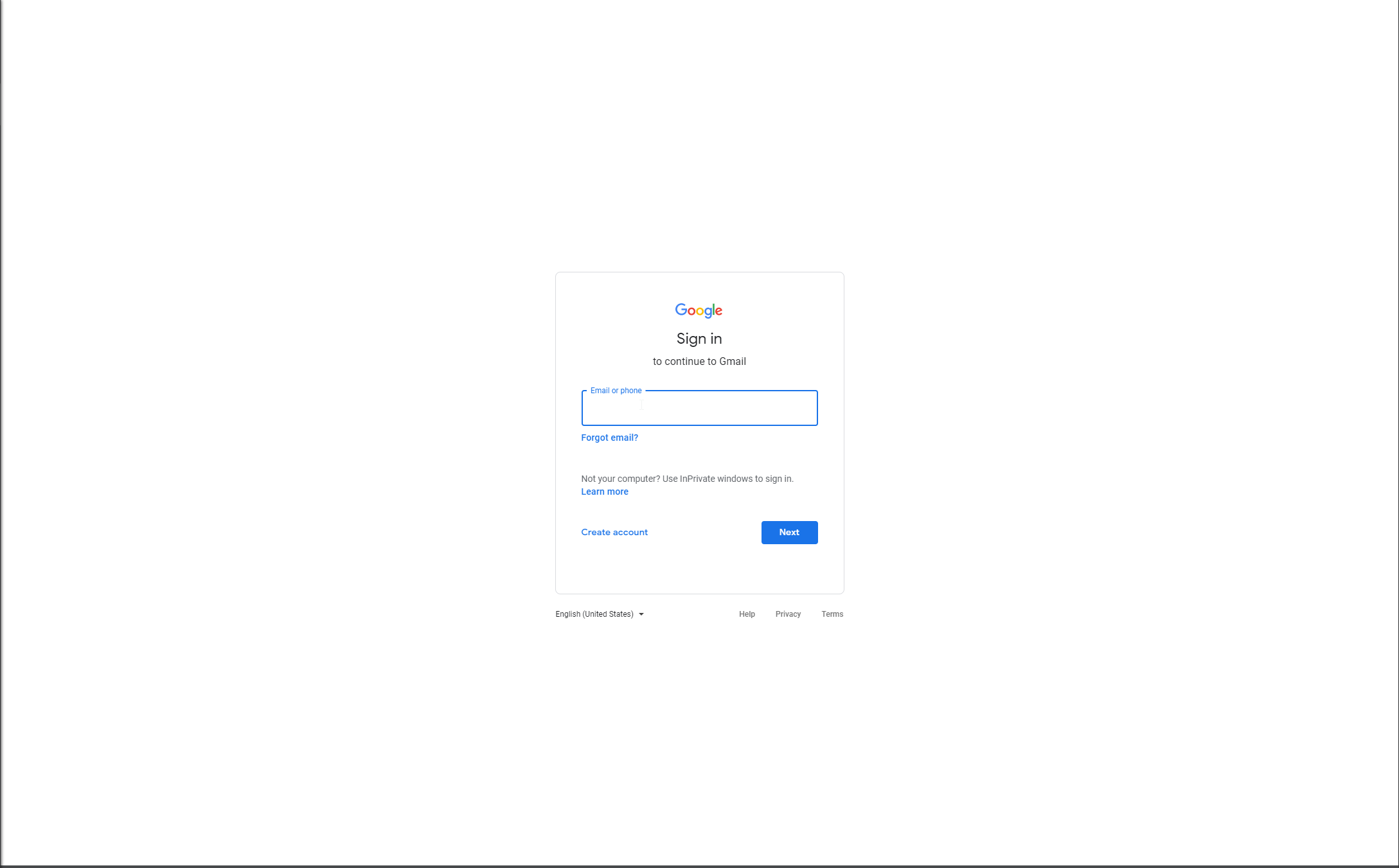
for it to work properly.
It should NOT look like this:

(if it looks like this, signin will not work)
I attempted a fix on the gmail recipe... it has to do with how google wants devs to use oauth2 in order to authorize their apps. This app doesn't do that, they just try to pretend like they are a certain browser in order to fool google into thinking you are running in an "approved" environment. (to prevent people from using apps like this to steal usernames/passwords)
You can check out my changes here: https://github.com/Adondriel/recipe-gmail
I've spent enough time on this one. See if one of y'all can get this thing working properly.
(There were so many different issues that all cause minor headaches with the newer version of the google signin page, not to mention Franz' API is not the most robust thing in the world, it could use some work.)
 Adondriel
on 3 Mar 2020
Adondriel
on 3 Mar 2020
@Adondriel Just wanted to proves feedback. Your fix seems to be working for me (impressive btw) and it also fixes the issue with contact list not being resolved due to a failed API request. Nice work.
 HarderBetterFasterStronger
on 10 Mar 2020
HarderBetterFasterStronger
on 10 Mar 2020
Gmail
This works , on MacOS
~/Library/Application Support/Franz/recipes/gmail/index.js"use strict"; module.exports = Franz => class Gmail extends Franz { overrideUserAgent() { return "Mozilla/5.0 (Windows NT 10.0) AppleWebKit/537.36 (KHTML, like Gecko) Chrome/42.0.2311.135 Safari/537.36 Edge/12.10136"; } };
It worked for me with gmail.
 Gdaimon
on 16 Mar 2020
Gdaimon
on 16 Mar 2020
This works , on MacOS
~/Library/Application Support/Franz/recipes/gmail/index.js"use strict"; module.exports = Franz => class Gmail extends Franz { overrideUserAgent() { return "Mozilla/5.0 (Windows NT 10.0) AppleWebKit/537.36 (KHTML, like Gecko) Chrome/42.0.2311.135 Safari/537.36 Edge/12.10136"; } };
This was the only solution for me as well.
 Razva
on 17 Mar 2020
Razva
on 17 Mar 2020
Have you read the message?! The message is not requesting to pay for software! That red message is from Gmail!
Once more, stupid users saying stupid things!
Hello,
Same problem here with all my Google accounts. When adding the browser specification in index.js, Gmail displays a error message on the interface:
I de-installed/reinstalled Franz, then did it again after deleted all library files. Same result, no Google service work anymore (Gmail/calendar/drive in my situation)
VERY annoying for a paid software.
Any ETA on that from dev team please ??
 shimatai
on 22 Mar 2020
shimatai
on 22 Mar 2020
Have you read the message?! The message is not requesting to pay for software! That red message is from Gmail!
Once more, stupid users saying stupid things!
Hello,
Same problem here with all my Google accounts. When adding the browser specification in index.js, Gmail displays a error message on the interface:
I de-installed/reinstalled Franz, then did it again after deleted all library files. Same result, no Google service work anymore (Gmail/calendar/drive in my situation)
VERY annoying for a paid software.
Any ETA on that from dev team please ??
Hey SHimatai,
Thanks for replying to me. Yes, the red message is from Gmail, not from Franz, who said it was from Franz??
Right now, Google services don't work on my account when using Franz as they seem to not recognize the overall browser configuration to run properly.
And yes, I've paid for a software that guarantees Google services compliance but that is obviously not. Searching for answers or hacks on Github are not my definition of correct product support.
Please be careful when calling people stupid, maybe those that are stupid are not those you think ;)
Yohan85
on 22 Mar 2020
@Yohan85 you said that when you've wrote "VERY annoying for a paid software."
I'me facing the same issue now. My Gmail account is not logging in using Franz.
I've tried editing index.js on Gmail recipe directory, but with no success.
shimatai
on 23 Mar 2020
Same issue, running v5.4.0 on Ubuntu 18.04, installed from the official deb.
 kovacsguido
on 2 Apr 2020
kovacsguido
on 2 Apr 2020
I was having this problem with Hangouts. At first I thought the user agent fix wasn't working. However, I realized I was applying the fix to Gmail rather than Hangouts.
It's an easy mistake to make so I'm pointing it out
On macOS
Path for Gmail
~/Library/Application Support/Franz/recipes/gmail/index.js
Path for Hangouts
~/Library/Application Support/Franz/recipes/hangouts/index.js
 dreondre
on 4 Apr 2020
dreondre
on 4 Apr 2020
Nothing of those worked for me, any other solutions? win 10
module.exports = Franz => class Gmail extends Franz { overrideUserAgent() { return "Mozilla/5.0 (Macintosh; Intel Mac OS X 10_14_6) AppleWebKit/537.36 (KHTML, like Gecko) Chrome/79.0.3945.130 Safari/537.36"; } };

module.exports = Franz => class Gmail extends Franz { overrideUserAgent() { return "Mozilla/5.0 (Windows NT 10.0) AppleWebKit/537.36 (KHTML, like Gecko) Chrome/42.0.2311.135 Safari/537.36 Edge/12.10136"; } };
 warshell
on 6 Apr 2020
warshell
on 6 Apr 2020
Same issues in MacOs Catalina 10.15.4, tried to modify the recipe but not working.
@Adondriel 's github recipe kind of worked, as is mentioned before with some kind of issues with the auth problems. Still, I will survive with it :)
 petramika
on 6 Apr 2020
petramika
on 6 Apr 2020
@Adondriel solution is working. thanks
warshell
on 7 Apr 2020
@Adondriel solution is working. thanks
change this line for google keep
this.loadURL('https://accounts.google.com/AccountChooser?service=mail&continue=https://keep.google.com//');
 mani2906
on 29 Apr 2020
mani2906
on 29 Apr 2020
Any idea on the status of this issue? I'm having the same problem with third-party services that use Google as an identity provider (in my case Toggl). Would modifying the index.js work for that? Or would a new version of the Electron browser be required?
 bverhoeve
on 7 May 2020
bverhoeve
on 7 May 2020
Any idea on the status of this issue? I'm having the same problem with third-party services that use Google as an identity provider (in my case Toggl). Would modifying the
index.jswork for that? Or would a new version of the Electron browser be required?
I dropped Franz because of this issue. You can find better alternatives, with better support, at the same price. Good luck to Franz's developers.
Razva
on 7 May 2020
Can't stand Franz anymore, this issue keeps arising every 2months and support never helped. I'm gonna stop paying for this.
 idris67
on 25 May 2020
idris67
on 25 May 2020
The solution provided above (override the user agent in the index.js worked great for me.
Just pay attantion you are providing the right user agent - correct os and the correct brwoser...
 ophchu
on 26 May 2020
ophchu
on 26 May 2020
Problem not solved after more than a year !!!
Franz Team please come with solution or announce officially Franz is not supporting gmail anymore.
P.S. Everyone tying to resolve problem with file-editing-hacks can not be called a solution !!!
Thank you !
 riprop
on 15 Nov 2020
riprop
on 15 Nov 2020
Reminder that Google will most likely not support any Google Signin from any CEF/electron-based browser for all user starting from January 4, 2021.
 magne4000
on 18 Nov 2020
magne4000
on 18 Nov 2020
Reminder that Google will most likely not support any Google Signin from any CEF/electron-based browser for all user starting from January 4, 2021.
It's quite simple to solve this issue. An CEF/electron-based app should change its User-Agent while asking Google for authentication. Franz, for example, could have a remote file with the latest User-Agent string, then Franz app requests this file, reads it and use the user-agent string to access some Google product.
The only way Google has to detect if user access is coming from a "insecure browser" is analyzing its user-agent.
 shimatai-mobees
on 19 Nov 2020
shimatai-mobees
on 19 Nov 2020
Related issues
 gregoralbrecht
·
3Comments
gregoralbrecht
·
3Comments
 thmsnhl
·
4Comments
thmsnhl
·
4Comments
 sach160
·
4Comments
sach160
·
4Comments
 hello-jason
·
4Comments
hello-jason
·
4Comments
 larissaales
·
3Comments
larissaales
·
3Comments
Most helpful comment
Changing the user agent works for me (at least for Keep and Hangouts).
module.exports = Franz => class useragent extends Franz { overrideUserAgent() { return "Mozilla/5.0 (Windows NT 10.0) AppleWebKit/537.36 (KHTML, like Gecko) Chrome/42.0.2311.135 Safari/537.36 Edge/12.10136"; } };