Franz: Can't log in to company's microsoft accounts, stuck on sign in screen
I'm attempting to sign into my company's outlook and teams accounts. I have been able to successfully sign in to my client's outlook and team accounts, but not my own company's microsoft accounts.
To Reproduce
Steps to reproduce the behavior:
- Add a new microsoft service (teams or outlook for me)
- Enter company email address
- System hangs
Expected behavior
App redirects me to company sign in page, and I sign in after 2fa.
Screenshots

Desktop (please complete the following information):
- Device: Macbook Pro (most recent version)
- OS: OSX 10.14.2 Mojave
- Browser ? Chrome is default browser
- Version of Franz: 5.0.0-beta.22.1059
 mearleycf
All 14 comments
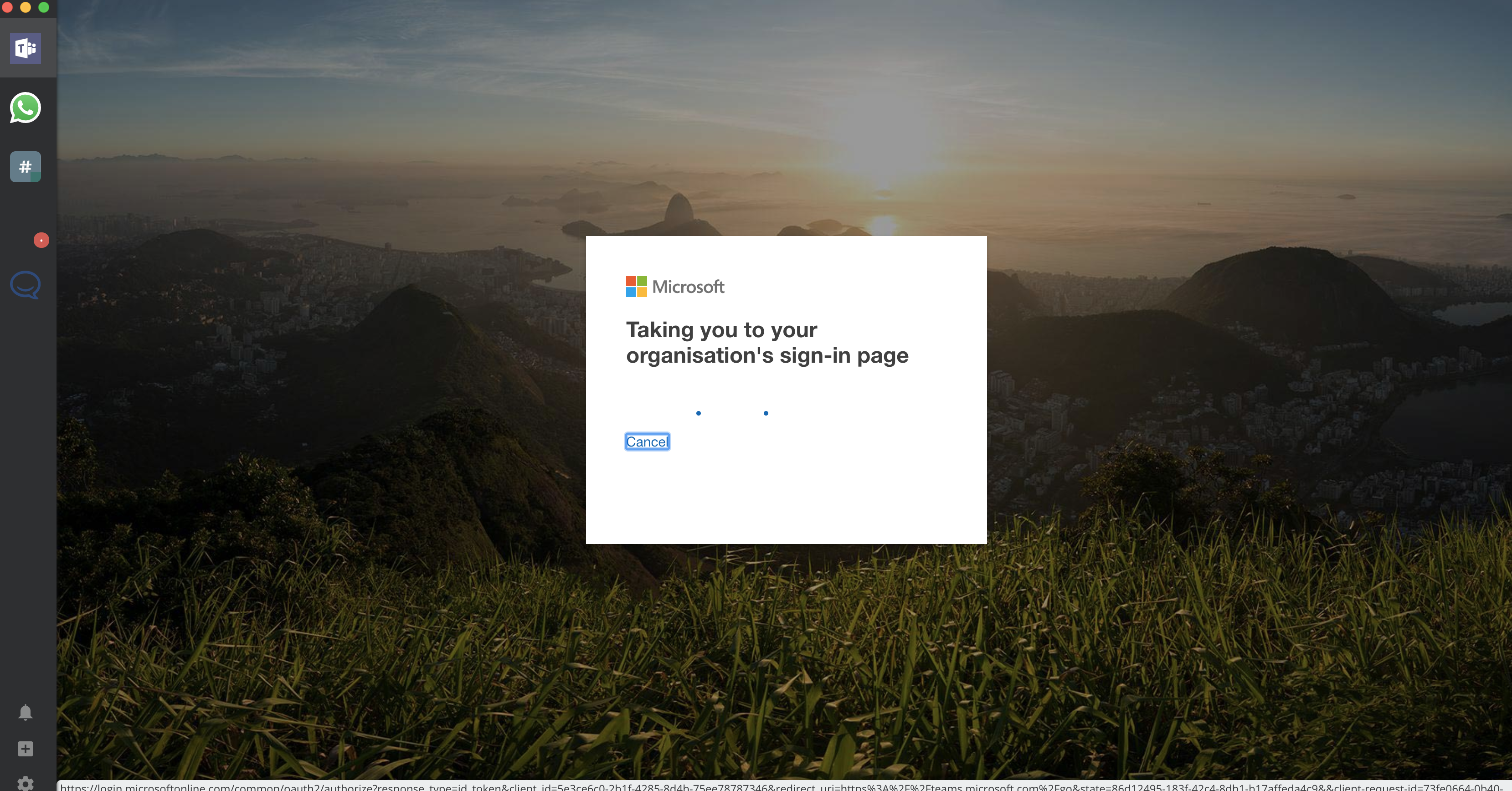
same environment, same problem. The login to the company's Teams hangs on the "taking you to your organization's sign in page" indefinitely.
 nortimer
on 10 Jan 2019
nortimer
on 10 Jan 2019
bump. any progress on this? Can we help with the troubleshooting somehow?
nortimer
on 16 Jan 2019
I haven't heard anything or solved this.
mearleycf
on 16 Jan 2019
Not sure if this is the same as the problem I am facing when logging in to TEAMS...
- I type my username -> I get asked to select between work/school account or personal account:
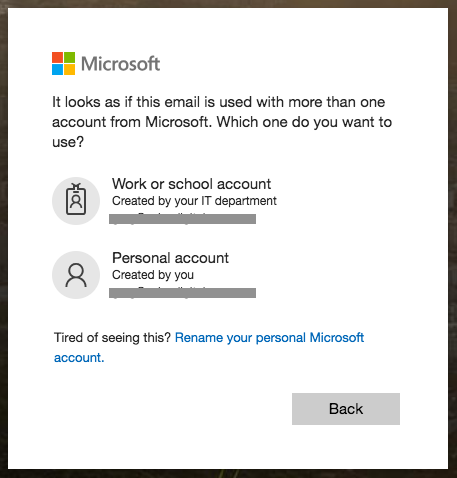
- I select work as per usual -> get asked to enter my password to sign in -> error:
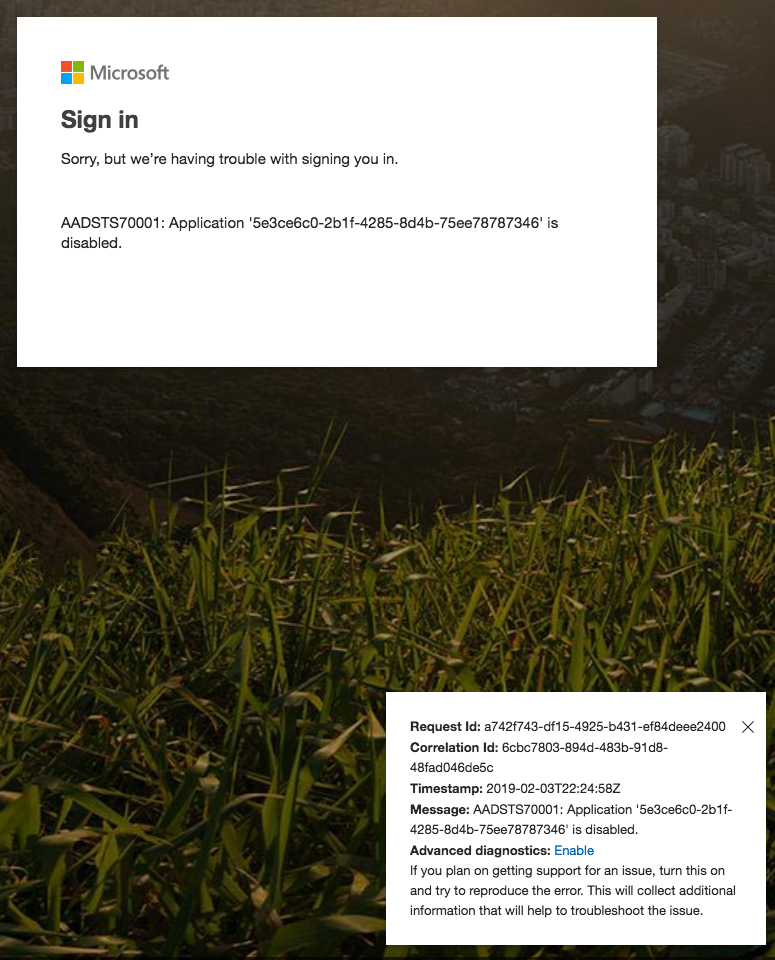
This has worked in the past, but for some time now doesn't (it happened randomly; not after an update). Upgrading to the latest 5.0.0 betas (22, 23, 24) does not fix the issue.
PS: I can log in to TEAMS fine via my browser following the same process. Could this be a cookie issue? Does Franz store cookies, and if so, where (on Mac)?
 klonos
on 3 Feb 2019
klonos
on 3 Feb 2019
I'm attempting to sign into my company's outlook and teams accounts. I have been able to successfully sign in to my client's outlook and team accounts, but not my own company's microsoft accounts.
To Reproduce
Steps to reproduce the behavior:
- Add a new microsoft service (teams or outlook for me)
- Enter company email address
- System hangs
Expected behavior
App redirects me to company sign in page, and I sign in after 2fa.Screenshots
Desktop (please complete the following information):
- Device: Macbook Pro (most recent version)
- OS: OSX 10.14.2 Mojave
- Browser ? Chrome is default browser
- Version of Franz: 5.0.0-beta.22.1059
I can confirm this bug on windows. Earlier this year everything worked fine on OSX though.
- Device: Windows 10 PC (custom build)
- OS: Windows 10
- Browser: Chrome (usually, sometimes edge)
- Version of Franz: 5.0.0 Release: 4.0.4/ win32 /x64
 archang3l-media
on 9 Mar 2019
archang3l-media
on 9 Mar 2019
Same problem for me :
- Latest version of Franz (5.0.0.1136)
- Mac OS 10.14.2
Any solution?
 sebastiennoir
on 13 Mar 2019
sebastiennoir
on 13 Mar 2019
+1 for this issue. please, solve it
 maroleks
on 18 Mar 2019
maroleks
on 18 Mar 2019
Same problem for me:
- Latest version of Franz (5.0.1)
- Mac OS 10.14.4
 igoroctaviano
on 29 Mar 2019
igoroctaviano
on 29 Mar 2019
Same problem for me.. company login redirecting to another login page is struck.
- Latest version of Franz (5.0.1)
- Linux OS (Ubuntu)
 rbpisupati
on 29 Mar 2019
rbpisupati
on 29 Mar 2019
Same problem for me:
- Latest version of Franz (5.1.0)
- macOS High Sierra
 Mattee
on 26 Apr 2019
Mattee
on 26 Apr 2019
Same here
- 5.2.0-beta2
- Windows 10
 arnigunnar
on 13 Jun 2019
arnigunnar
on 13 Jun 2019
Same here stuck on:
Taking you to your organization's sign-in page
- Ubuntu 18.04.2 LTS
- Version: 5.1.0
- Release: 4.1.4/linux/x64
 cchlanger
on 15 Jul 2019
cchlanger
on 15 Jul 2019
Same here stuck on:
Taking you to your organization's sign-in page
- Ubuntu 18.04.2 LTS
- Version: 5.1.0
- Release: 4.1.4/linux/x64
I just realized after reading following Issue:
https://github.com/meetfranz/franz/issues/790#issuecomment-448661864
It only happens when I try to login from the company network. Seems an issue how it handles the Identity token.
For everybody else try to use a non company network, for example your phones wifi hotspot during login.
cchlanger
on 15 Jul 2019
Same problem here - was facing another issue so I cleared my cache and reinstalled - now I am stuck at the same screen as the rest of you. Running teams_1.3.00.5153_amd64 on Ubuntu 18.04
 spidie
on 5 Jun 2020
spidie
on 5 Jun 2020
Related issues
 m2kk
·
4Comments
m2kk
·
4Comments
 tayfuuun
·
4Comments
tayfuuun
·
4Comments
 G419
·
3Comments
G419
·
3Comments
 seanford
·
4Comments
seanford
·
4Comments
 PackElend
·
4Comments
PackElend
·
4Comments
Most helpful comment
same environment, same problem. The login to the company's Teams hangs on the "taking you to your organization's sign in page" indefinitely.
