Franz: Whatapp will not start, claims Chrome Browser 36+ is required
Expected Behavior
Whatsapp should work
Identical to closed issue #1115, https://github.com/meetfranz/franz/issues/1115
Current Behavior
When trying to access whatsapp the following message appears:
WhatsApp works with Google Chrome 36+
To use WhatsApp, update Chrome or use Mozilla Firefox, Safari, Microsoft Edge or Opera.
Possible Solution
Remove and Re-add service, DOES NOT WORK!
Steps to Reproduce (for bugs)
Setup a Whatsapp account in Franz
Your Environment
Franz Version used: Version: 5.0.0-beta.18 Release: 1.8.4 / Windows / x64
Operating System and version: Windows 10 - 1803
 arlenn
All 65 comments
+1 for MacOS High Sierra 10.13.6
 awreccan
on 30 Nov 2018
awreccan
on 30 Nov 2018
+1 for Ubuntu Bionic
 riaanvddool
on 30 Nov 2018
riaanvddool
on 30 Nov 2018
I had the same issue this morning on
Franz Version used: Version: 5.0.0-beta.18 Release: 1.8.4 / Windows / x64
Operating System and version: Windows 10 - 1803
However, I deleted all my services and added them again.
Now it seems to be working for me again.
UPDATE: Restarted Franz. WhatsApp broken again and removing services does nothing this time.
 Cookiezzz
on 30 Nov 2018
Cookiezzz
on 30 Nov 2018
+1 for Windows Insider Preview 18290
 RyukSniper
on 30 Nov 2018
RyukSniper
on 30 Nov 2018
+1 Same here, Ubuntu 18.04 LTS
 SDVII
on 30 Nov 2018
SDVII
on 30 Nov 2018
I had the same issue this morning on
Franz Version used: Version: 5.0.0-beta.18 Release: 1.8.4 / Windows / x64
Operating System and version: Windows 10 - 1803However, I deleted all my services and added them again.
Now it seems to be working for me again.
Doesn't seem to work
SDVII
on 30 Nov 2018
I had the same issue this morning on
Franz Version used: Version: 5.0.0-beta.18 Release: 1.8.4 / Windows / x64
Operating System and version: Windows 10 - 1803However, I deleted all my services and added them again.
Now it seems to be working for me again.
It works for me. Thanks!
 ubk77
on 30 Nov 2018
ubk77
on 30 Nov 2018
Franz Version used: Version: 5.0.0-beta.18 Release: 1.8.4 / Windows / x86
Operating System and version: Windows 10
me its okay... like this >> http://prntscr.com/low8a9
 BangPiyus
on 30 Nov 2018
BangPiyus
on 30 Nov 2018
However, I deleted all my services and added them again.
Now it seems to be working for me again.Doesn't seem to work
Same here, either not working at all or only for a short time. MacOS 10.14.1.
 dinz1
on 30 Nov 2018
dinz1
on 30 Nov 2018
same issue on:
Windows 10 Insider Preview 18290.1000 (rs_prerelease)
using Chrome 70.0.3538.110 (64-bits)
Franz Version used: Version: 5.0.0-beta.18 Release: 1.8.4 / Win32 / x64
however if i click on ''toggle SERVICE D..'' and click on release notes I see chrome version 59

if i click on ''toggle Developer tools'' the release notes functions are not available
 akeijzer11
on 30 Nov 2018
akeijzer11
on 30 Nov 2018
I resolve whit this ty!
I had the same issue this morning on
Franz Version used: Version: 5.0.0-beta.18 Release: 1.8.4 / Windows / x64
Operating System and version: Windows 10 - 1803However, I deleted all my services and added them again.
Now it seems to be working for me again.UPDATE: Restarted Franz. WhatsApp broken again and removing services does nothing this time.
RyukSniper
on 30 Nov 2018
Same problem here.
Updated to Version 5.
Now Whatsapp isnt' working.
Errormessage:
WhatsApp works with Google Chrome 36+
To use WhatsApp, update Chrome or use Mozilla Firefox, Safari, Microsoft Edge or Opera.
 helmar74
on 30 Nov 2018
helmar74
on 30 Nov 2018
I had the same issue this morning on
Franz Version used: Version: 5.0.0-beta.18 Release: 1.8.4 / Windows / x64
Operating System and version: Windows 10 - 1803However, I deleted all my services and added them again.
Now it seems to be working for me again.UPDATE: Restarted Franz. WhatsApp broken again and removing services does nothing this time.
I tried it here but the problem carry on. 😞
Operating System and version: macOs Mojave 10.14.1
 tcelestino
on 30 Nov 2018
tcelestino
on 30 Nov 2018
Clicking the Firefox link opens Firefox on the Download Firefox page .... go figure. Running Linux.
 iandoug
on 30 Nov 2018
iandoug
on 30 Nov 2018
I had the same issue this morning on
Franz Version used: Version: 5.0.0-beta.18 Release: 1.8.4 / Windows / x64
Operating System and version: Windows 10 - 1803However, I deleted all my services and added them again.
Now it seems to be working for me again.UPDATE: Restarted Franz. WhatsApp broken again and removing services does nothing this time.
It worked for me
 dennisvandenende
on 30 Nov 2018
dennisvandenende
on 30 Nov 2018
Same problem in Windows Server 2012 R.
I have update Franz 4 for resolve this problem, but is worster in 5 beta
UPDATE: Now work
UPADATE AFTER REBOOT: not work
 dezu3
on 30 Nov 2018
dezu3
on 30 Nov 2018
I am facing the same problem. I have also verified that all my browsers are latest versions.
Used Franz v5.0.0-beta.18 Release: 1.8.4 / Windows / x86
Operating System and version: Windows 10 and Ubuntu 18.0.4 (different machines).
 g2chauhan
on 30 Nov 2018
g2chauhan
on 30 Nov 2018
It's possible to solve it temporary to keep using the service but when you restart the app will fail again. To make it work, first I have opened the Developer tools and click on "Clear Storage" in "Application" tab. After that I have made a "hard" refresh of the window pressing cmd+shift+r (this is on mac, on Windows I suppose this is with ctrl+shift+r instead). After that you will have to scan again the QR code with your phone's Whatsapp app. That's all! I hope someone find a better way to solve it.
 mikem33
on 30 Nov 2018
mikem33
on 30 Nov 2018
It's possible to solve it temporary to keep using the service but when you restart the app will fail again. To make it work, first I have opened the Developer tools and click on "Clear Storage" in "Application" tab. After that I have made a "hard" refresh of the window pressing cmd+shift+r (this is on mac, on Windows I suppose this is with ctrl+shift+r instead). After that you will have to scan again the QR code with your phone's Whatsapp app. That's all! I hope someone find a better way to solve it.
Solved here!
tcelestino
on 30 Nov 2018
same problem here
 SergioSuarezDev
on 30 Nov 2018
SergioSuarezDev
on 30 Nov 2018
It's possible to solve it temporary to keep using the service but when you restart the app will fail again. To make it work, first I have opened the Developer tools and click on "Clear Storage" in "Application" tab. After that I have made a "hard" refresh of the window pressing cmd+shift+r (this is on mac, on Windows I suppose this is with ctrl+shift+r instead). After that you will have to scan again the QR code with your phone's Whatsapp app. That's all! I hope someone find a better way to solve it.
I restarted my windows system and used this quoted approach, and it works fine now. Thanks @mikem33
g2chauhan
on 30 Nov 2018
@mikem33 I tried your solution but after cmd+shift+r I had to login again into Franz (thanks for not letting me paste the password!) and the same "WhatsApp works with Google Chrome 36+" window appeared.
 seguri
on 1 Dec 2018
seguri
on 1 Dec 2018
It's possible to solve it temporary to keep using the service but when you restart the app will fail again. To make it work, first I have opened the Developer tools and click on "Clear Storage" in "Application" tab. After that I have made a "hard" refresh of the window pressing cmd+shift+r (this is on mac, on Windows I suppose this is with ctrl+shift+r instead). After that you will have to scan again the QR code with your phone's Whatsapp app. That's all! I hope someone find a better way to solve it.
Thank you @mikem33!
I had to use a combination of your approach above, and remove/re-add the service.
* UPDATE *
SNAP, reverts after restarting Franz.... not a solution :(
arlenn
on 1 Dec 2018
I think Franz just sends a UserAgent that the WhatsApp Server doesn't accept as an actual browser ... I have the same issue with my v4 Franz. So there will be no permanent solution without an update of Franz ...
 henmedia
on 1 Dec 2018
henmedia
on 1 Dec 2018
MacOS with Mojave same issue, but after pressing cmd + shift + r it reloads and works
 globalcryptocoin
on 1 Dec 2018
globalcryptocoin
on 1 Dec 2018
MacOS 10.13.6 / Chrome Version 70.0.3538.110 (Offizieller Build) (64-Bit) not fixing with cmd+shift+r
 zalaudekr
on 1 Dec 2018
zalaudekr
on 1 Dec 2018
MacOS 10.13.6 / Chrome Version 70.0.3538.110 (Offizieller Build) (64-Bit) not fixing with cmd+shift+r
Maybe, removing and adding the service will work. It's weird because for some people my approach work and for other people don't. Even I found myself today removing and adding the service because It does not work for me either.
mikem33
on 1 Dec 2018
It's possible to solve it temporary to keep using the service but when you restart the app will fail again. To make it work, first I have opened the Developer tools and click on "Clear Storage" in "Application" tab. After that I have made a "hard" refresh of the window pressing cmd+shift+r (this is on mac, on Windows I suppose this is with ctrl+shift+r instead). After that you will have to scan again the QR code with your phone's Whatsapp app. That's all! I hope someone find a better way to solve it.
Thank you @mikem33!
I had to use a combination of your approach above, and remove/re-add the service.* UPDATE *
_SNAP_, reverts after restarting Franz.... not a solution :(
I know. I'm sorry but I already said it was a temporary solution...
mikem33
on 1 Dec 2018
Arch Linux also with the same problem.
uname -a:
Linux trinaldi-linux 4.19.4-arch1-1-ARCH #1 SMP PREEMPT Fri Nov 23 09:06:58 UTC 2018 x86_64 GNU/Linux
 trinaldi
on 1 Dec 2018
trinaldi
on 1 Dec 2018
+1 on MacOS Mojave 10.14 (18A391)
 marcosimonegili
on 1 Dec 2018
marcosimonegili
on 1 Dec 2018
+1 on MacOS and Windows 10.
 klouisbrother
on 1 Dec 2018
klouisbrother
on 1 Dec 2018
There was a pop-up about services being updated a little while ago.
I Re:Re'ed Whatsapp and restart Franz seems to have taken care of problems for me.... Can anybody confirm?
arlenn
on 2 Dec 2018
Same problem on Ubuntu Bionic with installed Chrome [Version 70.0.3538.110 (Official Build) (64-bit)], and Franz 5.0.0-beta, removing and adding the service + restarting Franz , did not work.
 aflatto
on 2 Dec 2018
aflatto
on 2 Dec 2018
Same issue with MacOS High Sierra and Franz Version 5.0.0-beta.18 (5.0.0-beta.18.903):
WhatsApp works with Google Chrome 36+
To use WhatsApp, update Chrome or use Mozilla Firefox, Safari, Microsoft Edge or Opera.
I updated Chrome, Firefox, removed the WhatsApp service and added again, no way.
 marcoguastalli
on 2 Dec 2018
marcoguastalli
on 2 Dec 2018
+1
all the above suggestion didn't stick
Version 5.0.0-beta.18 (5.0.0-beta.18.903) osx 10.14
 arditti
on 2 Dec 2018
arditti
on 2 Dec 2018
I still have this issue. Franz 5.0.0-beta.19 Windows 10 17763.167
Temporary works method "Clear storage". After restart - again, "Clear storage", restart - ......
On Windows 10 build 17134.441, Franz 5-19 - working ok!
 ziloth
on 2 Dec 2018
ziloth
on 2 Dec 2018
Problem still persists with Franz 5.0.0-beta.19 Windows 10
 krheinwald
on 3 Dec 2018
krheinwald
on 3 Dec 2018
Problem still persists with Franz 5.0.0-beta19 MacOS 10.14.1 Mojave
Temporary fix as described works, but just until next restart.
 macaubas
on 3 Dec 2018
macaubas
on 3 Dec 2018
Same here, Windows 10, already on 5.0.0-beta19 and same issue as with beta18.
My Chrome is:
Google Chrome is up to date
Version 70.0.3538.110 (Official Build) (64-bit)
Still get:
WhatsApp works with Google Chrome 36+
To use WhatsApp, update Chrome or use Mozilla Firefox, Safari, Microsoft Edge or Opera.
 WanaGo
on 3 Dec 2018
WanaGo
on 3 Dec 2018
HI
To resolve the "WhatsApp works with Google Chrome 36+" issue, please switch to the beta channel in settings and update Franz.
Not working i downgraded and same issue ...
 Noam-greenberrg
on 3 Dec 2018
Noam-greenberrg
on 3 Dec 2018
Not working on MacOS Mojave and latest Franz Beta update ... :(

 Dudematters
on 3 Dec 2018
Dudematters
on 3 Dec 2018
Not working on MacOS Mojave and latest Franz Beta update ... :(
Fixed it on MacOS Mojave by deleting all the preferences and Franz application support files.
Now it's working again.
Dudematters
on 3 Dec 2018
It worked after deleting only Whatsapp service and adding it back. More convenient. Cool job for the dark mode!
 FKSI
on 3 Dec 2018
FKSI
on 3 Dec 2018
For me, only pressing CMD + Shift +R made it work. Fyi.
 cenkingunlugu
on 3 Dec 2018
cenkingunlugu
on 3 Dec 2018
Deleting the Service and adding it back, makes it work.... until you restart and then its dead again.
WanaGo
on 3 Dec 2018
Xubuntu 18.04: updated Google Chrome, restarted Franz: it works
 dario86
on 3 Dec 2018
dario86
on 3 Dec 2018
I had the same issue this morning on
Franz Version used: Version: 5.0.0-beta.18 Release: 1.8.4 / Windows / x64
Operating System and version: Windows 10 - 1803However, I deleted all my services and added them again.
Now it seems to be working for me again.UPDATE: Restarted Franz. WhatsApp broken again and removing services does nothing this time.
Same problem here. Removed service -> Added service again -> worked -> restart franz -> Broken again.
 hknoener
on 3 Dec 2018
hknoener
on 3 Dec 2018
Works after re-adding the service. Stops working after relaunching Franz. 👎
 akratzel
on 3 Dec 2018
akratzel
on 3 Dec 2018
WhatsApp broken on 5.0.0-beta.18 to 5.0.0-beta.19 on Windows 10 x64.
Updated from 5.0.0-beta.18 to 5.0.0-beta.19 on Windows 10 x64: No change
Removed WhatsApp service, added service again: works!
Restarted Franz: still works!
krheinwald
on 3 Dec 2018
🔴 Could you all please STOP posting the same problems and fixes again and again?
The problem is known, we don't have a software update to fix this issue at the moment. But there are temporary fixes above to use WhatsApp in the latest beta versions to help yourself.
 macx
on 3 Dec 2018
macx
on 3 Dec 2018
I had the same issue this morning on
Franz Version used: Version: 5.0.0-beta.18 Release: 1.8.4 / Windows / x64
Operating System and version: Windows 10 - 1803However, I deleted all my services and added them again.
Now it seems to be working for me again.UPDATE: Restarted Franz. WhatsApp broken again and removing services does nothing this time.
It's works for me
 normeno
on 3 Dec 2018
normeno
on 3 Dec 2018
@macx only you change the useragent
https://stackoverflow.com/a/53366217
 zerkc
on 3 Dec 2018
zerkc
on 3 Dec 2018
this is a solution
mainwin.webContents.setUserAgent(mainwin.webContents.getUserAgent().replace(/(Electron|<nameyourapp>)\/([0-9\.]+)\ /g,""));
paste in before loadURL;
zerkc
on 3 Dec 2018
Same problem on windows 7, franz version 4.0.4 build 40, release 1.3.1
 lordarnoud
on 3 Dec 2018
lordarnoud
on 3 Dec 2018
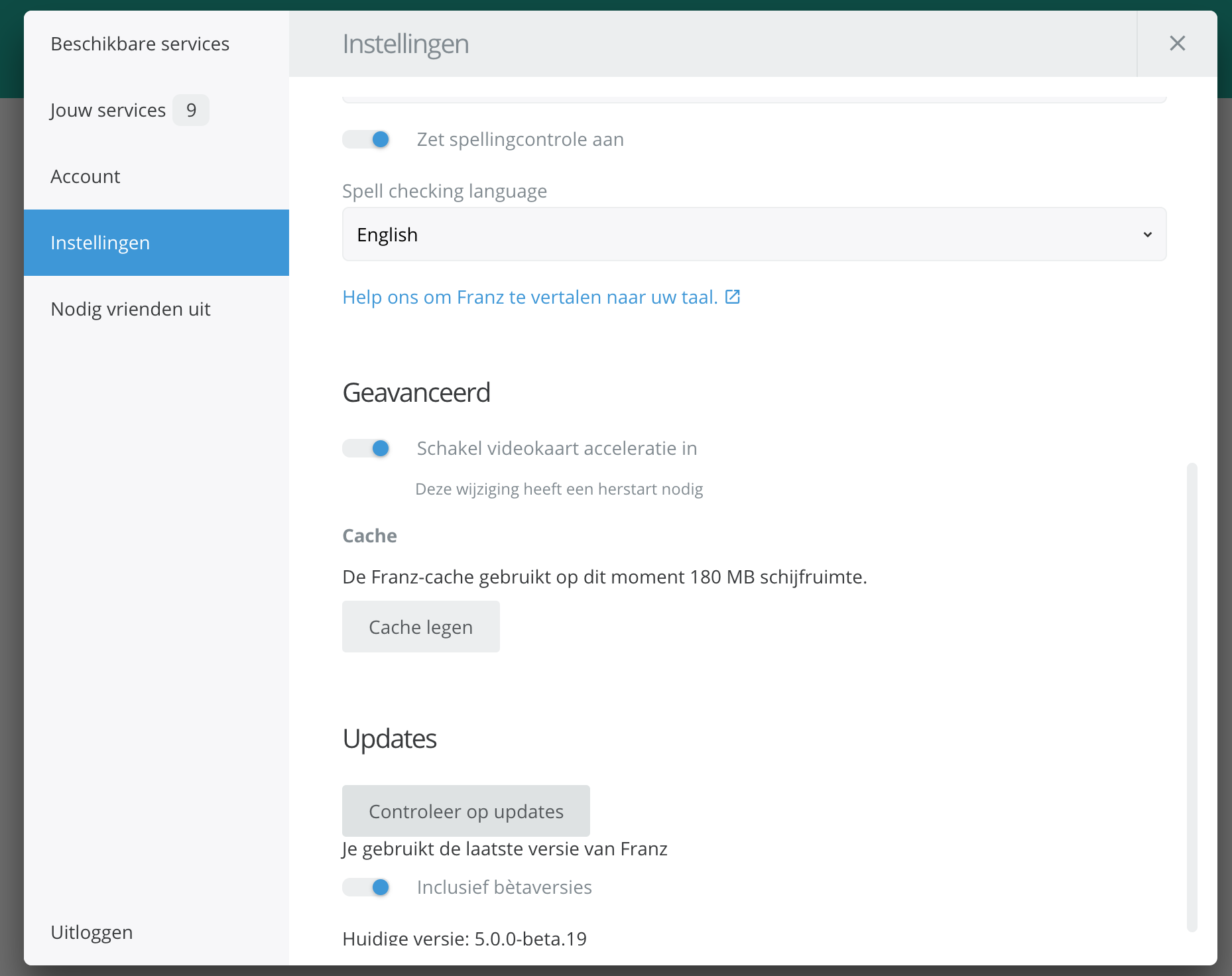
This issue should be fixed for now! Please check for updates (Settings -> Settings -> Check for updates) or restart the app to get the updated WhatsApp recipe.
 adlk
on 3 Dec 2018
adlk
on 3 Dec 2018
For some reason, it was not fixing the issue with me until I "force quit" Franz. Then it went back to working fine again. (mac here)
 pcmoreno
on 4 Dec 2018
pcmoreno
on 4 Dec 2018
@adlk
still not working on beta 19. After Restart (also kill via shell) i still have this issue.
But, i found a hotfix for that issues:
Do not use Whatsapp as initial/first service.
I moved another service as initial/first service and now Whatsapp is loading correctly.
 thisisablock
on 5 Dec 2018
thisisablock
on 5 Dec 2018
This issue should be fixed for now! Please check for updates (Settings -> Settings -> Check for updates) or restart the app to get the updated WhatsApp recipe.
Long shot but could this be fixed in the 4.0.4 release?
 edubkn
on 6 Dec 2018
edubkn
on 6 Dec 2018
@edubkn please upgrade to Franz 5 via meetfranz.com
adlk
on 6 Dec 2018
Update to v5. It is fixed now. Thanks @adlk
 MineiToshio
on 7 Dec 2018
MineiToshio
on 7 Dec 2018
Actually I just cleared the Franz v5 cache and solved my issue.
 SimStm
on 7 Dec 2018
SimStm
on 7 Dec 2018
Not working here Arch linux, franz 5.0.0_beta.18-1 I've been clearing and restarting repeatedly without result

.
 bartoszek
on 13 Dec 2018
bartoszek
on 13 Dec 2018
Same problem here
 FilipaSimao
on 13 Dec 2018
FilipaSimao
on 13 Dec 2018
Here we go again... same issue with 5.0.0 beta 21 on MacOS (it was fixed in the previous version). CMD-Shift-R does seem to fix it though.
dinz1
on 13 Dec 2018
This issue is an issue with WhatsApp, not Franz. I'm however trying to find a proper work around for their issues but at this point there is not much I can do.
It does not matter which version of Franz you use!
I'm going to lock this issue!
adlk
on 13 Dec 2018
Related issues
 kingjr
·
3Comments
kingjr
·
3Comments
 gregoralbrecht
·
3Comments
gregoralbrecht
·
3Comments
 dbfin
·
4Comments
dbfin
·
4Comments
 G419
·
3Comments
G419
·
3Comments
 larissaales
·
3Comments
larissaales
·
3Comments
Most helpful comment
+1 for MacOS High Sierra 10.13.6