Even after disabling Notifications & Audio Whatsapp audio still comes out.
Expected Behavior
Disabled "Notifications & Audio" should mute audio on Whatsapp
Current Behavior
With the bell icon disabled I'm still getting audio when I receive a notification (the notification banner does not appear).
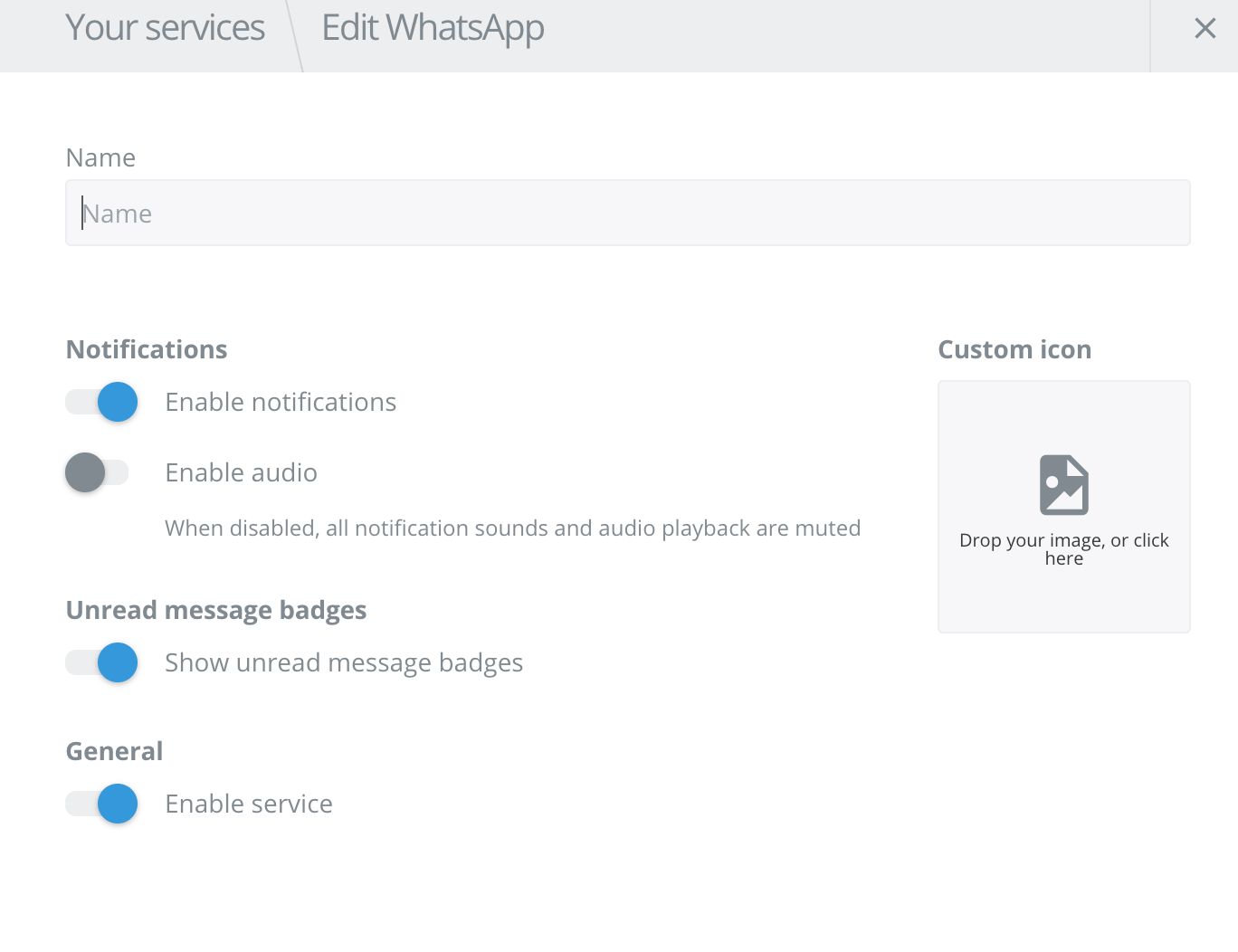
I've also disabled notifications in the settings piece (screenshot attached).
Screenshots (if appropriate):
Steps to Reproduce (for bugs)
- Go into settings for Whatsapp and disable Audio.
- Also (optional) disable Audio & Notifications by clicking the bell icon. Doing this is optional since I get audio no matter if I do this step.
Context
Trying to mute Whatsapp notifications.
Your Environment
- Franz Version used: Version 5.0.0-beta.17 (5.0.0-beta.17.834)
- Operating System and version: macOS High Sierra 10.13.3 (17D47)
 Chompas
All 9 comments
I have the same issue with version Version 5.0.0-beta.18 (5.0.0-beta.18.903)
 Sef1995
on 24 May 2018
Sef1995
on 24 May 2018
Same issue, it's quite annoying.
Version 5.0.0-beta.18 (5.0.0-beta.18.903)
 Duartemartins
on 30 May 2018
Duartemartins
on 30 May 2018
Please fix this.
 virgils
on 19 Jun 2018
virgils
on 19 Jun 2018
It's possible to mute whatsapp by going into whatsapp itself, but Franz's mute button doesn't work for whatsapp.
Duartemartins
on 19 Jun 2018
It would indeed be better to be able to mute in from Franz itself than from the settings of whatsapp of FB messenger.
Please work on a fix :)
 MatthieuArzel
on 5 Dec 2018
MatthieuArzel
on 5 Dec 2018
The issue prevails in 2019
I'd prefer there to never be sound than not being able to mute
 Salemoche
on 13 Feb 2019
Salemoche
on 13 Feb 2019
You can disable or control the Franz sound from speaker settings, if is not shown wait for a notification and it will be there and then level up or down or just mute the app. Hope it helps!
 micaelanon
on 27 Feb 2019
micaelanon
on 27 Feb 2019
This issue has been automatically marked as stale because it has not had recent activity. It will be closed if no further activity occurs. Thank you for your contributions.
![stale[bot] picture](https://avatars3.githubusercontent.com/in/1724?v=4&s=40) stale[bot]
on 27 Feb 2020
stale[bot]
on 27 Feb 2020
You can disable or control the Franz sound from speaker settings, if is not shown wait for a notification and it will be there and then level up or down or just mute the app. Hope it helps!
this is helpful!
 charlezkwan
on 16 Apr 2020
charlezkwan
on 16 Apr 2020
Related issues
 larissaales
·
3Comments
larissaales
·
3Comments
 hello-jason
·
4Comments
hello-jason
·
4Comments
 m2kk
·
4Comments
m2kk
·
4Comments
 gcarrion-gfrmedia
·
3Comments
gcarrion-gfrmedia
·
3Comments
 BinaryBen
·
4Comments
BinaryBen
·
4Comments
Most helpful comment
It's possible to mute whatsapp by going into whatsapp itself, but Franz's mute button doesn't work for whatsapp.