Franz: Back-space character is added sometimes automatically in Slack
■Environment
Franz : 5.0.0 beta.14
OS : Mac(Darwin Kernel Version 15.3.0)
■scenario
1. Add Slack app to Franz.
2. Add some characters in the Slack.
3. Sometimes, it seems to mingle strange character.
4. Copy it and paste to sublime-text3, then it look "BS" character.
How can I solve this problem?
Thenks your help.
 stqp
stqp
All 13 comments
I add screen photo.
↓ is in Slack.
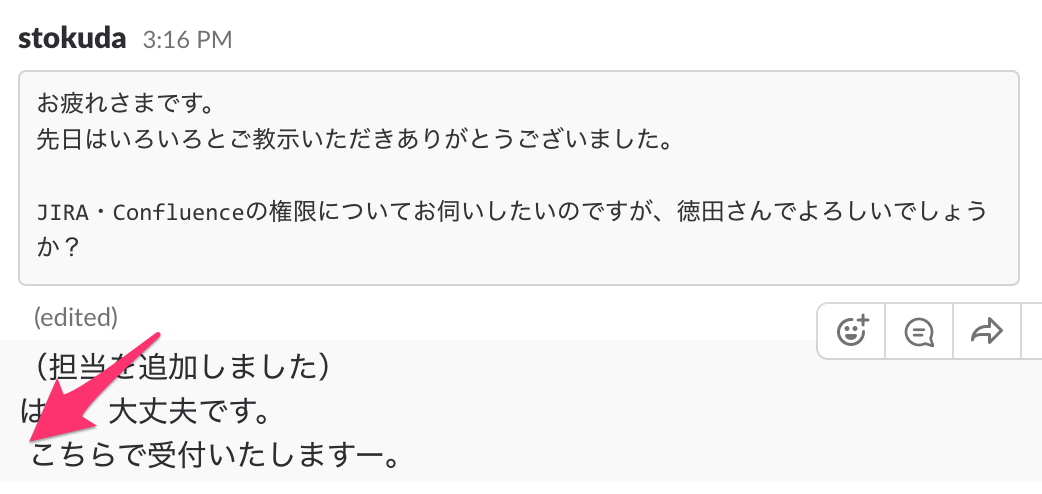
I copied ↑ , and pasted to Sublime-text3.

stqp
on 6 Dec 2017
@koma-private is this something you can reproduce?
 adlk
on 11 Dec 2017
adlk
on 11 Dec 2017
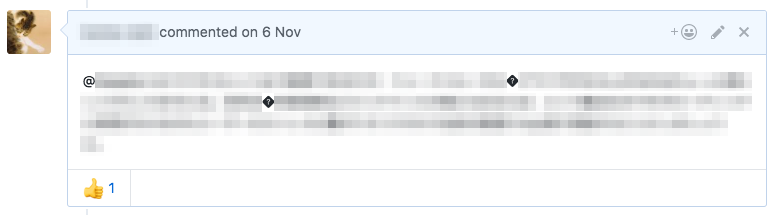
Although I've not experienced this issue as for daily use of Slack, I have similar problems regarding character encoding when using GitHub via Franz.
Env :
- Inputting Japanese character (UTF-8) by Google Japanese Input
- latest Franz & Mac OS
- GitHub recipe
Problem :
An Unicode special character � = "REPLACEMENT CHARACTER" (U+FFFD / 0xEFBFBD) is occasionally inserted to Japanese messages
 koma-private
on 11 Dec 2017
koma-private
on 11 Dec 2017
@koma-nain
Does this problem occur only when your using Slack? What about the other recipes?
Yes, it occurs only when I using Slack.
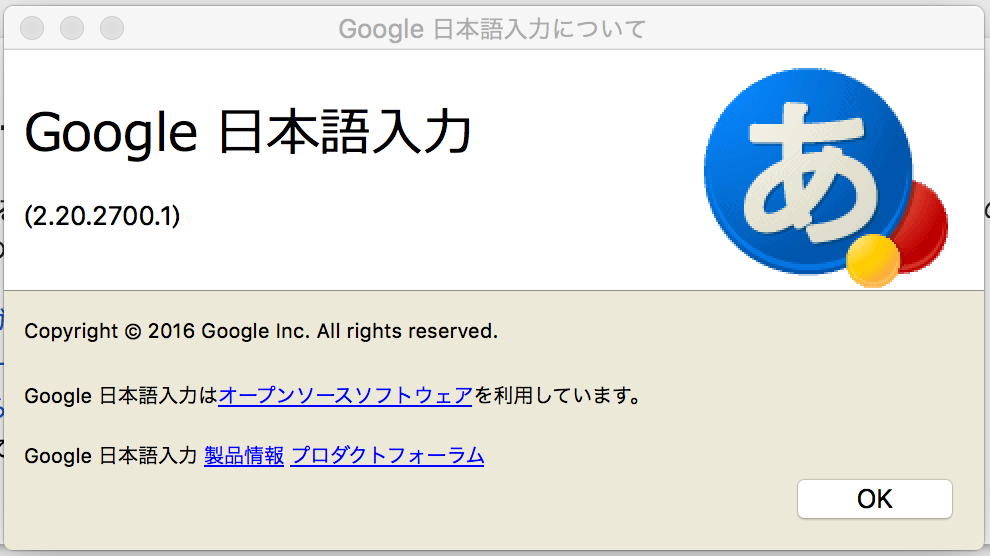
What kind of IME do you use? (System default?)
I use Google Japanese Input ( ↓ is screen-photo when I click "About Google Japanese Input" on Mac Book)
It seems BS characters will be inserted in your environment only when your starting new line. Isn’t it?
Hmm...
It seems this problem occurs in that situation, but I don't know it is always.
Best regards.
stqp
on 13 Dec 2017
I did several tests.
- Google Japanese Input is not cause of this issue. I encountered same problem even when I use Mac OS's default IME (Kotoeri)
- Adding a property webPreferences="defaultEncoding=utf-8" to ServiceWebview doesn't solve this too.
- I disabled spellcheck function of Franz. I'm not sure this is the cause, but now I continue input testing without spellcheck.
@st22 Do you enable the spellcheck function of Franz?
koma-private
on 14 Dec 2017
Sorry for my poor English.
I have the same problem.
Deleting characters before conversion completes will cause this problem.
It didn't matter whether the spell check function was enabled/disabled.
 KaiShoya
on 15 Dec 2017
KaiShoya
on 15 Dec 2017
Hi, @koma-private
Do you enable the spellcheck function of Franz?
I don't use spellcheck function of Franz.
So, as @KaiShoya said, it seems that spellcheck function of Franz is not cause.
Best regards.
stqp
on 15 Dec 2017
I think the github recipe problem is not necessarily the same issue as the original one. Let me explain, i'll take github as primary example.
The replacement character is shown every time the utf-8 "parser" encounters a character that can not be shown in utf-8, as the byte-code is not utf-8. FYI, utf-8 has always the same starting bits in a two-byte sequence.
So I guess the editing field in the github recipe is propably in a not-utf-8 setting.
The other problem is about an extra BS character. Although it could also be about mixing character sets, I'm not sure it is.
@koma-private or @st22 could you recreate a text including this bug and copy this directly into a comment field? I'm hoping to be able to reproduce the issue using the text you generate. Perhaps the combination of the "round-dot" character and the EOL character(s) might be the clue we're looking for.
 mroeling
on 15 Dec 2017
mroeling
on 15 Dec 2017
I confirmed below :
- Spellcheck function is not the cause.
- Character encoding of GitHub recipe is utf-8, so it's no problem too.
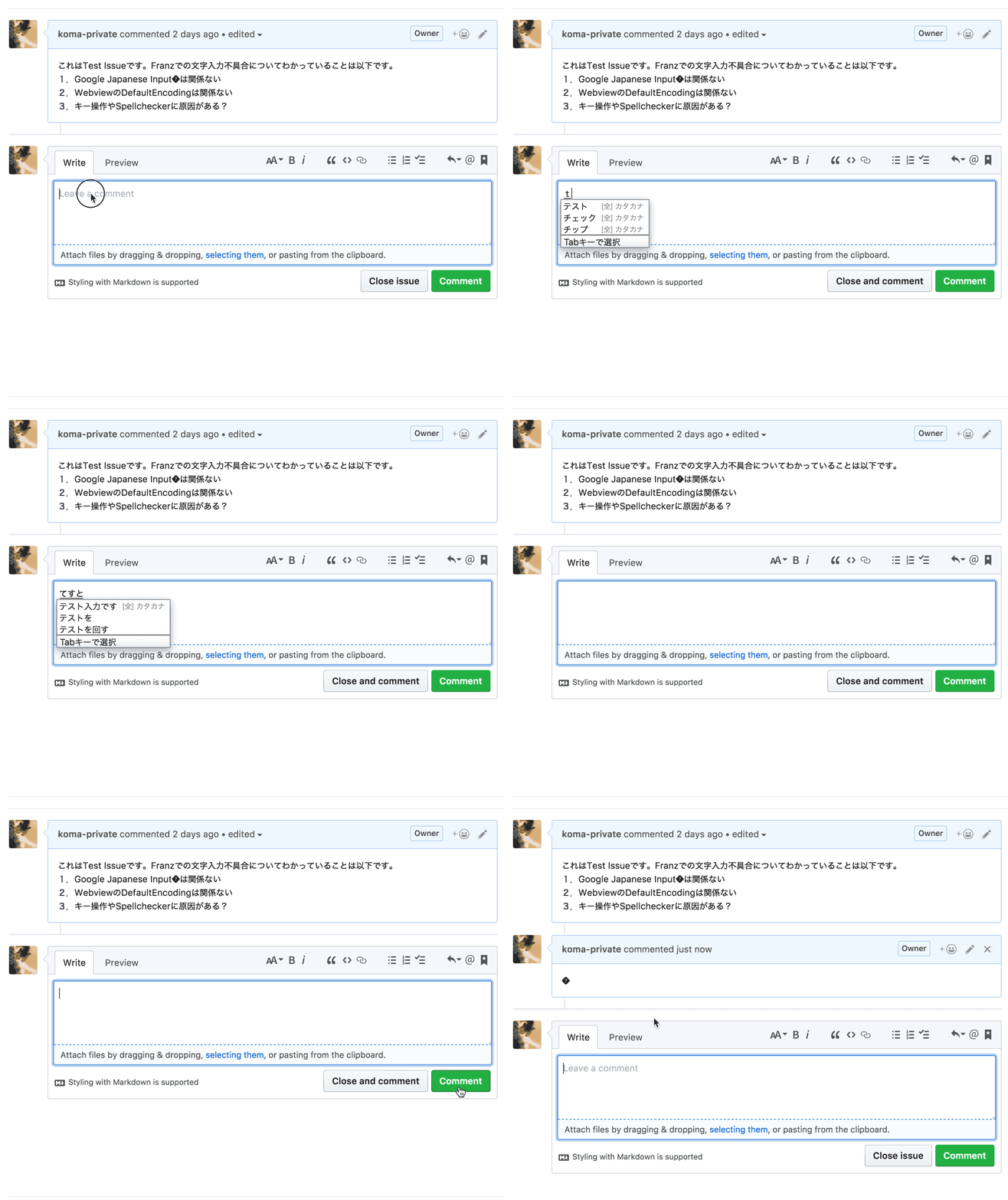
I found the method for reproducing bug by referring @KaiShoya 's comment.
When IME mode is enabled, you can delete the characters in the middle of converting by hitting delete or backspace key.
And It will also cancel the IME mode to hit them when the input buffer has only 1 character
but this operation will cause the bug with Franz.
koma-private
on 16 Dec 2017
Although I cannot see these special characters in Slack, it produce an error to send a "fake" blank message made by the same key operation as explained above.

UPDATE : This problem is already issued in electron.
https://github.com/electron/electron/issues/9173
koma-private
on 16 Dec 2017
closing this for now as this is a known issue in electron ... feel free to reopen the issue with any questions or comments!
 haraldox
on 15 Jan 2018
haraldox
on 15 Jan 2018
Electron v2.0 has been fixed the upstream issue, but Franz still uses Electron v1.8.4. When will Franz move to use v2.0.x ...?
 h6ah4i
on 7 Jun 2018
h6ah4i
on 7 Jun 2018
@h6ah4i
Thank you for info. I checked the IME issue by using my private build of Franz.
It seems building Franz with Electron 2.0.3 will solve this problem.
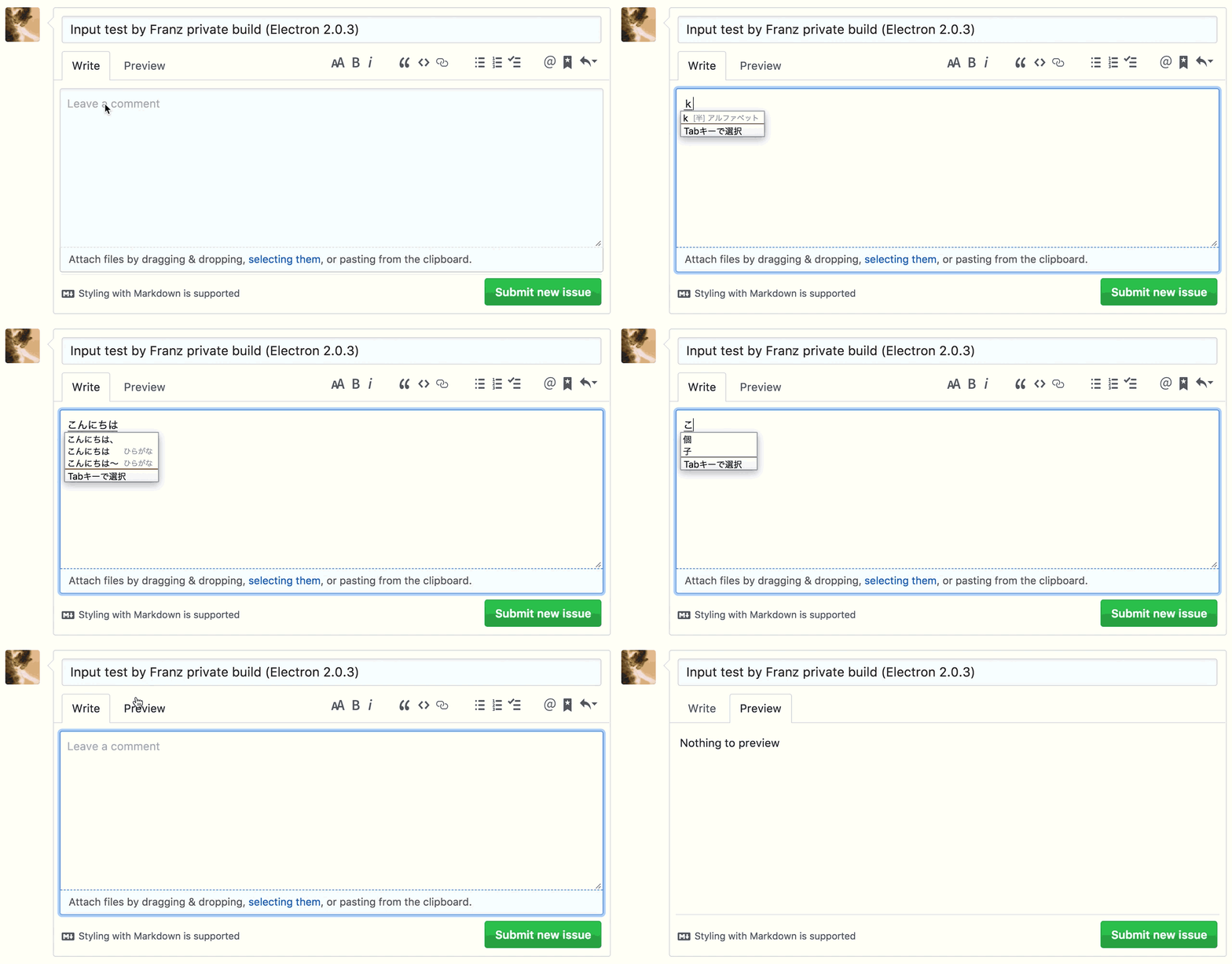
My past comment:
When IME mode is enabled, you can delete the characters in the middle of converting by hitting delete or backspace key.
And It will also cancel the IME mode to hit them when the input buffer has only 1 character
but this operation will cause the bug with Franz.
@haraldox
Could you re-open this issue? because I'm not authorized to do.
koma-private
on 23 Jun 2018
Related issues
 agodlydeciple
·
4Comments
agodlydeciple
·
4Comments
 sach160
·
4Comments
sach160
·
4Comments
 PackElend
·
4Comments
PackElend
·
4Comments
 gcarrion-gfrmedia
·
3Comments
gcarrion-gfrmedia
·
3Comments
 kingjr
·
3Comments
kingjr
·
3Comments
Most helpful comment
I confirmed below :
I found the method for reproducing bug by referring @KaiShoya 's comment.
When IME mode is enabled, you can delete the characters in the middle of converting by hitting delete or backspace key.
And It will also cancel the IME mode to hit them when the input buffer has only 1 character
but this operation will cause the bug with Franz.