Forms: Forms link shows error when not logged in and shared with users
Describe the bug
I created a form, added some users to the form, copied the link to the form into an email which I sent to the users,
The form is not anonymous. When the users click on the link, they typically see something like this:
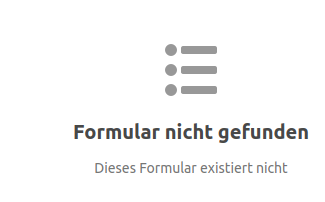
It reads "form not found".
However, if they log into nextcloud before clicking on the link, everything works ok.
To Reproduce
Steps to reproduce the behavior:
- Create a form which is not anonymous
- Invite some users by sending them the link to the form
- Ask them to activate the link without being logged in within nextcloud
- See error
Expected behavior
After clicking on the link, the user should be redirected to the login page and after logging in the form should show up.
Nextcloud (please complete the following information):
- Nextcloud-Version: 19.0.1
- Forms-Version: 2.0.0 and 2.0.2
Desktop (please complete the following information):
- OS: Linux Ubuntu-20.04
- Browser: Chrome
- Version: 83
Browser log
JQMIGRATE: Migrate is installed, version 1.4.1
globals.js:61 $ is deprecated: The global jQuery is deprecated. It will be updated to v2.4 in Nextcloud 20 and v3.x in Nextcloud 21. In later versions of Nextcloud it might be removed completely. Please ship your own.
$ @ globals.js:61
get @ globals.js:92
(anonymous) @ previewplugin.js?v=ed49cdf0-0:149
globals.js:61 $ is deprecated: The global jQuery is deprecated. It will be updated to v2.4 in Nextcloud 20 and v3.x in Nextcloud 21. In later versions of Nextcloud it might be removed completely. Please ship your own.
$ @ globals.js:61
get @ globals.js:92
(anonymous) @ publicpage.js?v=ed49cdf0-0:23
globals.js:61 $ is deprecated: The global jQuery is deprecated. It will be updated to v2.4 in Nextcloud 20 and v3.x in Nextcloud 21. In later versions of Nextcloud it might be removed completely. Please ship your own.
$ @ globals.js:61
get @ globals.js:92
(anonymous) @ publicpage.js?v=ed49cdf0-0:36
globals.js:61 $ is deprecated: The global jQuery is deprecated. It will be updated to v2.4 in Nextcloud 20 and v3.x in Nextcloud 21. In later versions of Nextcloud it might be removed completely. Please ship your own.
$ @ globals.js:61
get @ globals.js:92
(anonymous) @ searchprovider.js?v=ed49cdf0-0:413
session-heartbeat.js:97 session heartbeat polling started
globals.js:61 $ is deprecated: The global jQuery is deprecated. It will be updated to v2.4 in Nextcloud 20 and v3.x in Nextcloud 21. In later versions of Nextcloud it might be removed completely. Please ship your own.
$ @ globals.js:61
get @ globals.js:92
(anonymous) @ previewplugin.js?v=ed49cdf0-0:150
c @ jquery.js:3099
fireWith @ jquery.js:3211
ready @ jquery.js:3417
P @ jquery.js:3433
globals.js:61 $ is deprecated: The global jQuery is deprecated. It will be updated to v2.4 in Nextcloud 20 and v3.x in Nextcloud 21. In later versions of Nextcloud it might be removed completely. Please ship your own.
$ @ globals.js:61
get @ globals.js:92
(anonymous) @ publicpage.js?v=ed49cdf0-0:25
c @ jquery.js:3099
fireWith @ jquery.js:3211
ready @ jquery.js:3417
P @ jquery.js:3433
globals.js:61 $ is deprecated: The global jQuery is deprecated. It will be updated to v2.4 in Nextcloud 20 and v3.x in Nextcloud 21. In later versions of Nextcloud it might be removed completely. Please ship your own.
$ @ globals.js:61
get @ globals.js:92
(anonymous) @ publicpage.js?v=ed49cdf0-0:29
c @ jquery.js:3099
fireWith @ jquery.js:3211
ready @ jquery.js:3417
P @ jquery.js:3433
globals.js:61 $ is deprecated: The global jQuery is deprecated. It will be updated to v2.4 in Nextcloud 20 and v3.x in Nextcloud 21. In later versions of Nextcloud it might be removed completely. Please ship your own.
$ @ globals.js:61
get @ globals.js:92
(anonymous) @ searchprovider.js?v=ed49cdf0-0:414
c @ jquery.js:3099
fireWith @ jquery.js:3211
ready @ jquery.js:3417
P @ jquery.js:3433
globals.js:61 $ is deprecated: The global jQuery is deprecated. It will be updated to v2.4 in Nextcloud 20 and v3.x in Nextcloud 21. In later versions of Nextcloud it might be removed completely. Please ship your own.
$ @ globals.js:61
get @ globals.js:92
(anonymous) @ searchprovider.js?v=ed49cdf0-0:415
c @ jquery.js:3099
fireWith @ jquery.js:3211
ready @ jquery.js:3417
P @ jquery.js:3433
 uli-heller
All 15 comments
Hey!
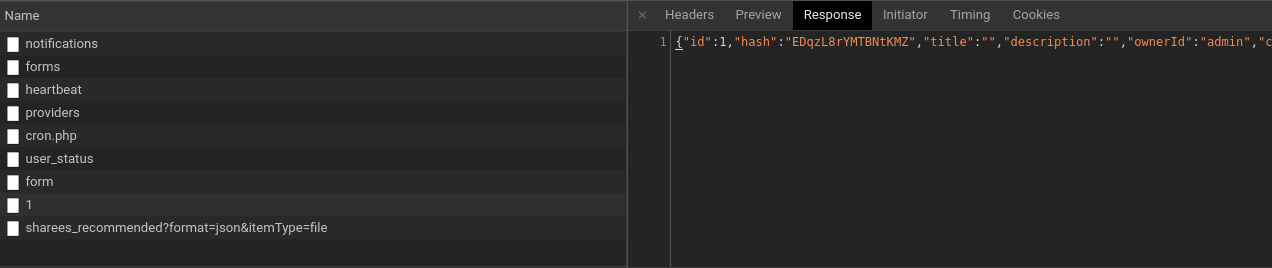
I will need a screenshot of your network requests.
Before you do anything, still on the development tools, there is a tab called network. Click on it and then the xhr filter. Open the form and screenshot the network log like this:

Click on the request and select the "response" tab, copy and paste the entire response content here please.
 skjnldsv
on 4 Aug 2020
skjnldsv
on 4 Aug 2020
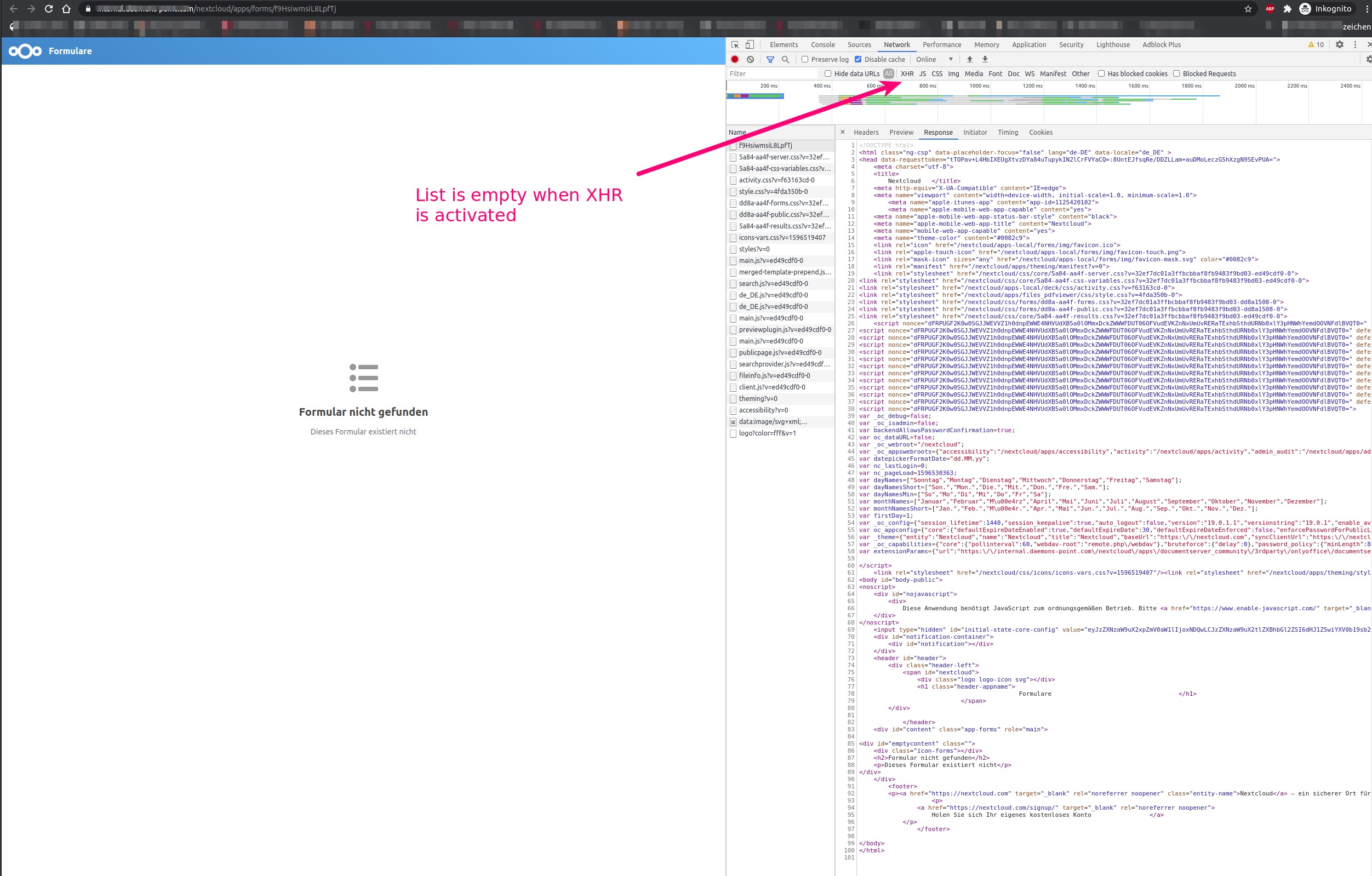
@skjnldsv : The list of requests/responses is empty when XHR is activated.
uli-heller
on 4 Aug 2020
I mean from the admin side, not the public :)
skjnldsv
on 4 Aug 2020
Sorry, I do not understand what you want me to do... Logging into Nextcloud and jumping into the edit mode of the form? And collecting network responses during this procedure? This will not reproduce the error...
uli-heller
on 4 Aug 2020
Logging into Nextcloud and jumping into the edit mode of the form? And collecting network responses during this procedure? This will not reproduce the error...
Yes, please do that.
I don't want to reproduce the error, but to get the form data :)
skjnldsv
on 4 Aug 2020
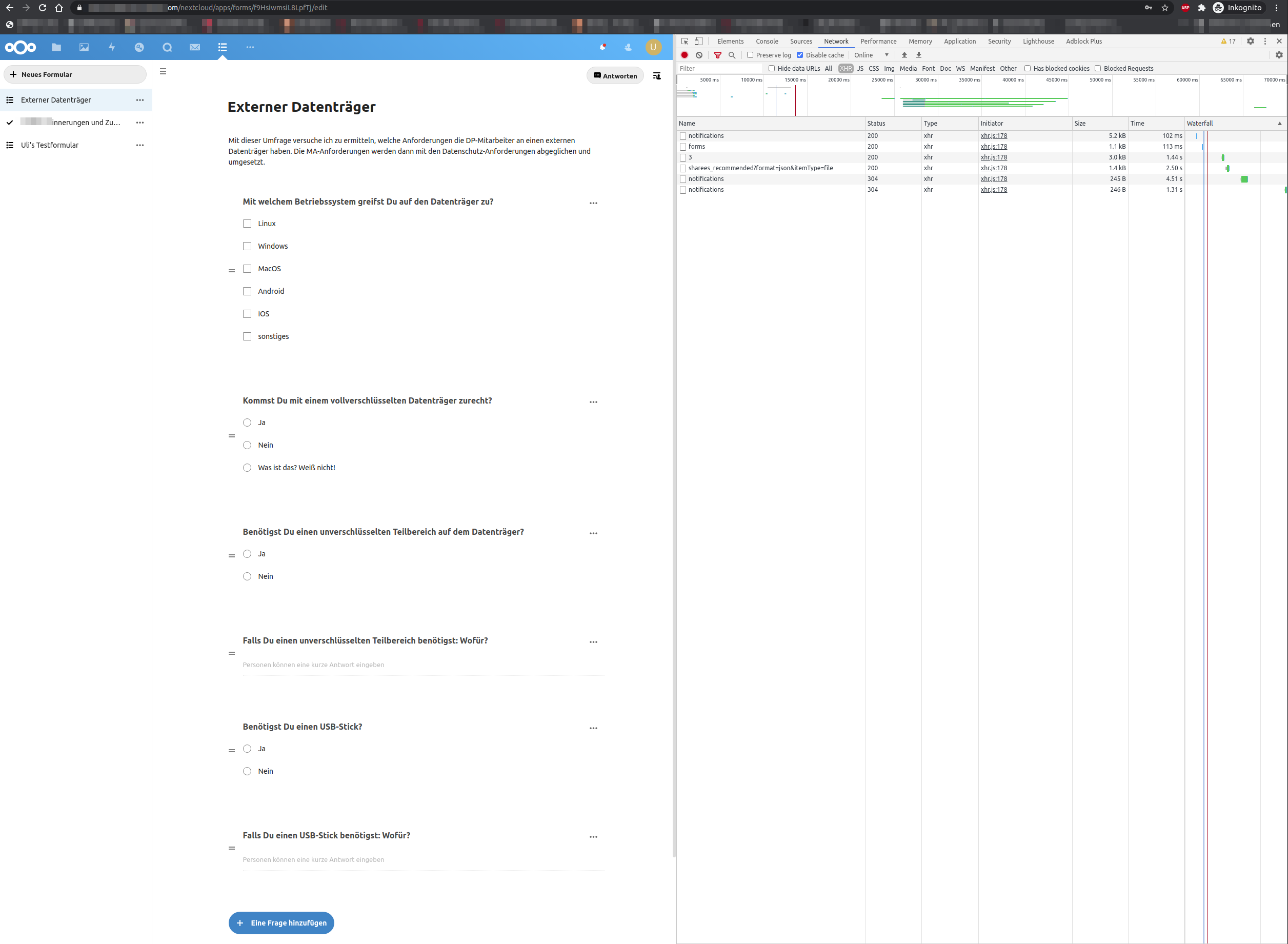
json
{
  "id": 3,
  "hash": "f9HsiwmsiL8LpfTj",
  "title": "Externer Datenträger",
  "description": "Mit dieser Umfrage versuche ich zu ermitteln, welche Anforderungen die DP-Mitarbeiter an einen externen Datenträger haben. Die MA-Anforderungen werden dann mit den Datenschutz-Anforderungen abgeglichen und umgesetzt.",
  "ownerId": "uli",
  "created": 1596451456,
  "access": {
    "users": [
      {
        "shareWith": "agutjahr",
        "displayName": "Annette Gutjahr",
        "shareType": 0
      },
      {
        "shareWith": "smeyer",
        "displayName": "Sören Meyer",
        "shareType": 0
      },
      {
        "shareWith": "smotzer",
        "displayName": "Steffen Motzer",
        "shareType": 0
      },
      {
        "shareWith": "jgutjahr",
        "displayName": "Jasmin Gutjahr",
        "shareType": 0
      }
    ],
    "groups": [],
    "type": "selected"
  },
  "expires": 0,
  "isAnonymous": false,
  "submitOnce": true,
  "questions": [
    {
      "id": 11,
      "formId": 3,
      "order": 1,
      "type": "multiple",
      "mandatory": false,
      "text": "Mit welchem Betriebssystem greifst Du auf den Datenträger zu?",
      "options": [
        {
          "id": 11,
          "questionId": 11,
          "text": "Linux"
        },
        {
          "id": 12,
          "questionId": 11,
          "text": "Windows"
        },
        {
          "id": 13,
          "questionId": 11,
          "text": "MacOS"
        },
        {
          "id": 14,
          "questionId": 11,
          "text": "Android"
        },
        {
          "id": 15,
          "questionId": 11,
          "text": "iOS"
        },
        {
          "id": 16,
          "questionId": 11,
          "text": "sonstiges"
        }
      ]
    },
    {
      "id": 12,
      "formId": 3,
      "order": 2,
      "type": "multiple_unique",
      "mandatory": false,
      "text": "Kommst Du mit einem vollverschlüsselten Datenträger zurecht?",
      "options": [
        {
          "id": 17,
          "questionId": 12,
          "text": "Ja"
        },
        {
          "id": 18,
          "questionId": 12,
          "text": "Nein"
        },
        {
          "id": 19,
          "questionId": 12,
          "text": "Was ist das? Weiß nicht!"
        }
      ]
    },
    {
      "id": 13,
      "formId": 3,
      "order": 3,
      "type": "multiple_unique",
      "mandatory": false,
      "text": "Benötigst Du einen unverschlüsselten Teilbereich auf dem Datenträger?",
      "options": [
        {
          "id": 20,
          "questionId": 13,
          "text": "Ja"
        },
        {
          "id": 21,
          "questionId": 13,
          "text": "Nein"
        }
      ]
    },
    {
      "id": 14,
      "formId": 3,
      "order": 4,
      "type": "short",
      "mandatory": false,
      "text": "Falls Du einen unverschlüsselten Teilbereich benötigst: Wofür?",
      "options": []
    },
    {
      "id": 15,
      "formId": 3,
      "order": 5,
      "type": "multiple_unique",
      "mandatory": false,
      "text": "Benötigst Du einen USB-Stick?",
      "options": [
        {
          "id": 22,
          "questionId": 15,
          "text": "Ja"
        },
        {
          "id": 23,
          "questionId": 15,
          "text": "Nein"
        }
      ]
    },
    {
      "id": 16,
      "formId": 3,
      "order": 6,
      "type": "short",
      "mandatory": false,
      "text": "Falls Du einen USB-Stick benötigst: Wofür?",
      "options": []
    }
  ]
}
uli-heller
on 4 Aug 2020
  "access": {
    "users": [
      {
        "shareWith": "agutjahr",
        "displayName": "Annette Gutjahr",
        "shareType": 0
      },
      {
        "shareWith": "smeyer",
        "displayName": "Sören Meyer",
        "shareType": 0
      },
      {
        "shareWith": "smotzer",
        "displayName": "Steffen Motzer",
        "shareType": 0
      },
      {
        "shareWith": "jgutjahr",
        "displayName": "Jasmin Gutjahr",
        "shareType": 0
      }
    ],
    "groups": [],
    "type": "selected"
  },
This is not a public share, unless you're accessing it logged as one of those users, it will not let you display it
skjnldsv
on 4 Aug 2020
Thx for looking at this.
Yes, it is not a public share.
How do are you supposed to inform users about a new form?
* for polls, they get a kind of invitation from nextcloud
* for forms, this doesn't work
* so I copy the link and send it to the users via email
* they click on the link and get an error (which is bad in my point of
view)
Best regards, Uli
uli-heller
on 4 Aug 2020
Yes, this is something that needs improvement :)
For the mail invitation: https://github.com/nextcloud/forms/issues/541
I guess we could redirect to the login page if this is a user share and no one is logged in @jotoeri ?
cc @jancborchardt
skjnldsv
on 4 Aug 2020
Jep, sounds useful. Redirect if shared to instance or specific users and only show 'not existent' on public links... :+1:
 jotoeri
on 4 Aug 2020
jotoeri
on 4 Aug 2020
@uli-heller I have the same problem, as a workaround you can share a link in the form https://nextcloud.domain.tld/login?redirect_url=/apps/forms/yourformid this will show the login page or redirect to the form immediately if already logged in.
 larsfu
on 21 Aug 2020
larsfu
on 21 Aug 2020
@larsfu thx a lot, perfect
uli-heller
on 22 Aug 2020
hi @larsfu this manual solution doesn't work for me? it will open the default main page after login rather than the forms
 ridhwn
on 11 Dec 2020
ridhwn
on 11 Dec 2020
@ridhwn Wrong recipient :)
 laurisb
on 11 Dec 2020
laurisb
on 11 Dec 2020
hi @larsfu this manual solution doesn't work for me? it will open the default main page after login rather than the forms
I just tried it again, it still works for me.
larsfu
on 17 Feb 2021
Related issues
 dawidol
·
6Comments
dawidol
·
6Comments
 ldavet
·
3Comments
ldavet
·
3Comments
 ei8fdb
·
3Comments
ei8fdb
·
3Comments
 xadium
·
4Comments
xadium
·
4Comments
 Chartman123
·
6Comments
Chartman123
·
6Comments
Most helpful comment
@uli-heller I have the same problem, as a workaround you can share a link in the form https://nextcloud.domain.tld/login?redirect_url=/apps/forms/yourformid this will show the login page or redirect to the form immediately if already logged in.