Forem: Inconsistent editor versions between posts
Describe the bug
I have two posts on DEV that were supposed to be in a series, #TeachingKotlin Part 1 and #TeachingKotlin Part 2. I have been trying to use the editor to add Part 2 to the series but no matter what I choose as my editor version, that particular post always opens in frontmatter view while Part 1 opens up in editor v2, the choice I made in settings.
To Reproduce
There appears to be no pattern to it at all. I've linked all my posts so far in chronological order along with the versions of the editor I am shown.
Expected behavior
Every post opens with the same version of the editor
Screenshots
Editor v1 and v2
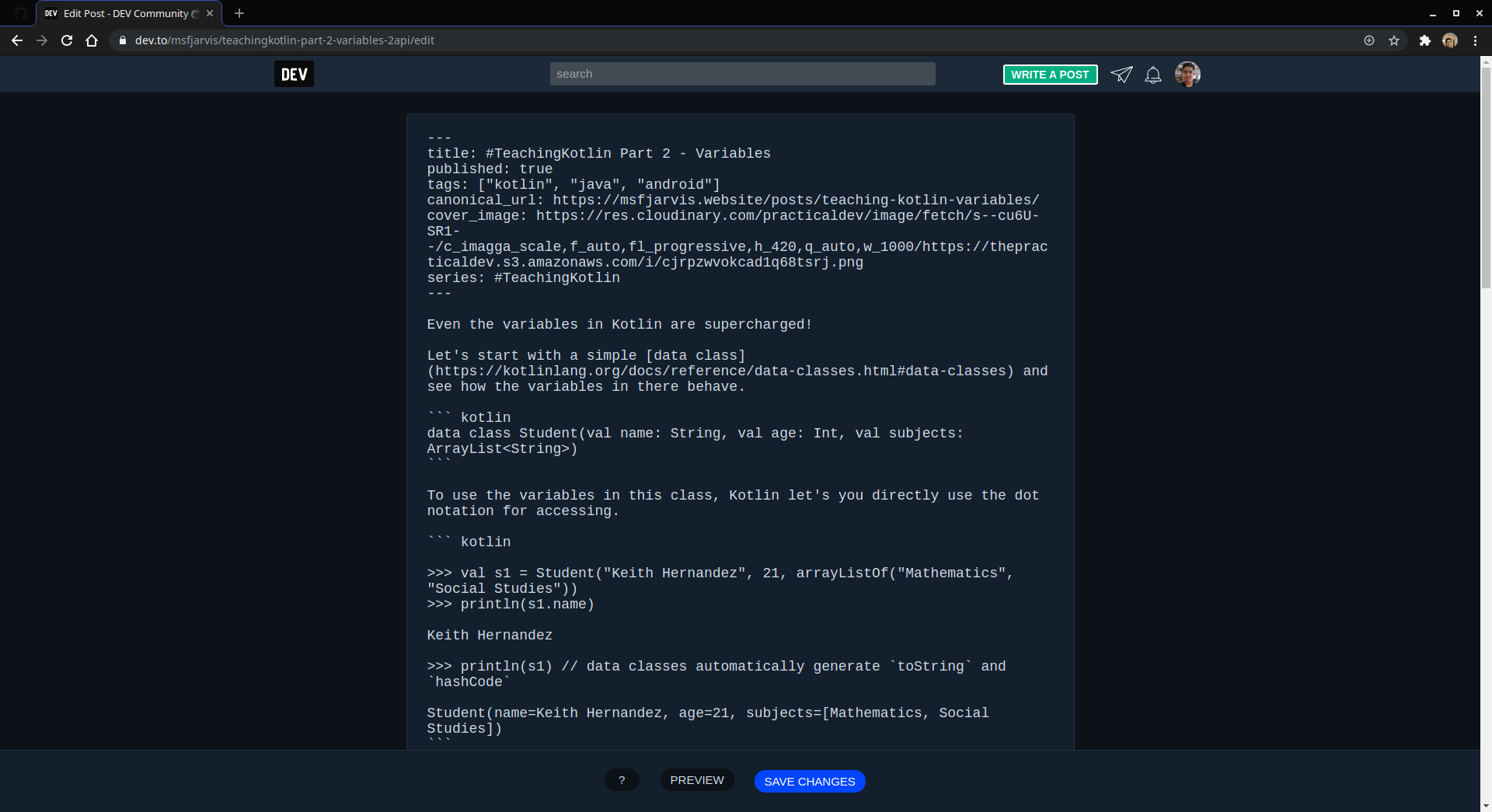
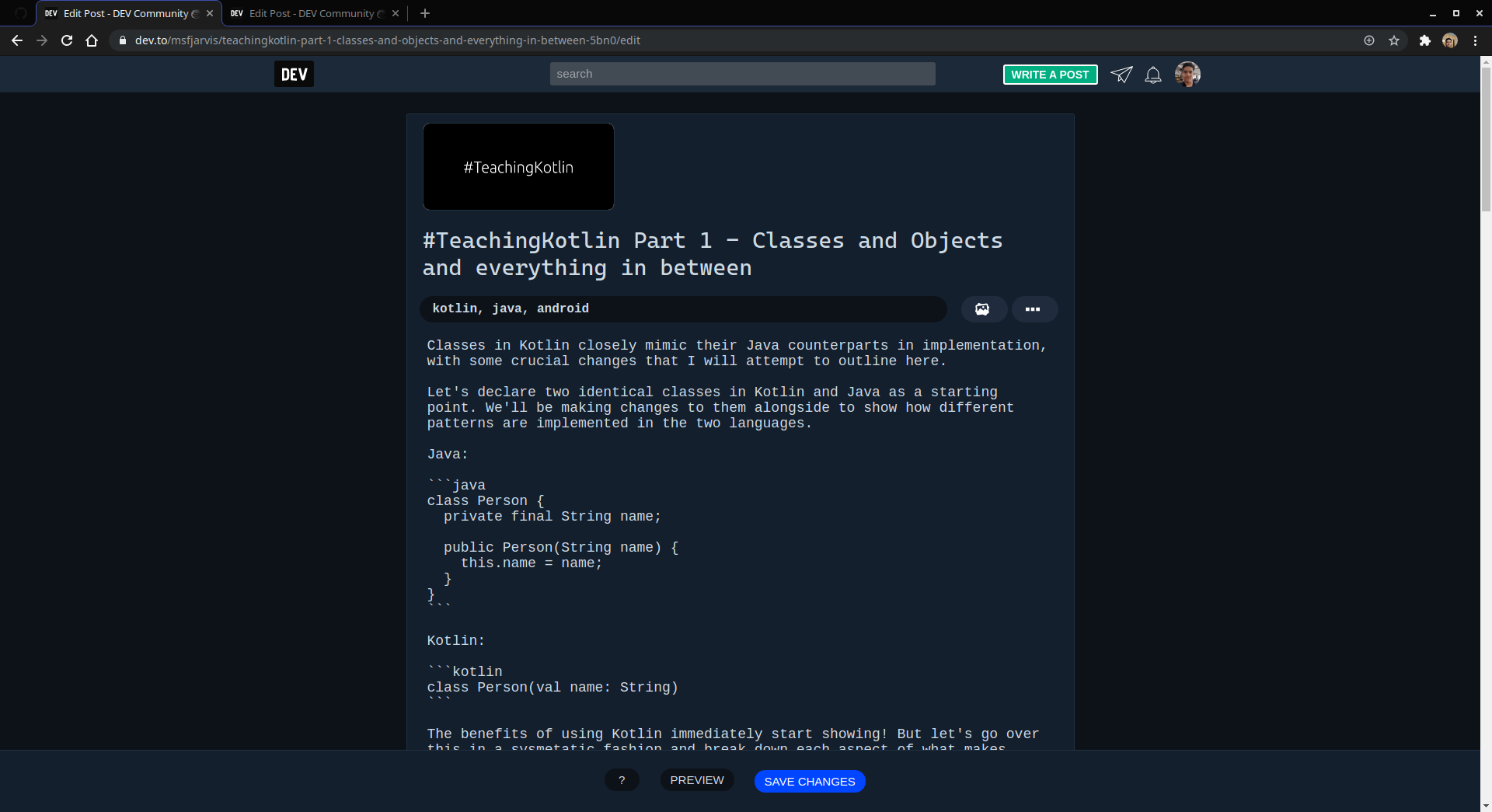
Desktop (please complete the following information):
- OS: Linux Mint 19.4
- Browser: Google Chrome
- Version: 77.0.3865.90
Smartphone (please complete the following information):
- Device: Google Pixel 2
- OS: Android 10
- Browser: Google Chrome
- Version: 77.0.3865.92
Additional context
None that I can immediately think of.
 msfjarvis
All 3 comments
Strange. Thanks for reporting. Whoever grabs this, look into the logic that's determining which editor to show?
 jessleenyc
on 8 Oct 2019
jessleenyc
on 8 Oct 2019
The current logic for Article Edit chooses the editor based on the content of the article, as you can see here and here.
If it finds a title on the front matter block it will render the V1 editor(frontmatter Jekyll style), otherwise, it will always use V2(markdown), the user preferences have no effect. The assumption seems to be that an Article should be always edited with the editor that can parse its content format.
@jessleenyc My question is, should the User Editor Preference be used for edit even if the article has content in a different format? I would say no, but maybe it would be better to have a way to switch between editors from the Article Edit Page(Switch to v1/v2 Button).
@msfjarvis quick fix for you would be to edit the v1 article, delete the title from the YAML front matter block and save it. The next time you open it should use the v2 editor.
 alebruck
on 9 Oct 2019
alebruck
on 9 Oct 2019
@msfjarvis quick fix for you would be to edit the v1 article, delete the title from the YAML front matter block and save it. The next time you open it should use the v2 editor.
That did the job! Definitely going to keep this in mind for the future, lost way too many hours fumbling around...
msfjarvis
on 9 Oct 2019
Related issues
 nickytonline
·
3Comments
nickytonline
·
3Comments
 GMartigny
·
3Comments
GMartigny
·
3Comments
 Turnerj
·
3Comments
Turnerj
·
3Comments
 Zhao-Andy
·
3Comments
Zhao-Andy
·
3Comments
 UddeshJain
·
3Comments
UddeshJain
·
3Comments