Fomantic-ui: [modal] Modal transition only works on first open on Chrome
Bug Report
With Fomantic UI 2.8.4 on Chrome ...
When opening a modal the first time a page loads, it animates the transition correctly.
The second time, it just pops up, no animation.
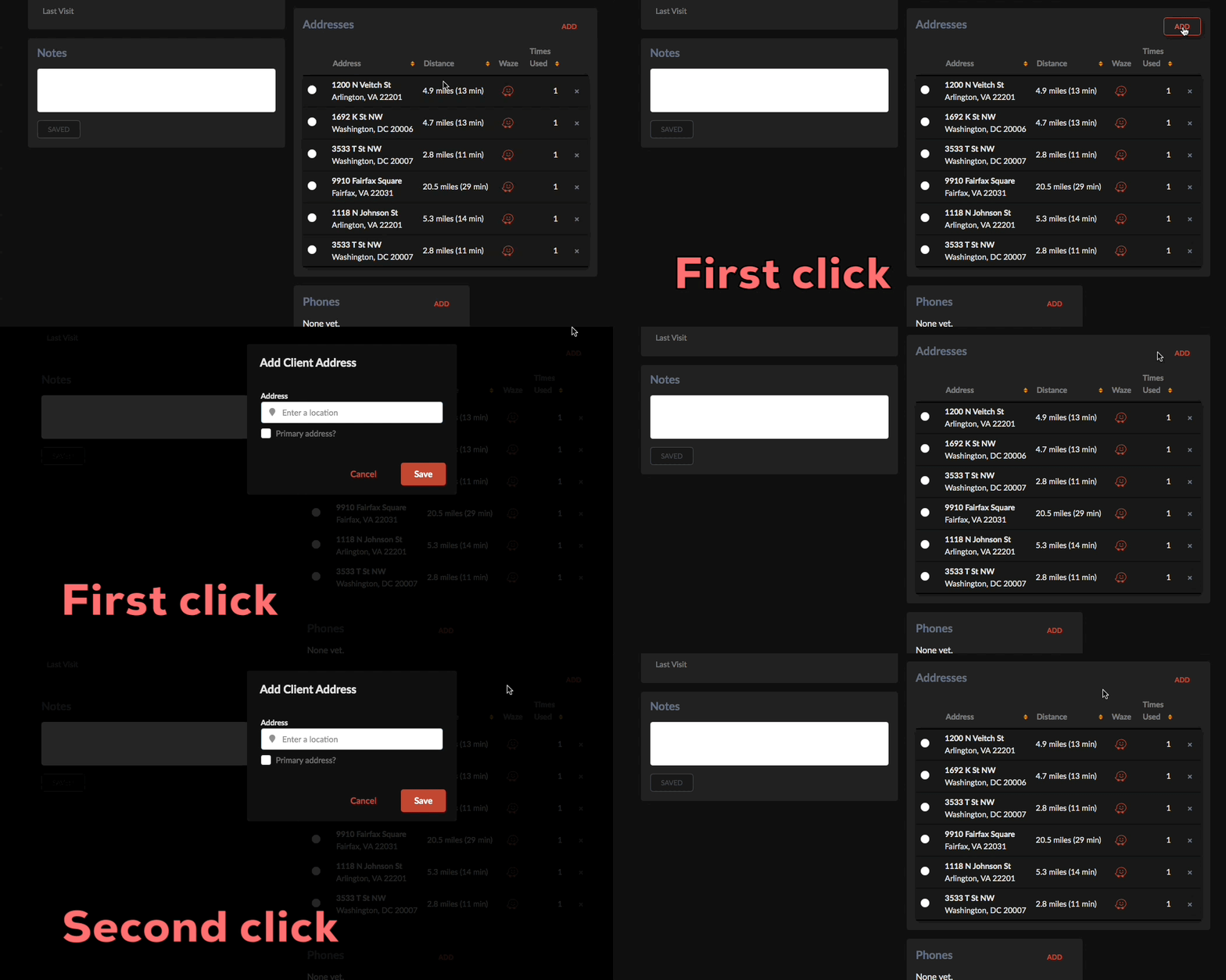
I'm initiating the modal like so ...
$('#address_modal')
    .modal({
        transition: 'horizontal flip',
        onApprove: function(){
            my_custom_function();
            return false;
        }
    });

$('#address_view .button').on('click', function(e){
    e.preventDefault();
    $('#address_modal .ui.error.message').empty();
    $('#address_modal').form('clear').modal('show');
});
This works fine in Firefox. I could swear this was working in Chrome not long ago, so it's possible some other code is interfering. I thought perhaps it might be an extension, but it does the same thing in Incognito mode (with no extensions). Has anyone experienced this? Or am I calling my modals incorrectly?
 neokio
All 4 comments
I cannot reproduce this in a simple modal call using chrome
See https://jsfiddle.net/s9eya5rg/
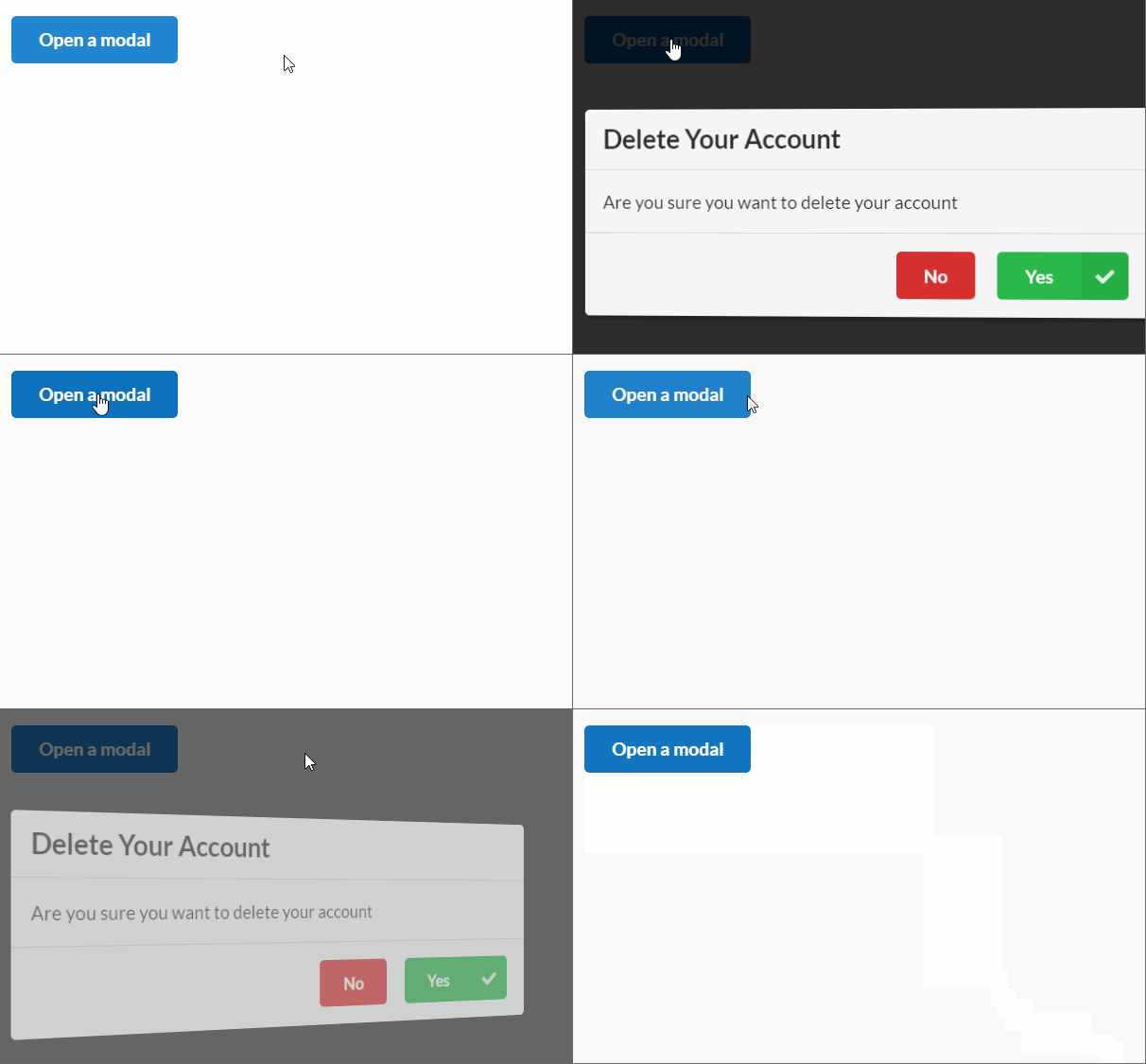
Please adjust the jsfiddle, so we can reproduce the behavior.
It seems weird, that you use a form as a modal as well. I believe this is a reason for this.
We had a similar behavior before when a modal should be shown when a previous transition was not completed.
 lubber-de
on 10 May 2020
lubber-de
on 10 May 2020
I spent about an hour trying to reproduce the problem on jsfiddle, but was unable to do so.
Maybe it's related to the google places API lookup?
I'll see if I can narrow it down more later.
Thanks for helping me look!
neokio
on 10 May 2020
Yep, that was it. Modals containing an input that's bound to google.maps.places.Autocomplete somehow breaks the modal on second load. The input works fine on both the first and subsequence modals, just that animation, even though the parent is never touched by js, only that one input.
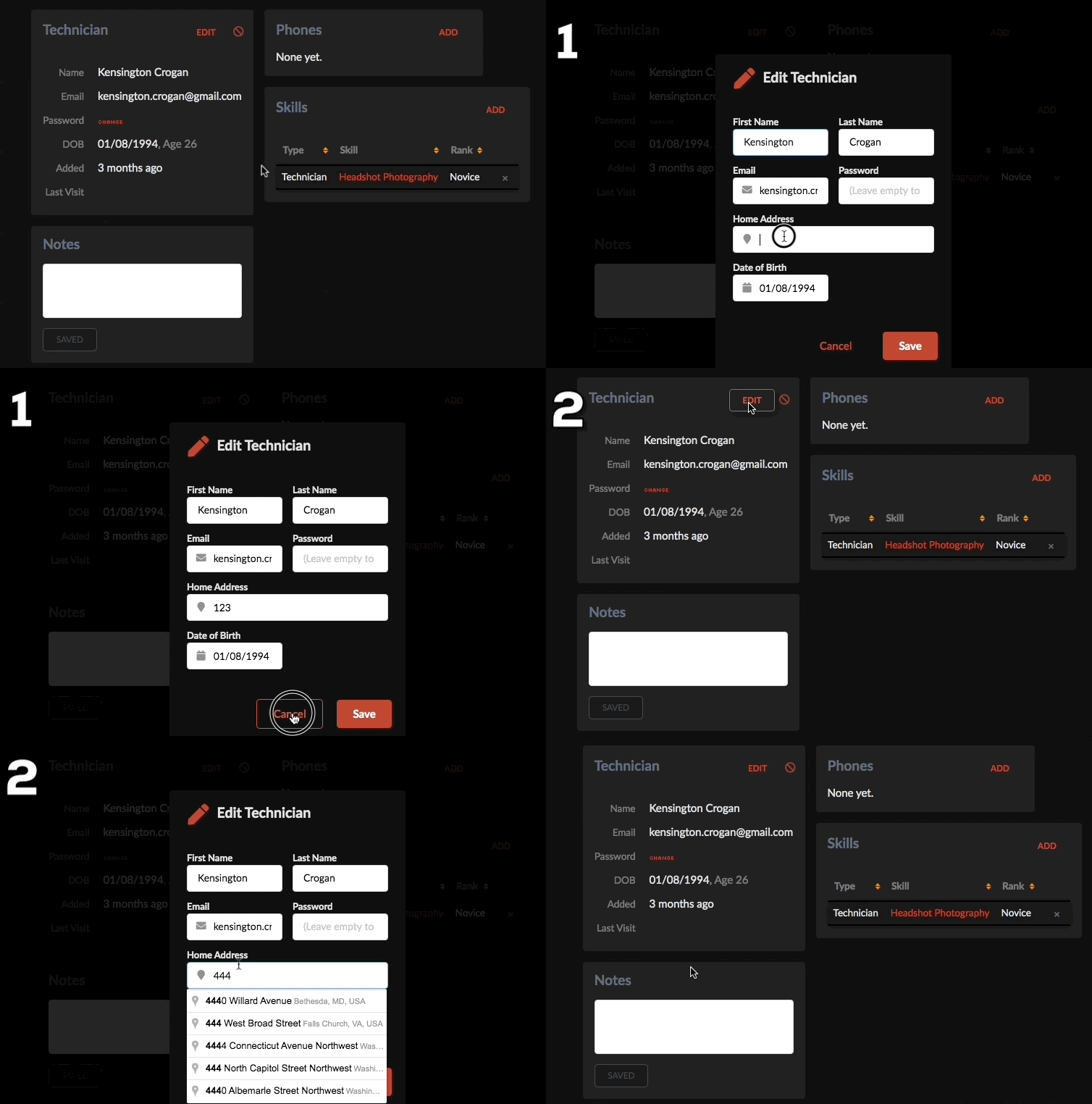
The only difference between this one modal and the others on the page is the autocomplete. Removing the autocomplete fixes the problem.
neokio
on 10 May 2020
I was able to reproduce now. Google places api sets another css class to the input field which adds an animation name which in turn prevents the modal to be animated. To fix this for you, add
.pac-target-input {
  animation-name: none !important;
}
See https://jsfiddle.net/enhyb64j/1/
I am closing this, because it's not related to FUI and a workaround is given
lubber-de
on 12 May 2020
Related issues
 loweoj
·
3Comments
lubber-de
·
4Comments
loweoj
·
3Comments
lubber-de
·
4Comments
 dutrieux
·
3Comments
dutrieux
·
3Comments
 jamessampford
·
3Comments
jamessampford
·
3Comments
 ocharles
·
4Comments
ocharles
·
4Comments
Most helpful comment
I was able to reproduce now. Google places api sets another css class to the input field which adds an animation name which in turn prevents the modal to be animated. To fix this for you, add
See https://jsfiddle.net/enhyb64j/1/
I am closing this, because it's not related to FUI and a workaround is given