Fomantic-ui: Sub headers in inverted segments are unreadable (black on black)
Bug Report
Steps to reproduce
See attached jsfiddle.
Expected result
The sub header is readable (probably white, the same as the main header text).
Actual result
The sub header is unreadable as it's the same colour as the background.
Testcase
https://jsfiddle.net/thm9zvx2/
Screenshot (when possible)
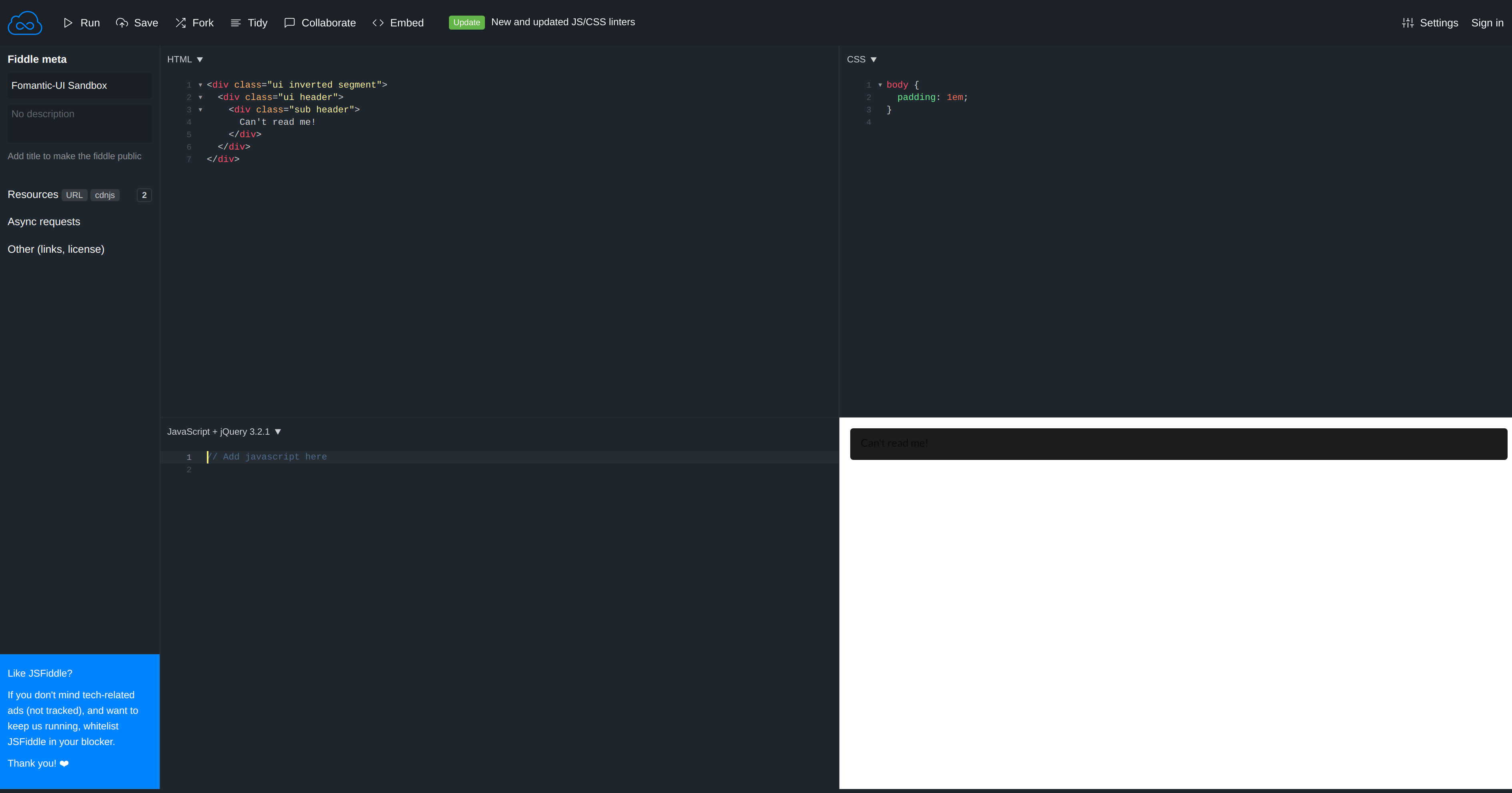
This is slightly out of date, please see the JSFiddle.
 ocharles
All 4 comments
It works using inverted sub header. See https://jsfiddle.net/d3y0apjs/1/
I admit header is especially covered when used inside a inverted segment and sub header is not.
I remember we decided against supporting all kinds of possible content inside a inverted segment to change the color automatically on component basis (because there is basically always an inverted variant for each component), so i am not 100% sure if we should support at least sub header automatically... although an appropriate PR is done quickly
.ui.inverted.segment .sub.header {
    color: #ffffff;
}
@hammy2899 @prudho @ColinFrick Your thoughts?
 lubber-de
on 13 Feb 2019
lubber-de
on 13 Feb 2019
@lubber-de I think in this case it is inconsistent so it should be changed.
A header will be inverted if the parent component is also inverted but the sub header won't yet if the header is inverted itself the sub header will be.
 hammy2899
on 13 Feb 2019
hammy2899
on 13 Feb 2019
Fixed by #488
See https://jsfiddle.net/yo2fpcL1/
lubber-de
on 13 Feb 2019
Wow, I'm not used to this prompt response :smile:
ocharles
on 13 Feb 2019
Related issues
hammy2899
·
5Comments
 jamessampford
·
3Comments
jamessampford
·
3Comments
 PhilippGrashoff
·
3Comments
PhilippGrashoff
·
3Comments
 prmdhost
·
5Comments
prmdhost
·
5Comments
 neokio
·
4Comments
neokio
·
4Comments
Most helpful comment
Wow, I'm not used to this prompt response :smile: