Focus-android: Add "Paste & Go" context menu to URL entry
Similar to what fennec does: a "paste & go" context menu item would be nice to have, for URL entry both on the main screen, and when browsing. (This is probably primarily useful while testing, I'm not sure if there's much value for typical users.)
We should check fennec telemetry (if available) to see whether "paste & go" is regularly used there.
 ahunt
ahunt
All 29 comments
For testing you could also add an additional run configuration to Android Studio that starts the app with a VIEW intent.
 pocmo
on 1 Mar 2017
pocmo
on 1 Mar 2017
For testing I added in Android Studio an additional Run Configuration with Launch Flags: "-a android.intent.action.VIEW -d https://www.mozilla.org"
pocmo
on 15 Mar 2017
Sorry for the newb question, but how can I access the 'Paste & Go' menu is Firefox for Android?
 Sdaswani
on 22 Mar 2017
Sdaswani
on 22 Mar 2017
We moved the string freeze and release date. I landed a "Paste & Go" string (R.string.context_menu_paste_go) as part of PR #361. So this feature could land in v1.
pocmo
on 30 Mar 2017
Dropped my assignment in case someone else wants to pick it up for v1.
Sdaswani
on 30 Mar 2017
I've got patches which add this to the home screen. That leaves the actual browser screen. We could show the same context menu (which is what firefox does), or we could try using Chrome's behaviour (long-press expands the URL bar into editing mode AND triggers the text copy/paste/etc menu - that doesn't have a paste & go option though).
ahunt
on 11 May 2017

 bbinto
on 7 Jun 2017
bbinto
on 7 Jun 2017
Hi @ahunt ! Were you working on this specific issue for the non-testing features? If so could you push all of the code to a branch?
I started to work on the issue before seeing this thread, as I was working off of this description/specs https://bugzilla.mozilla.org/show_bug.cgi?id=1310265
 ekager
on 12 Jun 2017
ekager
on 12 Jun 2017
There's a pull request with the code open. It's waiting for testing and reviewing after v1 has been released.
pocmo
on 13 Jun 2017
@bbinto did we forget to include this in V2? if not, feel free to remove the 'needs triage' label :)
 antlam
on 3 Jul 2017
antlam
on 3 Jul 2017
@antlam If we re-structure the UI so that the keyboard is always up by default then we would not need this, I think? You could just long-press the input and get an overflow toolbar with paste etc.
pocmo
on 3 Jul 2017
@pocmo good point. we could hold off on this for now.
antlam
on 5 Jul 2017
Just wanted to add that I'm a "typical user" and this feature is definitely missed when using Focus. Sure, it's just one or two extra clicks, but on mobile that's a big deal, since it involves hunting for the enter button, moving your finger all the way to the bottom of the (increasingly larger) display, etc.
 hackel
on 11 May 2018
hackel
on 11 May 2018
@brampitoyo let me know your take on this, please
bbinto
on 17 Aug 2018
@bbinto We can do either one of these ideas, or both of them:
Add a context menu item called “Paste & Go” (if clipboard contains URL) or “Paste & Search” (if clipboard contains non-URL string), in both of these situations:
- When the URL bar is currently in Focus
- When the URL bar is not in Focus (there’s already a context menu here. It contains “Copy” and “Add Custom URL”. We will add either “Paste & Go” or “Paste & Search” depending on the clipboard content.
Show clipboard URL as user starts typing (#1118).
Both of these solutions solve the same problem (“I have a URL ready to go. I don’t want to have to hunt for the ‘Enter’ key”), and I recommend doing them.
 brampitoyo
on 20 Aug 2018
brampitoyo
on 20 Aug 2018
@EmmanuelMess are you working on this?
ekager
on 13 Sep 2018
@ekager Not that much, if you need something for this week, you'll be better off just doing it yourself. Check my commits if you want.
 EmmanuelMess
on 13 Sep 2018
EmmanuelMess
on 13 Sep 2018
@ekager Ok, I ran out of ideas, onCreateContextMenu doesn't seem to work correctly (when in a subclass of InlineAutocompleteEditText doesn't get called) and an ActionMode for this doesn't really make sense.
You can assign yourself to this if you want.
EmmanuelMess
on 13 Sep 2018
After doing some investigation today I'm not sure that the first context menu bullet is possible/desired in active state as mentioned above @brampitoyo . We can override the system context menu from appearing and replace the behavior with our own menu, but from what I can tell, I don't think we can add our menu items to theirs. I'm not sure we should override the system menu; it could have unexpected behavior for the user. You'll notice Chrome, Fennec, etc do not override this menu when the URL bar is focused (typing state). If we were to override it, it would be possible to create a context menu that contains "Paste" and "Paste + Go"/"Paste + Search", but again, I'm not sure if we should do this.
The second bullet is more straightforward, we can add "Paste+Go" and "Paste+Search" to the long press on the URL Bar (when inactive) along with the existing "Add Custom URL" for autocomplete quick add.
Let me know how you want to proceed.
ekager
on 14 Sep 2018
The second bullet is more straightforward, we can add "Paste+Go" and "Paste+Search" to the long press on the URL Bar (when inactive) along with the existing "Add Custom URL" for autocomplete quick add.
It seems that this is less intuitive for the user to find. I think that the context menu is more intuitive and looks better. I think that some more "hacky" approach would be warranted for this feature.
Edit: Nope, it's impossible. There is a solution that works on APIs >= 23 but would unpredictably break other floating action modes. Trying with option 2.
EmmanuelMess
on 14 Sep 2018
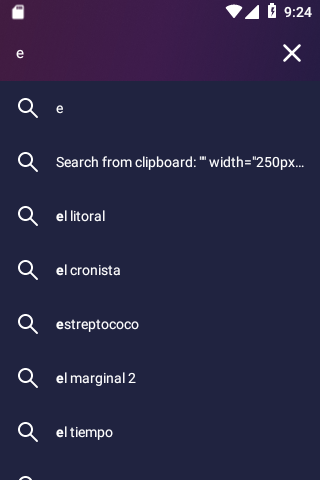
I ran with @brampitoyo second solution, after failing miserably at the first one. Please check the strings and I do apologize for any inconveniences.
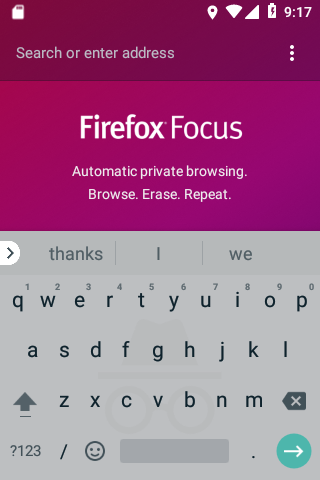
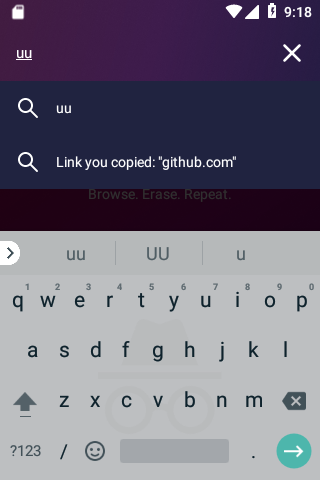
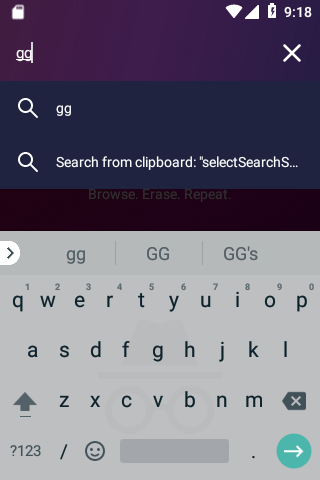
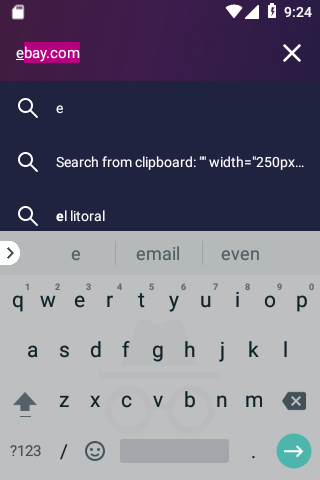
EmmanuelMess
on 19 Sep 2018
@EmmanuelMess
For link you copied, there’s no need to enclose the URL within quotes. But we do want to replace the search loupe icon with a link icon, to indicate that the user will go to a link (not a search results page).
🔗 You copied: github.com
For search from clipboard, we again don’t want to enclose the keyword within quotes. And we’d like to shorten the string. We can say:
🔍 You copied: convert to pdf
And in both cases, we bold the URL and the keyword to highlight their importance.
By doing this, we unify and shorten the string, clarifying it with icons when necessary.
How does that sound?
brampitoyo
on 19 Sep 2018
@brampitoyo Done, thanks for your input!
Updated screenshots:
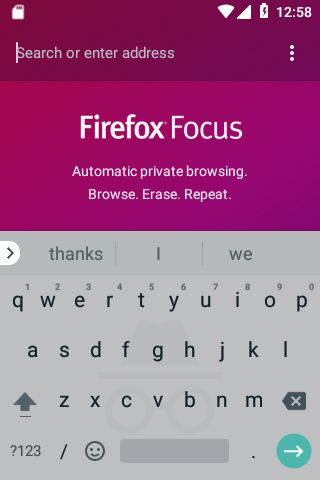
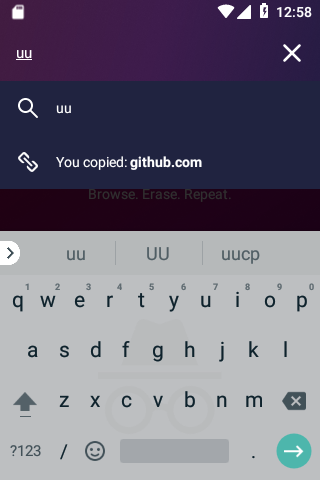
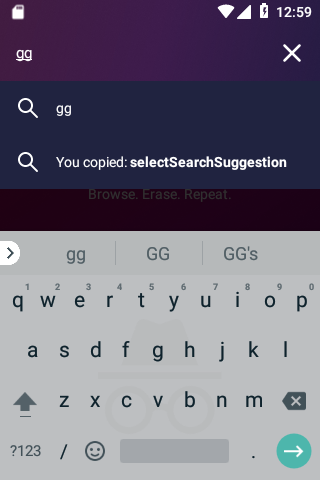
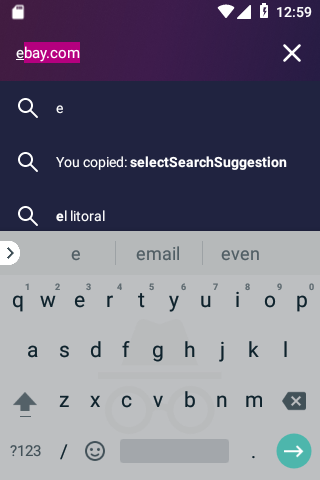
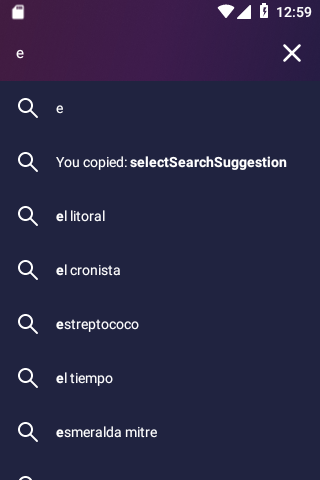
(PS: will pr tomorrow after fixing some issues with the code)
EmmanuelMess
on 19 Sep 2018
Hey @brampitoyo just some additional history about this feature and the above option before we make final decisions. IIRC when we added a similar clipboard entry option to iOS we got some user backlash for grabbing and displaying in our views what some users feel is "private". The "Paste + Go" Action is vague, but users may not like the display of what is on their clipboard. We may want to also open the discussion to product.
ekager
on 19 Sep 2018
Good point @ekager!
Sdaswani
on 19 Sep 2018
Thanks so mcuh for bringing it up, @ekager.
Up to this point, I didn’t know that we received backlash on iOS for showing the content of the clipboard. I thought that this was a feature that will make Firefox Focus even more convenient to use. I didn’t realise that revealing clipboard was a really big deal for so many users.
So it was my mistake for not checking the context first!
Unfortunately, this means that this feature should probably not be shipped on the Release channel.
But like the first commenter wrote, it’s still useful for testing. Is it worth it to make this a Nightly and Beta-only feature?
brampitoyo
on 19 Sep 2018
We could put it behind a A/B on nightly.
Sdaswani
on 19 Sep 2018
What about making it opt-in as with the search suggestions?
EmmanuelMess
on 19 Sep 2018
I think it should have a clipboard icon. I'm really used to tapping and holding on the url bar to paste and go
 Poopooracoocoo
on 22 Jul 2019
Poopooracoocoo
on 22 Jul 2019
Related issues
 Benestar
·
7Comments
Benestar
·
7Comments
 zekooooo
·
7Comments
zekooooo
·
7Comments
 STPR
·
6Comments
STPR
·
6Comments
 jonalmeida
·
7Comments
jonalmeida
·
7Comments
 runboy93
·
5Comments
runboy93
·
5Comments
Most helpful comment
Just wanted to add that I'm a "typical user" and this feature is definitely missed when using Focus. Sure, it's just one or two extra clicks, but on mobile that's a big deal, since it involves hunting for the enter button, moving your finger all the way to the bottom of the (increasingly larger) display, etc.