Flycast: Grandia II graphical bugs (Android)
On the reicast Android Retroarch core:
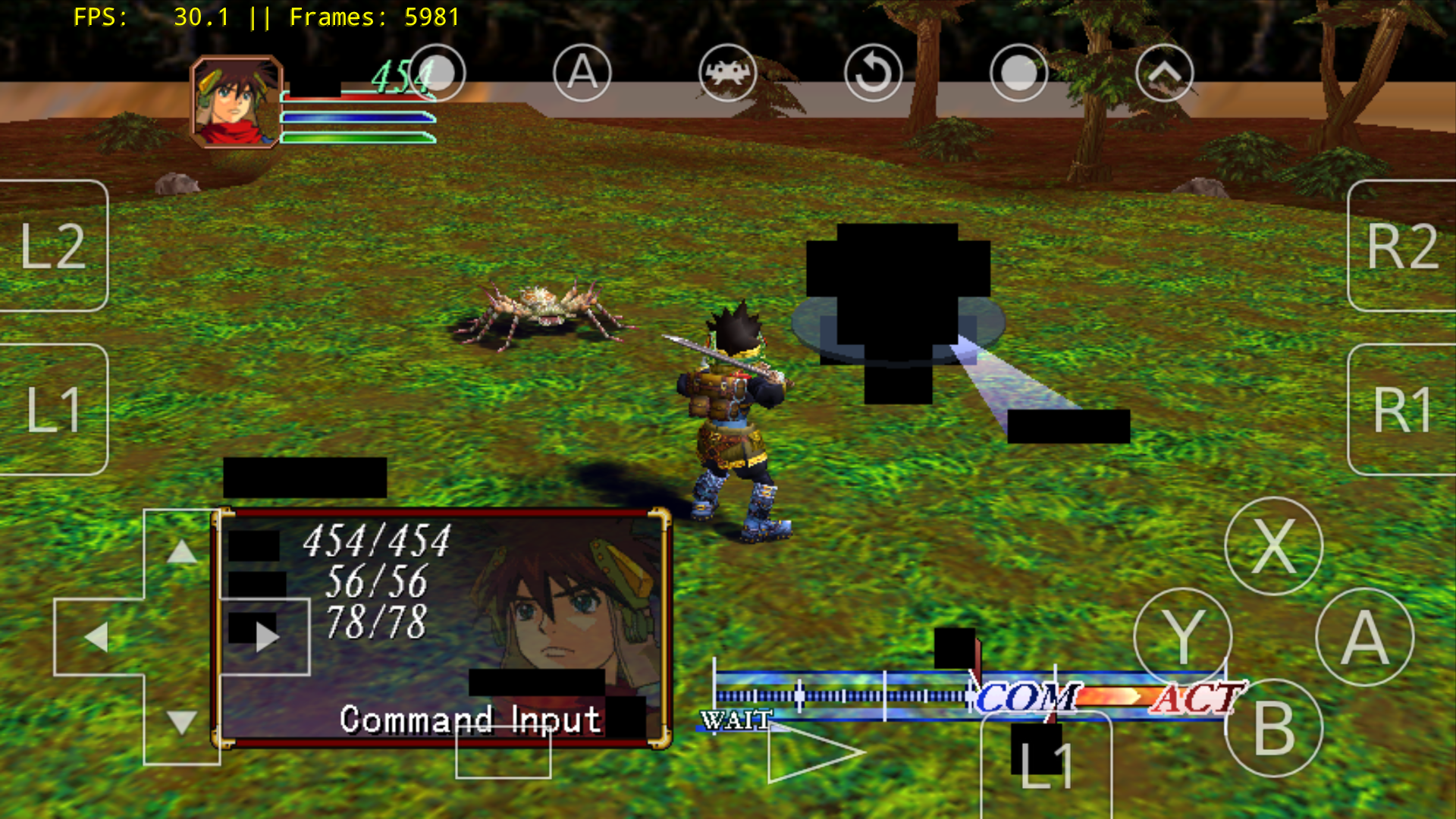

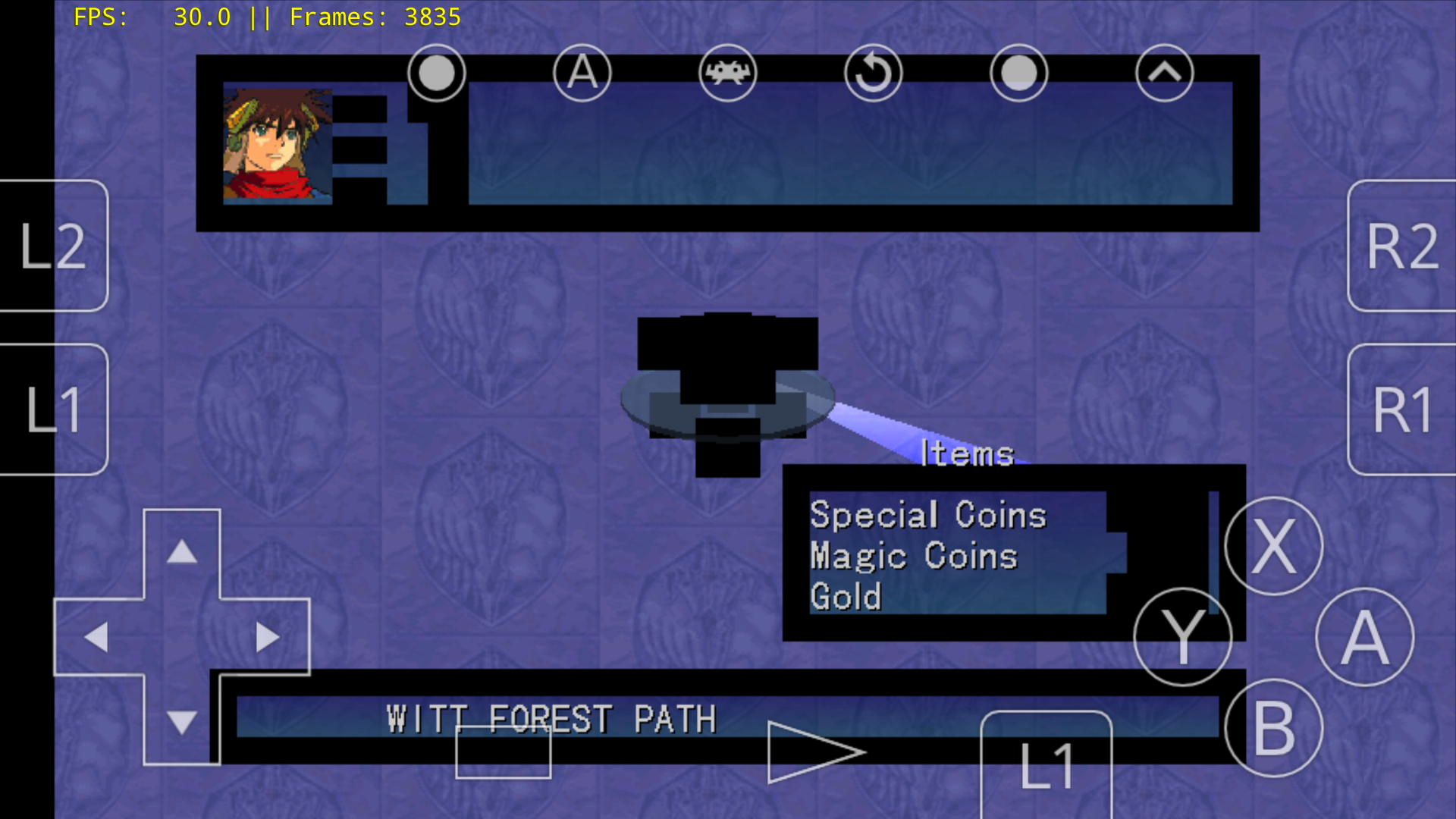
 blackman91
All 17 comments
May be fixed by PR #239
 flyinghead
on 31 Aug 2018
flyinghead
on 31 Aug 2018
Sadly no the same bugs are still present, may be related to this similar issue too:
https://github.com/libretro/reicast-emulator/issues/218
blackman91
on 31 Aug 2018
BTW these bugs are not present in your reicast fh branch.
blackman91
on 1 Sep 2018
@blackman91
Could you please retry using the latest build?
 MastaG
on 4 Sep 2018
MastaG
on 4 Sep 2018
Using Reicast 0.1 bb23007 on Android the same bugs are still there.
blackman91
on 4 Sep 2018
The same happens on Jojo's Bizarre Adventure on Android:
https://i.redd.it/69wlgf0aqml11.jpg
blackman91
on 11 Sep 2018
Is this a Mali GPU, something similar has happened before with the RetroArch XMB menu flickering black?
 meepingsnesroms
on 28 Sep 2018
meepingsnesroms
on 28 Sep 2018
Nope my gpu is Adreno 506
blackman91
on 28 Sep 2018
What device and OS version?
meepingsnesroms
on 28 Sep 2018
I have same issue on my Samsung Galaxy S8. RetroArch 1.7.5 and reicast build a2d26a5. That build fixed games like PSO not rendering, but still have black boxes in Grandia like the OP. As well as cutscenes showing black and only has audio, but I believe that's is a separate reported issue.
 Siushaga
on 28 Sep 2018
Siushaga
on 28 Sep 2018
Motog5 plus Android 7
blackman91
on 28 Sep 2018
Hopefully #295 will fix this. Please report.
flyinghead
on 30 Sep 2018
@flyinghead what's the easiest way to pull in these code changes? I used core updater in RetroArch, but it still shows 1.7.5 - Reicast 0.1 a2d26a5, which was from when I updated to fix PSO glitches.
Siushaga
on 30 Sep 2018
You'll have to be patient as the buildbot has been having some issues lately
flyinghead
on 30 Sep 2018
Latest core is much closer to rendering properly... Instead of black boxes, they are now highlighted green while being legible so at least it's playable! Couple sample images linked below.
https://ibb.co/n0Aste
https://ibb.co/mK2GKK
Issue doesn't seem to be present with latest fh/mymaster standalone, so maybe something specific to the libretro core?
Edit: Seems it may have been related to a save state from before the fix. I loaded from in game save and confirmed its all showing up normally now.
Siushaga
on 1 Oct 2018
It renders now properly on my device on Android 7 using latest core:
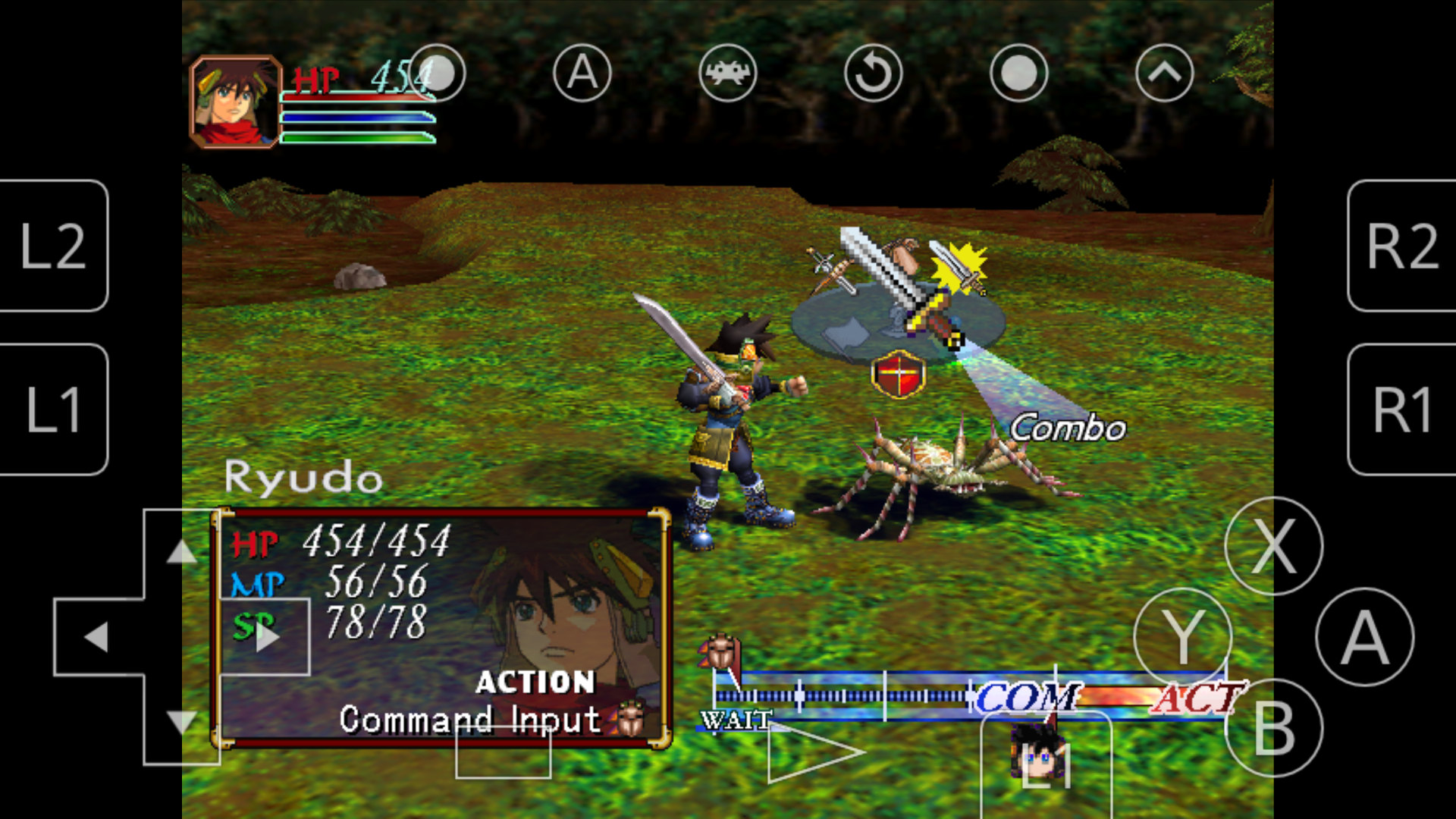
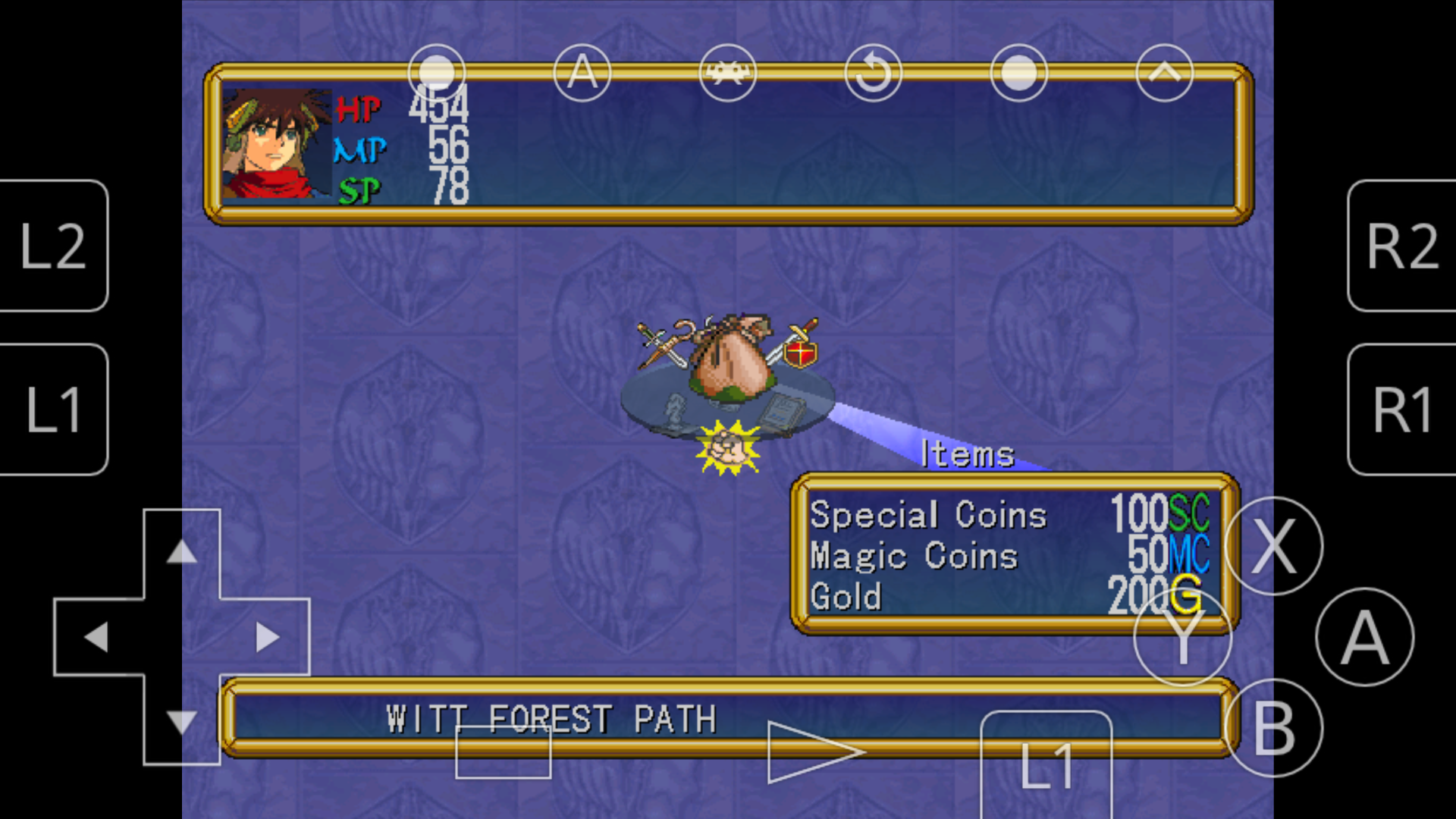
blackman91
on 1 Oct 2018
It seems this is fixed now, flyinghead you do great work.
blackman91
on 1 Oct 2018
Related issues
 blisstik
·
6Comments
blisstik
·
6Comments
 Shoegzer
·
3Comments
Shoegzer
·
3Comments
 RaduNastase
·
11Comments
RaduNastase
·
11Comments
 Tatsuya79
·
5Comments
Tatsuya79
·
5Comments
 ghost
·
4Comments
ghost
·
4Comments