Flutter-geolocator: GetCurrentLocation not working in release apk in Android
When running my app in debug mode everything works fine both in Emulator and real device. I am able to built a release apk without any problems. The problem is that after installing the apk the getCurrentLocation method doesn't work. I tried in two real Android devices.
It doesn't seem just a very long delay since I kept the app open for 20 minutes :/
There aren't any problems during release build nor debug build.
I am using the version 5.3.0
 MarieOatu
All 19 comments
Consegui resolver adicionando as seguintes permissões:
<uses-permission android:name="android.permission.ACCESS_COARSE_LOCATION" /> <uses-permission android:name="android.permission.ACCESS_LOCATION_EXTRA_COMMANDS" /> <uses-permission android:name="android.hardware.location.gps" />
Depois rodei um flutter clean;
Depois dei um build de novo (flutter run);
 northonBarbosa
on 16 Mar 2020
northonBarbosa
on 16 Mar 2020
Tentei o que @northonBarbosa sugeriu, mas infelizmente não o arquivo apk não funciona como esperado. O método getCurrentLocation não é executado até o fim e a aplicação fica esperando por ele pra sempre.
Consegui resolver adicionando as seguintes permissões:
<uses-permission android:name="android.permission.ACCESS_COARSE_LOCATION" /> <uses-permission android:name="android.permission.ACCESS_LOCATION_EXTRA_COMMANDS" /> <uses-permission android:name="android.hardware.location.gps" />Depois rodei um
flutter clean;
Depois dei um build de novo (flutter run);
Unfortunately the configuration above does not solve the problem. The loading screen (that is shown while the getCurrentLocation is being executed) stays there as long as the app is open on a real device.
MarieOatu
on 16 Mar 2020
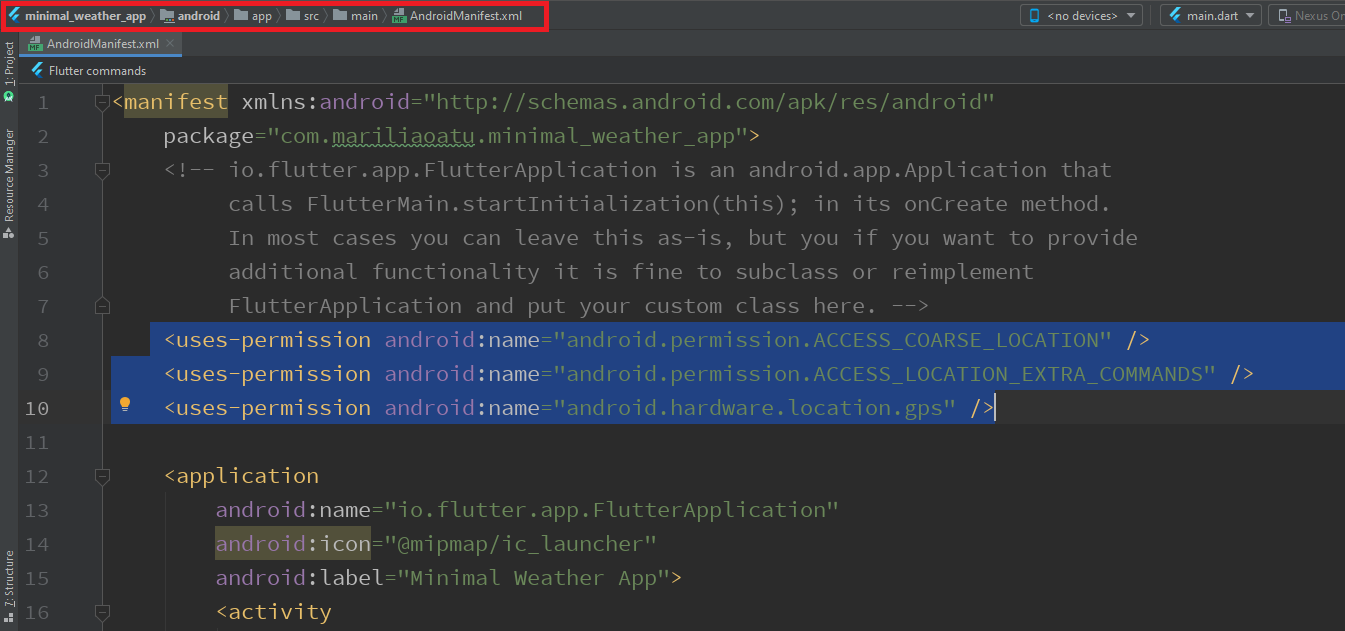
@MarieOatu could you verify that you added the permissions suggested by @northonBarbosa to your AndroidManifest.xml located in your android/app/src/main folder?
Since you mentioned everything works fine in when running in debug mode, it makes me think you might have added the configuration to the android/app/src/debug/AndroidManifest.xml file (which only gets loaded when running in debug mode, and is ignored when compiling a release build).
 mvanbeusekom
on 16 Mar 2020
mvanbeusekom
on 16 Mar 2020
@mvanbeusekom It was exactly what I did.
MarieOatu
on 16 Mar 2020
@MarieOatu can you make sure that the GPS services are enabled (see also: https://github.com/Baseflow/flutter-geolocator/issues/400)?
mvanbeusekom
on 16 Mar 2020
@mvanbeusekom Yes, they are, here is a screenshot.
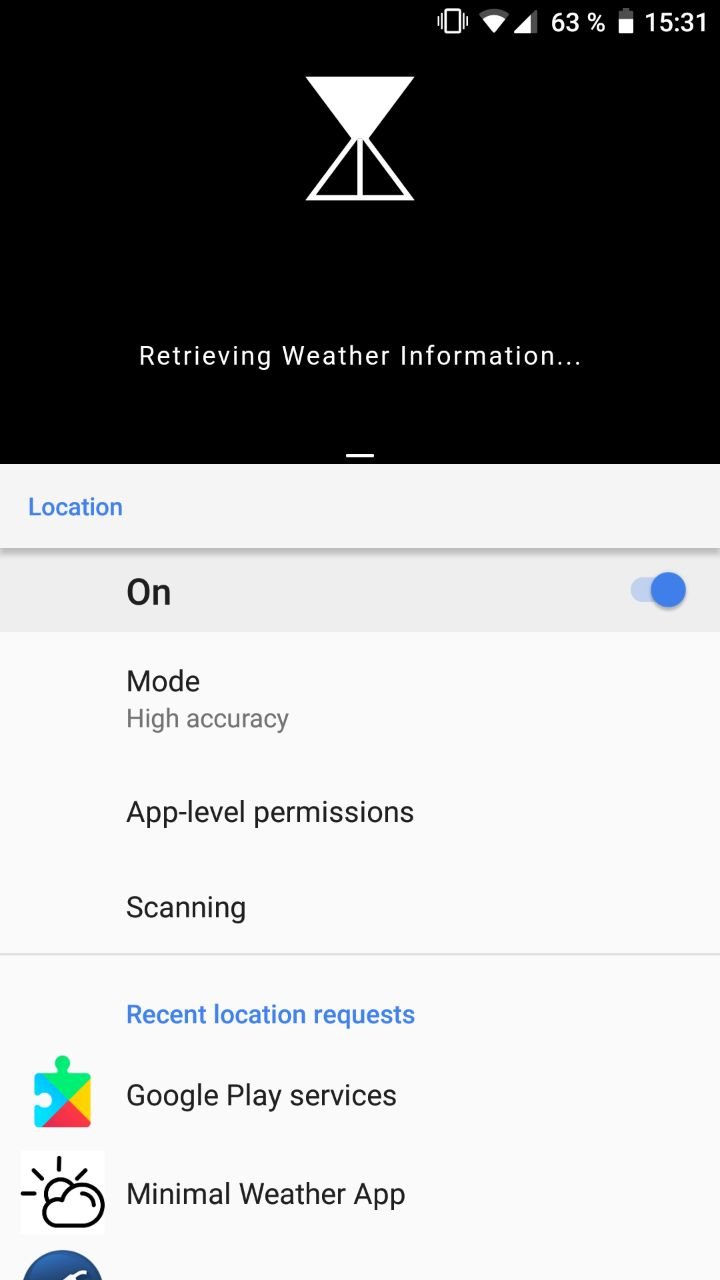
This device is the same I use in debug mode. It works perfectly fine in debug mode, but the release apk doesn't work.
MarieOatu
on 16 Mar 2020
@MarieOatu try to set the desiredAccuracy to LocationAccuracy.high
I was using LocationAccuracy.low and it wasn't working for me.
@mvanbeusekom seems that the LocationAccuracy.low isen't working, it dind't return the latitude and longitude to me.
northonBarbosa
on 16 Mar 2020
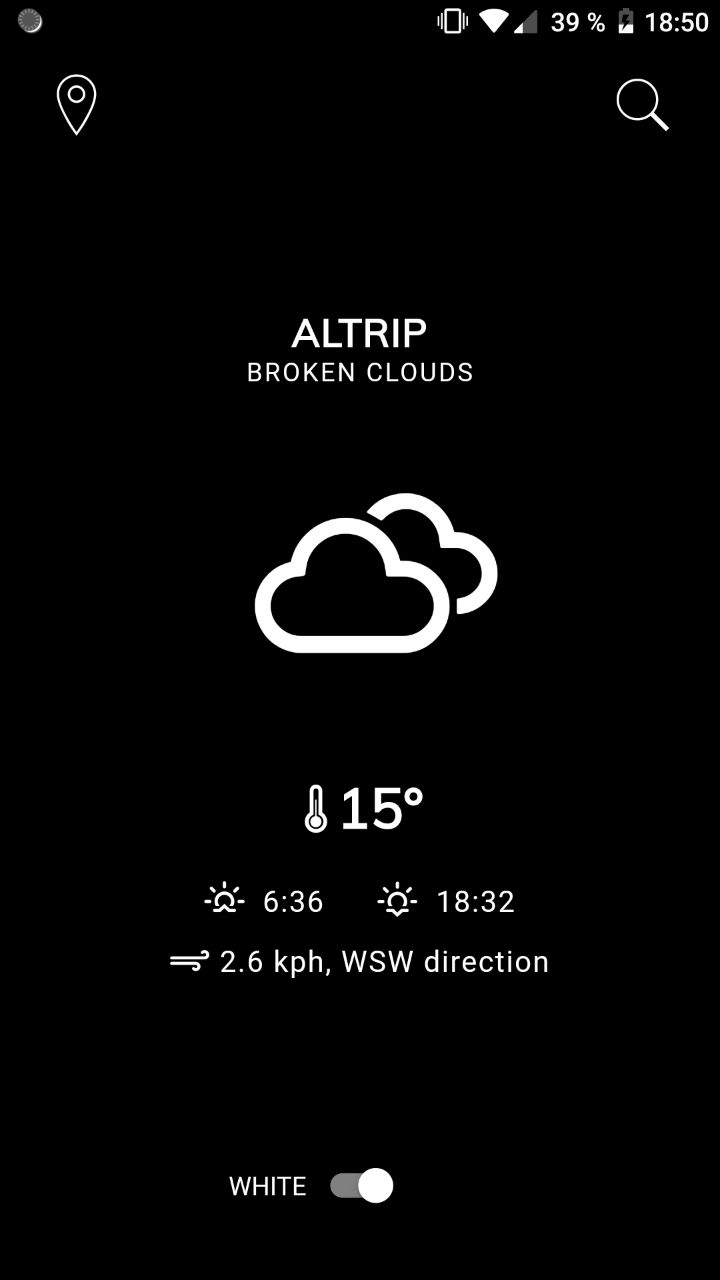
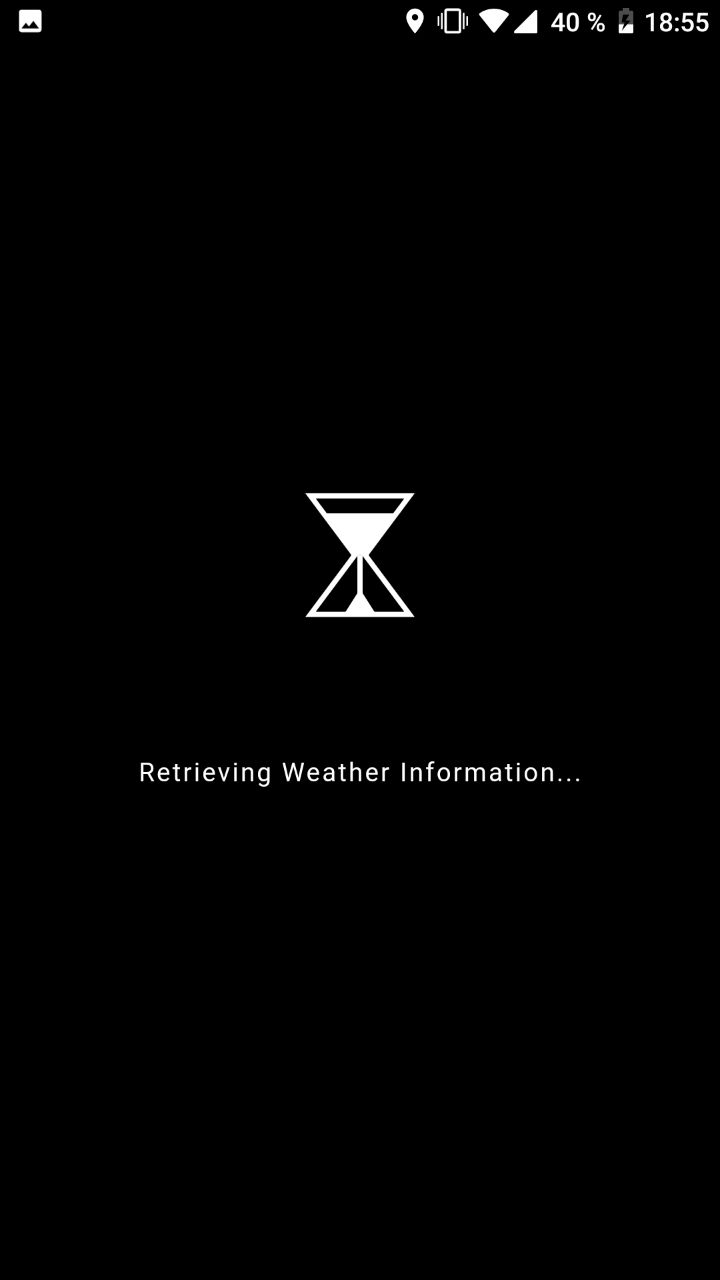
@northonBarbosa I tried it but it doesn't work either. As soon as the app launches thelocation onicon is shown for 2 seconds (maybe less than that). The app in debug mode works as good with LocationAccuracy.high as it worked with LocationAccuracy.low.
Below is a screenshot of the app in debug mode in a real device (second screen, after getCurrentLocation was executed).
And here is a screenshot of the release apk in the same device, the location on icon showing up on the status bar.
MarieOatu
on 16 Mar 2020
@MarieOatu it seems that the problem is with the device, but I could be wrong.
Is your project on Git? Can you send us the link to the project for us to analyze the code and test it on our device?
northonBarbosa
on 17 Mar 2020
@northonBarbosa
The API response of the OpenWeatherApp changed and broke my app entirely. I'll make the necessary changes and push the project to git. But I tested the app in two devices.
MarieOatu
on 18 Mar 2020
@MarieOatu
I took a simple project that uses the geolocator package, and I got the same issue as you.
It worked on the simulator but not in the release apk.
@mvanbeusekom Do you know whats happening?
northonBarbosa
on 18 Mar 2020
@MarieOatu
I think that I solved the issue.
1)===========
In the lines that you get the position, try to adapt your code to the following one:
Geolocator geoLocator = Geolocator()..forceAndroidLocationManager = true;
Position position = await geoLocator.getCurrentPosition(desiredAccuracy: LocationAccuracy.low);
2)===========
Check if you are using these permissions:
<uses-permission android:name="android.permission.INTERNET" />
<uses-permission android:name="android.permission.ACCESS_FINE_LOCATION" />
<uses-permission android:name="android.permission.ACCESS_LOCATION_EXTRA_COMMANDS" />
<uses-permission android:name="android.hardware.location.gps" />
3)===========
After updating the permissions, run flutter clean on terminal.
Then you can build the apk or run on the simulator.
It worked for me, both on the simulator and the physical device.
Let us know if it worked for you!
northonBarbosa
on 18 Mar 2020
Hi, thanks for the tip @northonBarbosa about the Geolocator geoLocator = Geolocator()..forceAndroidLocationManager = true;
Do you know why we have to put that here ? Especially since I have google services in my dependencies
```
dependencies {
classpath 'com.android.tools.build:gradle:3.3.1'
classpath "org.jetbrains.kotlin:kotlin-gradle-plugin:$kotlin_version"
classpath 'com.google.gms:google-services:4.2.0'
}
?
 Psabot
on 20 Mar 2020
Psabot
on 20 Mar 2020
I am not very informed about this @Psabot, but to my understanding this is dependent on the region you are in. Some regions (in the world) are actively blocking or are not allowed to use Google Play Services. Meaning even if it is installed you cannot get a connection and thus not receive the correct data.
For example, because of the latest trade war between China and the US, Google is not allowed to offer their Google Play Services in China (or even on devices manufactured in China).
This means you need to fallback on the native Android routines using the forceAndroidLocationManager property.
mvanbeusekom
on 22 Mar 2020
Is there any way to validate before forcing the location manager in a production application?
I'm running into a similar issue, but it worked perfectly on my device while not working on my emulator until I added the force. I wonder if my emulator thinks I'm in a region without access to Google Play Services?
 Tbhesswebber
on 20 Apr 2020
Tbhesswebber
on 20 Apr 2020
Still having the same issue.
Working well on debug mode and not working on release i tried everything above by the way.
 kada105
on 10 Jul 2020
kada105
on 10 Jul 2020
@MarieOatu
I think that I solved the issue.1)===========
In the lines that you get the position, try to adapt your code to the following one:
Geolocator geoLocator = Geolocator()..forceAndroidLocationManager = true;
Position position = await geoLocator.getCurrentPosition(desiredAccuracy: LocationAccuracy.low);2)===========
Check if you are using these permissions:
<uses-permission android:name="android.permission.INTERNET" />
<uses-permission android:name="android.permission.ACCESS_FINE_LOCATION" />
<uses-permission android:name="android.permission.ACCESS_LOCATION_EXTRA_COMMANDS" />
<uses-permission android:name="android.hardware.location.gps" />3)===========
After updating the permissions, runflutter cleanon terminal.Then you can build the apk or run on the simulator.
It worked for me, both on the simulator and the physical device.
Let us know if it worked for you!
This worked for me. The problem was in permission as far I could tell as updating the permissions fixed my issue. Initially, I had the following permissions,
<uses-permission android:name="android.permission.ACCESS_FINE_LOCATION" />
After updating the permissions as given in your post, the code ran. Thank you. And I am from India, Google Play Services does work here, hence did not need to force Android Location Manager.
 tigerjoy
on 26 Aug 2020
tigerjoy
on 26 Aug 2020
If you are using location for the internet API. then put android.permission.INTERNET in the Android manifest. It should work for physical devices for release APK mode.
 LeonDragon
on 15 Dec 2020
LeonDragon
on 15 Dec 2020
not working for me
 mohamed-alazawy
on 1 May 2021
mohamed-alazawy
on 1 May 2021
Related issues
 lqmminh
·
6Comments
lqmminh
·
6Comments
 estevez-dev
·
6Comments
estevez-dev
·
6Comments
 shrishti08
·
3Comments
shrishti08
·
3Comments
 samo92
·
6Comments
samo92
·
6Comments
 fawadkhanucp
·
3Comments
fawadkhanucp
·
3Comments
Most helpful comment
@MarieOatu
I think that I solved the issue.
1)===========
In the lines that you get the position, try to adapt your code to the following one:
Geolocator geoLocator = Geolocator()..forceAndroidLocationManager = true;Position position = await geoLocator.getCurrentPosition(desiredAccuracy: LocationAccuracy.low);2)===========
Check if you are using these permissions:
<uses-permission android:name="android.permission.INTERNET" /><uses-permission android:name="android.permission.ACCESS_FINE_LOCATION" /><uses-permission android:name="android.permission.ACCESS_LOCATION_EXTRA_COMMANDS" /><uses-permission android:name="android.hardware.location.gps" />3)===========
After updating the permissions, run
flutter cleanon terminal.Then you can build the apk or run on the simulator.
It worked for me, both on the simulator and the physical device.
Let us know if it worked for you!