Flipper: Flipper not shows installed plugins
🐛 Bug Report
I am using react native 0.62 with flipper
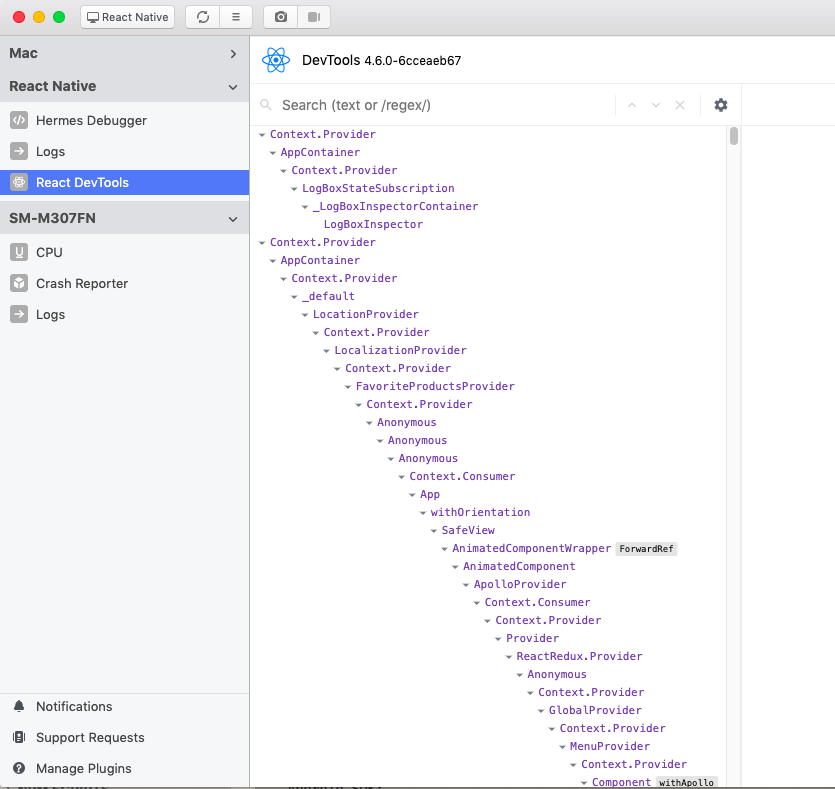
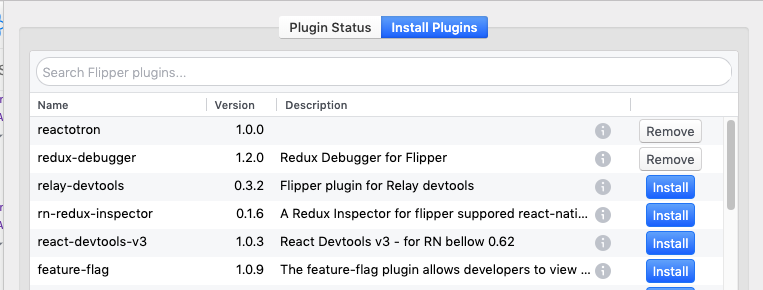
I have recently installed Reactoron and redux-debugger
but plugins not listed in side bar
To Reproduce
Environment
react-native 0.62
flipper 0.46.0
System:
OS: macOS Mojave 10.14.6
CPU: (4) x64 Intel(R) Core(TM) i5-5250U CPU @ 1.60GHz
Memory: 109.01 MB / 8.00 GB
Shell: 3.1.2 - /usr/local/bin/fish
Binaries:
Node: 12.13.0 - /usr/local/bin/node
Yarn: 1.22.0 - /usr/local/bin/yarn
npm: 6.13.7 - /usr/local/bin/npm
Watchman: 4.9.0 - /usr/local/bin/watchman
Managers:
CocoaPods: 1.8.4 - /usr/local/bin/pod
SDKs:
iOS SDK:
Platforms: iOS 13.2, DriverKit 19.0, macOS 10.15, tvOS 13.2, watchOS 6.1
Android SDK:
API Levels: 23, 25, 27, 28, 29
Build Tools: 27.0.3, 28.0.3, 29.0.2
System Images: android-28 | Intel x86 Atom_64, android-28 | Google APIs Intel x86 Atom
Android NDK: Not Found
IDEs:
Android Studio: 3.5 AI-191.8026.42.35.6010548
Xcode: 11.3.1/11C505 - /usr/bin/xcodebuild
Languages:
Java: 1.8.0_222 - /usr/bin/javac
Python: 2.7.10 - /usr/bin/python
npmPackages:
@react-native-community/cli: Not Found
react: ^16.11.0 => 16.13.1
react-native: ^0.62.2 => 0.62.2
 TheEhsanSarshar
All 21 comments
I have a very similar problem https://github.com/facebook/flipper/issues/1253
 whenmoon
on 14 Jun 2020
whenmoon
on 14 Jun 2020
@whenmoon I am trying stuff on this link may it help
https://fbflipper.com/docs/troubleshooting/#no-plugins-showing-up-for-your-device
TheEhsanSarshar
on 15 Jun 2020
@EhsanSarshar did you install react-native-flipper as well?
Note that your application doesn't show at all in Flipper, so do make sure you are running a debug build. If you upgraded your project from an older RN version, make sure that you followed the upgrade helper to make sure all deps that are needed now are included (for example: https://react-native-community.github.io/upgrade-helper/?from=0.61.4&to=0.62.2)
 mweststrate
on 15 Jun 2020
mweststrate
on 15 Jun 2020
@mweststrate other part of flipper like React devtools and other logging part work correctly
react-native-flipper is also installed and I thought react native 0.62 support flipper by default
TheEhsanSarshar
on 15 Jun 2020
@EhsanSarshar we've just published a troubleshooting guide: https://fbflipper.com/docs/troubleshooting#react-native. Would mind to follow it and report back on any specific issues that fail?
mweststrate
on 15 Jun 2020
@EhsanSarshar Flipper errors should be logged into the device logs under SM-M307FN. It really looks that the Flipper client isn't initialized at all. Or if there is an error in Flipper itself it should show up in View > Developer Tools > console.
Are you sure you are using a debug build and ticked all the bullets on the trouble shooting page, including verifying your files look similar to the ones suggested by by the upgrade tool? Otherwise consider creating a stripped down version of your app public, it really looks like one of the steps missed since the app is completely absent.
mweststrate
on 15 Jun 2020
@mweststrate as it seems the problem is with wrong react native upgrade steps. but as I fix it by following exactly the steps in here. but still plugins not showing and flipper can't connect to my app. is there any way to see through logs to spot the issue
TheEhsanSarshar
on 15 Jun 2020
You may also find the diagnostic screen helpful, it will shed light on where the connection is failing: https://fbflipper.com/docs/troubleshooting/#android
 jknoxville
on 16 Jun 2020
jknoxville
on 16 Jun 2020
@EhsanSarshar Your post contains a very comprehensive list of environment information. I was wondering how you produced it. Is there a script?
 bizzguy
on 16 Jun 2020
bizzguy
on 16 Jun 2020
@bizzguy react-native info
TheEhsanSarshar
on 18 Jun 2020
@jknoxville I am trying the command but as the Docs said "This will only work if you added FlipperDiagnosticActivity to your AndroidManifest.xml. See getting started for help." but getting started page not exist . 404
TheEhsanSarshar
on 18 Jun 2020
@EhsanSarshar I'm an Android native app developer which may be why I didn't understand your answer. Is that a command line thing in React Native? Not sure how I would run that command.
bizzguy
on 18 Jun 2020
@EhsanSarshar thanks, I'll fix that link. This is where it's supposed to be pointing: https://fbflipper.com/docs/getting-started/android-native#diagnostics
jknoxville
on 18 Jun 2020
@EhsanSarshar I'm an Android native app developer which may be why I didn't understand your answer. Is that a command line thing in React Native? Not sure how I would run that command.
yeah
TheEhsanSarshar
on 21 Jun 2020
@EhsanSarshar was this issue fixed or is it still open?
mweststrate
on 24 Aug 2020
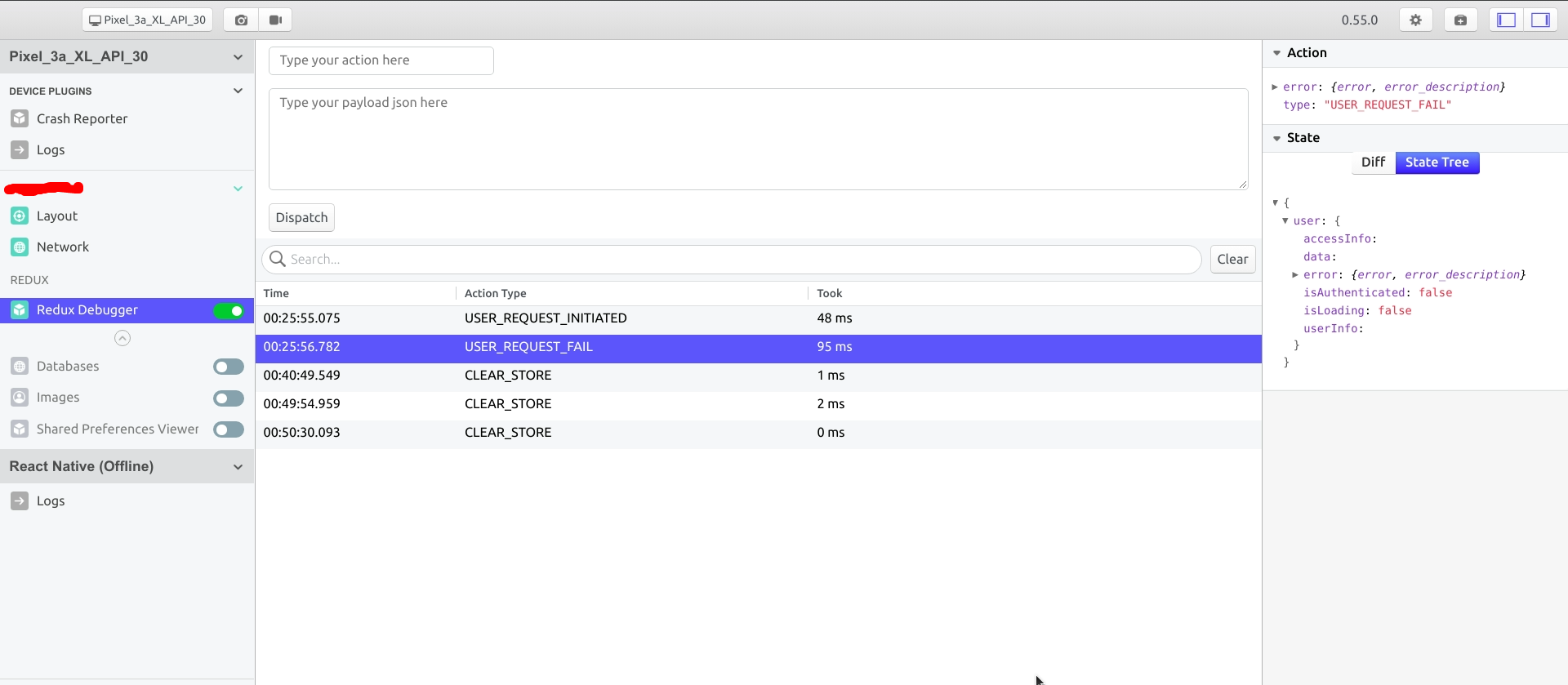
@EhsanSarshar I was having same problem with Flipper version 0.55 for redux-debugger & async storage plugin.
1. The main problem, I was expecting plugin to show up in flipper only by installing it through "Manage plugins" in Flipper.
2. _But not only you have to install react-native-flipper you also have to install the respective "react native" package in your react native app._
3. As mentioned in official docs Troubleshooting Issues:
https://fbflipper.com/docs/troubleshooting/#q-i-see-my-app-but-i-dont-see-the-external-plugins-ive-installed
Make sure you've installed the app part of the plugin. Typically the installation instructions of the plugin itself need to be followed here.
4. For your redux-debugger plugin
Install redux-flipper & react-native-flipper in react native app.
5. Here is the complete doc and installation steps.
https://classic.yarnpkg.com/en/package/flipper-plugin-redux-debugger
P.S. Always click the info icon in plugin to get the detailed doc of required dependencies & installation process.

 snaik2064
on 5 Sep 2020
snaik2064
on 5 Sep 2020
@snaik2064 not work :(
TheEhsanSarshar
on 13 Sep 2020
@EhsanSarshar for redux-debugger have you followed this steps? Also try updating flipper app to latest version.
They work fine for react-native v0.63 & flipper v0.56 on both macOS 10.15 Catalina & Linux ubuntu.
https://classic.yarnpkg.com/en/package/flipper-plugin-redux-debugger
snaik2064
on 13 Sep 2020
Hi, I'm facing the same issue with a physical android device ( Pixel 3 ).
- I can see react-native logs.
- react-native version 0.62.2.
- My app is ejected from expo.
 zeabdelkhalek
on 23 Sep 2020
zeabdelkhalek
on 23 Sep 2020
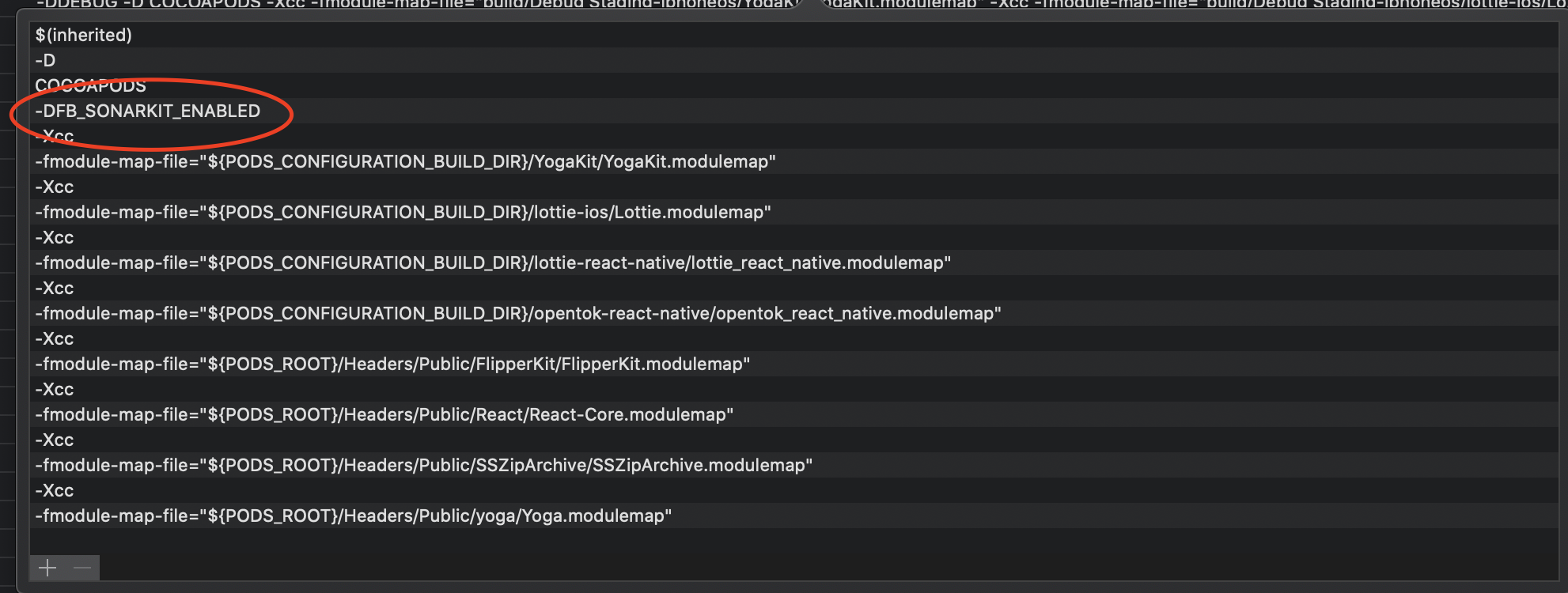
For anyone facing this issue with an iOS Swift project, the problem is in the Build Settings OTHER_SWIFT_FLAGS added automatically. Search for "Other Swift Flags" under "Swift Compiler - Custom Flags" and under the Debug configuration, you should see two keys added "-Xcc" immediately followed by "-DFB_SONARKIT_ENABLED=1". Remove both of them, and add a single key with the value "-DFB_SONARKIT_ENABLED"
 adi2412
on 12 Oct 2020
adi2412
on 12 Oct 2020
Hey there, it looks like there has been no activity on this issue recently. Has the issue been fixed, or does it still require the community's attention? This issue may be closed if no further activity occurs. You may also label this issue as a "Discussion" or add it to the "Backlog" and I will leave it open. Thank you for your contributions.
![stale[bot] picture](https://avatars.githubusercontent.com/in/1724?v=4&s=40) stale[bot]
on 26 Jun 2021
stale[bot]
on 26 Jun 2021
Related issues
 usrbowe
·
3Comments
usrbowe
·
3Comments
 orlandobustamantep
·
3Comments
orlandobustamantep
·
3Comments
 bojankoma
·
4Comments
bojankoma
·
4Comments
 hsavit1
·
3Comments
hsavit1
·
3Comments
 tdoran
·
3Comments
tdoran
·
3Comments
Most helpful comment
@EhsanSarshar I was having same problem with Flipper version 0.55 for redux-debugger & async storage plugin.
1. The main problem, I was expecting plugin to show up in flipper only by installing it through "Manage plugins" in Flipper.
2. _But not only you have to install react-native-flipper you also have to install the respective "react native" package in your react native app._
3. As mentioned in official docs Troubleshooting Issues:
https://fbflipper.com/docs/troubleshooting/#q-i-see-my-app-but-i-dont-see-the-external-plugins-ive-installed
Make sure you've installed the app part of the plugin. Typically the installation instructions of the plugin itself need to be followed here.
4. For your redux-debugger plugin
Install redux-flipper & react-native-flipper in react native app.
5. Here is the complete doc and installation steps.
https://classic.yarnpkg.com/en/package/flipper-plugin-redux-debugger
P.S. Always click the info icon in plugin to get the detailed doc of required dependencies & installation process.