Flameshot: Box-drawing border thickness is wildly inconsistent across systems
Flameshot version
Unknown - it's not shown in the UI. It's whatever Linux Mint 19.2 uses.
Describe the bug
The line width of the box drawing tools is extremely inconsistent. i have 2 Mint 19.2 systems, one which draws fine lines and one which draws unusably thick ones, and i have no idea why one system draws thick lines.
To Reproduce
This appears to be system specific:
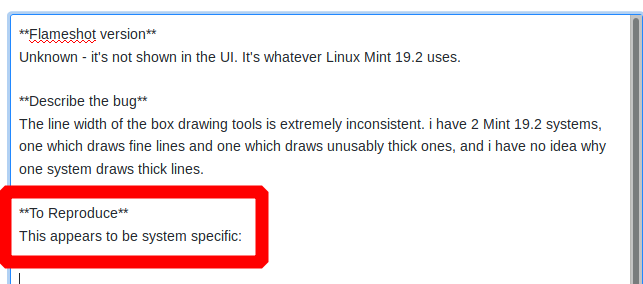
That line thickness is okay for that example use, but in many cases it's far too thick, blocking out content i want to show. On my laptop, with the same OS/package versions, it draws a comfortably thin line.
Expected behavior
i expected the thickness to be consistent across systems (and not huge) and/or to have a configuration option to tweak it.
System Information
Mint Linux 19.2 on two separate computers.
AHA - there is a setting, but not in the UI
While writing this ticket i tried, out of desperation, to export the config and see if there was a setting in there. Indeed...
cat ~/tmp/flameshot.conf
drawThickness=11
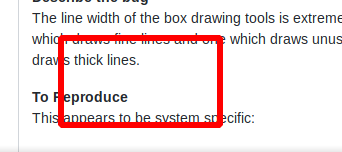
i've never export/imported the config before, so why it's set so thick here is unknown. After changing it to 4 (presumably pixels) and importing it, the line thickness is reasonable:
i'm going to post this ticket anyway (and will close it immediately afterwards) in the hopes of saving another user some grief.
 sgbeal
All 6 comments
Closing - see explanation near the bottom of the report.
sgbeal
on 11 Aug 2019
I feel sorry for users keep ignoring the startup information, which actually says:
Press Enter to capture the screen.
Press Right Click to show the color picker.
Use the Mouse Wheel to change the thickness of your tool. (<-- read this sentence please)
Press Space to open the side panel.
Those words for usage pop up every time you enter the capture mode. However, that's also the reason why users keep ignoring it. Not your fault @sgbeal , I just want to let you know that it can be elegantly configured.
 hosiet
on 13 Aug 2019
hosiet
on 13 Aug 2019
i appreciate you pointing that out, but an unintuitive misuse of the mouse wheel is arguably anything but elegant. If the mouse wheel is the proper way to change this, it should arguably not be persistent when changed that way. i apparently changed it by accident and was annoyed by thick lines for the next several dozens screenshots.
sgbeal
on 13 Aug 2019
Showing people a "wall of text" when they're trying to get something done is the best way to get people to ignore that text. Help text should, IMO, be shown only when a user goes looking for it, not when a user is trying to get something done. That's why we all click through license agreements and "this site uses cookies, select your options" dialogs - because we didn't go looking for that, we went looking for something else and that dialog is in our way, distracting us from our current purpose. In the case of the flameshot text, it very often literally blocks what we're trying to mark. That's possibly intentional, to try to force us to read it, but when someone is in the mindset of taking a screenshot, anything on the screen which is in their way is just a distraction.
sgbeal
on 13 Aug 2019
@sgbeal Not mentioning that on high DPI screens, the text is so small you don't even want to try to read it!
Thank you @hosietI for feeling sorry for us! So empathetic of you.
Dharkael thank you for creating this amazing tool!
 Dinduks
on 23 Mar 2020
Dinduks
on 23 Mar 2020
Came here only to realize I didn't read the popup either. So we are part to blame as well for not reading, but yeah, when I take a screenshot, any wall of text that I see is just automatically dismissed by me because I wanted to get my screenshot done and in this world of too much notifications, I just ignored it :/
 srosato
on 19 Oct 2020
srosato
on 19 Oct 2020
Related issues
 szszoke
·
4Comments
szszoke
·
4Comments
 makz27
·
4Comments
makz27
·
4Comments
 xstable
·
3Comments
xstable
·
3Comments
 gdude2002
·
4Comments
gdude2002
·
4Comments
 orschiro
·
3Comments
orschiro
·
3Comments
Most helpful comment
i appreciate you pointing that out, but an unintuitive misuse of the mouse wheel is arguably anything but elegant. If the mouse wheel is the proper way to change this, it should arguably not be persistent when changed that way. i apparently changed it by accident and was annoyed by thick lines for the next several dozens screenshots.